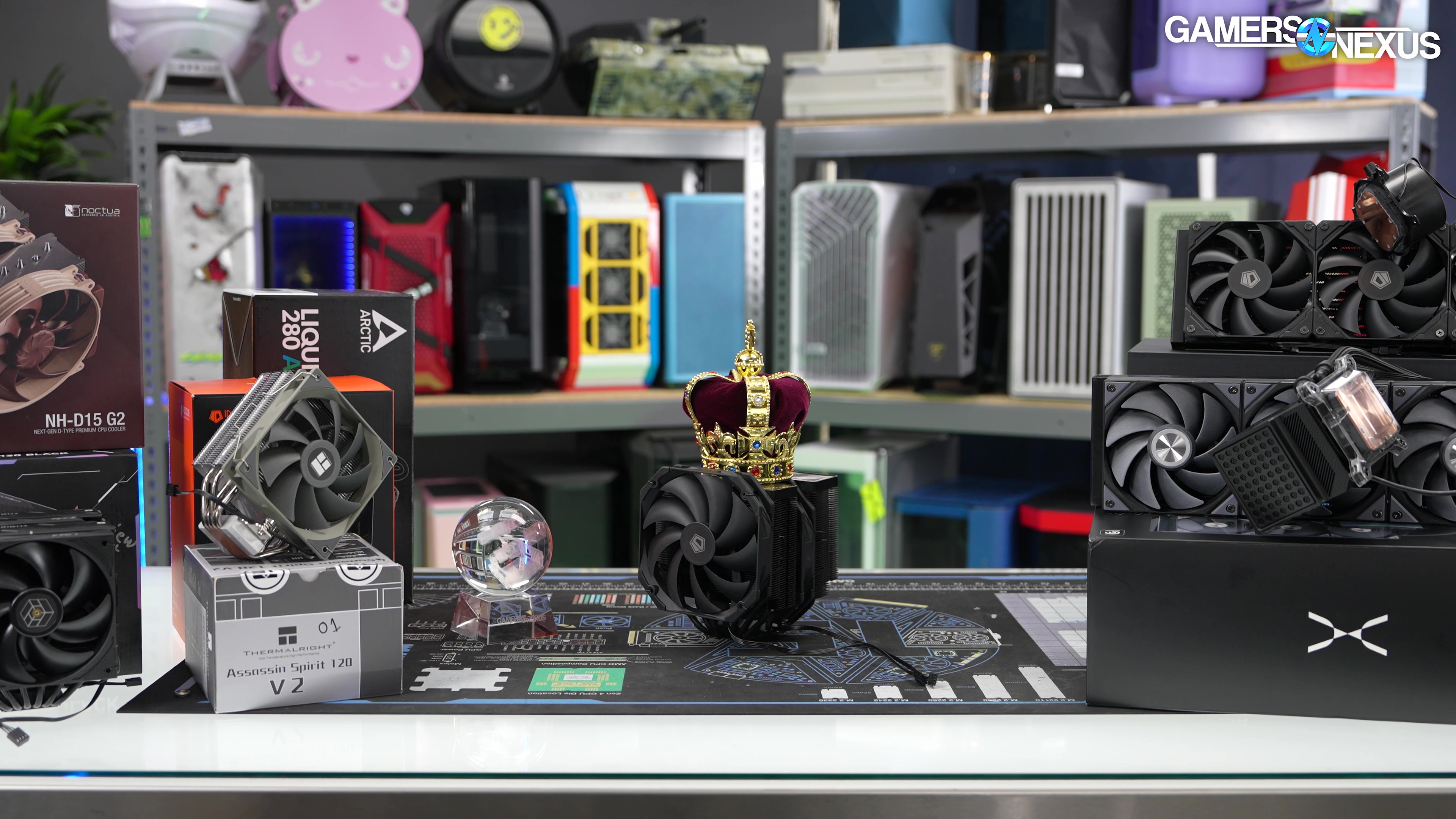
Our CPU cooler comparison includes benchmarks of the best air and liquid coolers (AIOs) for thermal performance and noise levels, spanning best overall, best budget, and more categories
The Highlights
- Best Overall CPU Cooler: Sudokoo SK700
- Best Noise-Normalized Thermals (Liquid): Tryx Panorama 360
- Best Noise-Normalized Thermals (Air): Noctua NH-D15 G2
- Best Budget CPU Coolers: ID-Cooling FX 360 Pro and Assassin Spirit V2
- Best Out-of-the-Box Thermals: Tryx Panorama 360 and A720
Table of Contents
- AutoTOC

Intro
We’re rounding up some of the best CPU coolers that we’ve tested recently. Earlier this year, we completely overhauled our CPU cooler testing methodology to move to AM5 for the 9800X3D and 9950X3D. This round-up includes the best liquid and air coolers that we’ve tested this year and is a continuation of our Best Of series, which is one of our favorite video series each year since we can revisit the parts that are actually good. We just ran a story about the Best Cases of 2025 before this one, and both cases and coolers have had an overall positive year (in spite of the silicon industry’s best efforts, like with RAM, for instance).
The round-up will include results from our AM5 platform, including 157W and 276W heat loads, both tested noise-normalized and at 100% fan speeds.
Editor's note: This was originally published on November 28, 2025 as a video. This content has been adapted to written format for this article and is unchanged from the original publication.
Credits
Test Lead, Host, Writing
Steve Burke
Testing, Camera, Video Editing
Mike Gaglione
Camera, Video Editing
Vitalii Makhnovets
Writing, Web Editing
Jimmy Thang
The categories this year include Best Overall, Best Value, Best Budget, Best Noise-Normalized (Air & Liquid), and Best Out-of-the-Box Thermals, which is just flat-out performance at 100%.
Overview
To set expectations on this content, our end of year Best Of round-ups are mostly meant for people who were out of the market for a while and are coming back in for a new build. We won’t go into as much detail as individual reviews, so we won’t be going through all the pressure maps and laser scans, and we’ll instead focus on the highlights. If you see something on this list that’s interesting, we’ll link full reviews below wherever we have them, or otherwise, check back for more cooler coverage soon as we get it all ramped and rolling out again. Product links are also below.
For this round-up, we have mostly entirely new data that hasn’t been shown before, possibly with some content from older charts and reviews. The new data isn’t cross-comparable with older data, and in particular, our AM4 platform’s acoustic testing was done entirely differently from our new AM5 test platform.
As usual, there are hundreds of coolers out there and we can only really speak to the ones we’ve tested this year and had hands-on time with. We have a good overall cross-section here, but if you don’t see exactly what you’re looking for, there are plenty of cooler reviews out there you could check for more detail. We’ll keep building on our list as well as we deploy this new methodology.
Let’s get into the Best Coolers for 2025.
| Category | CPU Cooler | Review |
| Best Overall CPU Cooler 2025 | Sudokoo SK700 on Amazon | |
| Best Noise-Normalized Thermals (Liquid) | Tryx Panorama 360 on Amazon | Tryx '3D' Panorama Cooler |
| Best Noise-Normalized Thermals (Air) | Noctua NH-D15 G2 on Amazon | Noctua NH-D15 G2 Review & Benchmarks, HBC & LBC Comparison, & Best CPU Coolers |
| Best Budget | ID-Cooling FX 360 Pro on Amazon Assassin Spirit V2 on Amazon | |
| Best Out-of-the-Box Thermals | Tryx Panorama 360 on Amazon A720 on Amazon | Tryx '3D' Panorama Cooler ID-Cooling A720 AD & TD, A410 TD, Cheap AIOs, & Scented Paste | Everyone is Targeting Thermalright |
| Best Mechanical Design | Sudokoo SK 700V on Amazon |
Best Overall: Sudokoo SK700
Sudokoo SK700: Amazon

The first award is for the Best Overall CPU Cooler for our 2025 testing. This award is given based on the total overall thermal performance, acoustic performance, build quality and mechanical design, and most importantly, value. Simply performing the best but being a $300 liquid cooler isn’t going to cut it -- we want it to be affordable for what you’re getting while also being compatible with most PC builds.
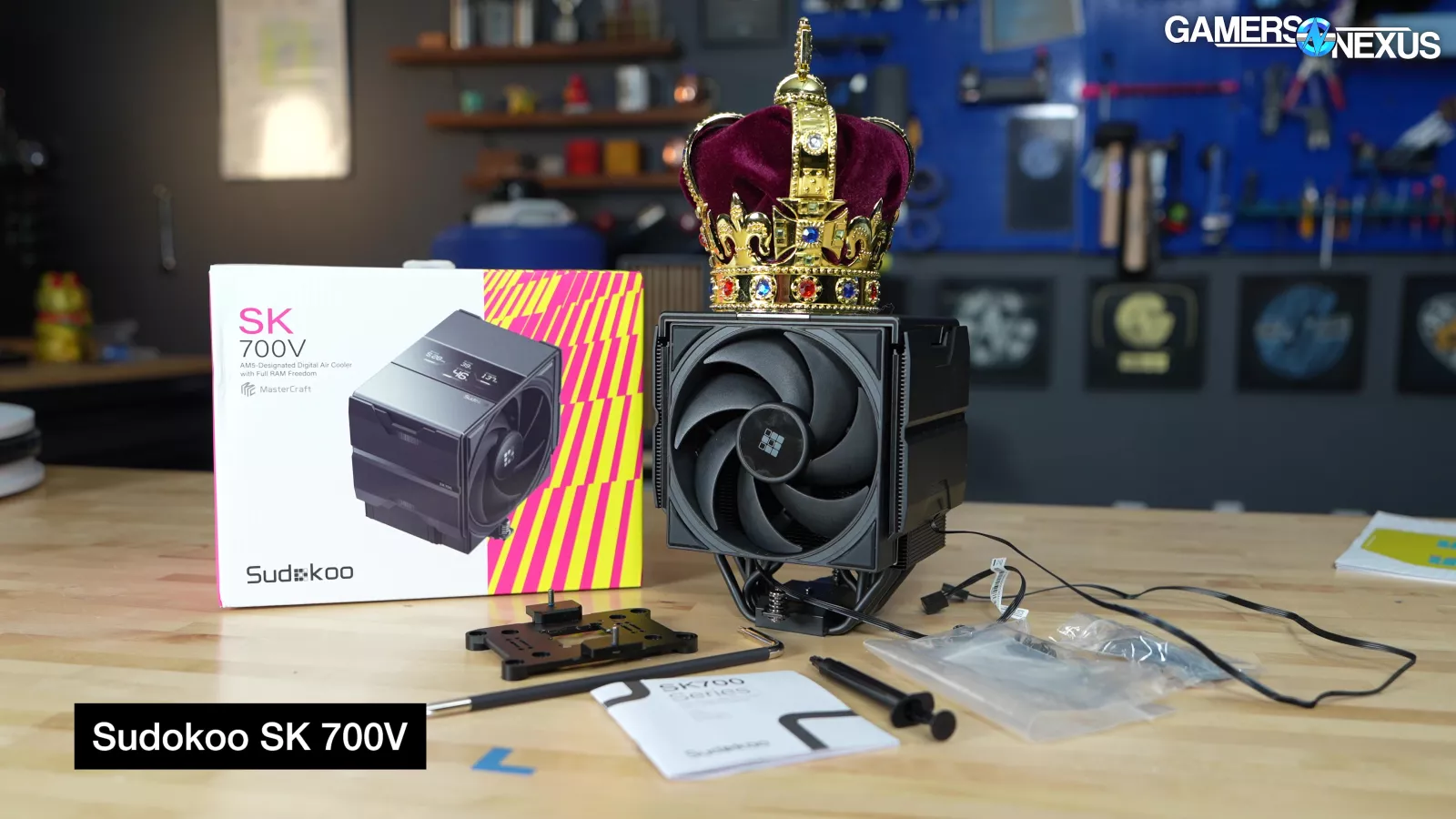
This year, we’re giving Best Overall to the Sudokoo SK700 series.

We’re also giving a runner-up award to the ID-Cooling A720 (check out our coverage), which won last year.
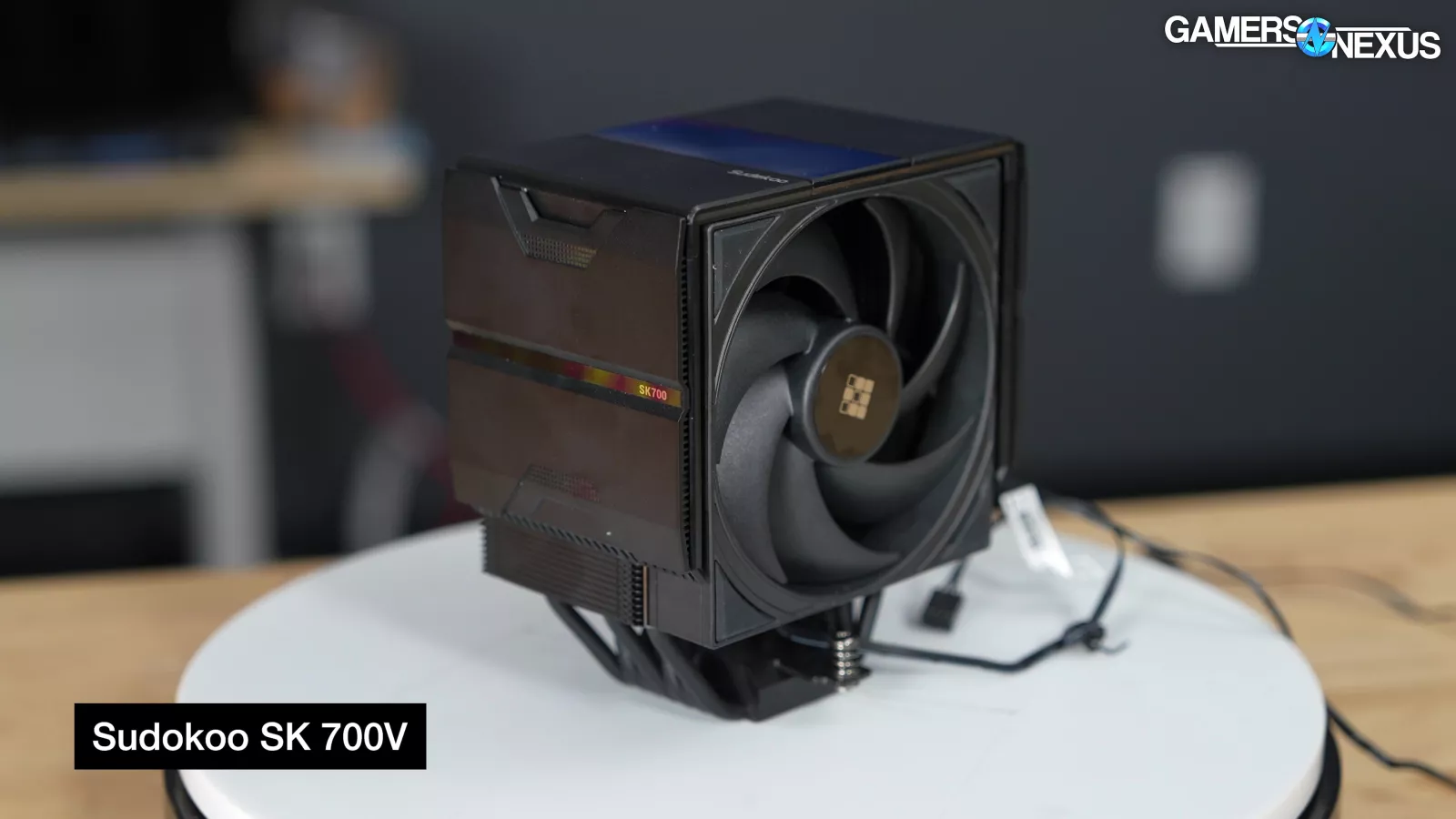
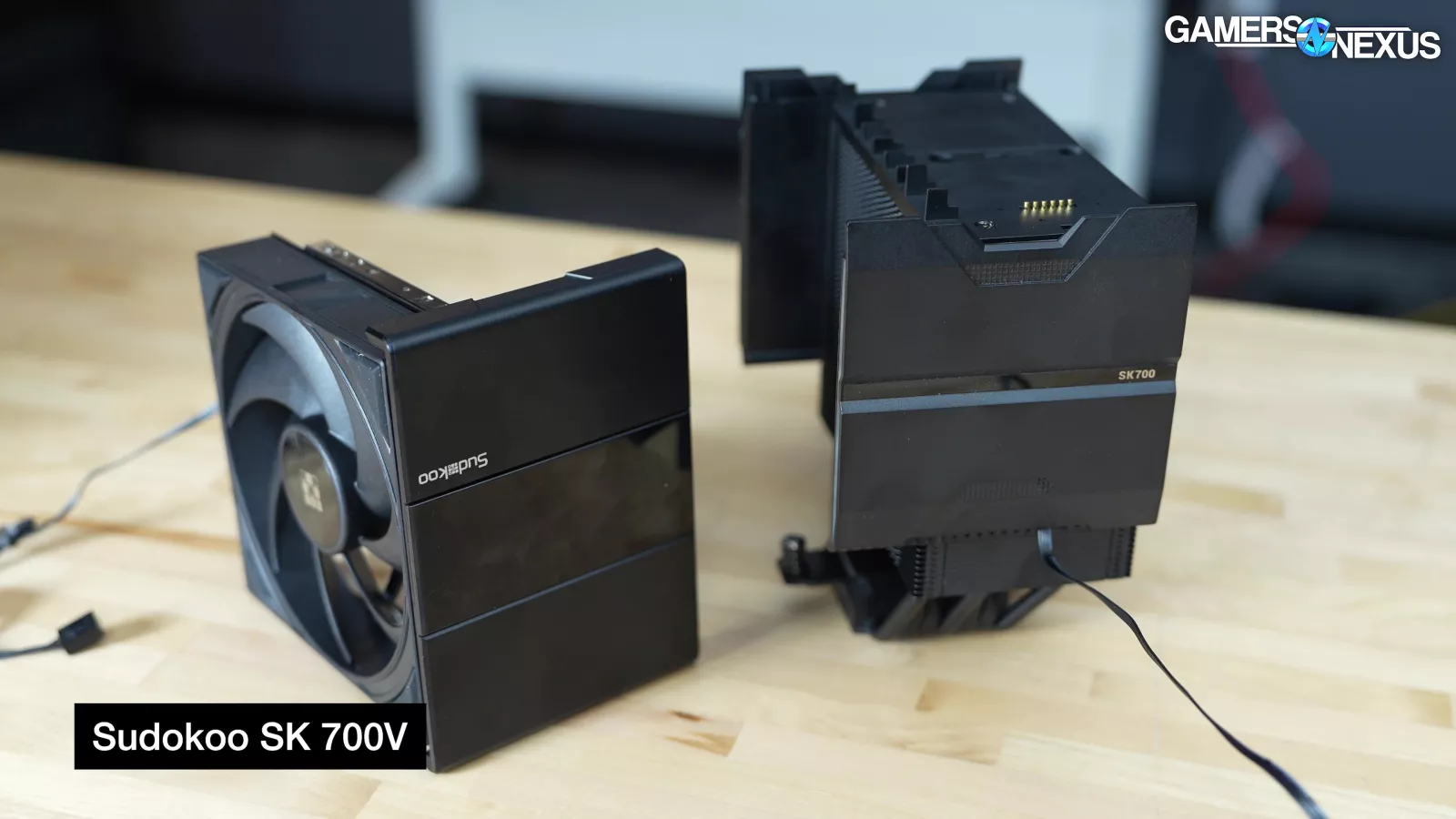
The Best Overall category is always given to a cooler that won another category in the awards, and in this case, the SK 700V won our Best Mechanical Design award this year as well. As you’ll see in a few moments, Sudokoo is deeply familiar for its cooling roots, and its deep cooling capabilities aren’t entirely unique to this new brand.
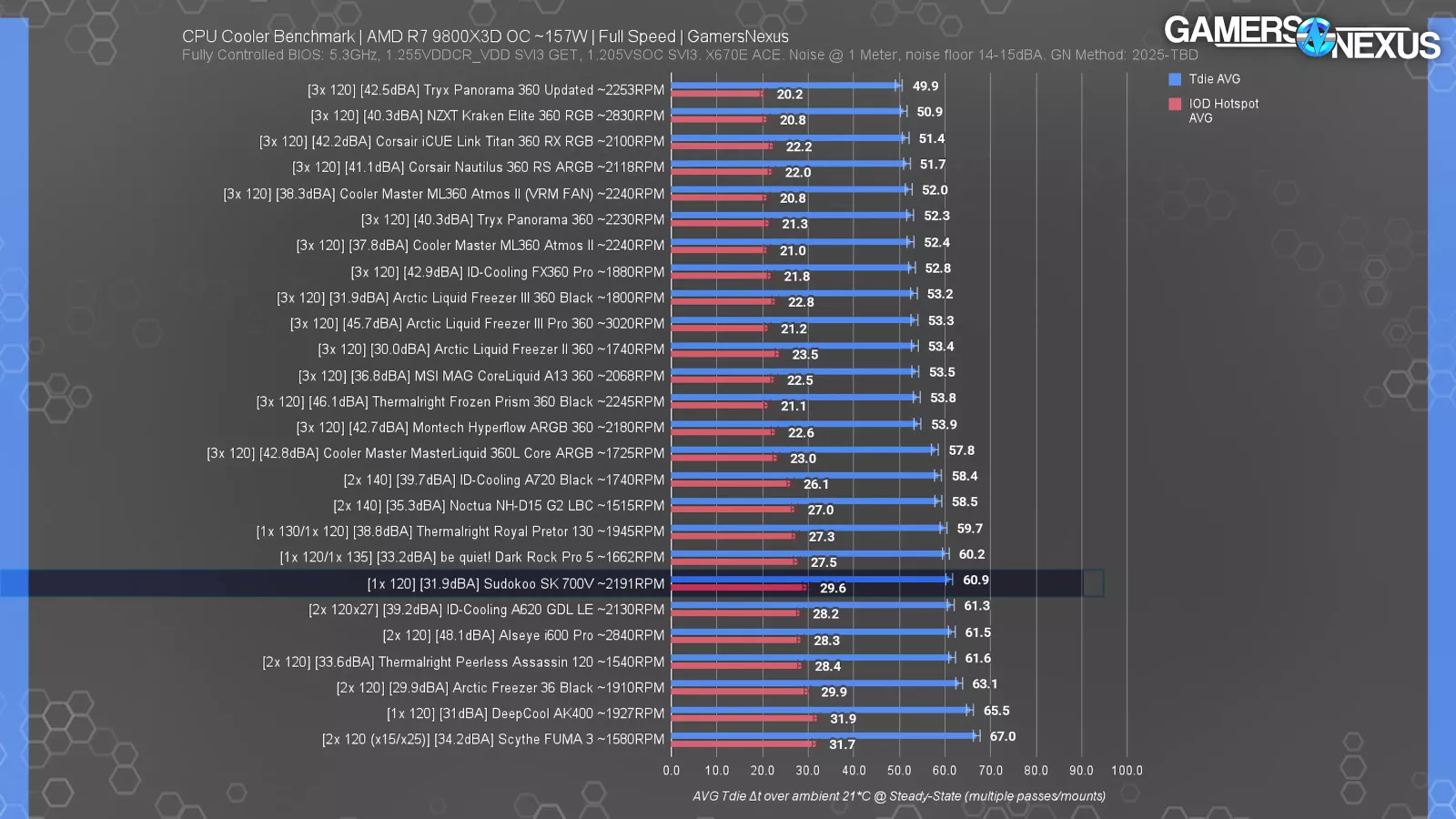
The SK 700V earns the Best Overall rank for a combination of its high build quality and its thermal performance. At 100% fan speeds for our 9800X3D workload, the cooler measured at 31.9 dBA while landing at 60.9 degrees Celsius for Tdie. That has it behind the A720 runner-up by just a couple degrees, but with what we think is significantly higher build quality at the same price -- and more importantly, better case compatibility due to the smaller stature and shorter 120mm fan. Even still, the A720 gets a runner-up award for Best Overall, maintaining some of its status from its victory last year in this category, simply for being the best not-$150-NH-D15-G2 air cooler on the chart. Maybe that’s a new award category we can introduce next year. The A720 is technically better than the SK700 series in thermals, but costs about the same right now and we do think its overall build quality is comparatively lower while also running louder in full fan speed tests (but with similar performance).
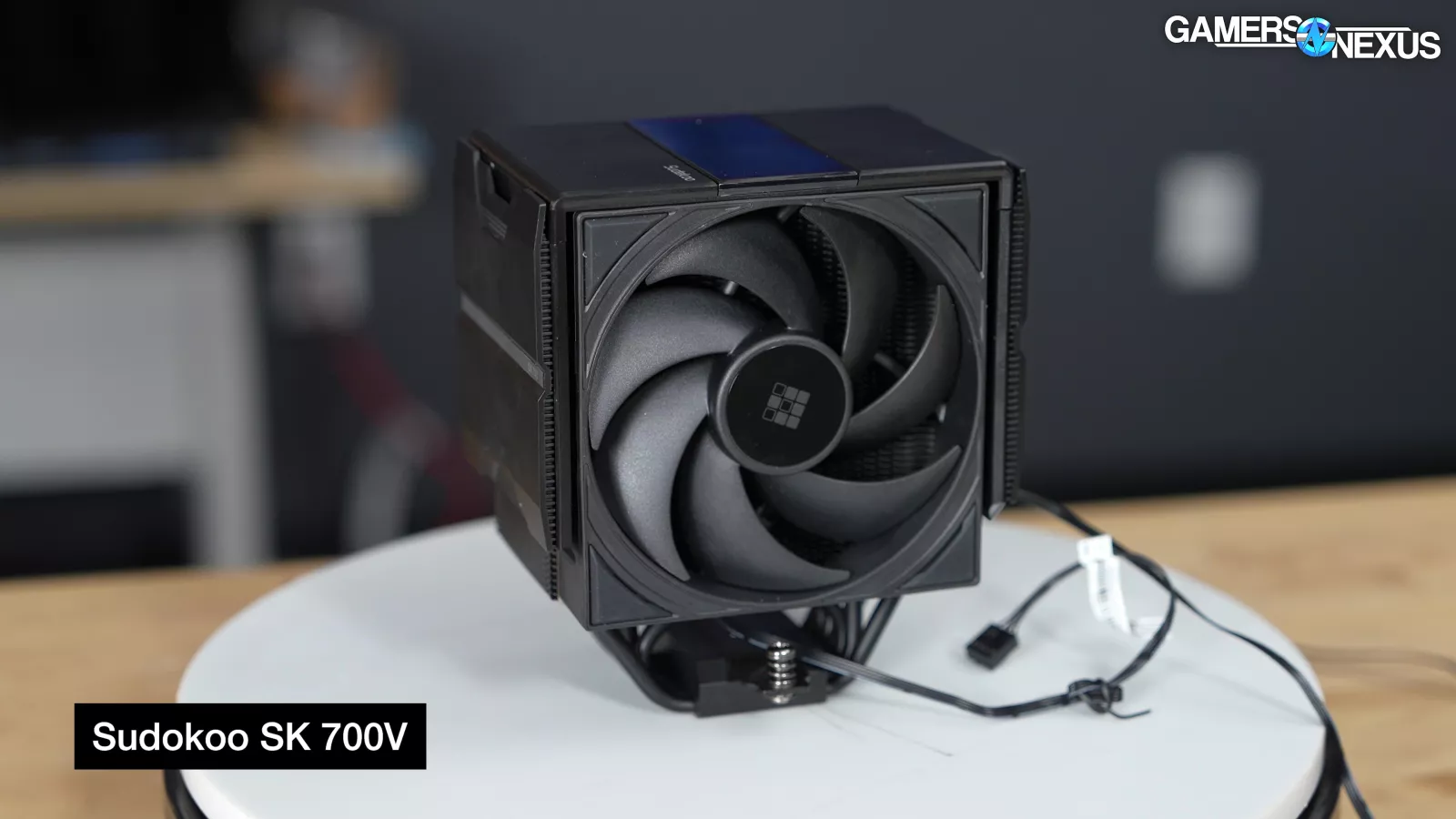
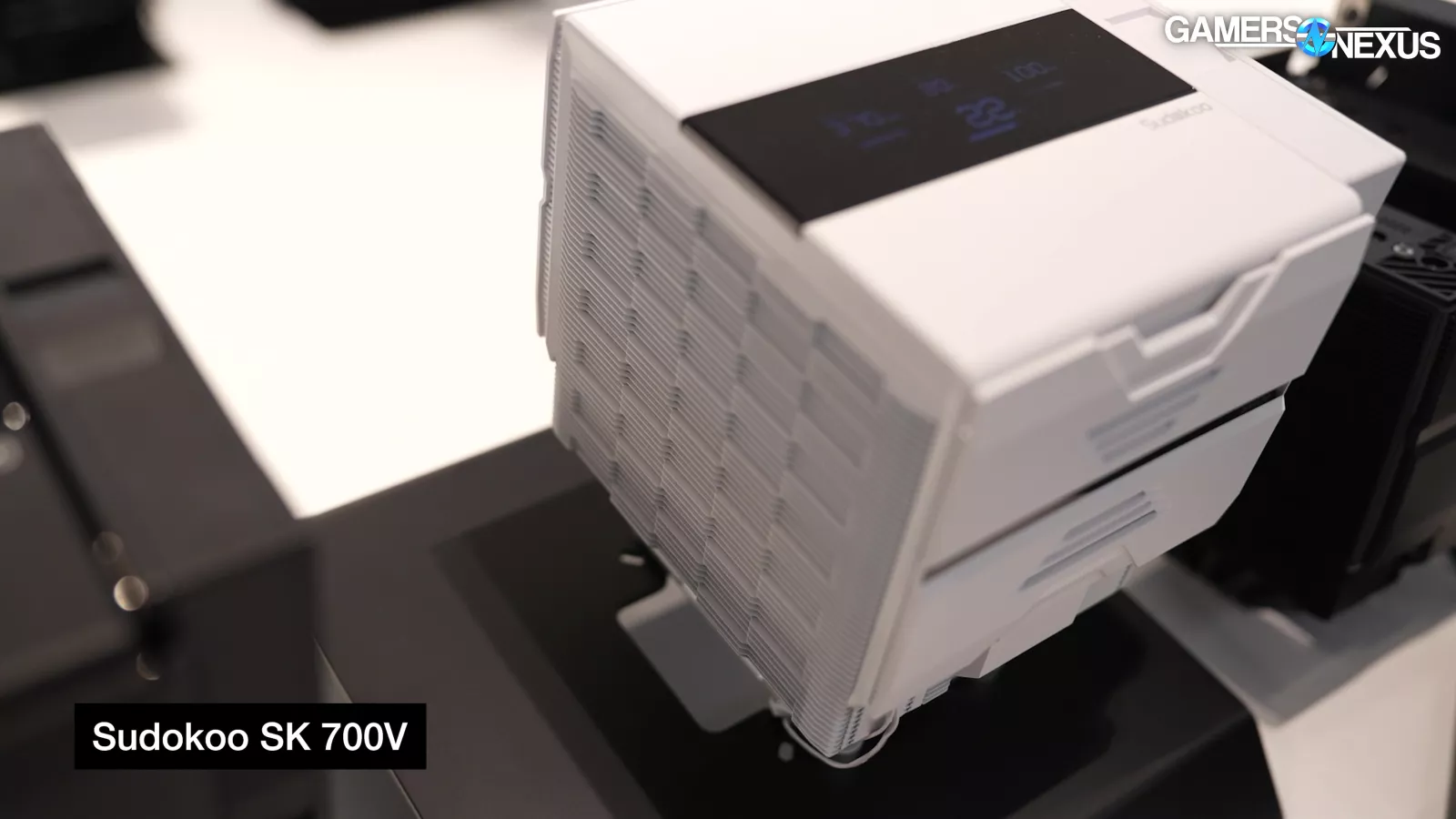
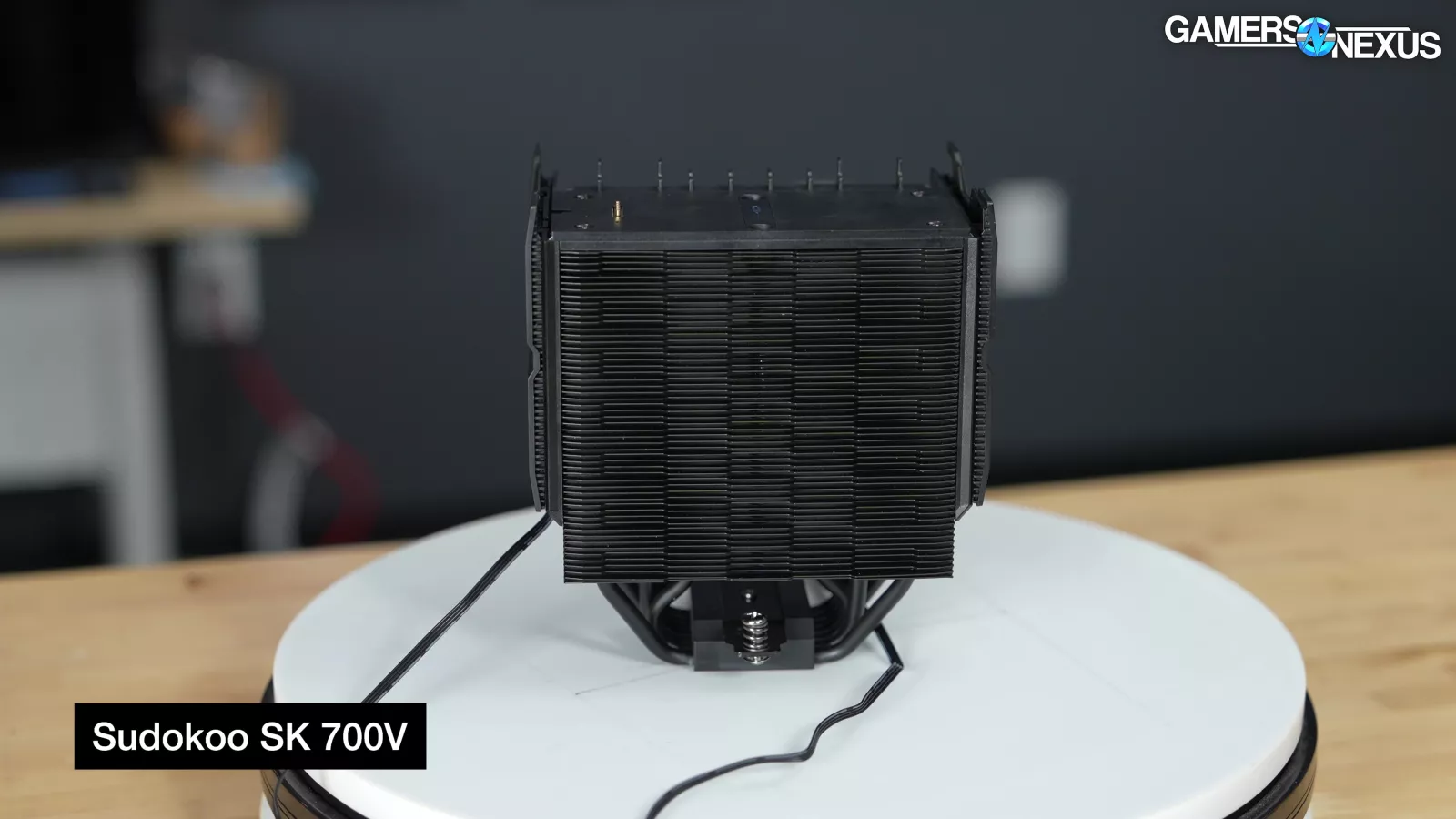
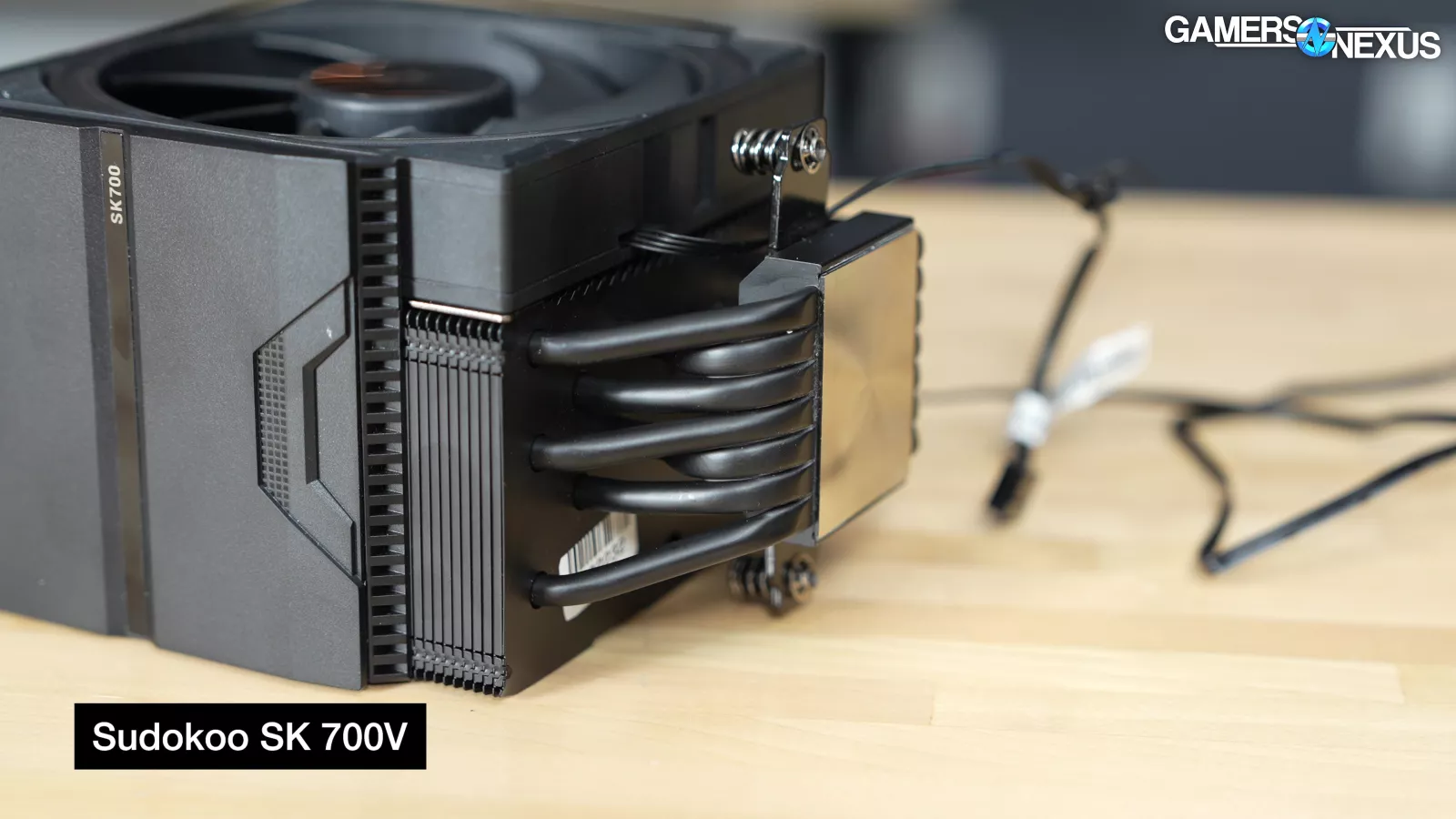
That Sudokoo is achieving what it is while only running a single fan is impressive, and a lot of that comes down to the more densely-packed fin stack and its 7x 6mm heatpipes through the coldplate. The inclusion of the contact plate is also beneficial, but we’ll save that for the Best Mechanical Design section to get into.

In our 9800X3D 157W heat load at 25 dBA noise-normalized, the SK700V landed at 64.1 degrees over ambient, so about 2 degrees warmer than the A720 Black. For this reason, the A720 Black still gets acknowledgement and a runner-up spot, but Best Overall is more than just cooling, and Sudokoo takes it with all that.
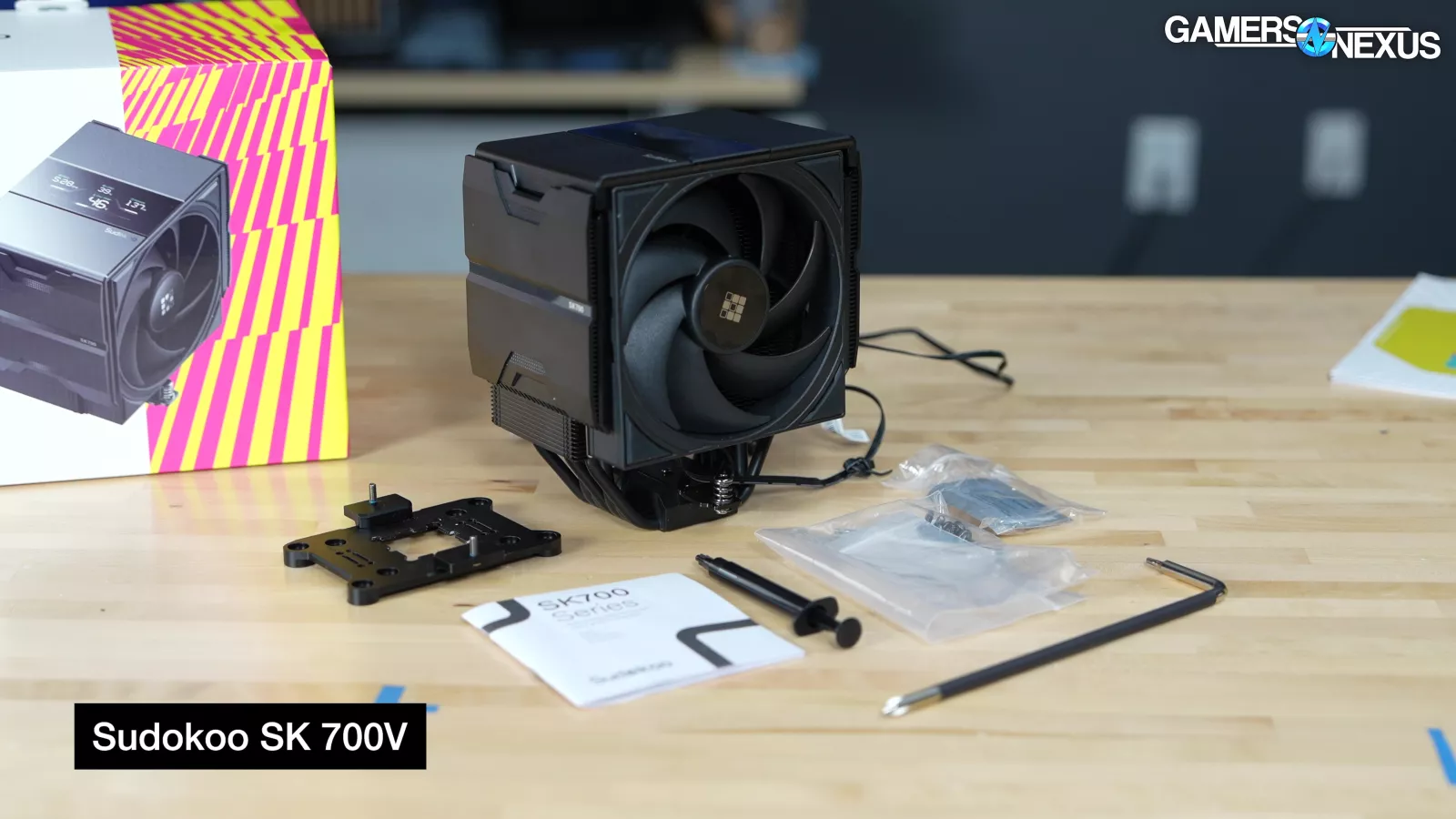
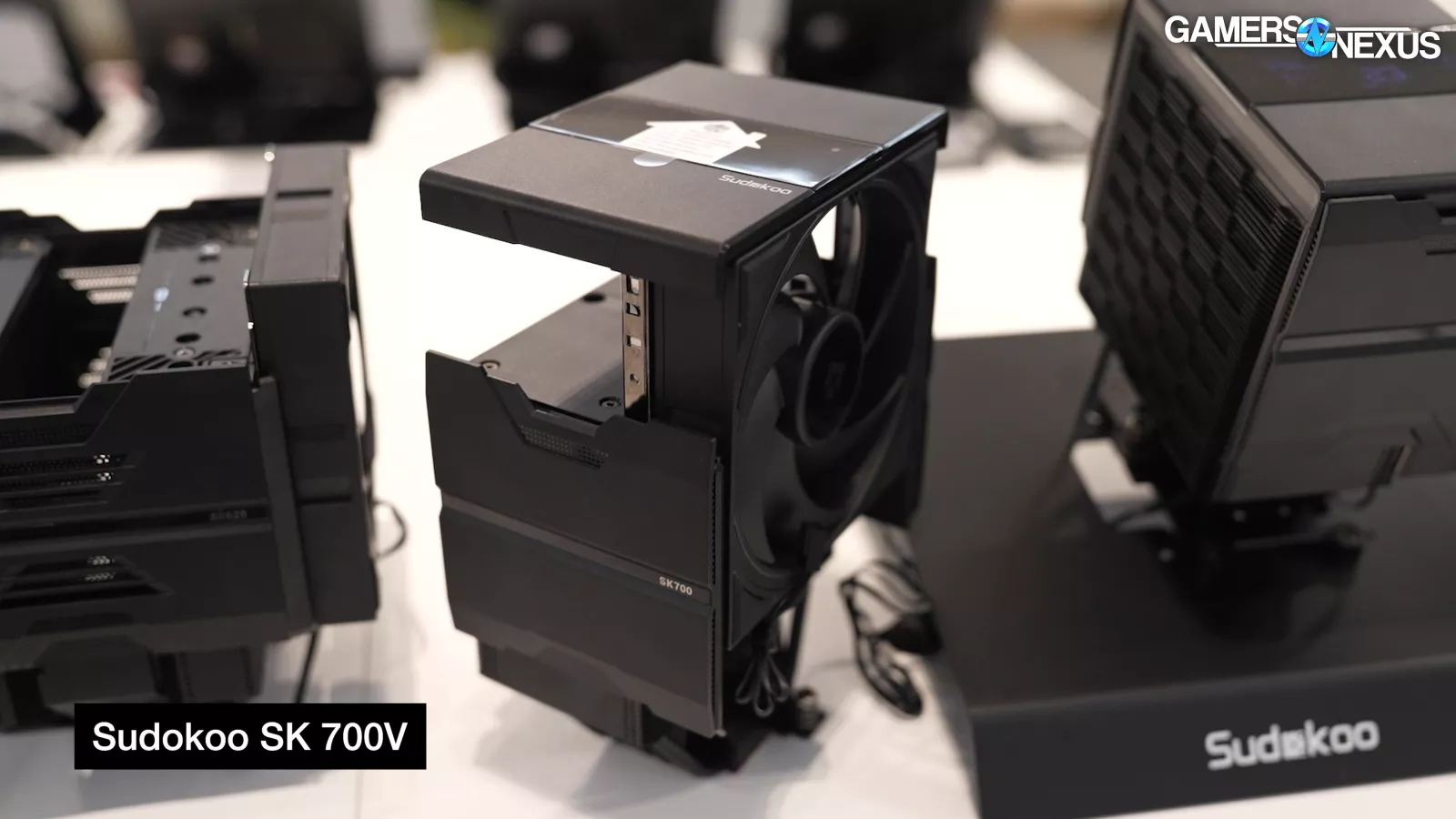
We’re impressed with its ease-of-installation features, cleanliness of design, wide case and RAM compatibility, and thermal performance. DeepC--uh, Sudokoo has done well here.
Best Noise-Normalized Thermals (Liquid): Tryx Panorama 360 (Updated)
Tryx Panorama 360 (Updated): Original review | Amazon

The next award is simple and one of the most important. This is for Best Noise-Normalized Thermals, which is a purely objective measurement that ignores all other factors beyond the thermal performance given a set target of the cooler’s volume, so to speak. For this, we test the cooler in our hemi-anechoic chamber at a 1-meter distance, front-on, and adjust the cooler fan speeds until we hit a noise target of 25 dBA. We ignore all other factors, including price. Previously, this testing was done in a normal room instead of the chamber, so this is a big improvement for our accuracy this year.
We’re giving this to two coolers: One for air and one for liquid. The first is for liquid.
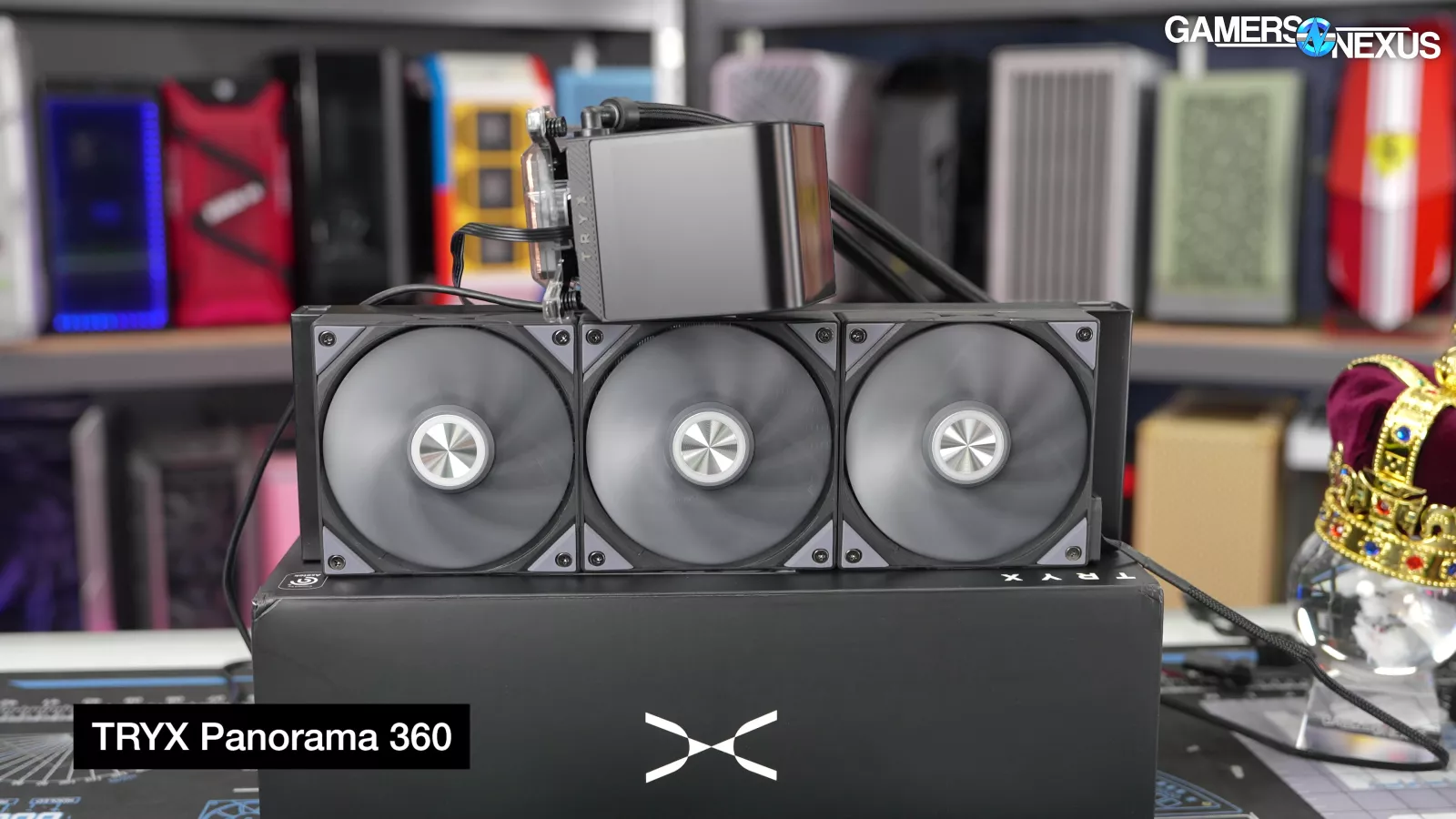
The Best Noise-Normalized Thermals (on liquid) award goes to the updated Tryx Panorama 360 (check out our coverage).

In our updated noise-normalized benchmarking on the 9800X3D with a 157W heat load, the updated Tryx Panorama performed the best, but there’s a caveat here with dual-CCD CPUs. The result on this single-CCD 9800X3D was 53.6 degrees Celsius over ambient for average Tdie, slightly improving on the original Tryx Panorama’s result of 54 degrees and landing over 1 degree cooler than the Liquid Freezer series.

In our new testing, because the acoustic chamber allows more accuracy than our older room measurements, the Liquid Freezer II (read our review) and Liquid Freezer III 360s (read our review) are often close by as a result of the impact to noise from the VRM fan.

The VRM fan doesn’t affect CPU temperatures, but does affect the noise level, and so they sometimes exchange places depending on this. The pump in particular is noisy on the LF III, which we talked about in our original review.
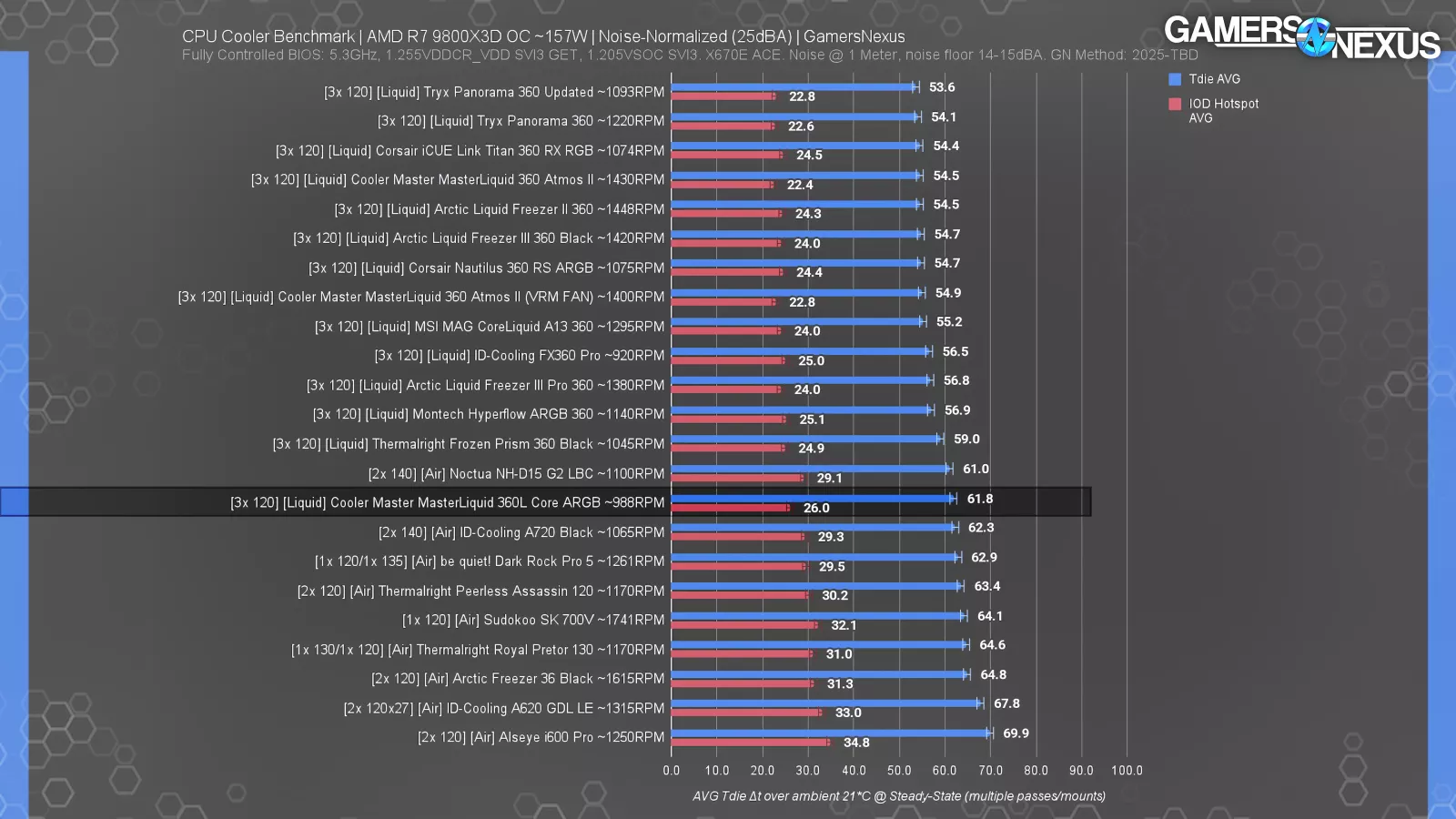
One of the worst 360s we tested was Cooler Master’s MasterLiquid 360L Core ARGB, which is a $60-$70 cooler. Their newer Atmos is better. The Thermalright Frozen Prism 360 (read our review) is cheaper (at $55) and outdoes air coolers, but not much else.
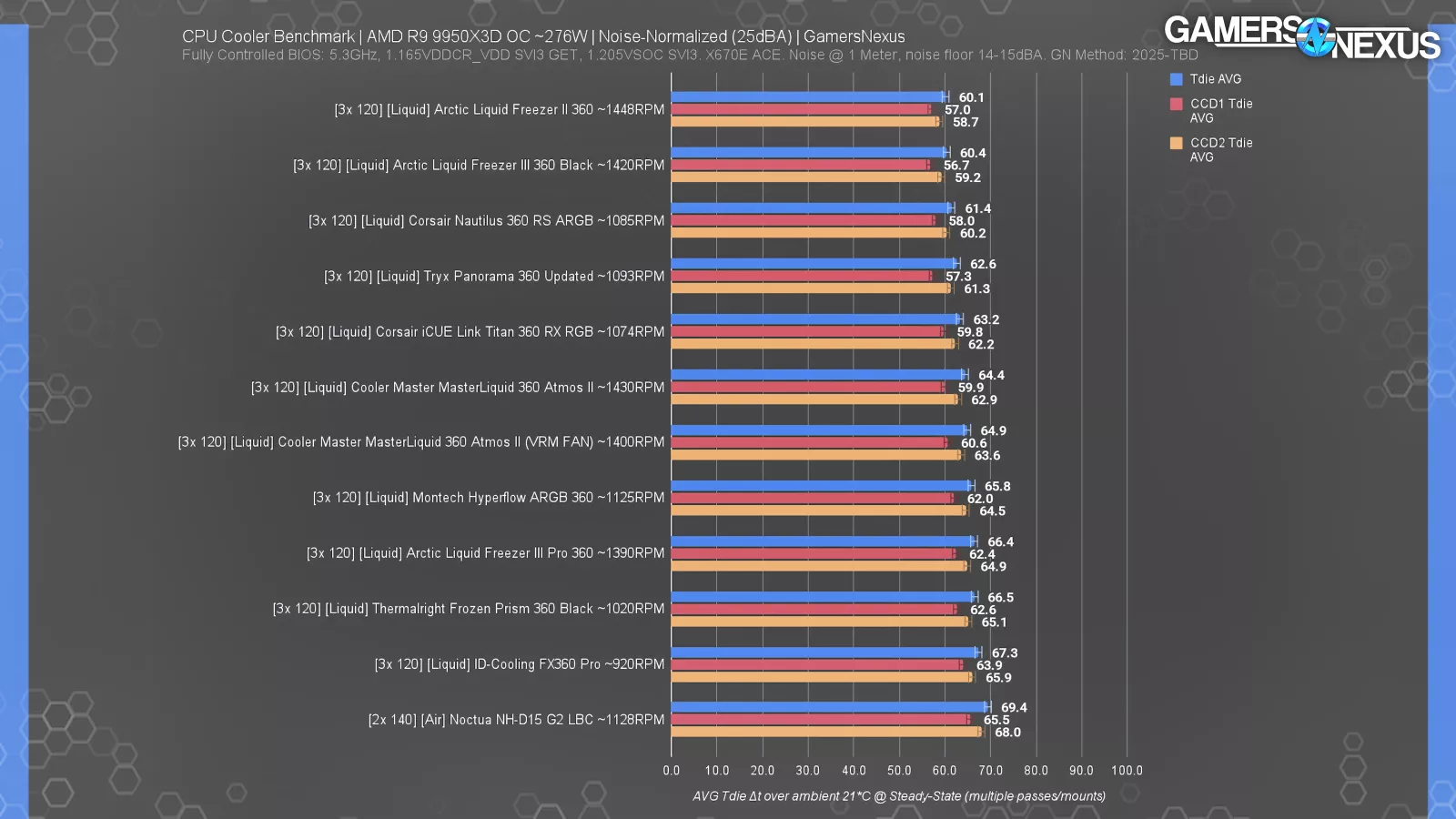
With the 9950X3D at 276W and noise-normalized, the Panorama consistently performed slightly comparatively worse in the hierarchy than its result with the 9800X3D. This is related to the dual CCDs. Across 3 different test mounts, its performance was consistent -- but just slightly worse than with a single CCD. Breaking out both CCD results, the updated Panorama had some of the best CCD1 results, but performed notably worse on CCD2. Both results are fine, it’s just that the average works out worse. The Tdie result isn’t a clean average of just these two numbers (which would be 59.3 degrees), but is instead pulling from the HWINFO Tdie column. This comes down to pressure distribution and contact across the second CCD.
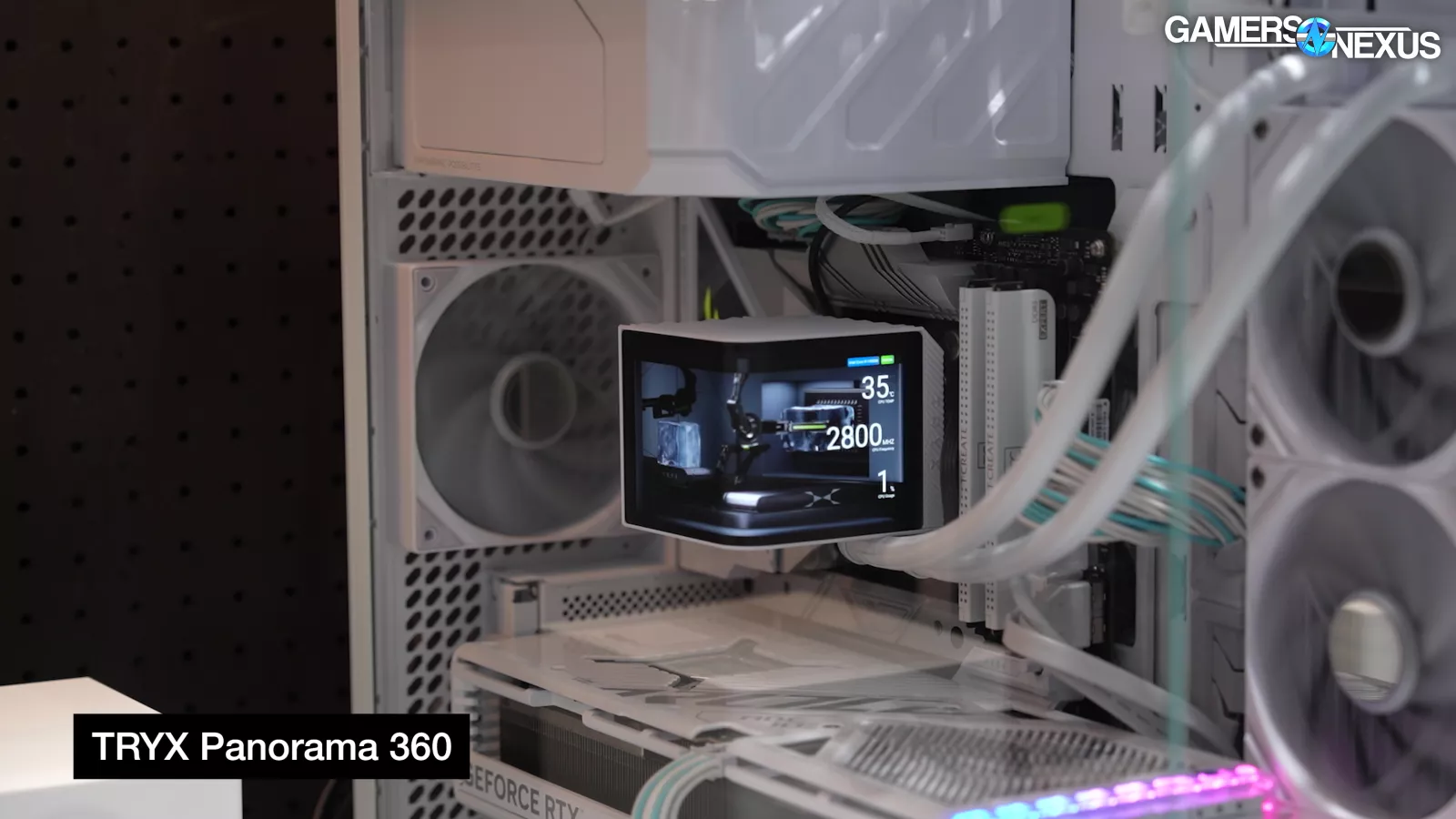


Tryx’s Panorama cooler is best-known for its namesake 6.5-inch visible area, 60 Hz, 2240 x 1080 AMOLED screen, which wraps the cooler on one edge and can be used to play videos or display stats. We originally showed these at Computex when Tryx debuted it a few years back, but the company has been slowly iterating on the design since then. The display can also be used in a split-screen mode for two functionally independent panels.

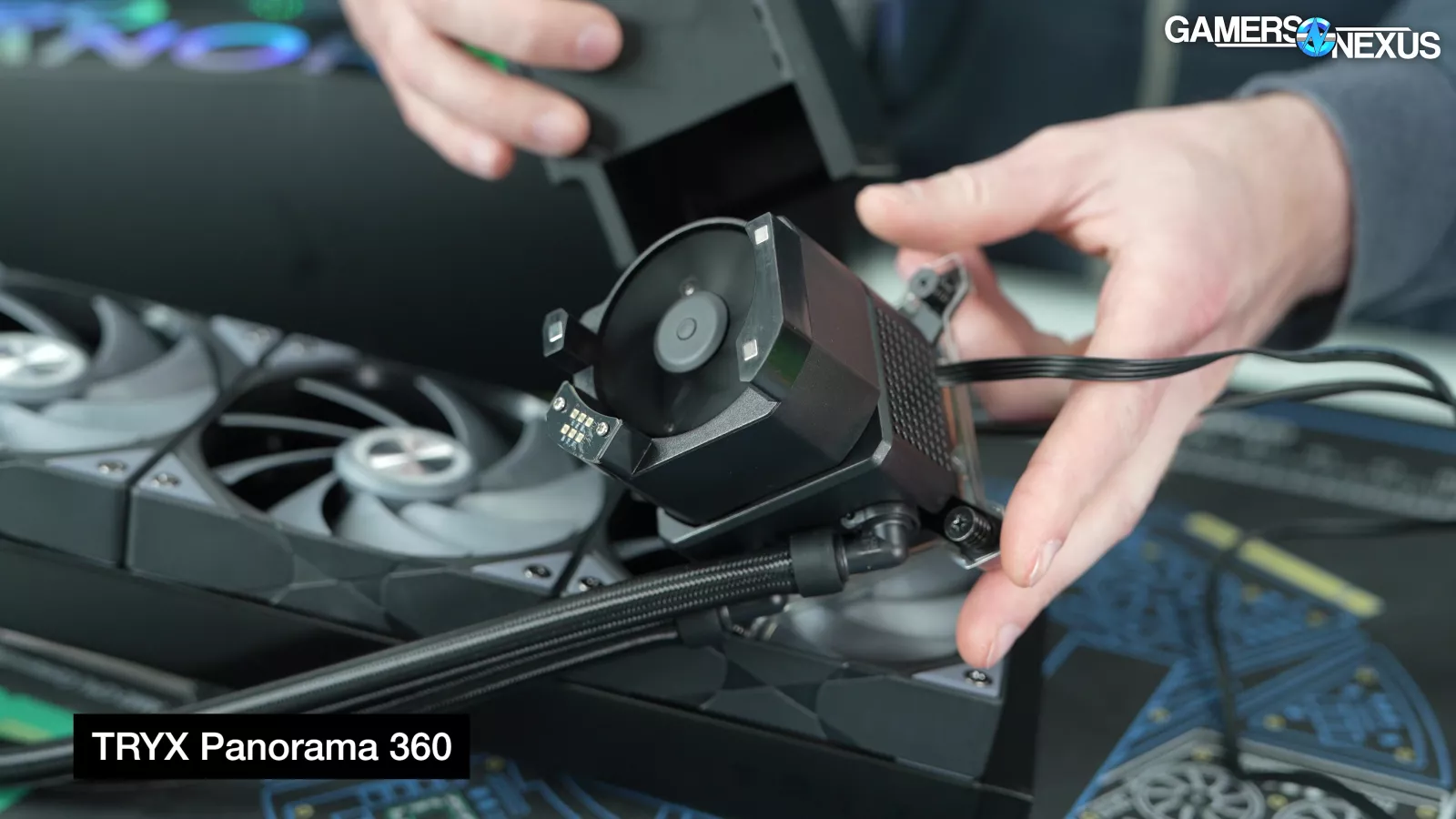

This whole assembly makes the CPU block component tall and boxy, at 118 x 92 x 92 mm; although, the actual cooling block itself is a more “normal” height. Removing the display reveals a 60mm VRM fan on top of the block. Air primarily escapes one side of the fan through ventilated ports on the display block, although it’s able to exit out and down at least a little bit on two other sides.
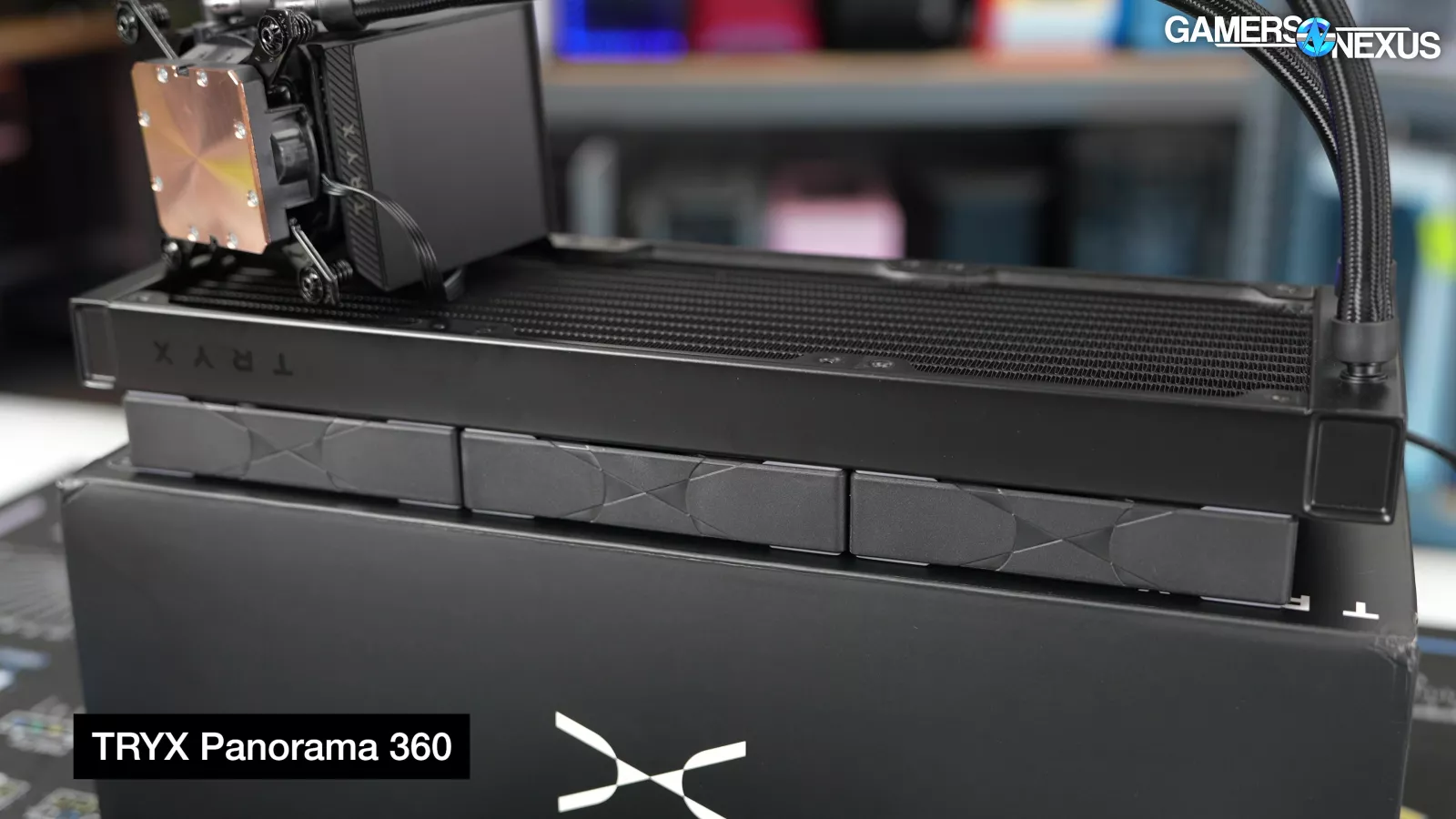


Externally, the radiator is 30mm thick, but the finned area depth is reduced by about 9-12mm from that. That said, the extra spacing can help with reducing hub deadzones on the side with the fans.
Tryx is buying from Asetek as its supplier, making it one of Asetek’s only recent relevant victories in the consumer space in years. The cooler is about $250 to $300, making it one of the more expensive ones on the market. You’re paying for that display.
Best Noise-Normalized Thermals (Air): Noctua NH-D15 G2
Noctua NH-D15 G2: Original review | Amazon

The next award is for Best Noise-Normalized Thermals with an air cooler.


The other 9800X3D noise-normalized winner was the Noctua NH-D15 G2 (read our review), which managed to lead the A720 and Dark Rock Pro 5 by 1-2 degrees. The Royal Pretor (check out our coverage) didn’t do as well as we’d hoped. It was fine, but when noise normalized, it’s simply limited in performance due to its fans running on the louder side in combination with the lower speed impacting the 130mm fan more heavily. It does better than the Peerless Assassin in full speed testing, but not here.

In the 9950X3D noise-normalized thermal testing, the NH-D15 G2 held a 69.4-degree average (over ambient), putting it at about 90 degrees once accounting for ambient. That’s borderline. It was the only air cooler in our test suite so far that was capable of safely completing this test without throttling or hitting a thermal trip.

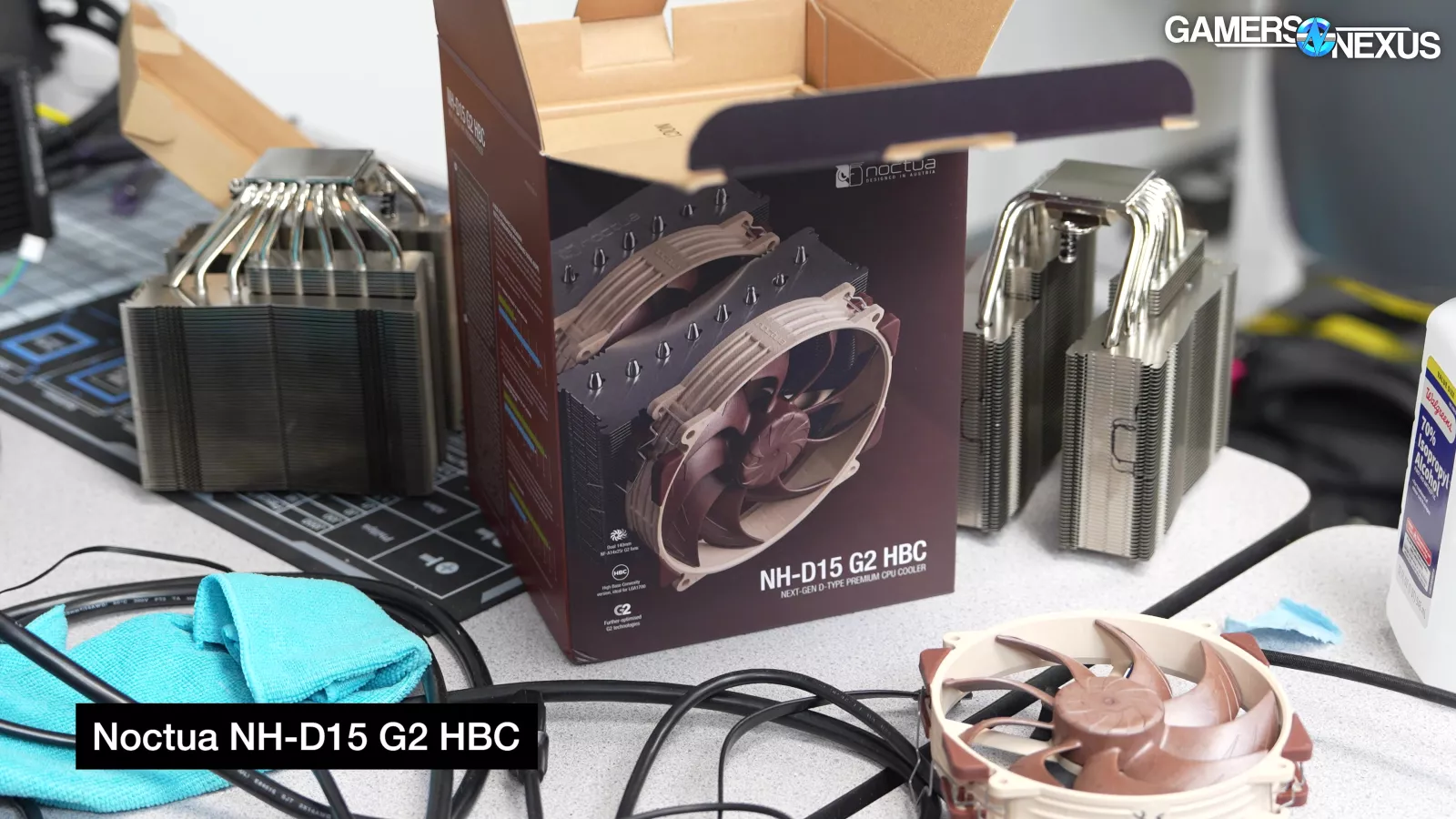
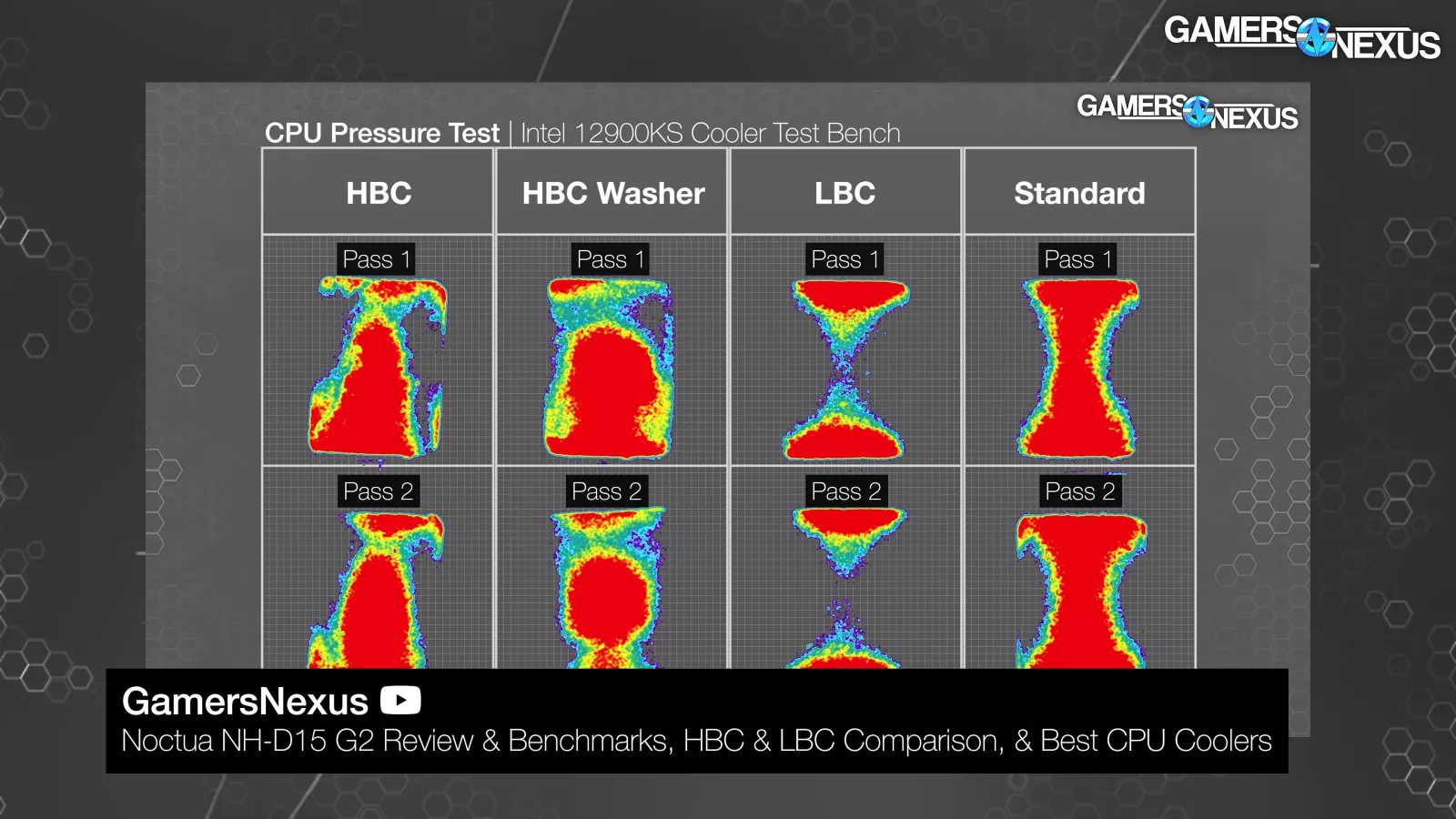
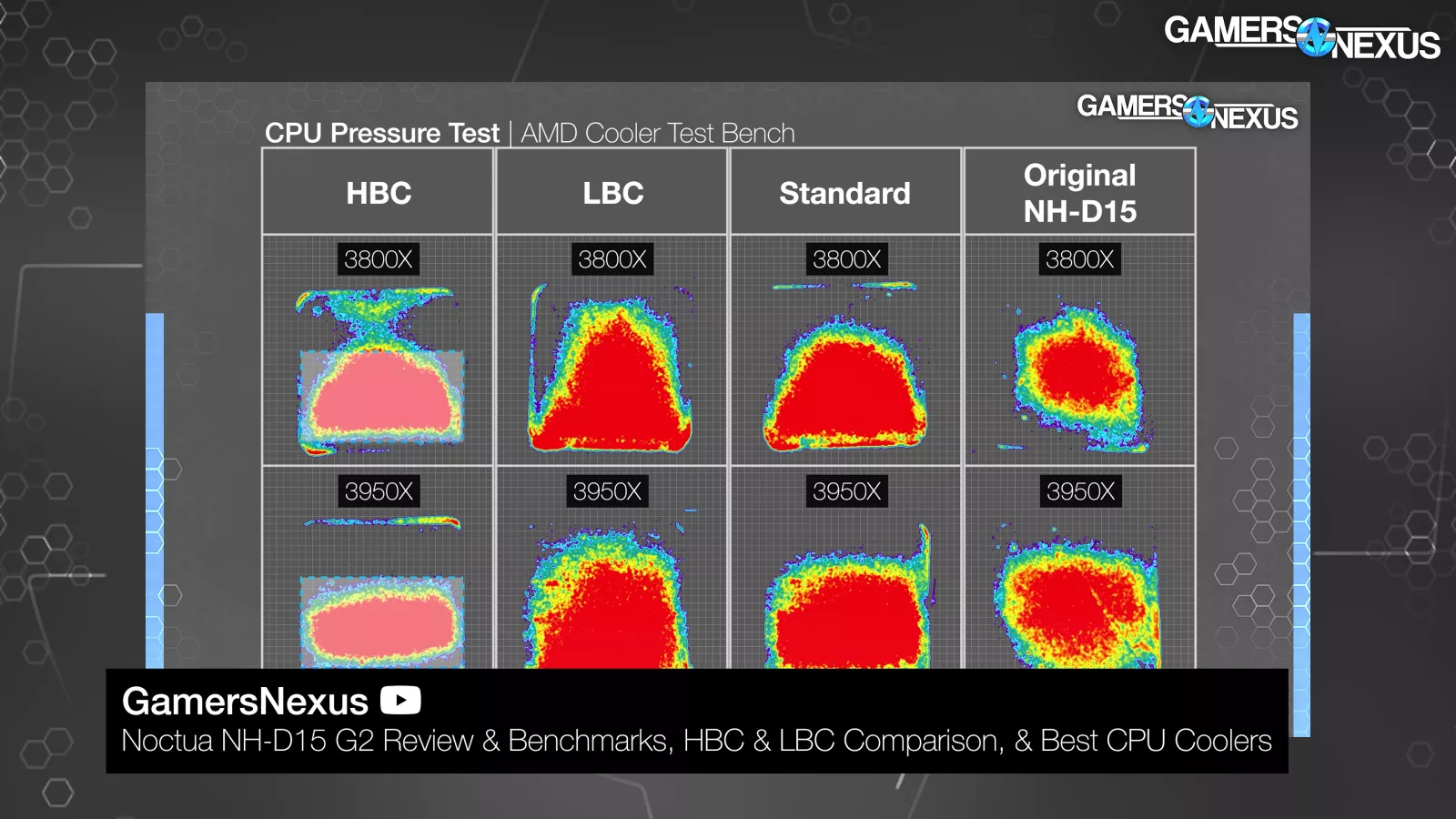
The NH-D15 G2 LBC is the low base convexity model, which performs best on AMD when compared to Noctua’s HBC and standard models. We demonstrated these differences in our original NH-D15 G2 review, including 3D laser scans of the NH-D15 G2 base plates with multipliers to illustrate the differences. We also took pressure maps of the D15 G2, illustrating the areas of highest contact and mounting pressure under the various coldplates.
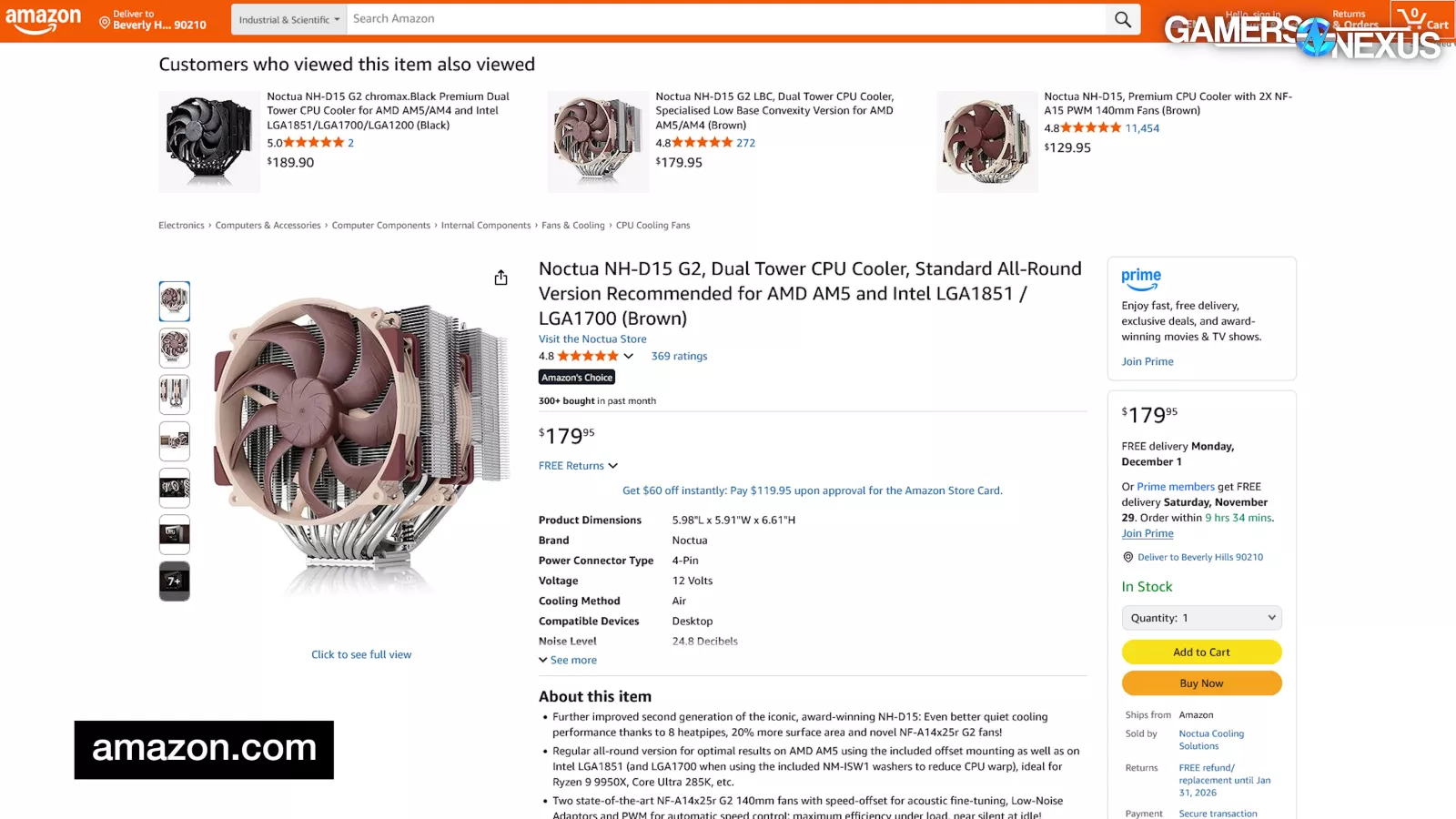
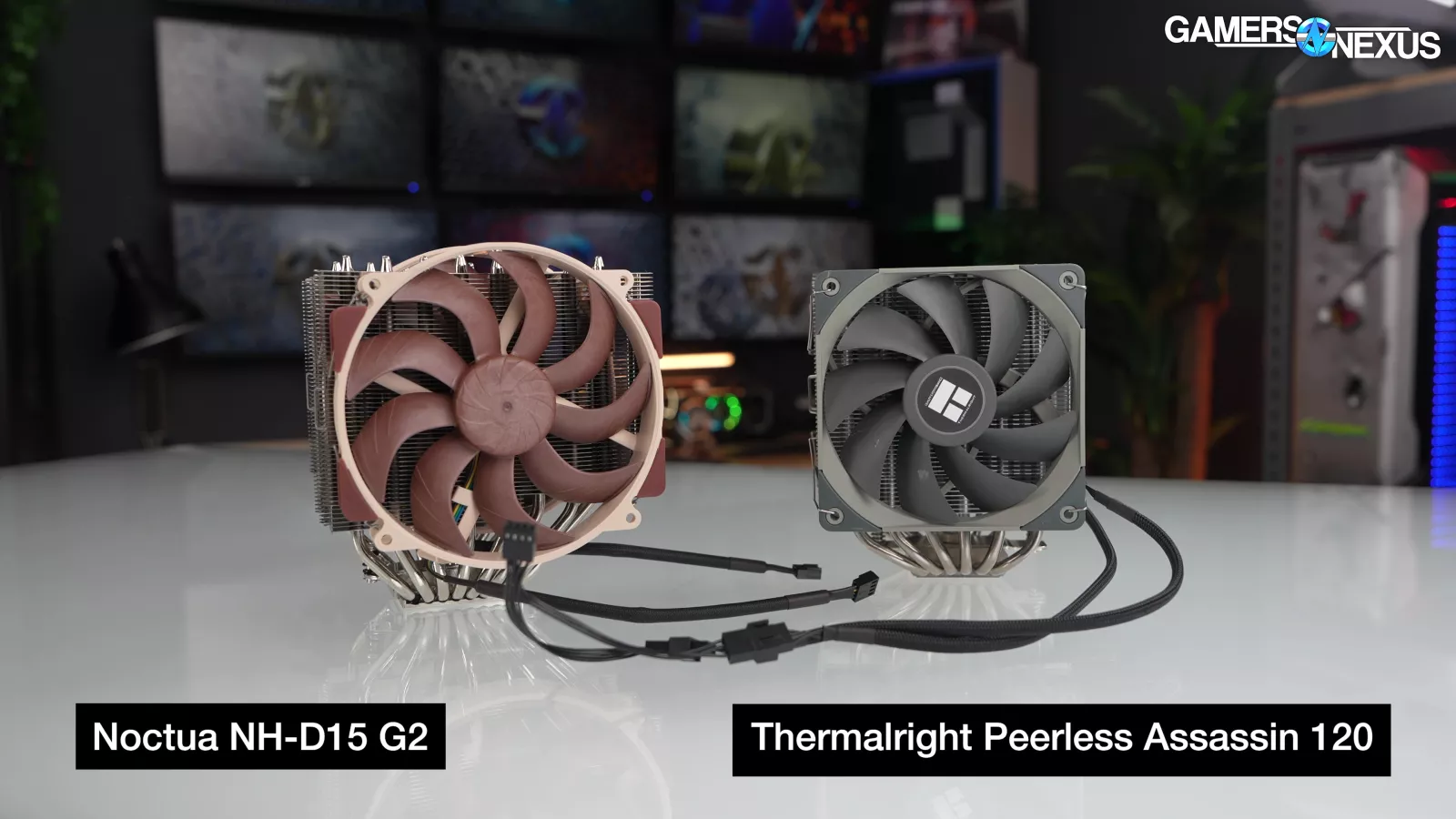

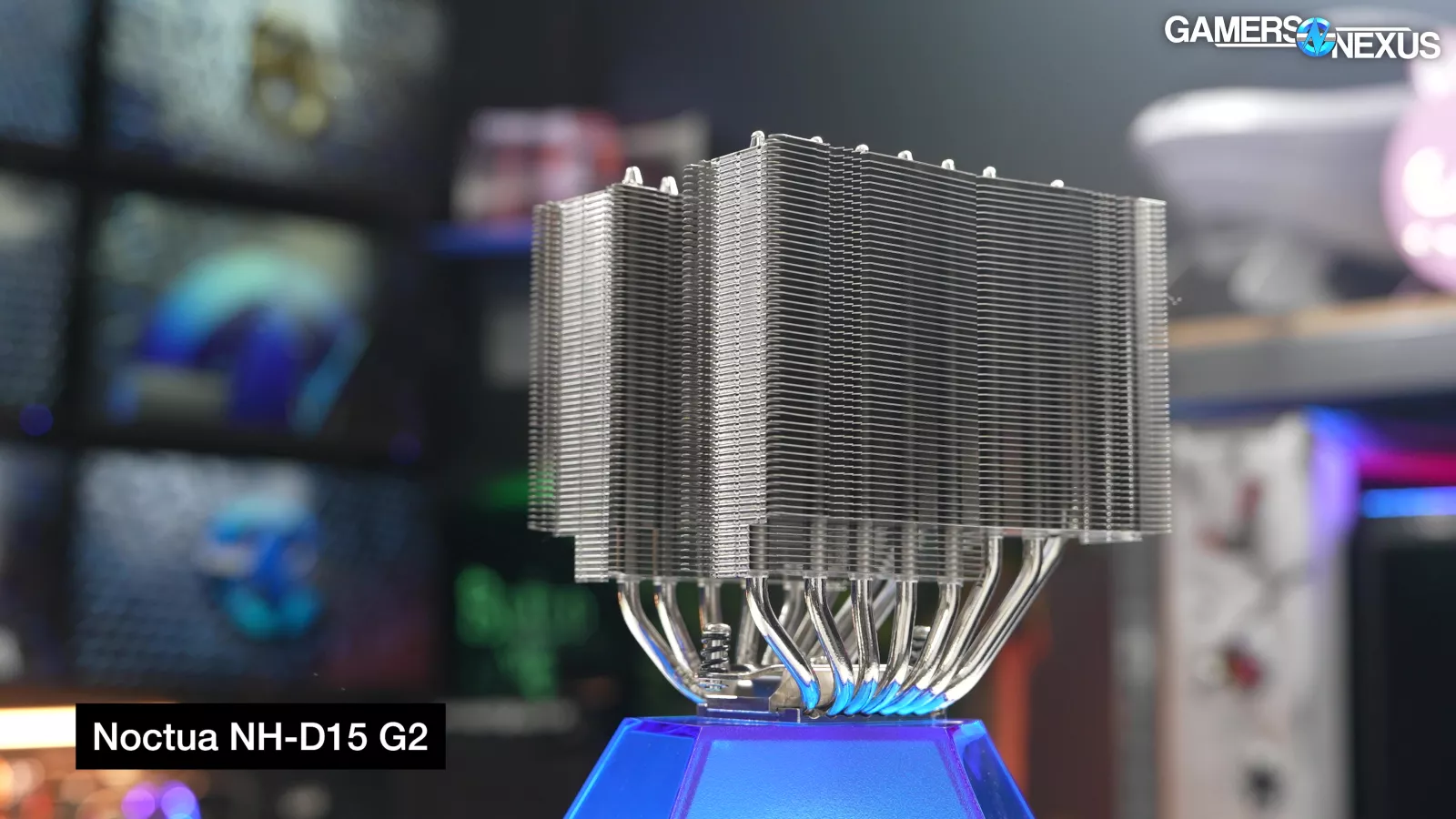
Noctua’s cooler is expensive. Repeatedly and on 3 platforms we’ve tested, it has had competitors within a few degrees of its performance that are around or over $100 cheaper, and that’s not counting liquid coolers as an option. It isn’t a good value. That much is clear. There are similarly performing coolers for far cheaper. Noctua gets credit though for its engineering, because by the performance and by the efforts invested into maximizing the coldplate and fans, the company has successfully iterated and advanced its performance. We said this category ignores all other factors (including price), and for that reason, Noctua’s NH-D15 G2 simply is the best for noise-normalized thermals on an air cooler.
Best Budget: ID-Cooling FX 360 Pro and Assassin Spirit V2
FX 360 Pro: Amazon
Assassin Spirit V2: Amazon

The next award is for the Best Budget CPU coolers. We’re giving these out in the liquid and air categories as well. For this award, a cooler needs to be as cheap as possible while still offering at least acceptable performance. This is for the price-conscious, and so we ignore almost all features aside from price and performance.
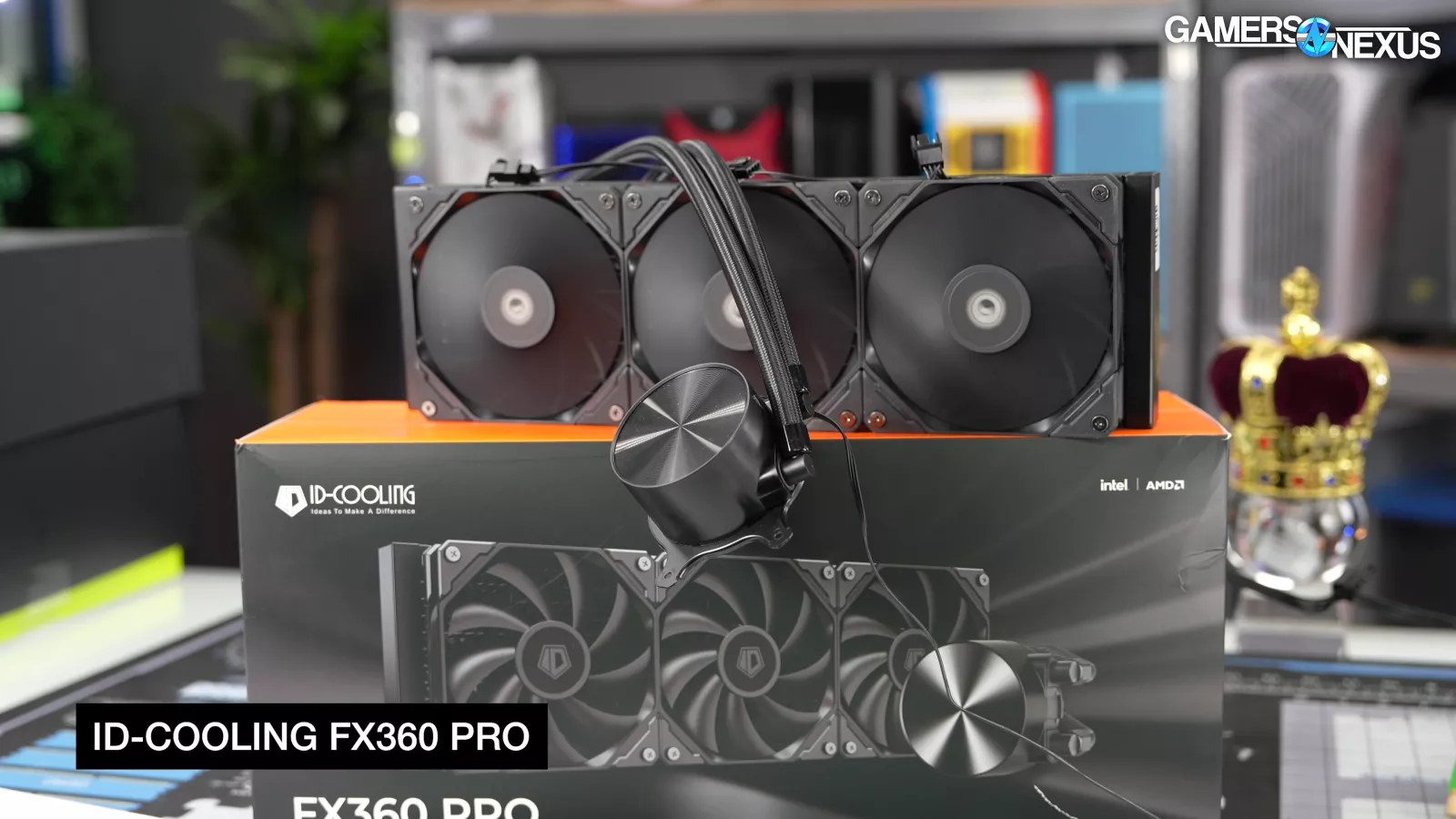
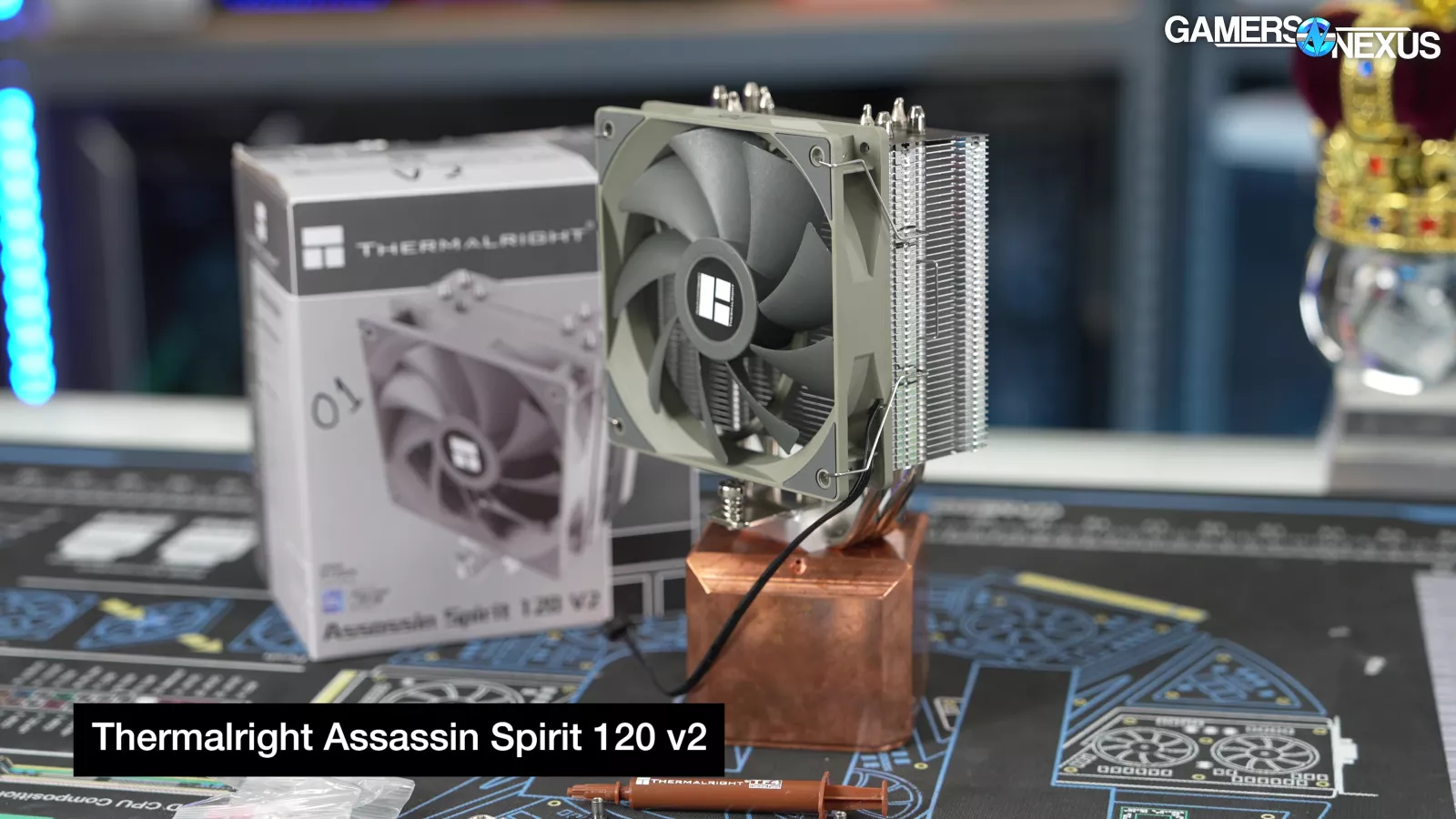
For liquid, we’re giving it to the FX 360 Pro. For air, it’s the $15.59 Assassin Spirit V2.
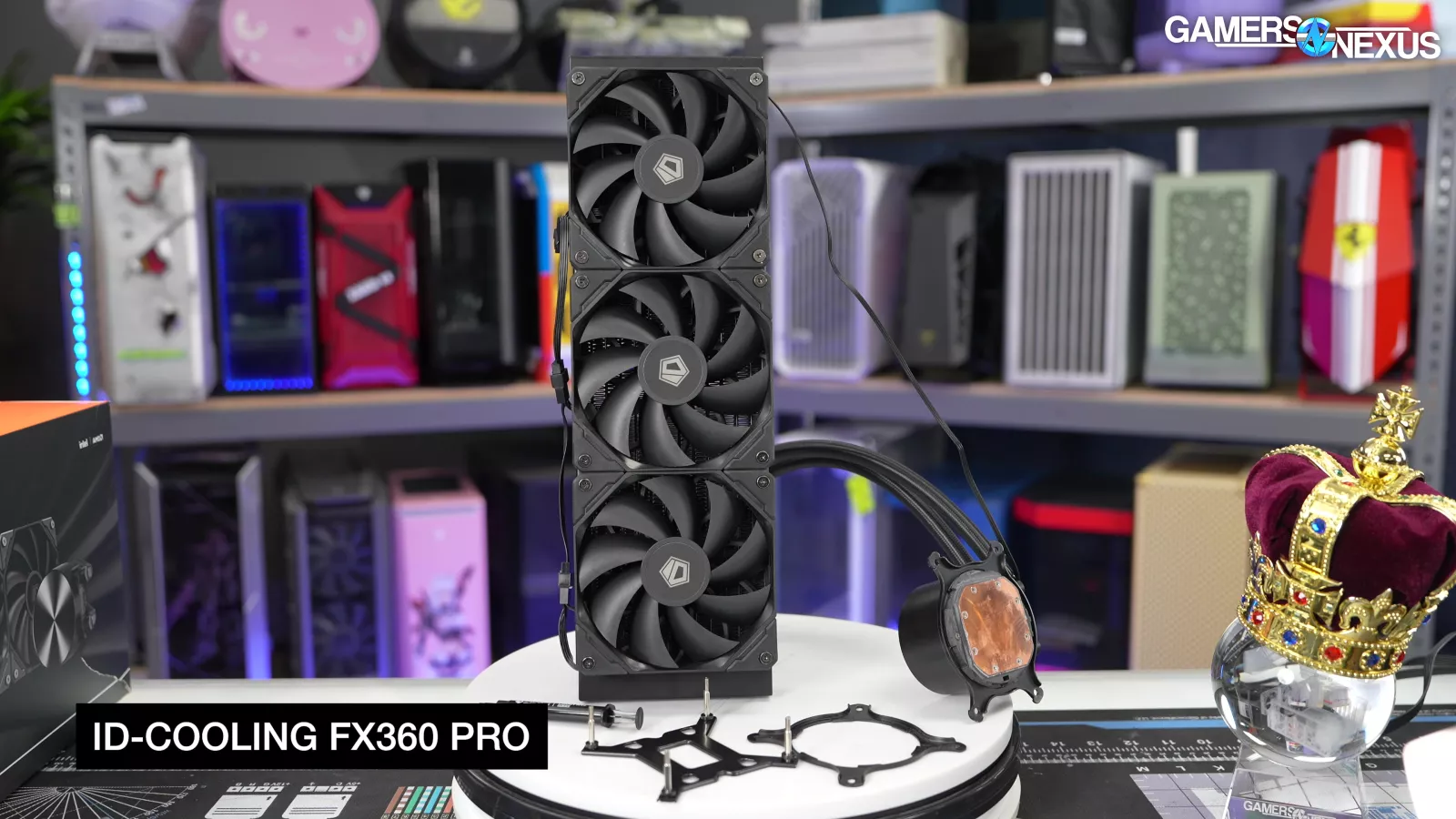
The $50 ID-Cooling FX 360 Pro takes it this year for liquid, dethroning the Thermalright Frozen Prism 360 of past years. These two companies have been locked in battle over cheapest coolers since DeepCool was evicted from the US market.

Starting with the ID-Cooling FX 360 Pro. In our noise-normalized 9800X3D charts, it managed to at least run around the level of the other 360 liquid coolers we tested.
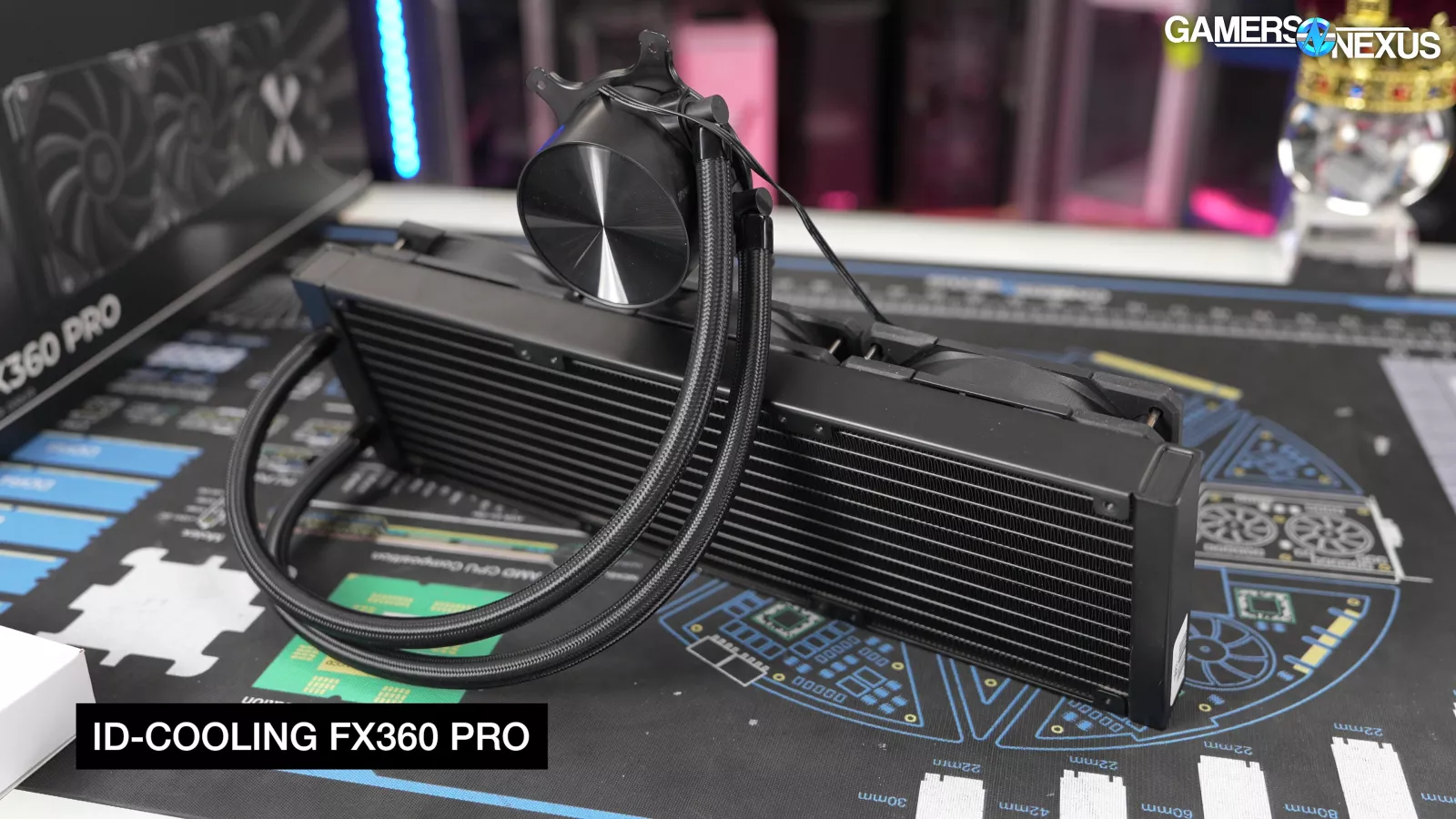
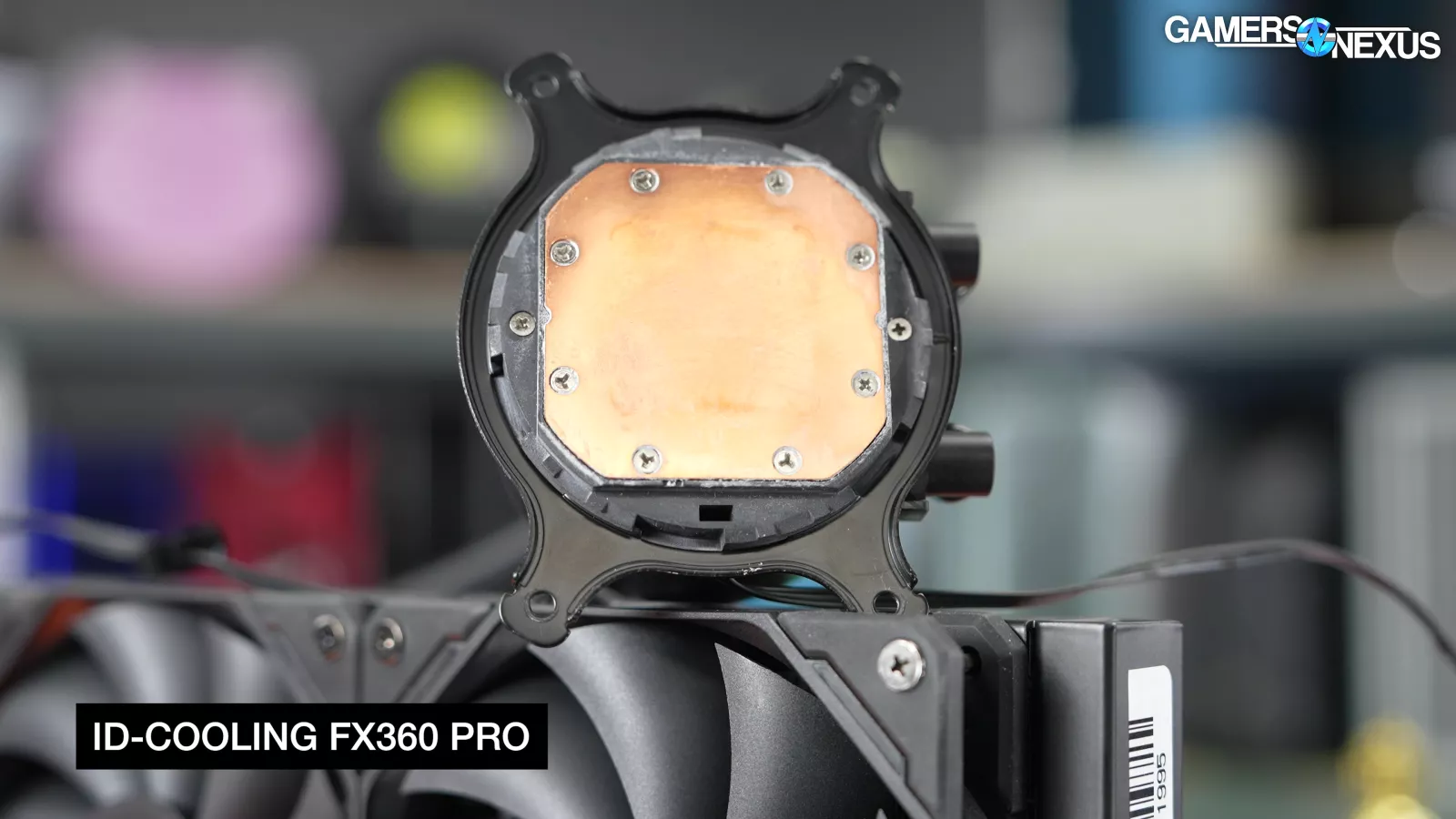
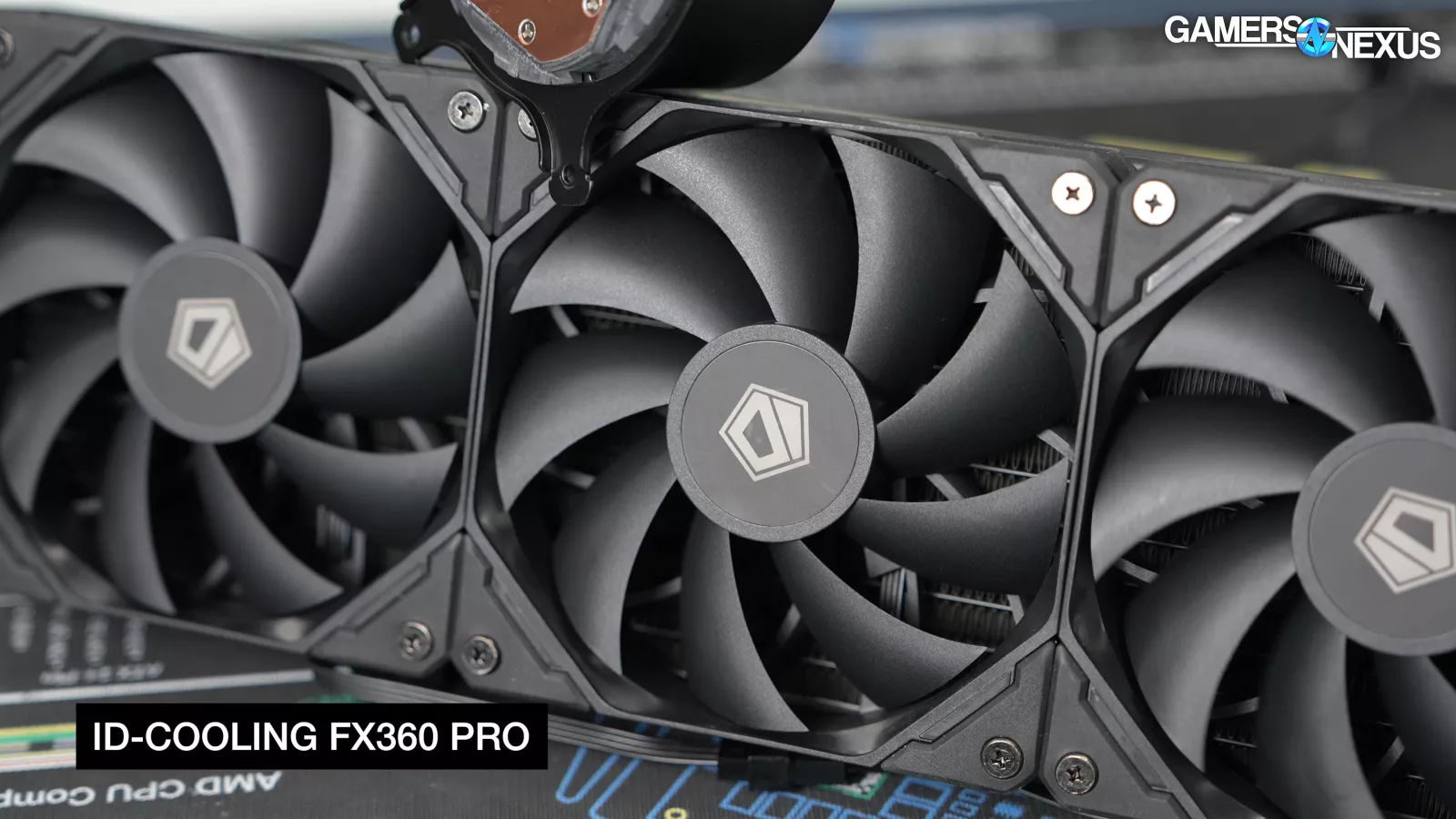
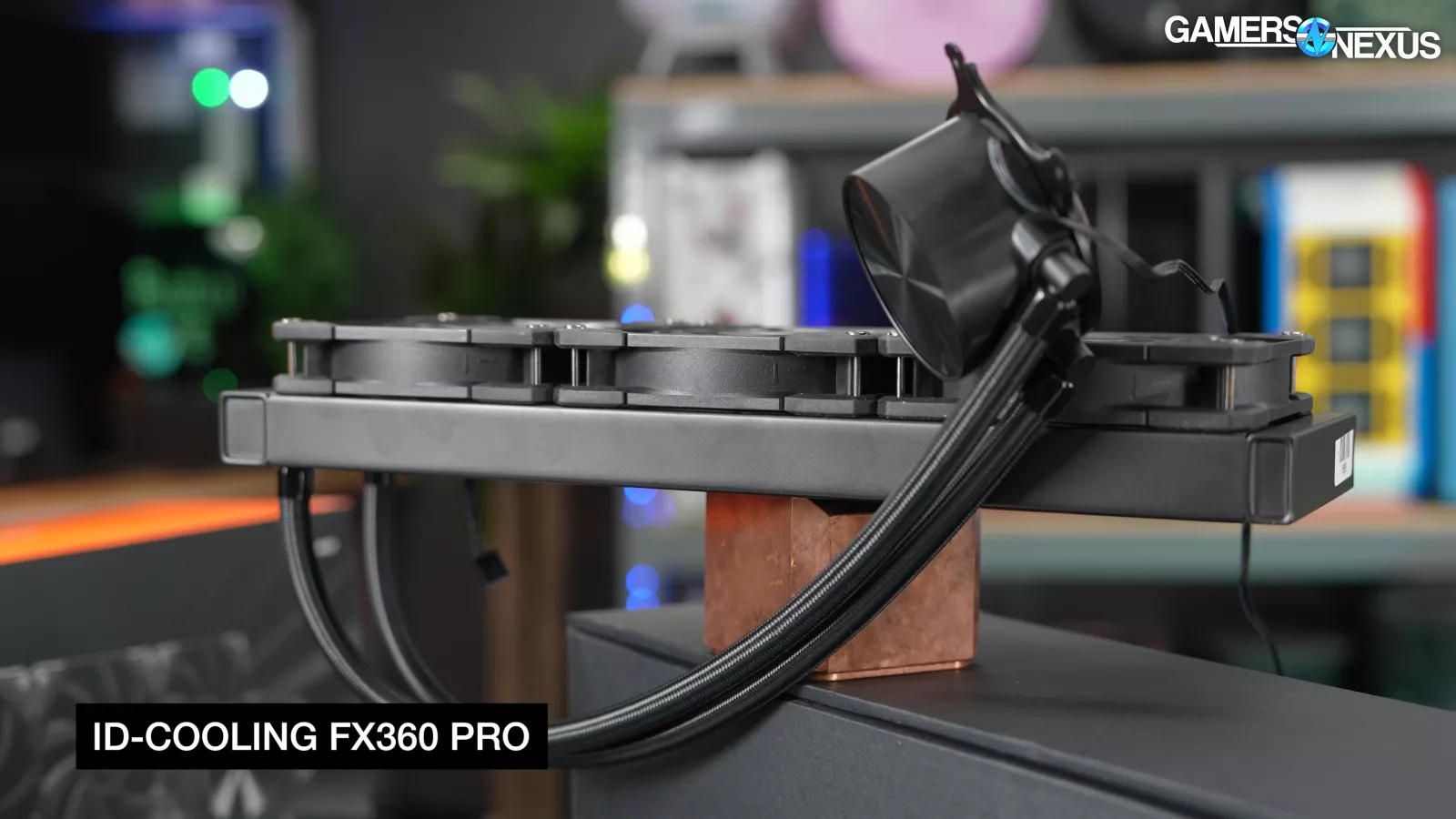
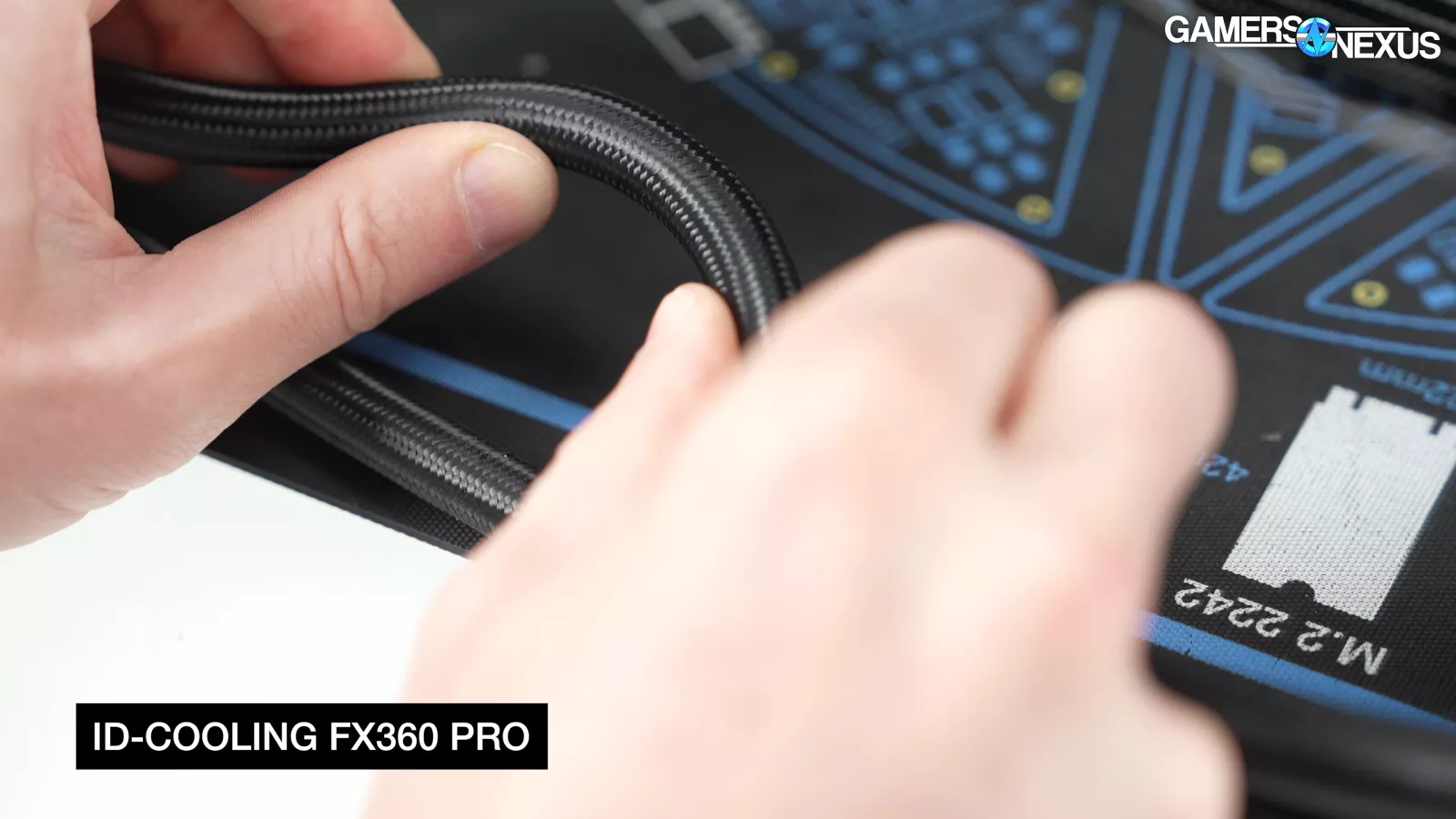

The ID-Cooling FX 360 Pro is $52 currently. It’s cheap. Everything about it is cheap: The CPU block feels cheap and plasticky, the fans feel cheap, the stickers on the fans feel cheap, the unsleeved cables are cheap, and the simple mounting hardware and tubes are cheap. Even their website is cheap with its expired SSL certificate. That’s probably why it’s $52. But if you’re looking for cooling on a budget and don’t really care about the rest, then this can get the job done.


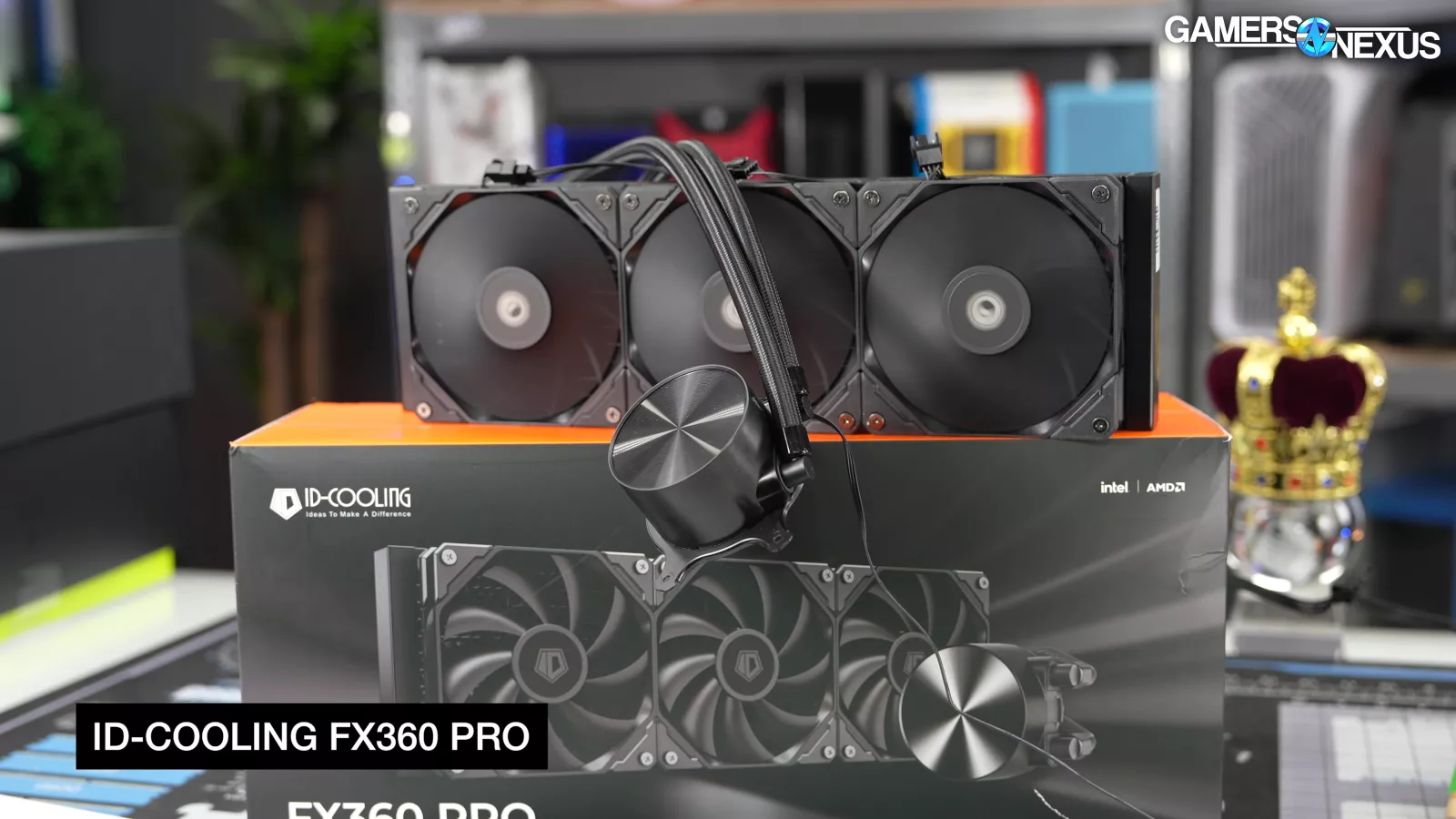
The FX 360 Pro is all black and without LEDs, also helping contribute to price. As a positive, despite the cheap-feeling pump block, they’ve managed to get it to look OK in dim lighting in a case. The false brushed aluminum style plastic cap comes across OK visually. If you’re looking for a blackout build on the cheap, this might be a good fit. The cooler outperformed the Frozen Prism while managing to drop the price a few dollars lower, landing ID-Cooling in the winning spot for the Best Budget Cooler this year.
Now the caveat: Liquid coolers have another angle to consider, which is longevity. We’ve covered a lot of liquid coolers over the years that gunked-up or had other issues. We can’t speak to the FX 360’s longevity since we haven’t had it that long. Currently, we have no immediate reason to suspect it’d be bad other than such low pricing always makes us a little cautious when we’re recommending products.
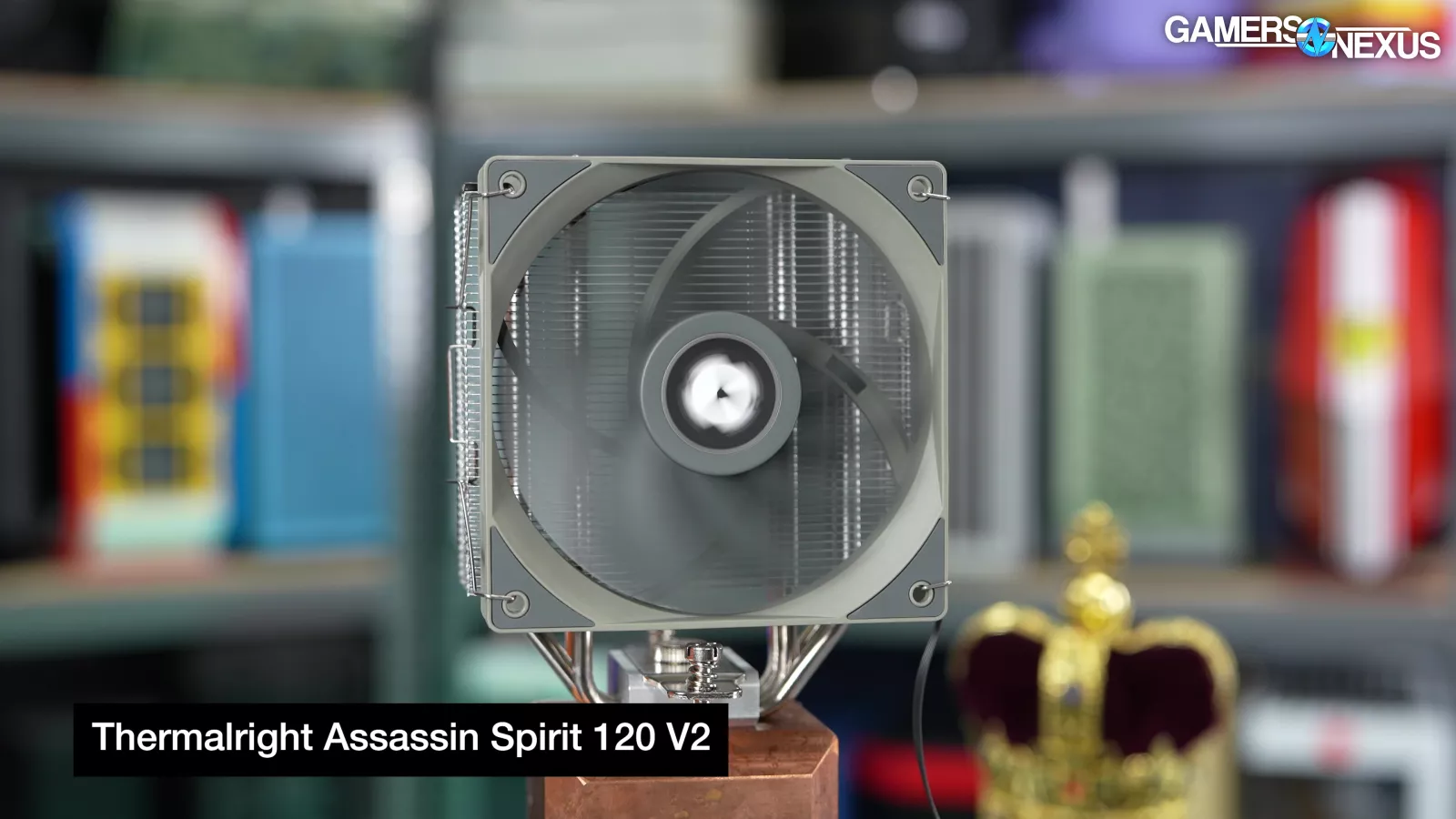
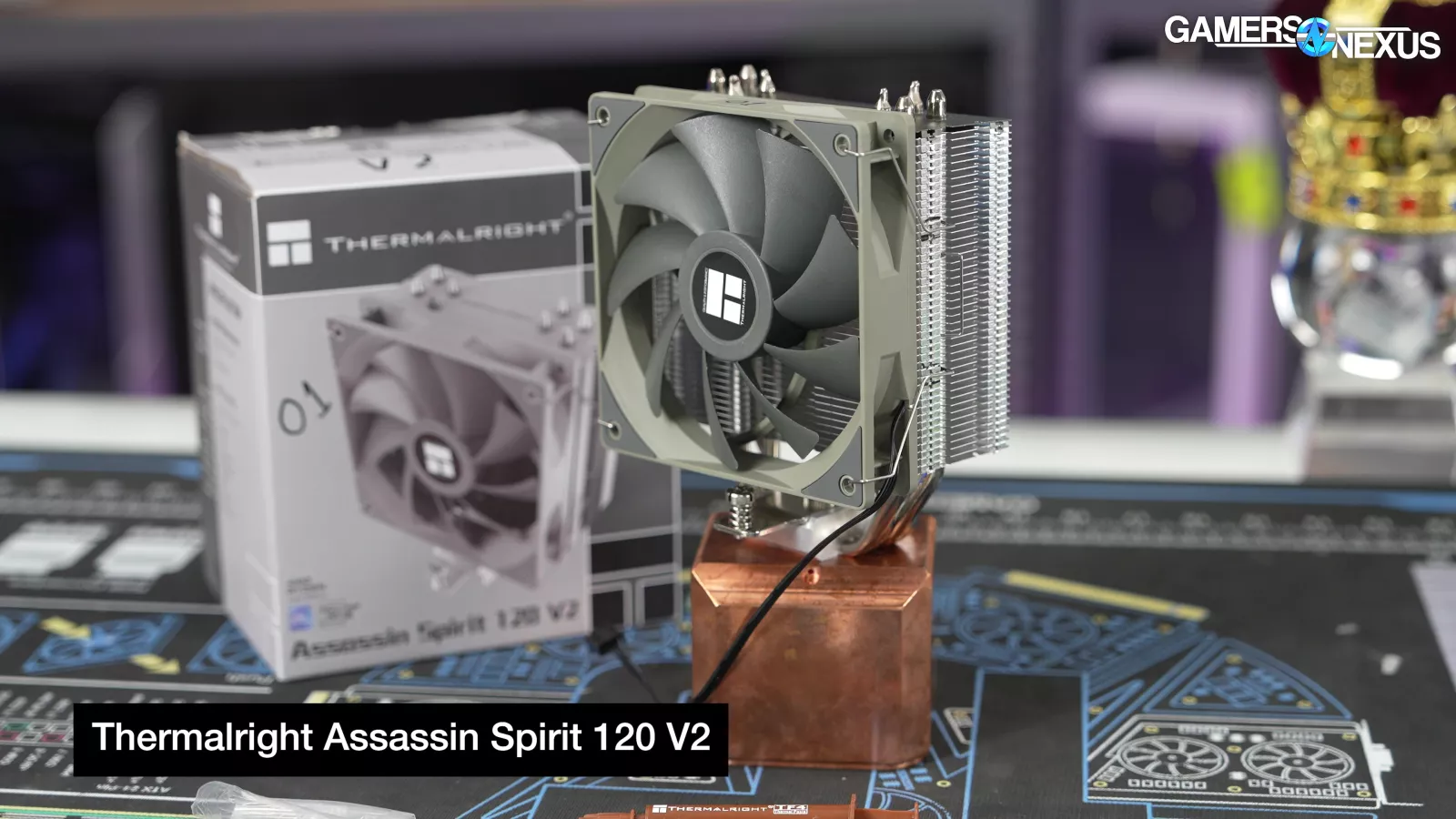
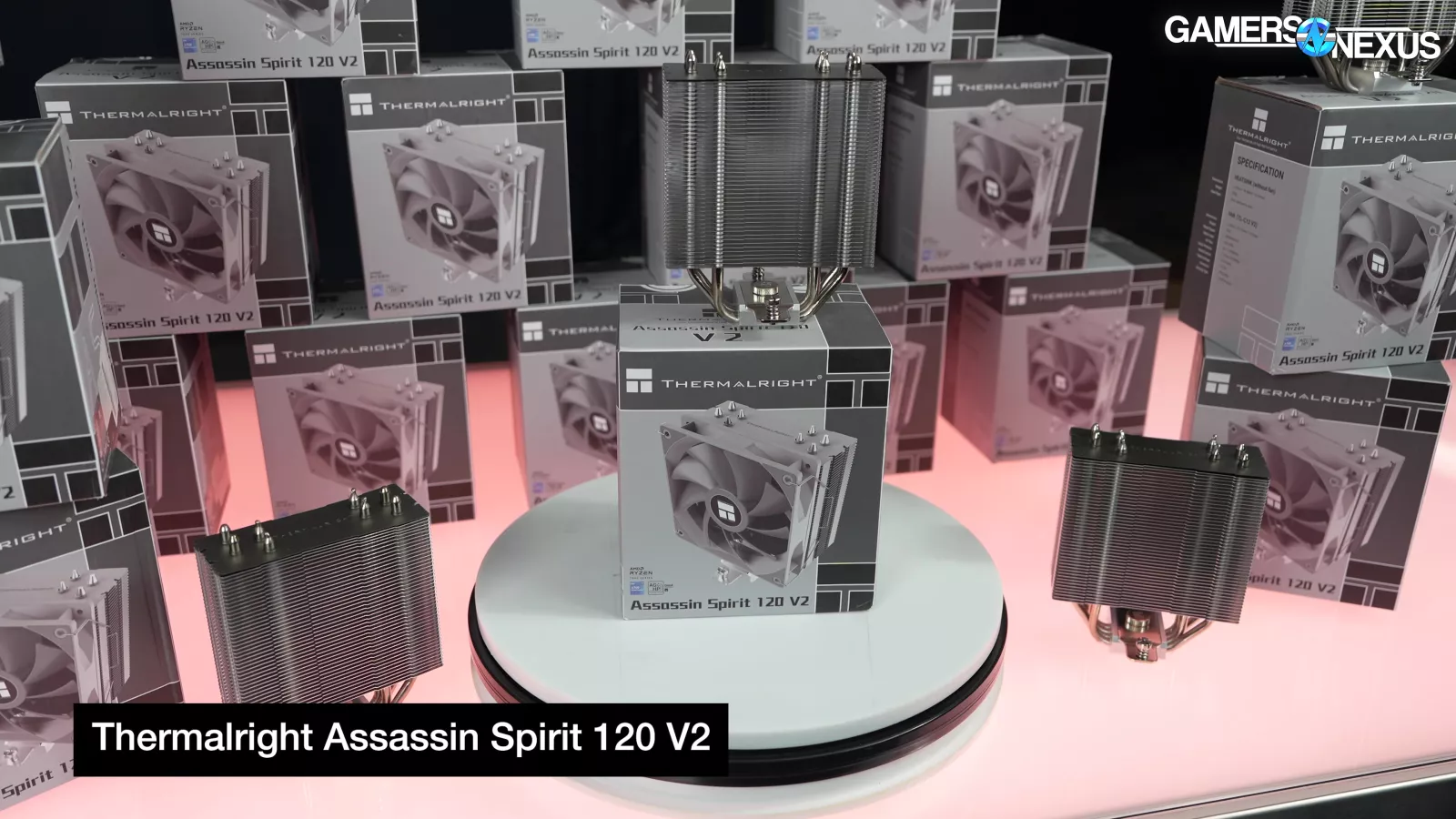
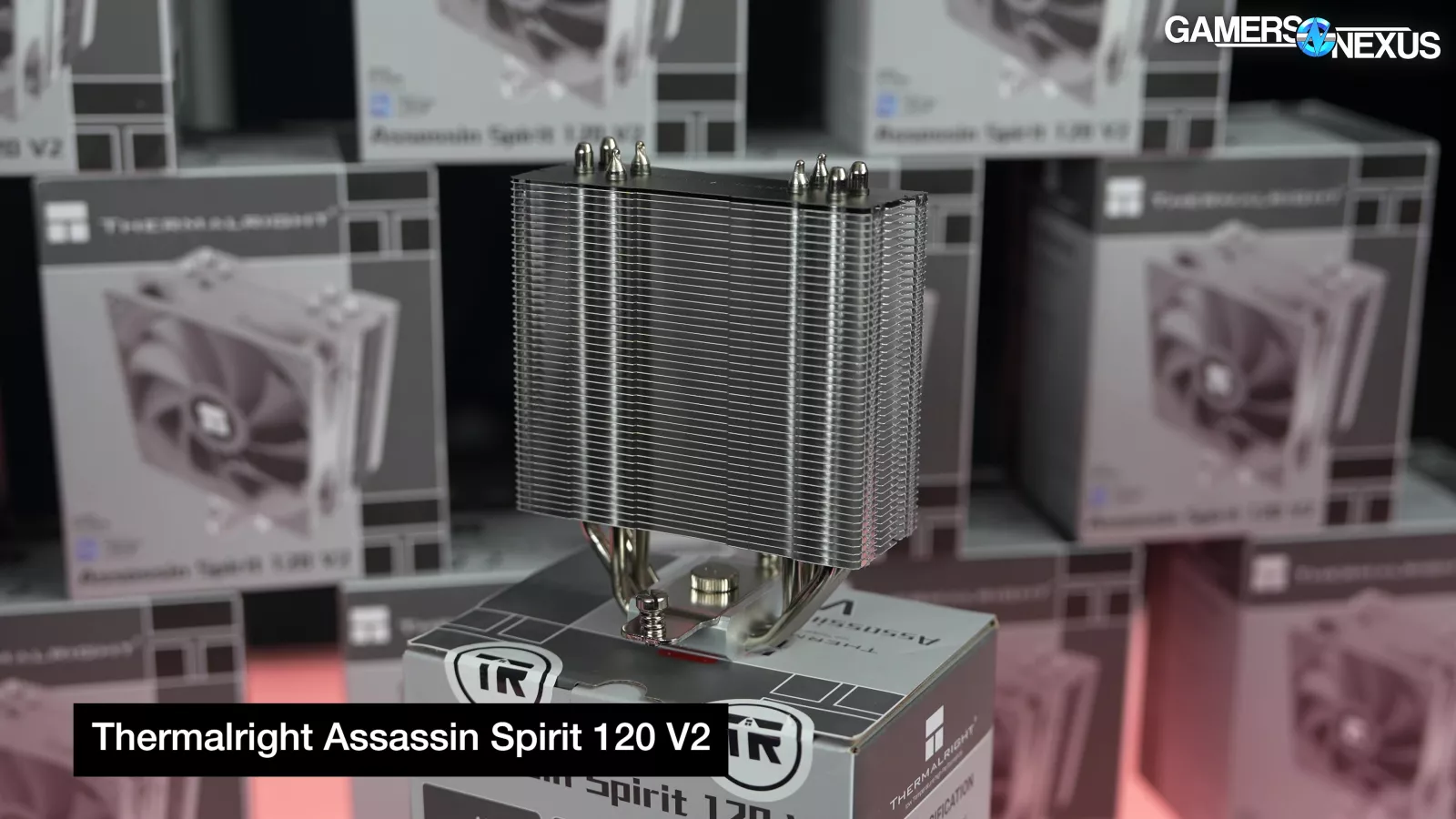
As for the air category of Best Budget, it’s the Assassin Spirit V2 from Thermalright. We haven’t re-run these on our new charts, but we have tested them in the past. Like the FX 360 Pro, the Spirit V2 looks and feels cheap in just about every way, mostly because it is, but this is the best budget category. It’s $15.59 on Amazon right now. And you know when you have to charge 59 cents for something, you’re definitely pushing the limits of margin. The cooler can’t handle higher power CPUs, but for something like a 65W part, it’s capable. Even in our 123W 3800X testing we did years ago, it was capable of keeping the CPU at acceptable temperatures while on reduced fan speeds.
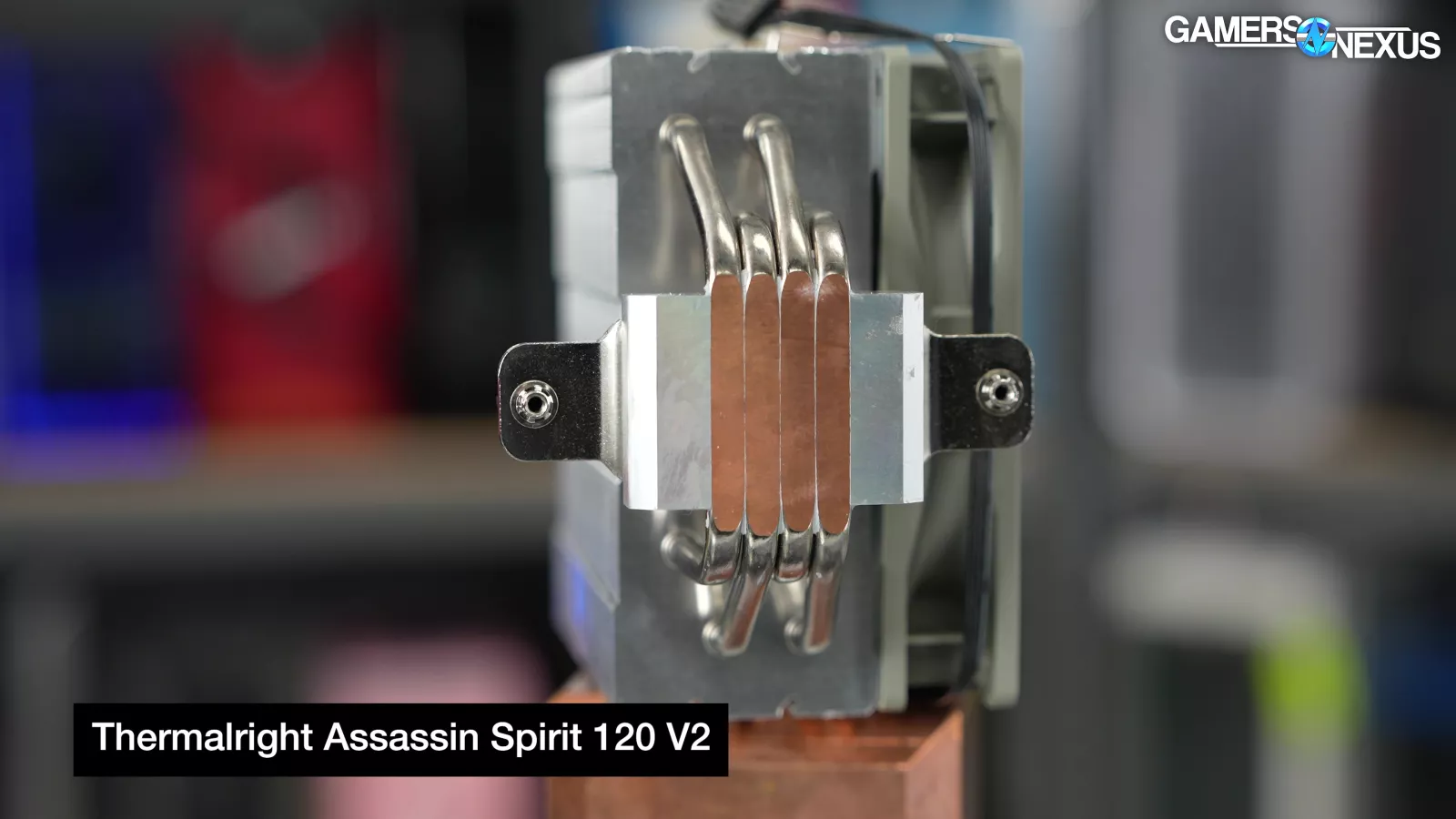


The Spirit V2 has 4x 6mm heatpipes with a direct contact base and a two-point mount. The fan maxes out at 1,500 RPM and is also a simple, cheaper solution without any frills or special engineering. The single-tower cooler gets its job done for about $16 though, so if you need something cheap for a lower power CPU or just to bridge the gap, or maybe get an older system up and running, this would work.
Best Out-of-the-Box Thermals: Tryx Panorama 360 and A720
Tryx Panorama 360: Original review | Amazon
A720: Original review | Amazon

Our next award is for Best Out-of-the-Box Thermals. This is a simple award and is given for the cooler that has the best performance, regardless of acoustics. That means we just set the cooler fans to max speed and run as loud as they default to. These are often different winners since some coolers run crazy fast fans.

For this, the best Out-of-the-Box Thermals at full fan speeds (with liquid) goes to the Tryx Panorama 360 again.

Even when running full speed, it’s a chart-topper. By about 1 full degree Celsius, leading the Kraken and Corsair coolers in the 9800X3D chart. This was at 42.5 dBA, so it’s less acoustically efficient than the Kraken Elite when at max speed. The Corsair Titan is about the same noise level and within error of the Panorama. The MasterLiquid Atmos II is quieter at max speed, but also is warmer for CPU temperature.
For air coolers on this chart, the winner is the A720, tied with the NH-D15 G2 and within error. The A720 has an advantage in its louder noise level than the NH-D15 G2, allowing it to brute force its way to an identical temperature result despite, of course, being louder.
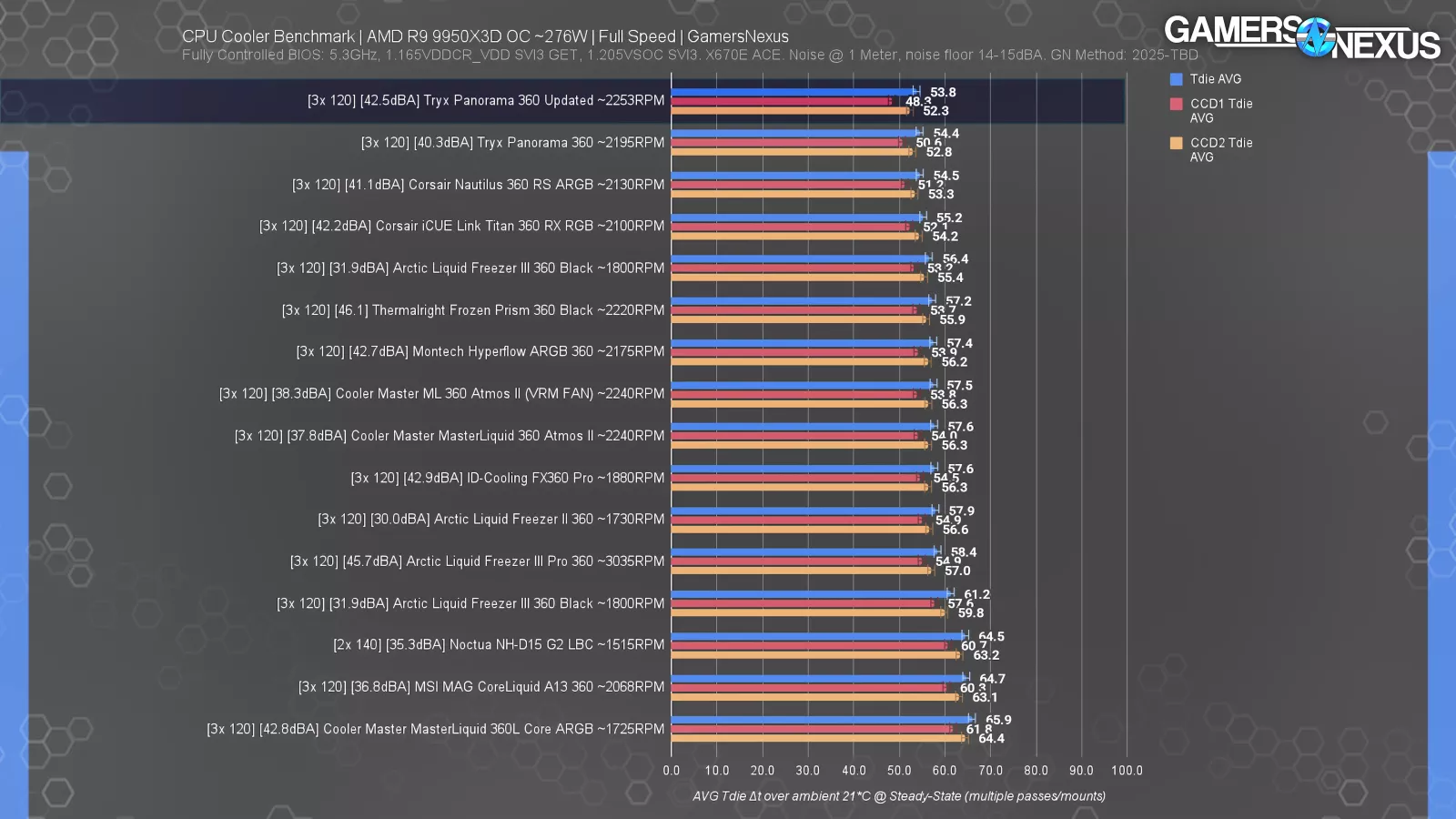
Our 9950X3D chart at full speed also goes to the Panorama, at 53.8 degrees over ambient. The Nautilus and Titan are close behind, as is the Liquid Freezer series.
Cooling performance at full speed mostly comes down to how loud the companies want to run the fans, which has to do directly with speed; however, many of these entries are lower than winners of this category in years past. They’re still loud at full speed, but not as loud as something like the old EVGA CLC series and its odd fan choices of the time.
Best Mechanical Design: Sudokoo SK 700V

Sudokoo SK 700V: Amazon

Our next award is for Best Mechanical Design. Years past have seen this awarded to the Noctua NH-D15 G2 for its impressive focus on mounting hardware and tuning to the physical aspects of the cooler, the DeepCool Assassin IV for its ease-of-use and installation features, and the NH-P1 (read our review) for its excellence in passive cooling.
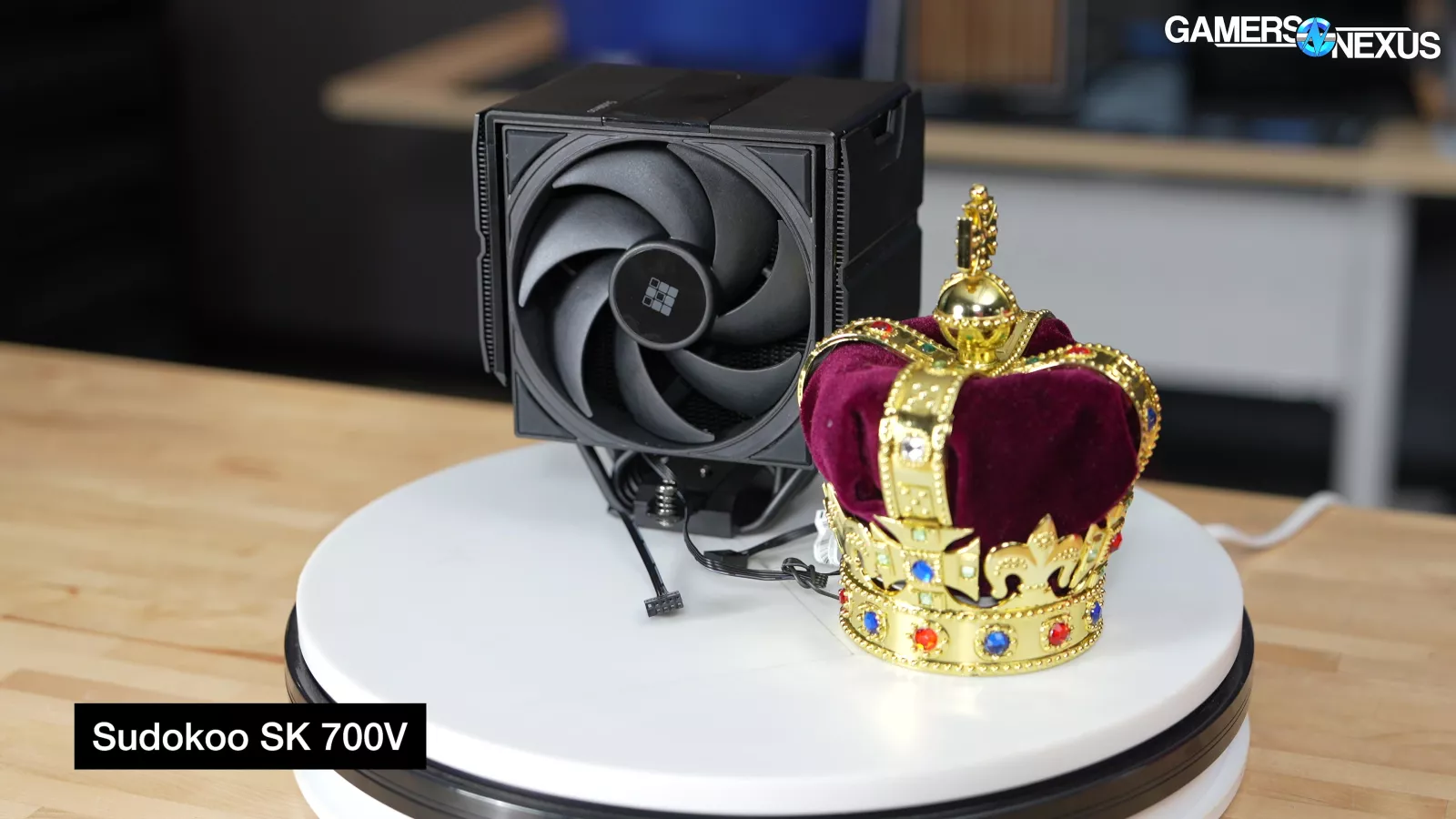
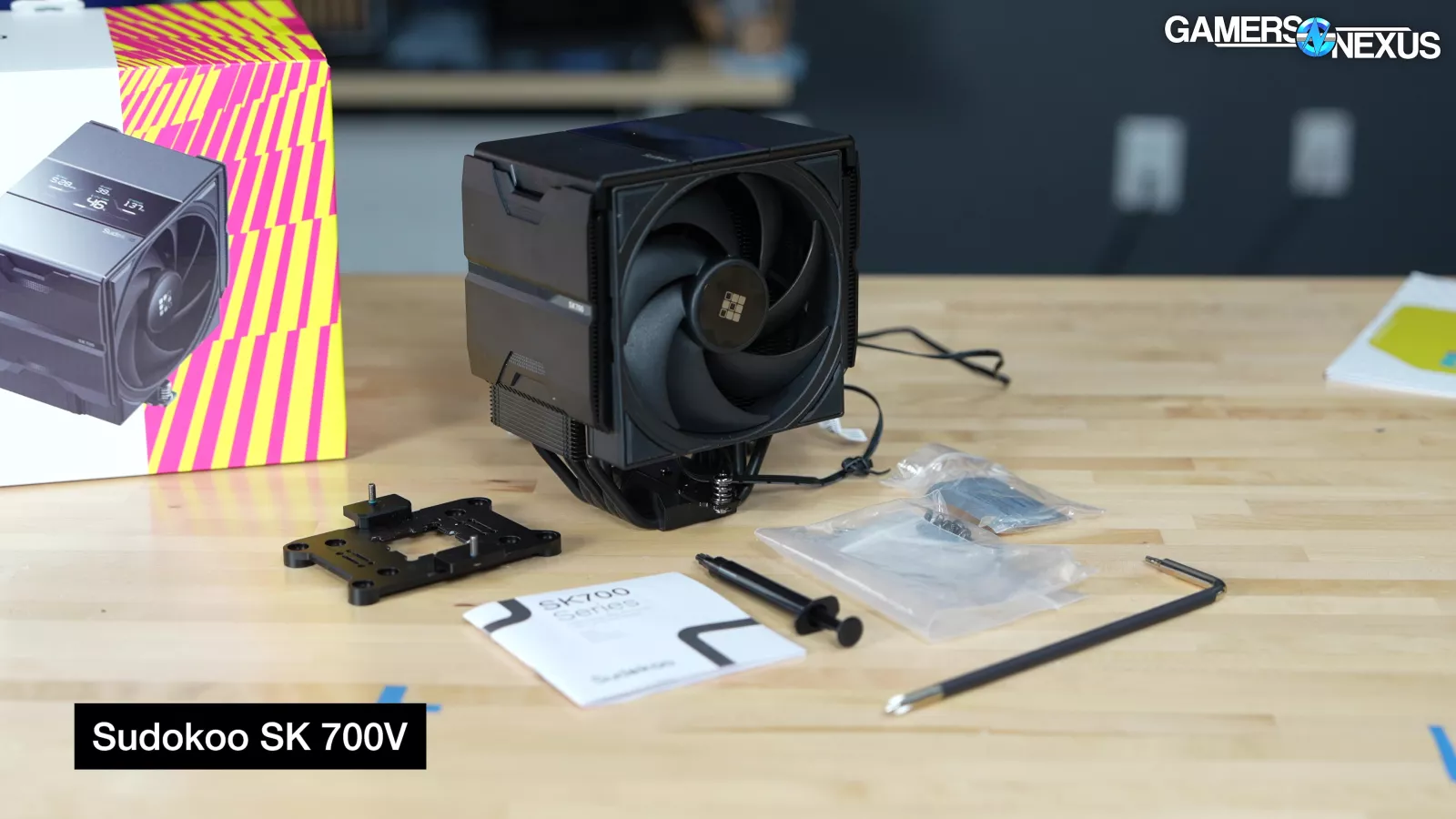
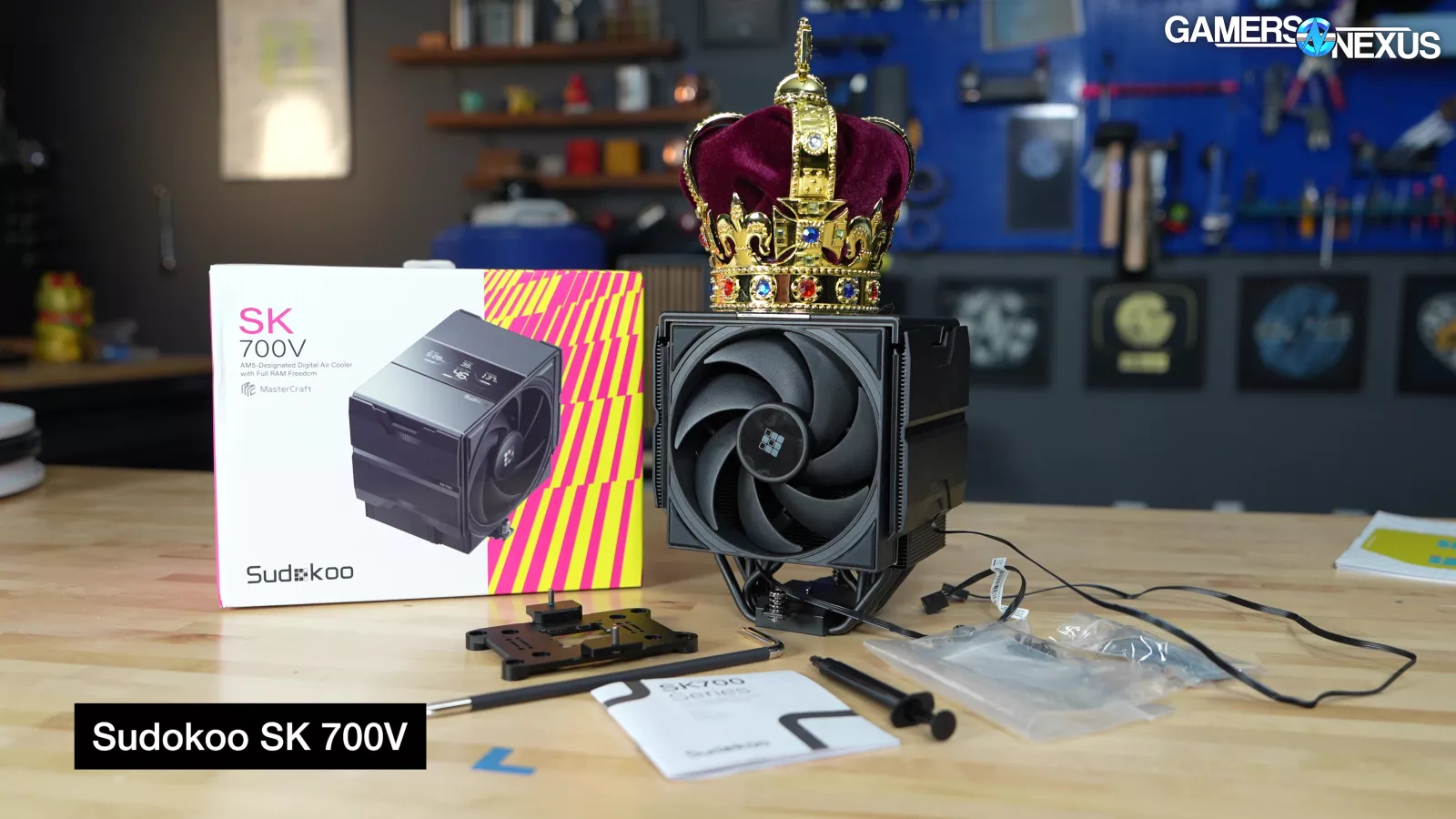
This year, maybe fittingly with the Assassin’s prior victory, we’re giving the award to the Sudokoo SK 700V for its high build quality and fine-tuned mounting hardware kit. Interestingly, this is an AM5-only cooler. The Sudokoo cooler may look familiar, and that’s a special report story for another time, but the short of it is that if you’ve wanted a US entity list-compliant DeepCool cooler, there are options available.

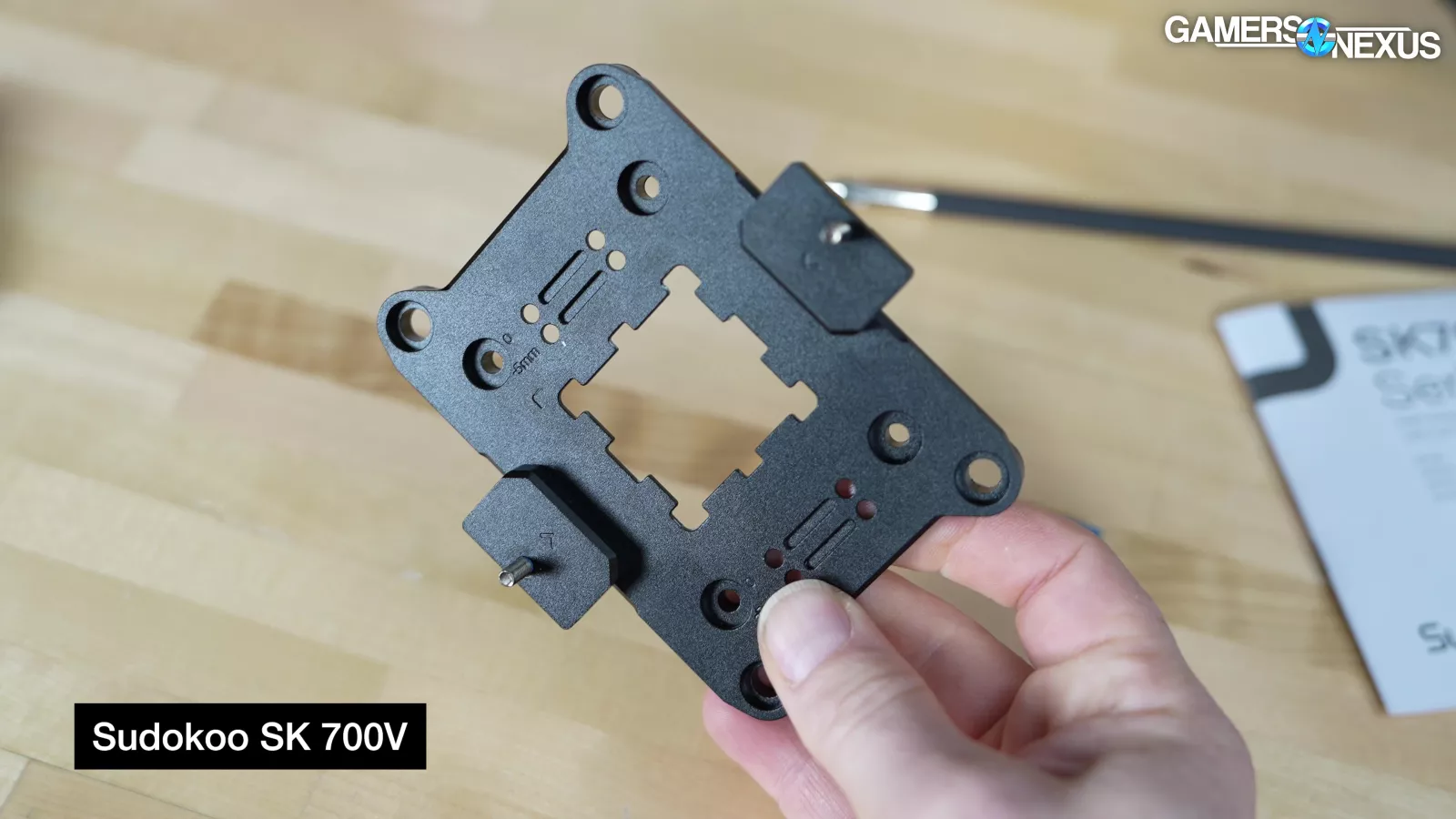
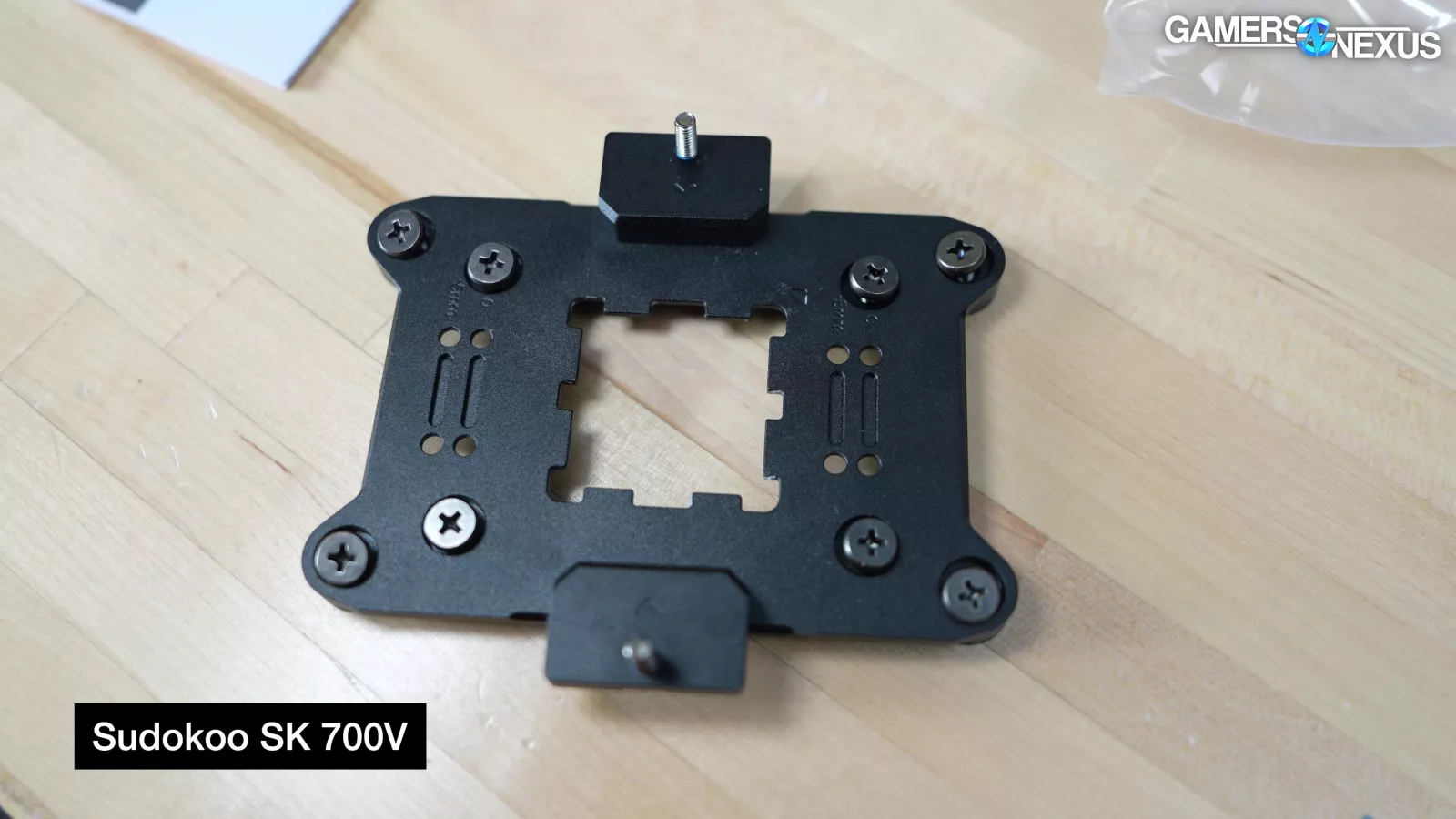
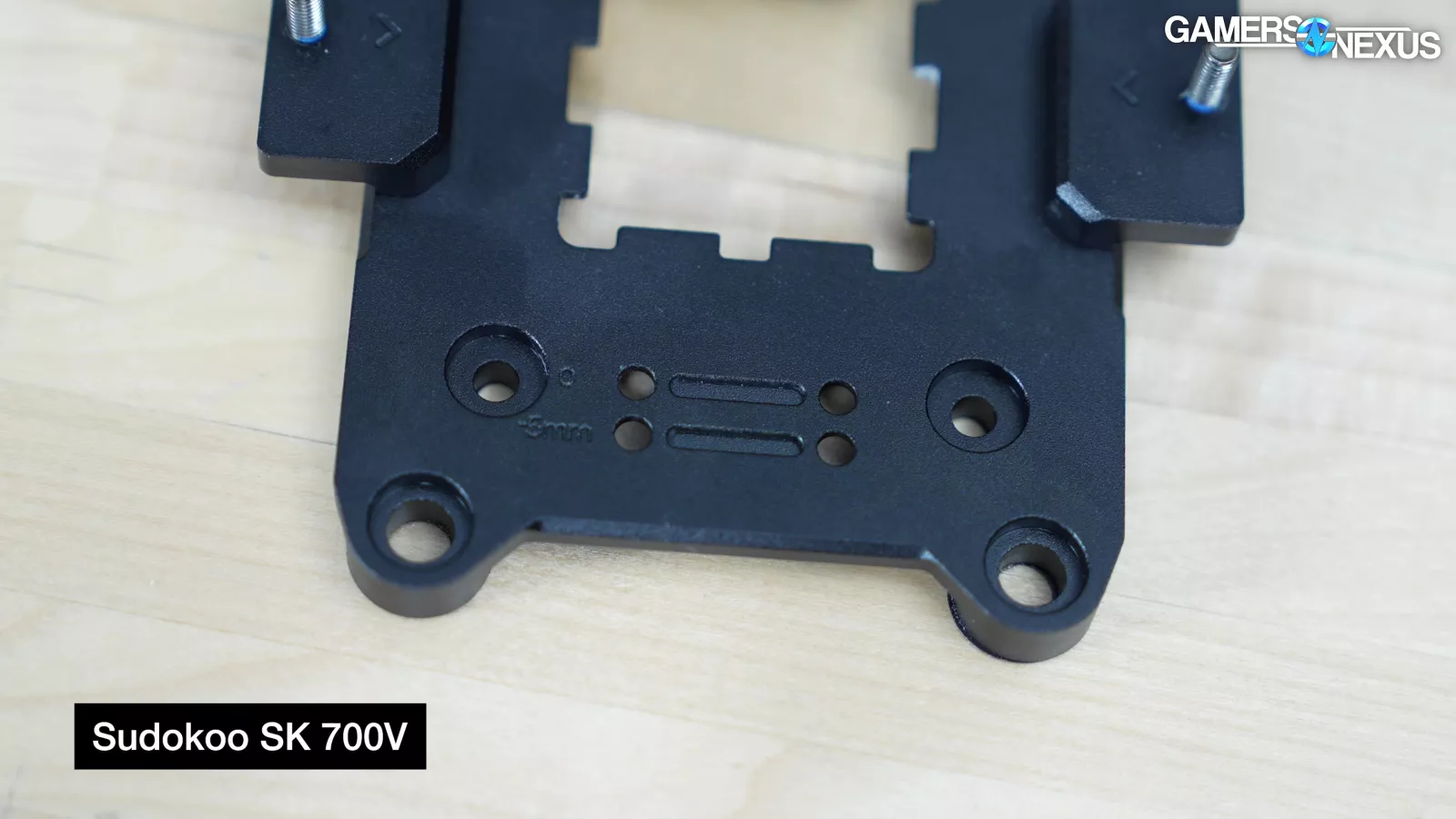
The Sudokoo SK700 is built of sturdy hardware that feels familiar to the old Assassin series we recommended for its build quality previously -- for maybe visually obvious reasons. The cooler uses an ILM replacement plate that secures directly to the CPU and helps clamp it down. This is like the Intel contact plates we’ve tested in the past, and it works well. When replacing the ILM, the plate is bolted down with 8 screws into the AMD backplate. We also noticed various offset mounting options for other or future Deep--uh, Sudokoo CPU coolers.
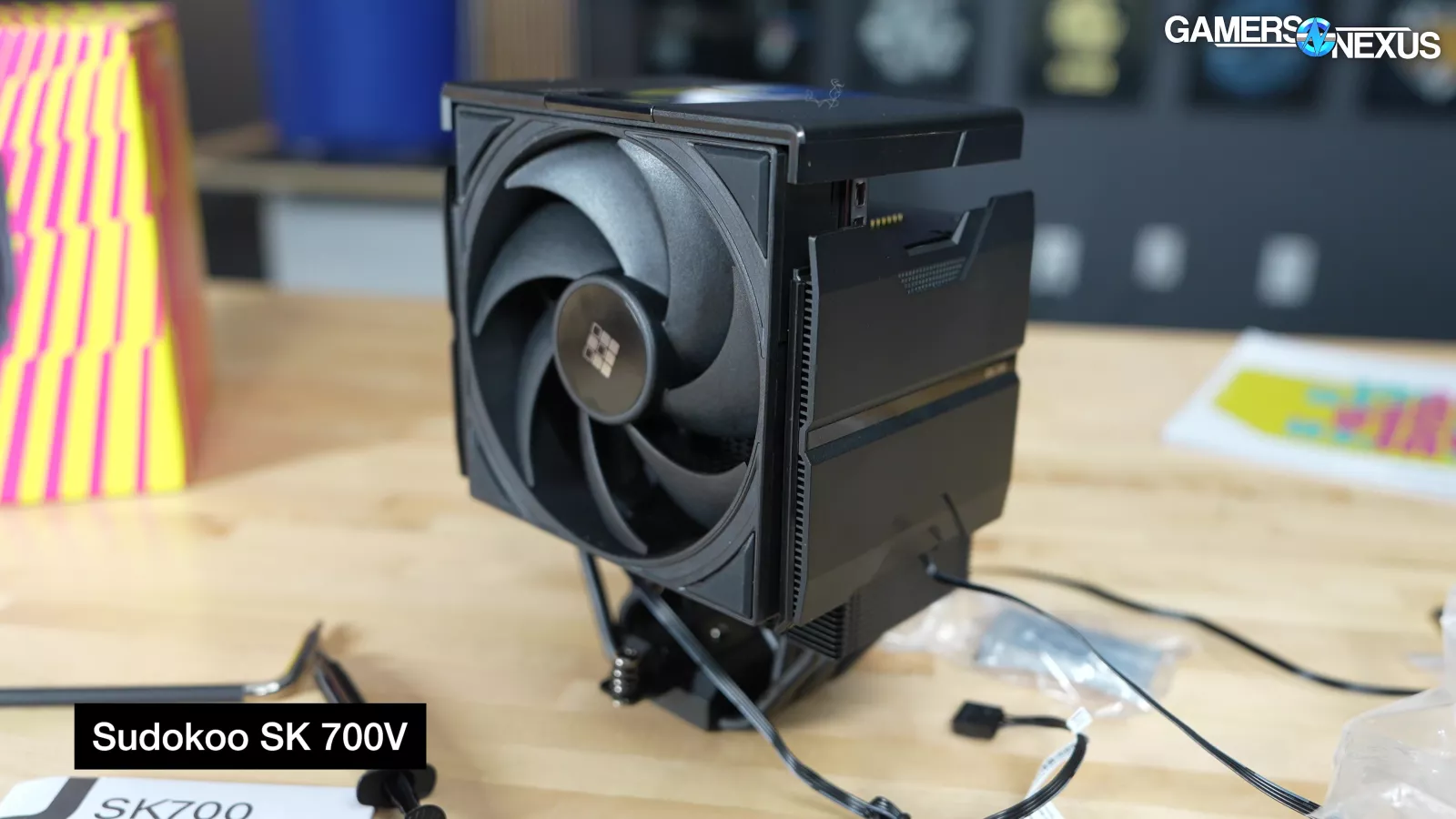

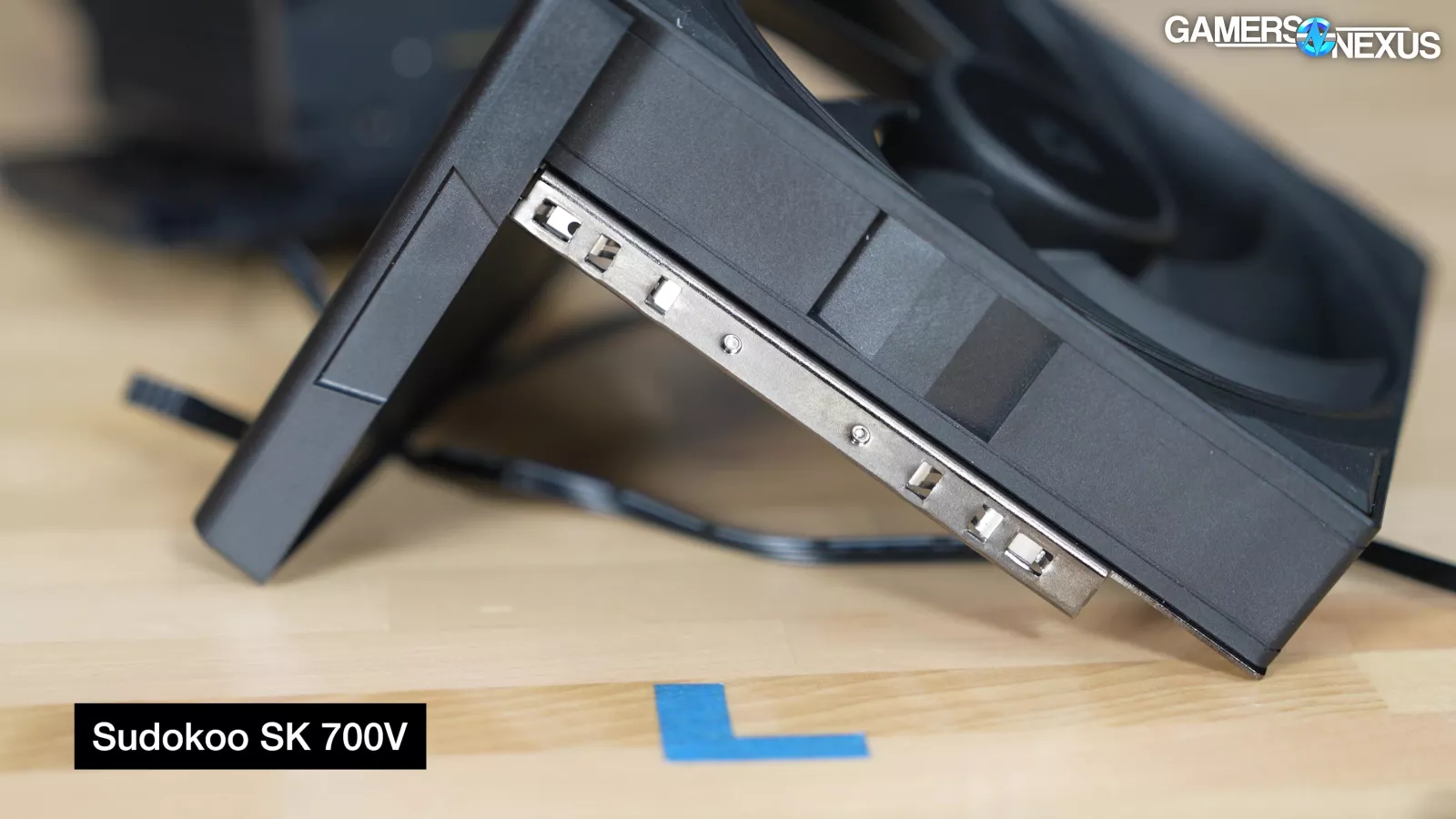
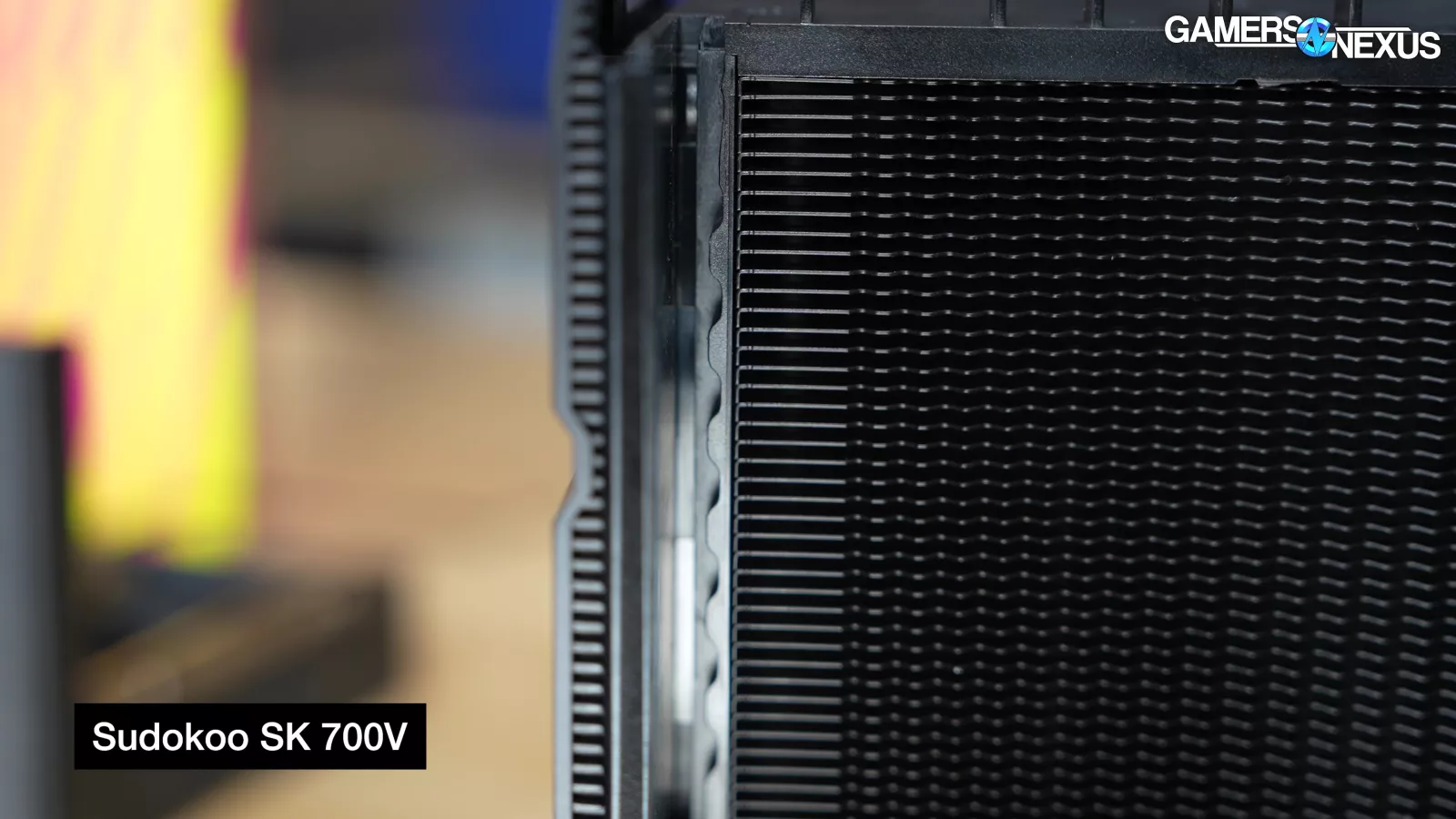
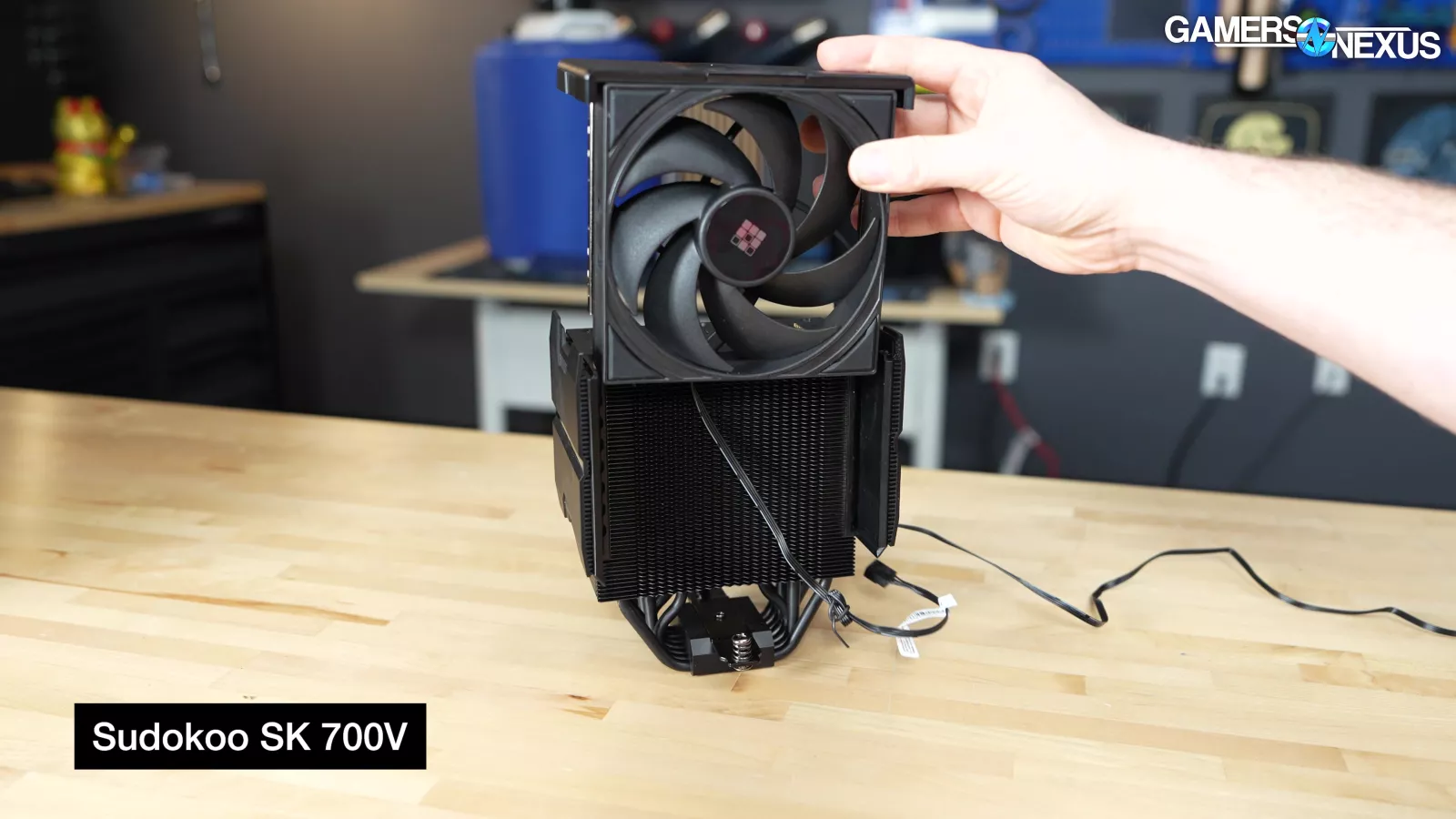
RAM clearance is effectively infinite, and not only because people aren’t going to buy RAM at 500% higher prices than a month ago. The front fan adjusts vertically on a set of rails that are cleverly integrated into the sides of the tower itself. Plastic ridges nest with a metal frame mounted to the fan, allowing easy adjustability without the metal clips we often encounter, while also closing-in the cooler to force air through and out the backside. Depending on A/B testing, this could work better or worse for cooling, depending on the static pressure performance of the fan.

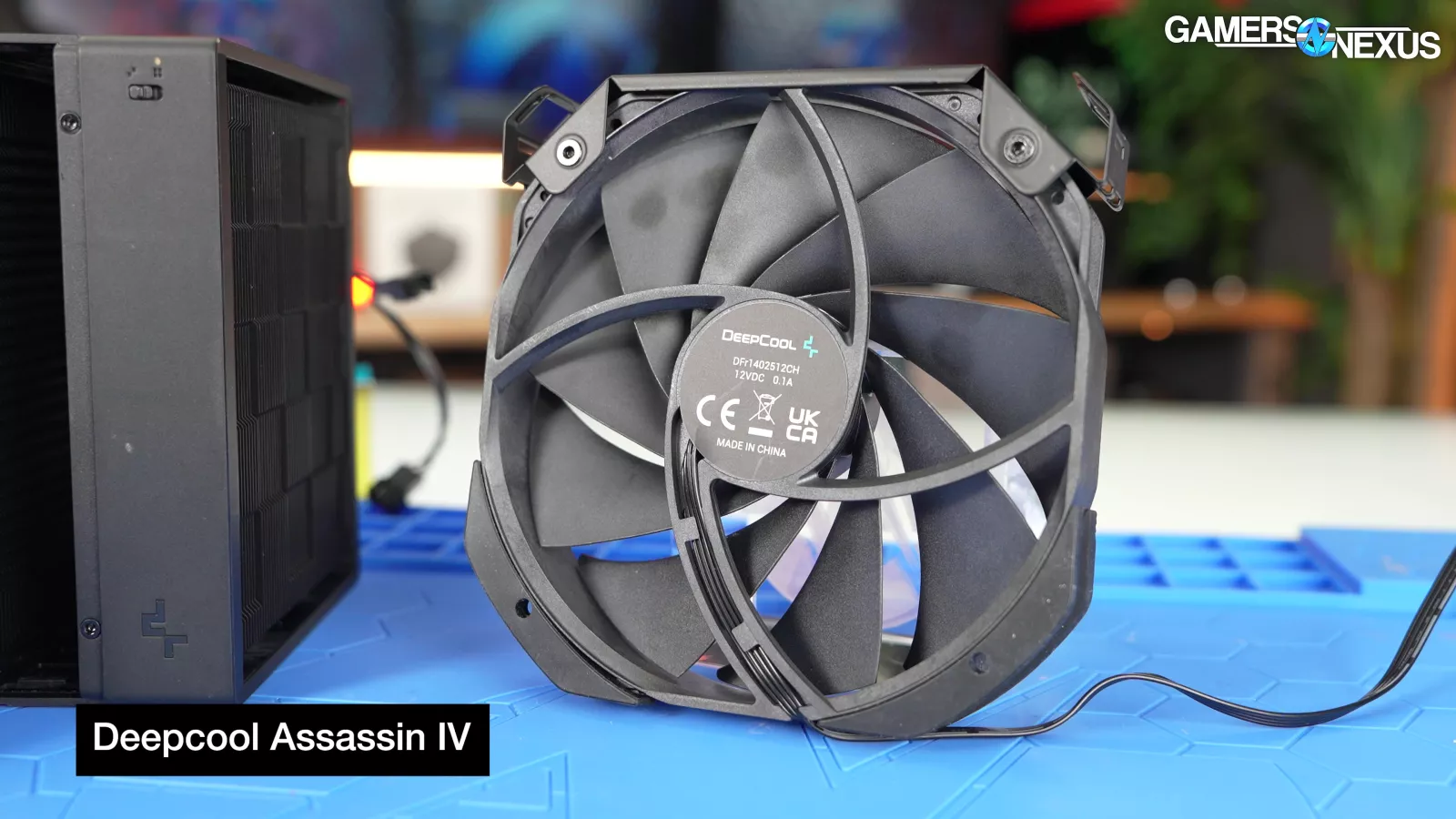
The rails are cleverly done in a way that they could be swapped to any fan you wanted as long as it fits, resolving issues of CPU cooler fan rail systems in the past that required custom, one-off fans. This means that in the event of fan failure or just wanting to swap, you could migrate the rails to any fan that’d mount cleanly to the cooler.

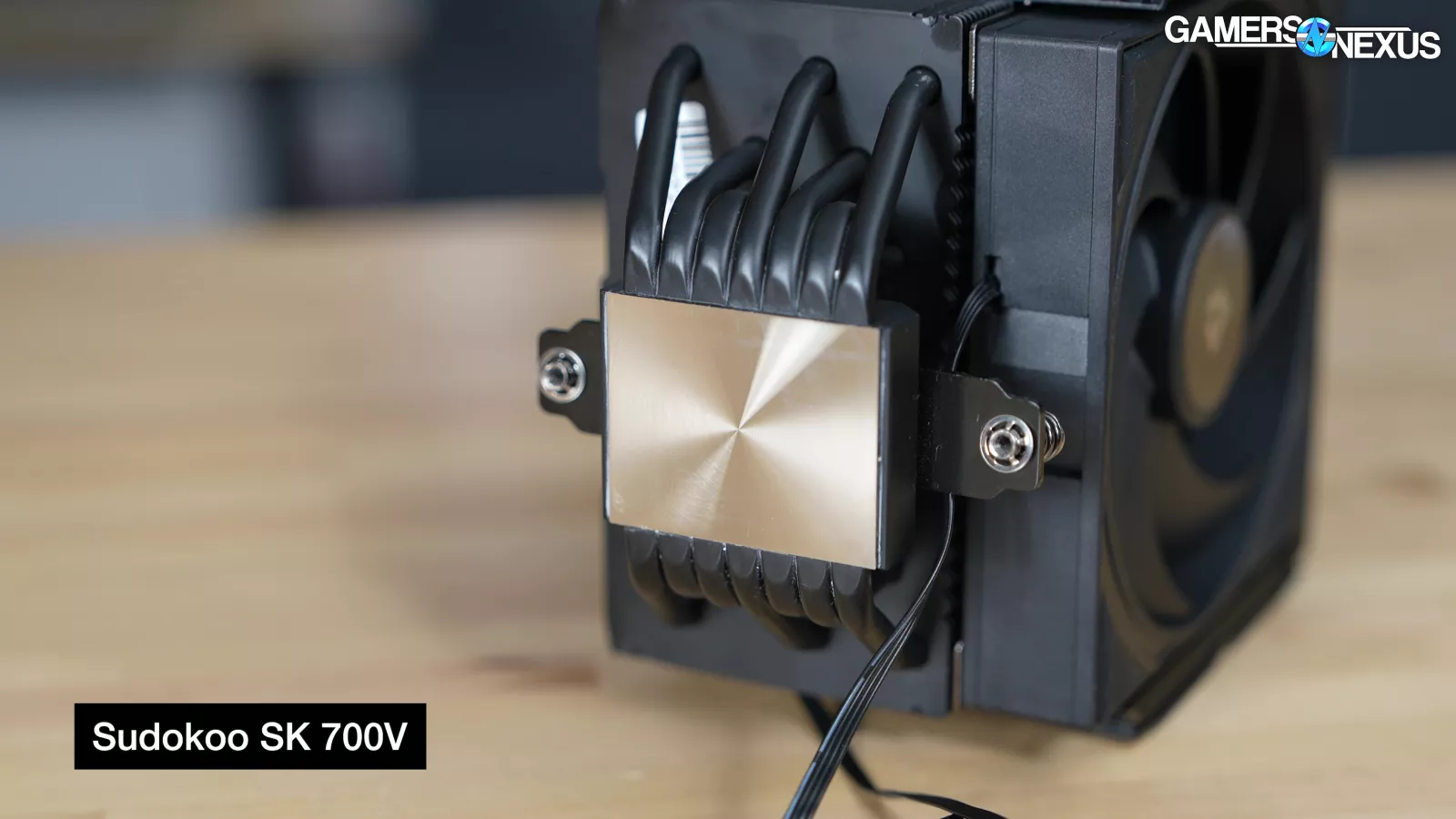
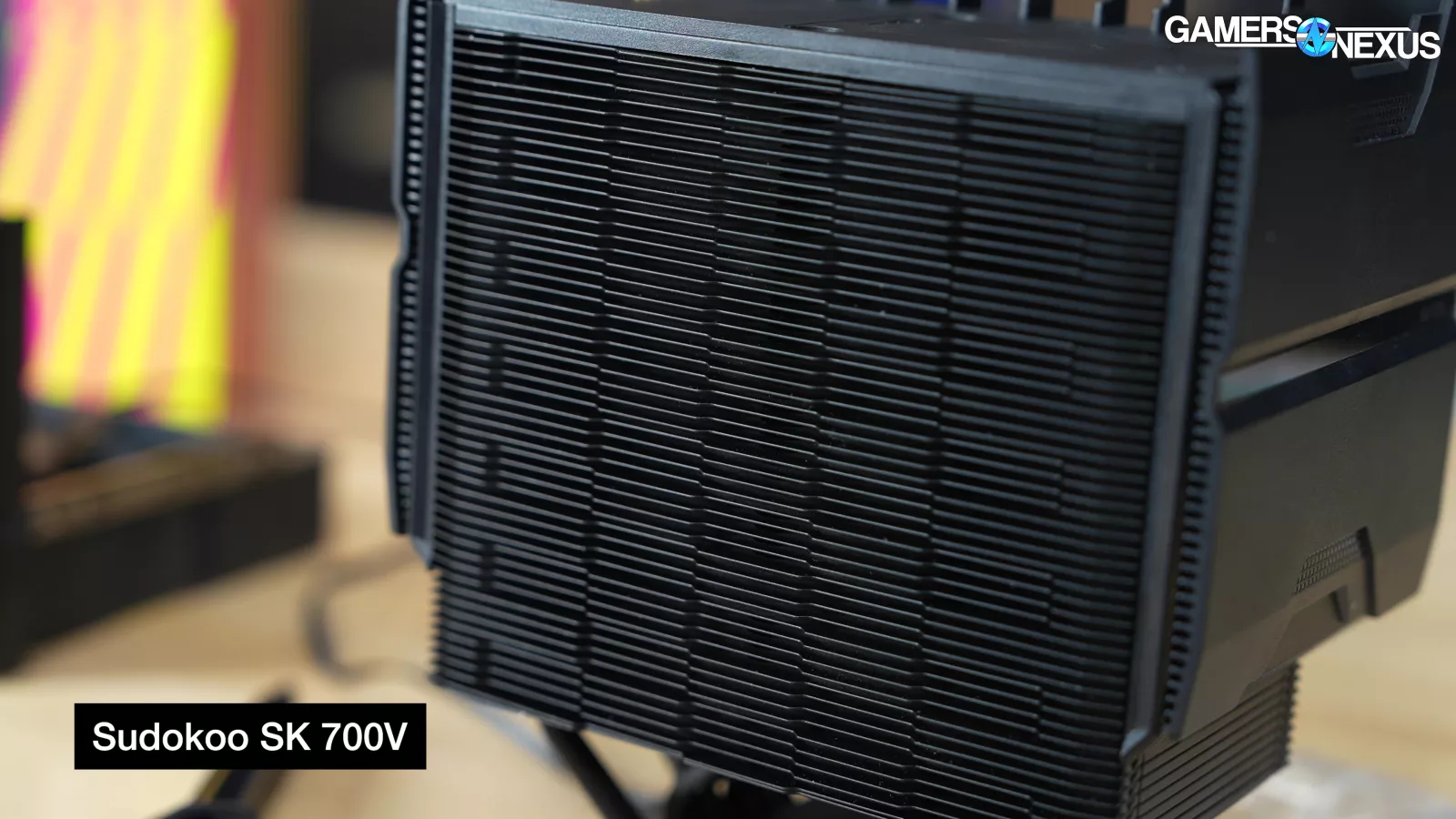
Everything about the cooler has some heft to it, largely thanks to the use of 7x 6mm heatpipes embedded in a nickel-plated copper coldplate and a relatively high fin density of the heatsink.
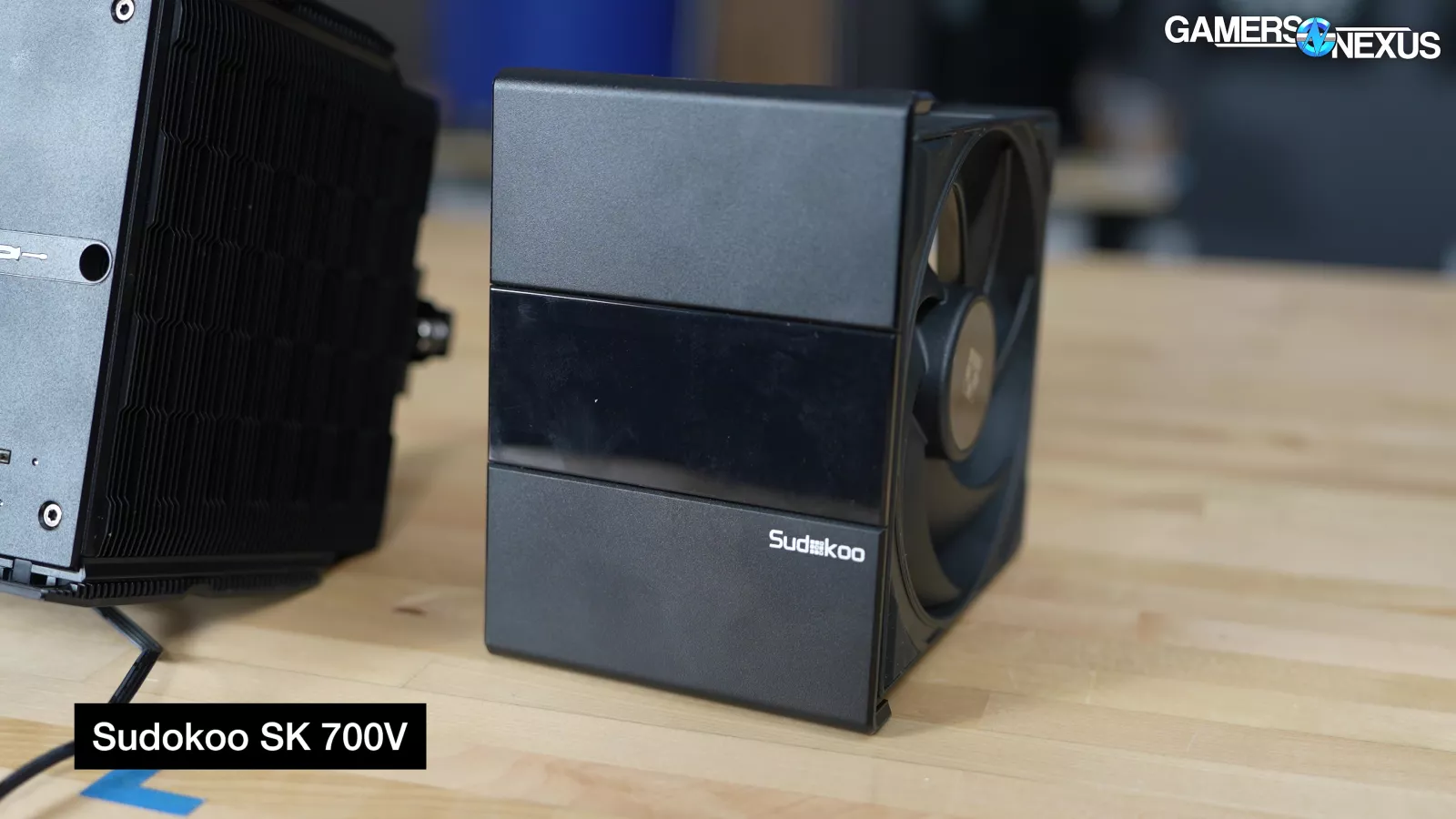
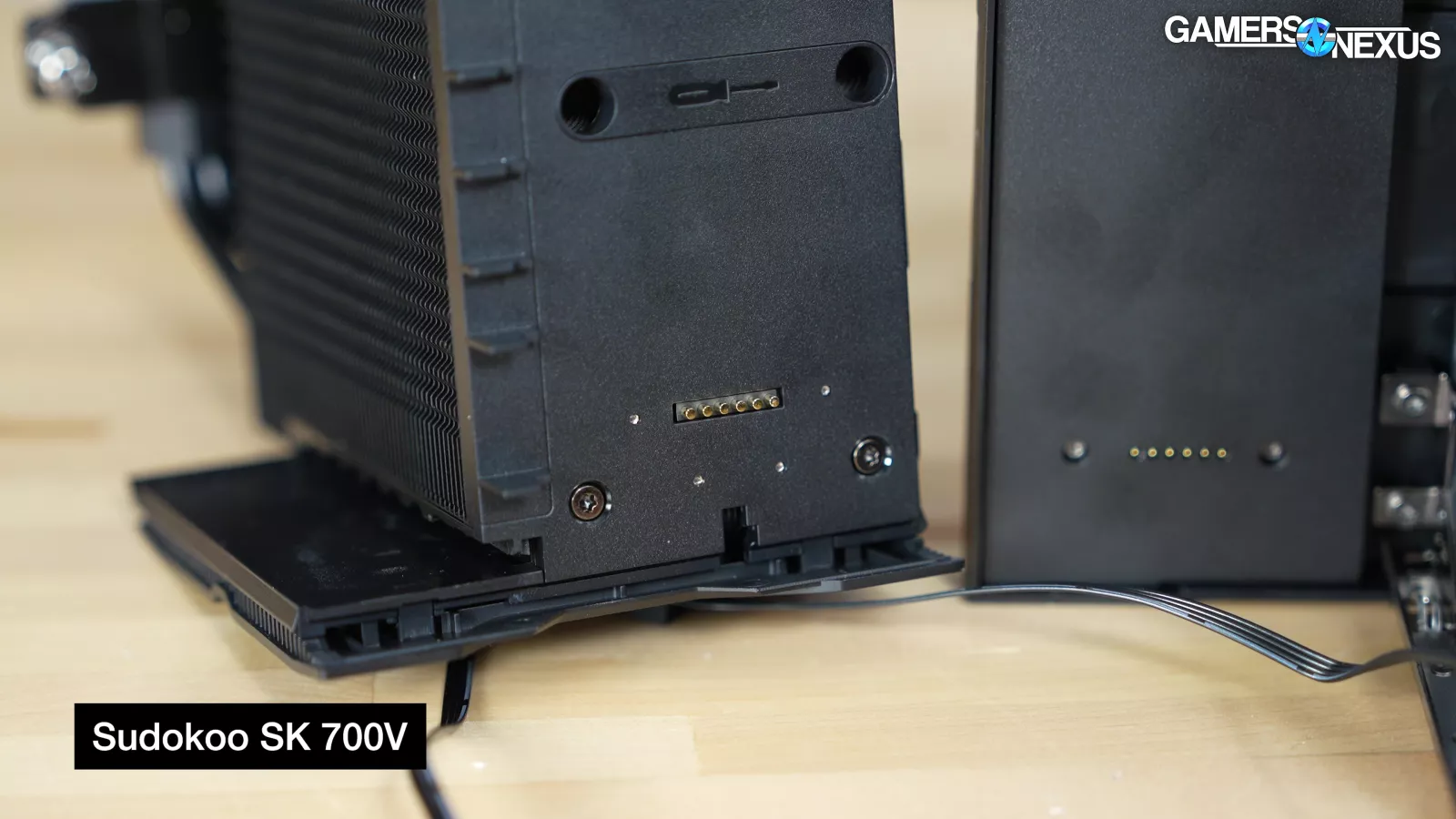
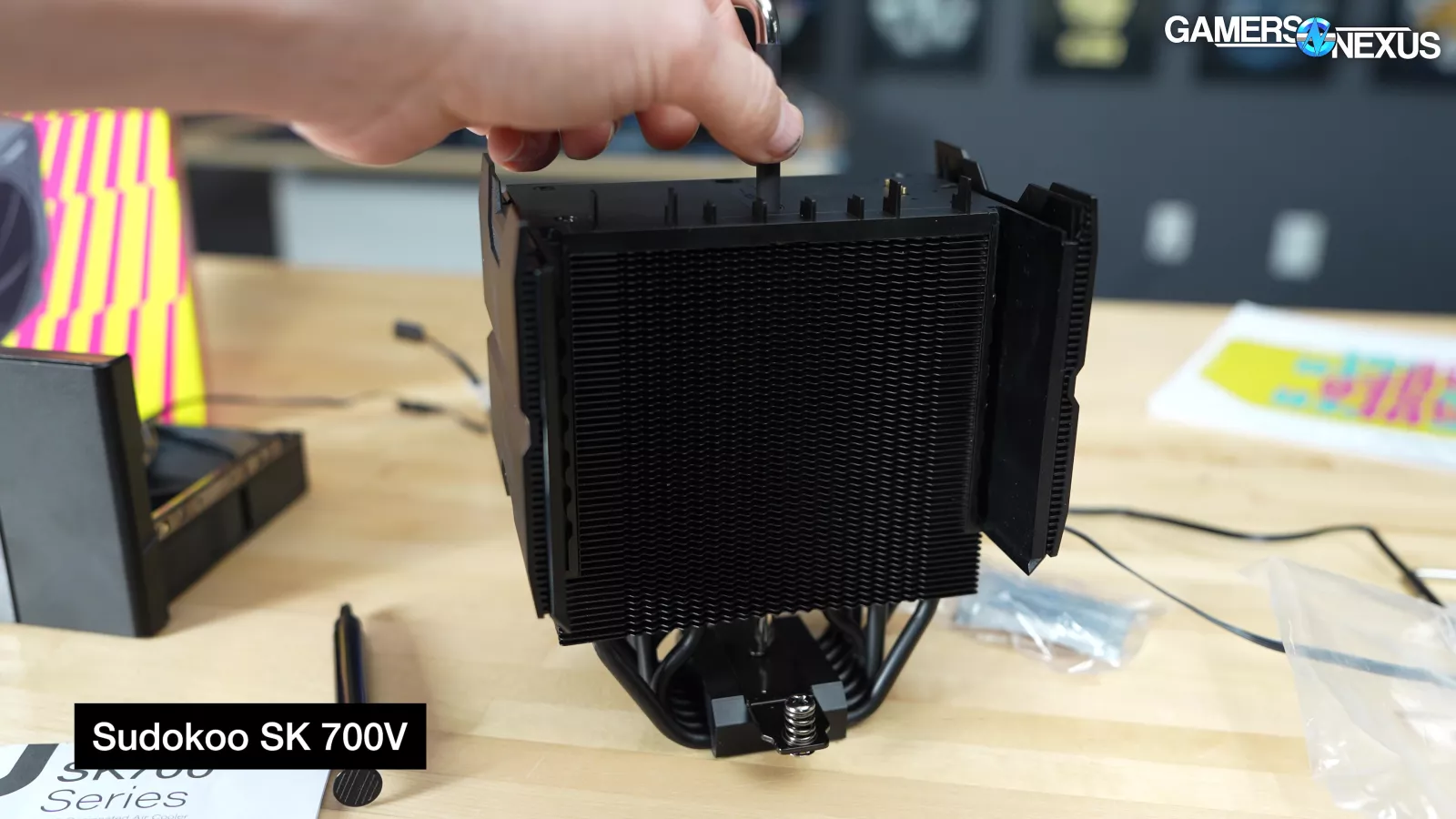
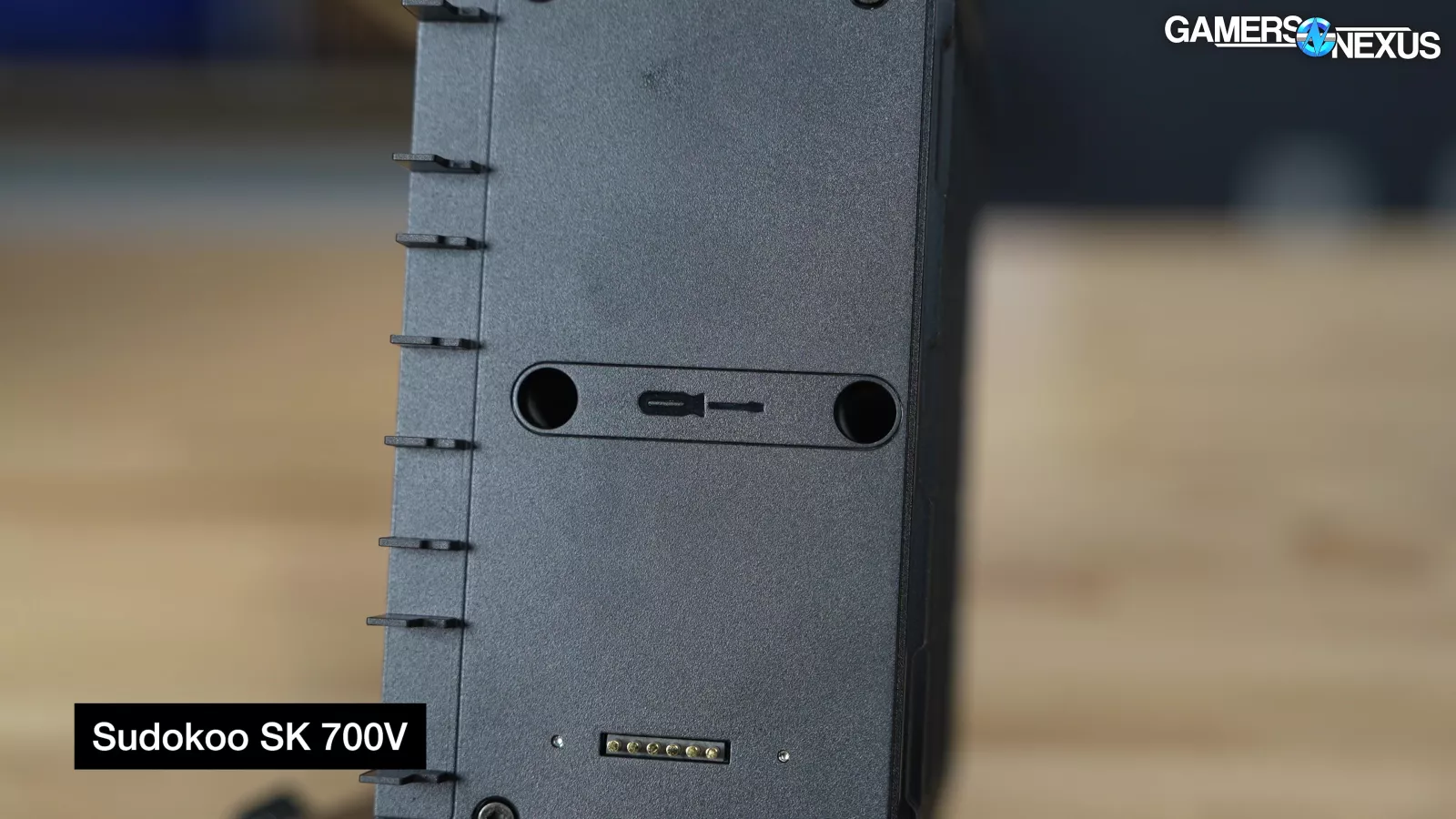
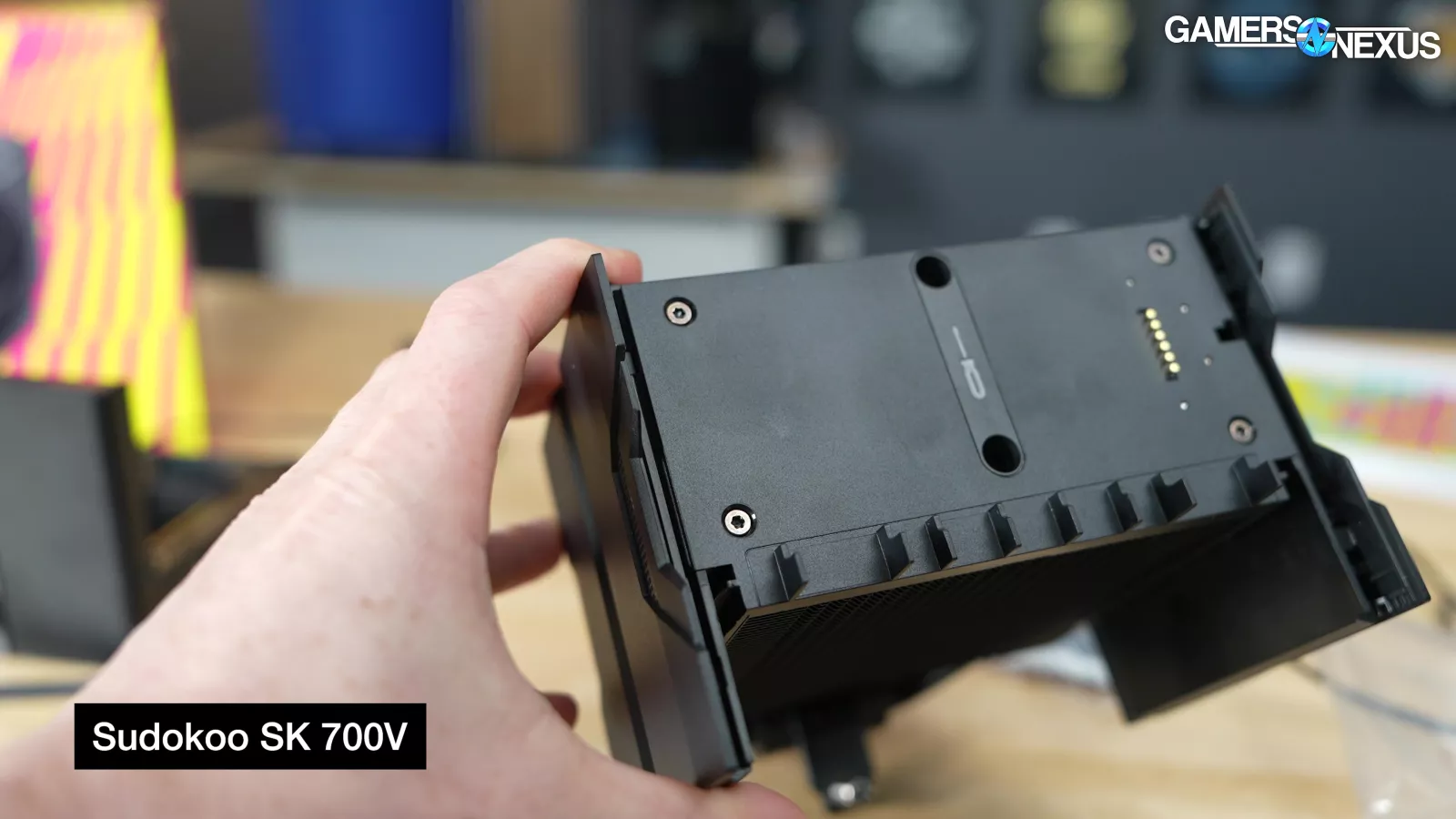
The top of the cooler uses a pin-to-pad solution to drive power into the digital display plate, with two large access holes through the top center for accessing the mounting hardware with a long driver. Sudokoo even labels this to make it obvious, which is a nice touch for novice builders. All the plastic is removable as well with a few screws in the top of the frame.
We like that the SK700 manages to pull together ease-of-installation features without making anything needlessly proprietary.

Our thermal testing in the noise-normalized 9800X3D benchmarks had it in the middle of the air coolers we’ve tested, behind the dual-fan Peerless Assassin while running only one fan, which is a great rank for it.
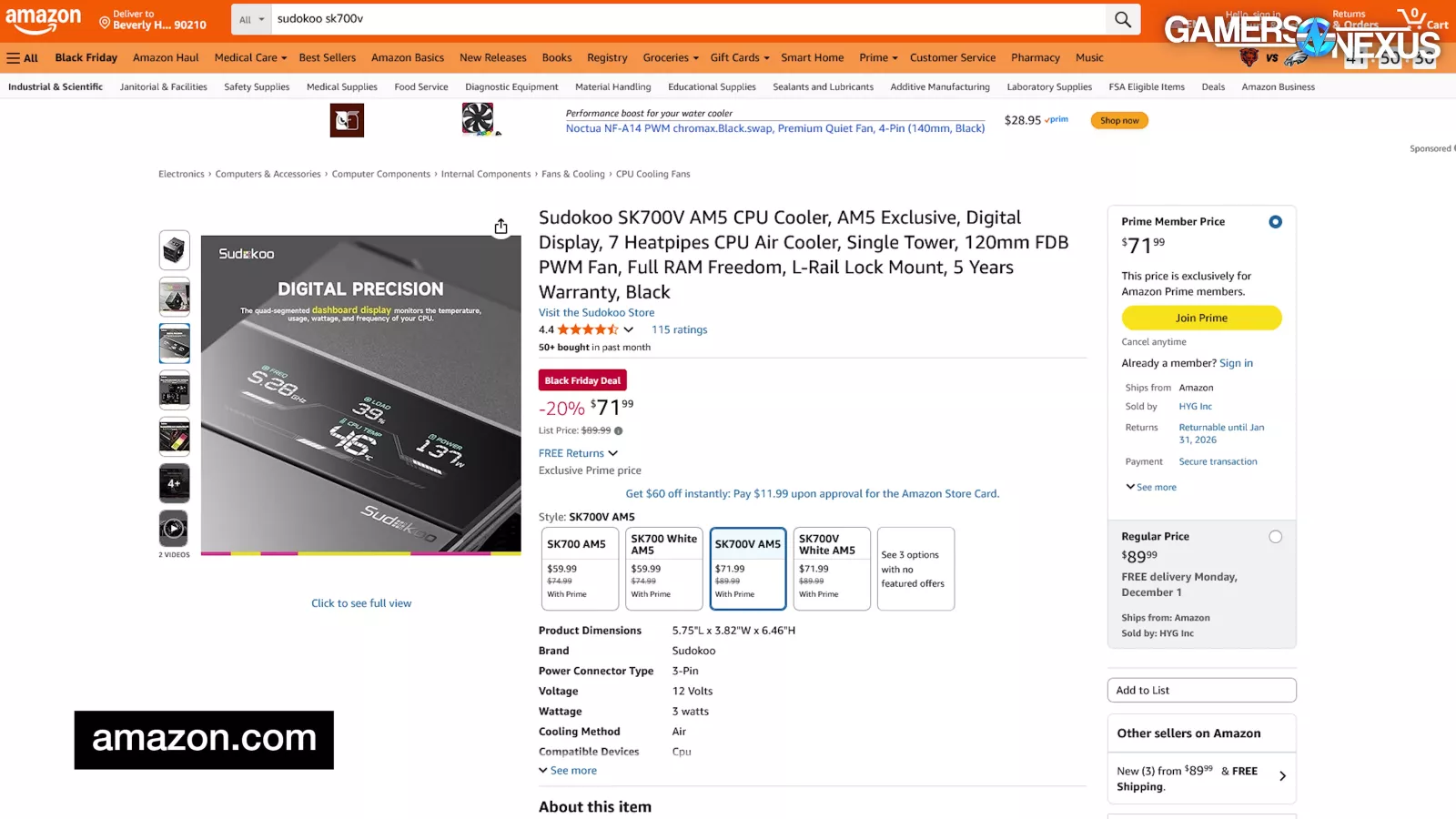
The cooler is currently $60 to $70 (depending on SKU), making it competitive with last year’s Best Overall winner, the ID-Cooling A720.
For all these reasons, the Sudokoo SK700 gets our Best Mechanical Design award.