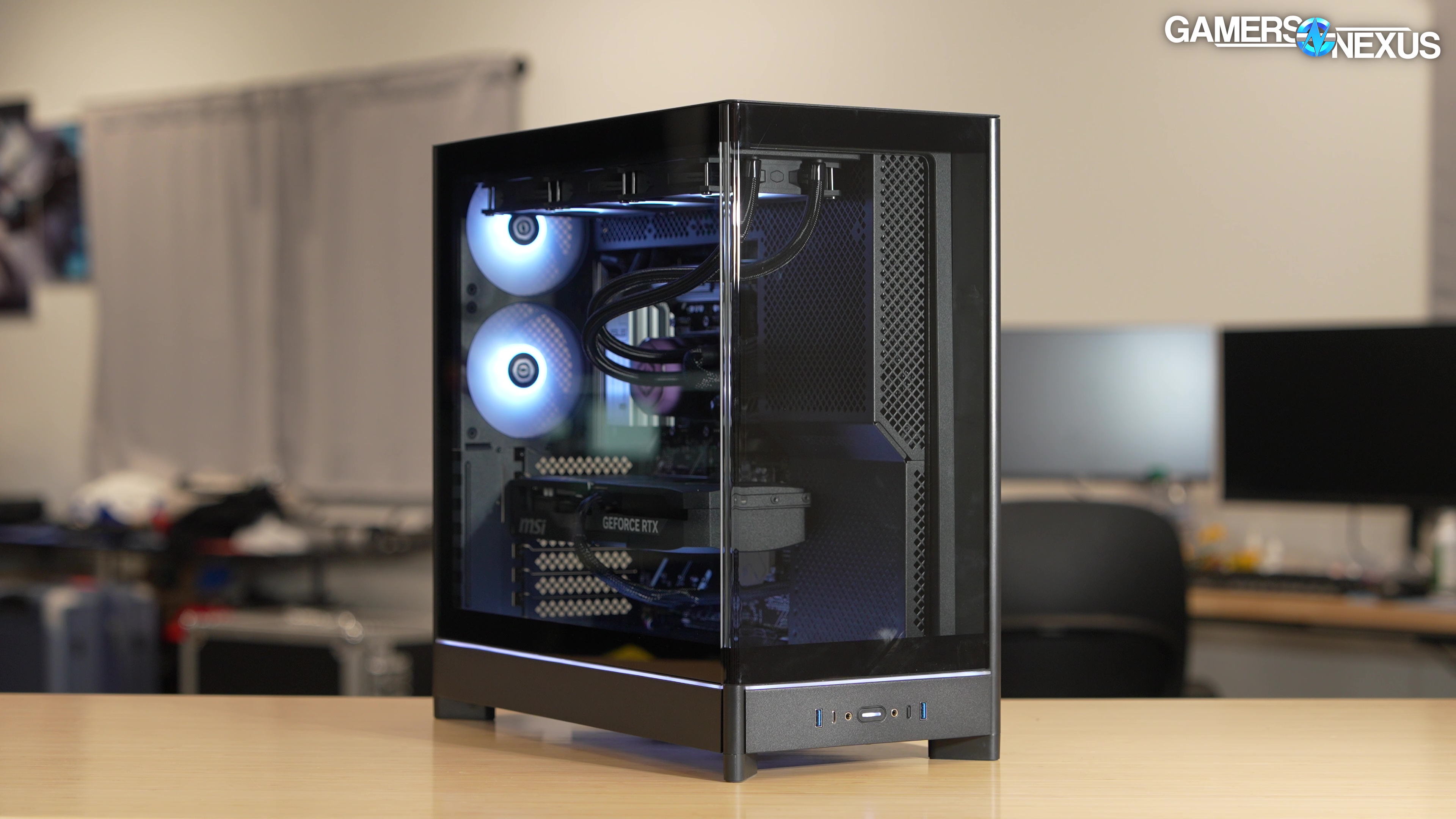
We analyze Cyberpower’s pre-built gaming PC’s pricing, part choice, acoustics, thermals, CPU frequency, power consumption, BIOS, and more
The Highlights
- We're revisiting a Cyberpower pre-built a year after our last review of one of their computers
- The system has some of the worst pump whine we've ever heard and wouldn’t turn on
- After replacing the SSD with our own and installing Windows, we found it still had some issues with BIOS and thermals
- Original MSRP: $3,259
Table of Contents
- AutoTOC
Intro
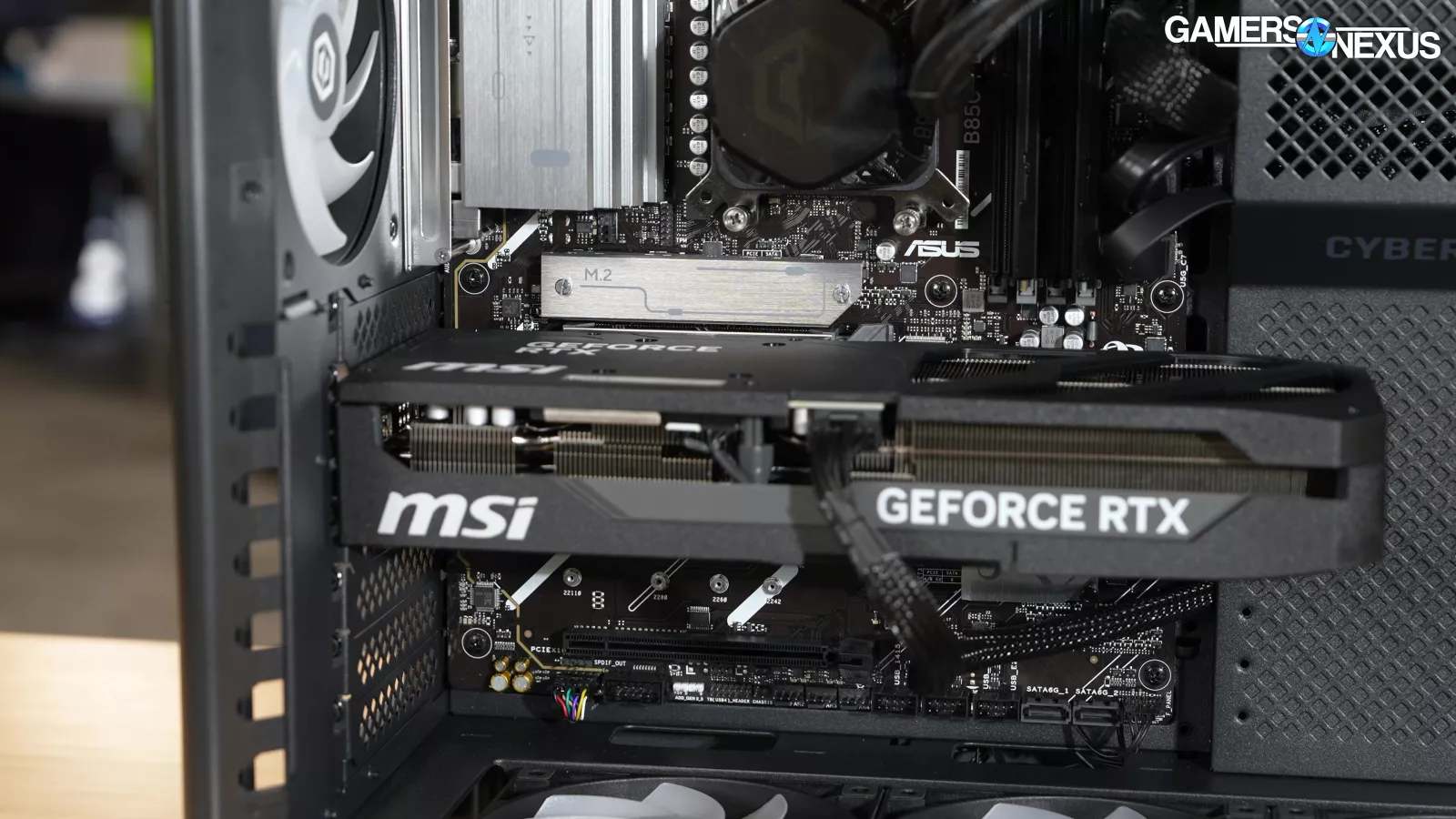
Our CyberPower PC system arrived with a damaged and nonfunctional SSD, an unseated GPU, and a loose GPU power cable. The misconfigured liquid cooler pump also sounds grotesque.
Editor's note: This was originally published on May 21, 2026 as a video. This content has been adapted to written format for this article and is unchanged from the original publication.
Credits
Test Lead, Host, Writing
Steve Burke
Video Editing, Camera
Mike Gaglione
Camera
Tim Phetdara
Andrew Coleman
Testing, Writing
Tannen Williams
Writing, Web Editing
Jimmy Thang
Last year around this time, we said this in our CyberPower review, “In six months, we are going to look at the options again, and we're going to try again to find a good one, just like we did here.”
Well, we gave them over a year -- so they’ve had more than enough time to fix these problems.
Surely that’s enough time...
In typical CyberPower fashion, the CPU was limited on thermal headroom and unable to achieve its advertised boost clocks, despite technically improving upon the CyberPower system we reviewed last year at the cost of system volume.
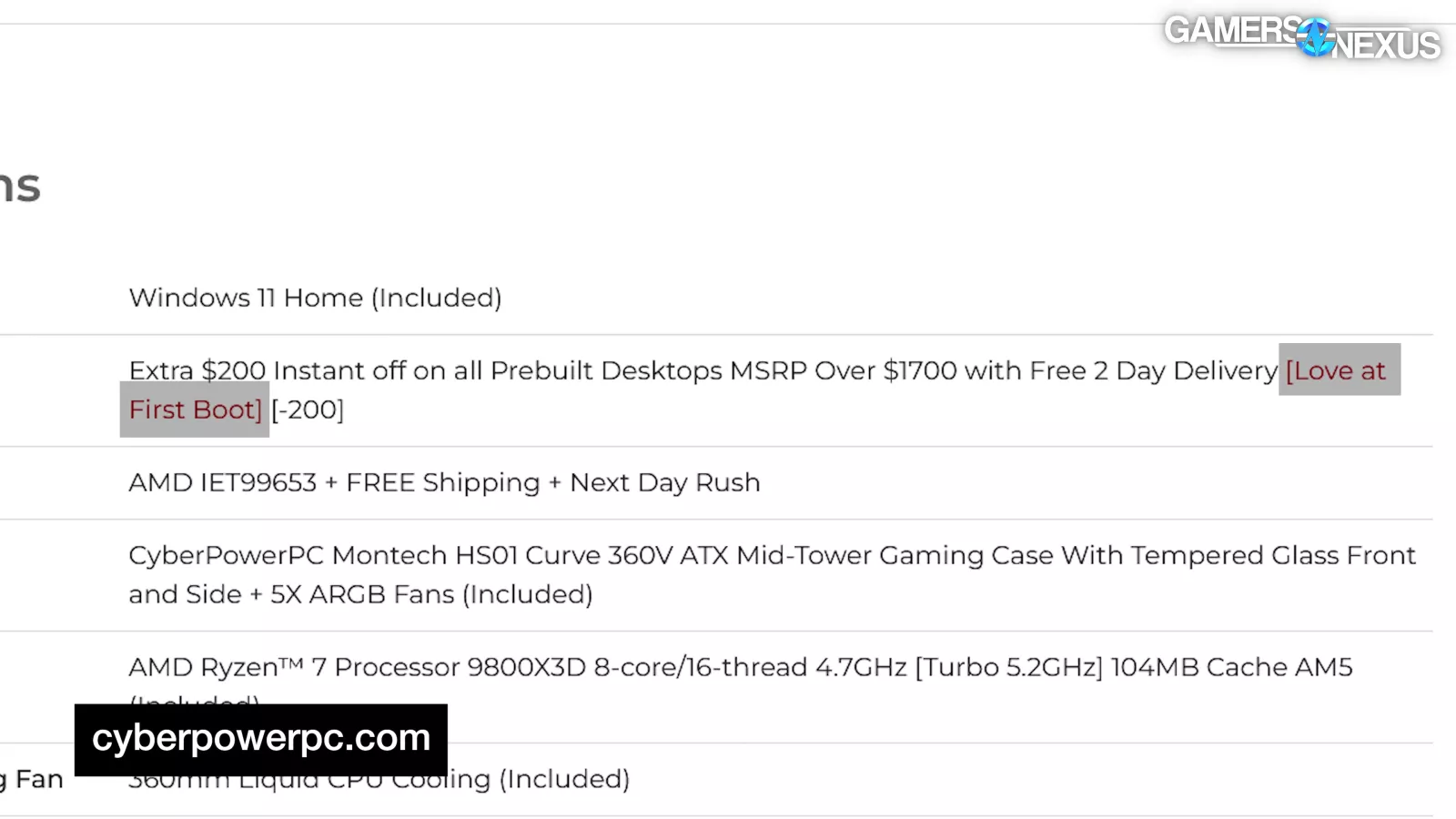
CyberPower promised us “Love at first boot,” so add it to the list of underdelivered promises because it did not do that. The computer didn’t boot after we got it. That’s not a good start.
The GN Curse continues, but the worst part is that this is one of the most compelling CyberPower pre-builts we’ve ever seen.
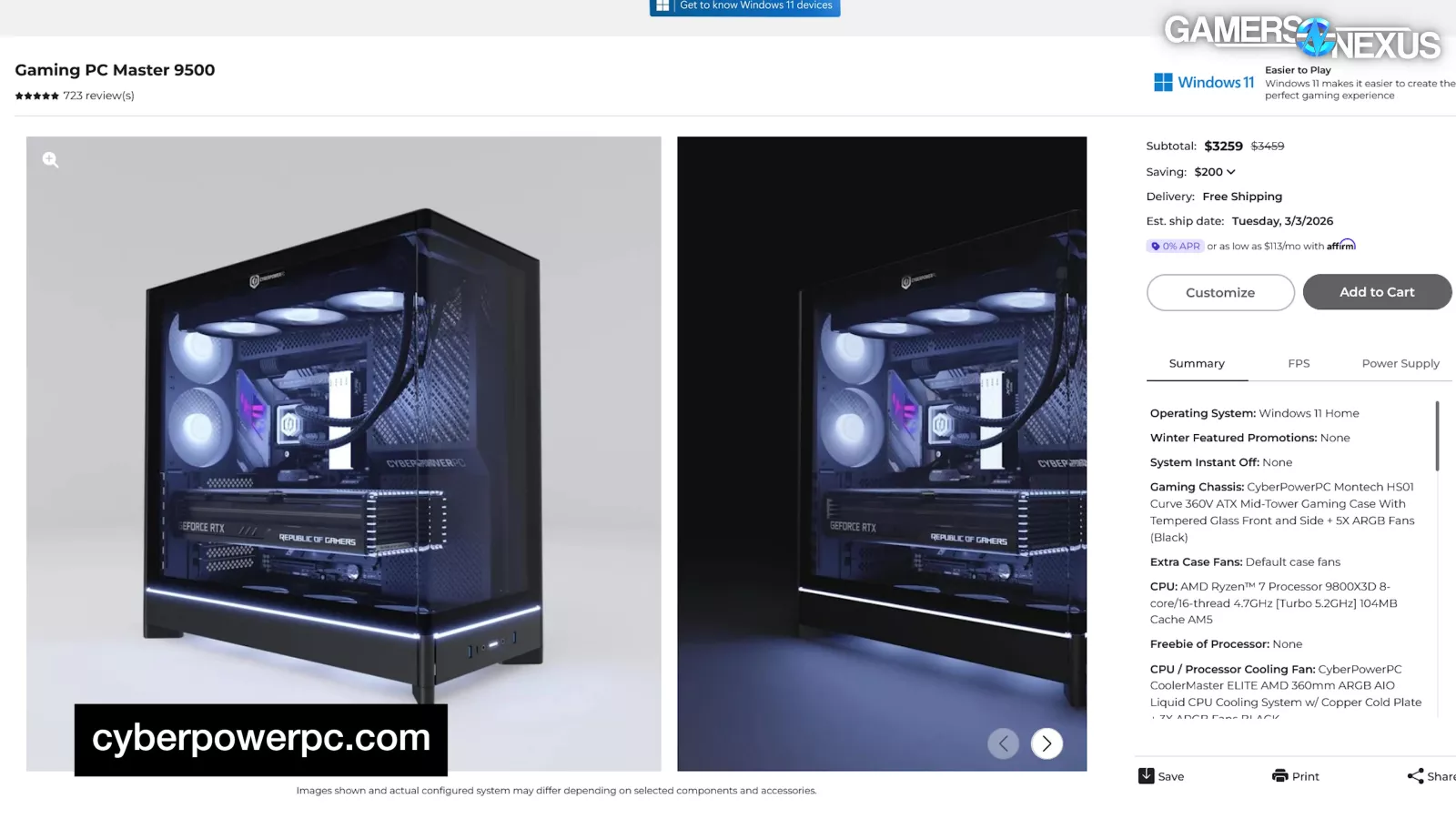
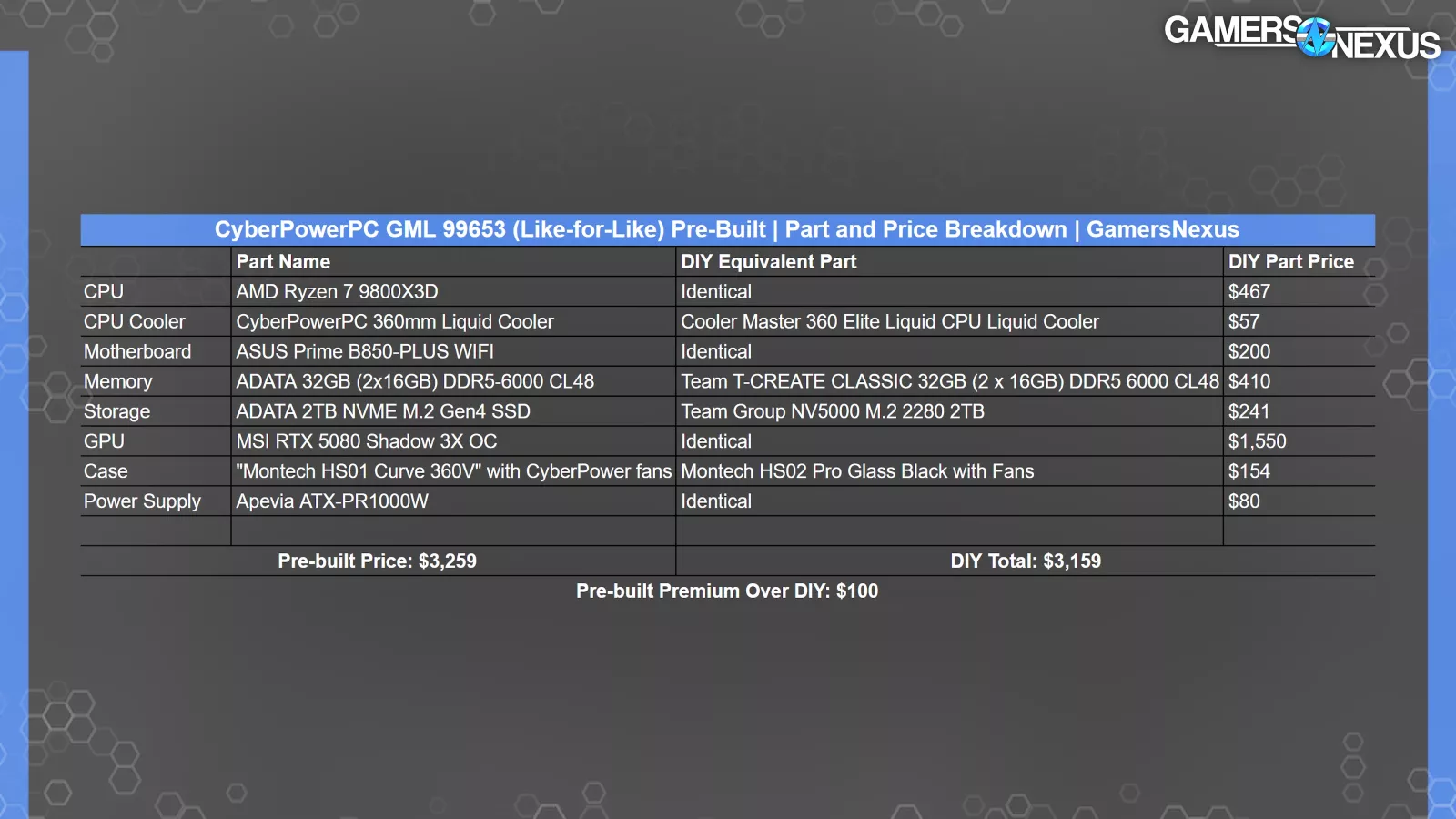
At the time we checked prices, just before further SSD price hikes, CyberPower was selling the strongly paired 9800X3D and RTX 5080 system for $3,259, only $100 greater than the build’s DIY price, as collected on the same date as the system price. Just note that prices are changing nearly daily right now due to DRAM and SSD pricing.
But day-to-day, they’re about $100 over DIY, which makes it one of the best-priced pre-builts we’ve looked at.
Unfortunately, that only makes it that much more frustrating that CyberPower screws up the easy part, like ensuring the PC boots before sending it to a customer.
If the SSD weren’t dead on arrival and the GPU had been seated with its power cable fully plugged in and if the pump didn’t sound like a flooded engine, we might have even awarded it our “It’s-Better-than-Dell” award – but the Dell systems actually booted into Windows.
Let’s get into the review of this $3,300 system.
Overview and Pricing
This is the CyberPowerPC Pre-Built PC GML 99653 – because when you offer as many configurations as CyberPower, you apparently need 5 digits of precision on the names.
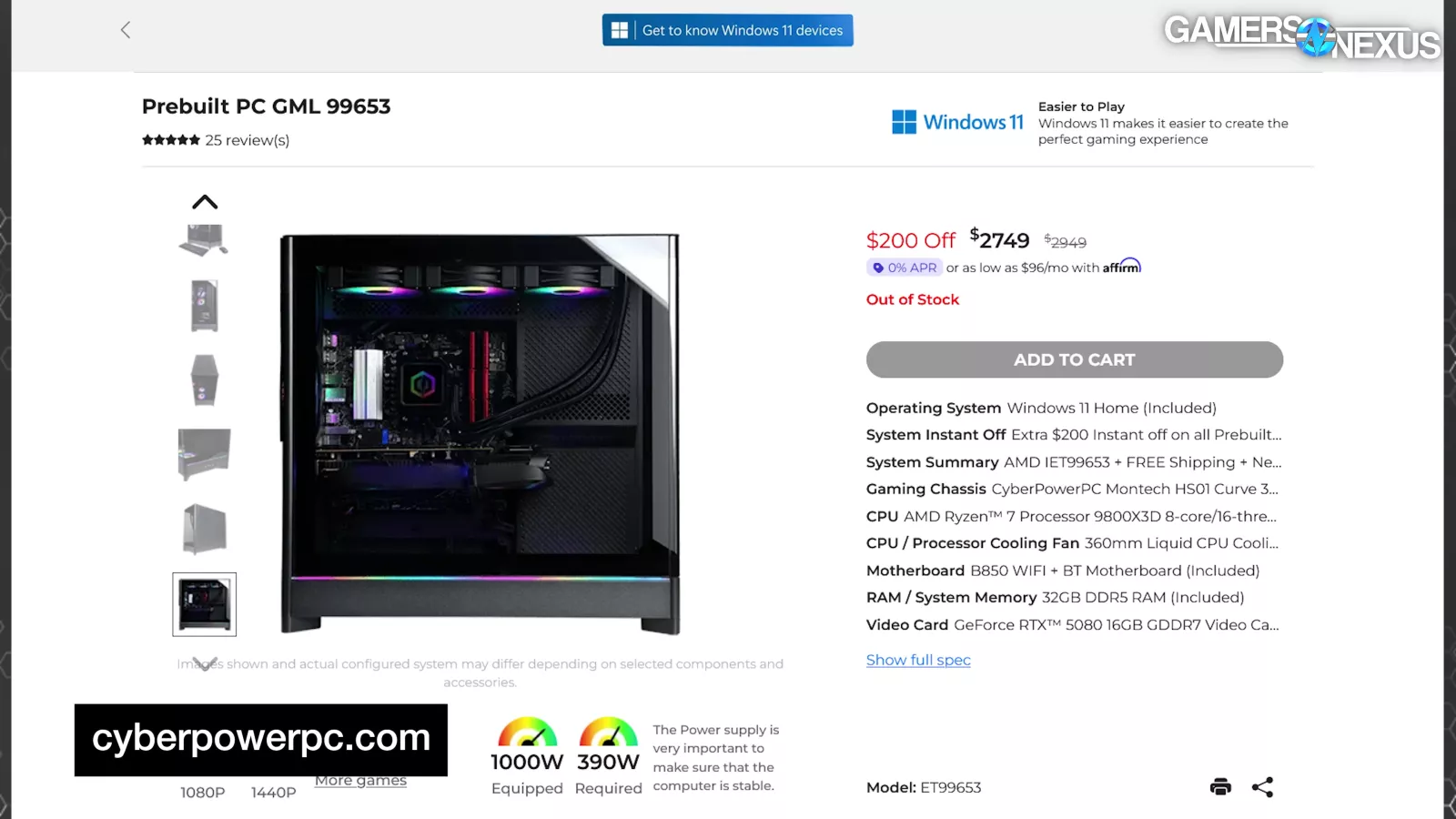
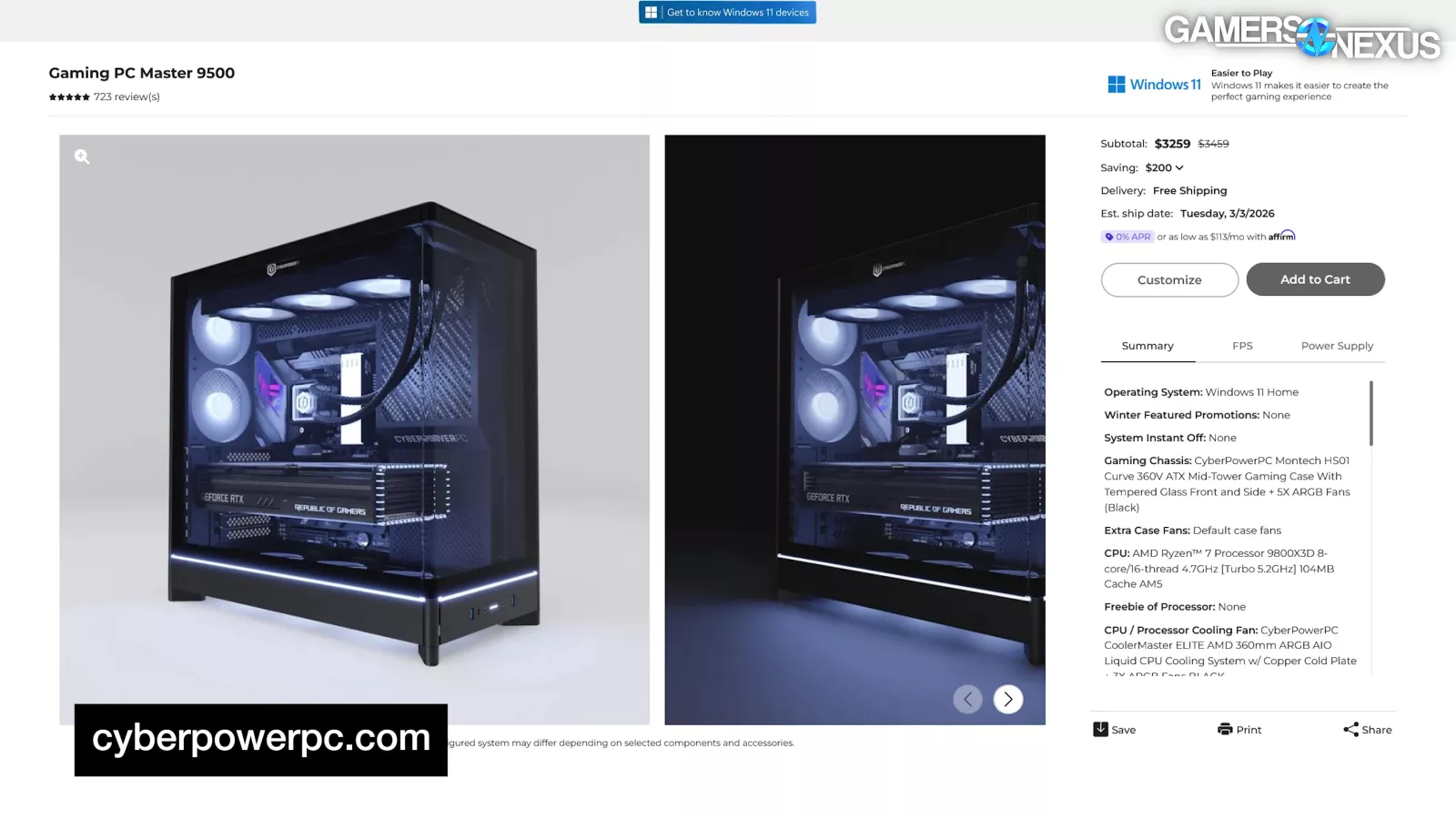
The GML 99653 that we ordered is technically out of stock, but CyberPower still sells a like-for-like system configuration for $3,259 if you customize the case of its “Gaming PC Master 9500” listing.
The product listing states:
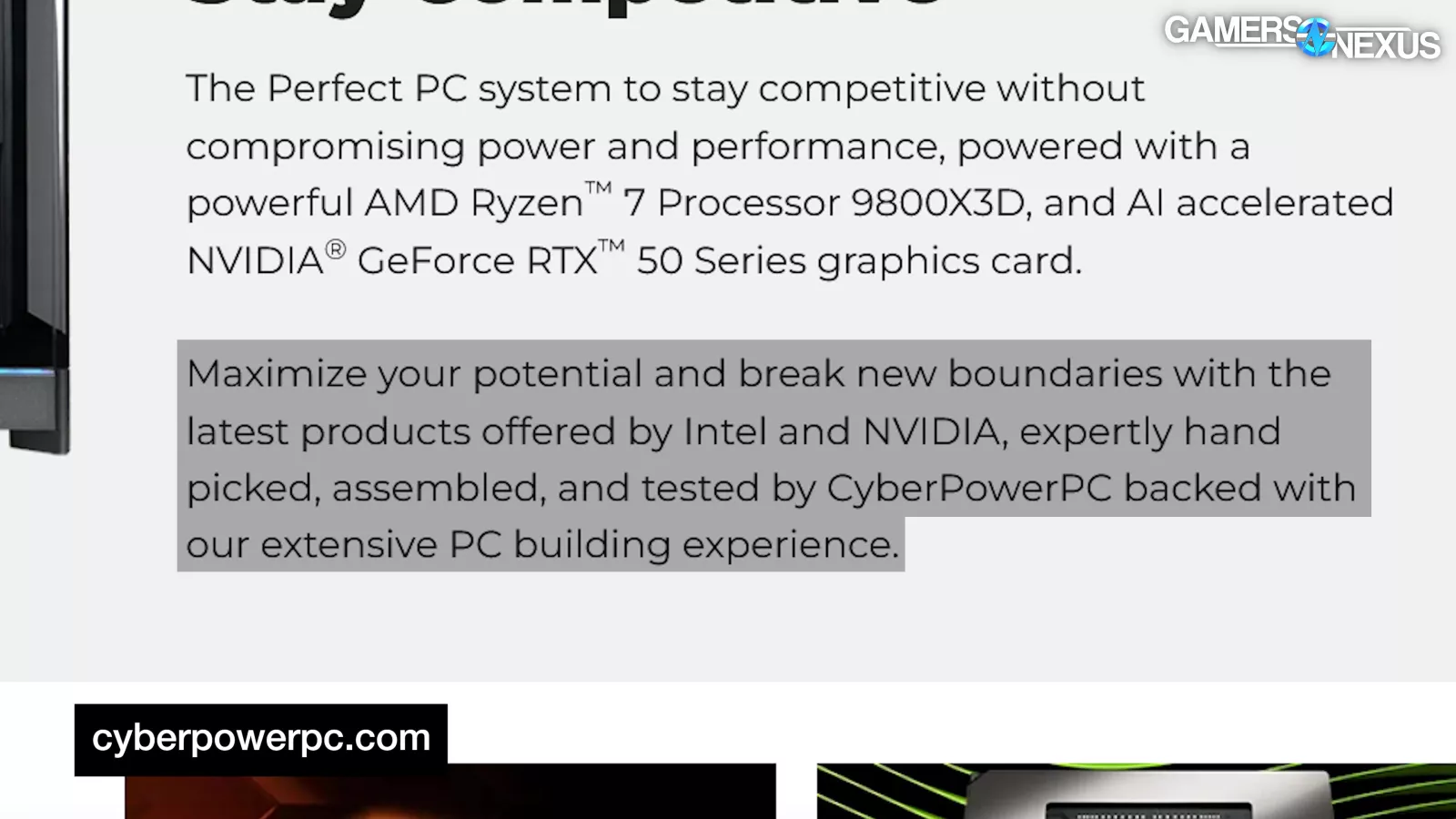
“Maximize your potential and break new boundaries with the latest products offered by Intel and NVIDIA, expertly hand picked, assembled, and tested by CyberPowerPC backed with our extensive PC building experience.”
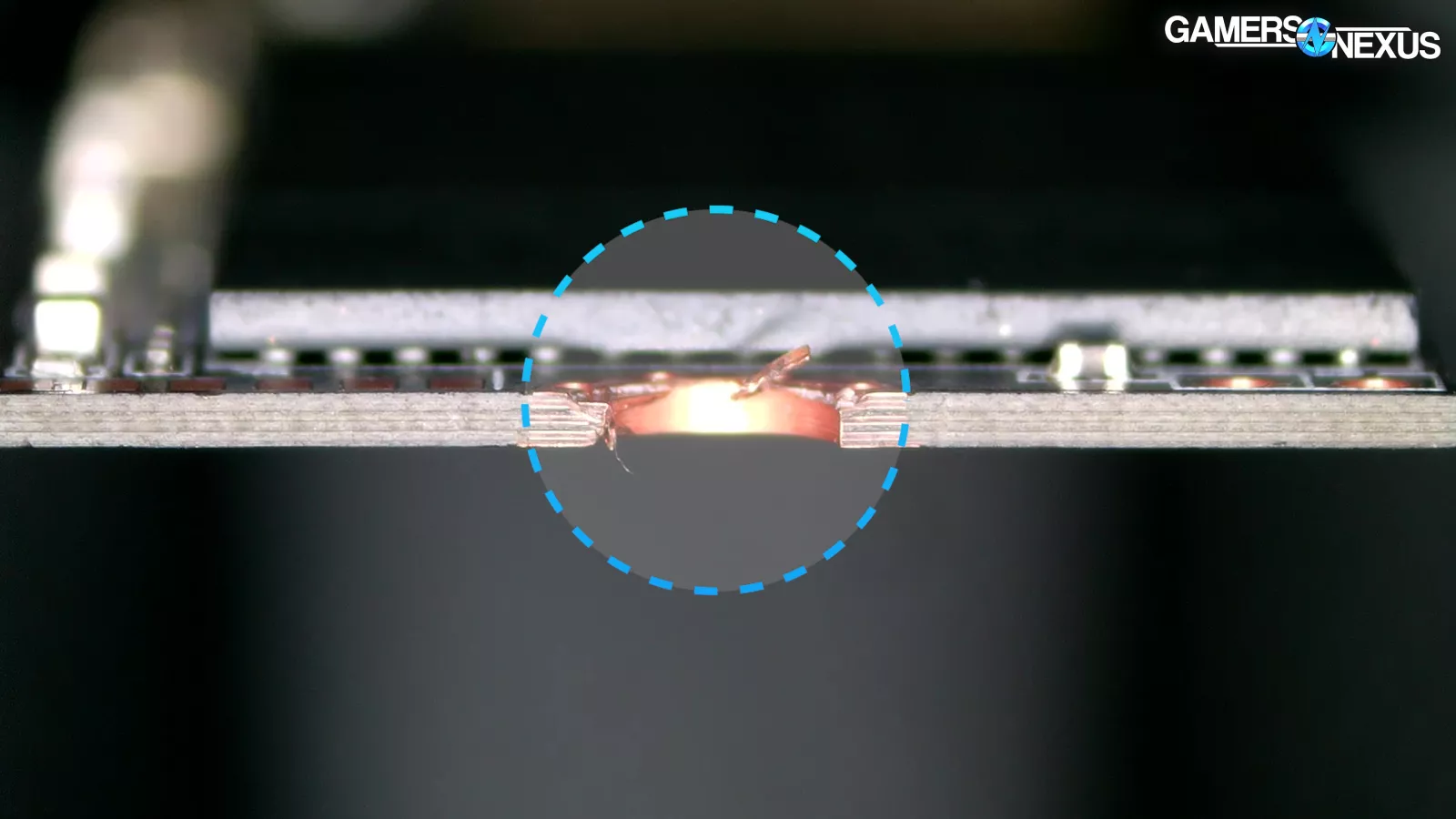
Our system didn’t include any Intel components and apparently managed to slip through CyberPower’s testing, so 0 for 2 on that sentence, but CyberPower did break some boundaries; namely, disfiguring one of its SSD screw holes.
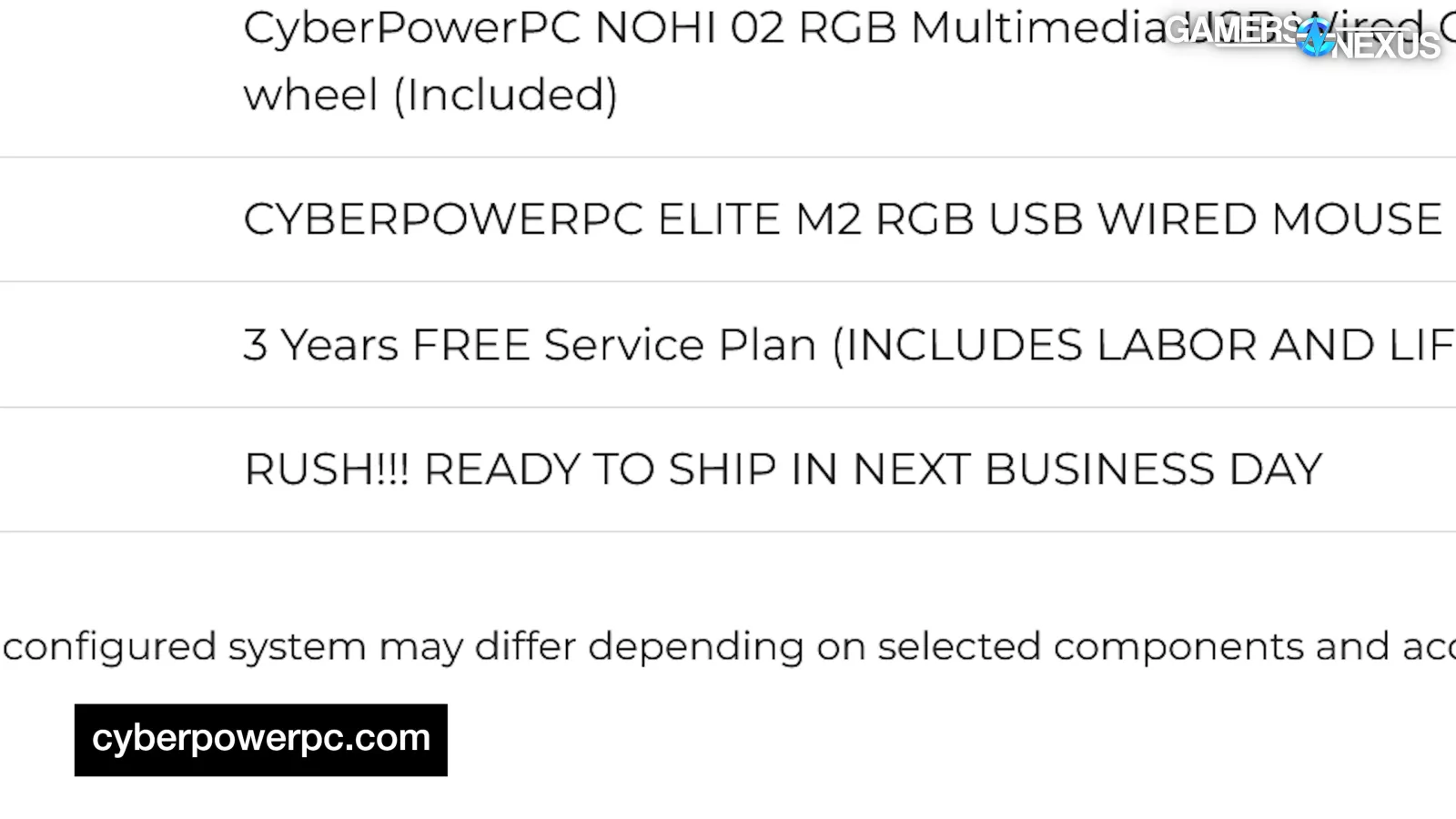
CyberPower also offers what it calls its “Rush Service” which simply reads: “RUSH!!! READY TO SHIP IN NEXT BUSINESS DAY”
The last thing CyberPower should be doing is rushing builds.
Price comparison vs. DIY
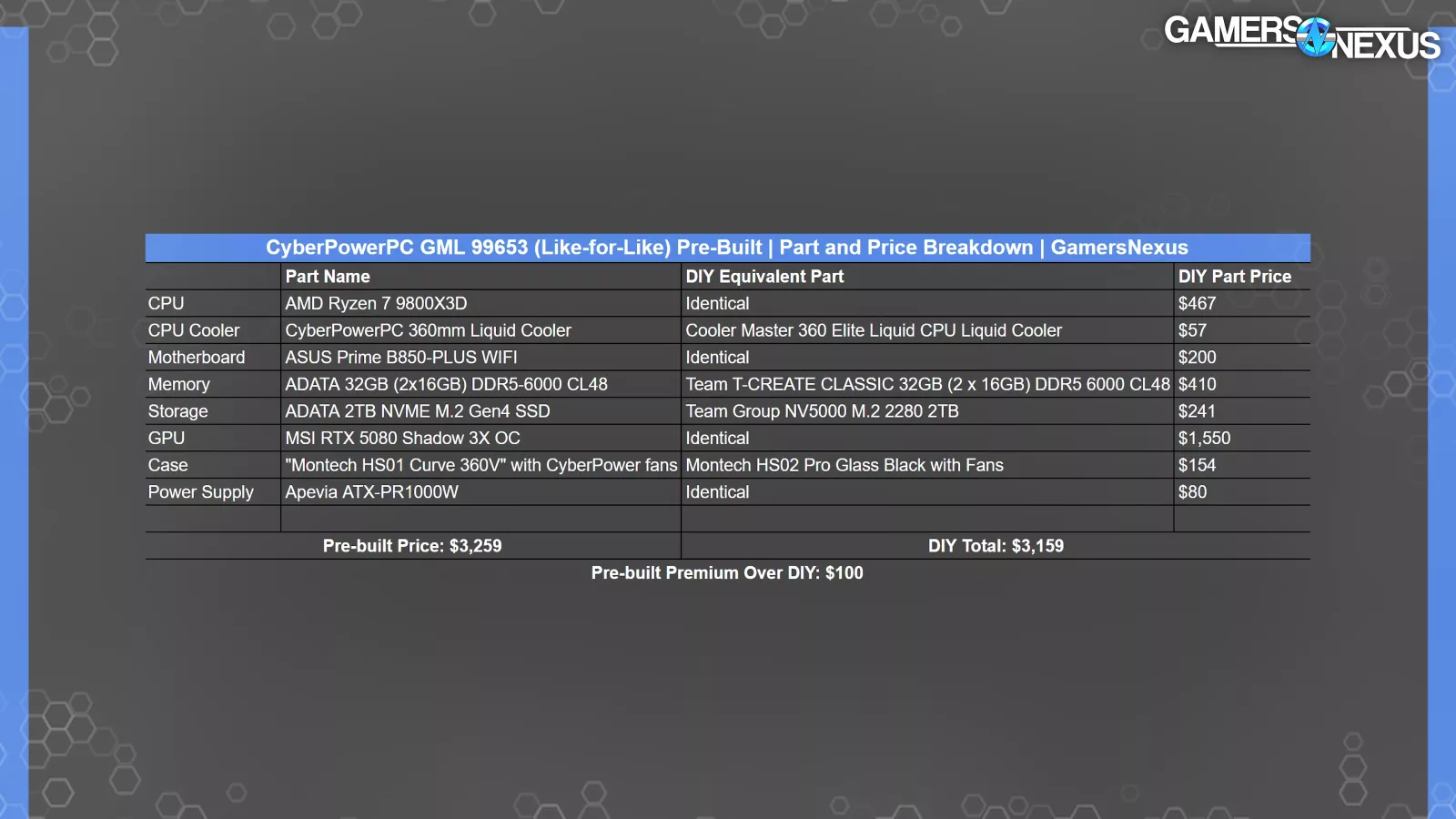
We collected these prices leading into March. They’ve moved a bit since then, but what we care about is how close CyberPower is to reality, not how much it’s changing.
Compared to the GML 99653’s like-for-like configuration sold by CyberPower, the pre-built price is only $100 greater than the price of buying the components individually and building the system yourself at the time we collected prices, amounting to a roughly 3% increase over DIY.
This gap is impressive, and maybe why system integrators have fared better than some DIY part sellers.
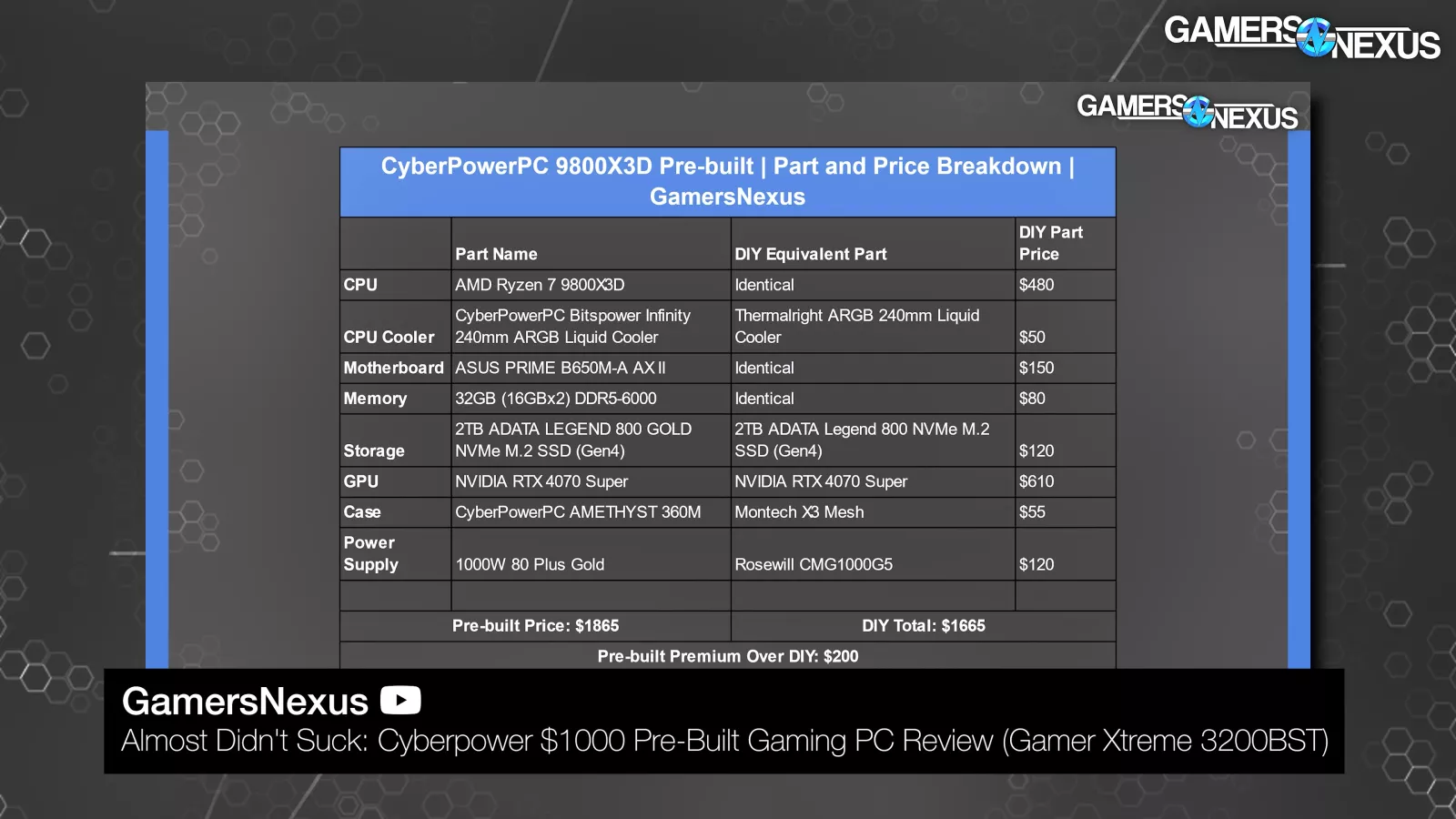
Historically, CyberPower has maintained the $100 - $400 range premium over DIY, and it usually tries to compete based on value, which we appreciate. It’d be better if the system worked when we got it, though...
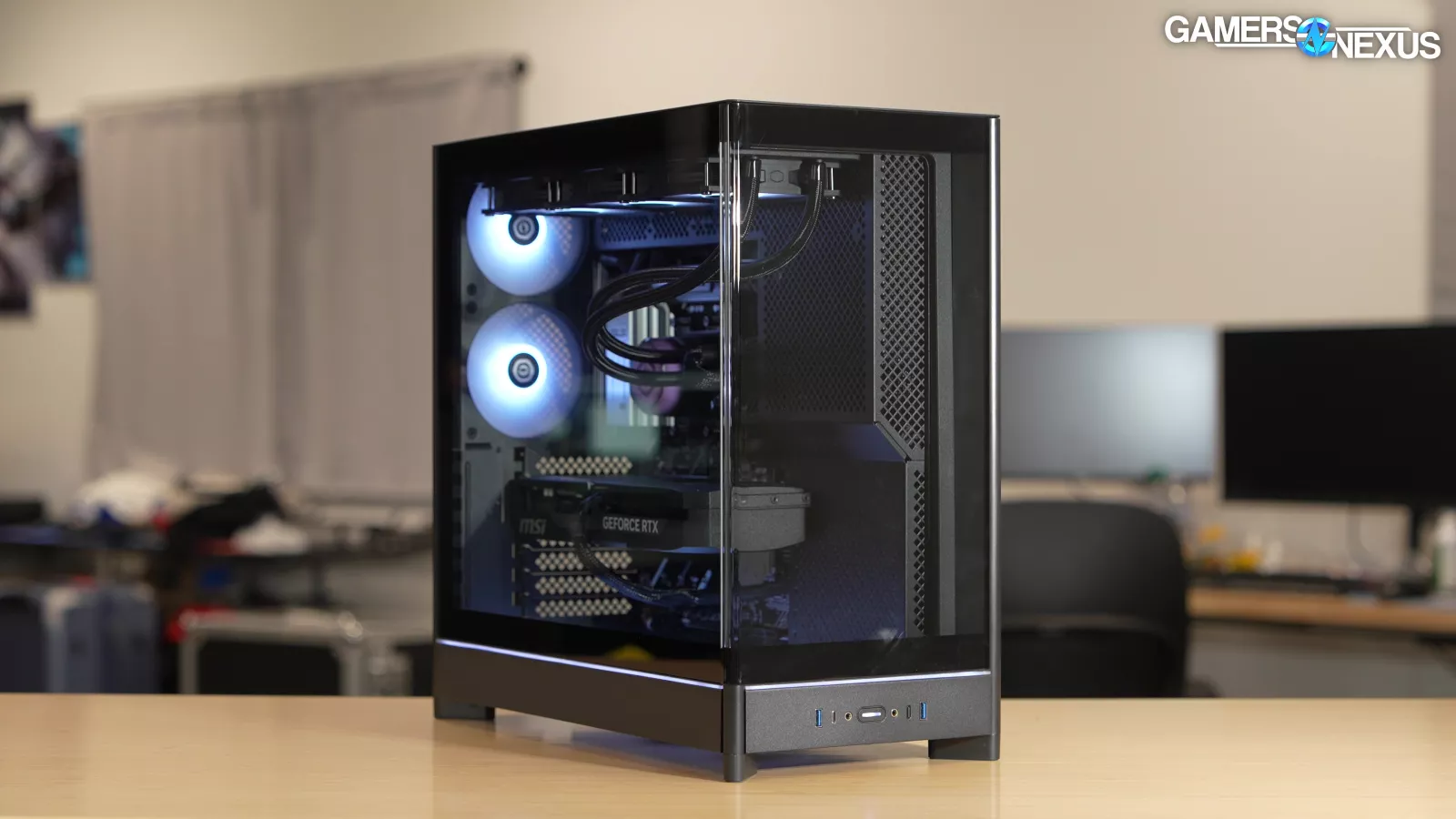
Obviously, you could go cheaper with DIY by substituting certain components, but we try to use like-for-like components wherever possible to make it a fairer comparison.
Part Choice
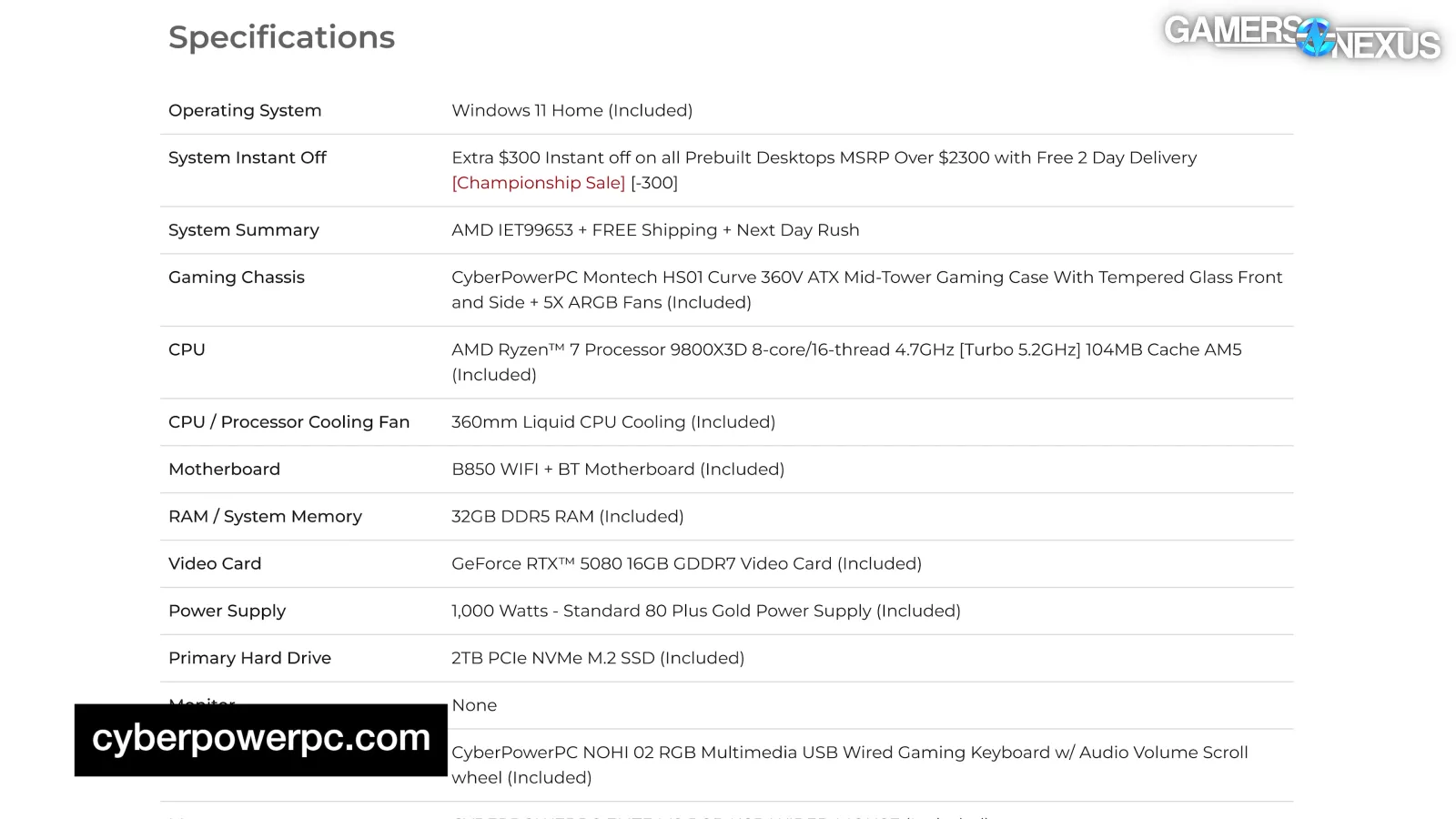
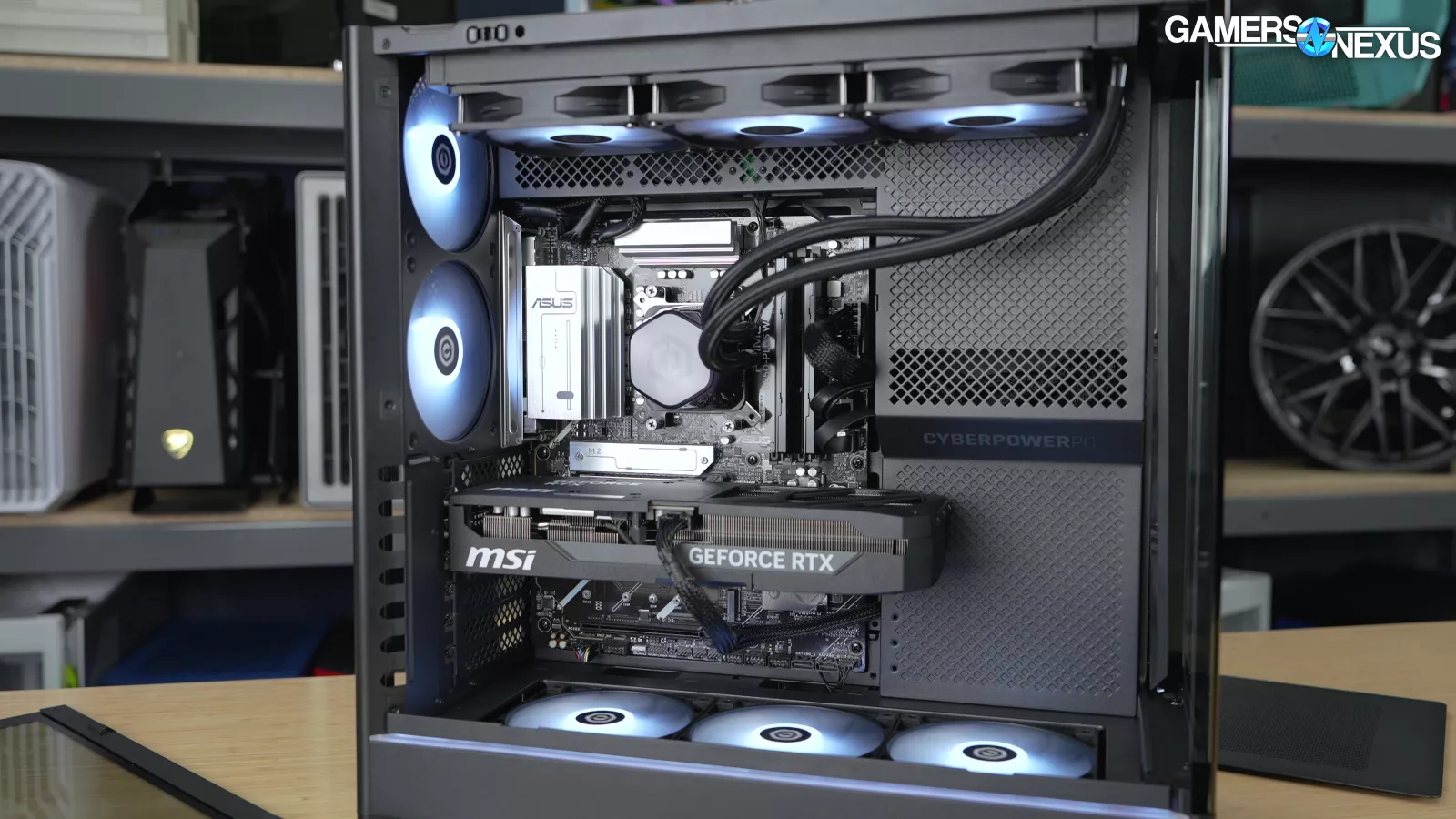
The spec sheet mostly makes sense and is all non-proprietary, which is great and we view that as a necessity. The system comes with a 9800X3D (read our review), an RTX 5080 (read our review), a 360mm liquid cooler, a B850 WiFi motherboard, a 1000W non-modular PSU, a 2TB NVMe SSD that may or may not work upon arrival, and 32GB of DDR5-6000 RAM, albeit with awful CL48 timings. The 9800X3D will be doing some heavy lifting to make up for the RAM.
CyberPower configures the components in what it calls the “CyberPowerPC Montech HS01 Curve 360V,” but what Montech calls the HS02 (read our review).
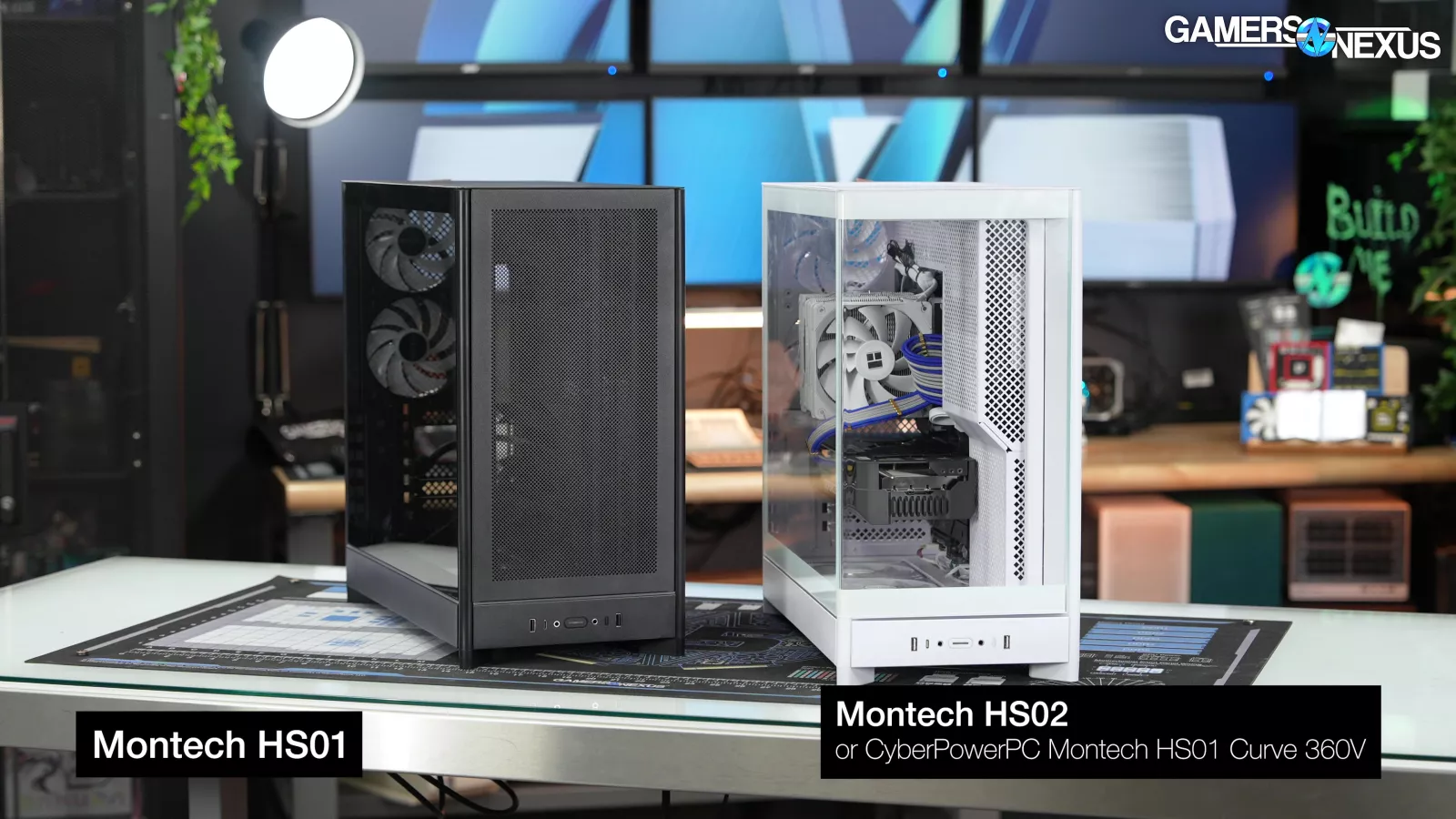
Our understanding is that before Montech released its HS01 and HS02 cases, which differ by way of front mesh vs glass panel, CyberPower exclusively sold the HS02 in certain pre-builts as the “HS01 Curve 360V”. Then, Montech launched the case as the HS02, but CyberPower never updated it.
The System
Amusingly, upon Ryan ordering the PC, CyberPower’s survey process asked:
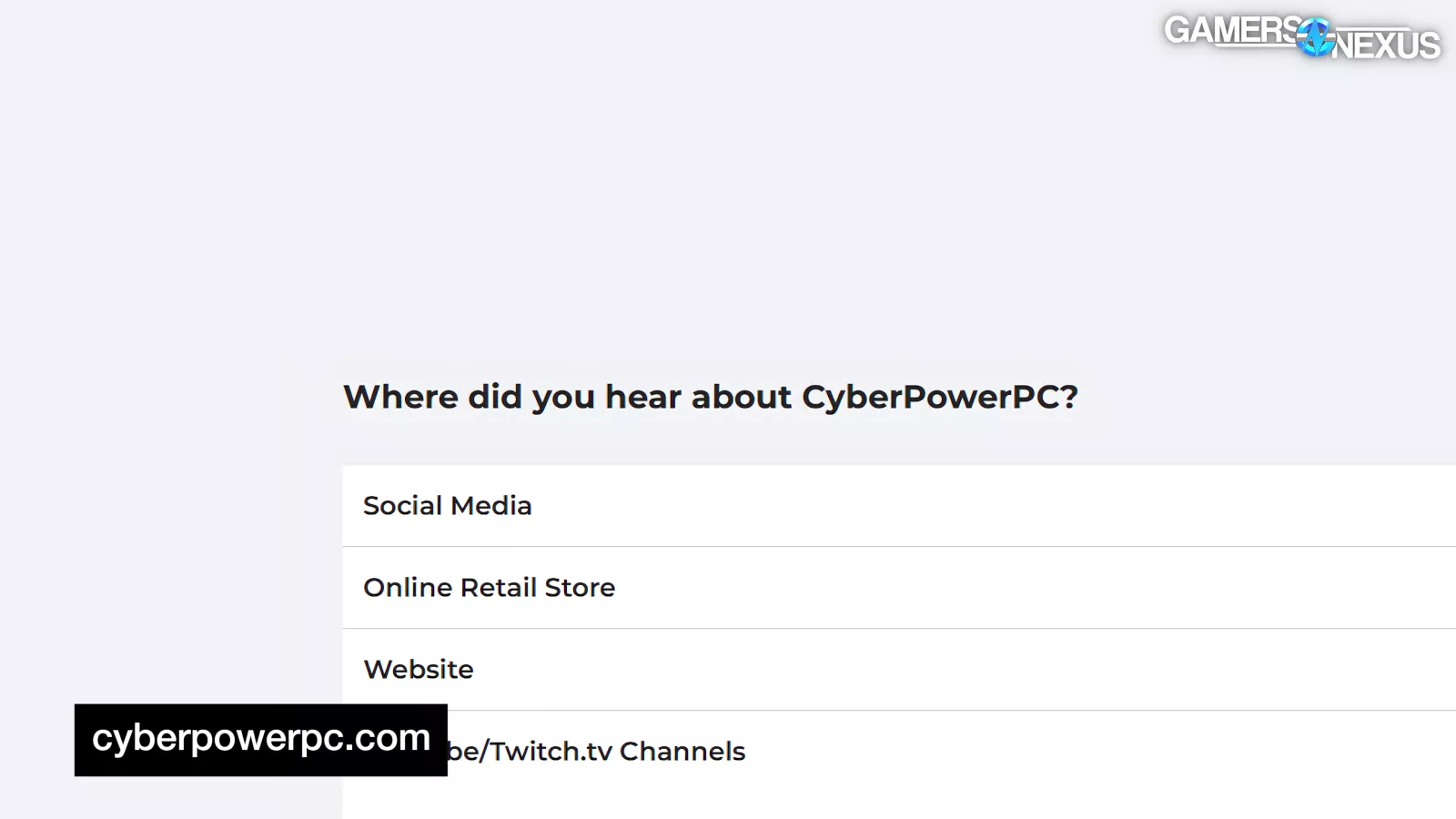
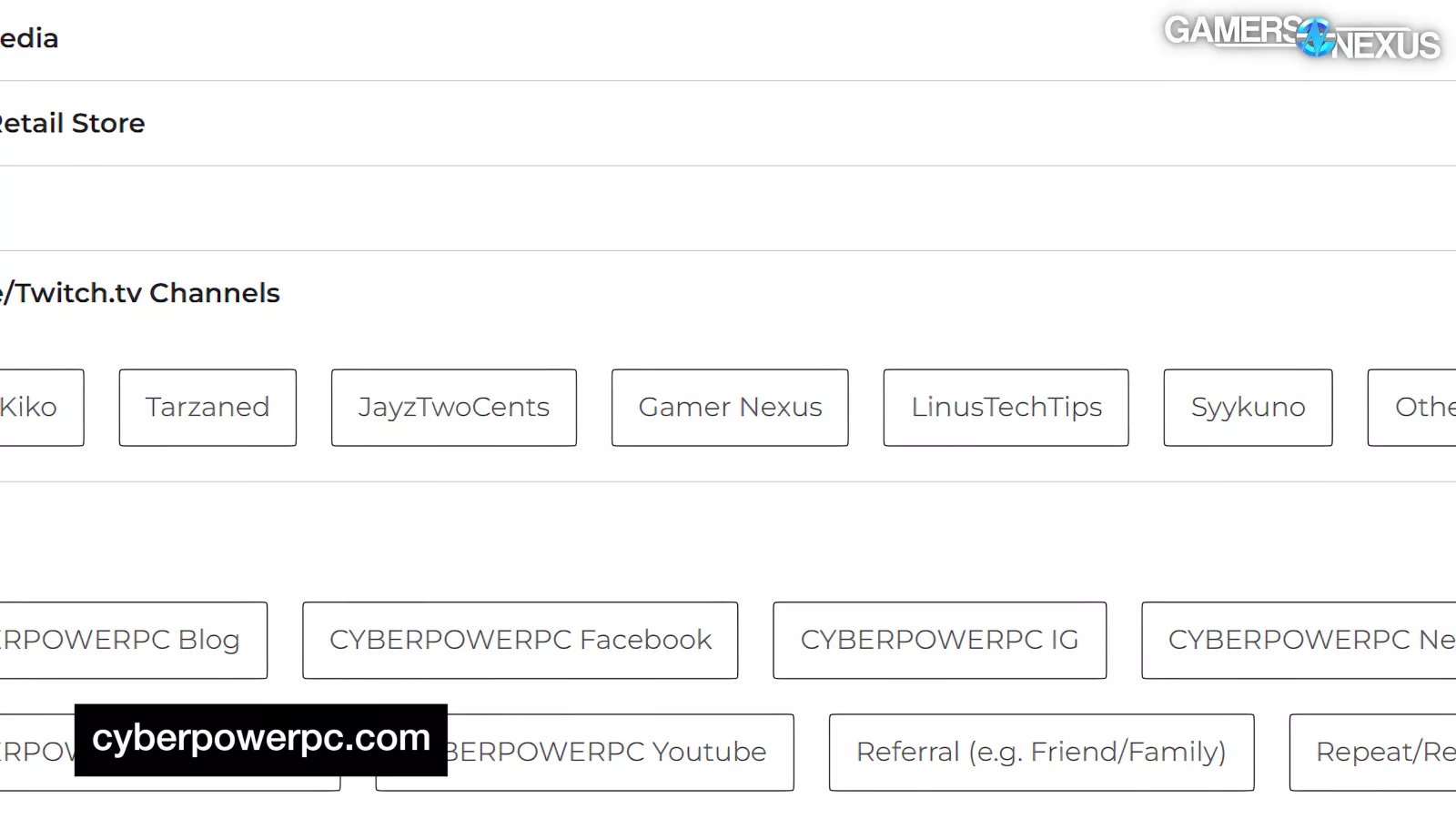
“Where did you hear about CyberPowerPC?”
And oddly listed “Gamer Nexus,” which it spelled wrong, as one of the possible responses. Just to be clear, we’re not currently advertising CyberPower’s systems and don’t have any affiliate links with them, but this certainly makes it seem like we do.
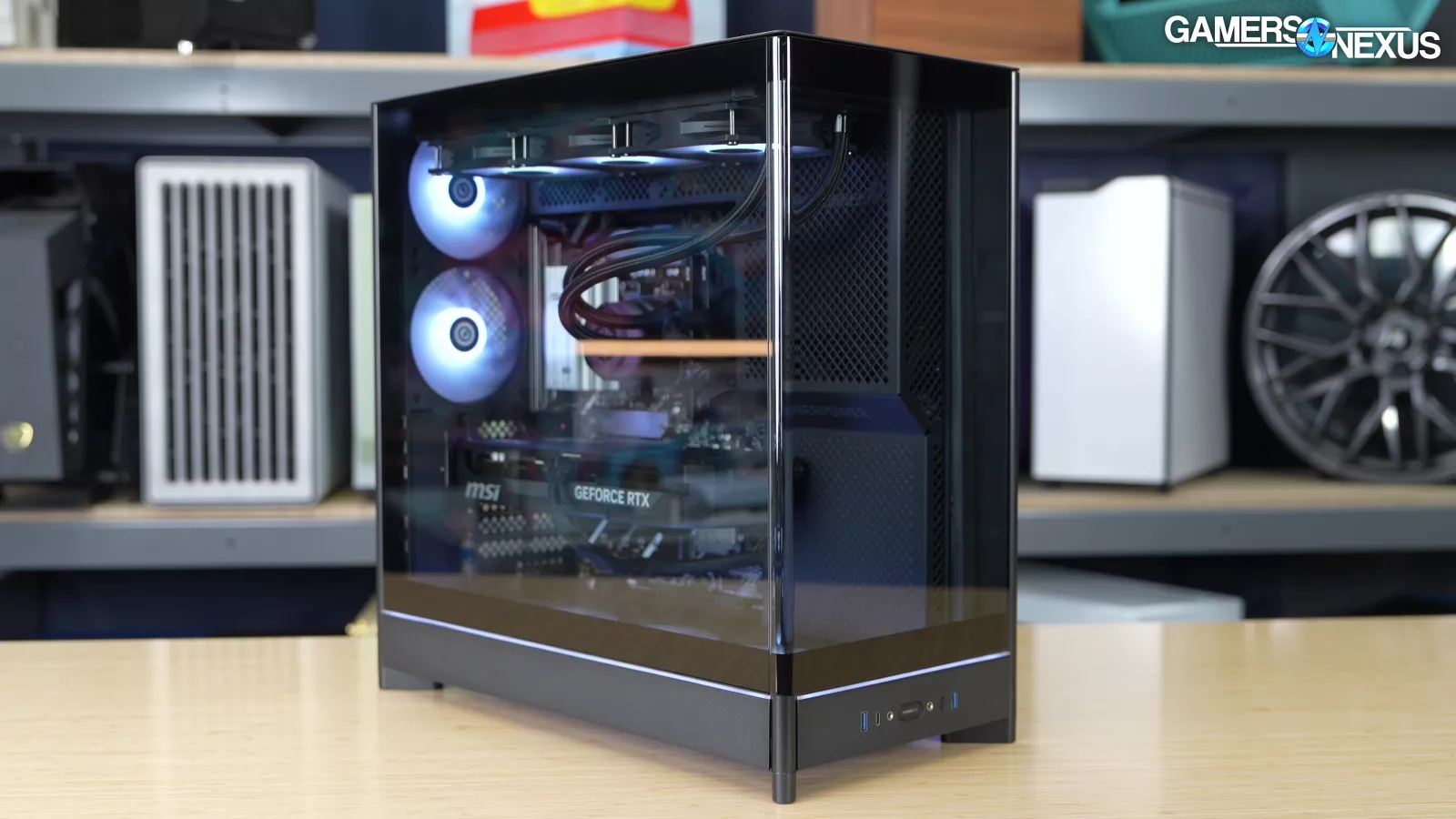
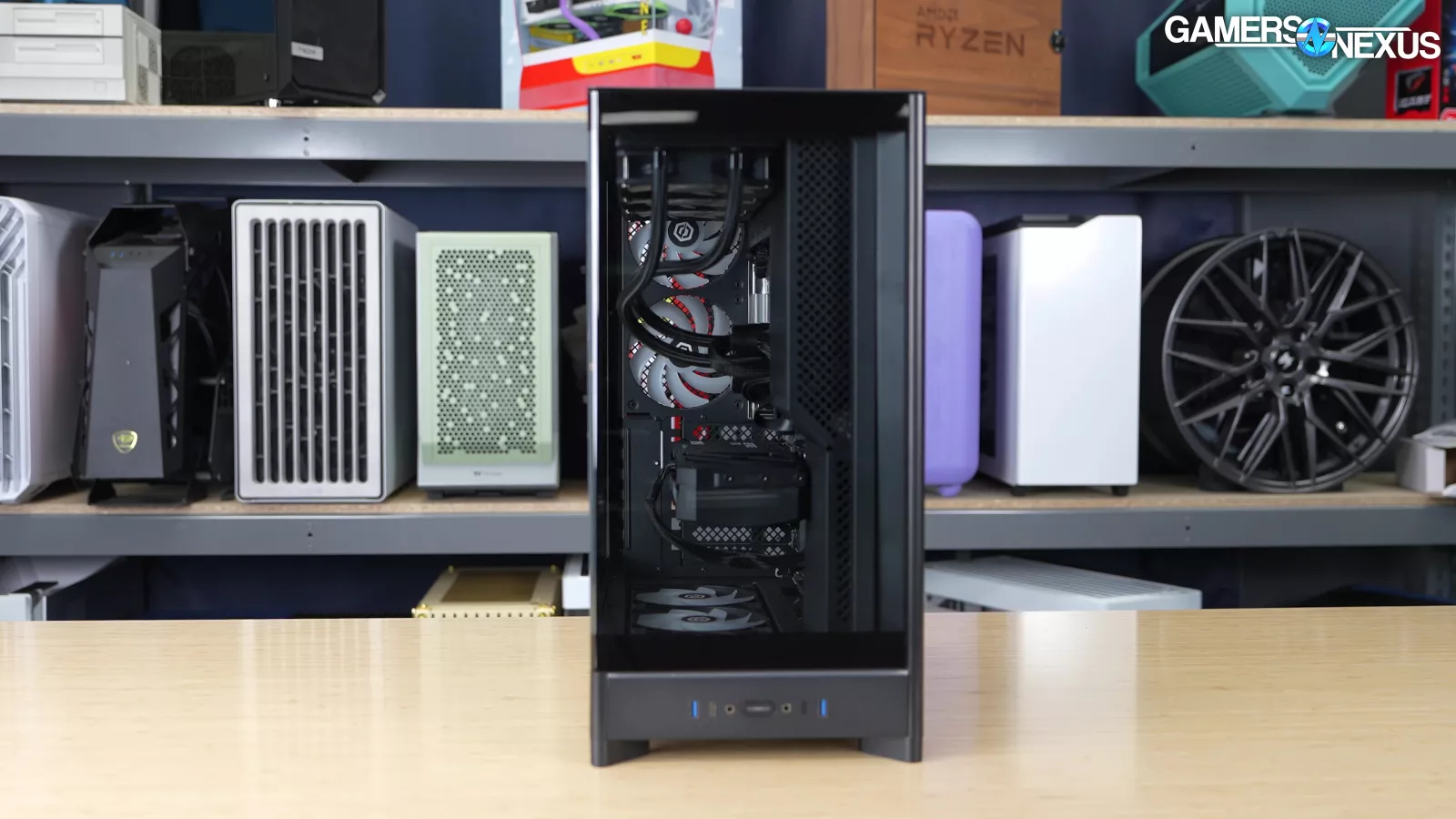
Thankfully, it’s unlikely we’ll have to worry about CyberPower tailoring review samples in the future considering that, contrary to our typical “anonymous as possible” approach when ordering pre-builts, Ryan used his GN email address and the PC we received was still DOA.
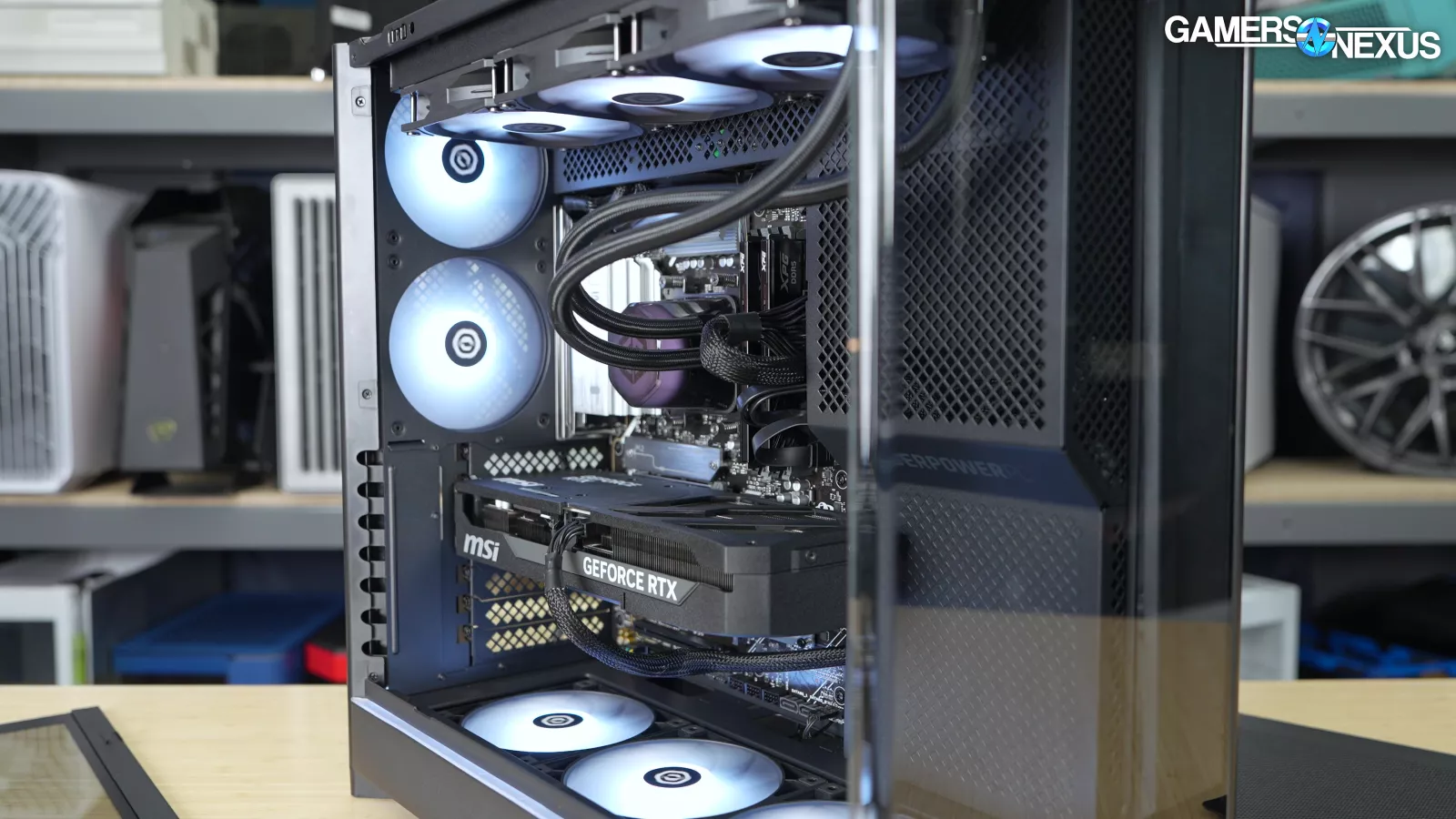
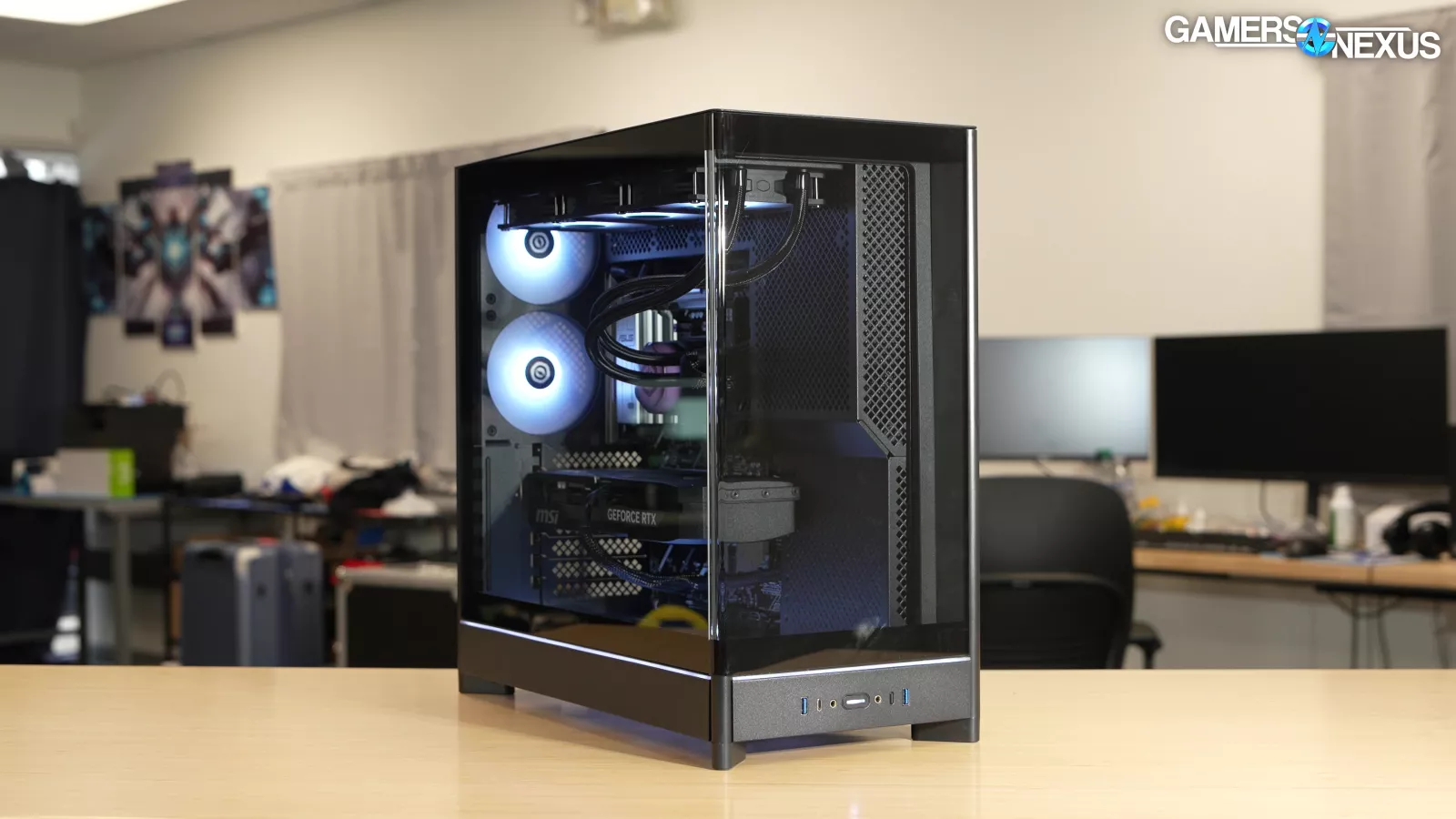
But after the system wouldn’t boot and he noticed the unseated GPU and loose cabling, he immediately repackaged the system as it arrived and we took it over for review.
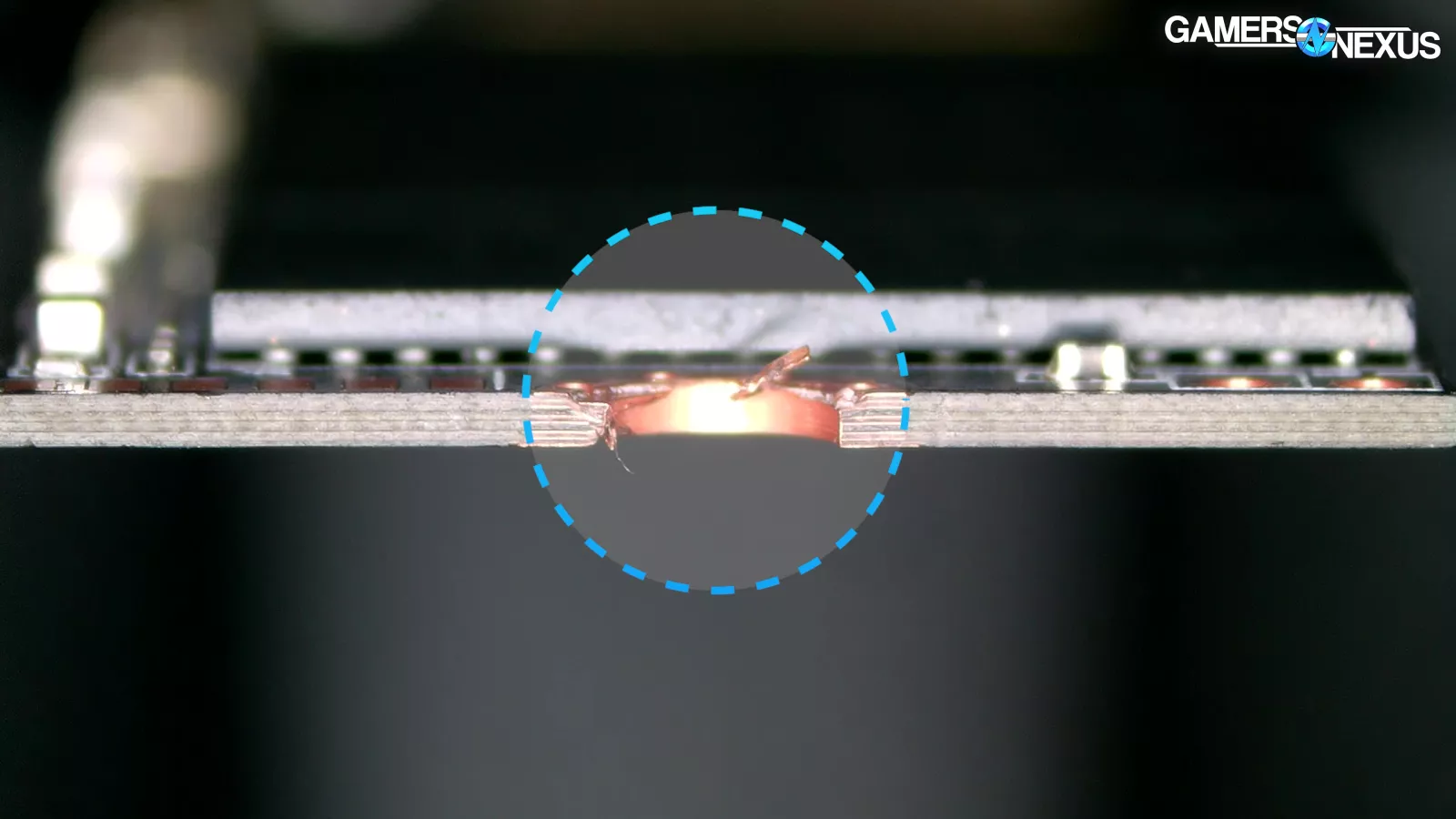
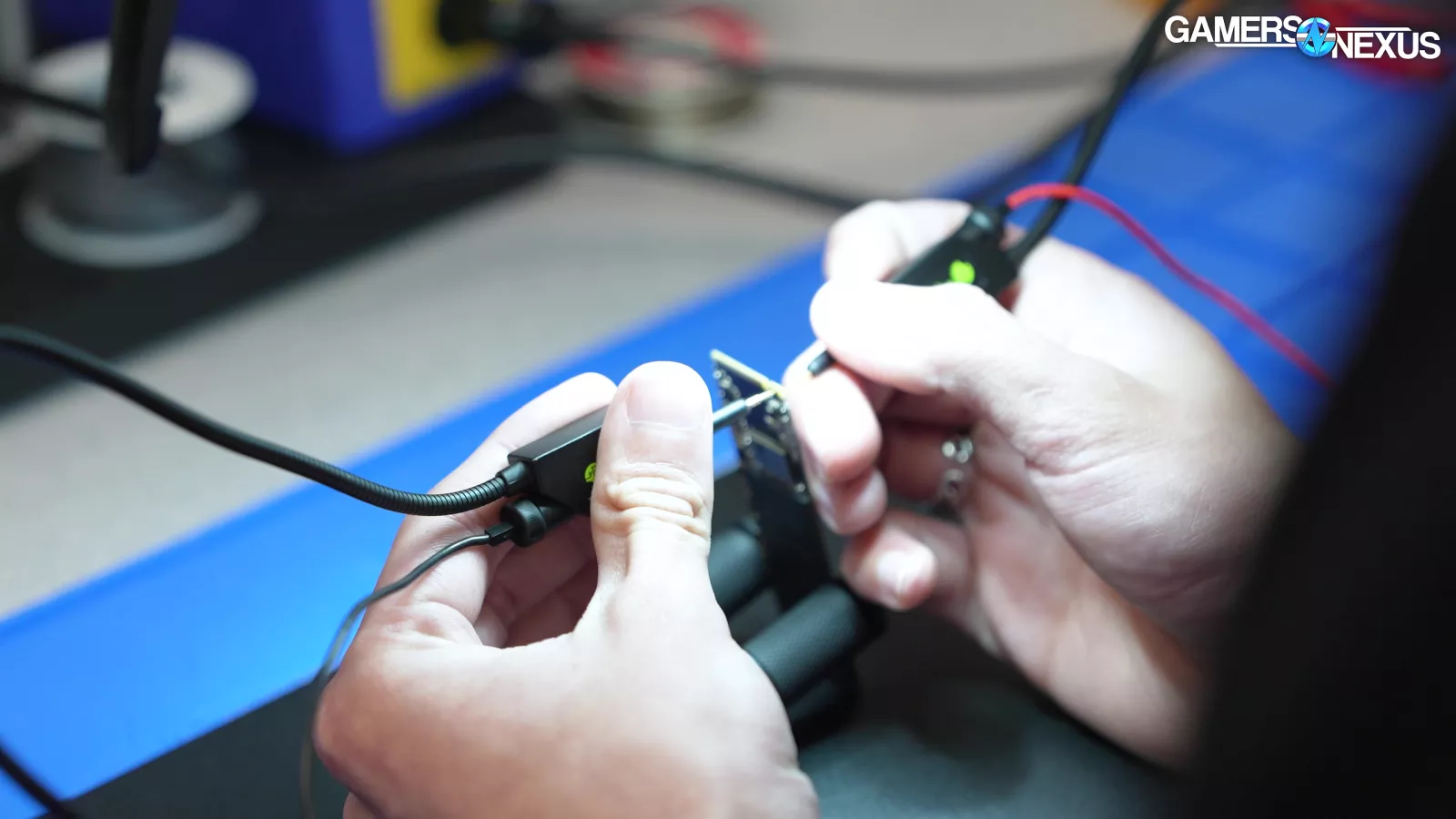
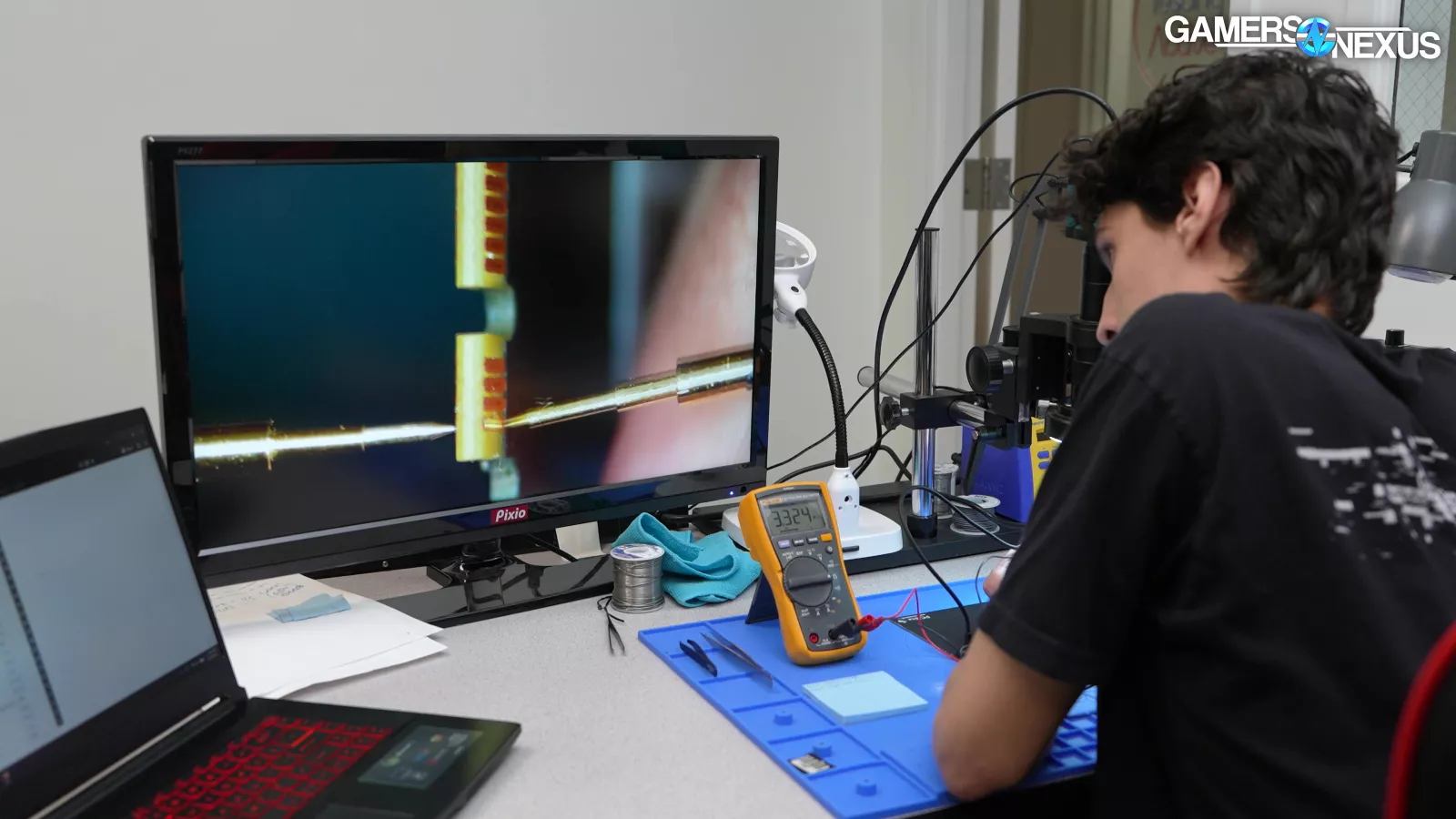
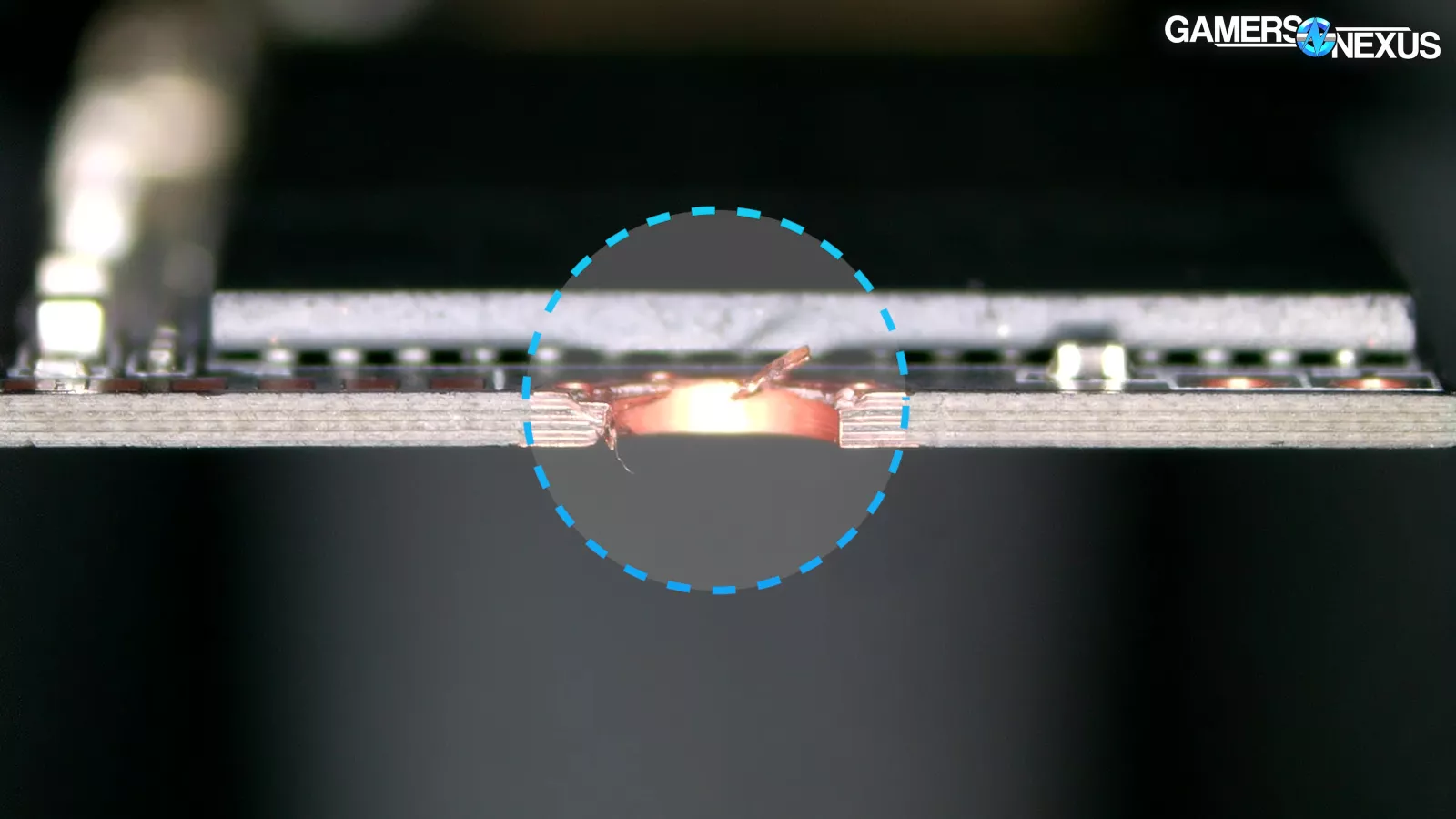
We inspected the drive under our microscope and immediately noticed damage around the SSD screwhole. We also probed the SSD’s contact pins on the opposite end, but ultimately weren’t able to detect any shorts.
CyberPower, like all system integrators we know of, has mandatory testing processes that all systems must pass before shipping. We’ve been to the company’s factory line in California.
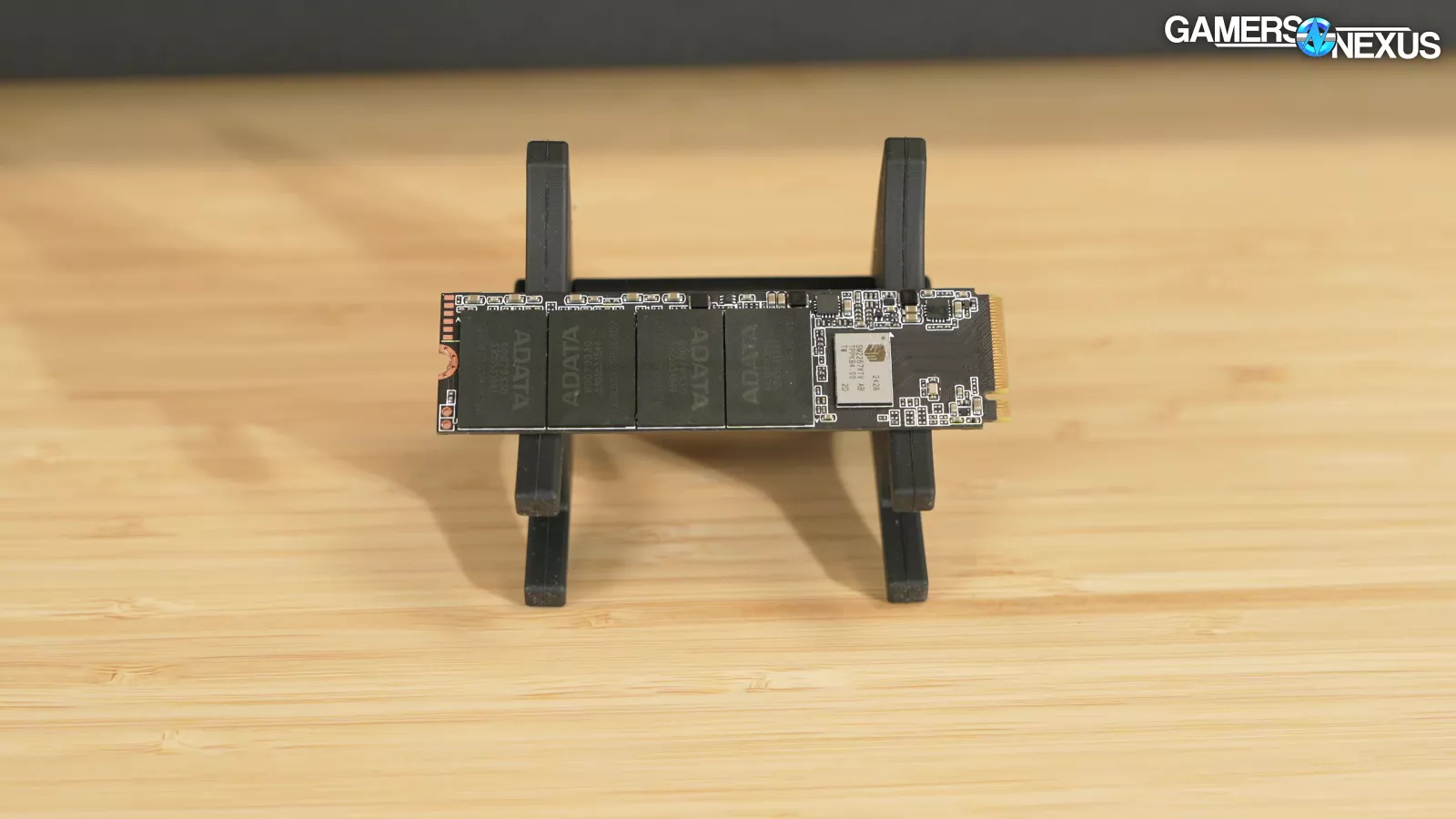
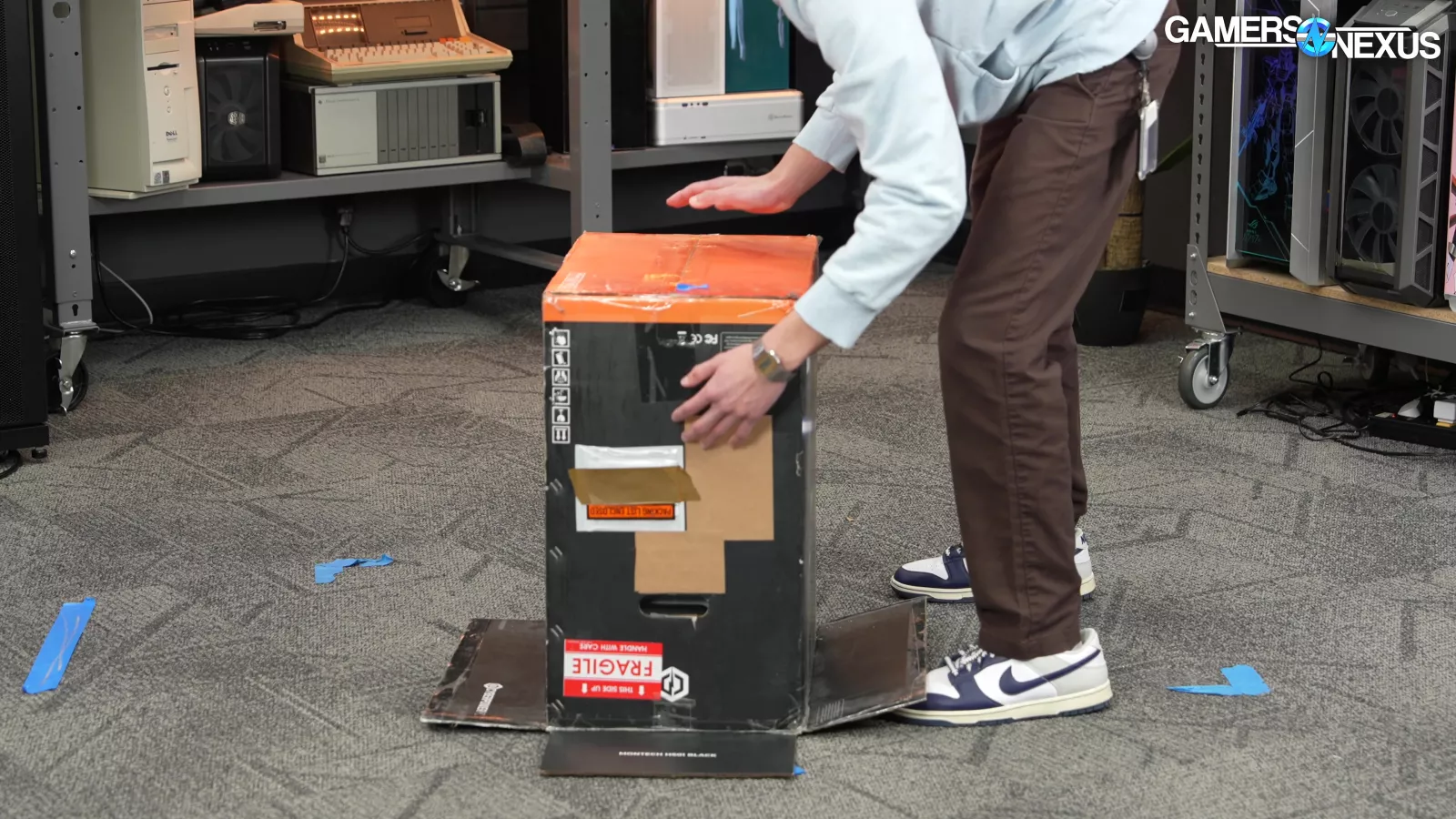
We don’t know if this system slipped through the cracks and was sent out despite failing in testing, which we think is unlikely, or if the SSD was somehow damaged in shipping despite there being no signs of shipping damage anywhere in the system, which we find even less likely than that. There’s just no realistic way for the SSD to incur shipping damage without something else also breaking, and the box doesn’t show any signs of shipping issues.
The point is: We don’t understand how this happened. It might’ve been a freak coincidence, but it certainly calls CyberPower’s pre-shipping testing procedures into question.
Tear-Down

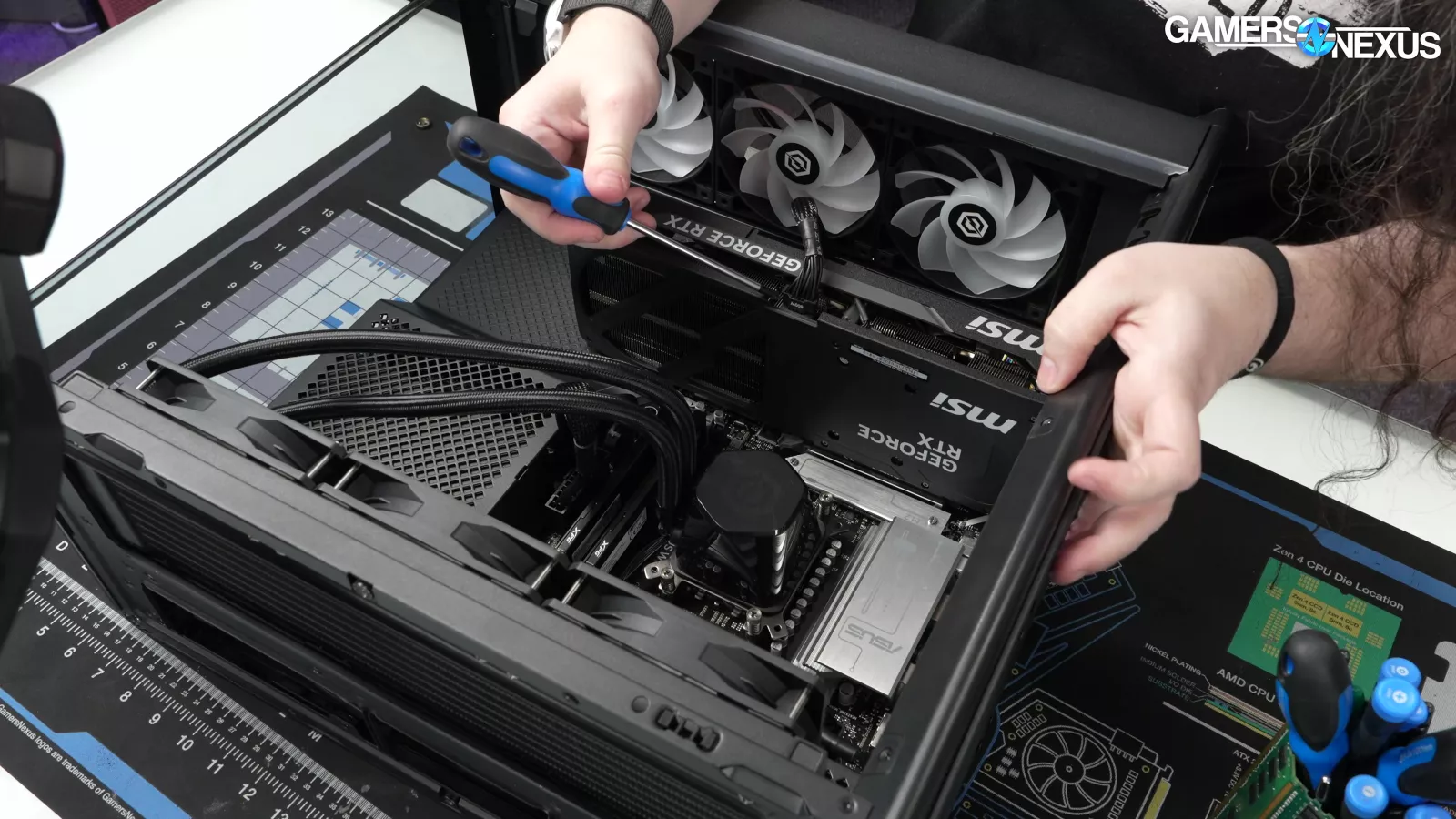
With the system open, we started by looking at the obvious problems we'd identified.
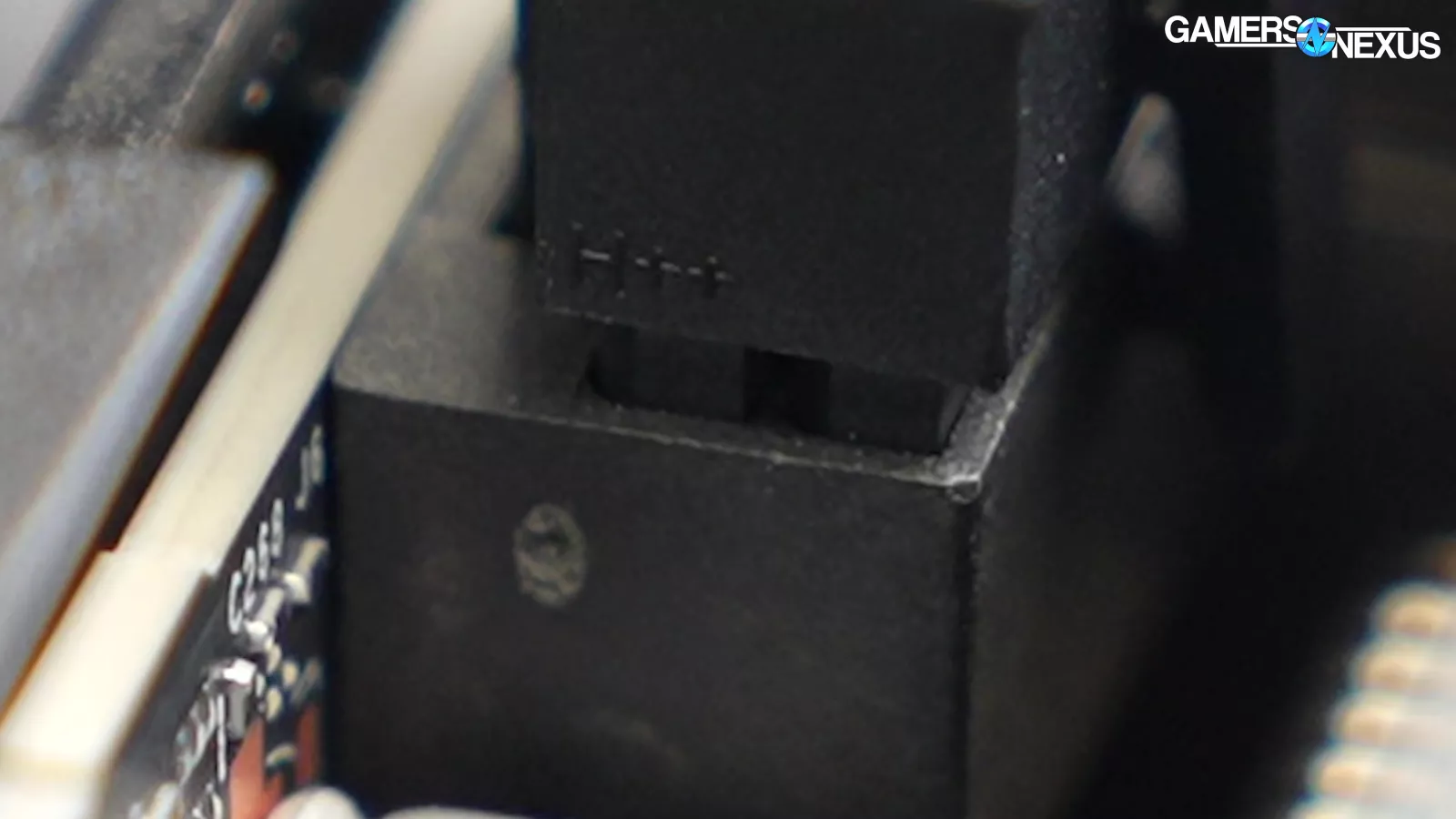
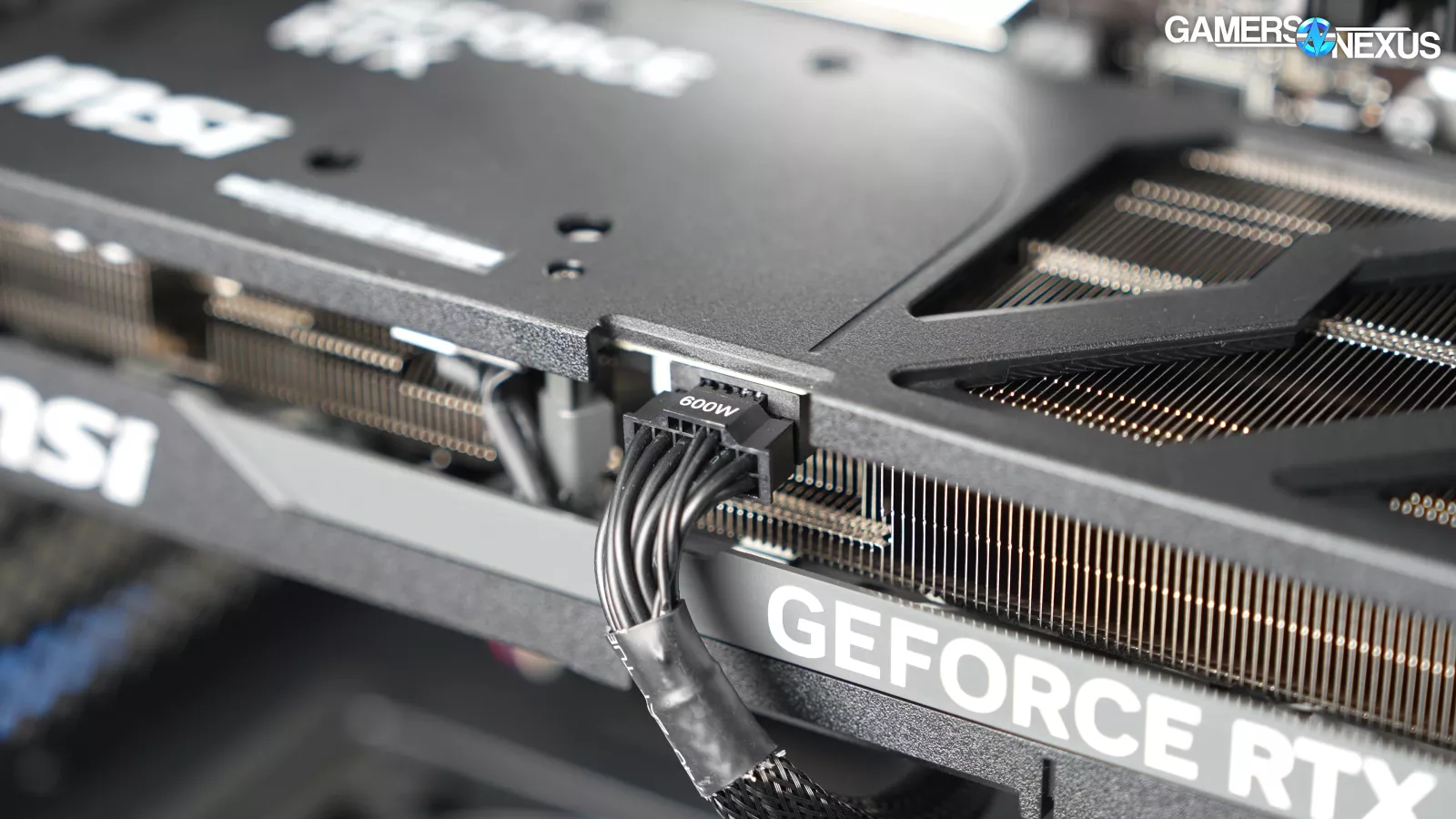
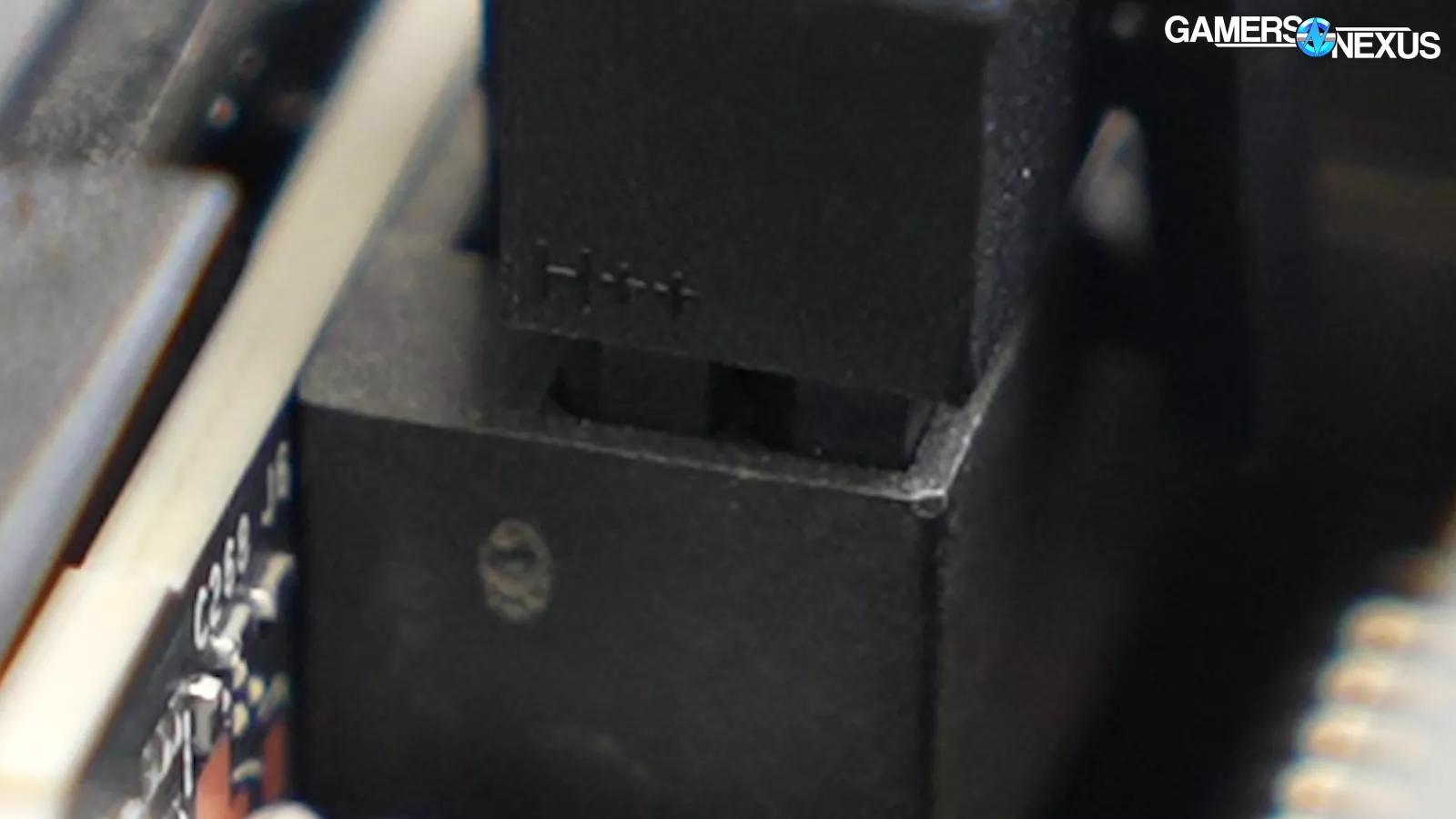
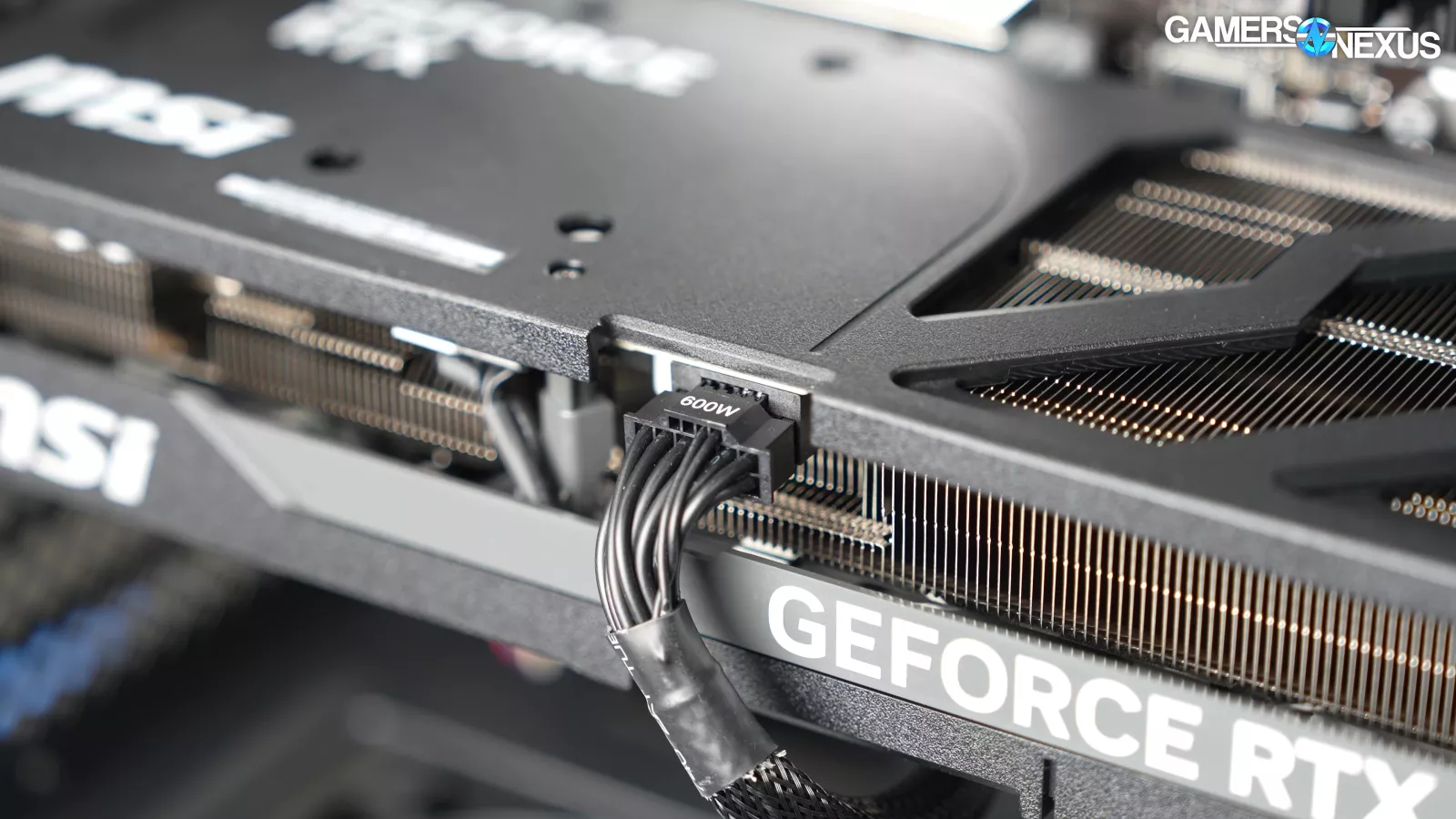
The first was the RTX 5080's 12VHPWR power cable. There was so much space between the connector and the socket that you'd need a taxi to get from one side to the other. That's actually dangerous on these cards.
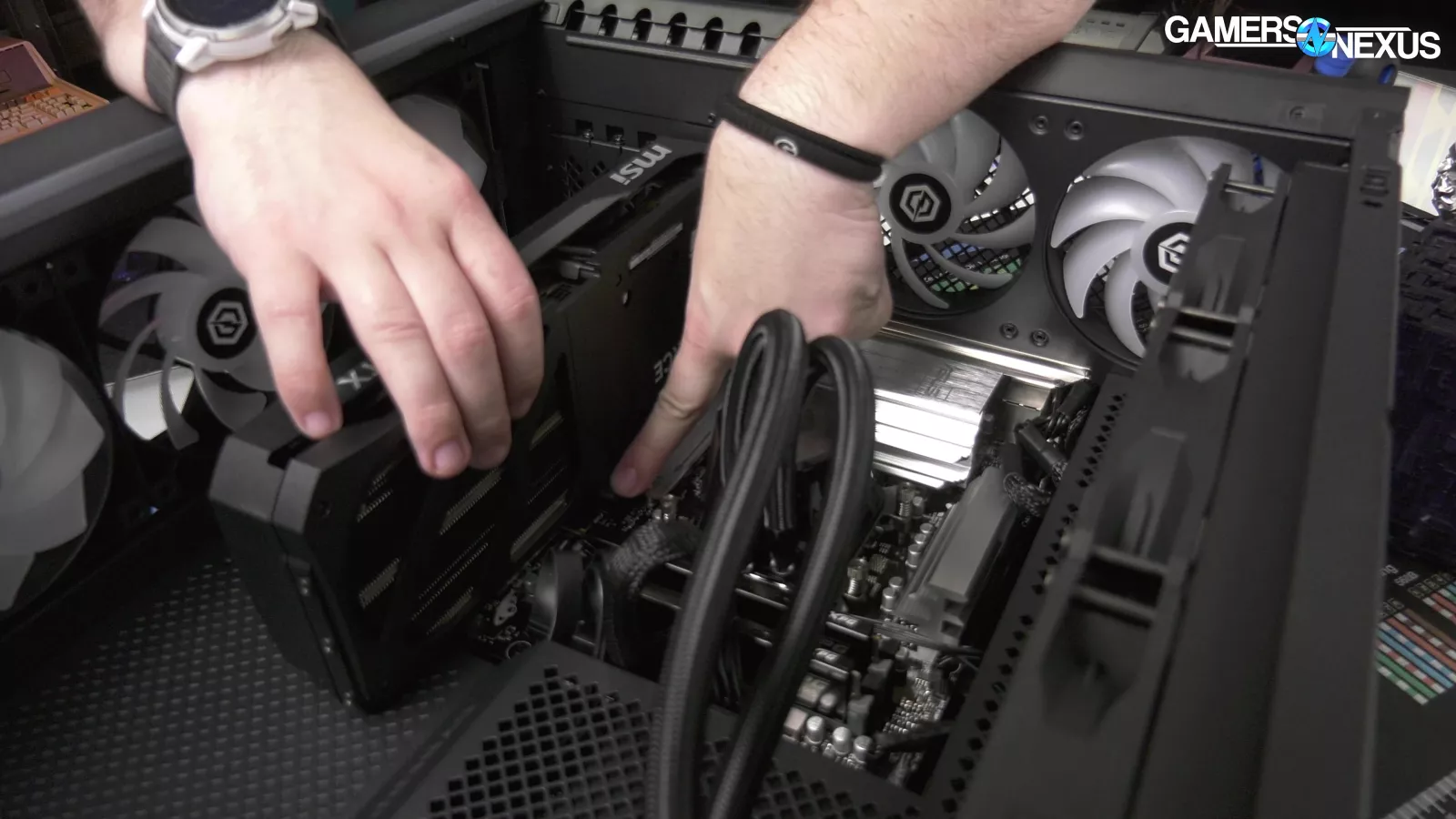
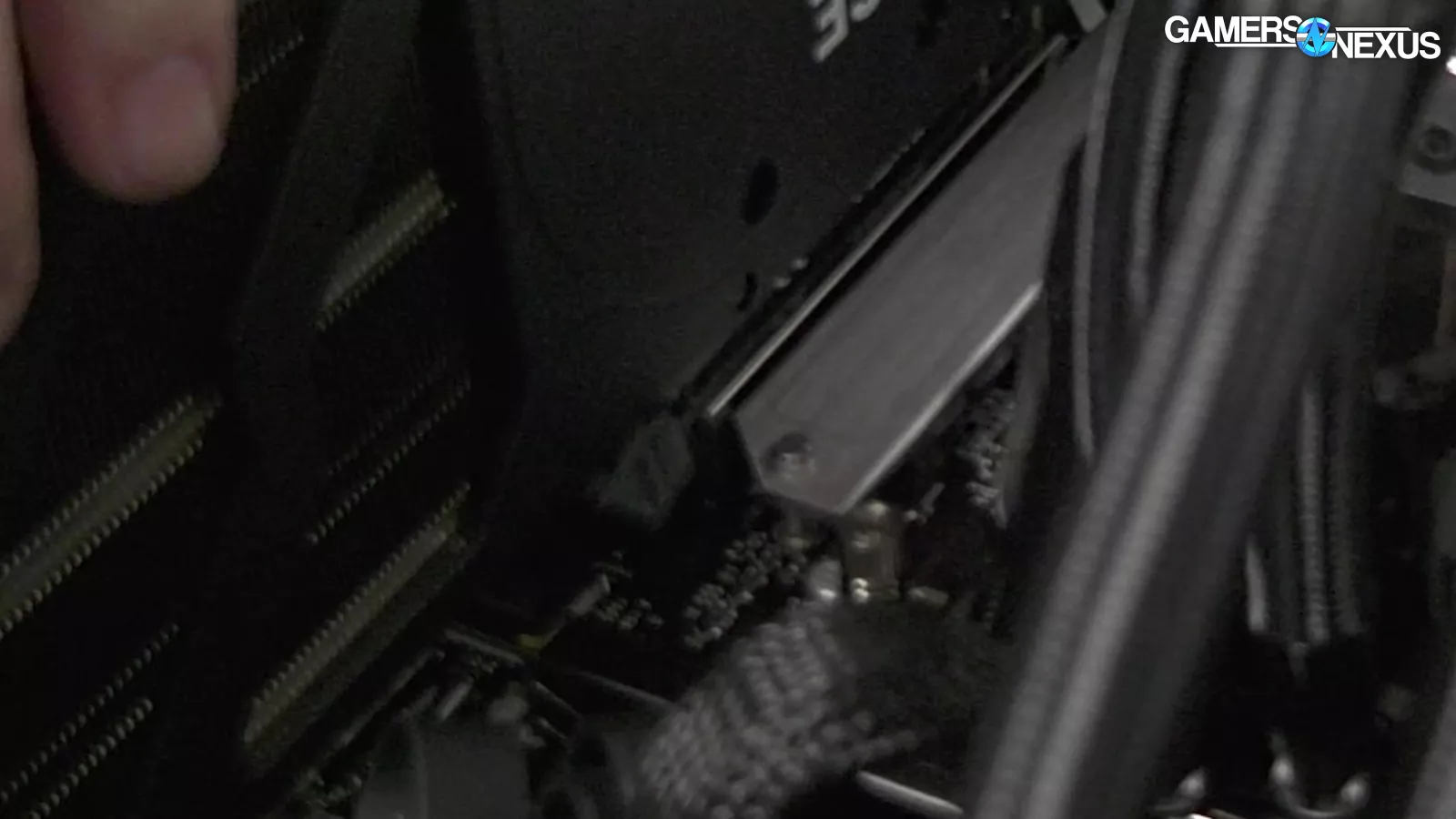
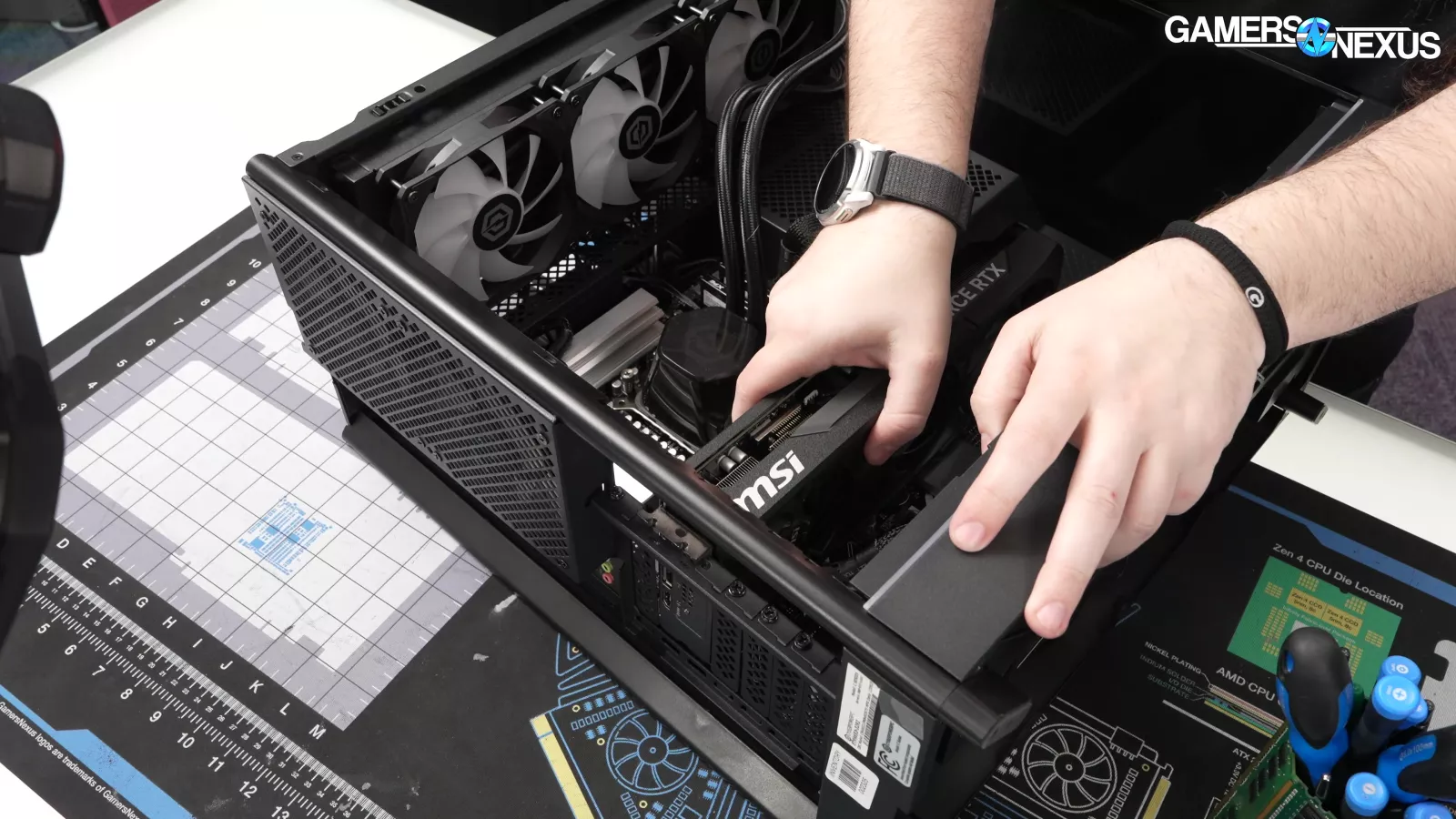
The GPU itself wasn't fully seated, either. The PCIe retention latch wasn't engaged and the card wasn't completely installed in the motherboard slot. After pushing it into place, the card seated properly.
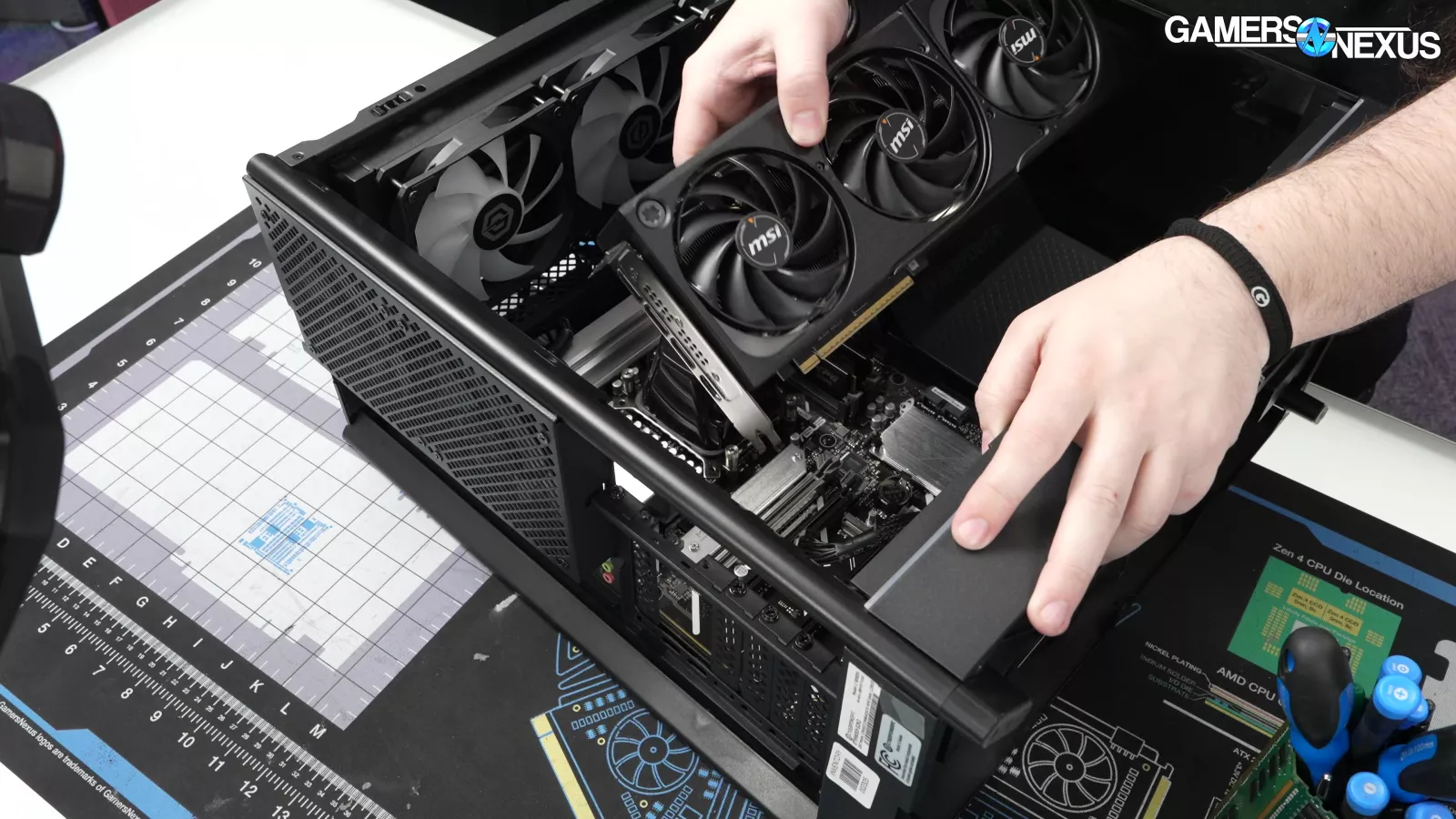
Removing the GPU was easy, largely because it hadn't been installed correctly in the first place.
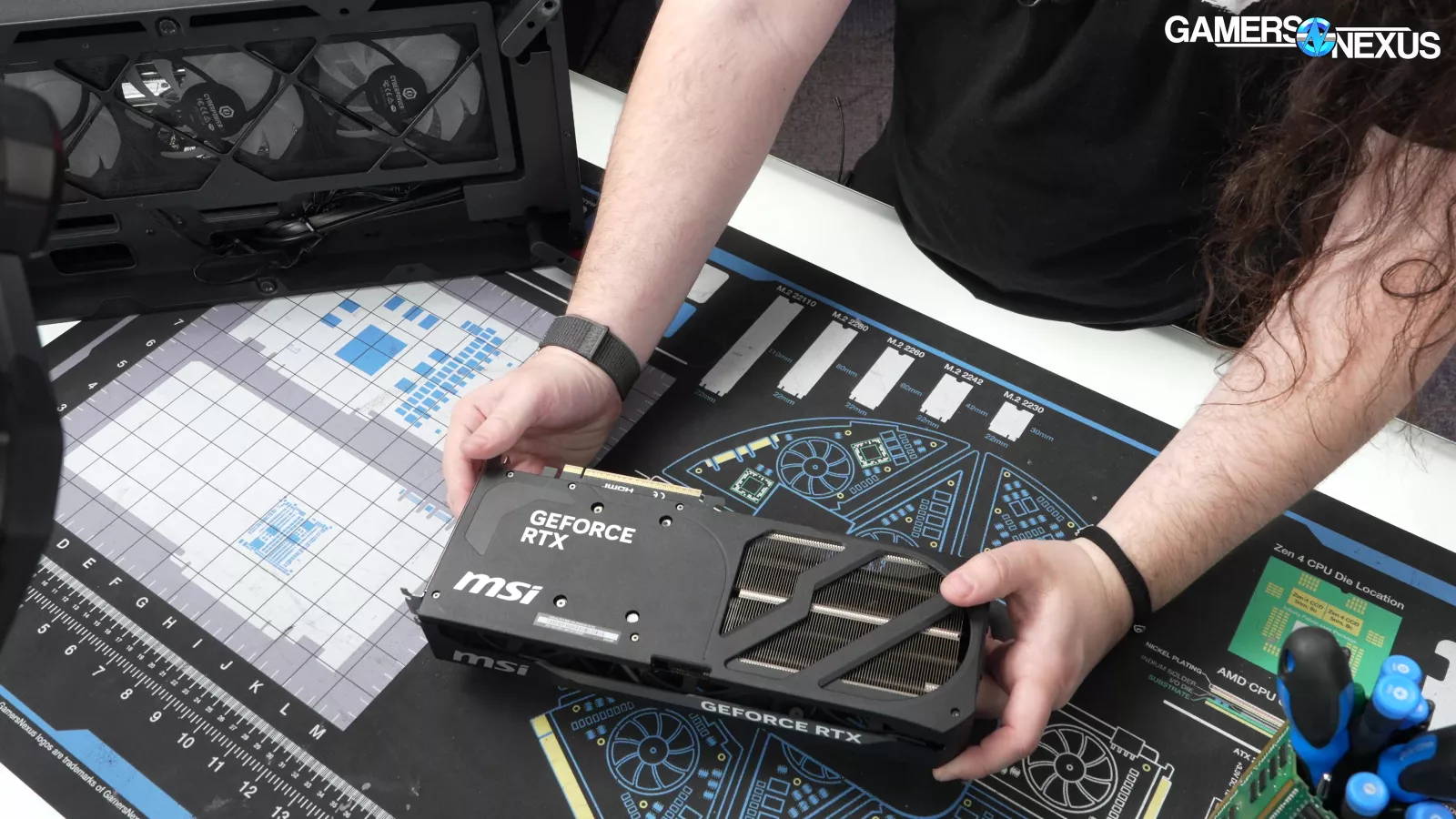
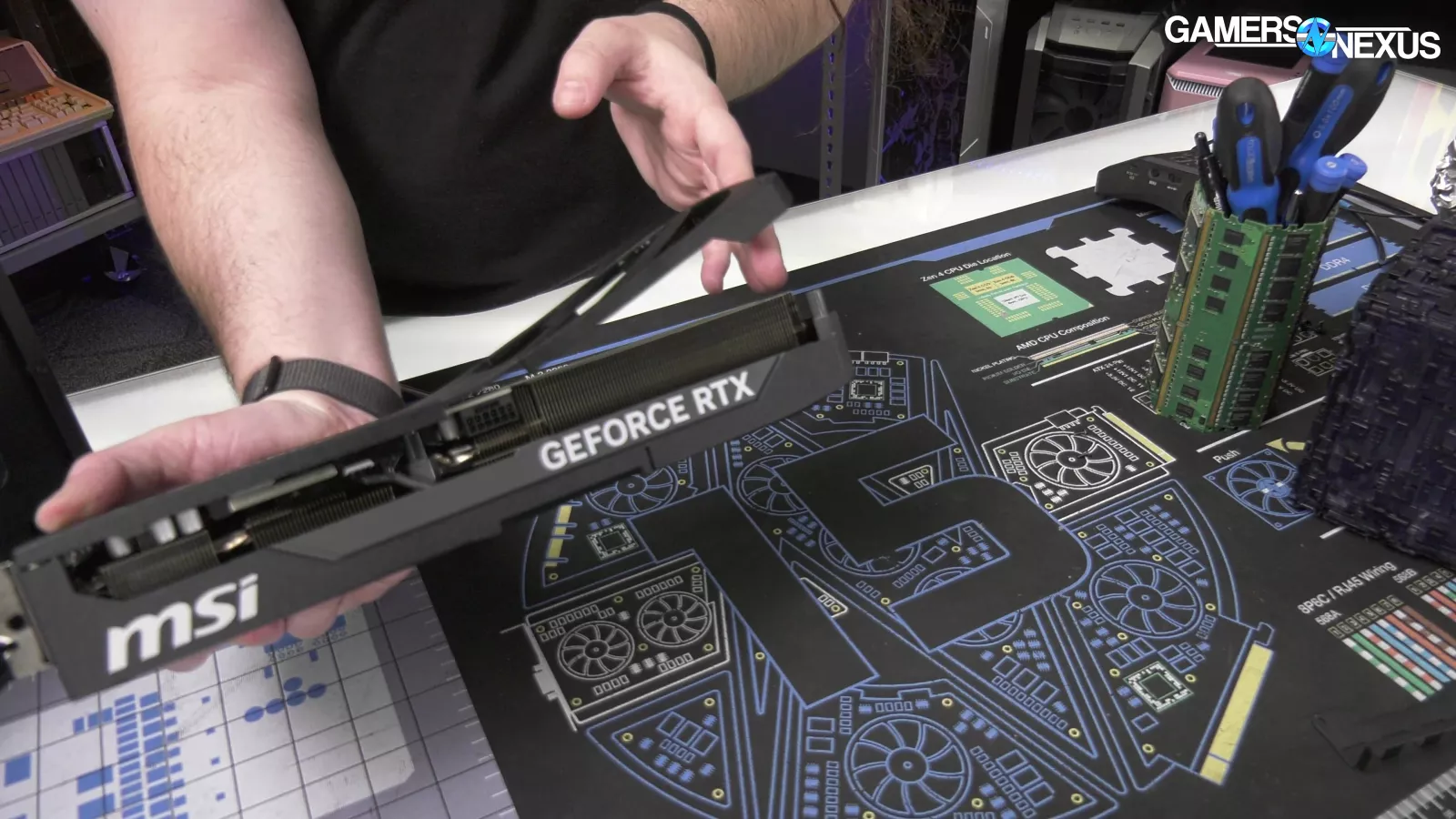
The card itself is an MSI model, but one detail stood out immediately: the plastic backplate. Since the card was already out of the system, we removed it to make a point.
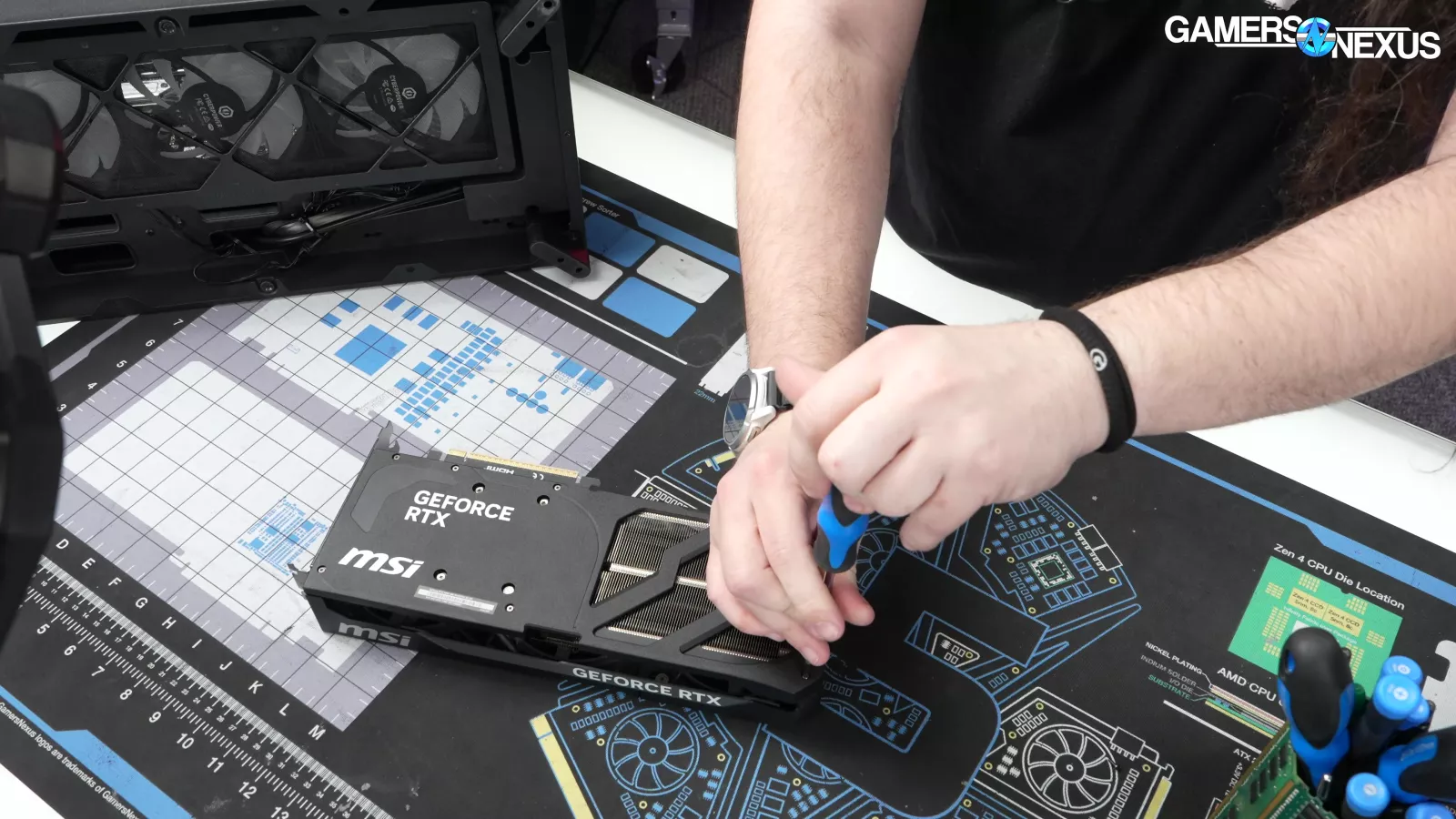
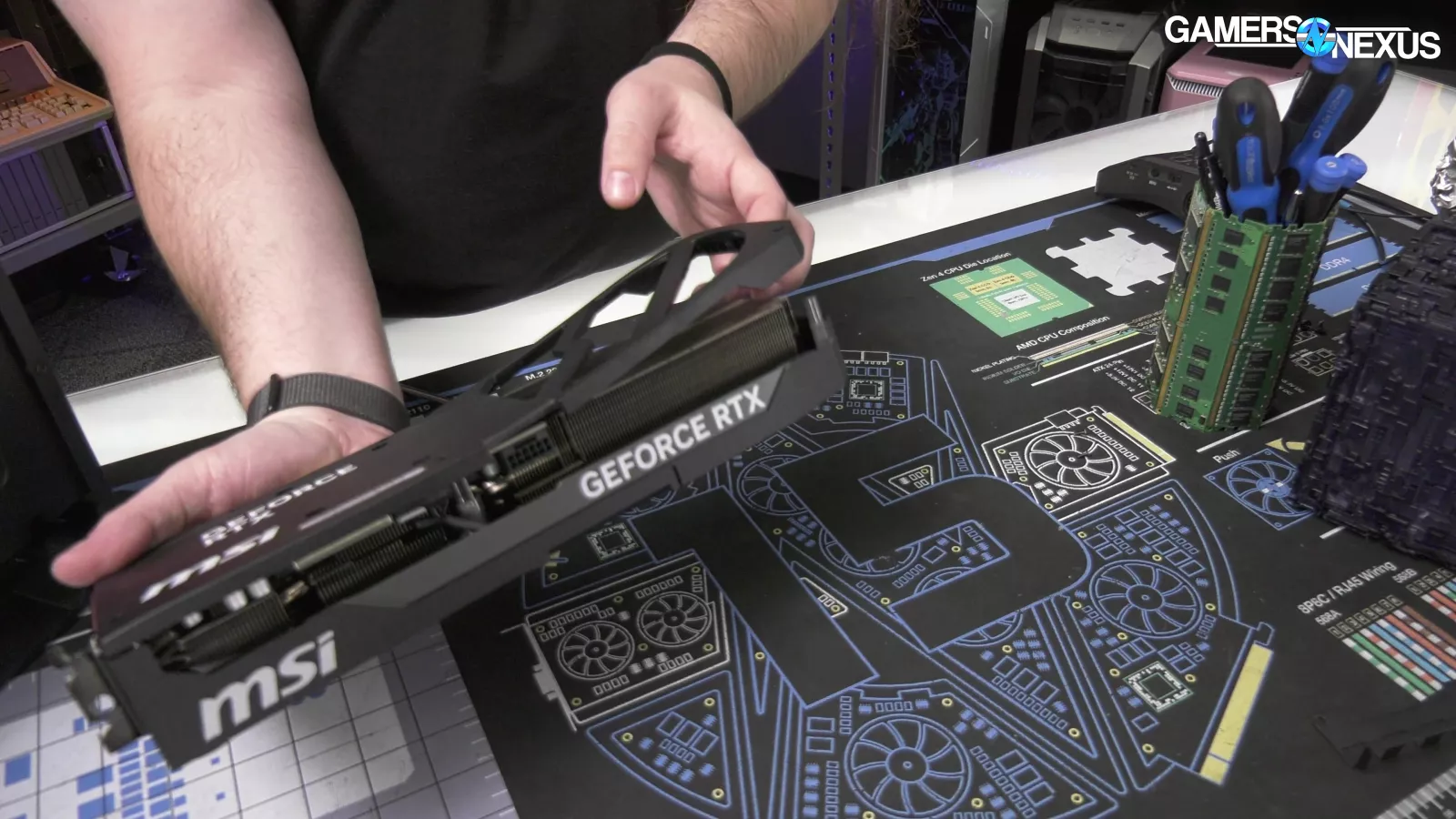
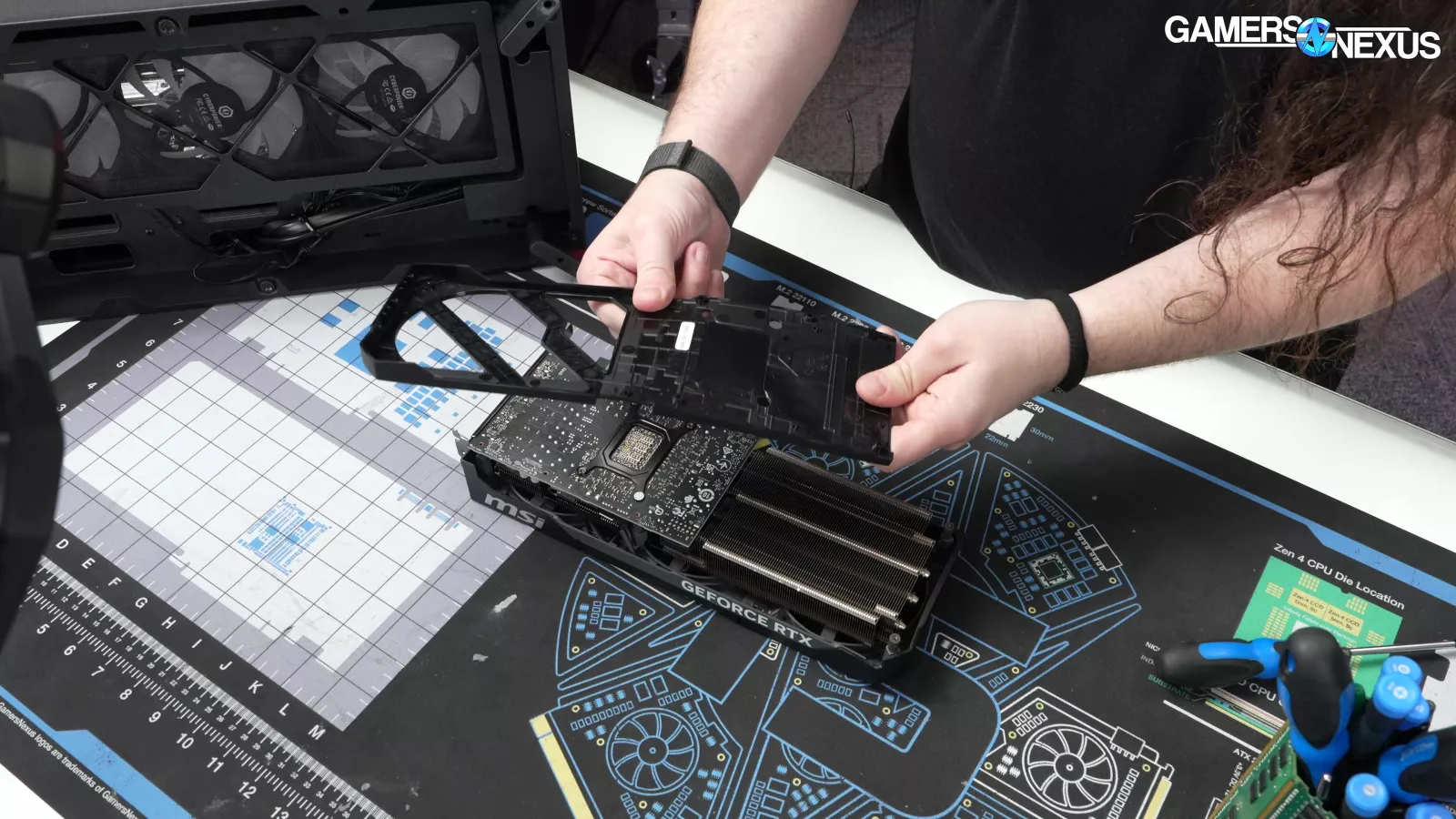
Plastic backplates are worse than useless. They don't provide meaningful structural support, they don't meaningfully contribute to cooling, and they can actually make thermals worse by trapping heat against the back of the PCB. We've tested this before and found that a plastic backplate can perform worse than having no backplate at all. At least MSI wasn't so delusional as to put thermal pads on it. We know MSI made the card, but Cyberpower chose it.
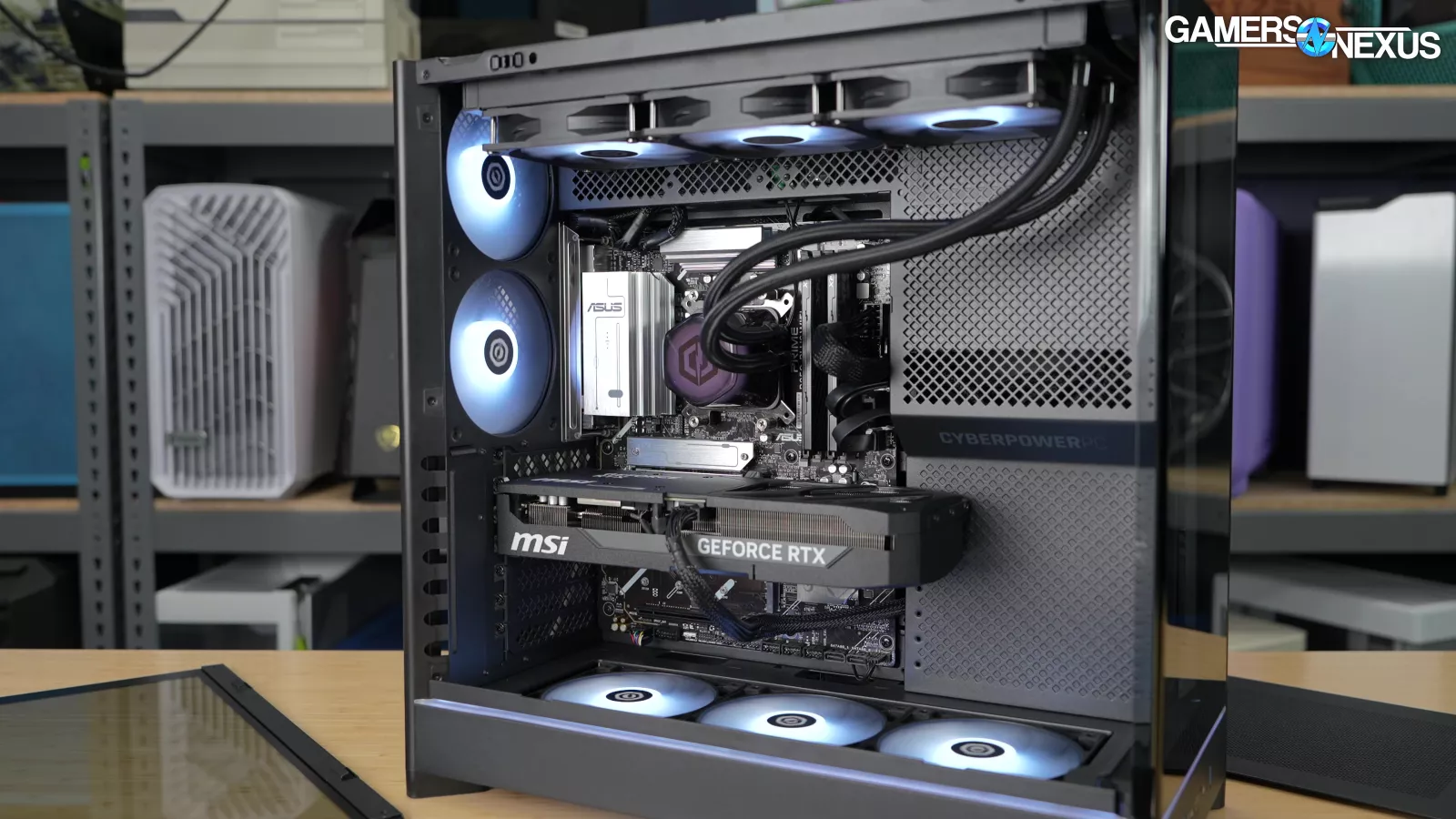
Returning to the system itself, there were eight fans installed in total: three top-mounted exhaust fans, three bottom-mounted intake fans, and two rear fans within the Montech case.
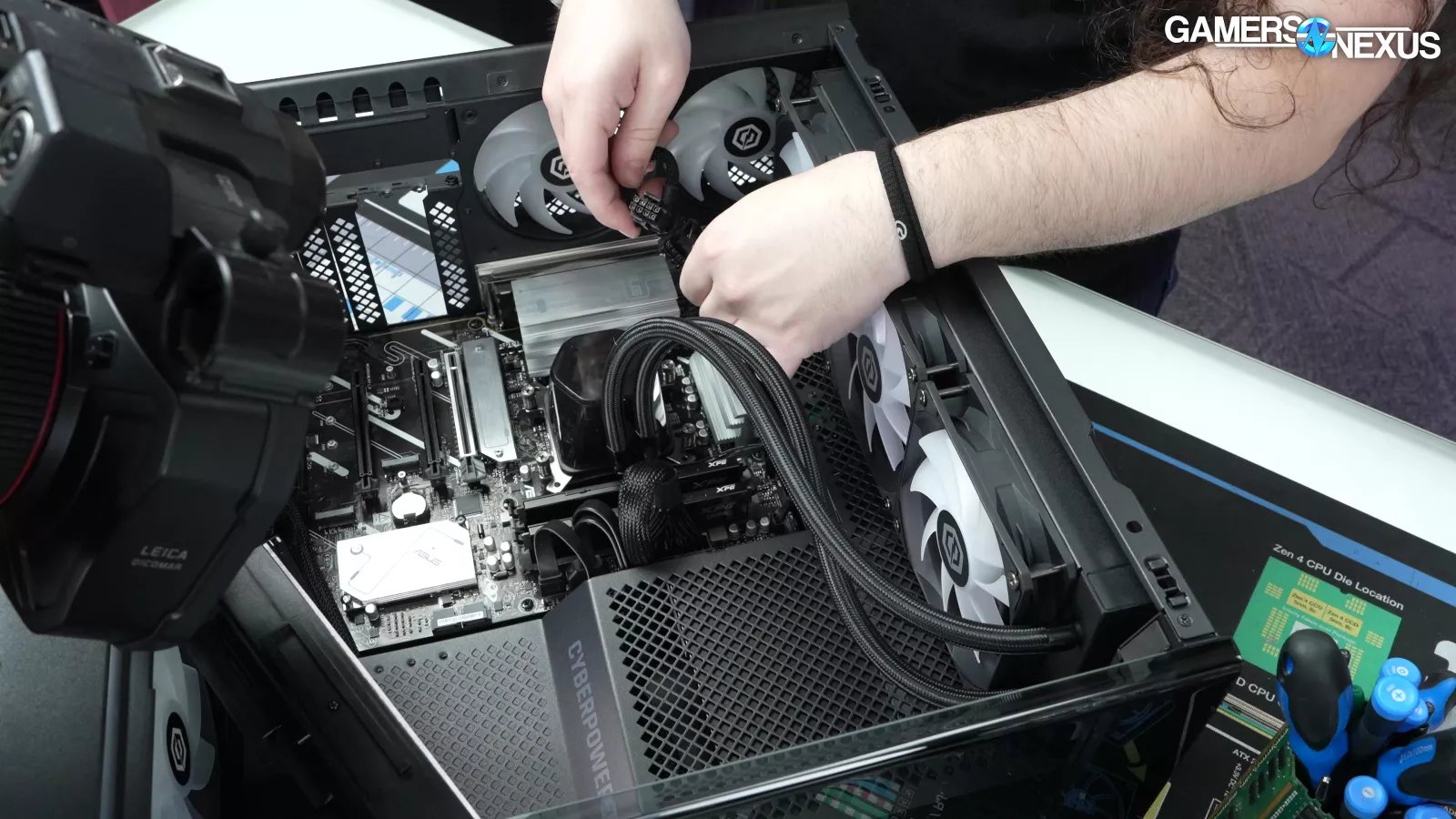
Most of the internal cabling looked fine. The EPS12V connector was fully seated and the motherboard power connections were installed correctly. CyberPower did use a daisy-chained EPS cable, which isn't ideal, but isn't likely to create any practical issues in this configuration.
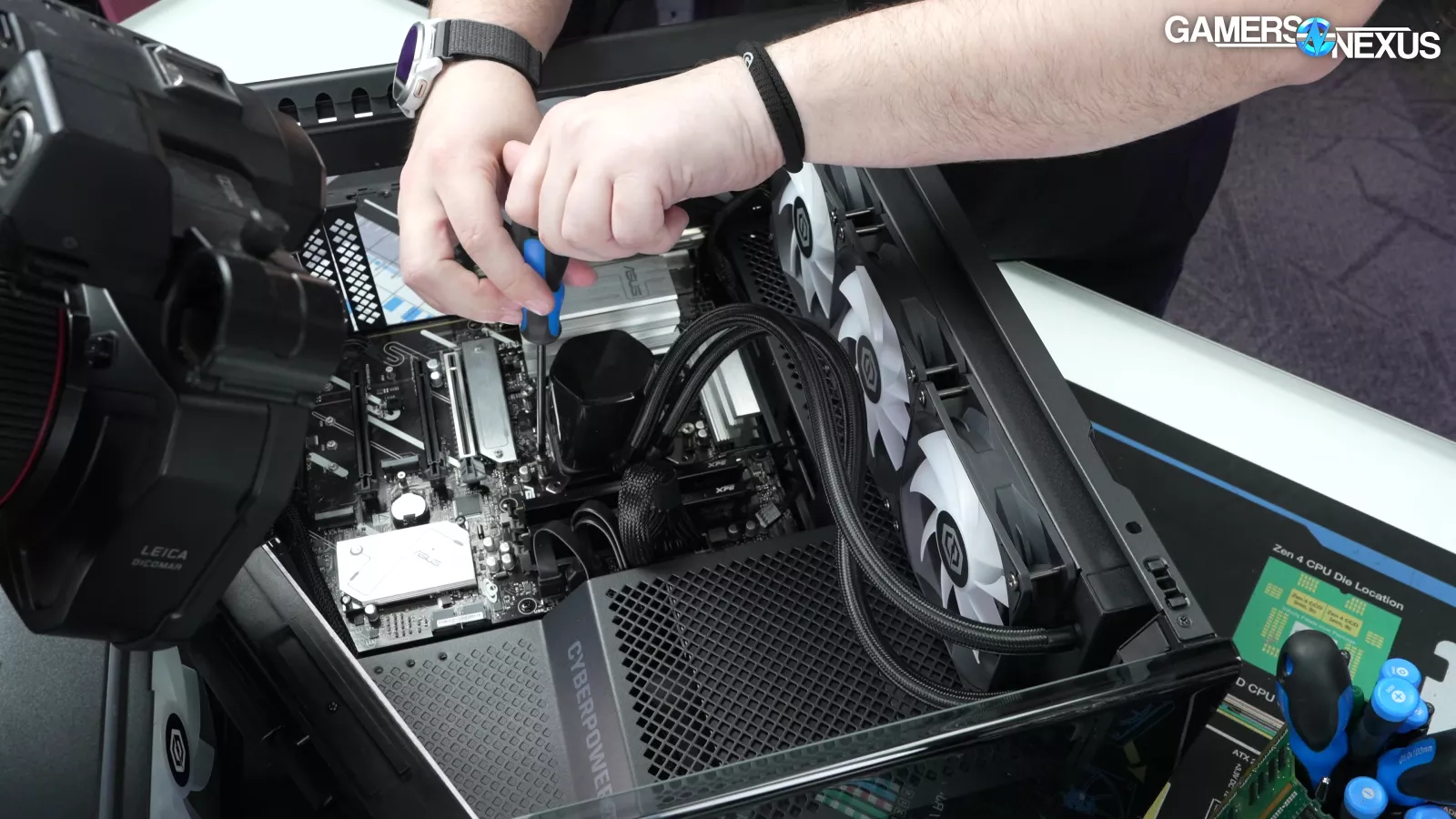
The pump connector was fully seated.
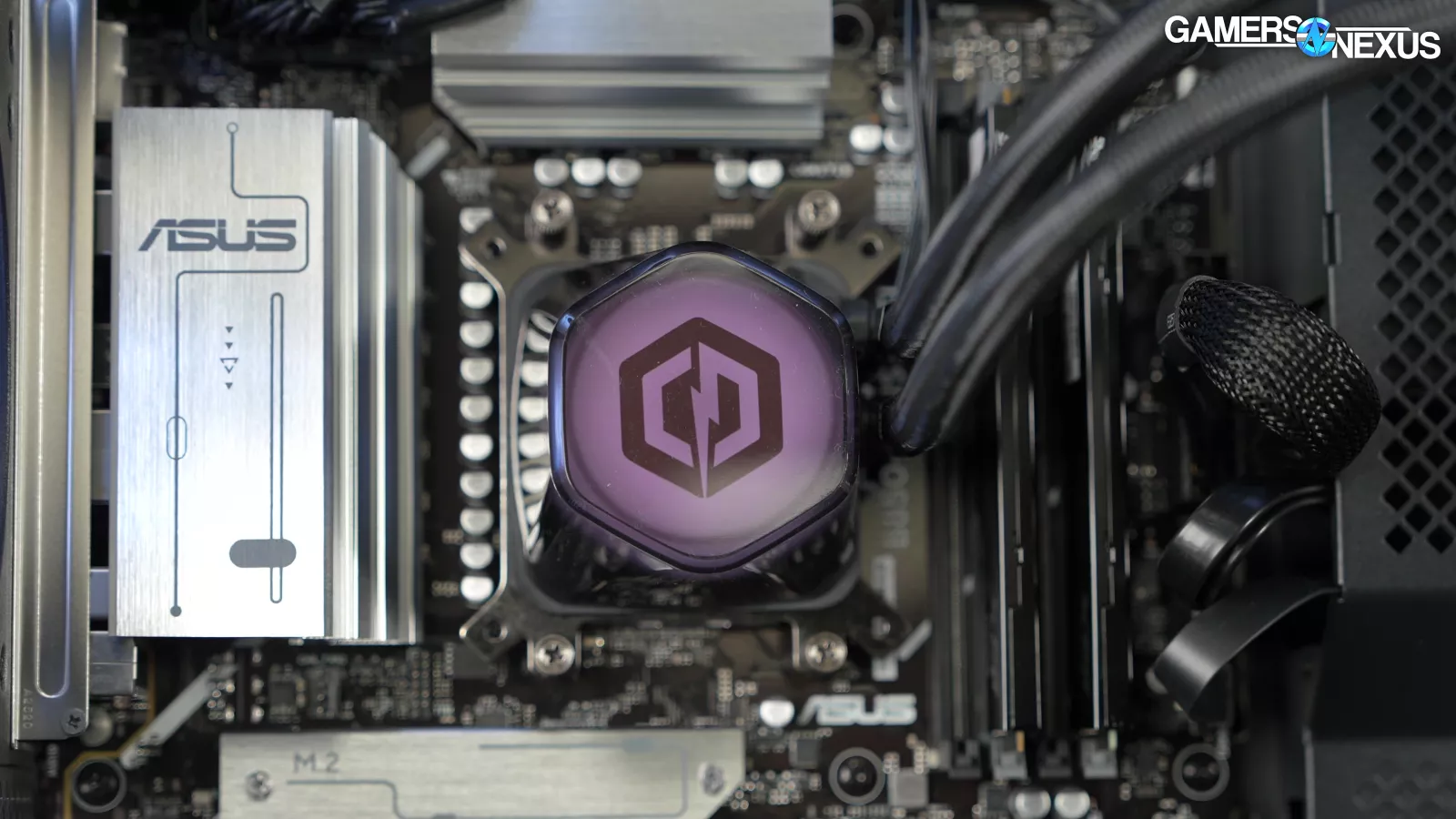
Removing the cooler revealed a minor assembly issue. One of the mounting screws came out with the cooler instead of remaining attached to the backplate, indicating it wasn't tight enough. It's not the worst thing we've seen, but it suggests mounting pressure may have been a little off on one side.
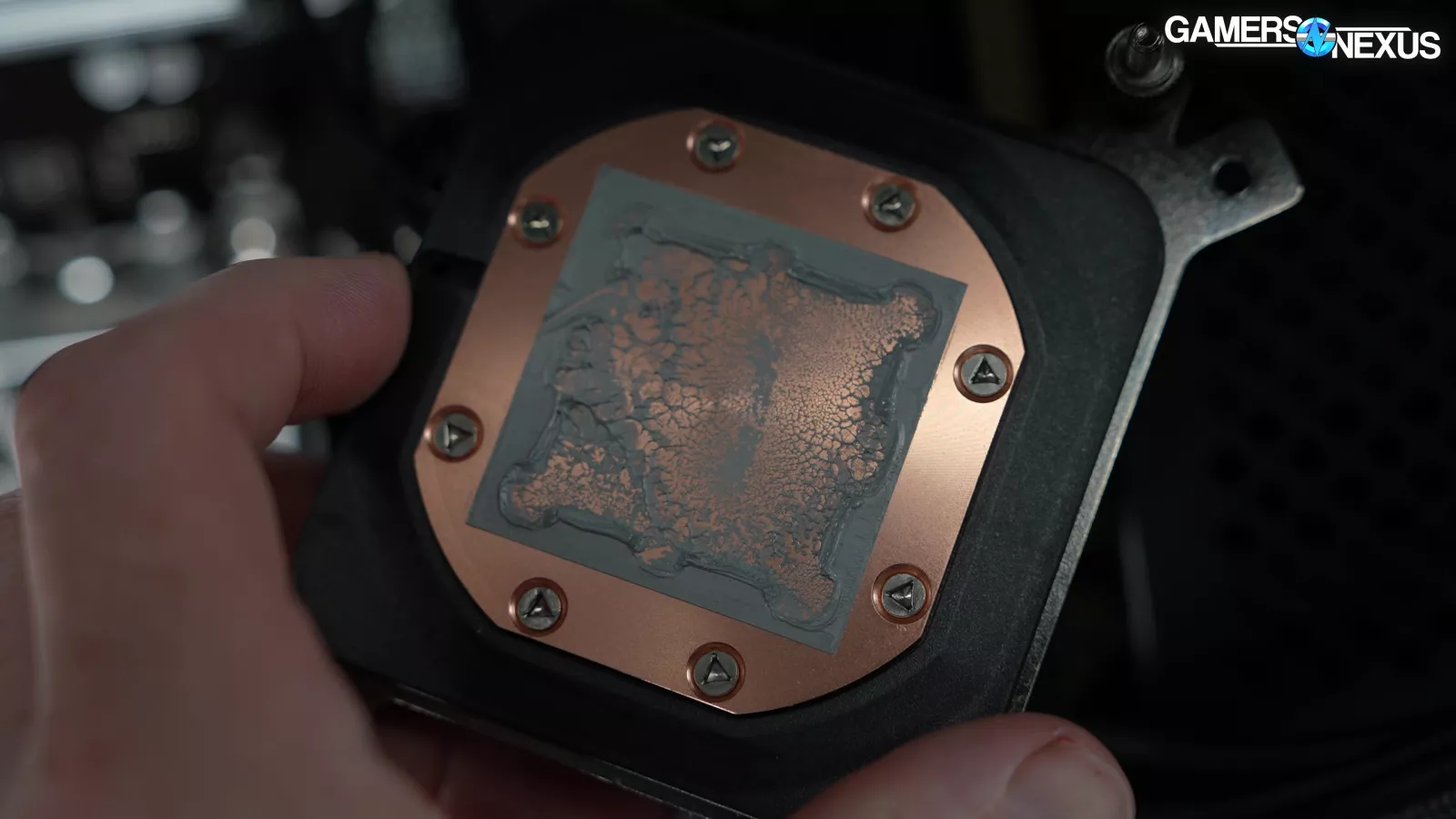
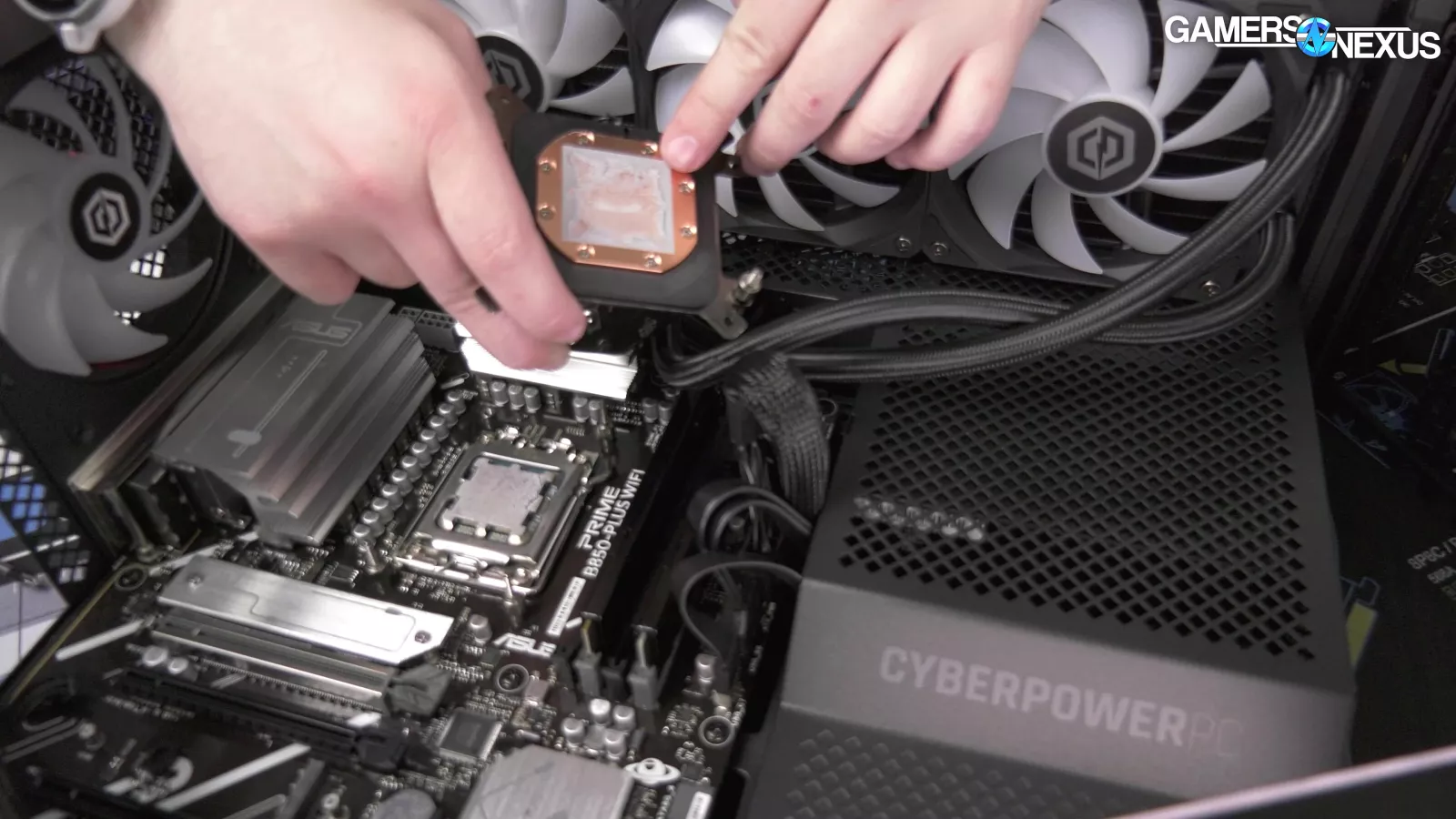
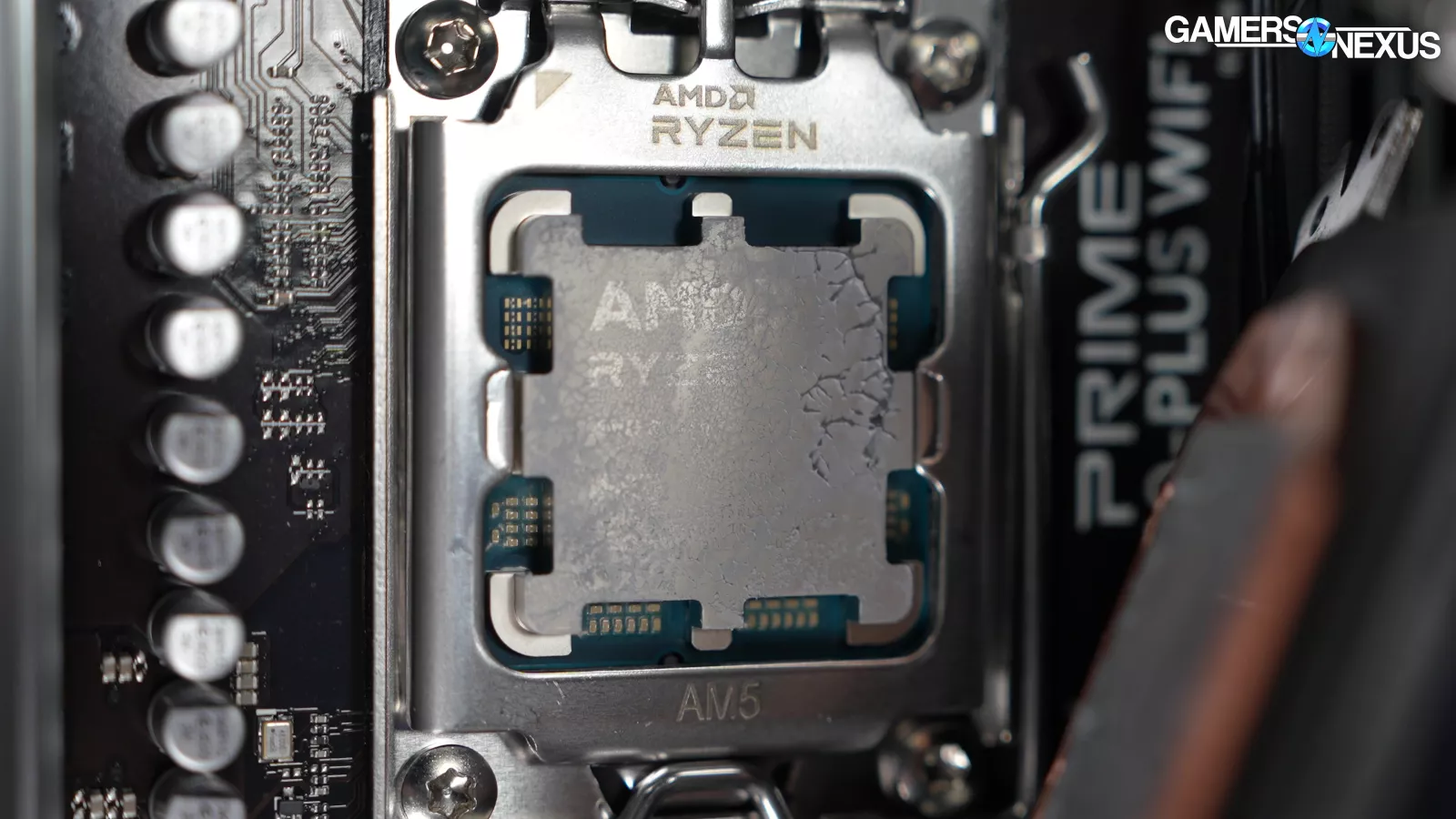
The thermal paste pattern generally looked good overall, but the contact impression showed slightly reduced pressure in one corner of the CPU. A corresponding area on the CPU heatspreader showed little to no paste transfer. This wasn't enough to explain the system's thermal performance, but it was another indication that assembly quality wasn't perfect.
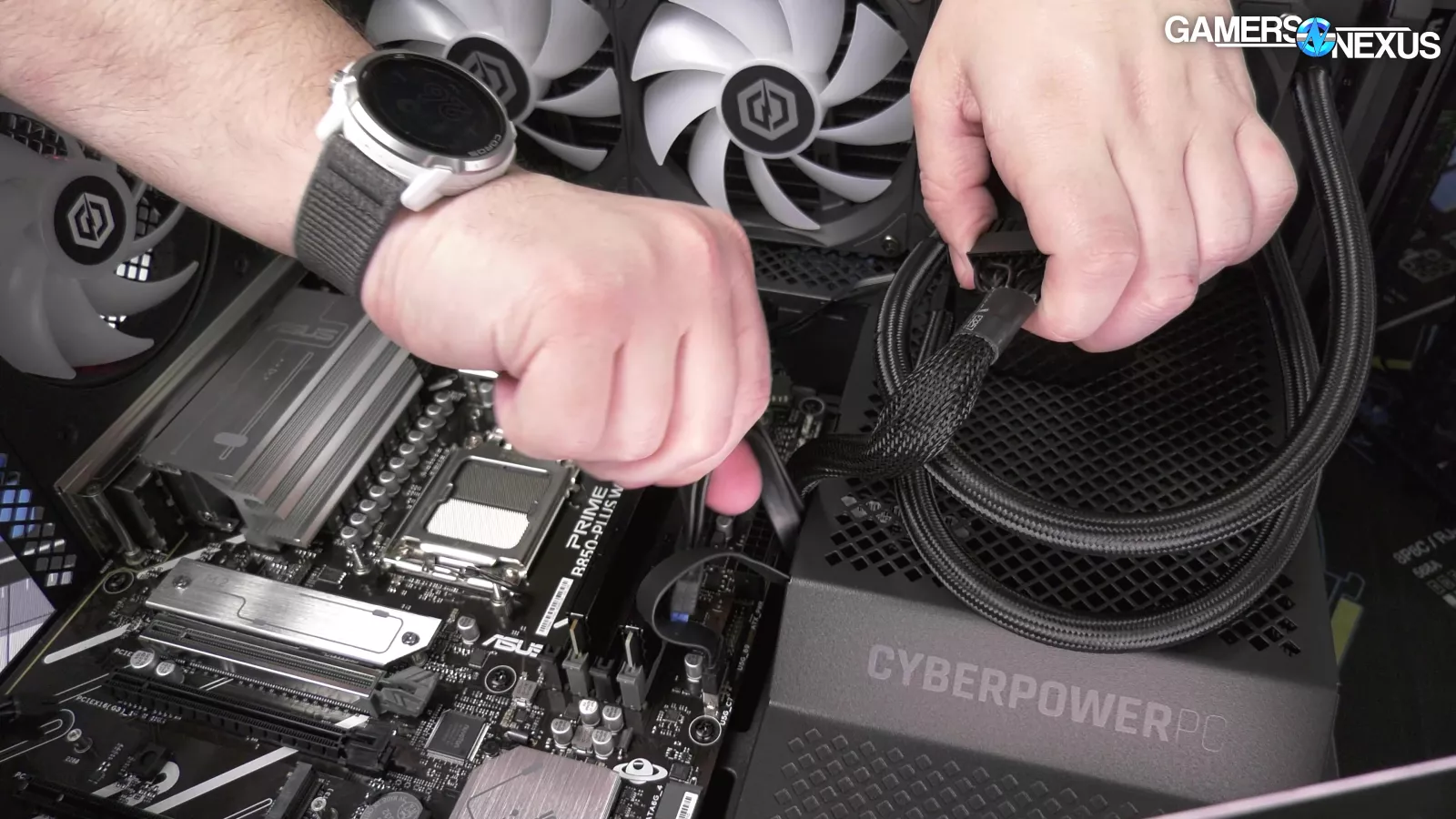
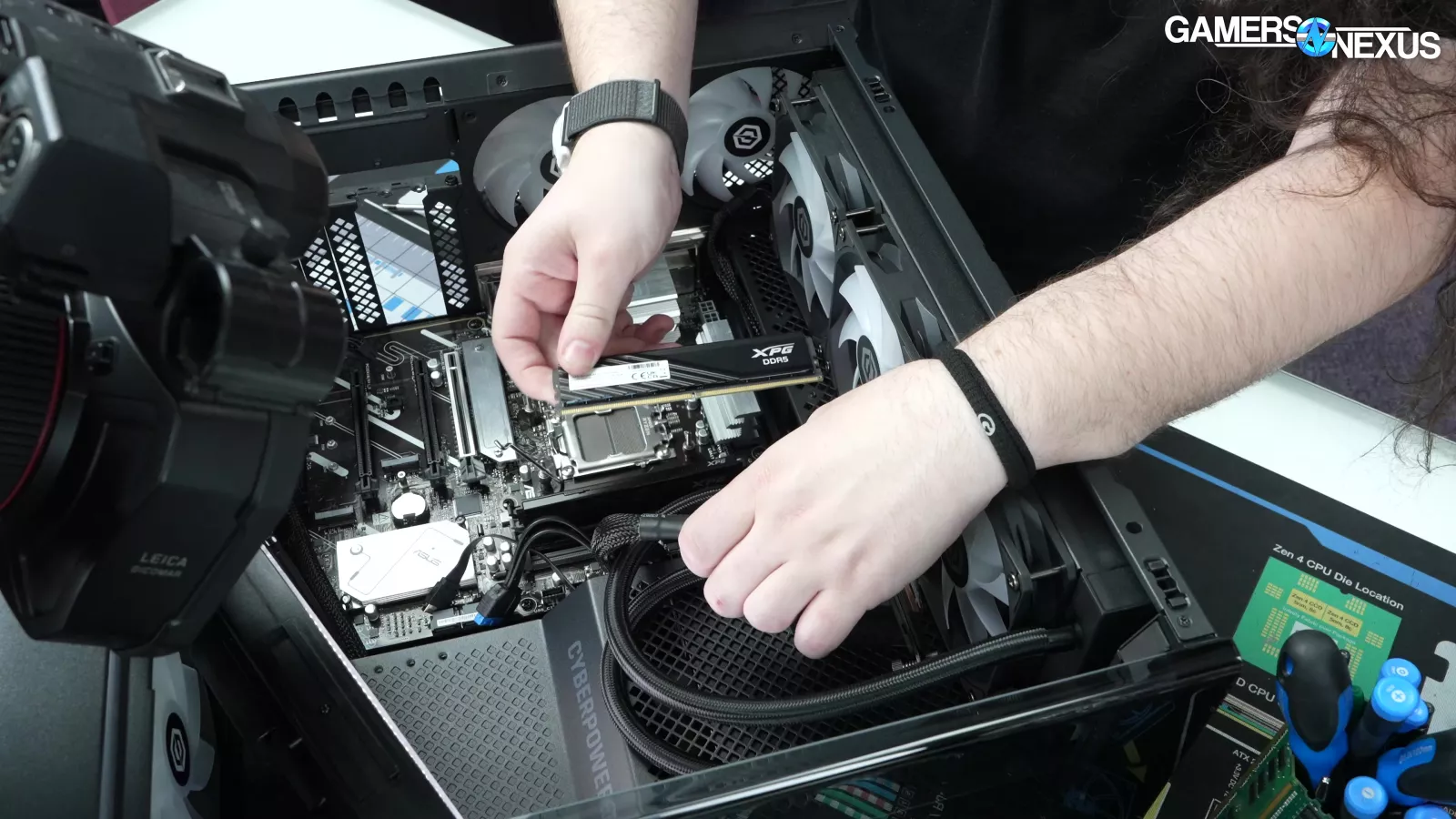
Beyond that, the rest of the build was largely assembled correctly. The 24-pin connector was fully seated, the USB header showed no bent pins, the front-panel connectors were installed properly, and the memory was installed in the correct slots. The RAM matched the advertised specifications.
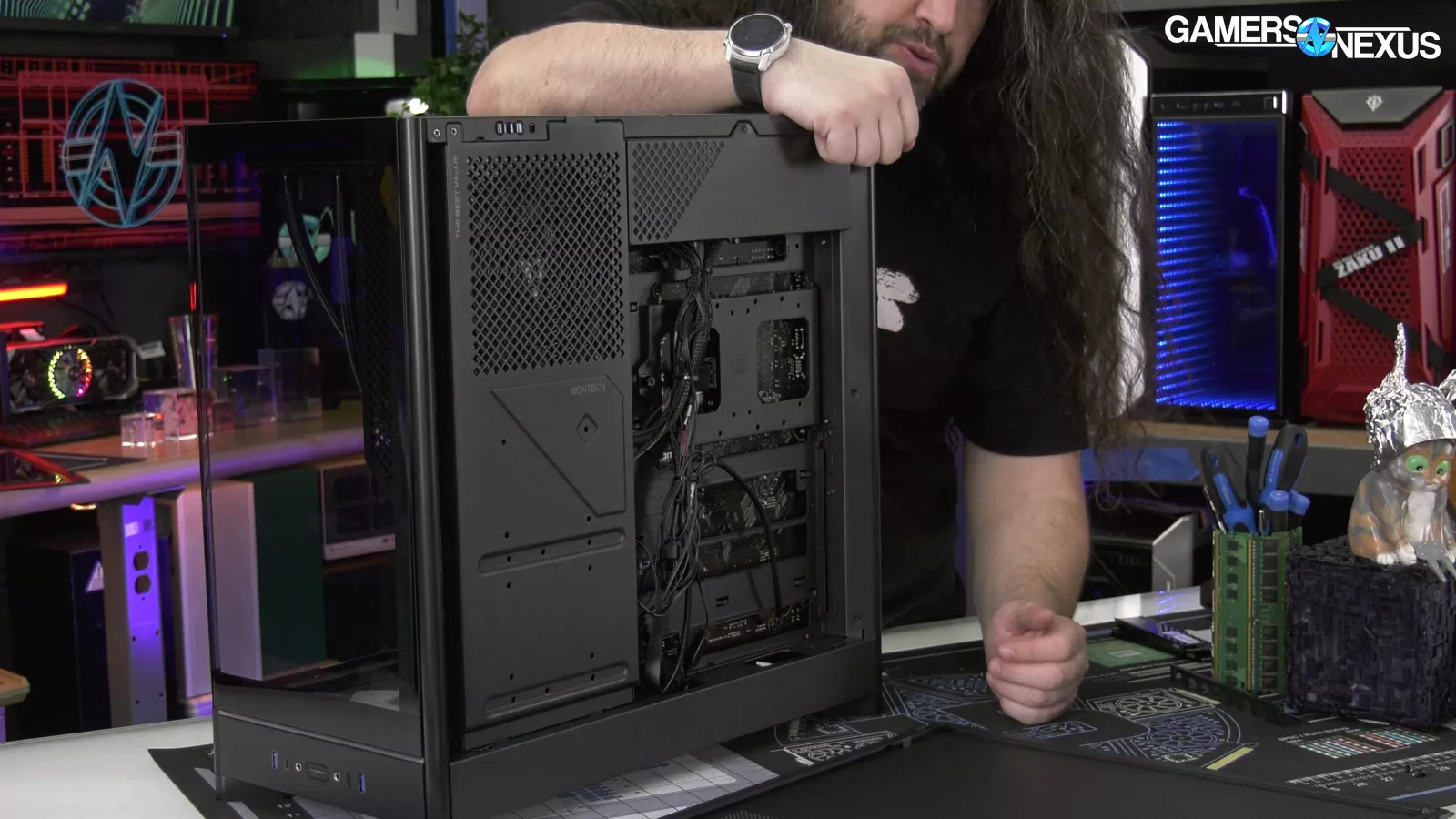
Cable management was also clean. Aside from the improperly seated GPU power cable, the wiring was routed neatly and secured with zip ties. CyberPower even taped the RGB connectors together to prevent them from separating during shipping. Maybe they should consider taping the power cable into the video card...
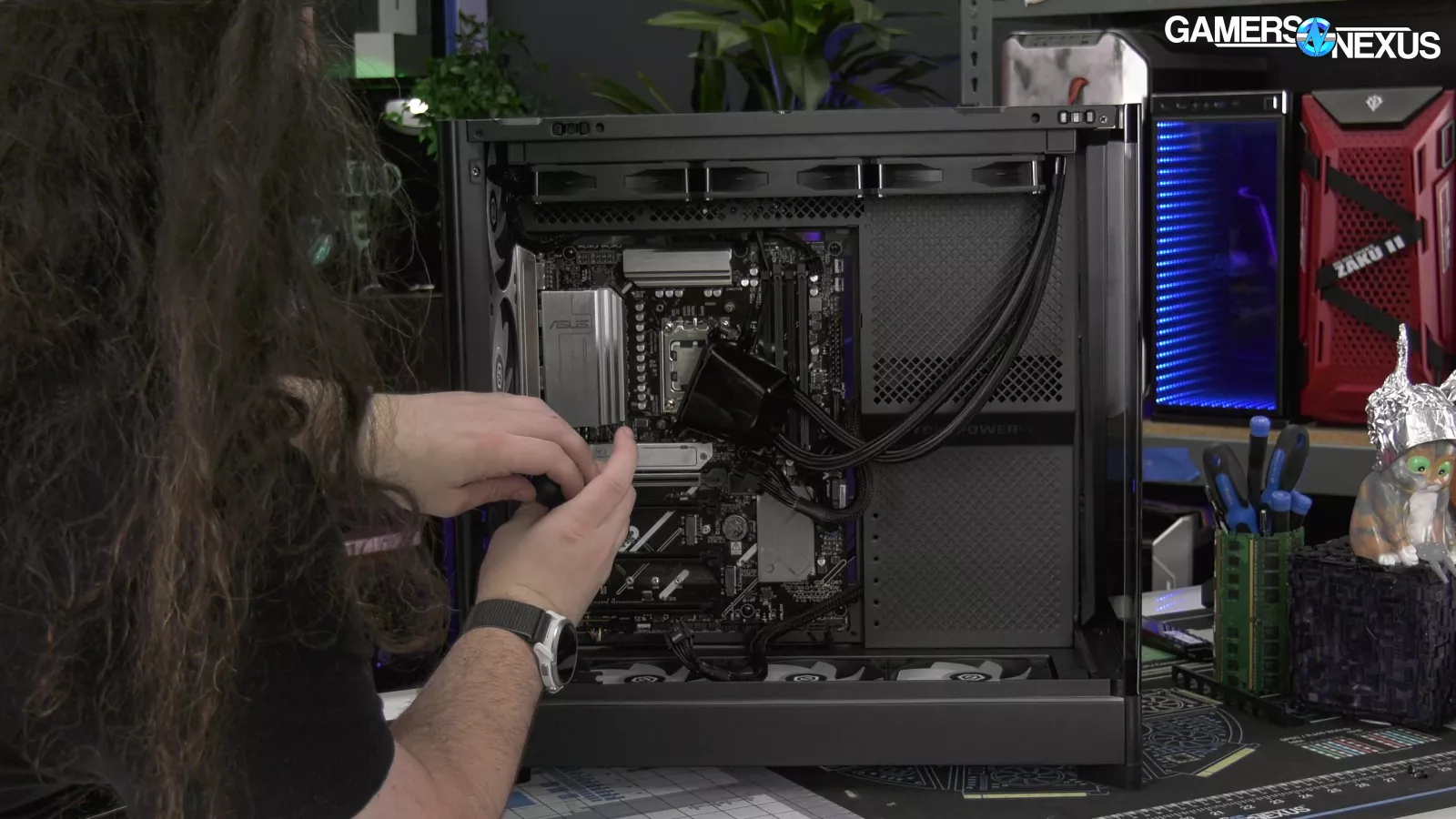
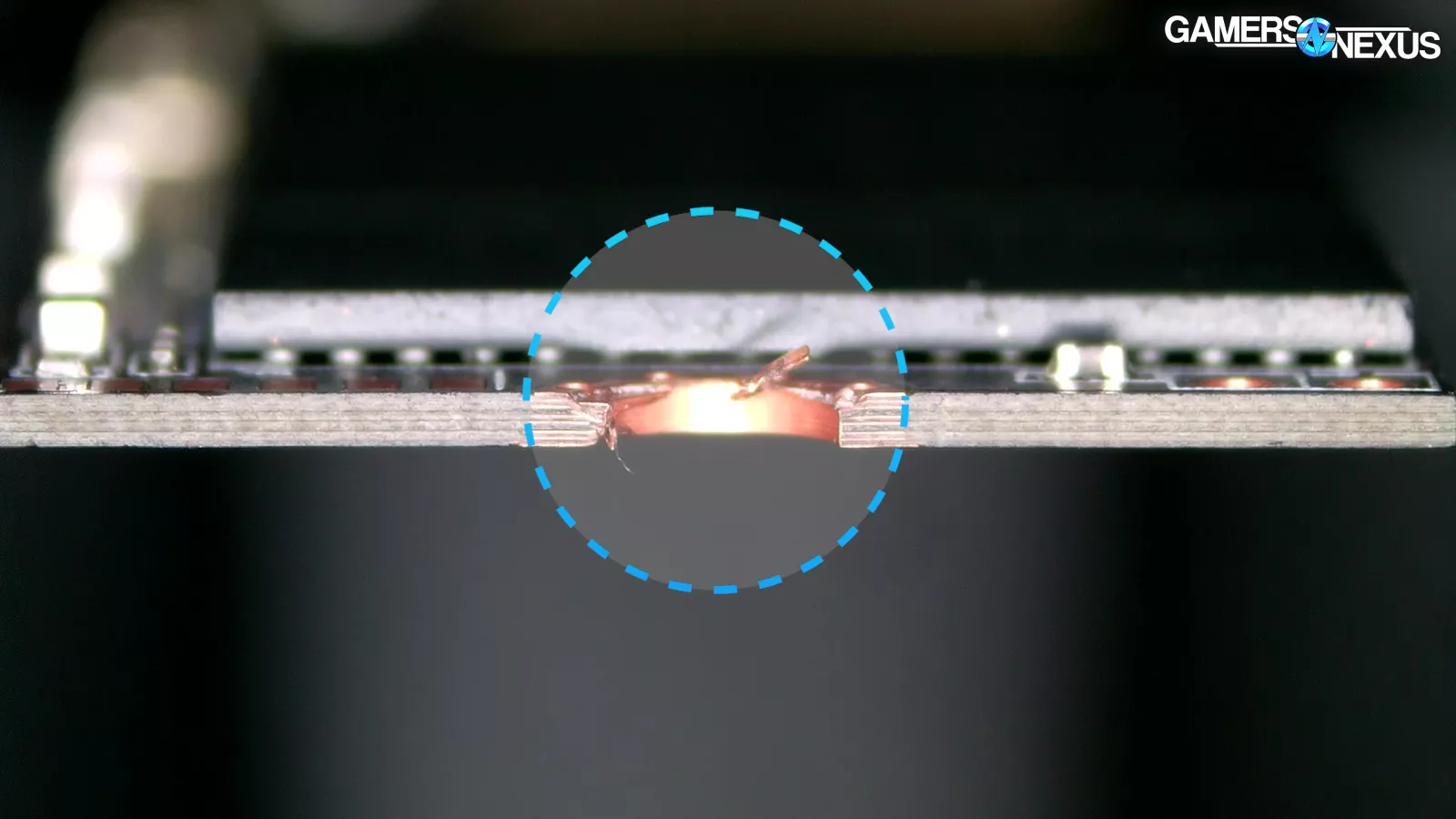
Finally, we looked at the SSD. During troubleshooting, we tested the drive in multiple M.2 slots and even in entirely different motherboards. None of those tests produced any signs of life. The only obvious physical defect was scratching around the SSD mounting hole and the drive ended up being e-waste with no signs of life regardless of the platform it was tested in.
Benchmarks
Thermals - CPU
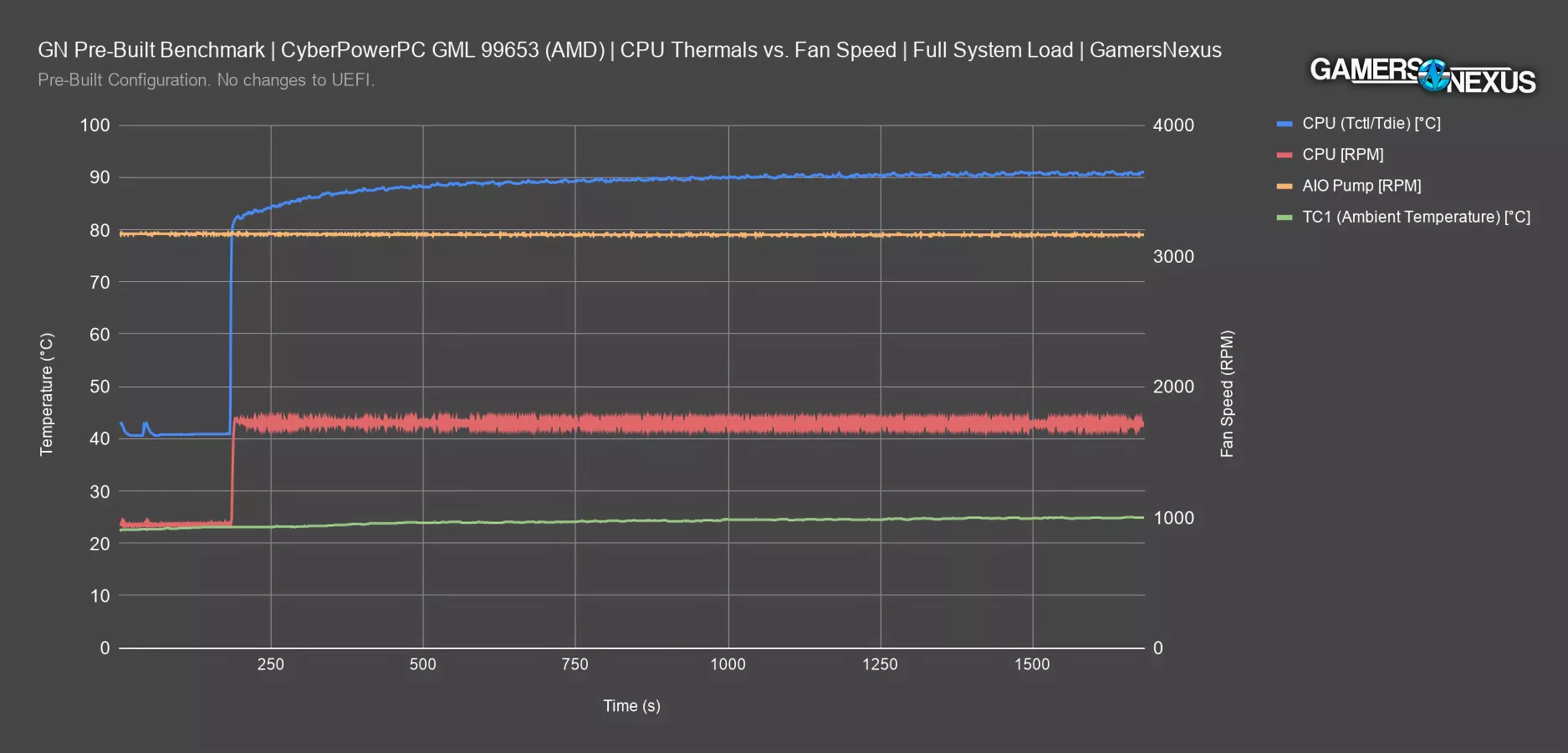
We’ll start with CPU thermals at steady-state under full system load, as that’s been a weak point for CyberPower historically. In our last few reviews of CyberPower systems, we’ve said that you should only buy their system if you’re comfortable immediately changing the CPU cooler.
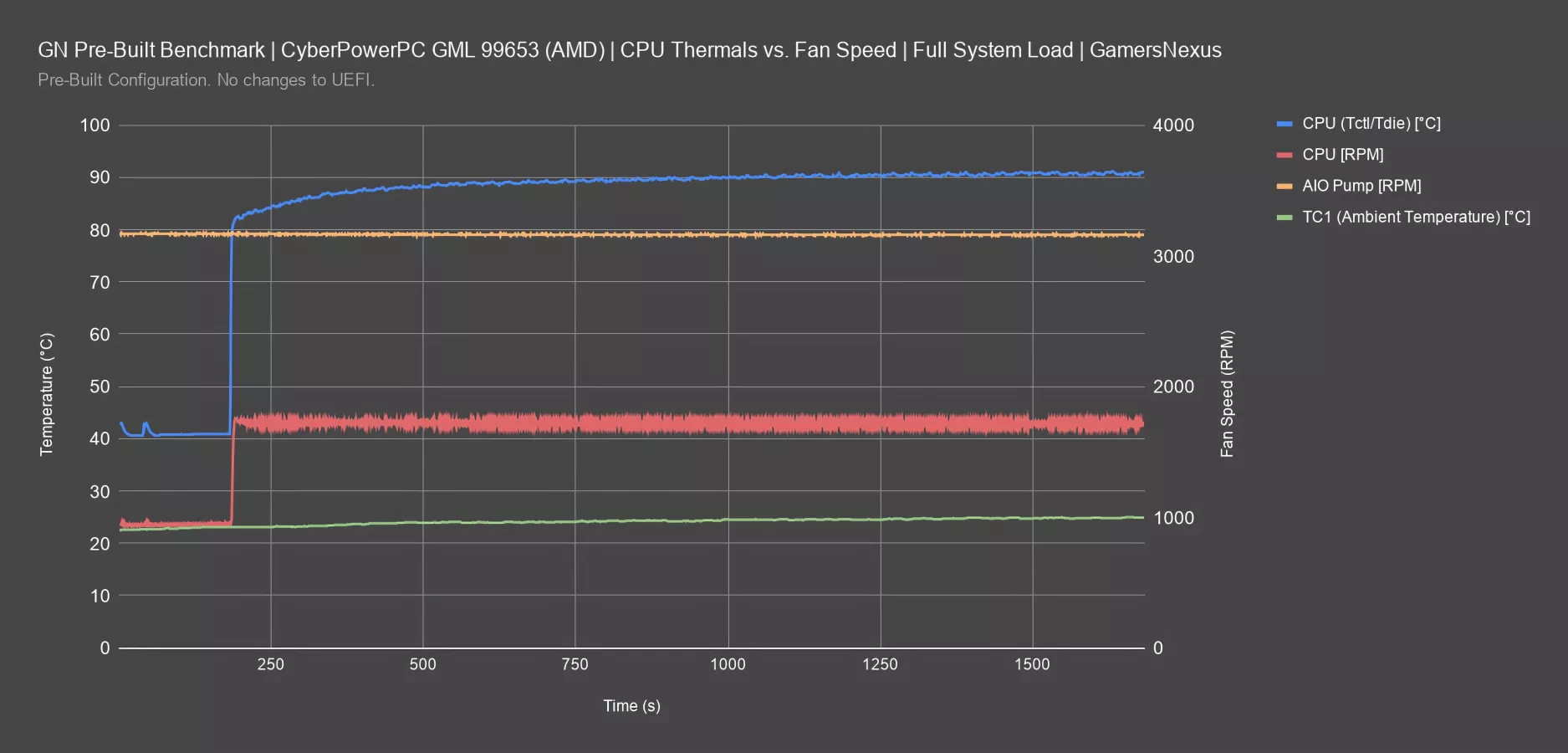
Under a full system torture workload, CPU Tdie spikes to 82 degrees Celsius nearly instantly. Then, from the 250 to 750 second mark, it climbs from 84 degrees to 90 degrees, where it eventually remains. For a system with 8 case fans, 90 degrees isn’t a good result -- especially not on a 9800X3D, which is relatively moderate on power compared to systems of the past. It’s borderline hard throttle territory, and we’ll definitely see clock drops from Precision Boost scaling due to thermals.
The CPU fans idle around 1000 RPM then instantaneously shoot to 1700 RPM under load. This immediate spike rather than a gradual ramp is acoustically noticeable and highlights an area of improvement for CyberPower. We’d like to see more tuning of fan hysteresis to dampen the ramp/deramp of the noise.
The AIO pump runs at full speed, or 3160 RPM, throughout the entire test, explaining why the pump noise is so apparent while idle.
CPU Frequency
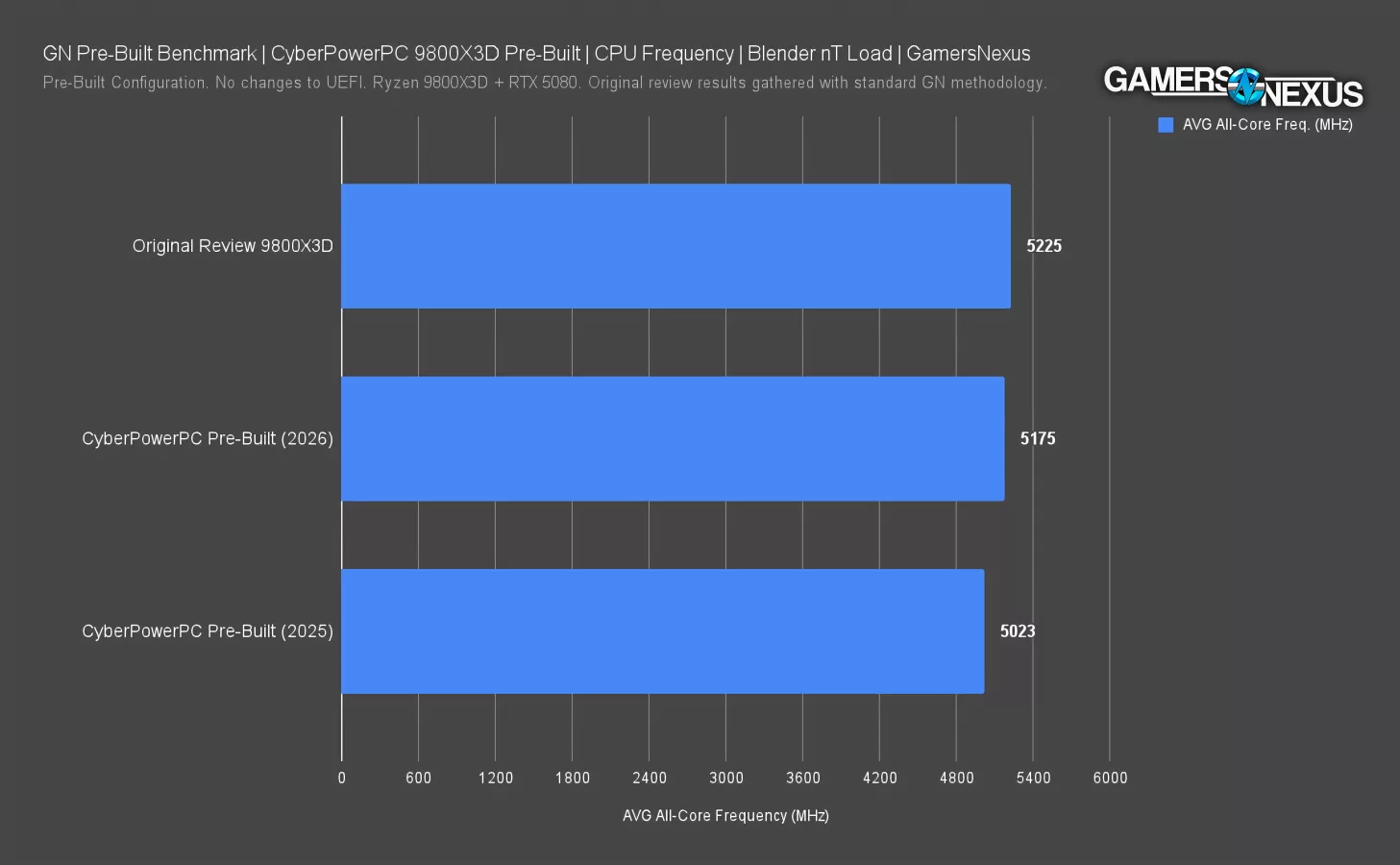
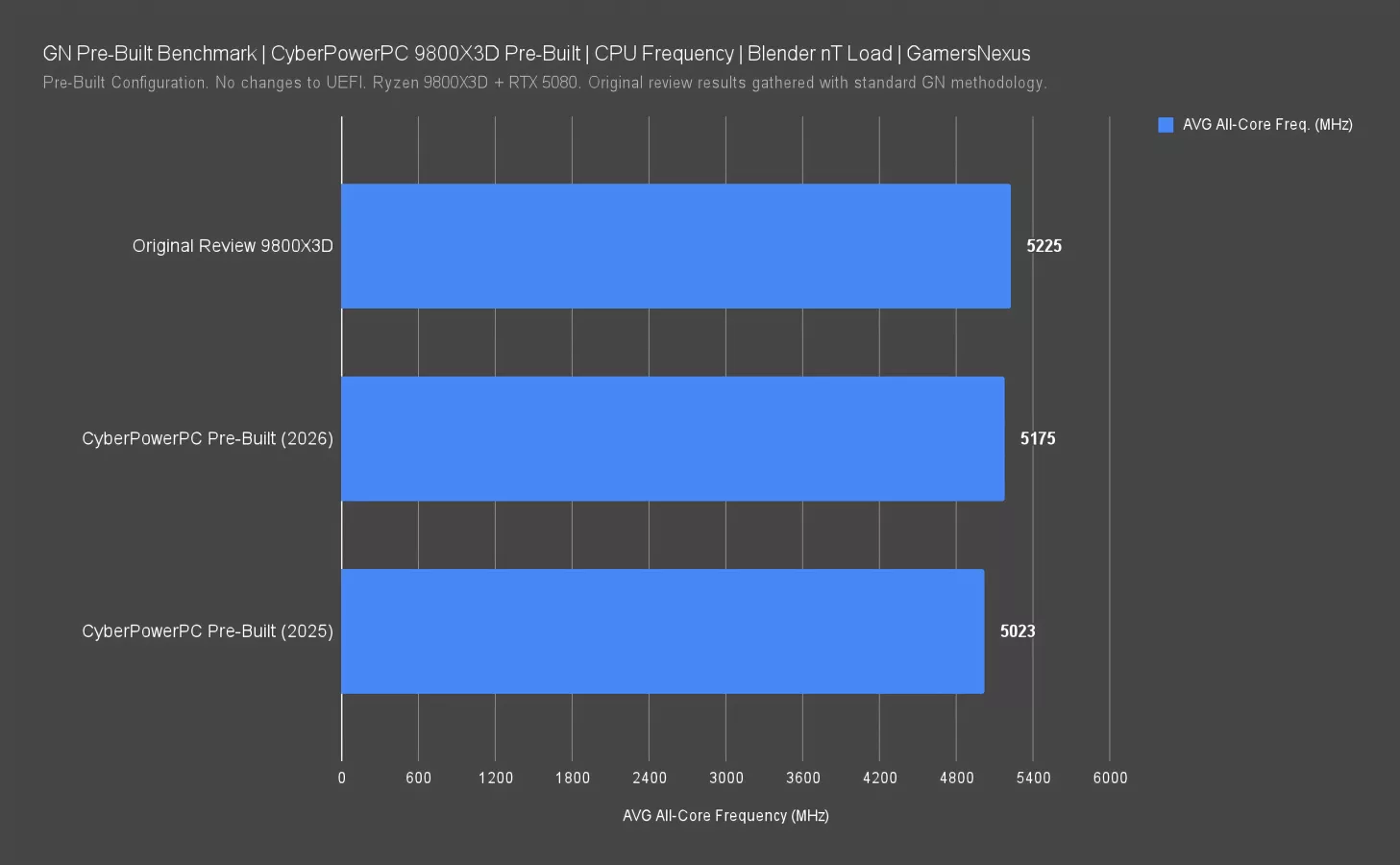
This next chart plots the 9800X3D’s AVG all-core frequencies as collected in Blender during a CPU-only portion of our testing.
The 9800X3D in the current CyberPower system under review ran at 5175 MHz all-core frequency. That’s 150 MHz greater than the CyberPower pre-built from last year, but still 50 MHz short of the 5225 MHz frequency the properly-configured 9800X3D achieved in our original review of the CPU.
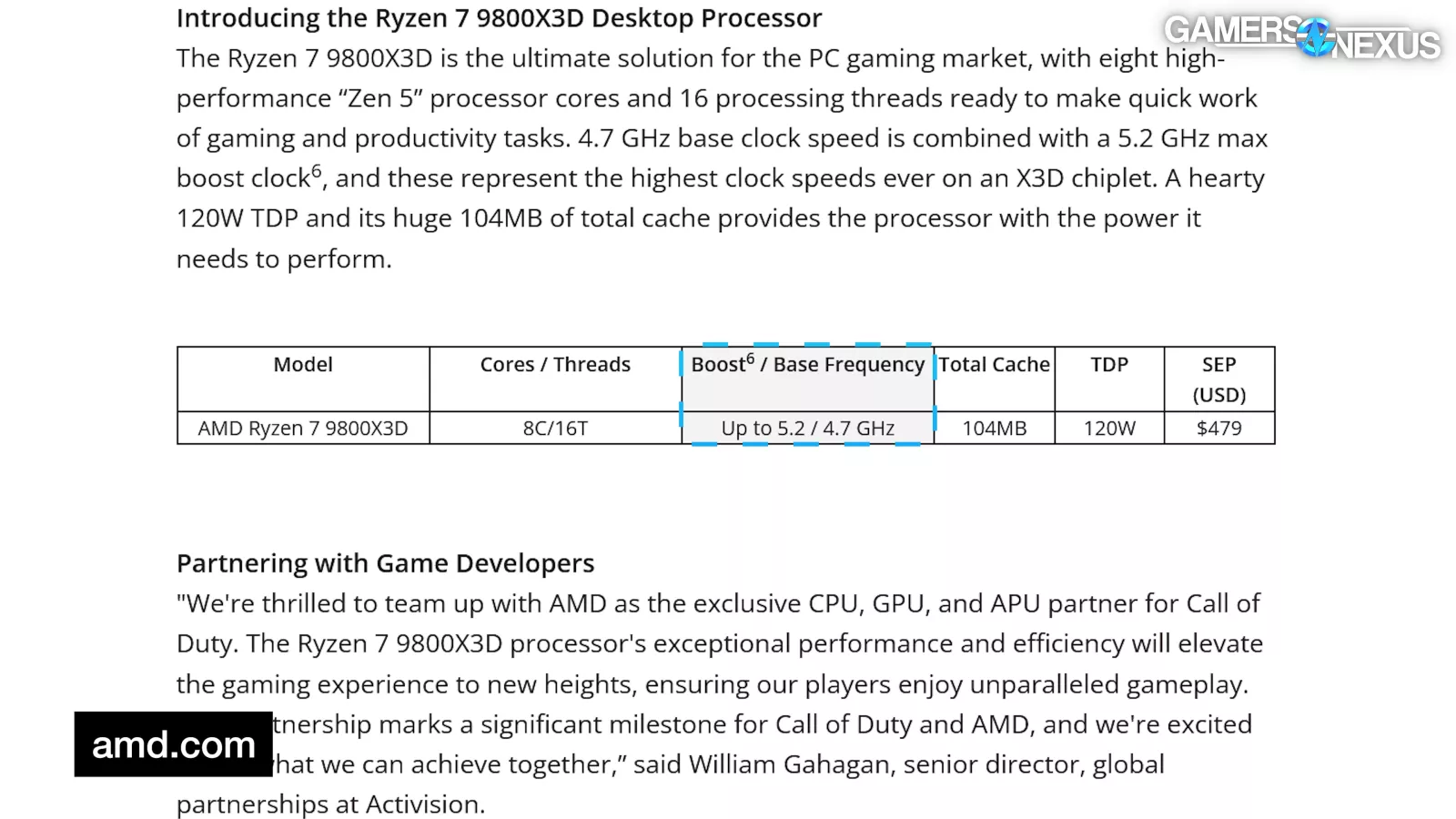
Losing 50 MHz across all cores isn’t great, particularly because that puts CyberPower’s computer below the 5200 MHz spec defined by AMD. CyberPower is underperforming here vs the advertised spec.
CyberPower improving on itself from last year is good, but going from “bad” to “still not as advertised but less bad” isn’t a huge leap forward.
Thermals - GPU
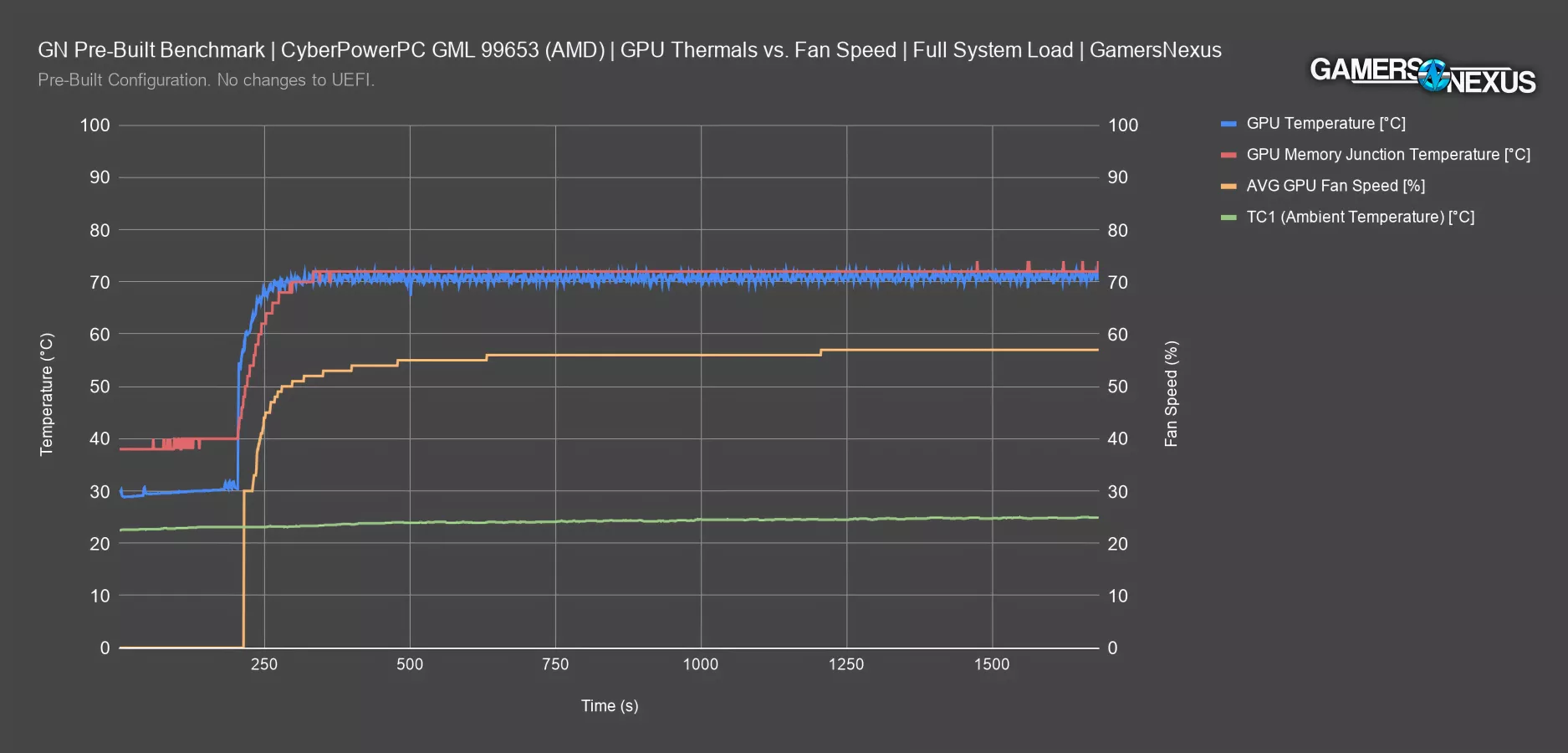
Next up is GPU thermals, measured during the same torture workload that fully loads the system.
The GPU idles around 30°C, then leaps to 70°C, where it bounces around by a few degrees until the test completes. This is more of a factor of VBIOS temperature targets than anything else, as the GPU fan speed will follow the video card’s temperature target, but the result is still good on the RTX 5080.
GPU Memory Junction starts at a warmer 40°C idle and stabilizes at 72°C under load. This is well within the memory temperature spec. There’s more than enough room here for dust buildup and reduced fan speeds.
The GPU fans initially step up to 30% for a few seconds when the load kicks in, before quickly ramping fans to about 55% between the 250 and 500 second marks. The GPU fans increased by 1% a couple times during the workload, but never exceeded 60%.
Steady-State Thermals | Full System Load
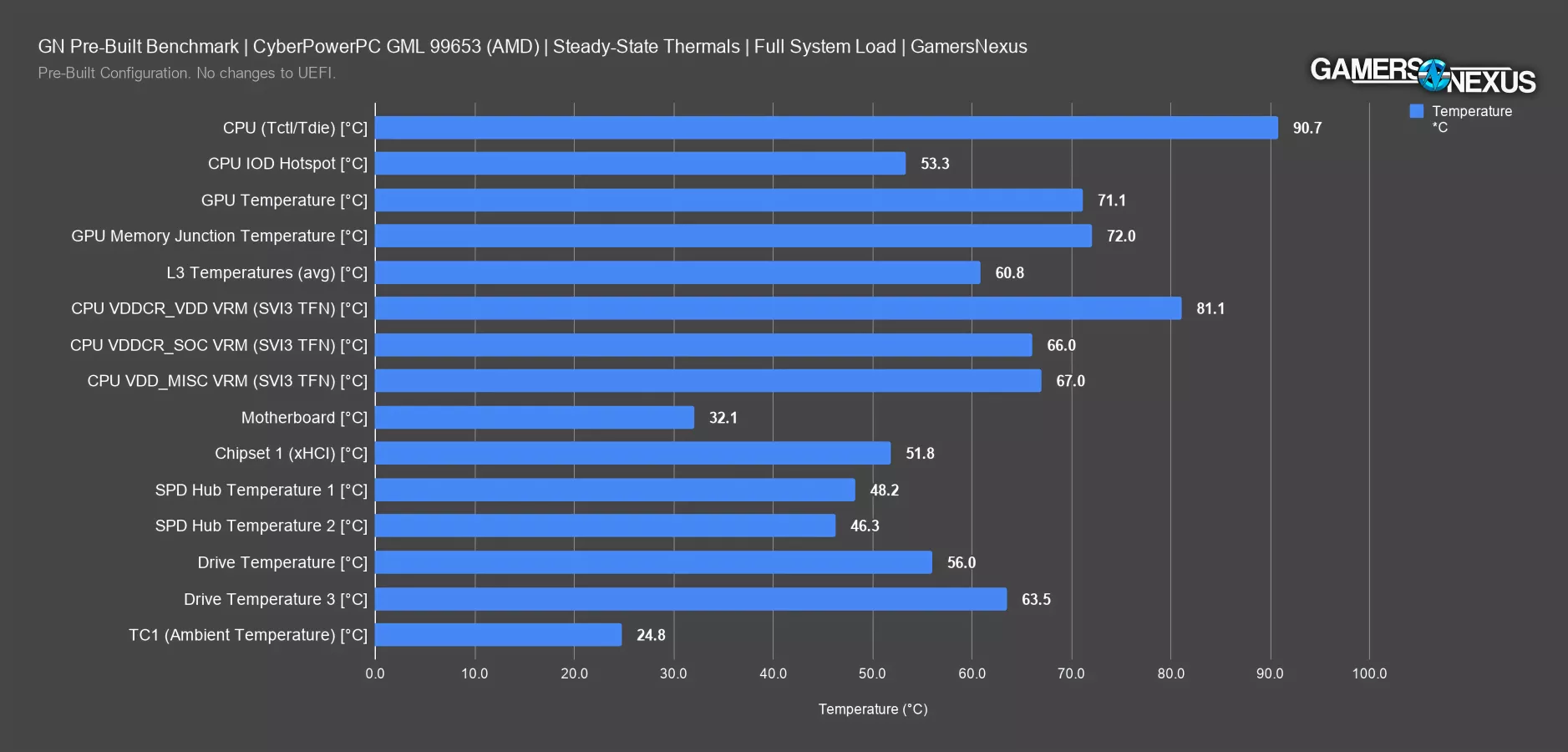
This chart shows full system steady state thermals during the full system workload.
CPU temperature ran too high, up at 90.7 degrees Celsius. The IO Die isn’t that critical and its temperature mostly is interesting to tell us about CPU cooler mounting pressure-distribution issues, but we’re not seeing any here. GPU temperature and GPU memory junction temperature are both good overall. The CPU VDDCR_VDD VRM result is warm, at 81.1 degrees, but well within spec. One of the drive temperature readings is also on the warmer side, at 63.5 degrees Celsius, but there’s still plenty of room here.
Other than the CPU temperature, none of these are bad.
Acoustics - Noise During Full System Load
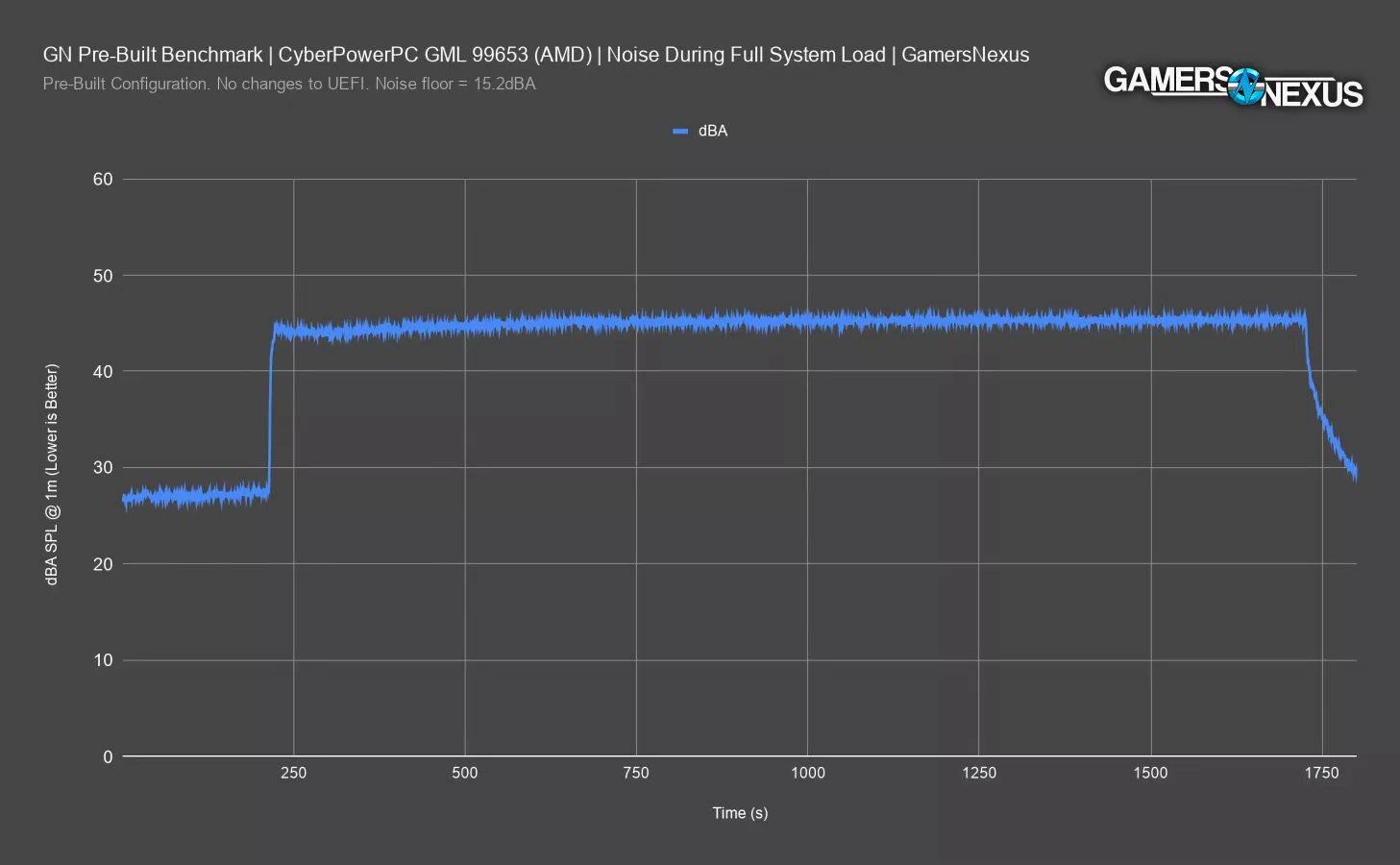
Our next test involved putting the system in our hemi-anechoic acoustic chamber for evaluating the noise levels. This chart plots noise level over time during full system load.
The system idles around 27.1 dBA in a noise floor of 15 dBA (on this particular day), so the fans could be tuned to run quieter when not under any load. Under load, the system immediately spikes to 44 dBA, eventually leveling-out at 45.3 dBA during steady state. The lack of a gradual ramp indicates that CyberPower has a lot of room to improve the fan configuration so that it doesn’t jam the throttle to the floor at the first sign of load, as that’ll lead to rapid ramp-deramp fan cycles during load cycling, which will just sound annoying.
This significant and extremely abrupt 17 dBA increase will definitely be noticeable by users.
More importantly and not shown by this chart, although 27 dBA is OK, the noise quality while idle is just plain bad.
Noise Samples
Here’s a clip of it. We’ve increased the volume so you shouldn’t focus on how loud it is, but rather on the quality of the sound.
Everyone who came across this PC over the course of testing immediately asked what was making the weird noise.
On the bright side, the instant and obnoxiously sudden fan spike to 45.3 dBA drowns out the pump chatter. We took this sound sample as the system entered load in its stock configuration: Listen here.
Acoustics - Frequency Spectrum
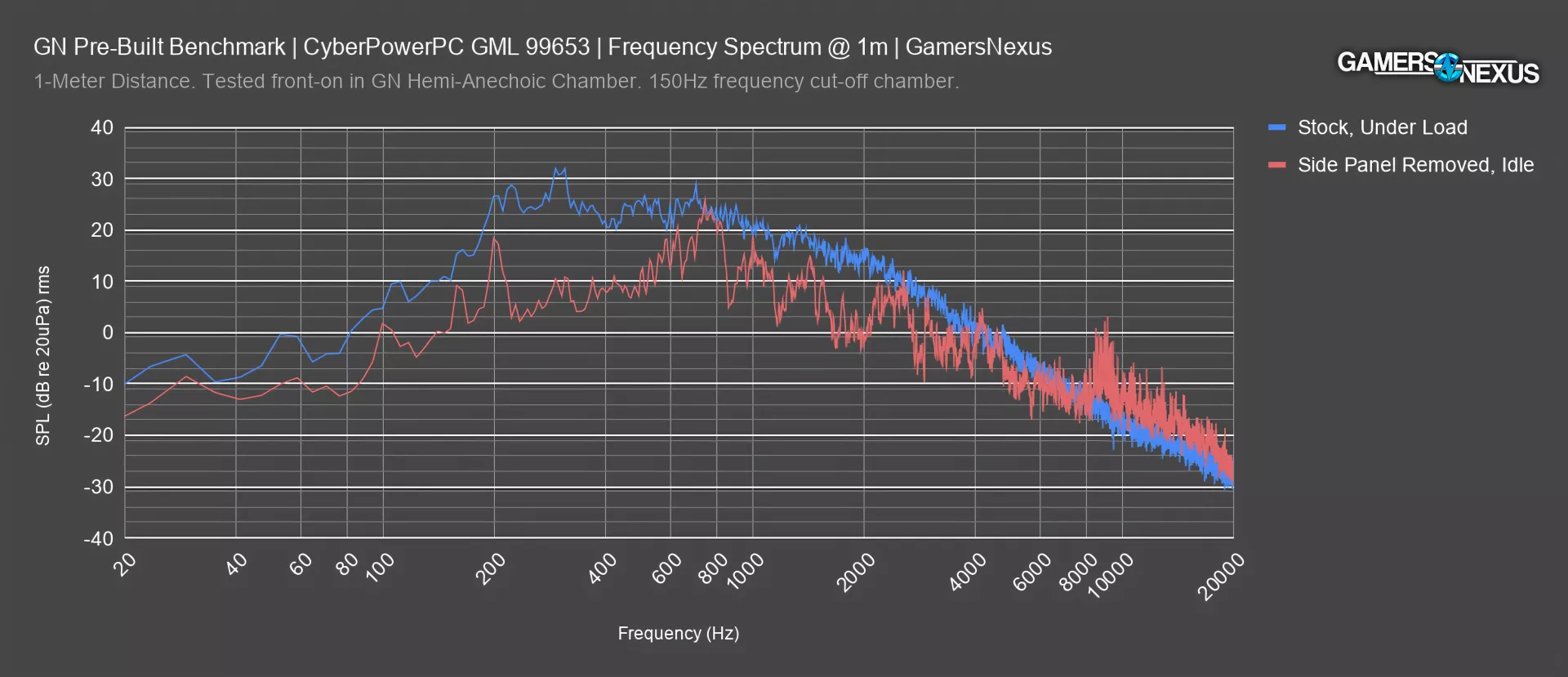
Here’s a frequency spectrum plot we collected in our hemi-anechoic chamber during full load.
The GML 99653 had its greatest peaks at 310 and 703 Hz frequencies. Overall, the distribution of frequencies across the curve is similar to most computers that come through.
We also plotted frequency spectrum measured with the side panel removed, then rotated the case 90 degrees to accentuate the pump noise during idle. We did this to better understand the noise profile of the pump.
In this situation, we’re seeing a spike at 200 Hz, about 750 Hz, and subsequent spikes at 1400-1500 Hz, 2100-2300 Hz, and a big one at 8800 to 9400 Hz. All of this is from the pump. The 8800-9400 Hz and 4000 Hz spikes are what make it particularly annoying, as most people find higher frequencies to be harder to ignore than lower frequencies.
Power Consumption at the Wall
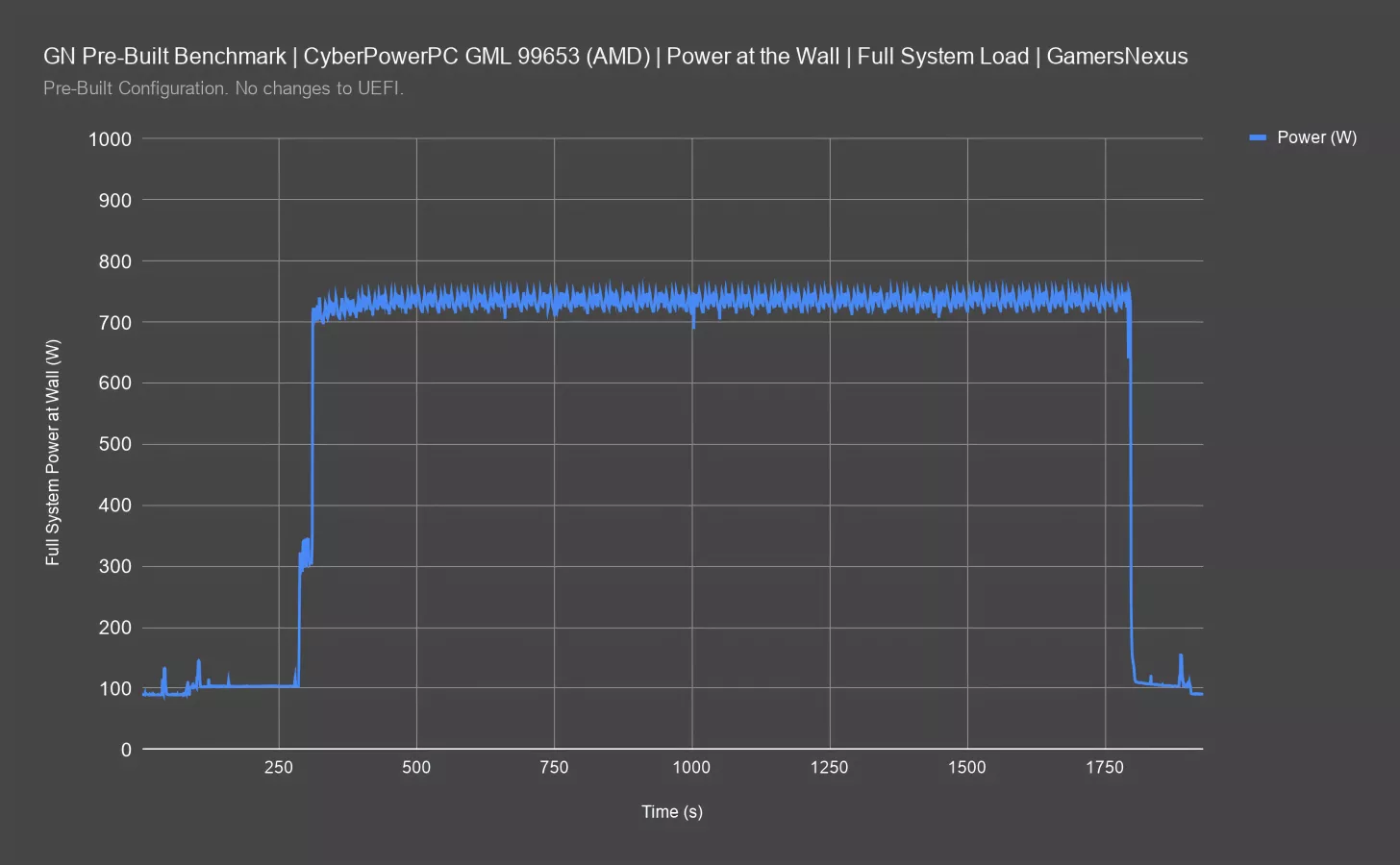
Power at the wall is up next. We run this testing with a capture utility between the power supply and the wall, meaning we’re capturing power before the PSU. This test is useful for determining if the power supply chosen by CyberPower is sufficient for the system.
Power consumption started around 104W while idle. Starting a full workload increased to an AVG of 736W during the full system load. This is before converting to DC and being fed to the system, so there’s more room here than shown.
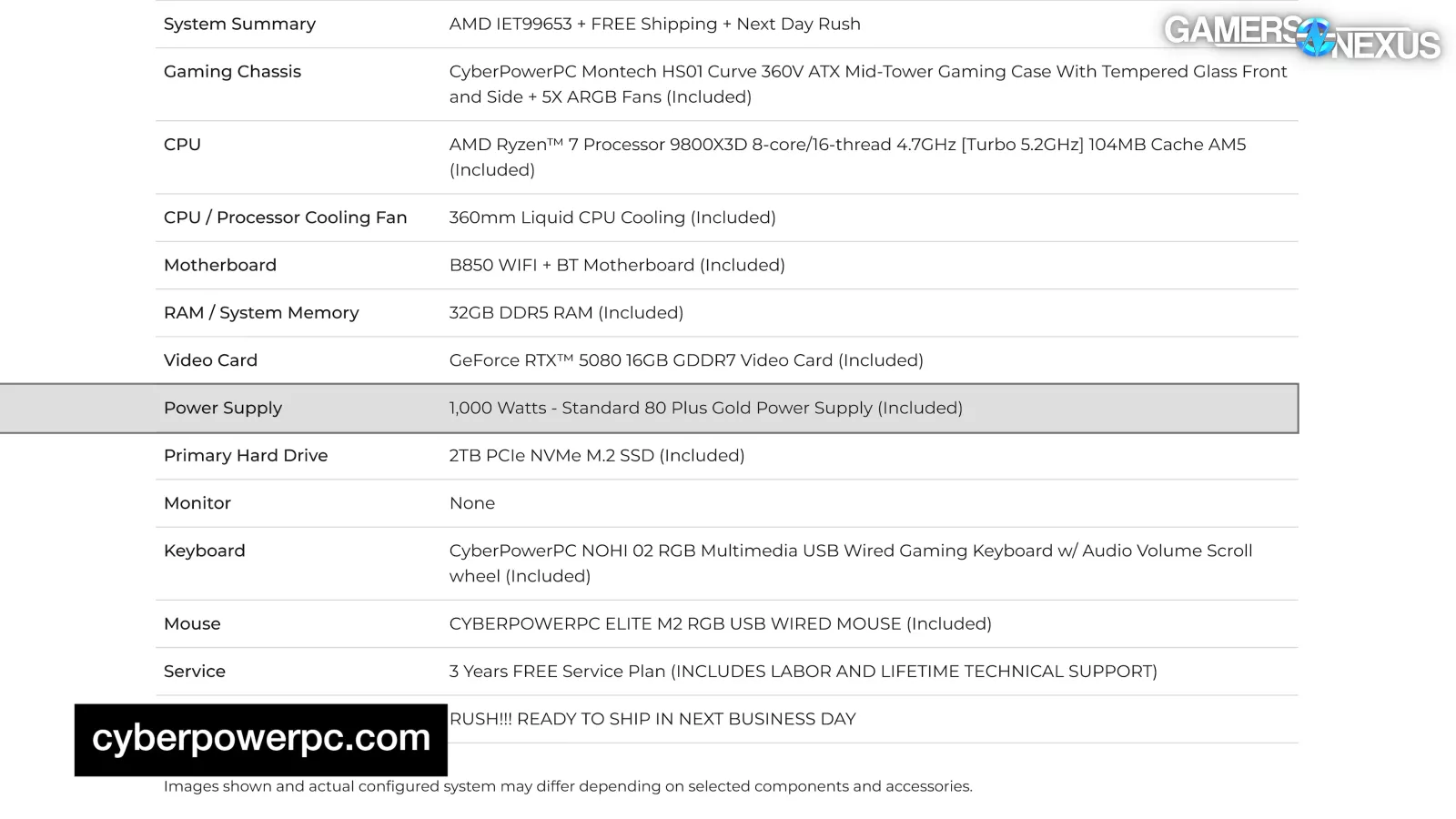
The spec for the PSU is more than sufficient for this build and gives some headroom for small changes.
BIOS Inspection
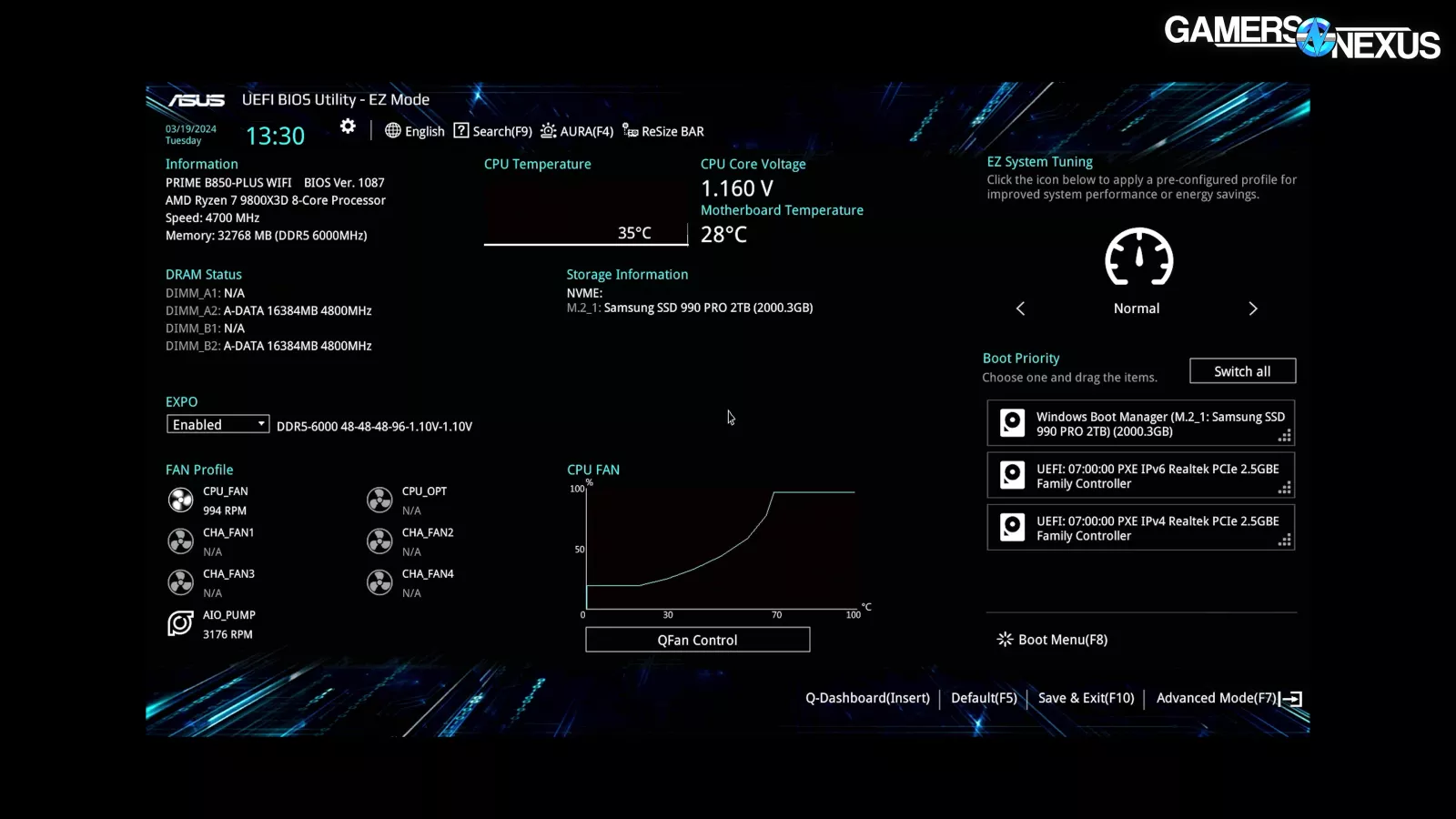
We’ll move on to inspecting BIOS and the packing. Normally, we would also look at the software in this section, but because we couldn’t, we won’t.
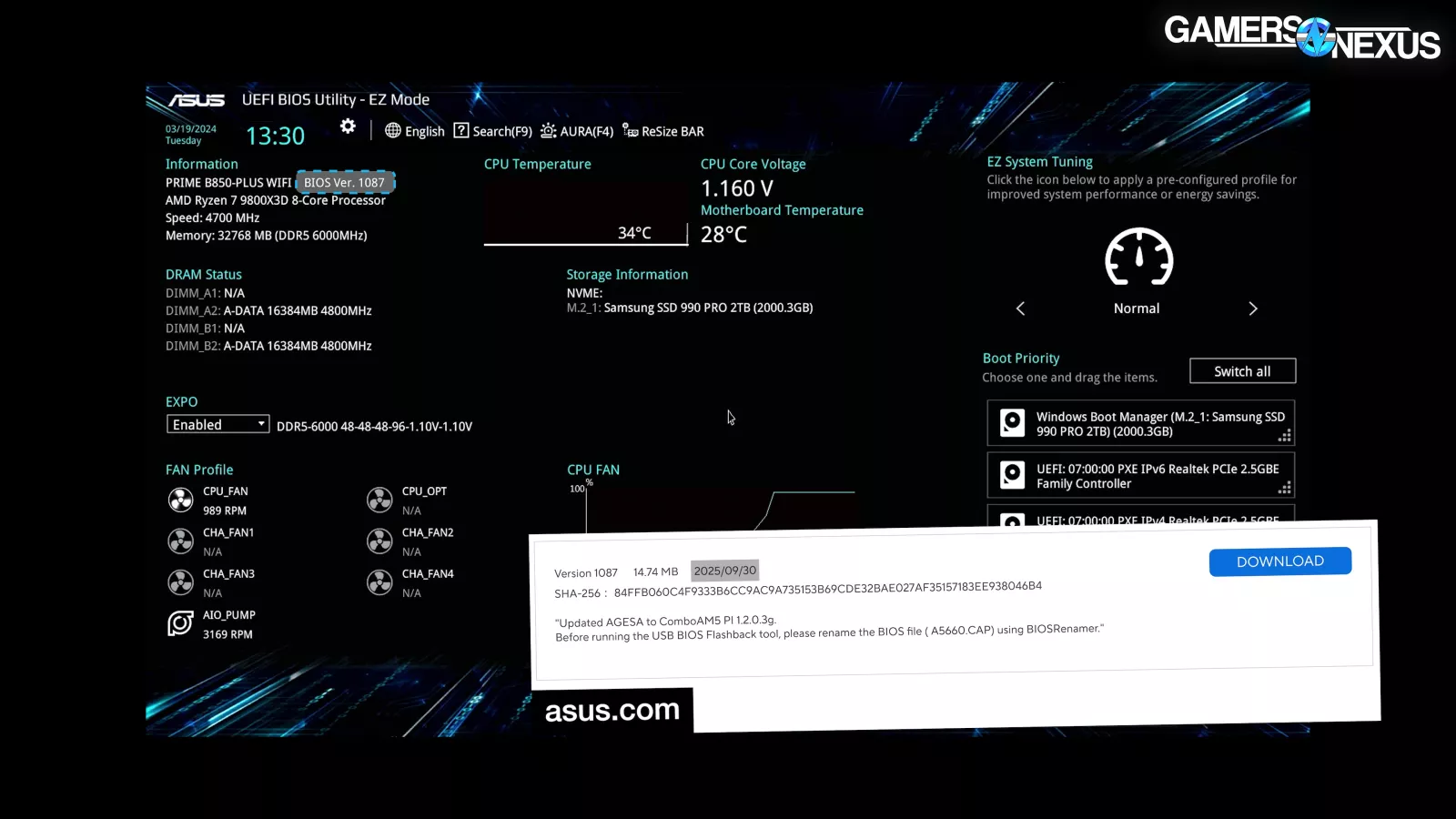
Booting into BIOS revealed version 1087, released September 30th, 2025.
The shipped BIOS version was 1 version out of date from when the system was ordered.
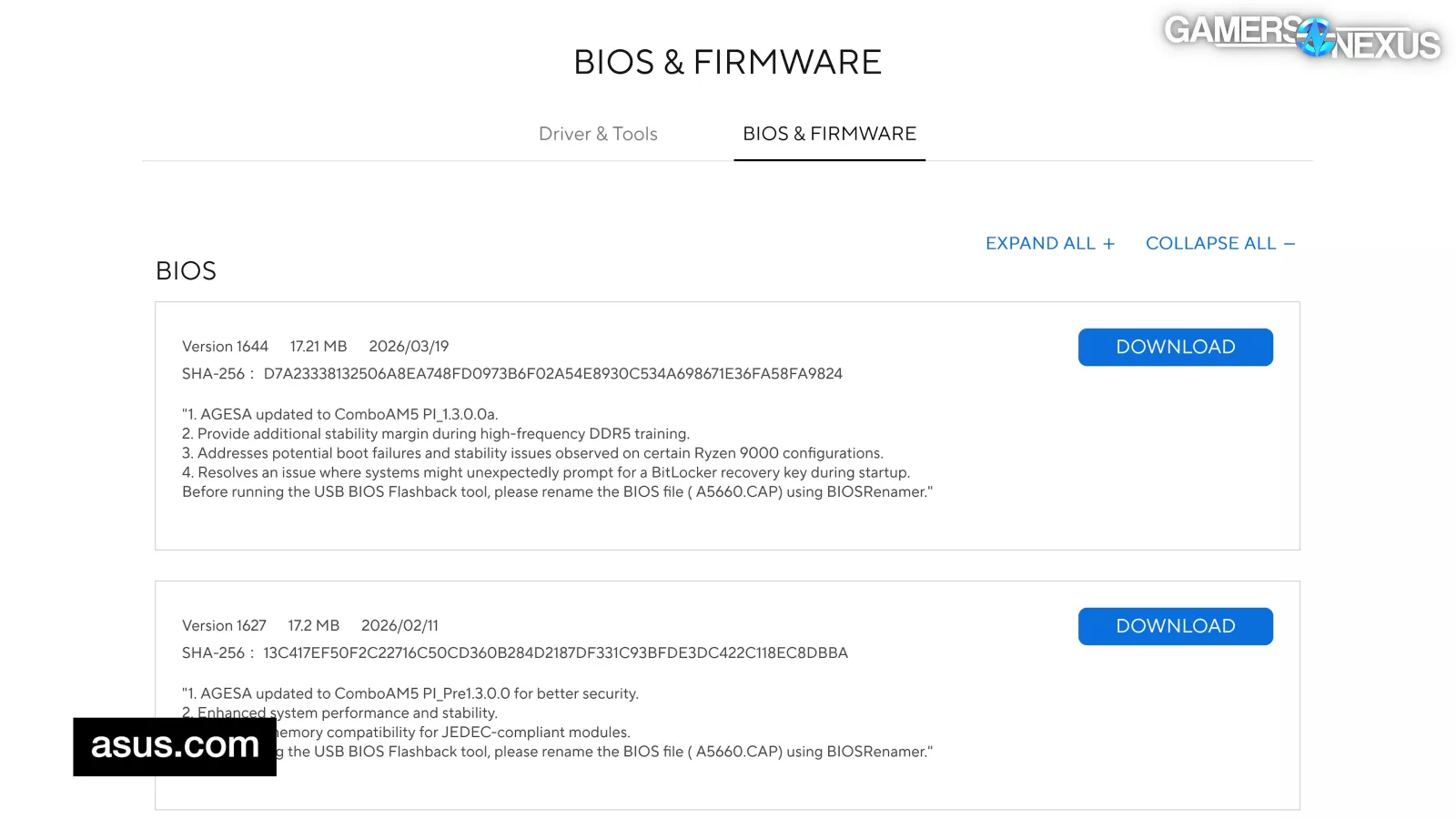
We typically look for the most up-to-date version at the time of purchase, but being a couple months, or one version behind isn’t too bad.
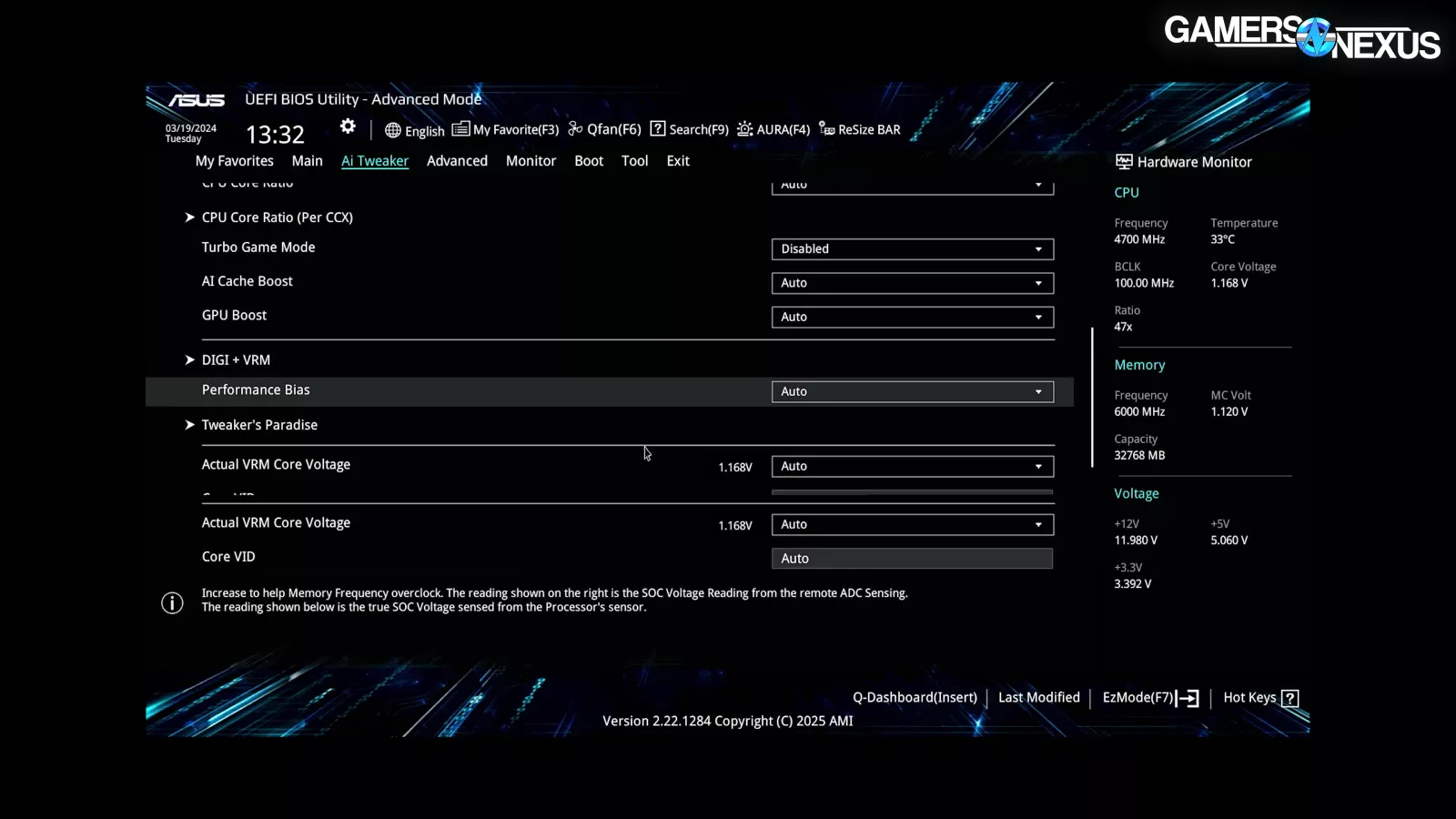
Most of the BIOS settings were left on “Auto,” including all CPU and memory voltages. We don’t have any problems with those.
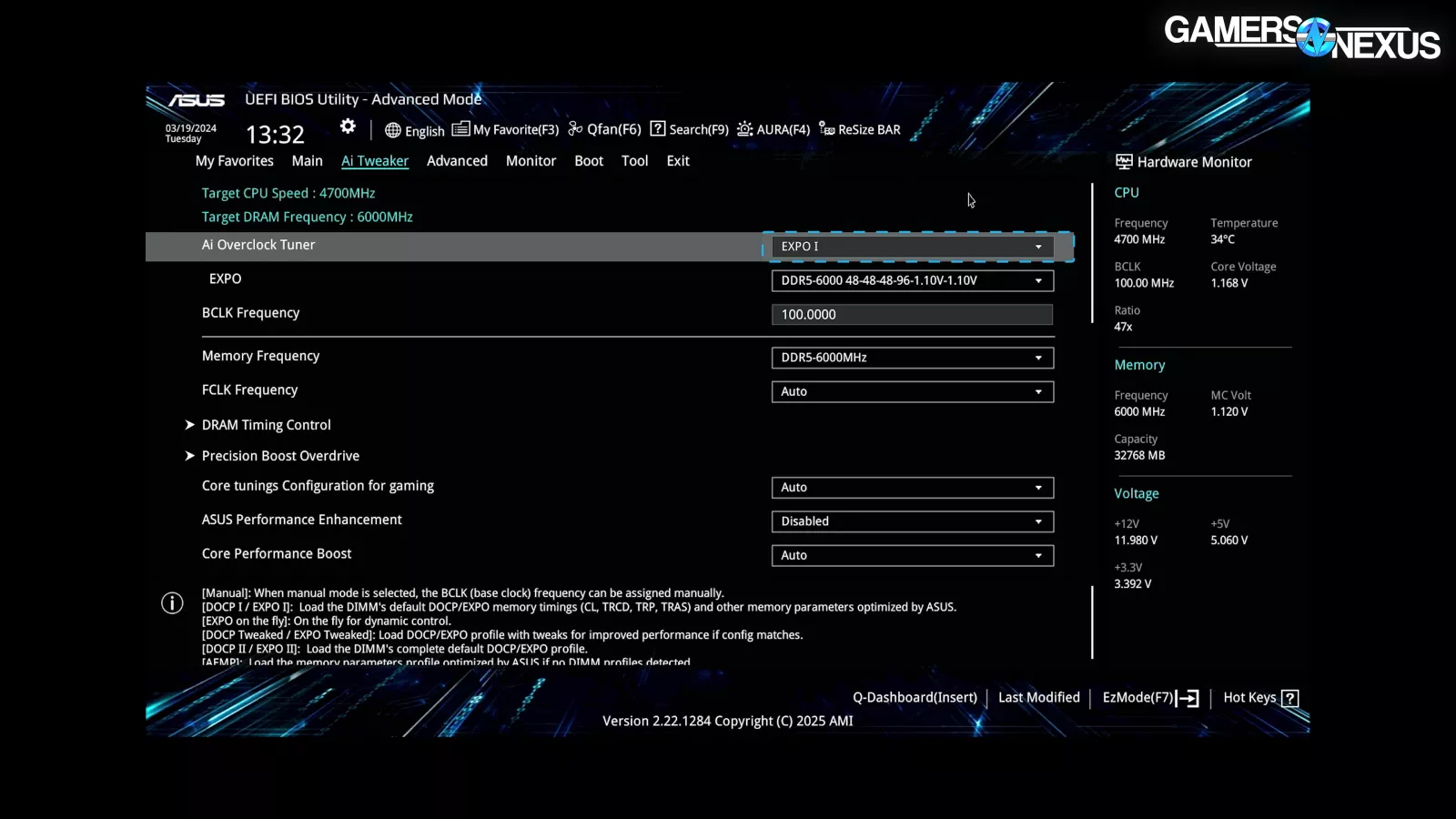
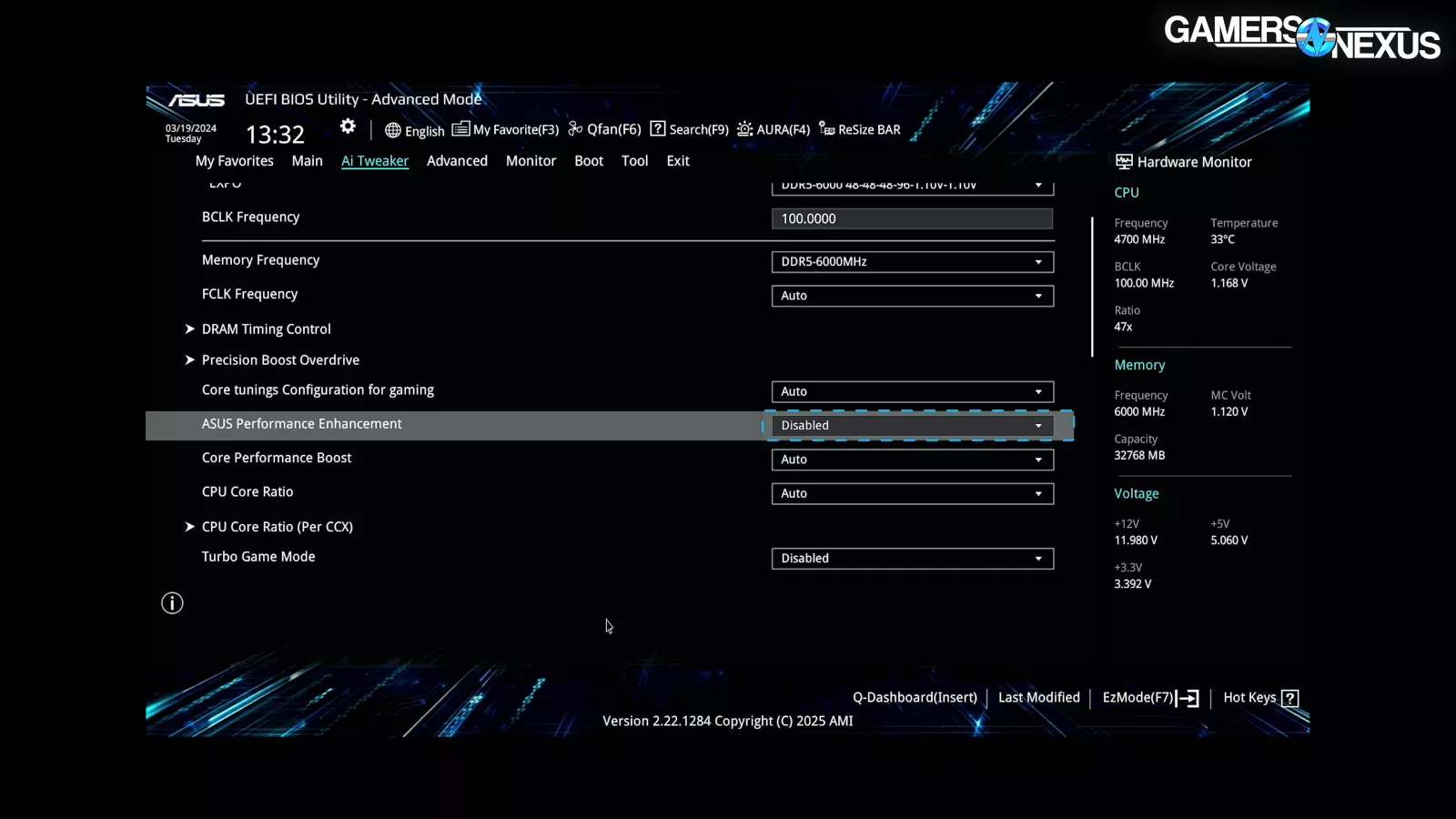
CyberPower enabled EXPO I, which is at least good, and disabled ASUS Performance Enhancement, which is even better.
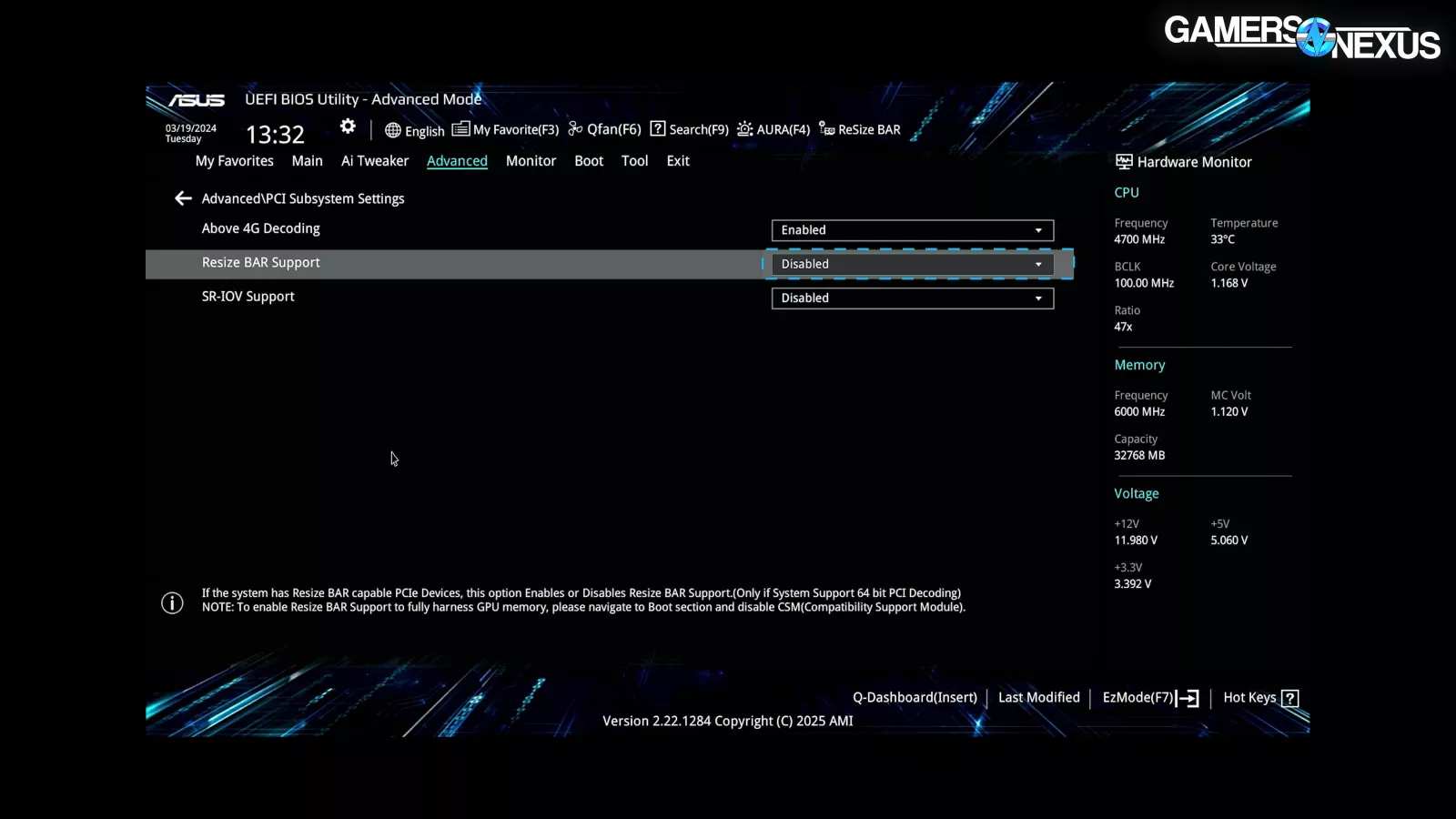
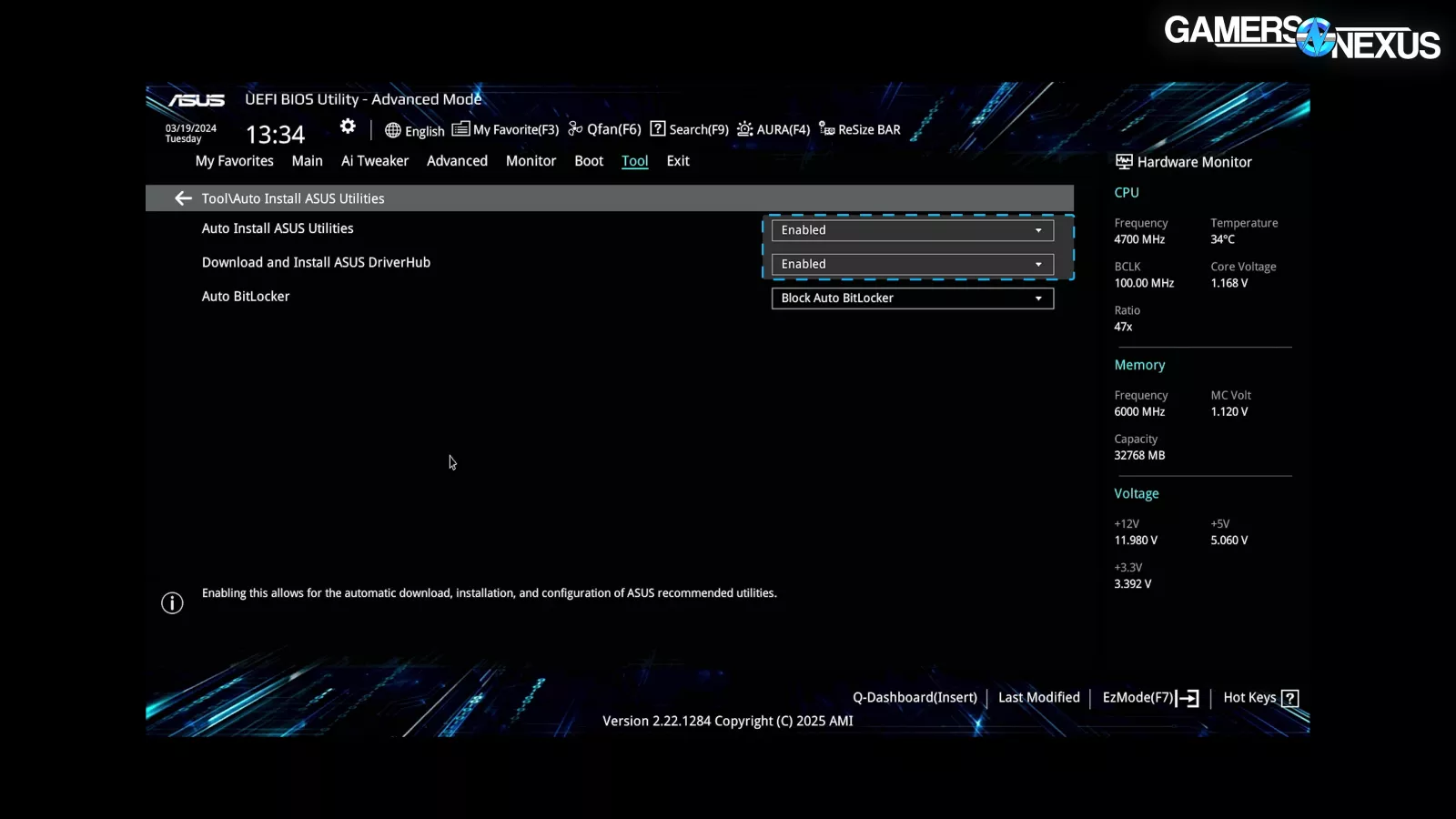
As for areas for improvement: CyberPower didn’t enable Resizable Bar, which can negatively impact GPU performance. Although unlikely, if a user were to install an Intel GPU at some point in the future, they’d be particularly punished without enabling it. We also wished CyberPower would disable “Auto Install ASUS Utilities” and “Download and Install ASUS DriverHub,” which are unfortunately both enabled by default. We ran a piece previously about ASUS’ major software vulnerabilities, which include DriverHub and Armory Crate, and they’re enabling DriverHub by default.
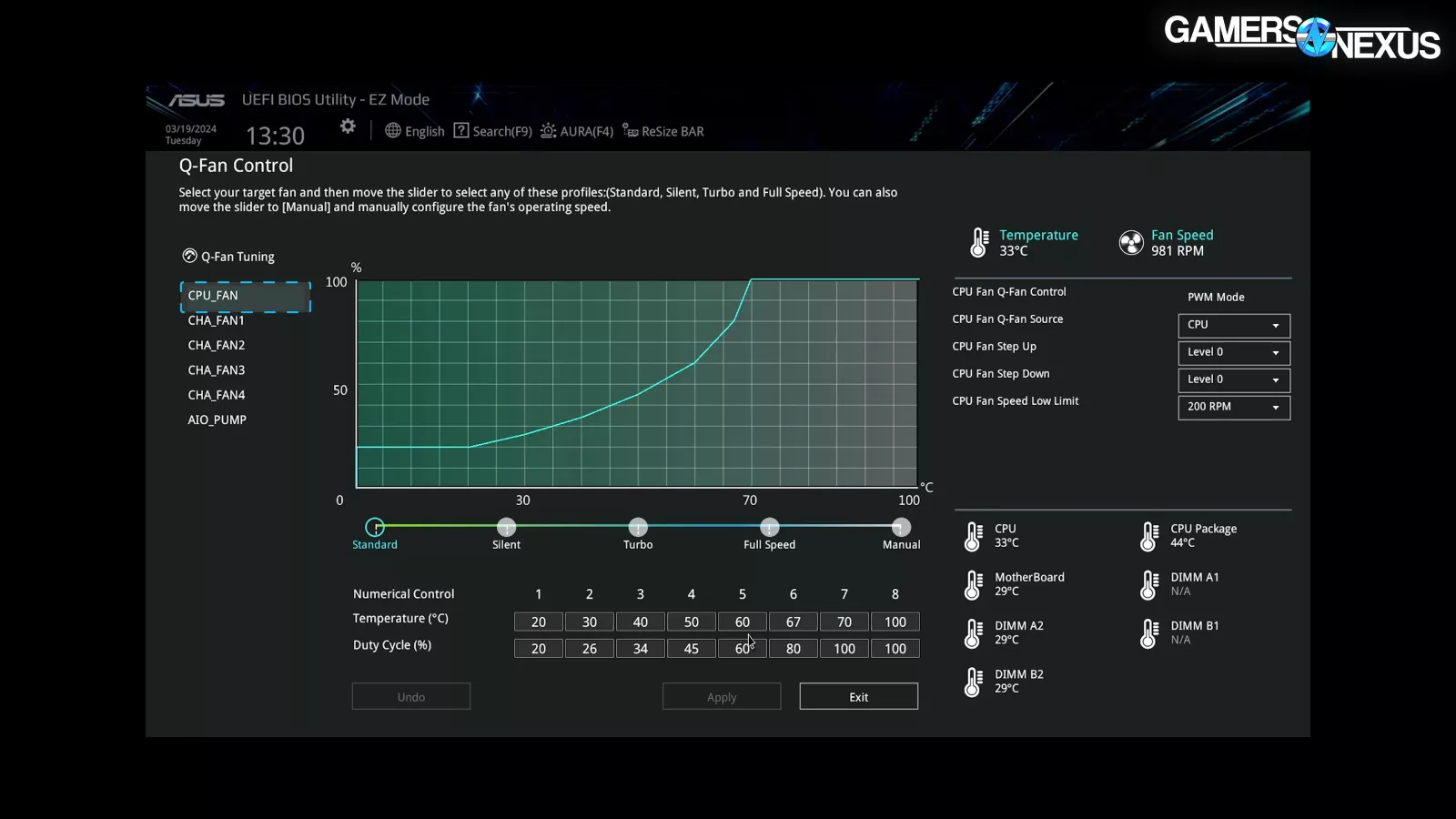
We’d also have liked to see some form of customized fan curve in BIOS to better control noise, but CyberPower left it as defaults.
Packaging and Accessories
We’ll move on to packaging and accessories.
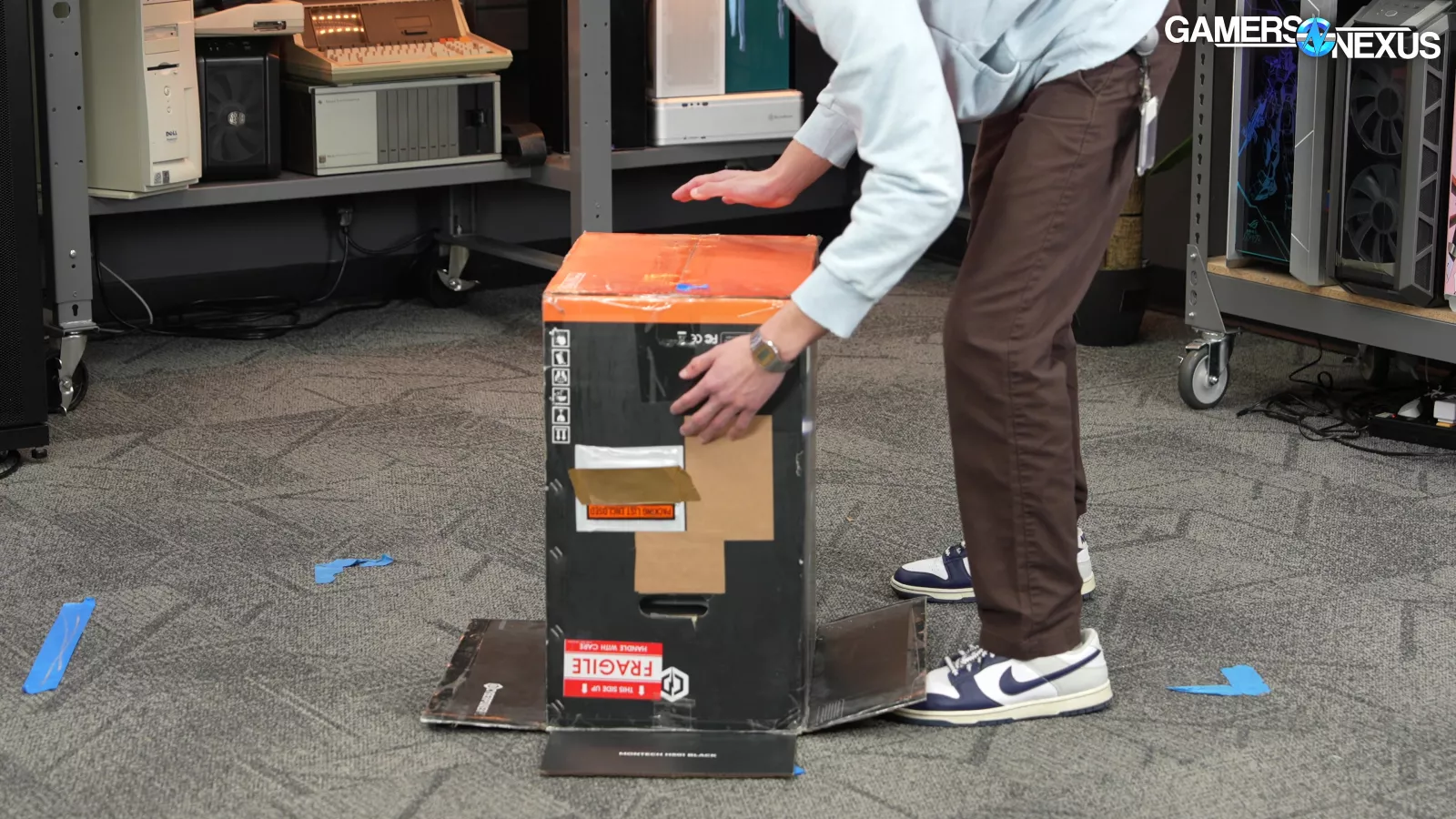
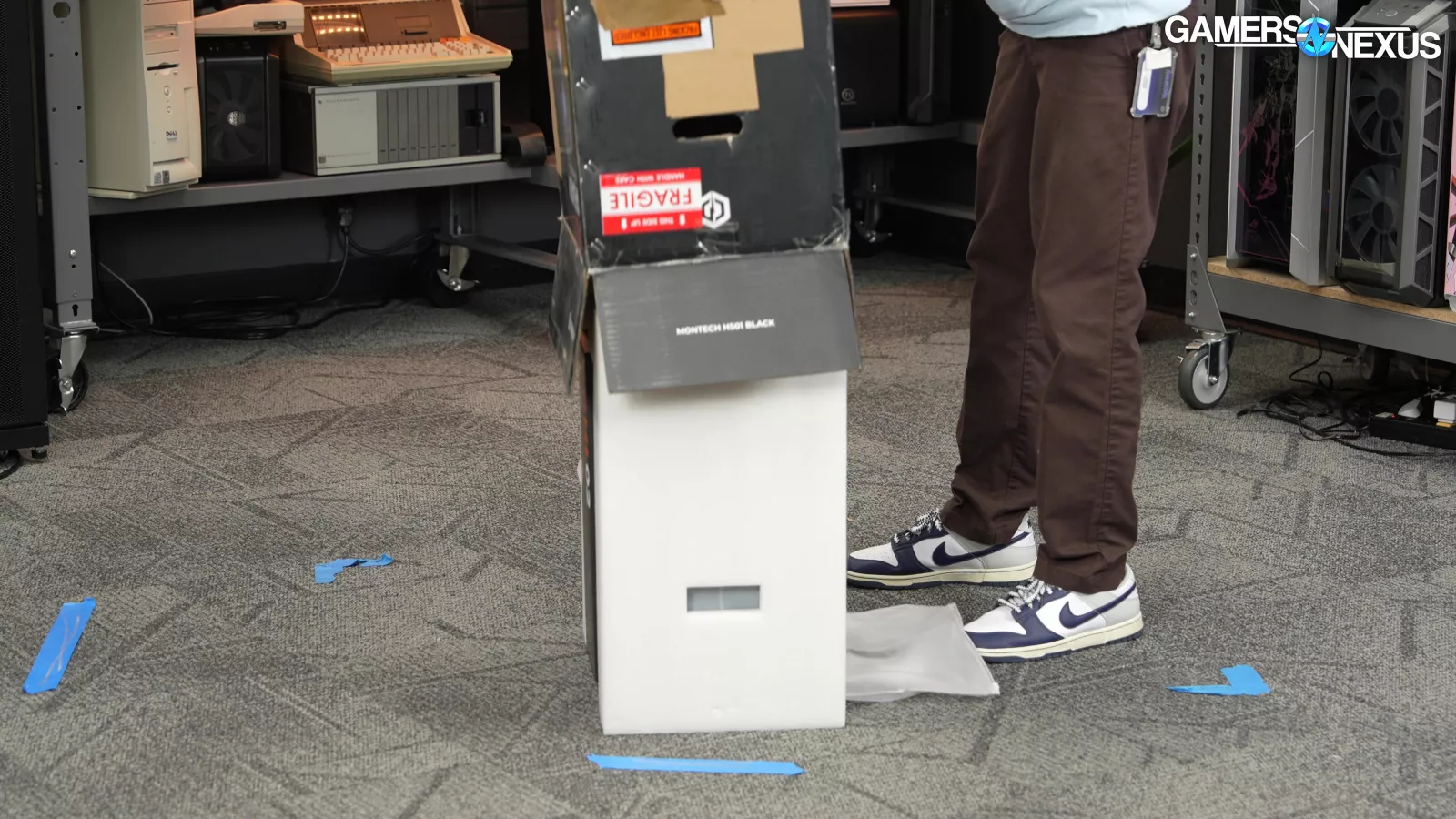
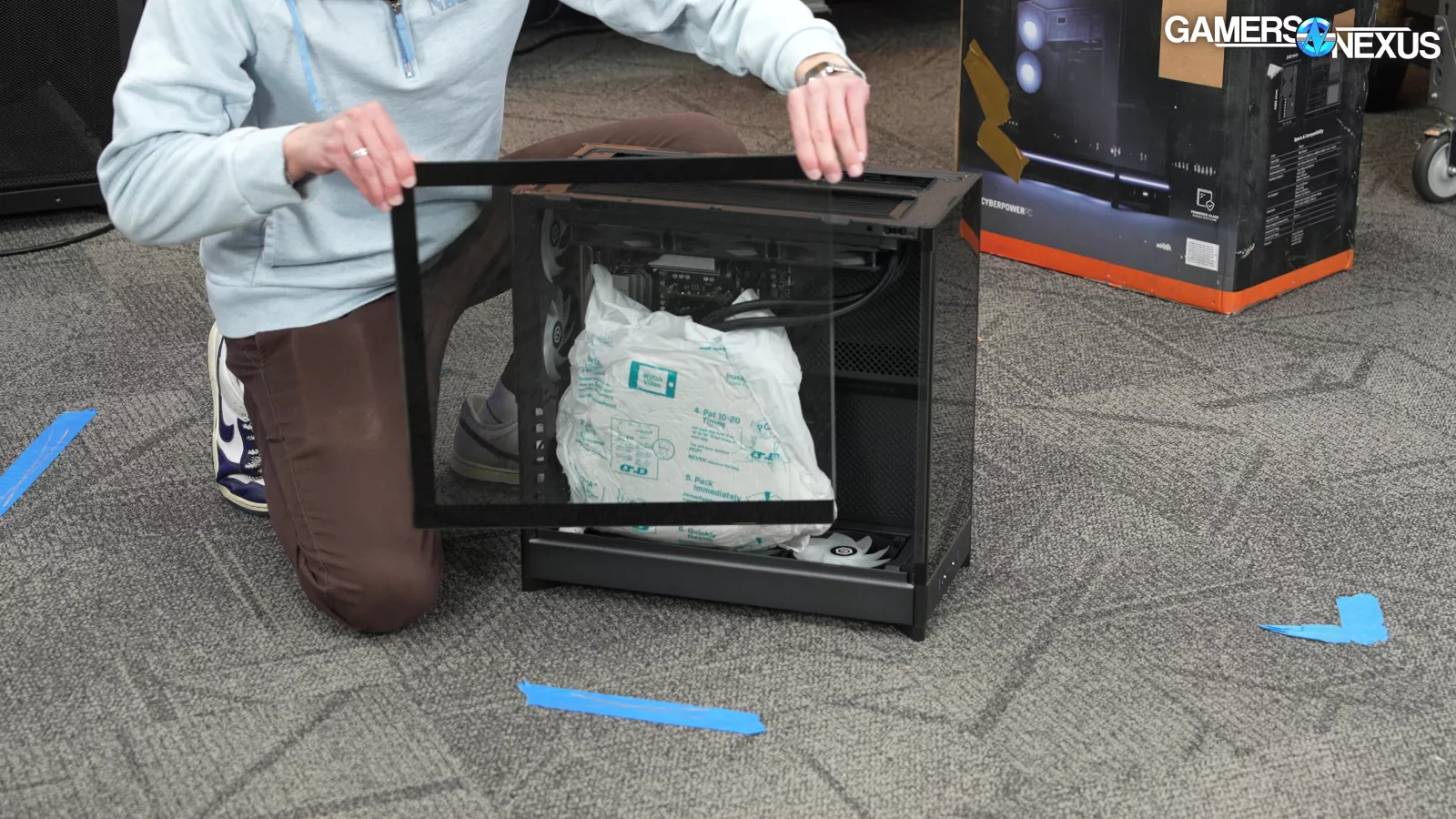
The pre-built shipped in a single box, which isn’t great, but aside from minor wear on the outer box, we didn’t notice any significant damage incurred during shipping.
The pre-built arrived with self-expanding foam inside the chassis supporting the GPU, which is good. Some companies skip this or improperly expand the foam, which we’ve seen result in damage in the past.
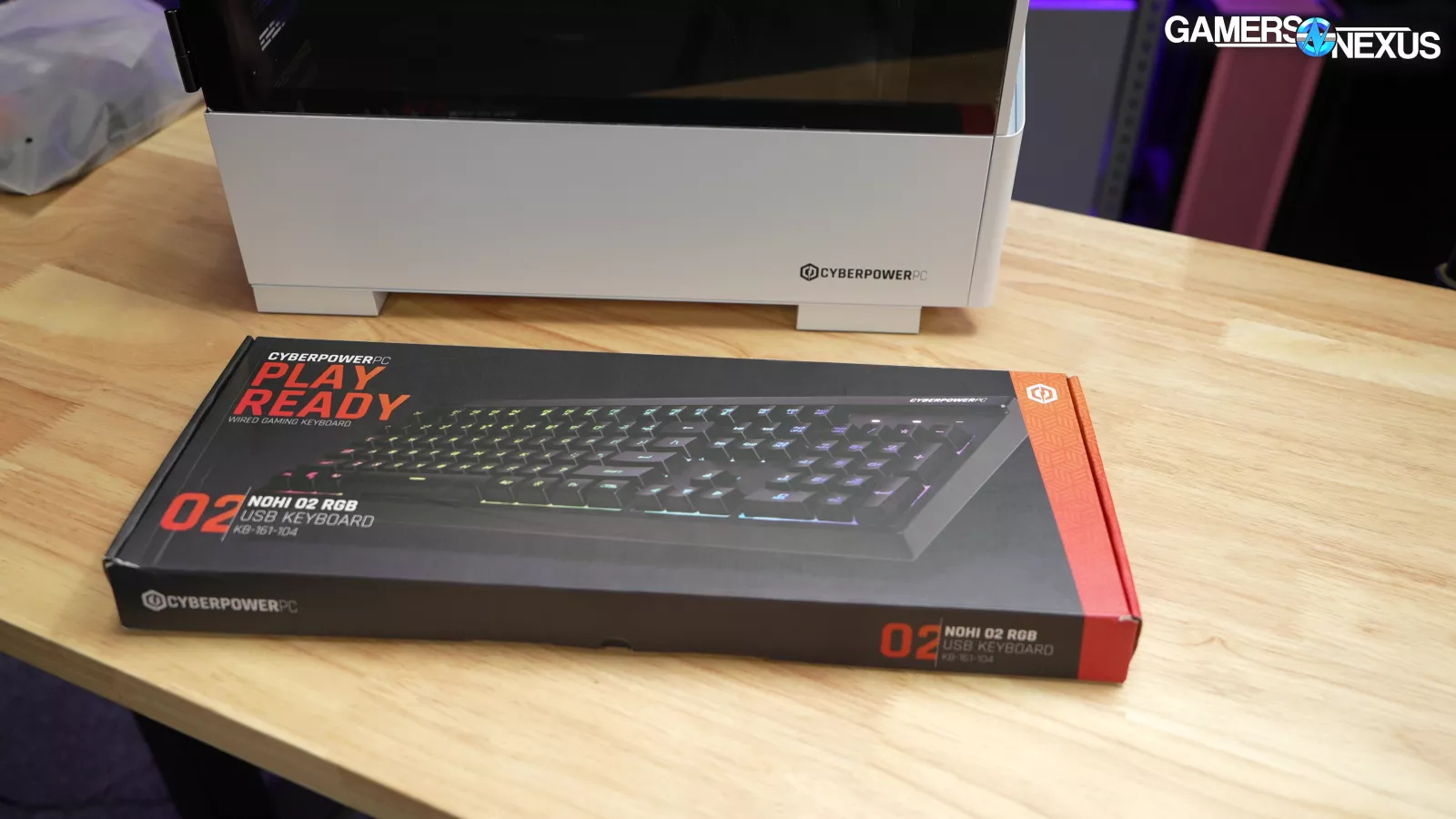
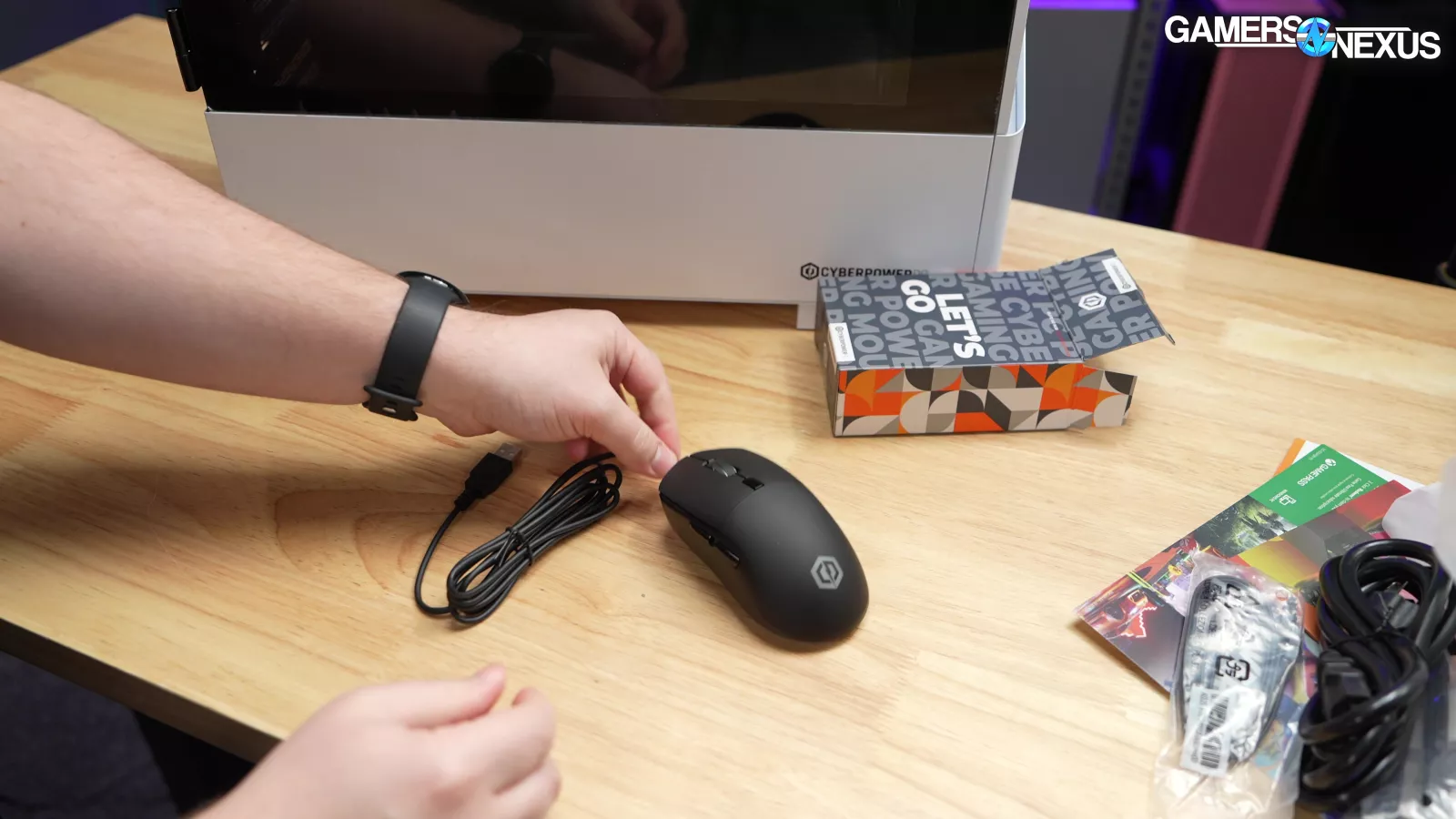
In terms of accessories, the pre-built came with an RGB mouse and keyboard which we consider one tier above the e-waste most system integrators include.
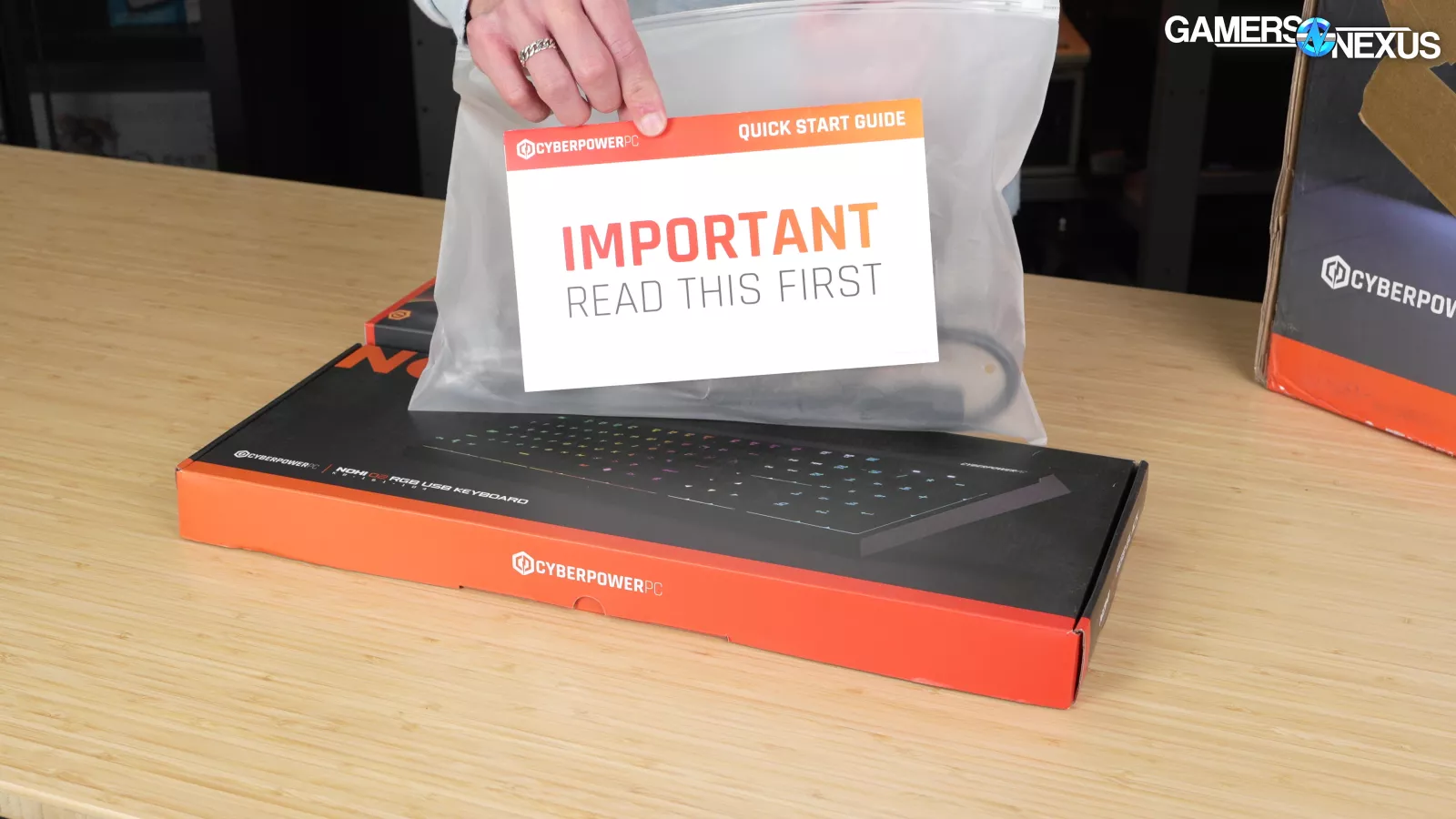
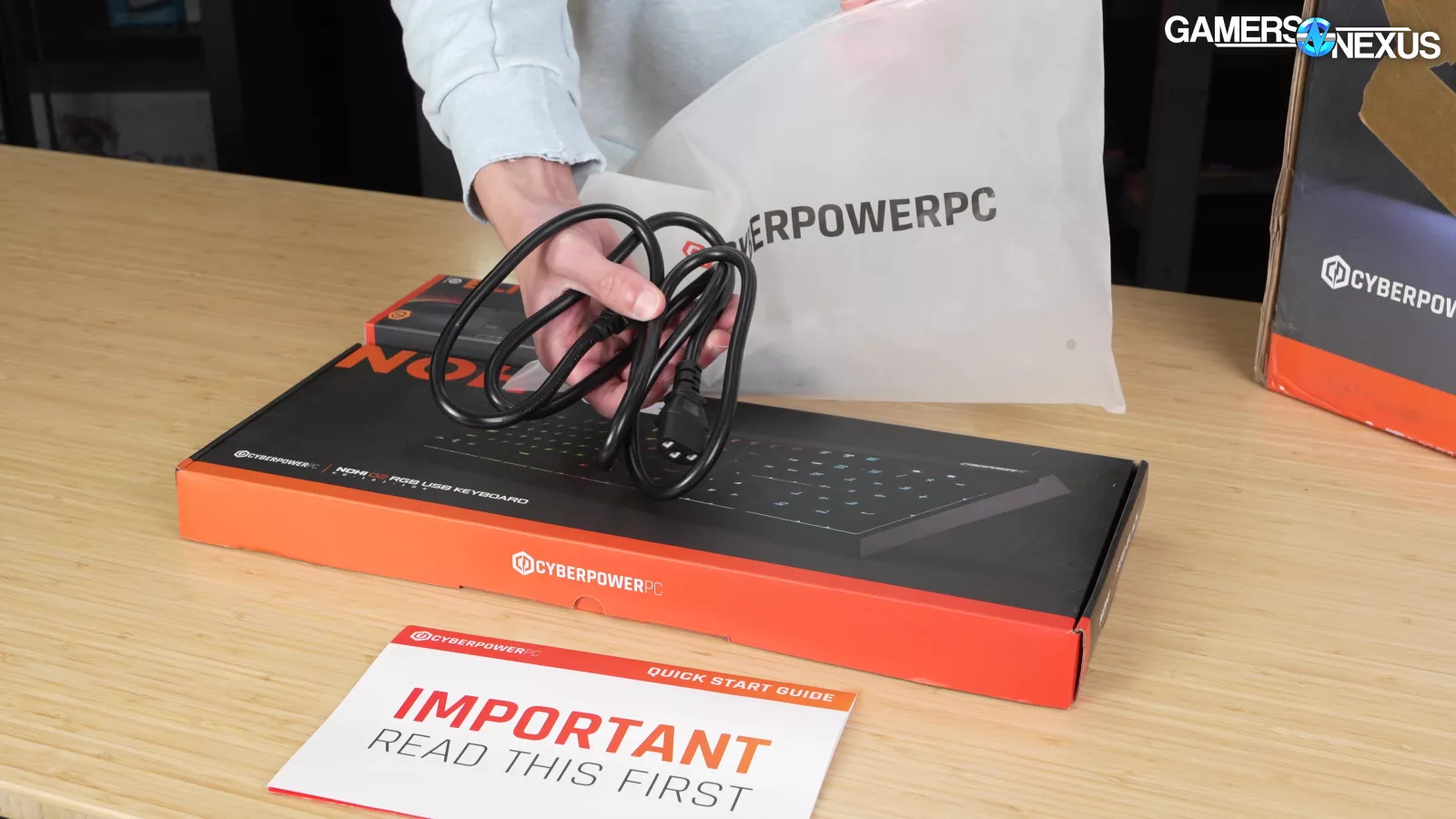
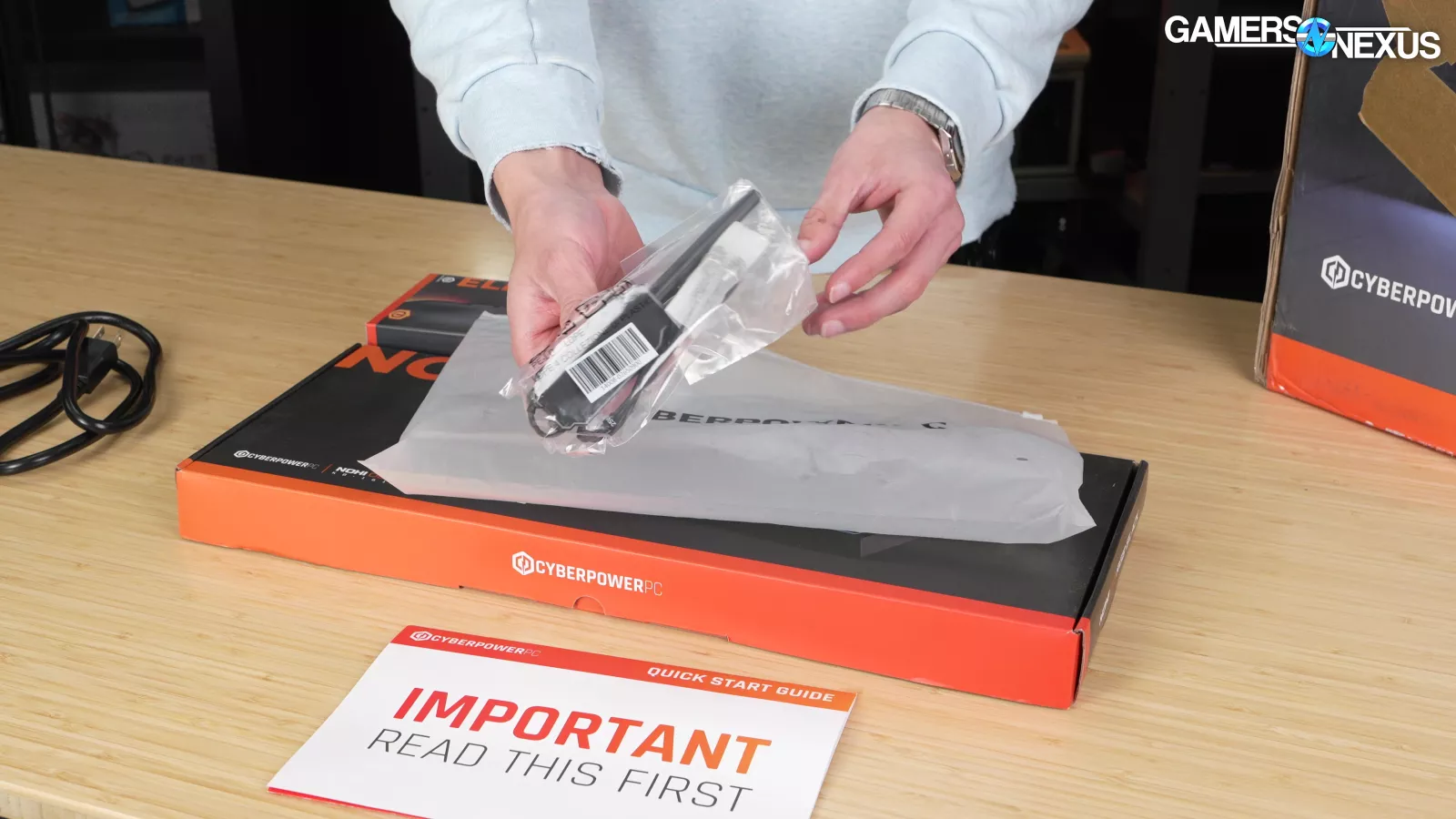
CyberPower also included a plastic pouch containing its quick start guide, the PSU power cable, and the motherboard’s wireless antenna.
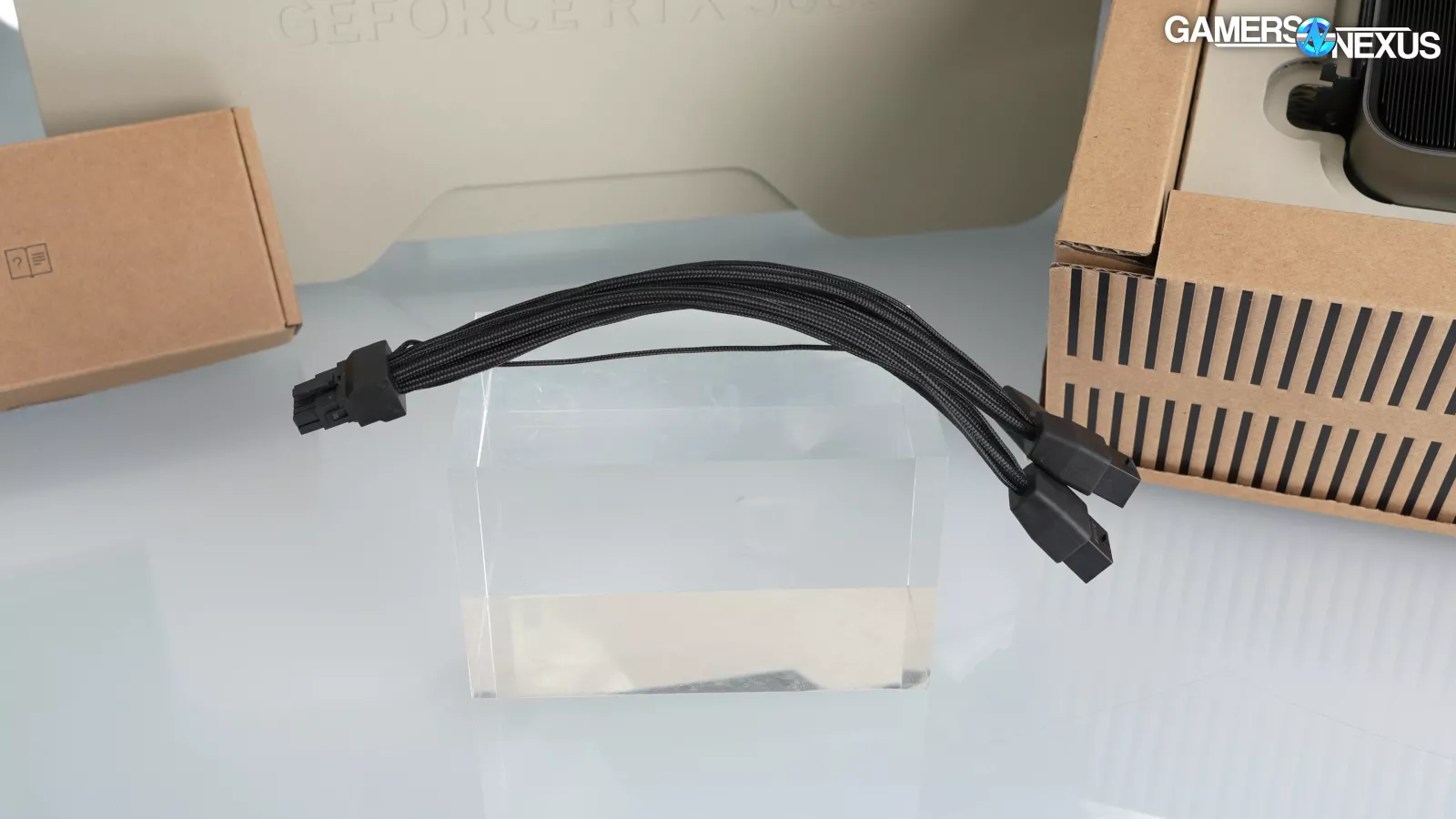
We wish CyberPower included the RTX 5080 power adapter that it came with as well as the motherboard manual and accessories, like additional SSD standoffs and screws. That should have been included. Unfortunately, throwing out the power adapter for the 5080 serves no purpose and leaves the user with one less easy option if they swap parts in the future. Most modern power supplies run 12VHPWR natively, but since these GPUs include adapters, we think they should be passed on to the buyer.
The quickstart guide is unfortunately counterproductive.
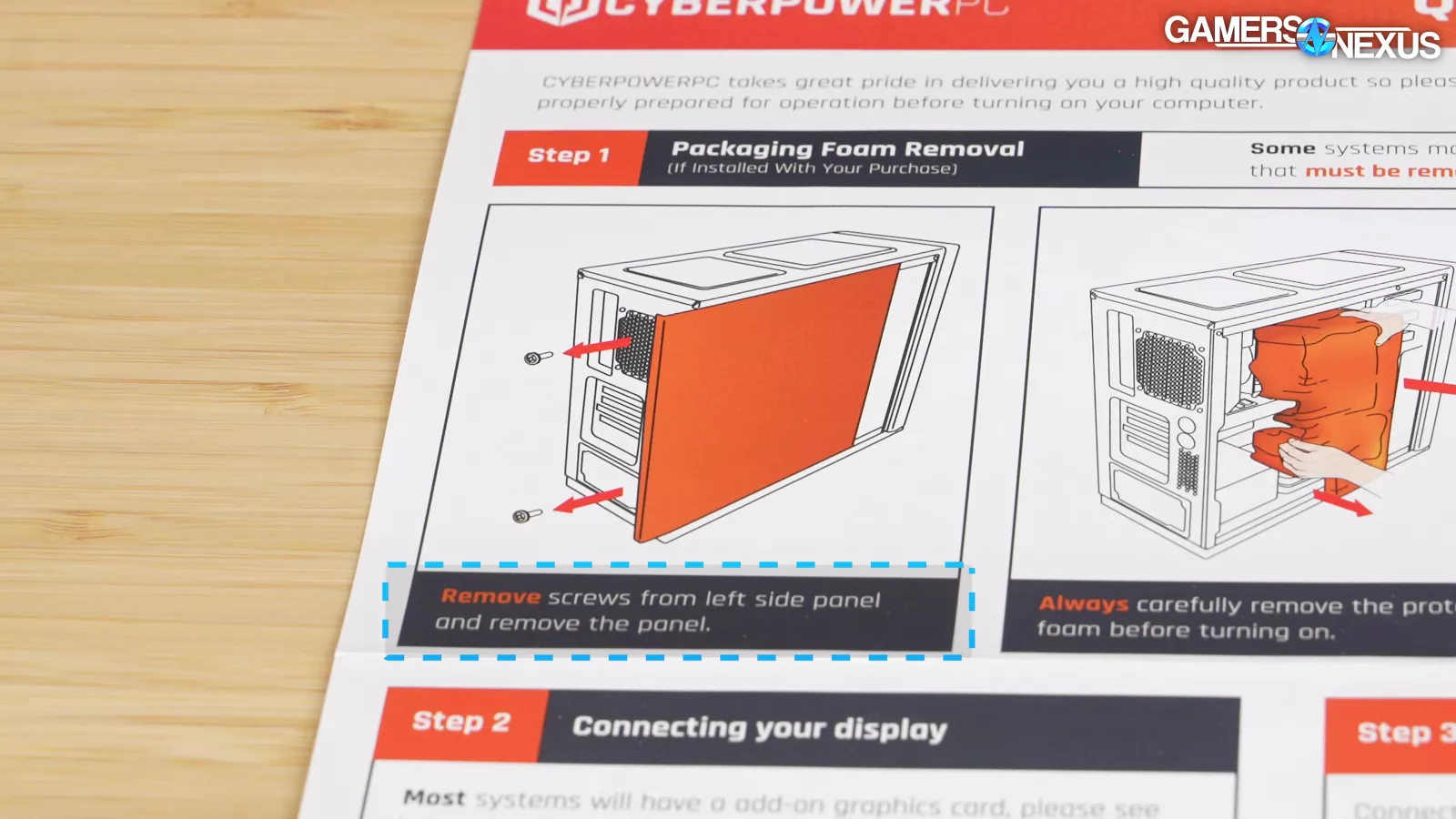
Step 1 states: “Remove screws from left [sic] side panel and remove the panel,” when in-fact, users don’t need to remove any screws to remove the side panel. Instead, they’d actually need to remove the magnetic top panel first, which isn’t mentioned, and then pry the side panel from its top edge. People would be able to figure this out, but this is poor attention to detail from CyberPower. The people who’d need this guide might find it frustrating.
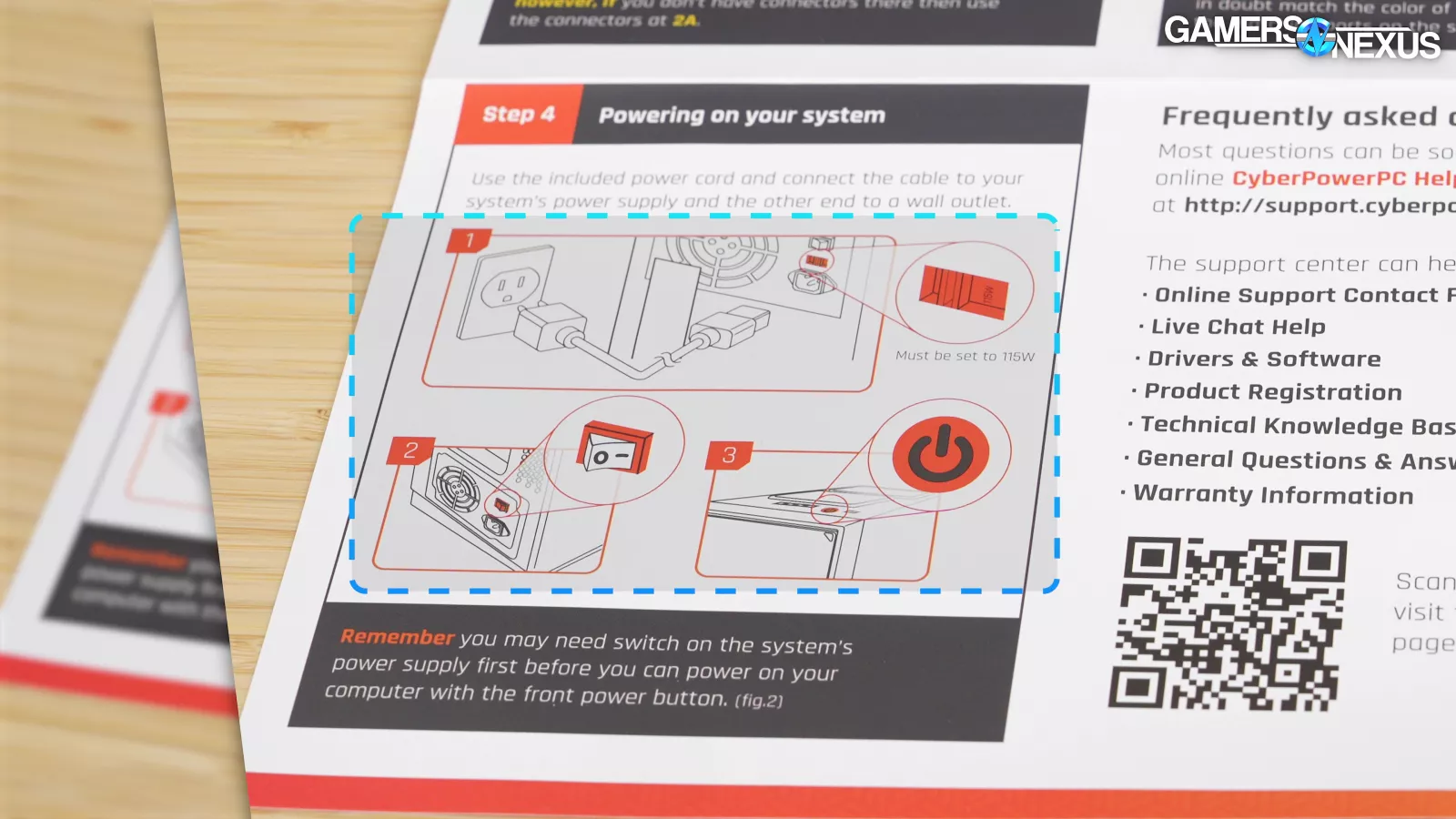
In Step 4, CyberPower details how users will need to switch the power supply switch to the “On” position, pictured with the PSU switch located externally; although, the Montech HS01 and HS02 cases are configured with their PSU switches internally. This could’ve been problematic for new users had the switch not been on when it arrived, but thankfully, CyberPower did set the switch to “on” before shipping the system.
Conclusion

Our conclusion today is simple: You shouldn’t buy it – the system wouldn’t boot when it arrived.
These pre-built reviews typically come down to whether we’d feel comfortable recommending the system to a close friend or family member, knowing (probably like many of you) that we’d be delegated the troubleshooting responsibilities if problems arise.
The SSD was damaged and unrecognizable in the system. The GPU wasn’t clicked into the socket and the power cable wasn’t fully seated. CyberPower ruined what would’ve been a fully competent part selection with the suboptimal CL48 RAM timings. The CPU is limited on thermal headroom and still doesn’t achieve its advertised boost clocks. The improperly configured AIO pump makes a repulsive sound when idle and the system is noticeably loud under load.
The thing is, we actually wanted to like this system. CyberPower technically improved its CPU thermals and reduced the extent of throttling we saw in the last CyberPower pre-built we reviewed, albeit at the expense of increased noise levels.
What’s most disappointing is, had this system functioned on arrival, it would’ve been the most compelling CyberPower system we’ve ever reviewed, most compelling due to its mostly strong part selection, and minimal $100 price over DIY parts.