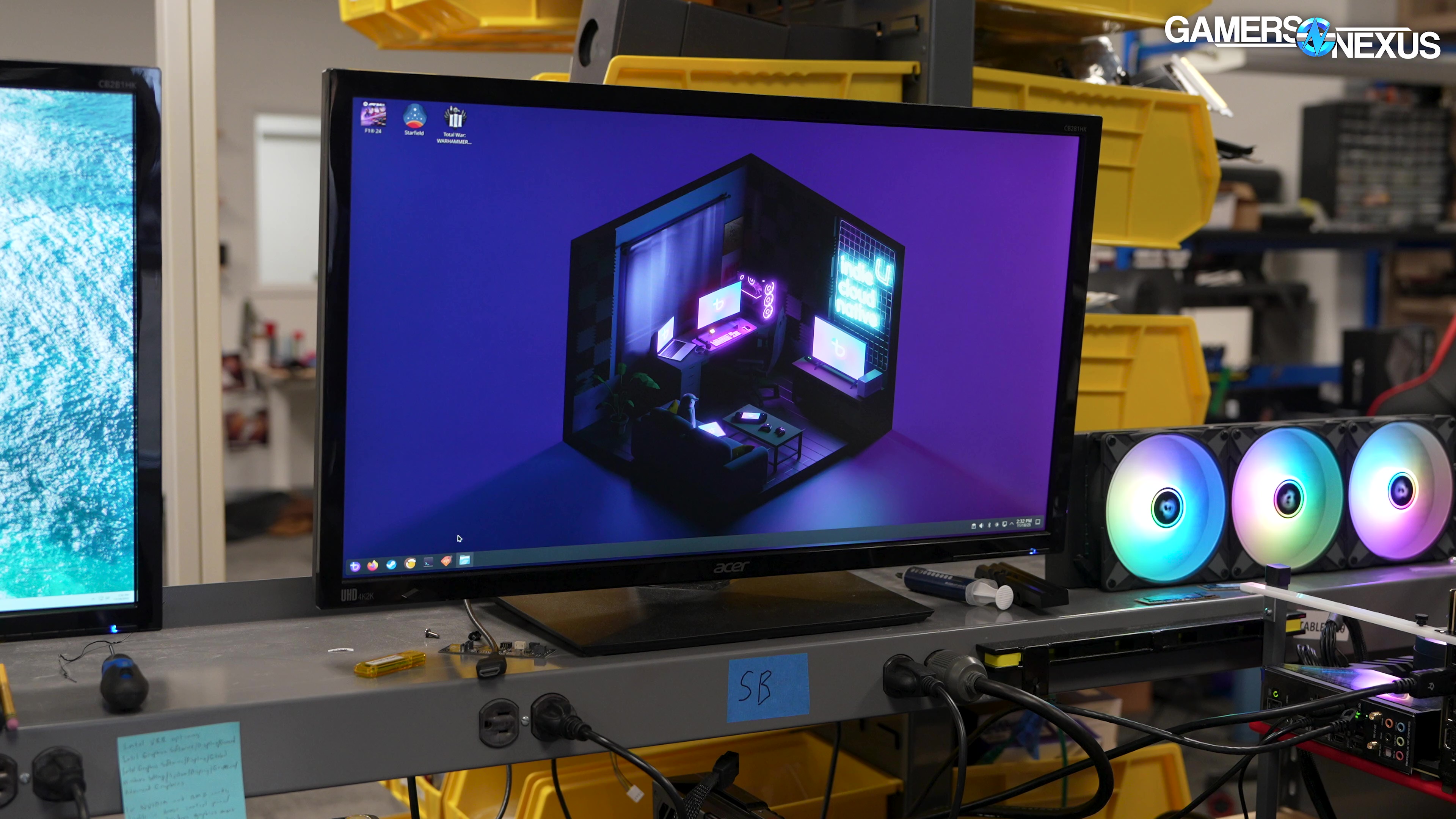
We're finally benchmarking GPU performance in Linux, first using the Bazzite OS following thousands of community requests specifically for this operating system.
The Highlights
- A lot of our testing here is exploratory and research for establishing methodology, so we're still learning how to control the platforms and software for this benchmarking.
- Linux still isn't for everyone. Some users, like our own production machines, are bound to Windows by compatibility requirements with certain software.
- Gaming has dramatically improved on Linux over the years and is developing fast (despite still having issues), and so it may slowly start to become more viable for gaming users.
Table of Contents
- AutoTOC

Intro
Microsoft’s business model is built on spying and data acquisition, making the obstacle of learning a new operating system less towering than it used to seem. It’s time to start benchmarking in Linux to get data available for those jumping ship.
Editor's note: This was originally published on November 25, 2025 as a video. This content has been adapted to written format for this article and is unchanged from the original publication.
Credits
Test Lead, Host, Writing
Steve Burke
Testing, Writing
Patrick Lathan
Testing
Mike Gaglione
Camera, Video Editing
Vitalii Makhnovets
Writing, Web Editing
Jimmy Thang

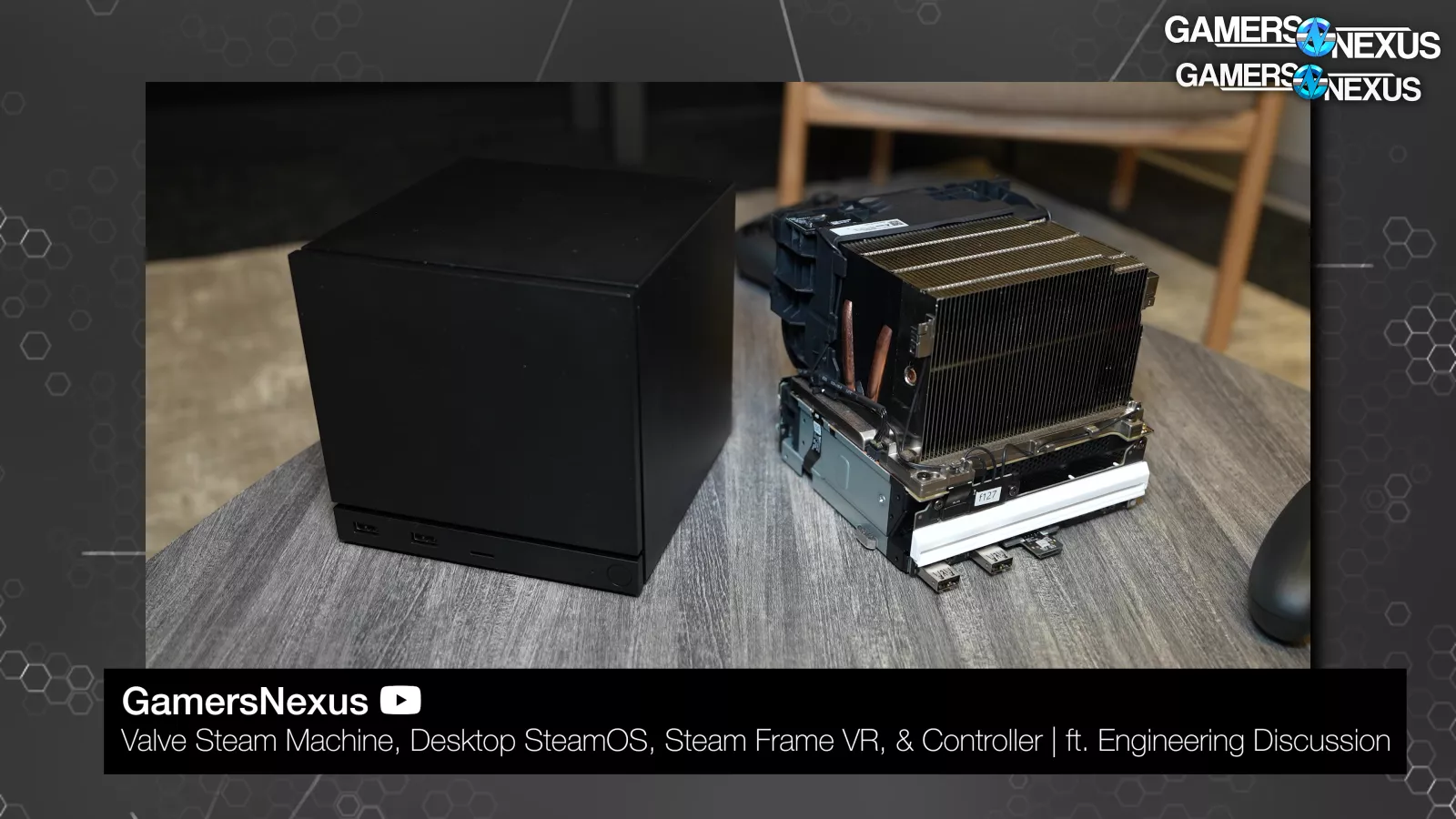
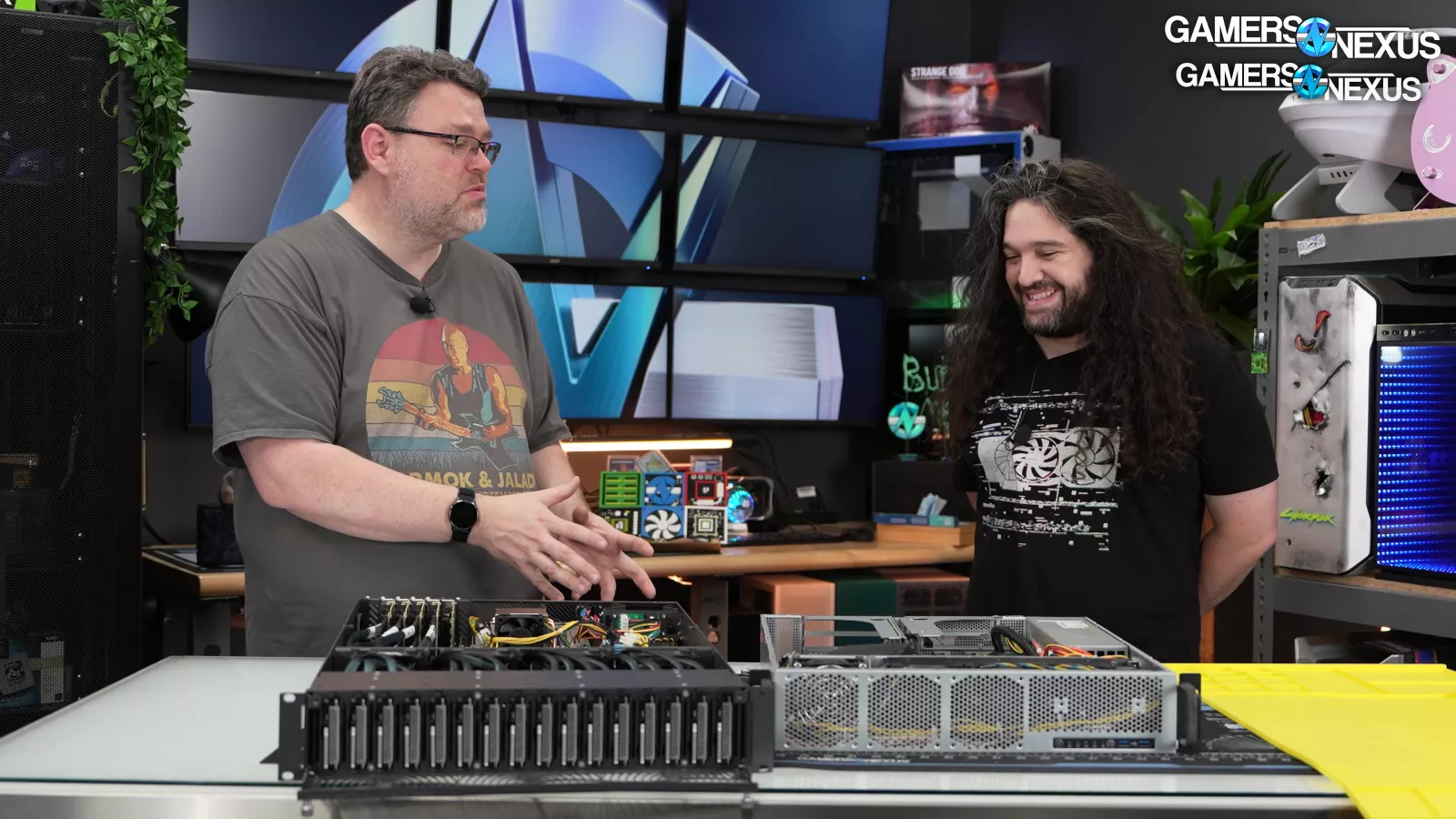
With the enshittification of Windows and the rise of SteamOS, the requests for Linux testing are coming from more than just a few passionate Level1Techs viewers.
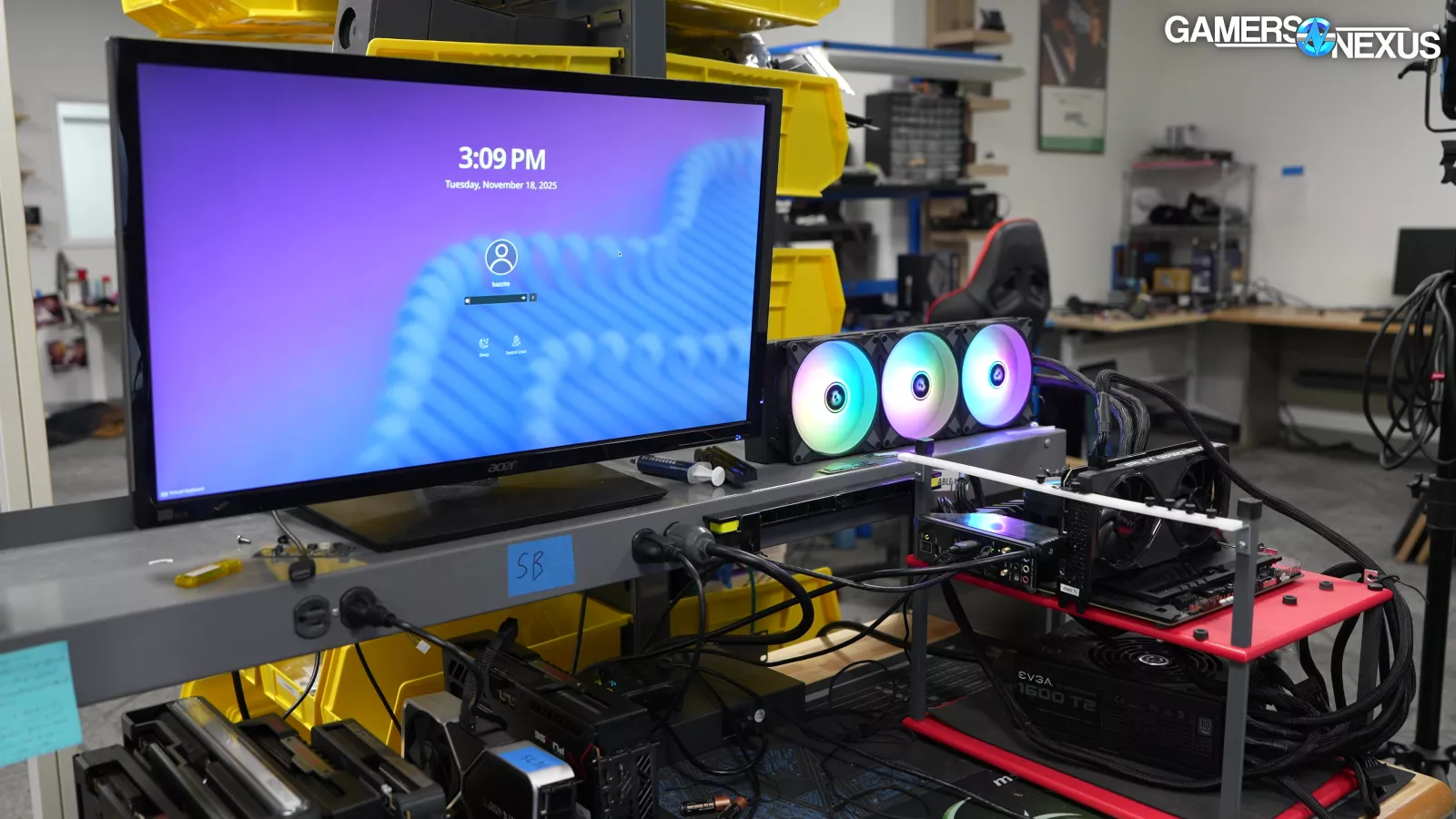
It's been a lot of work, but we have some initial GPU results for Linux, specifically for the Bazzite distribution. The testing was about 3 weeks of nonstop work, plus about 2-3 weeks of bench setup and “bench hygiene” management. We’re still learning. Benchmarking anything to the level of isolation we maintain requires a lot of controls and experience, so you’ll have to work with us while we learn these processes.
This first round of testing has mostly been for our own training, which is what we’ll present here. So first we'll cover some of the bumps we ran into as first-time-in-a-long-time Linux users. We spoke with some of the Bazzite maintainers during this as well, which was helpful for getting test controls in place.
Linux still isn’t for everyone, but it’s also not hard to throw it on another SSD and test drive it. In particular, users with applications that may not have Linux adaptations may find themselves stuck on Windows. This includes us for our main production machines, as we just use too much software that needs it. But for users who mostly game and use a web browser, it’s a good time to experiment with Linux.
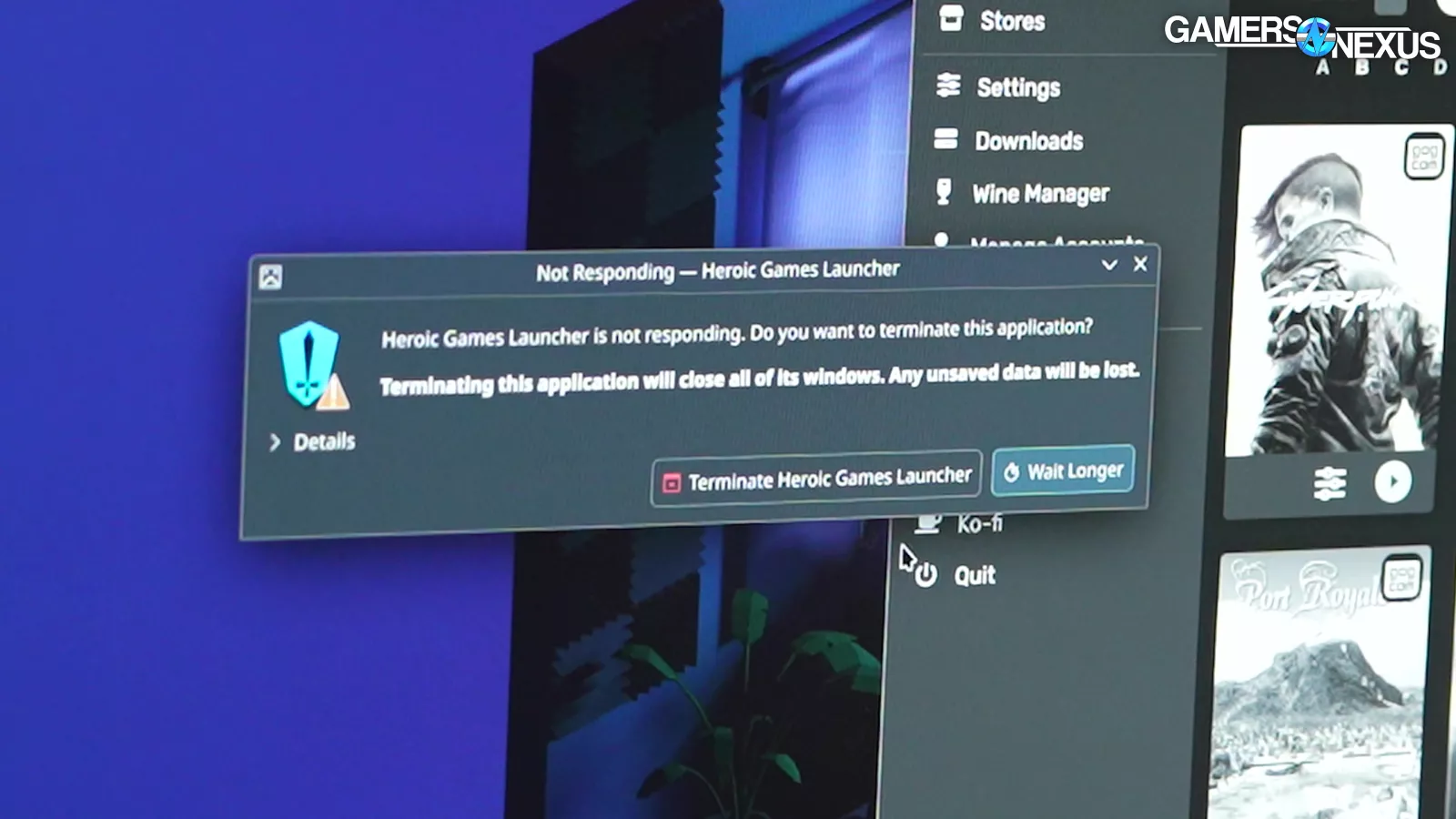
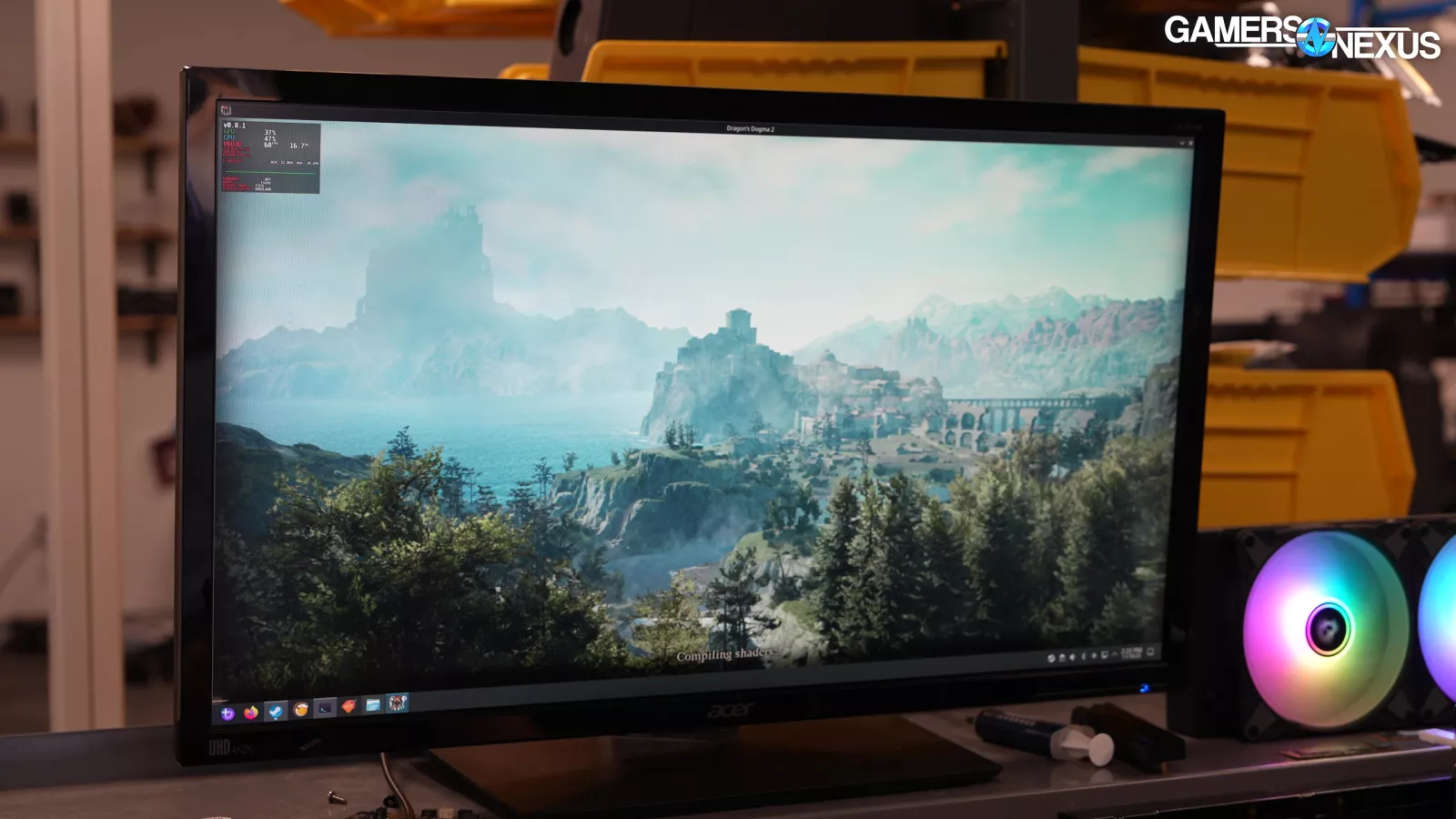
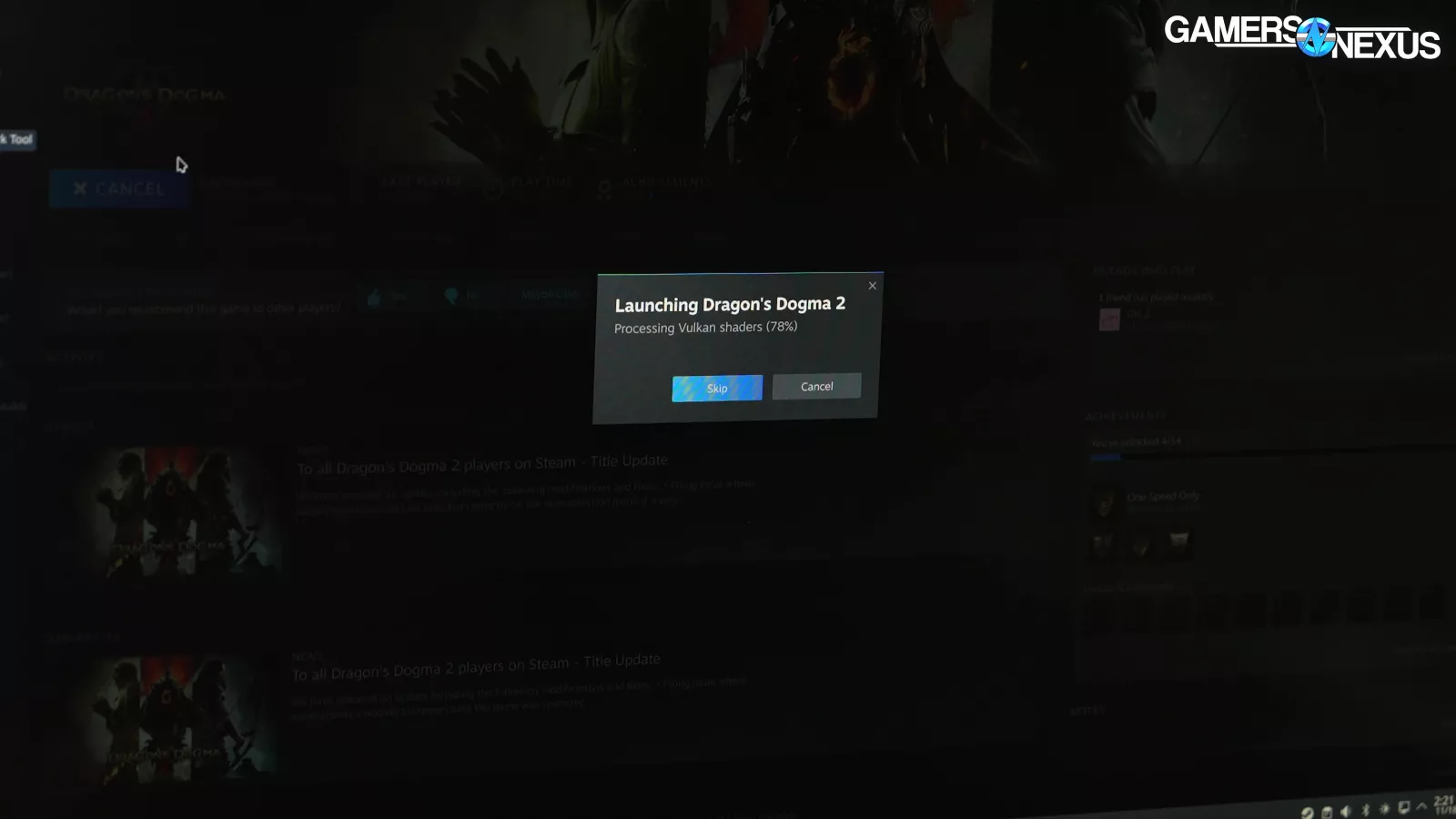
During this process, we had crashes, freezes, issues with anti-cheat, and some insanely long shader compilation times, but in spite of all of this, Linux is working better than it has in its history for gaming. If more users gritting teeth through initial learning pains means getting away from Windows and its spyware, we count that as a win. Overall, Linux does work better than it used to, but it’s not perfect.
The disclaimer first is that our level of testing for GPUs and CPUs on Windows is extremely refined and rigid. We’ve also been highly automated for almost a decade now, including capturing images during test passes for image quality checks. All of that goes away with a new operating system, as even the test software is different. This means that even just the unit of measurement we put on a chart could feasibly be calculated slightly differently.
The point is that we’ve taken a lot of care to do this justice, but we want to be fully transparent that Linux is almost by design a non-rigid solution that gets regular, sometimes impactful updates. That makes testing hard. We’ll do our best, but work with us as we learn this process.
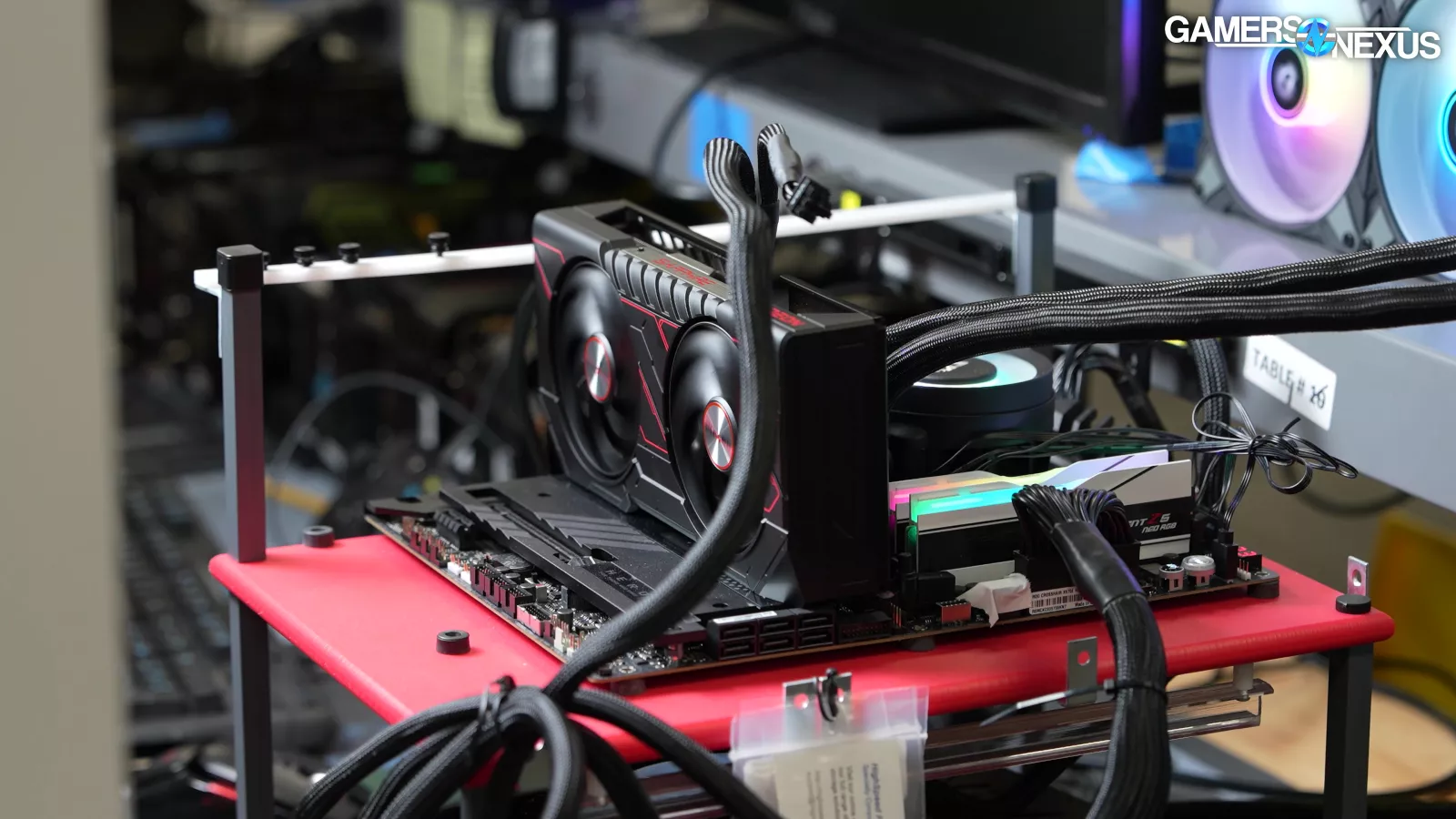
Test Setup
Methodology is important here since it’s all new and sensitive to change.
The first thing you need to know is that this is not directly cross-comparable with our Windows testing. This is for a lot of reasons, including changes to test methodology, but also measurement tools and the games themselves not necessarily rendering the same thing, the same way on both platforms.
With all testing, we have to strike a balance: we need to be thorough, but we also need to limit our scope so that we can finish testing and publish something before more major changes come down the pipe.
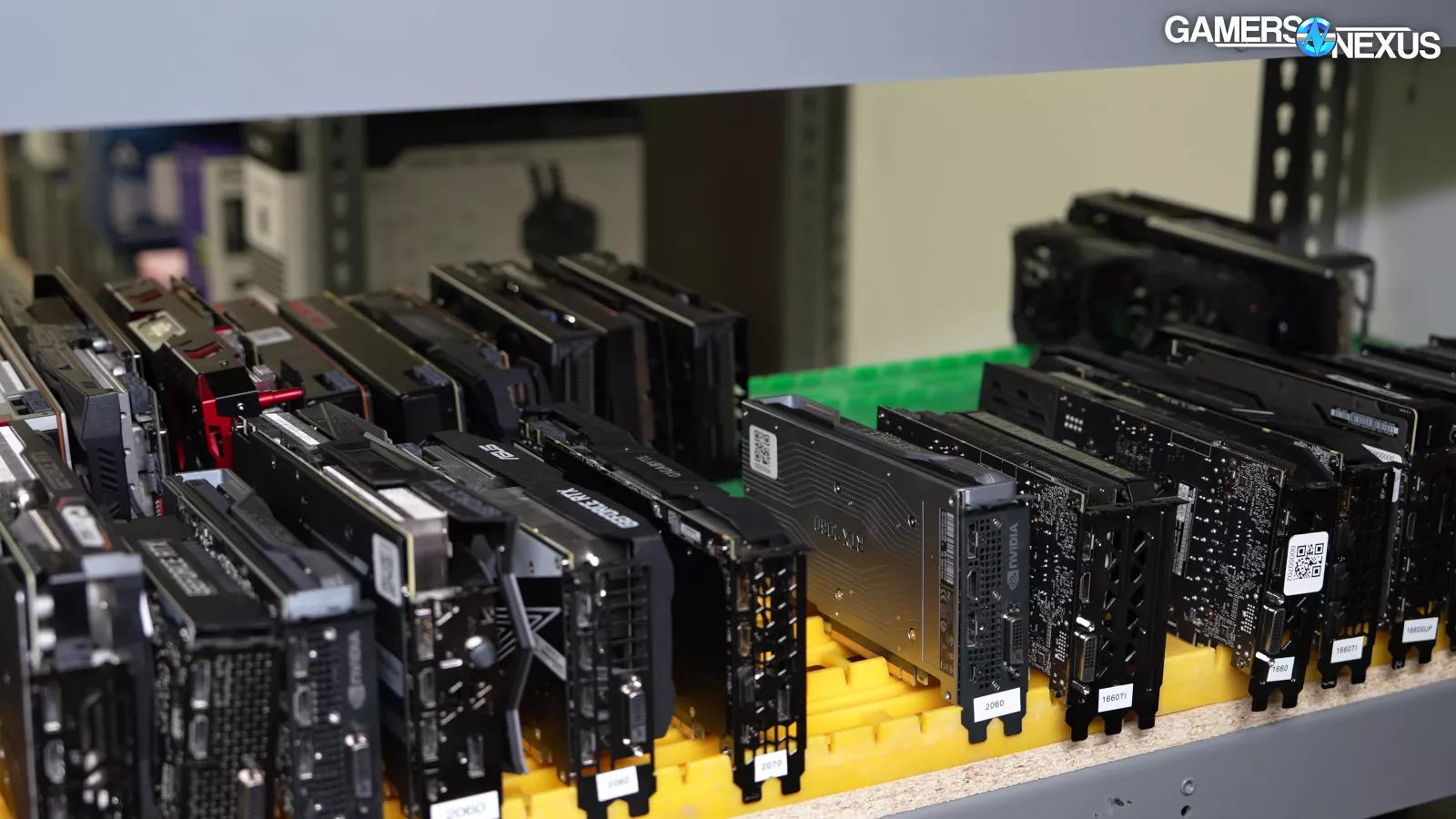
GPUs are the most straightforward hardware category that we test, so we began with our standard GPU test suite on our standard platform.
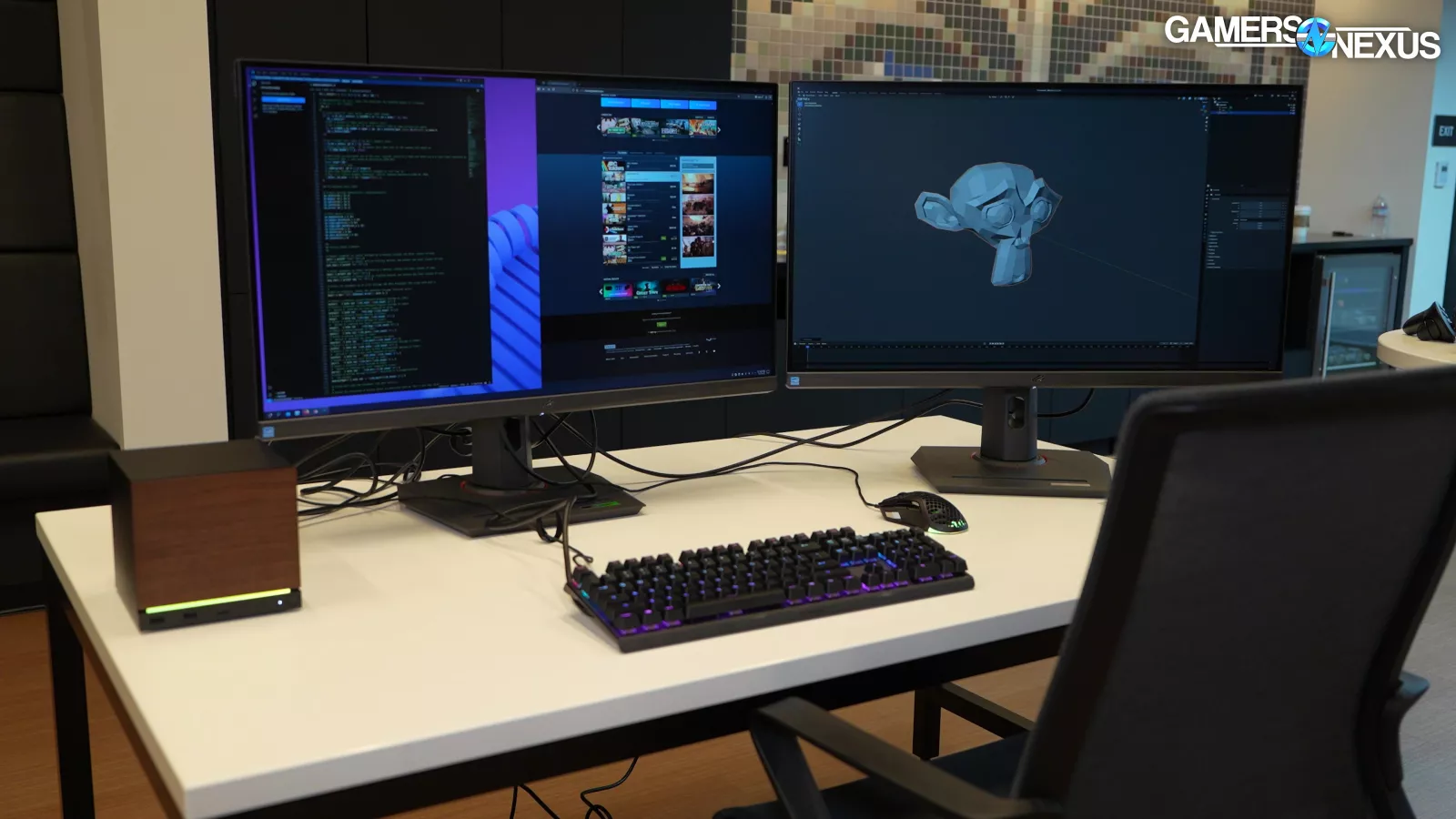

We knew we needed to start with a single distro. The frontrunners were SteamOS (which we already have experience with on the Deck), CachyOS, or Bazzite. SteamOS was our first choice, but it's still not officially available for desktop. CachyOS should have more cutting-edge performance than Bazzite and might be more flexible, but potentially at the cost of some stability. Bazzite is popular, it's built for gaming, thousands of you requested we test it specifically, its developers have made executive decisions that simplify our own choices and have contacted us. And, most of all, Wendell of Level1Techs recommended it as an easier-to-test distribution for us.
Testing is a little different from use. We need a test platform to be predictable, stable, and most importantly, we need it to minimize judgment calls for things like settings and tuning. If we start making exceptions for tuning on one device, we have to do it on all of them. Testing something closer to usable-out-of-box is going to help railroad us into a fair configuration for all vendors, as we can always fall back on their own rigid decision making.
Bazzite Desktop Edition comes in two main versions:
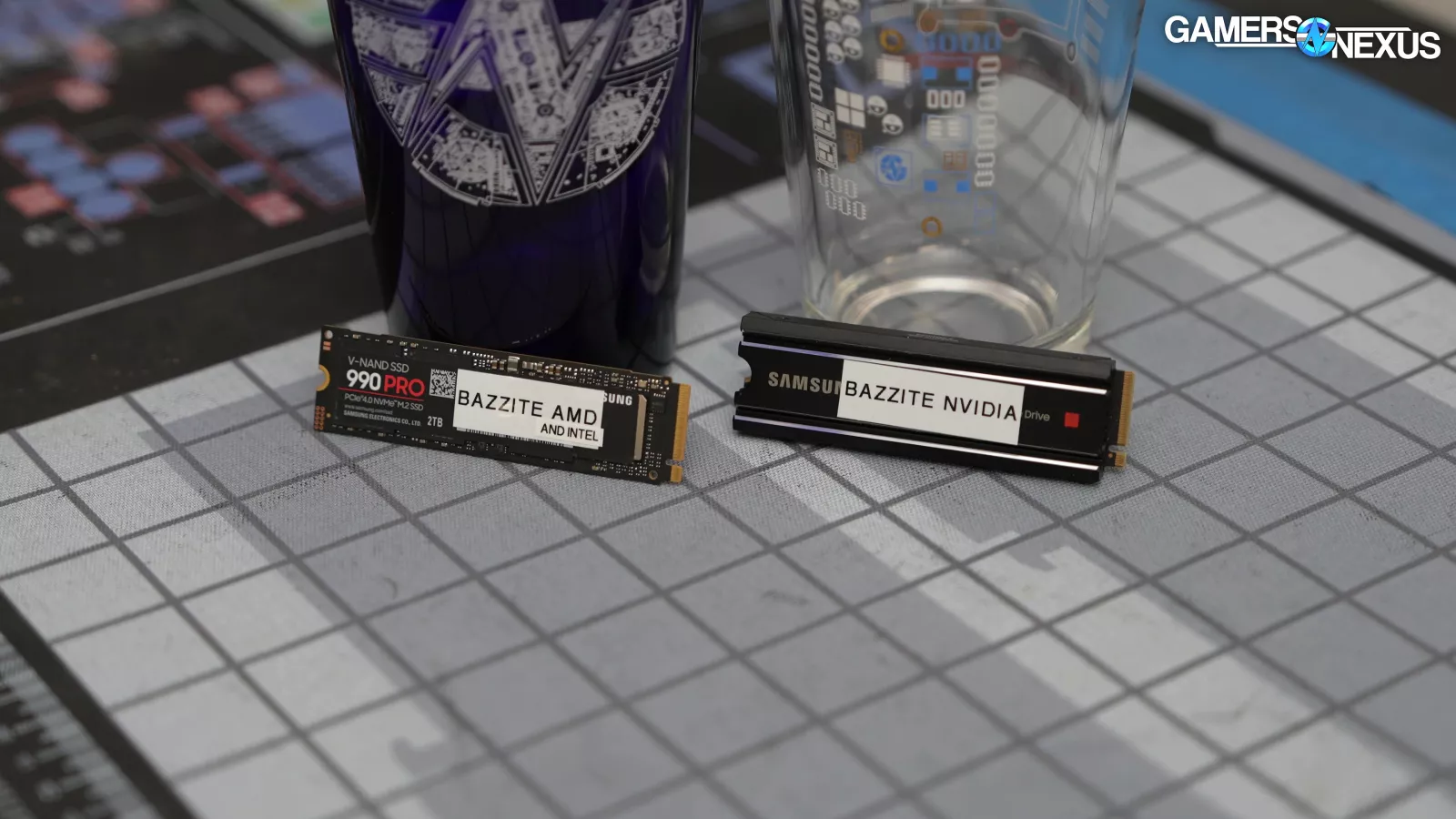
NVIDIA and non-NVIDIA.
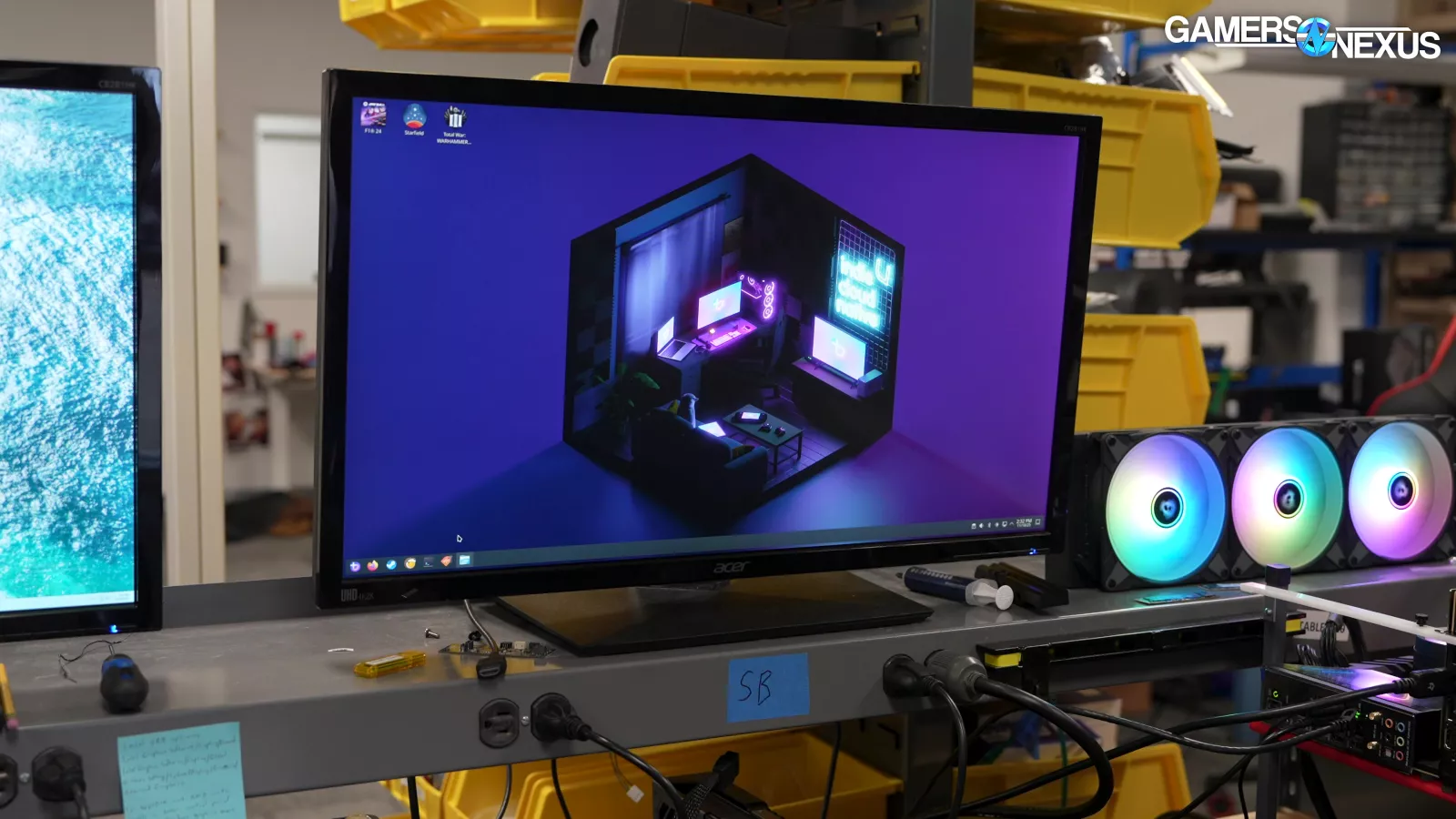
After speaking with both the devs and Wendell of Level1 Techs, we set up one drive for each. The OS comes fully stocked with drivers and game launchers, so we didn't need to do any significant configuration after installation, which also means that our test benches reflect the default user experience.
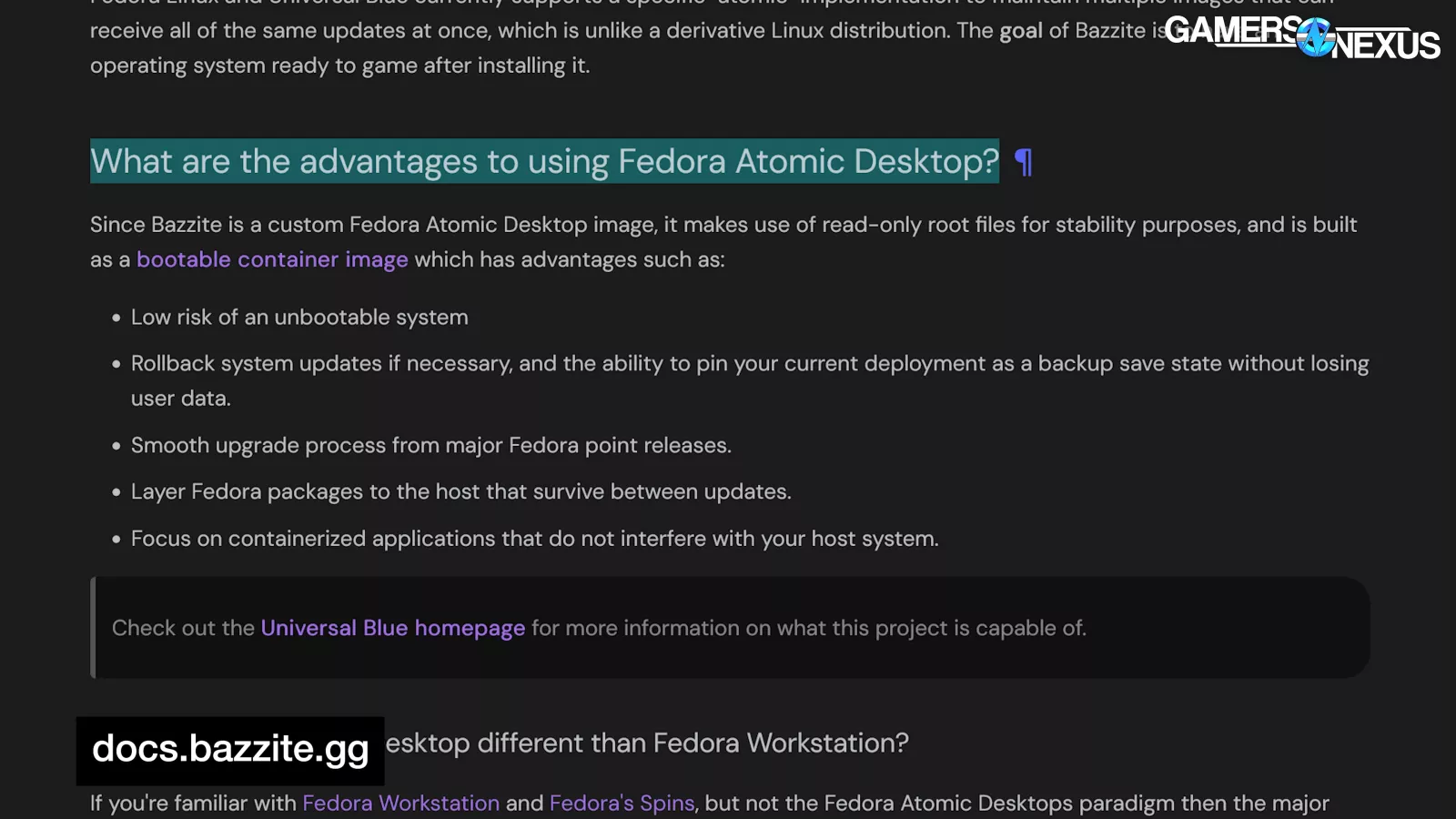
Bazzite is an atomic bootable container image. There's a full explanation on the FAQ page, as well as advantages versus SteamOS, but the bottom line is that you can just grab an image and slap it on your system. Bazzite's goals are stability and compatibility, and recoverability in case those first two don't work out. It's intentionally not the highest-performance, most bleeding-edge OS, but it's low friction for beginners, and it should be less prone to "oh shit" moments where it turns out some feature was broken during testing and without our knowledge.
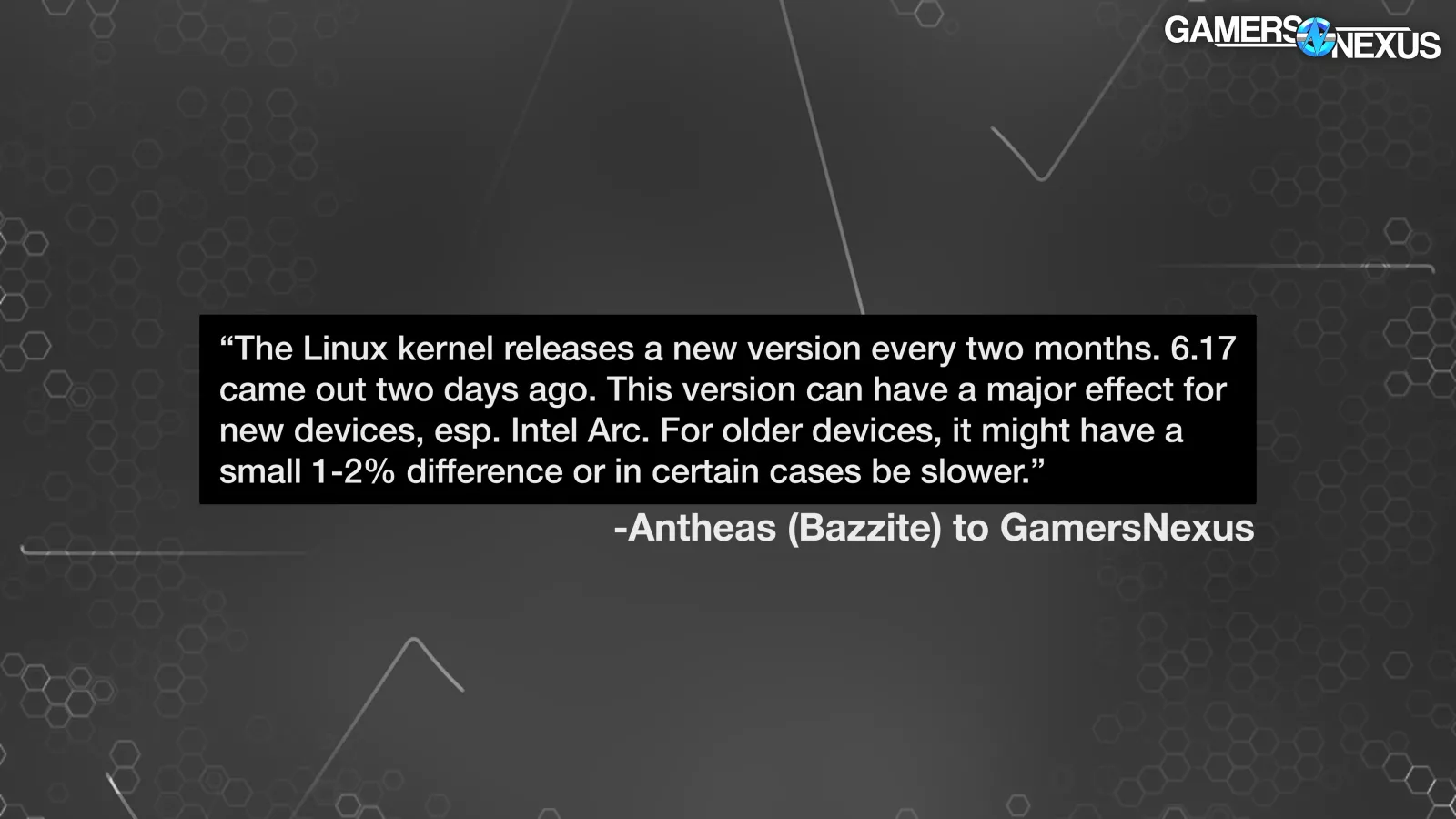
According to Antheas from the Bazzite dev team: "We used to include some gaming oriented kernel optimizations but, as of August, we do not anymore. We found that most of the testing for those changes involved running e.g. Rocket League at 600hz while doing something like compiling a kernel. Nobody does that or cares, and we found those optimizations could cause a 2-30% performance degradation, where the higher end was on Intel CPUs with heterogeneous cores.
He continued, “This actually ended up hurting our reputation which is very unfortunate because the version of one of the optimizations we used had a bad bug. Moving forward, we will no longer make these sorts of changes, so performance on Bazzite should mirror Fedora and Arch, but with more stability, as we skip minor versions and delay the major a bit."
During a test cycle for Windows, we pause Windows updates until all tests are complete. It typically takes us about 1 week to complete a full test cycle, so this isn’t a problem. Linux has a lot more layers that may update at a faster pace, plus our testing is slower since it’s less automated.
Our instinct is to freeze versions as much as possible without modding. Linux has a number of pieces of software that update regularly, including:
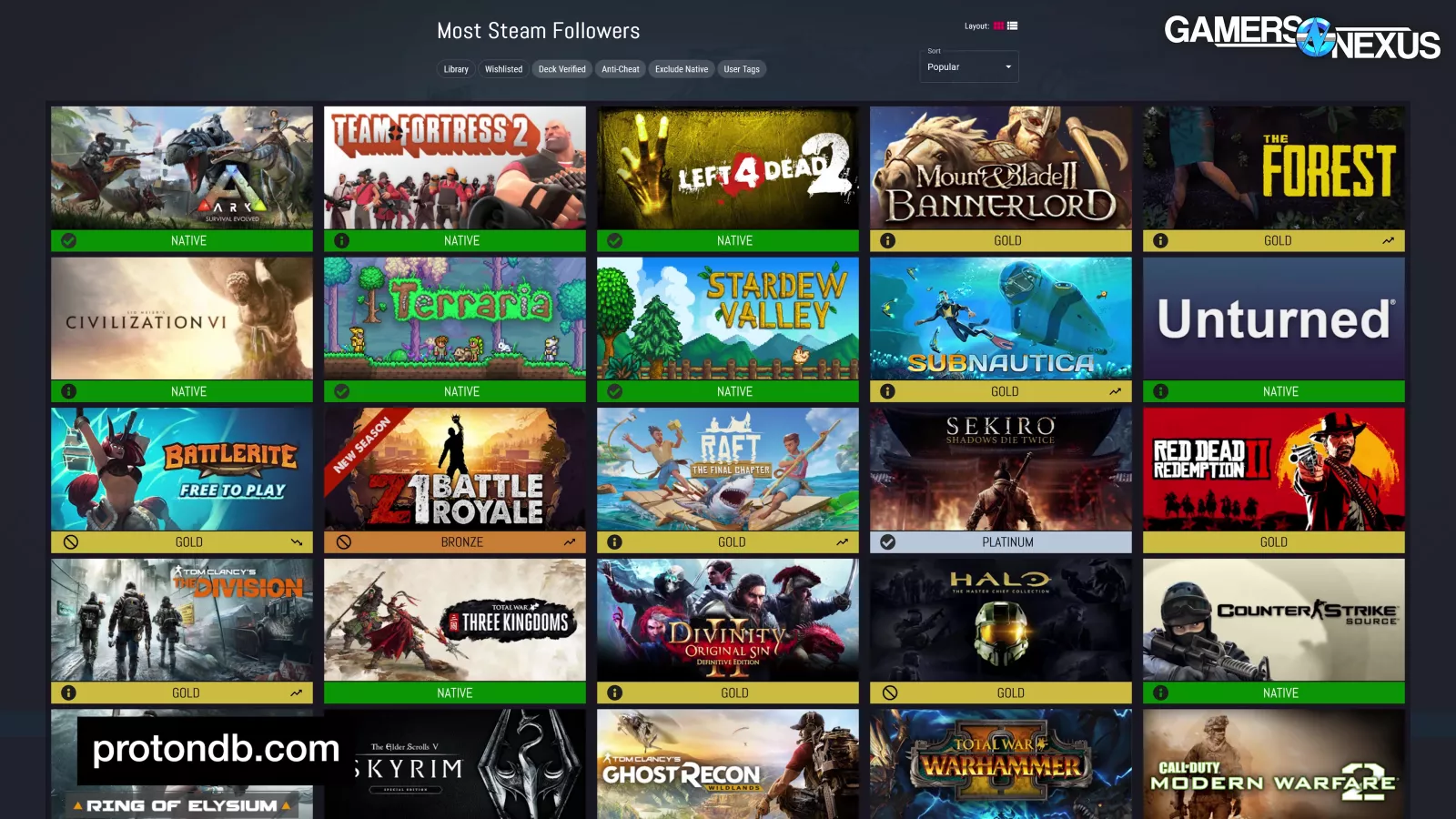
- The operating system itself
- The games, which get potentially different updates from Windows
- Steam, which gets meaningful updates
- The Proton translation layer
- The drivers
- Among others
The rapid progress of gaming on Linux complicates testing in a way that is more challenging than an actual user environment. Freezing some updates but not others could lead to issues where things break for testing, but not for a user.
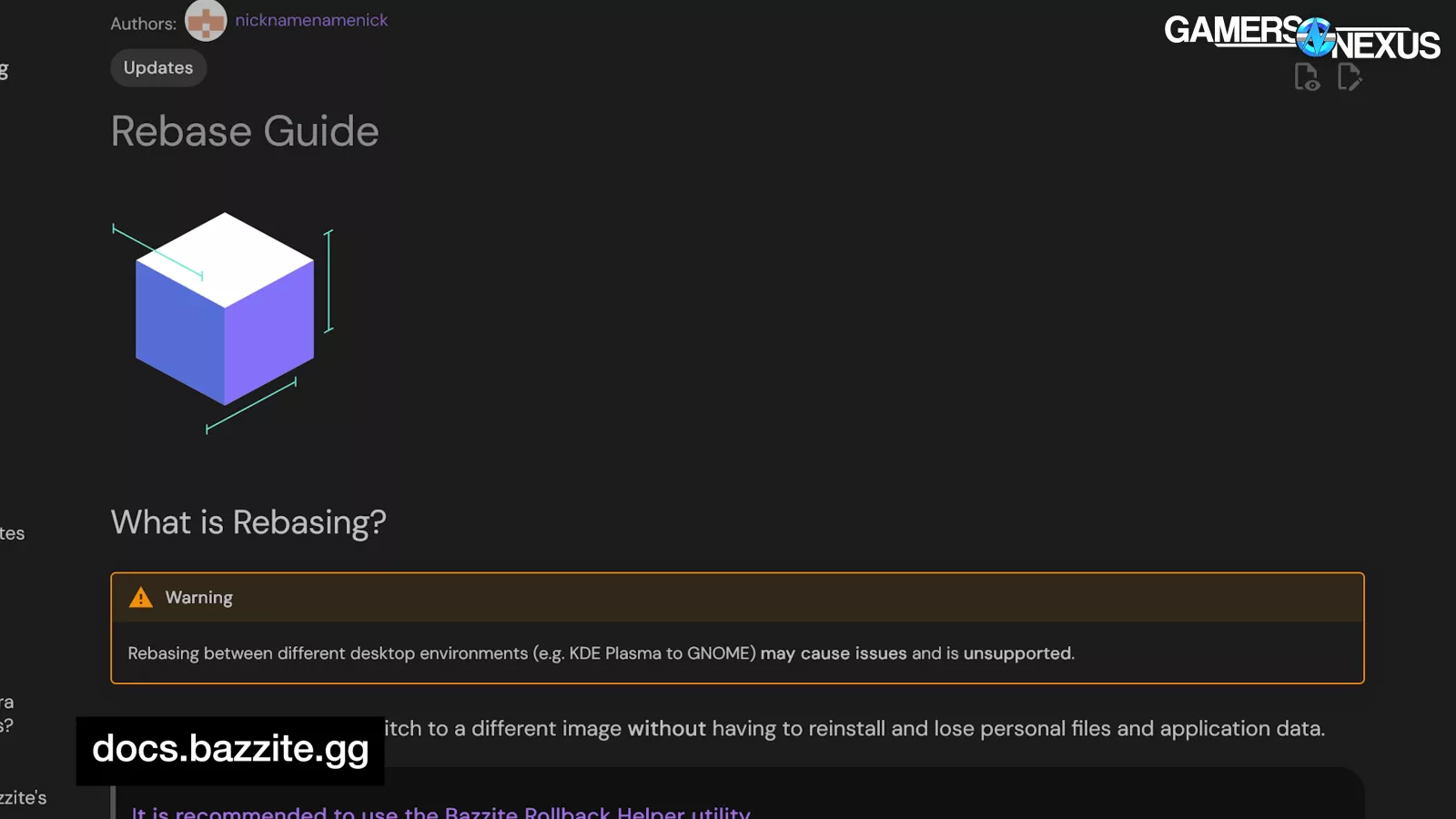
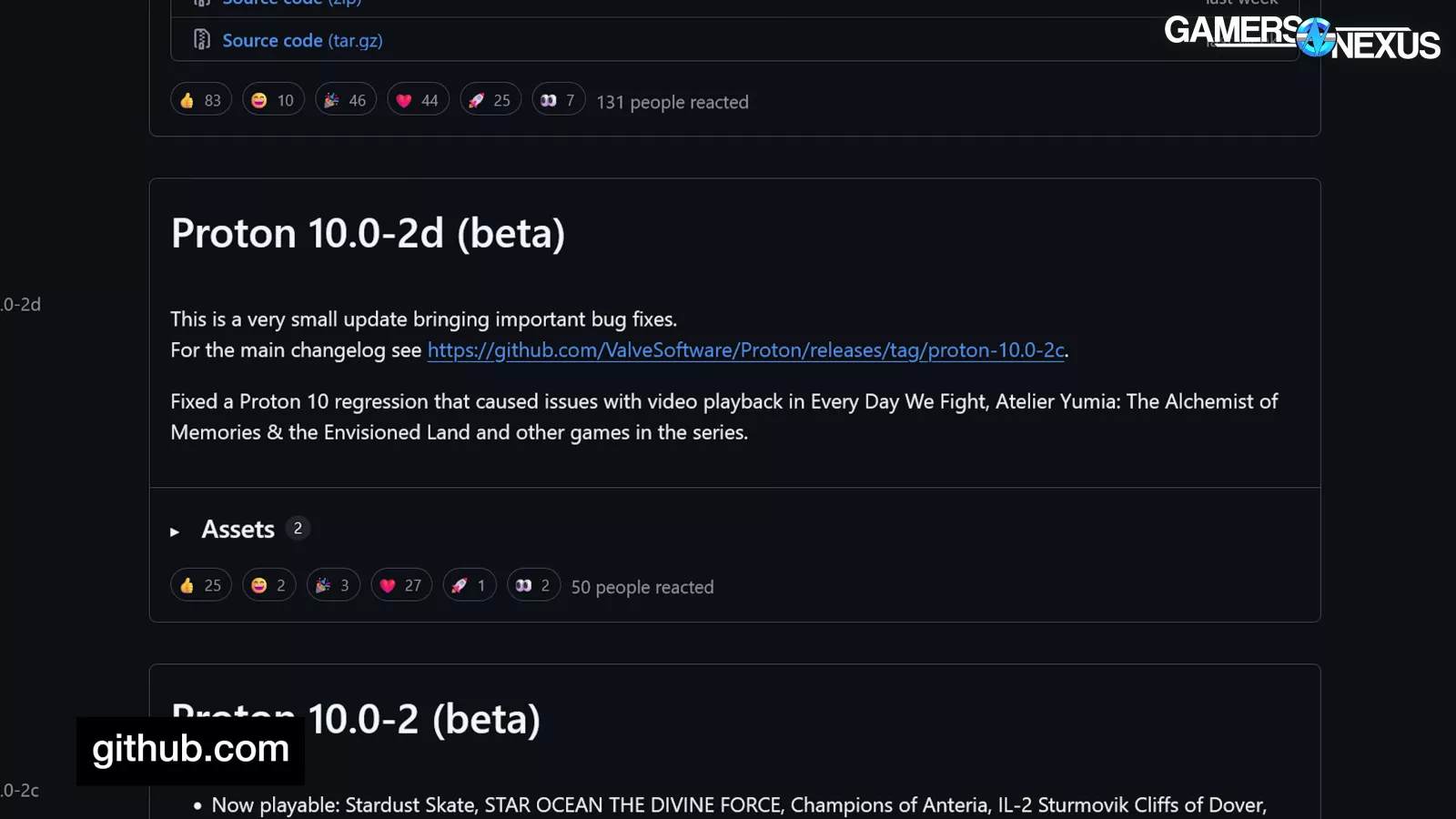
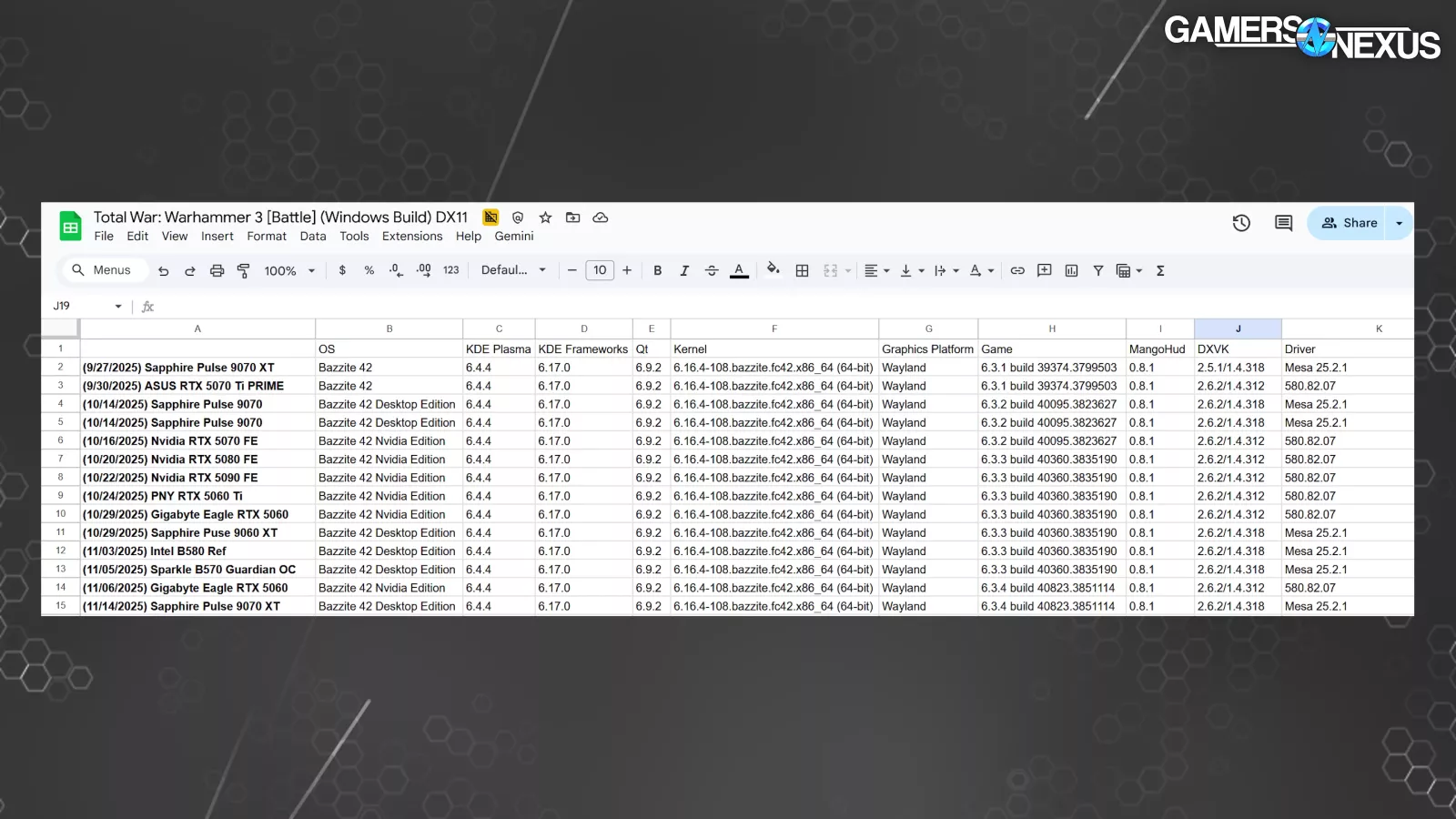
Our compromise has been to freeze Bazzite (including drivers) and Proton during the test cycle and take detailed notes on everything else. In the future, we may shift to GoG, which allows using specific game versions.
In general we've accepted that we'll have to throw away data and start from scratch more frequently on Linux.
We don’t talk much about the business side of things, but this testing sort of requires some insight there just so everyone understands how this complicates things.
For us we typically, if we didn’t do it the right way, lose money on a full, fresh-from-scratch test cycle for GPUs and CPUs just because we test so many.
For instance, we spent 85 hours overhauling our GPU test suite in December of 2024. That included new games, benchmark validation, calibration, running about 26 GPUs through it, experimenting with new methods like early Animation Error metrics, and then working through to eliminate bad data and calculate things like standard deviation. If we were to then only publish a single video with that 85 hours of work, so that means adding more time for us to write, film, and edit it, it would not be possible for us to make money on that single project; however, if we then publish a follow-up GPU revisit or review that requires appending only one or two devices to the other 26, we can start recouping the costs of the groundwork.
For that reason, simply “rerunning” all the tests every time we want to add one device to the Linux suite is just not really viable without some major structural changes to our test processes. In other words, Windows makes it easier for us to hold data for longer because it doesn’t drift much without some major revision somewhere, but with Linux, we’ll need more frequent updates. Without a compromise where we can hold data for longer with Linux, we probably just need to do this a couple times per year at most with a brand new data set each time.
Anyway, that’s a lot of boring business stuff to say that it’s harder to find creative ways to subsidize a full suite of Linux tests than it is for Windows. We’re basically doing this because we think it’s important, we hate Microsoft and Windows, and we hope that investing in Linux testing early will result in easier processes later.
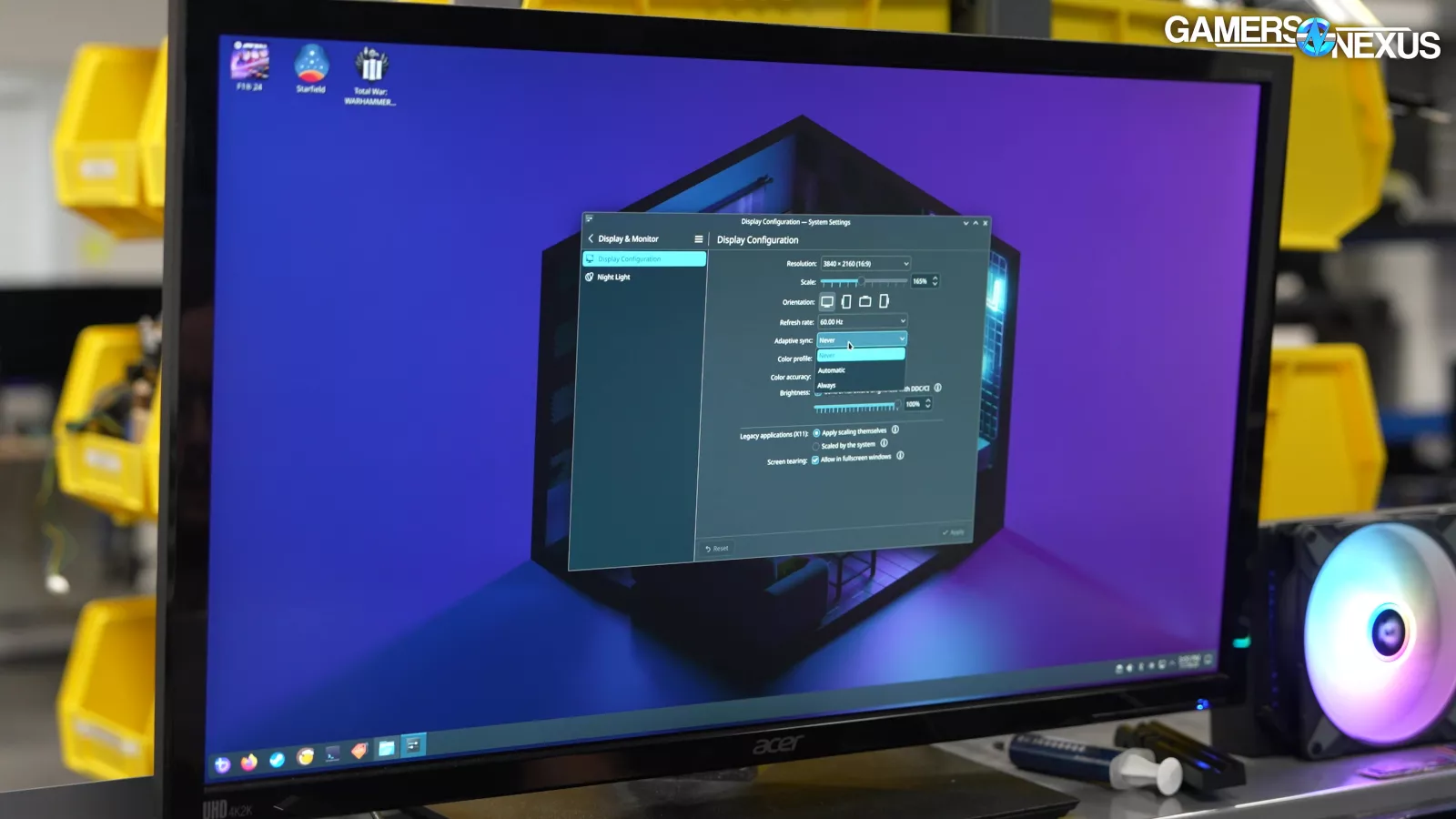
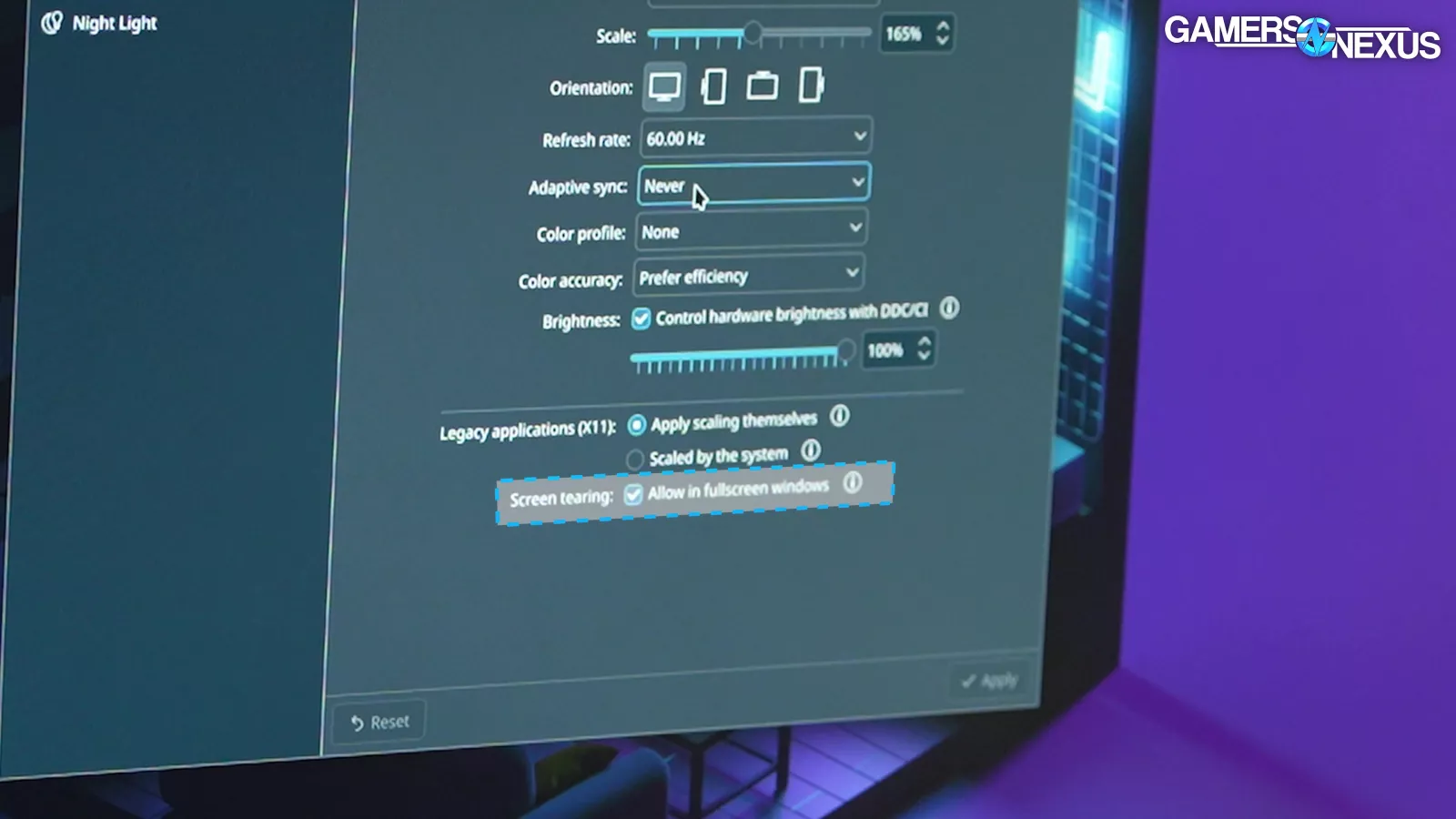
To cover the equivalent settings that we'd change on Windows, we set "Adaptive Sync" to Never, allowed screen tearing for fullscreen windows, and set the power profile to Performance. We've had warnings from Wendell and others about kernel spinlock performance loss, the CPU performance governor, and plenty of other Linux-y things, but the advantage of a plug-and-play OS like Bazzite is that we can just install it and run it. Any issues are a valid part of the experience.
There are a lot of ways to fuck this up. We think we’ve protected against them, but this is all new to us.
We're starting with our existing GPU suite for the most part, including the same settings we use on Windows, but we may change that over time. These results should only sparingly be cross-compared. The entire nature of this test is that it is not cross-comparable with Windows.
We're going to limit comparisons of Linux and Windows data. Linux framerate determined by MangoHud versus Windows framerate determined by PresentMon feels like an apples-to-oranges comparison, both because of the difference in tools and the difference in platforms.
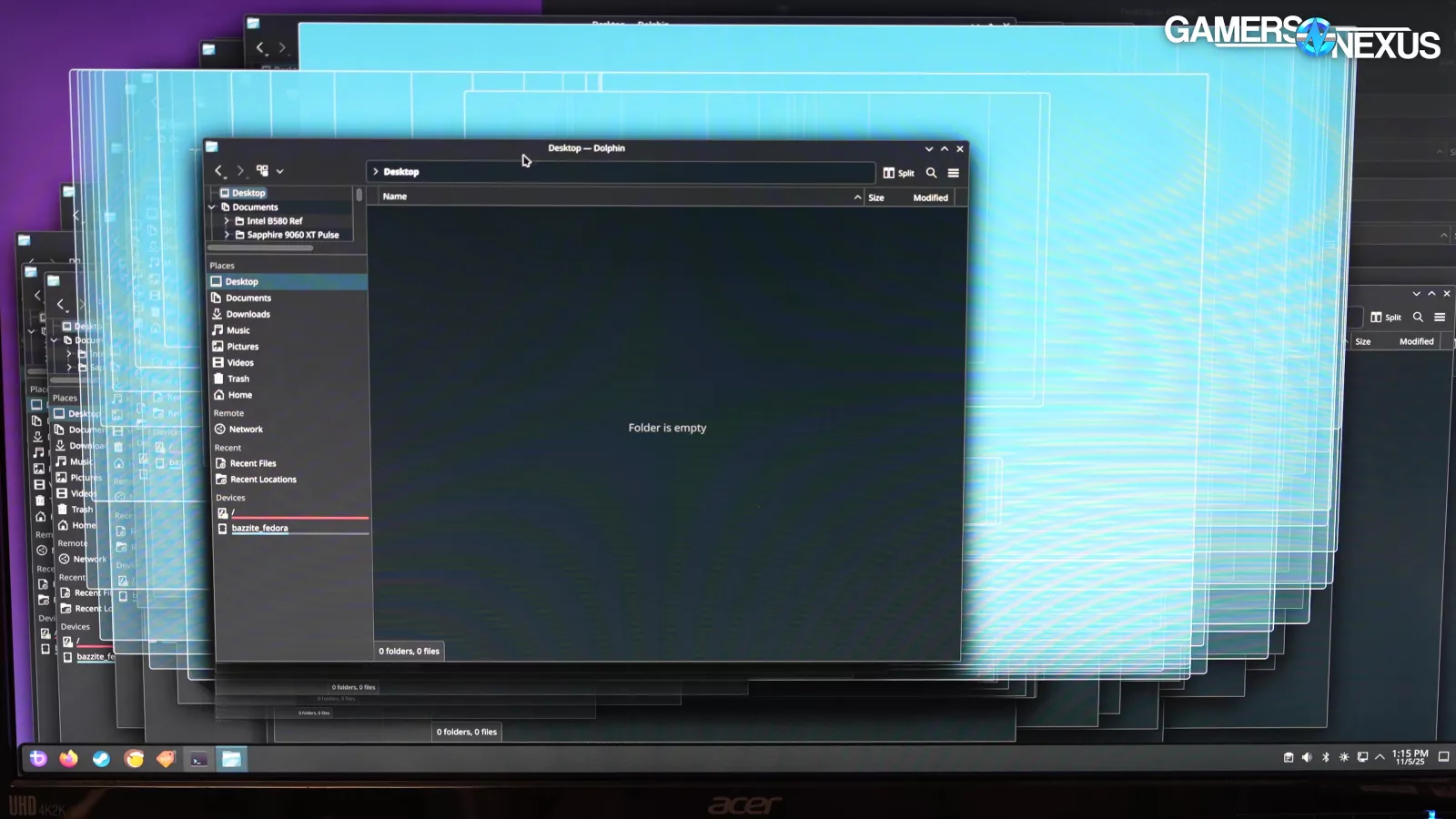
We're still getting used to how Linux handles frames; for example, we always allow screen tearing, but the concept of tearing is still new to Wayland.
The scope of our GPU test suite doesn't include extended stability testing. We'll report any crashes or incompatibilities that we encounter, but we aren't going to validate that Dragon's Dogma 2 can run for five straight hours on Linux without crashing, so be aware that there may be issues beyond what we report here. Our focus is on numbers today, not stability.
We know a lot of you just want numbers, so we’re going to do that now with the caveat that there is a lot of critical methodological information that we’re showing after the charts. This includes changing game APIs and talking about native Windows vs. Linux versions of games.
All that we really ask is that you please do not cross-compare anything with our Windows data set beyond what we do here, as it’s just not that simple. You might as well be comparing different games to each other. The goal is how well things perform on Bazzite.
Let’s get into the numbers, then we’ll return to issues during testing.
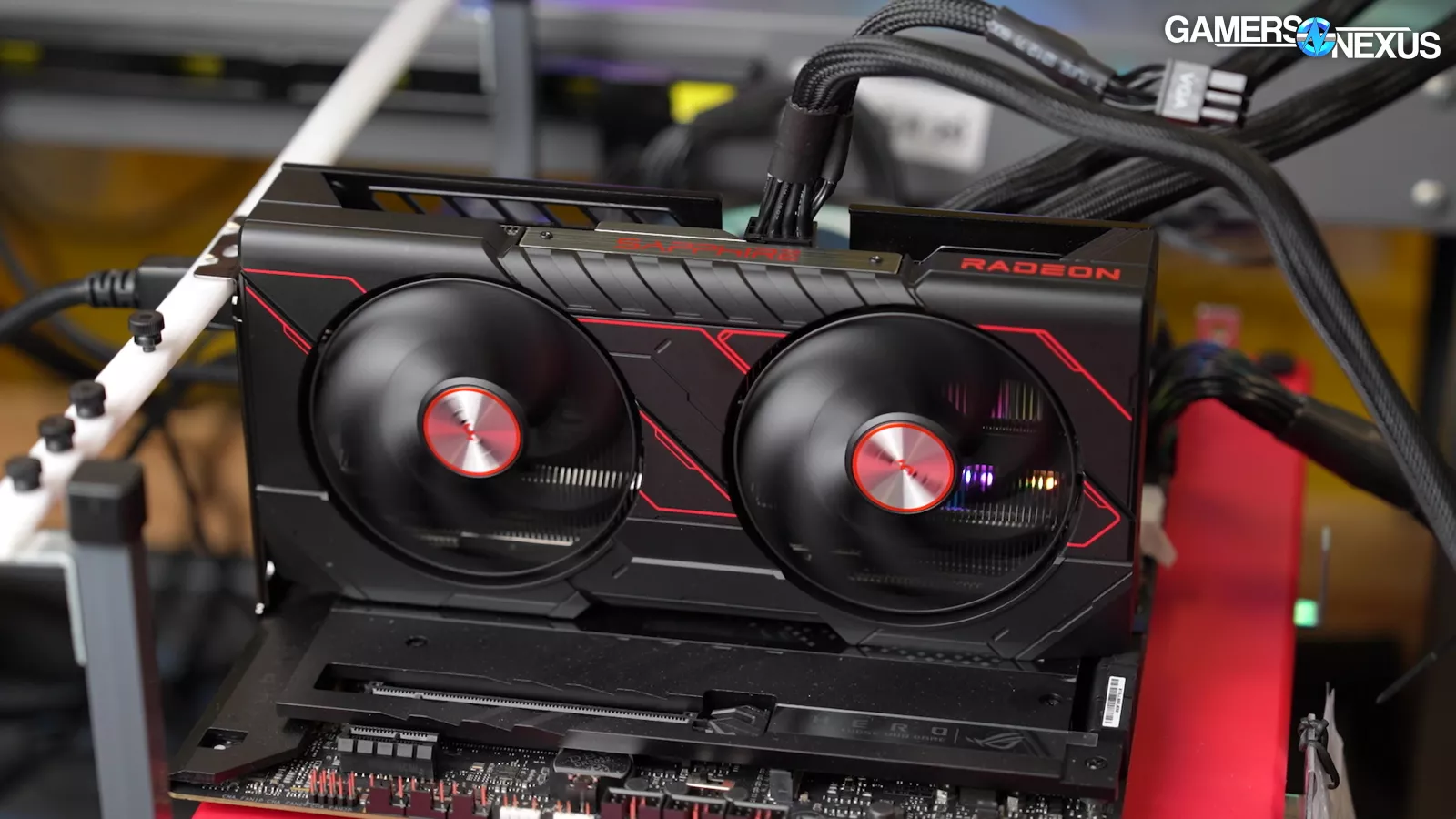
For the GPUs on the charts that have various VRAM capacities, we used 8GBs for the RX 9060 XT (read our review) and 16 GB for the RTX 5060 Ti (read our review). The only reason for this discrepancy is simply due to GPU availability as we managed multiple other tests during all of this and we'll continue to look at adding more of these if we do another round of Linux testing. But for now, we'll start with these.
Bazzite Linux GPU Comparison Benchmarks
Dragon’s Dogma 2 - 1080p/Max

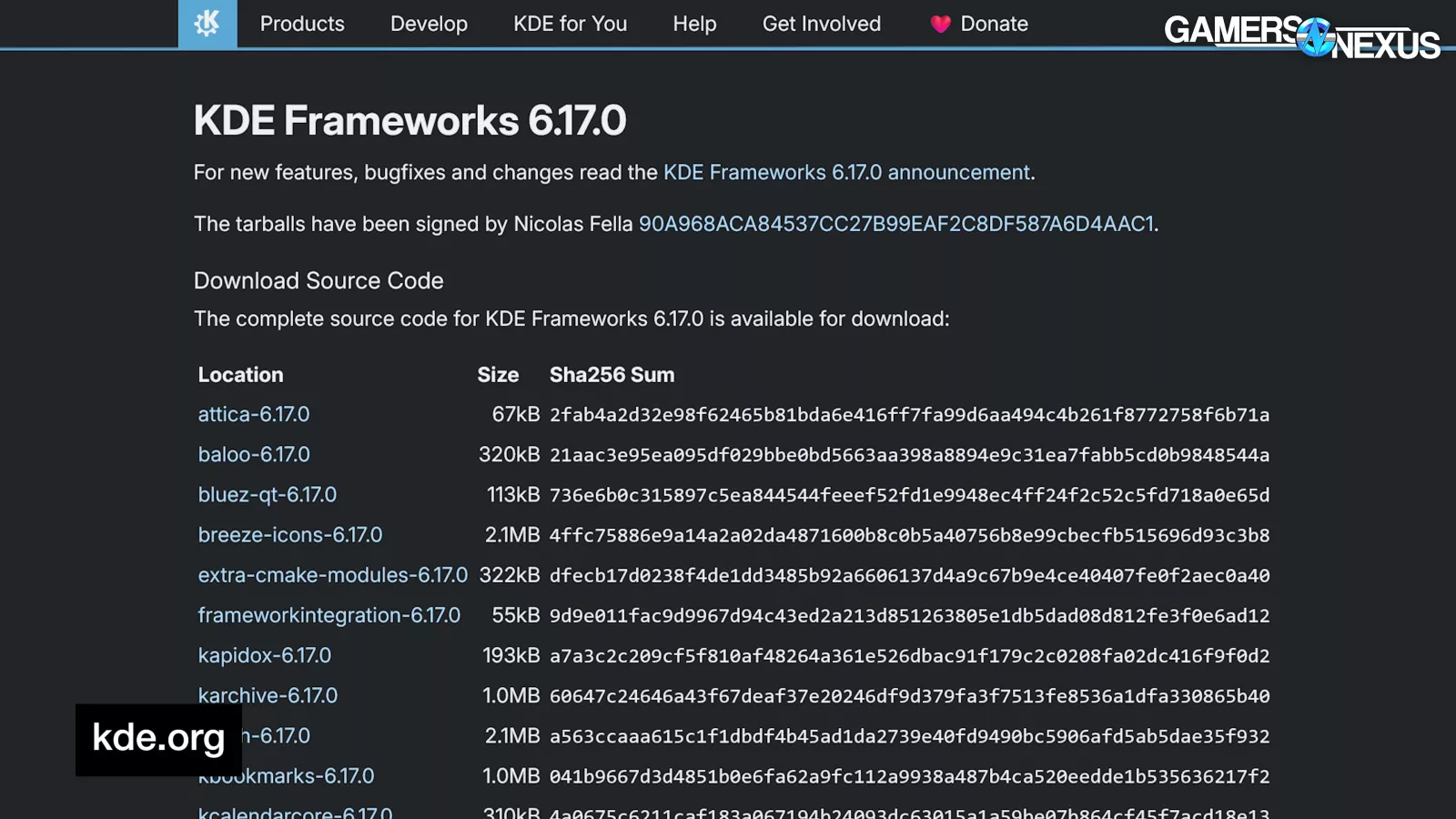
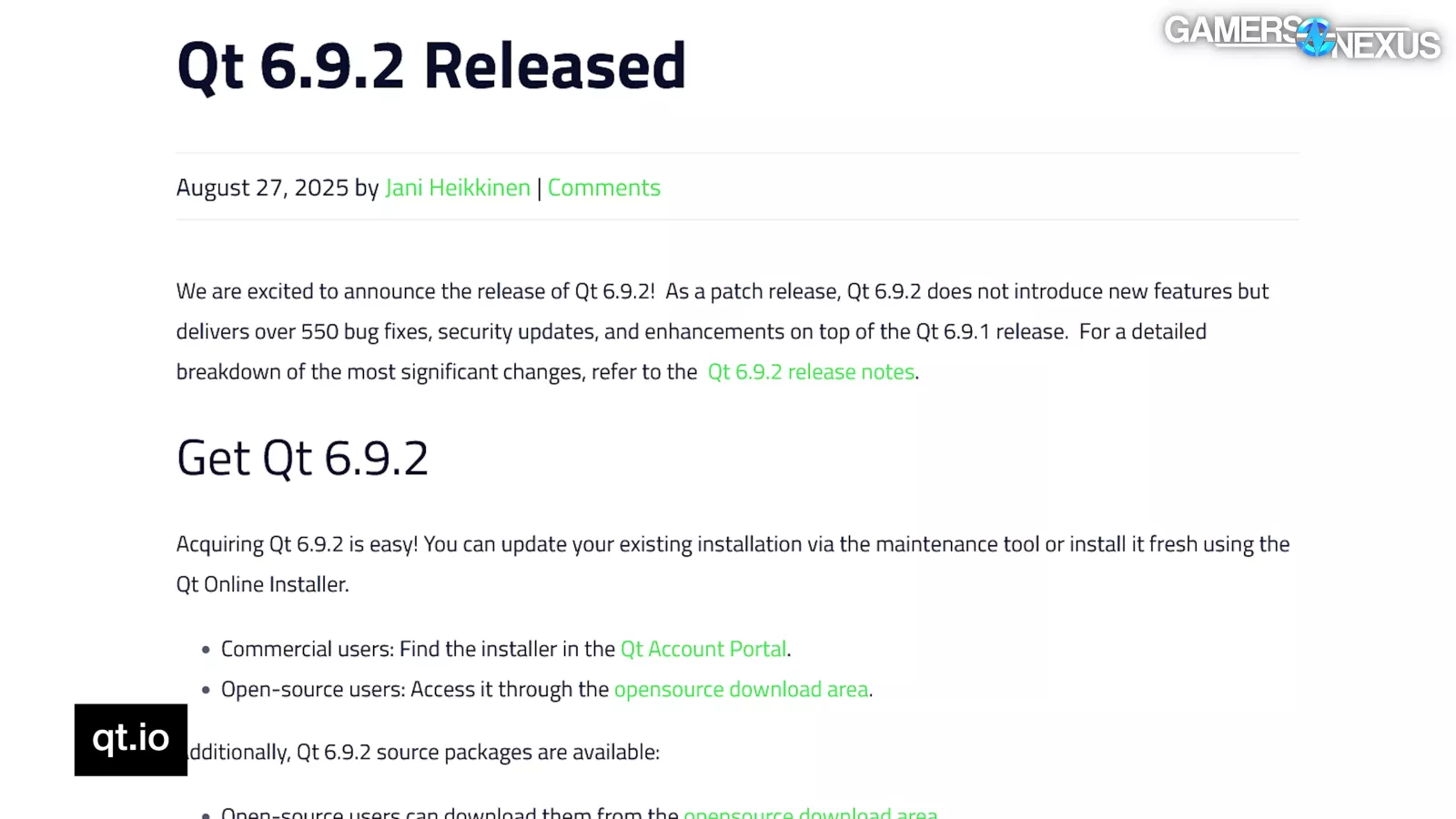
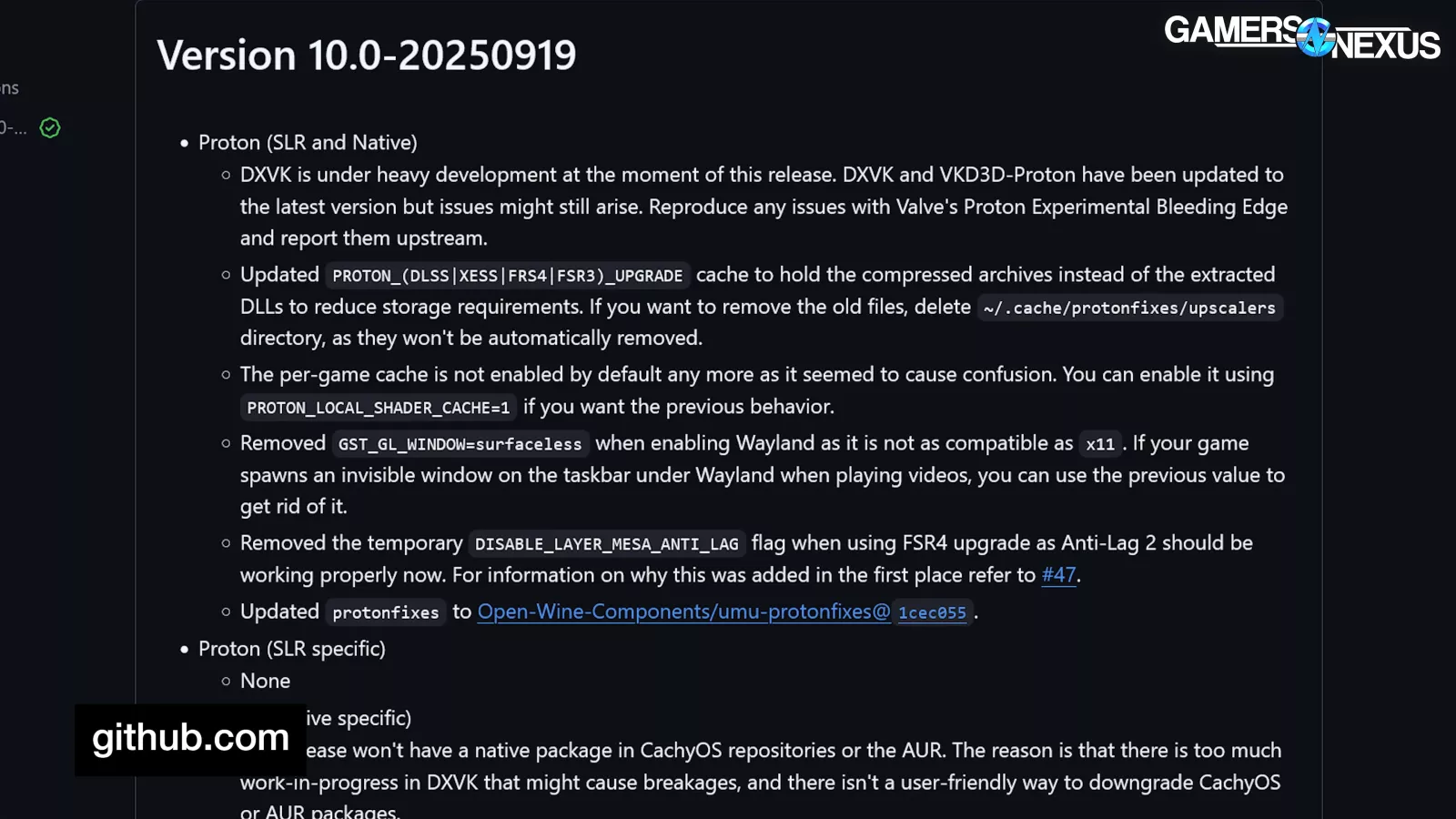
We’ll start with the Windows build of Dragon’s Dogma 2 at 1080p/Max settings. For this testing, we used KDE Plasma 6.4.4, KDE Framework 6.17.0, Qt 6.9.2, Wayland, and 10.0-2e Proton, except the 9070 XT (read our review) and 5070 Ti (read our review), which ran earlier and were both experimental 10.0-20250919.
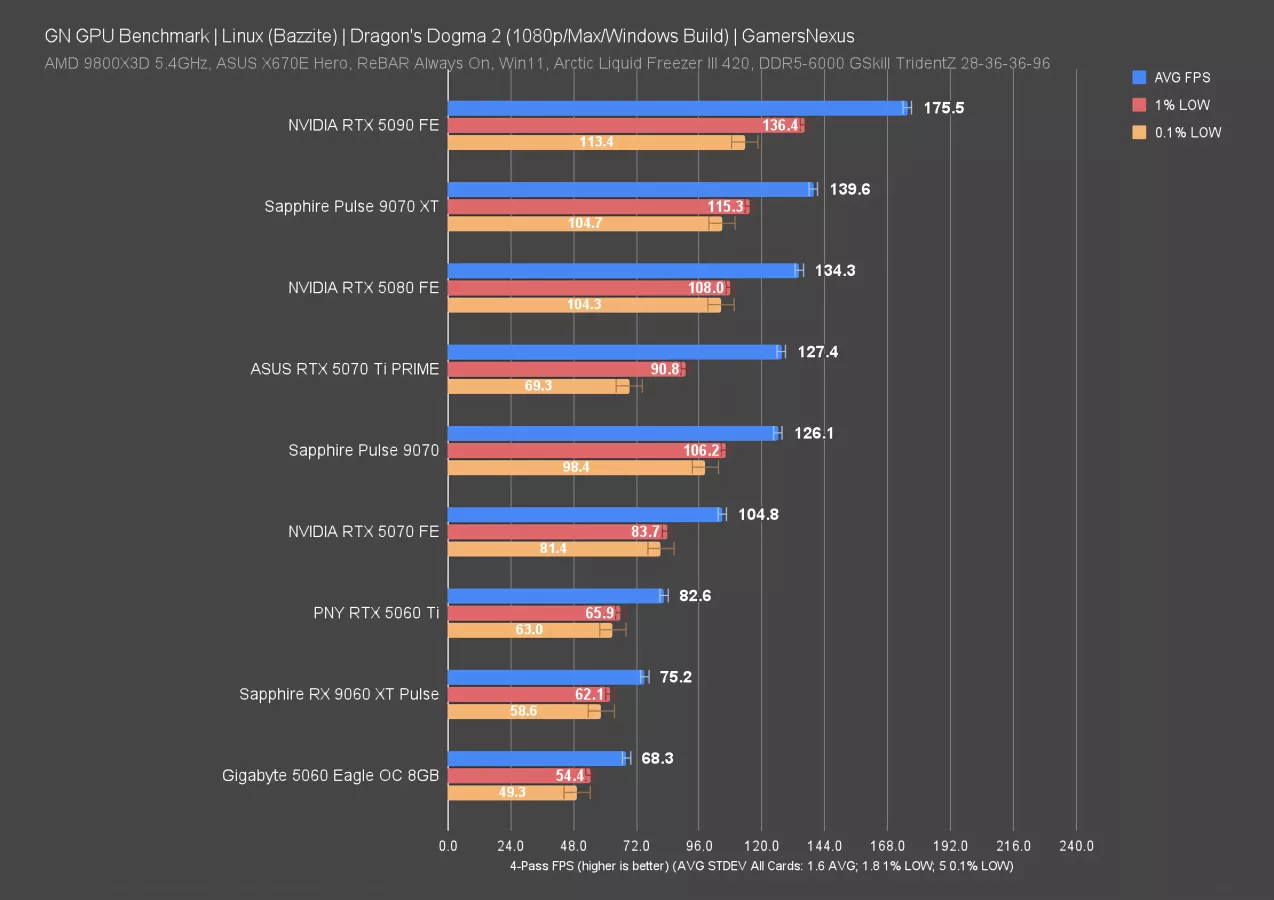
The 5090 (read our review) leads the chart for 1080p at 176 FPS AVG. Just like with Windows, we’ll need to look to higher resolutions to ensure it’s not CPU-bound. The 9070 XT is disturbingly close for NVIDIA, up at 140 FPS AVG and leading the RTX 5080’s 134 FPS result by 3.9%. Lows are about the same between them. The 5070 Ti suffers somewhat in 0.1% lows. On inspection, it had one pass with a 23 FPS 0.1% low, one with 61, and two at 96-97 FPS. The GPU experienced more variance than typical.
The 9070 (read our review) is about tied with the 5070 Ti, but had superior lows. The 9070 also leads the 5070 (read our review) by 20%. The 9060 XT outdoes the 5060 (read our review), but the 5060 Ti 16GB outdoes both.
Dragon’s Dogma 2 - 1440p/Max
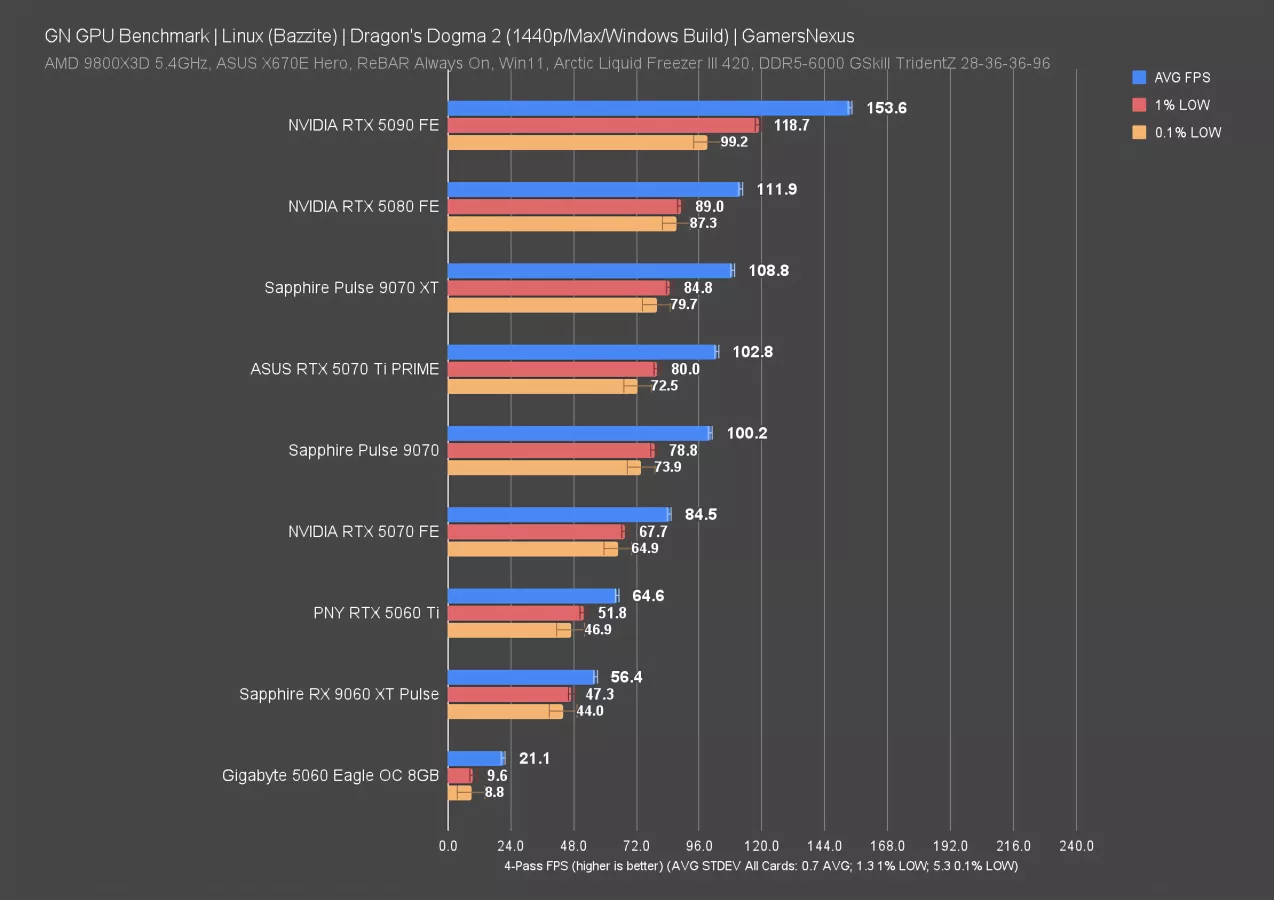
1440p had the 5090 at 154 FPS AVG, leading the 5080 (read our review) by 37%. The 9070 XT runs at about the same level of performance as the RTX 5080, which is another good position for AMD despite seeing a decrease in its relative rank from 1080p. The 5070 Ti trails this, with lows proportionally scaling.
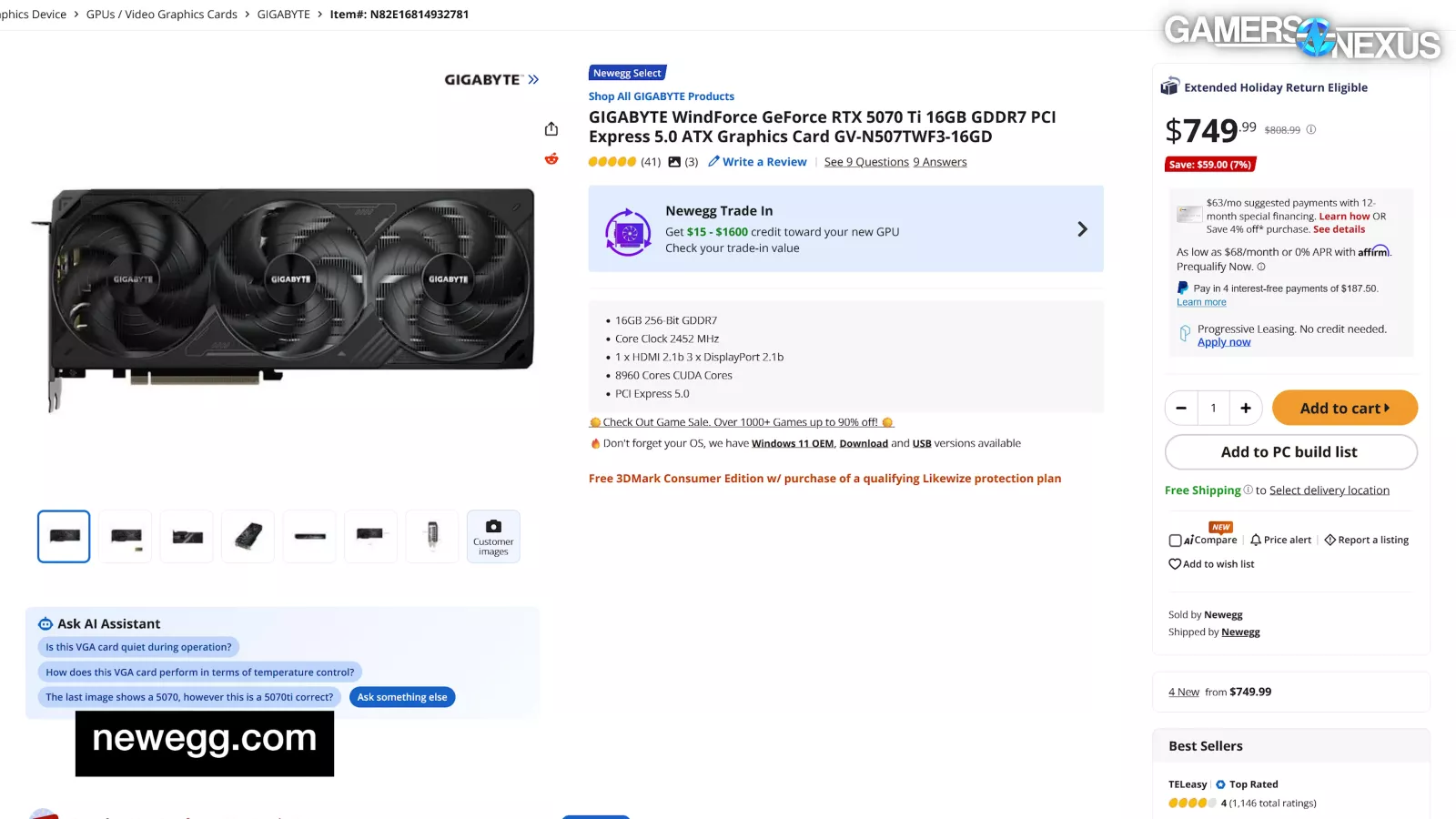
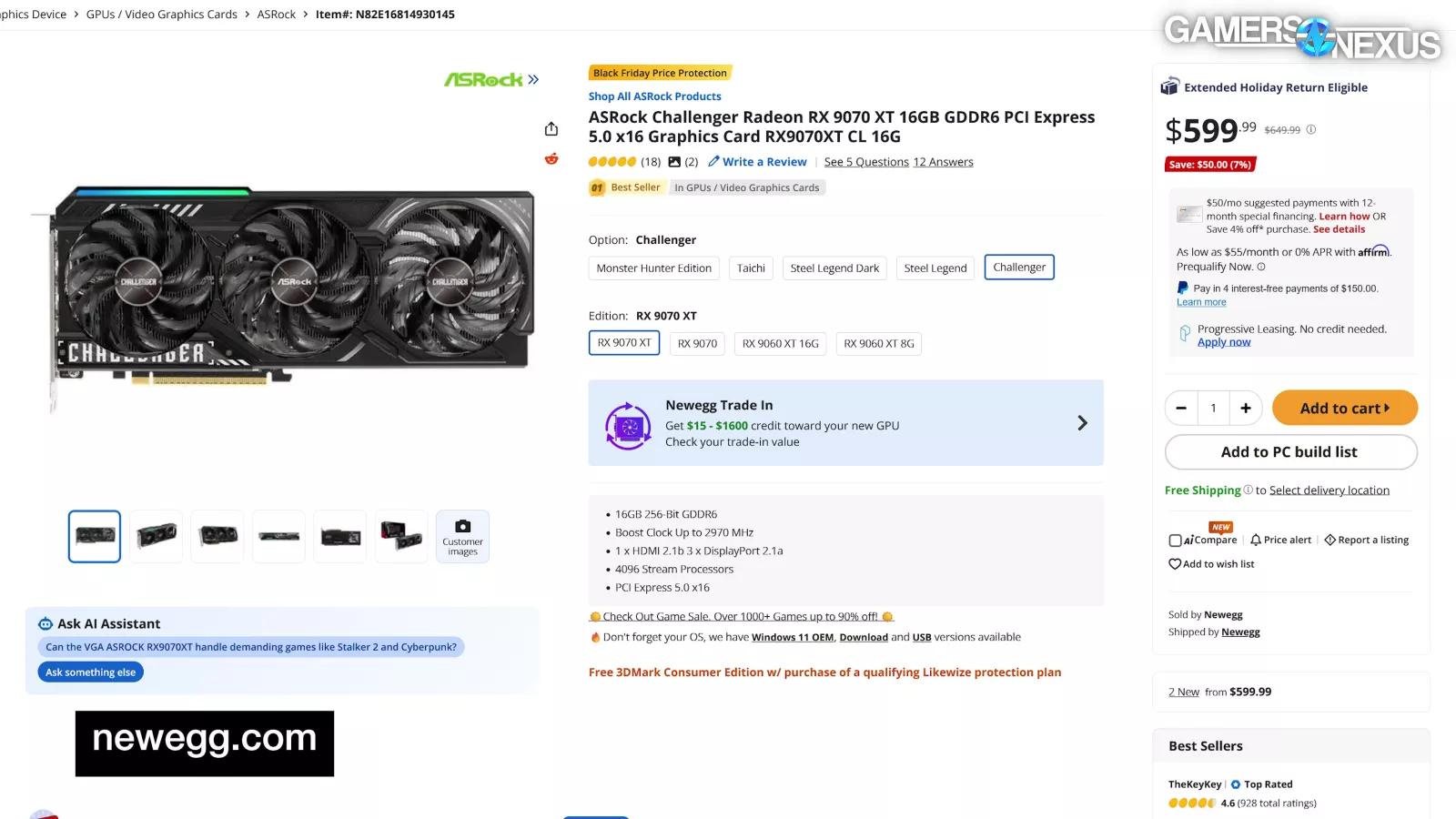
Current newegg prices have the 5070 Ti at $730 to $750, with the 9070 XT at $600 to $650. In this situation, the 9070 XT is improved on the 5070 Ti in both performance and price.
As for the 9070, which is around $550 to $570 on Newegg as we write this, it’s outdoing the $500 RTX 5070 by 19%.
The 5060 8GB falls off an absolute-fucking-cliff here and becomes unplayable.
Dragon’s Dogma 2 - 4K/Max
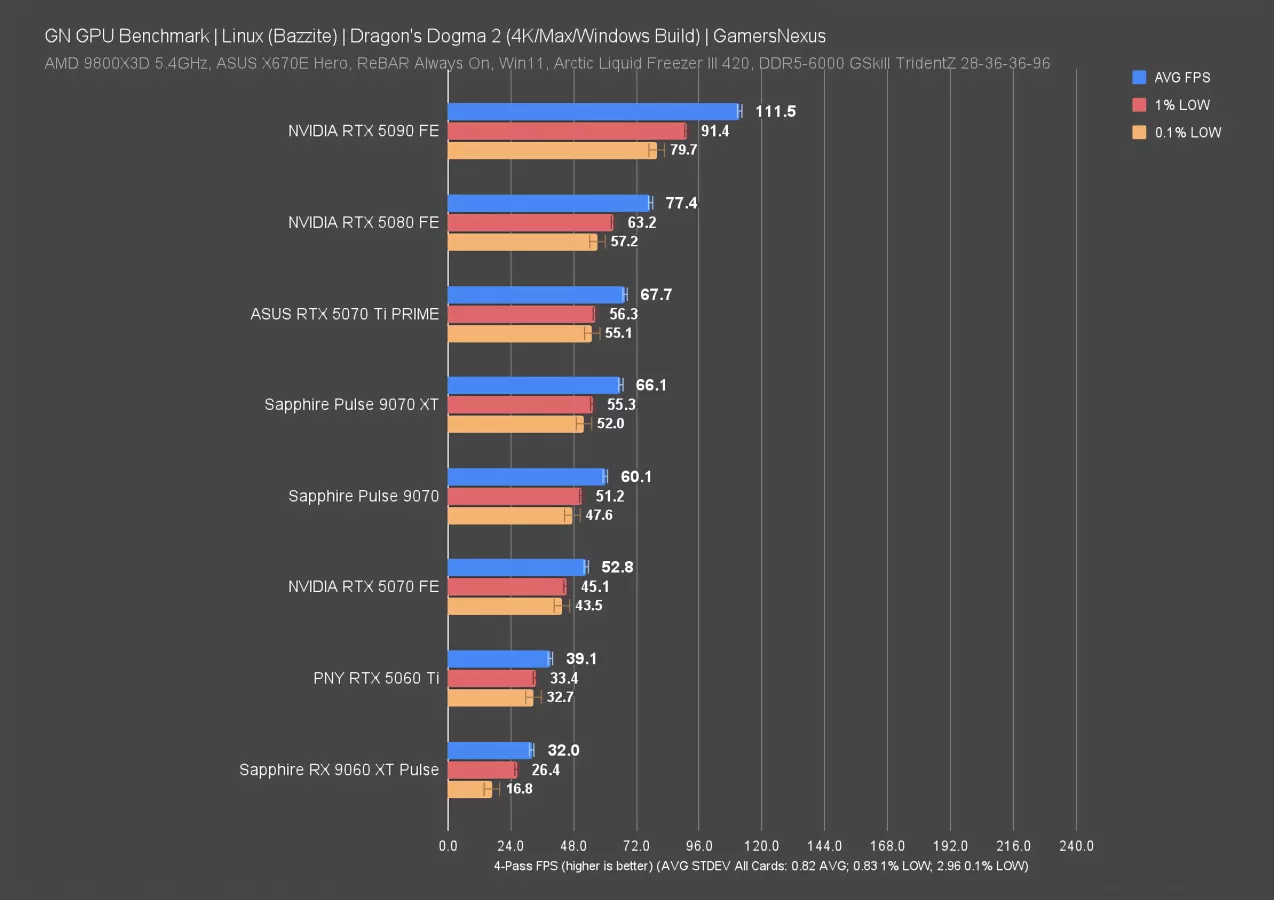
4K draws the numbers down. The RTX 5090 now has a 44% lead over the 5080 (as compared to 37% at 1440p), while the 5070 Ti is roughly tied with the 9070 XT. The 9070 is just behind the 9070 XT, which improves by only about 10% on the non-XT model. The 5070 ends up below the 9070, with the 9060 XT at the bottom of the chart. The RTX 5060 was not capable of running this test.
Black Myth: Wukong - 1080p
Black Myth: Wukong is next. In Windows, this game heavily slants in favor of NVIDIA with ray tracing enabled. It’s more balanced in rasterization, which is what we’ll look at first, but NVIDIA is still generally a strong performer here.
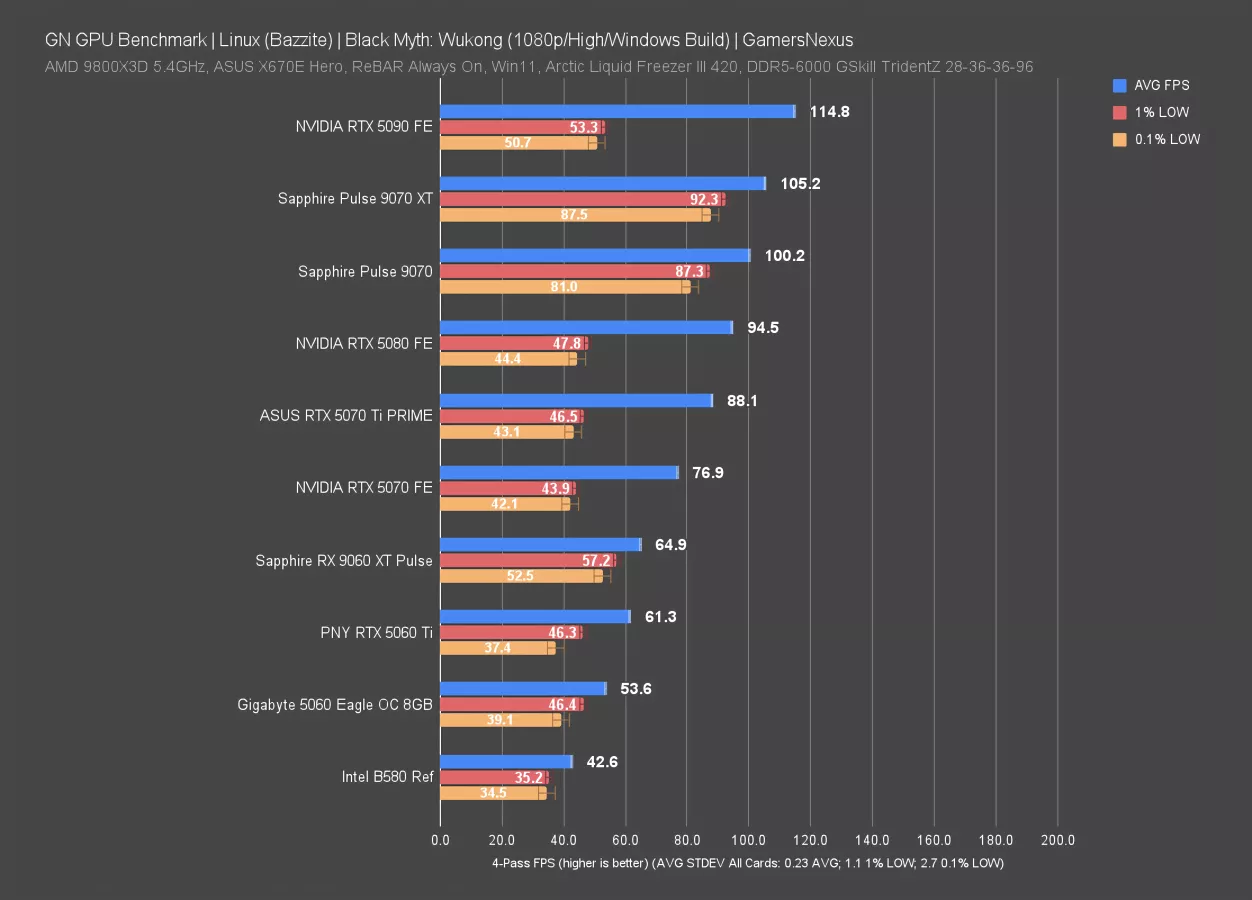
In Linux and at 1080p/High, the RTX 5090 runs at 115 FPS AVG, but has extremely disproportionate lows that slam its 1% and 0.1% averages through the floor. These aren’t anywhere close to the average, indicating a bad experience despite a high average framerate. We’ll look at that in a frame interval plot in a moment; unfortunately, animation error metrics don’t yet work in Linux software that we’re aware of, so we can’t evaluate that.
The 9070 XT has a lower average framerate, but offers a significantly better experience than NVIDIA’s flagship RTX 5090. The 5090 has an average that’s 9% ahead of the 9070 XT, yet the frametime pacing on the 9070 XT breaks away.
The 9070 repeats this: It’s only about a 5 FPS difference in average from the XT and still retains better interval pacing than the 5090.
The 5080 follows the 5090’s behavioral patterns, as does the 5070 Ti, 5070, 5060 Ti, and 5060 -- this is just an NVIDIA problem with this combination of game, driver, and operating system.
Even the RX 9060 XT is a better experience than the RTX 5090, as its lows are more proportional to the average.
For that matter, Intel’s B580 (read our review) is more consistent. NVIDIA has issues with its flagship title with this combination of software.
Black Myth: Wukong 1080p Frametimes
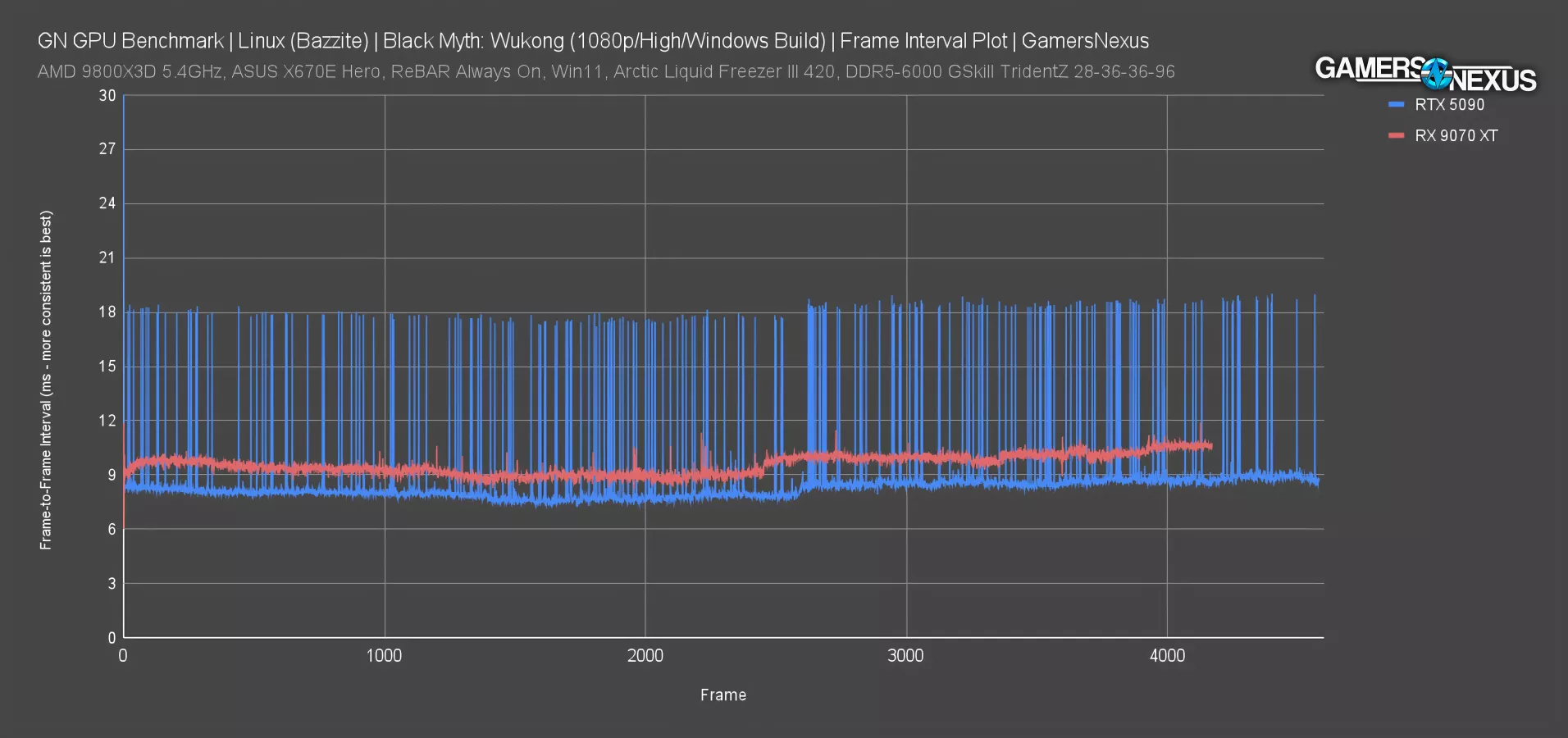
Here’s a plot of the frame-to-frame intervals, previously known as “frametimes.” We’ve been fine-tuning some of this language since our animation error white paper we released.
The frame-to-frame interval in milliseconds for the RTX 5090 illustrates frequent spikes to 18-20 ms, up from a typical result of 8 ms. That’s a 10-11 ms excursion frame-to-frame and it’s frequent, meaning that you can perceive a slight stutter. This is an instance where we’d love to have animation error metric in Linux, because it’d be a perfect way to drill-down into the issue.
For a 5090, this experience is unacceptable. We know it doesn’t do this in Windows, so this is unique to the situation.
The RX 9070 XT plots with extremely consistent frame-to-frame intervals, with almost no excursions. The few that exist are no more than 3-4 ms from frame n-1. So, while the 9070 XT has overall lower framerate or higher frame interval timing, the experience is far better when using it.
Black Myth: Wukong 1440p
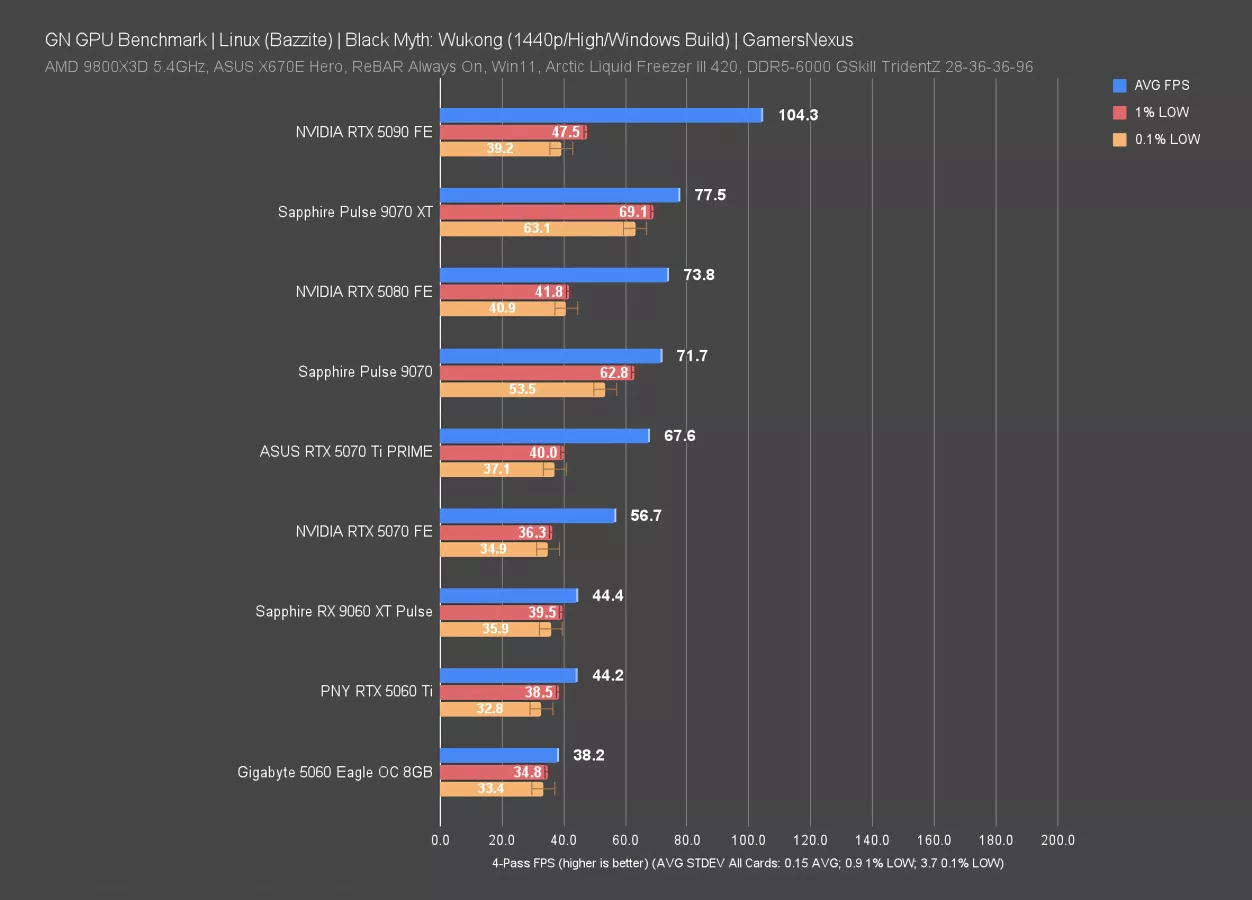
At 1440p, the RTX 5090 establishes more distance in average framerate from the RX 9070 XT, yet still suffers from dismal 1% and 0.1% low averages. The end result is that the 9070 XT has remarkably consistent frame-to-frame pacing with some of the best proportionality we’ve seen on these charts so far, while the RTX 5090 Founders Edition flounders its way through the pacing. The 9070 XT is superior in this test. That may change if NVIDIA is able to fix whatever the problem is; however, a fix would likely reduce the average framerate by pacing the frames more evenly. 5090 lows here are also inconsistent, meaning that they vary widely run-to-run.
The other NVIDIA devices suffer a similar fate, like the 5080. The 9070 ends up better than the 5080 by experience and is functionally tied in average framerate. The lows on the 5060 are more even with its average, as we appear to be hitting some kind of floor for the driver. For its price, the B580 is doing well as compared to the 9060 XT and RTX 5060.
Black Myth: Wukong 1440p Frame Pacing
Here’s the frame pacing for the 1440p results.
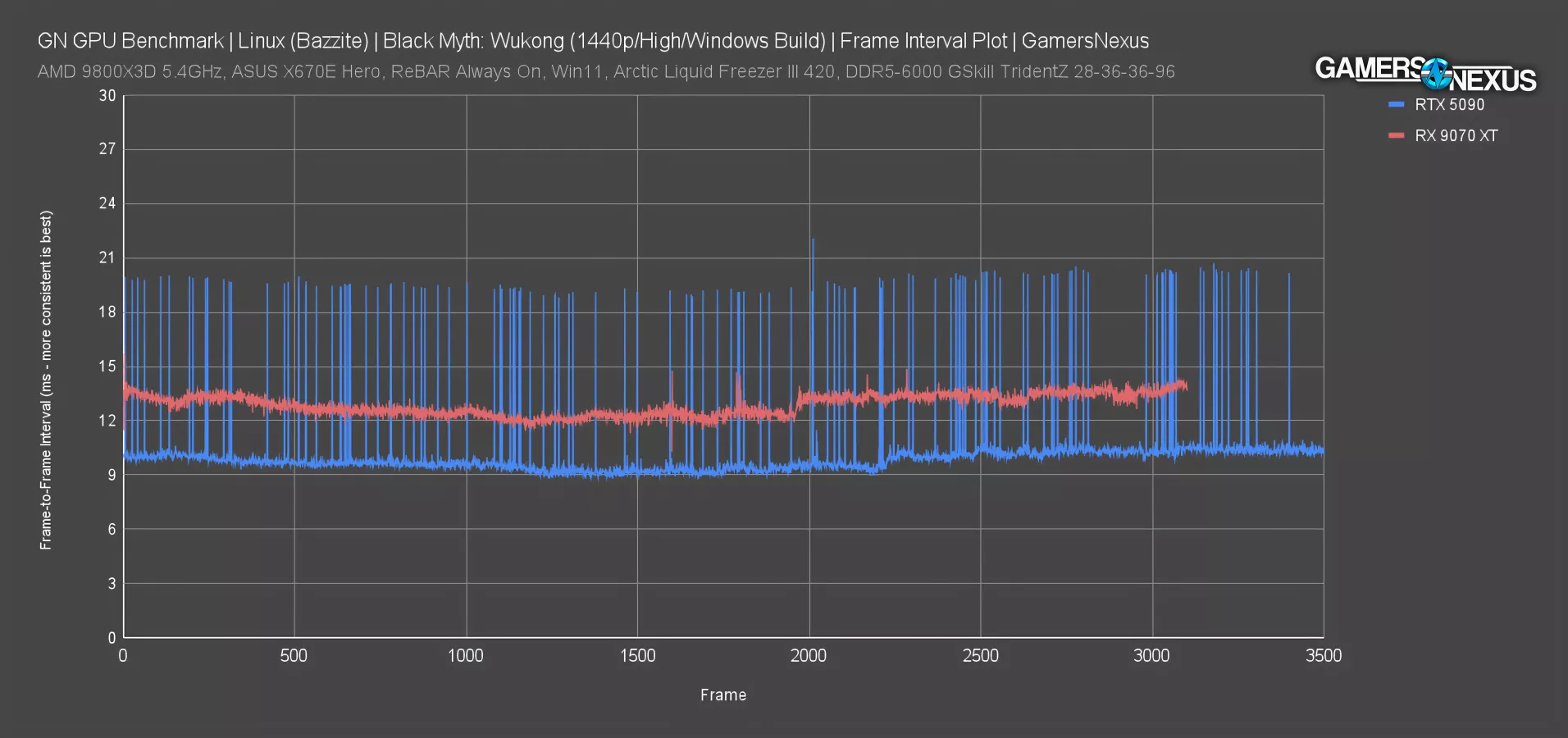
The 5090 shows the same behavior as before, just with a higher baseline time required at closer to 10-11 ms. The excursions adjust accordingly, now at 19-22 ms spikes, or a deviation of about 10-12 ms frame-to-frame in some cases. The rapid succession of these spikes is what makes the experience bad.
The 9070 XT looks about the same as before: The average time is a little longer, but the fluidity is far better.
Black Myth: Wukong 4K
Here’s the 4K bar chart.
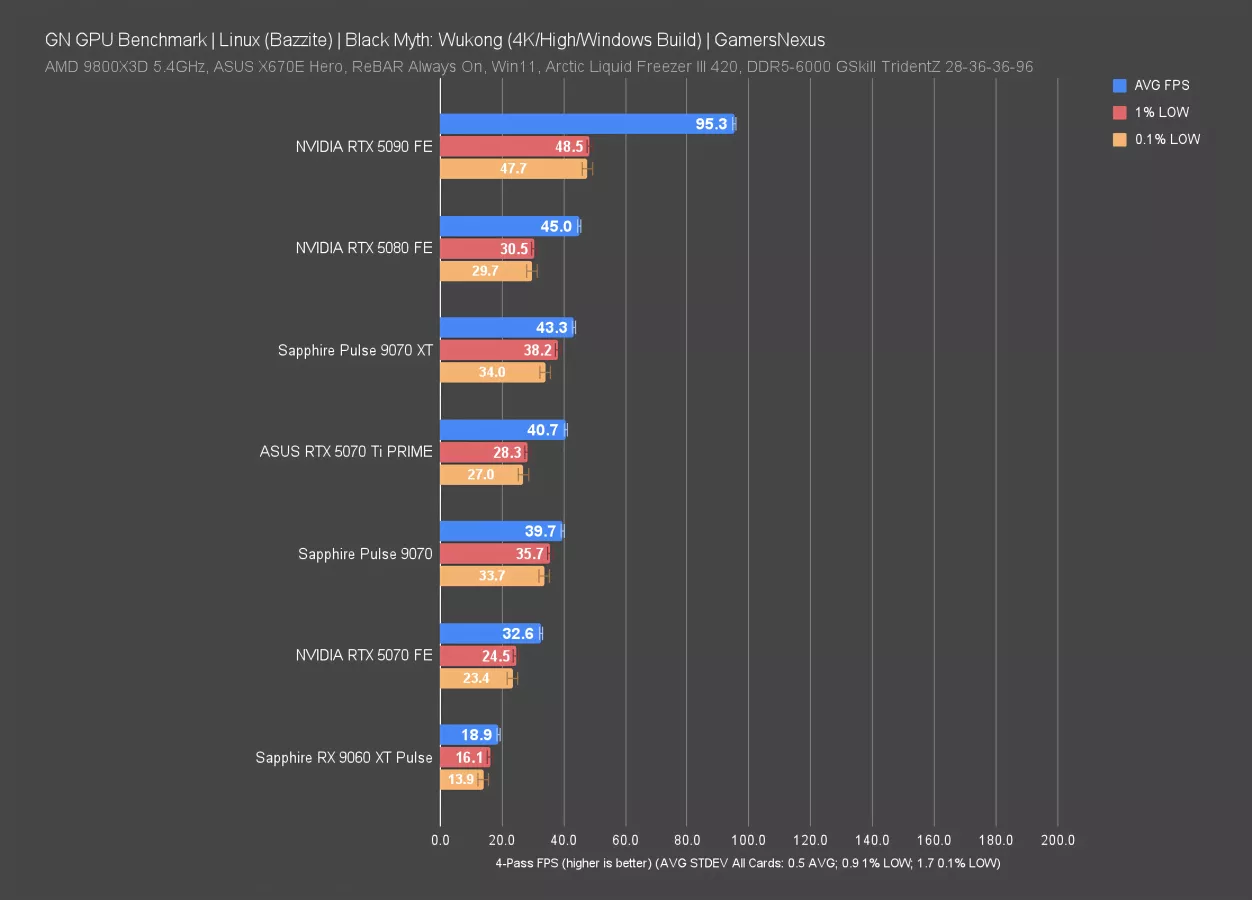
The 5090 handles 4K better than anything else, so we’ve finally found a situation where the game load crushes the other cards enough that even an inefficient and poorly running 5090 can still outmatch them. The lows come up a little from the prior chart only because the inconsistency run-to-run is so high for the 5090’s low performance, which is just the nature of poorly paced frame intervals in general.
The RX 9070 XT now falls technically behind the 5080 in average FPS, with its lows still better than the 5080 but worse than the 5090. That said, they’re more proportional to the 9070 XT’s average, so may still feel more fluid despite being overall lower framerate.
Resident Evil 4 (2023) - 1080p
Resident Evil 4 is up next. We had to prune more outlier test passes for this one than other games just due to run-to-run consistency issues.
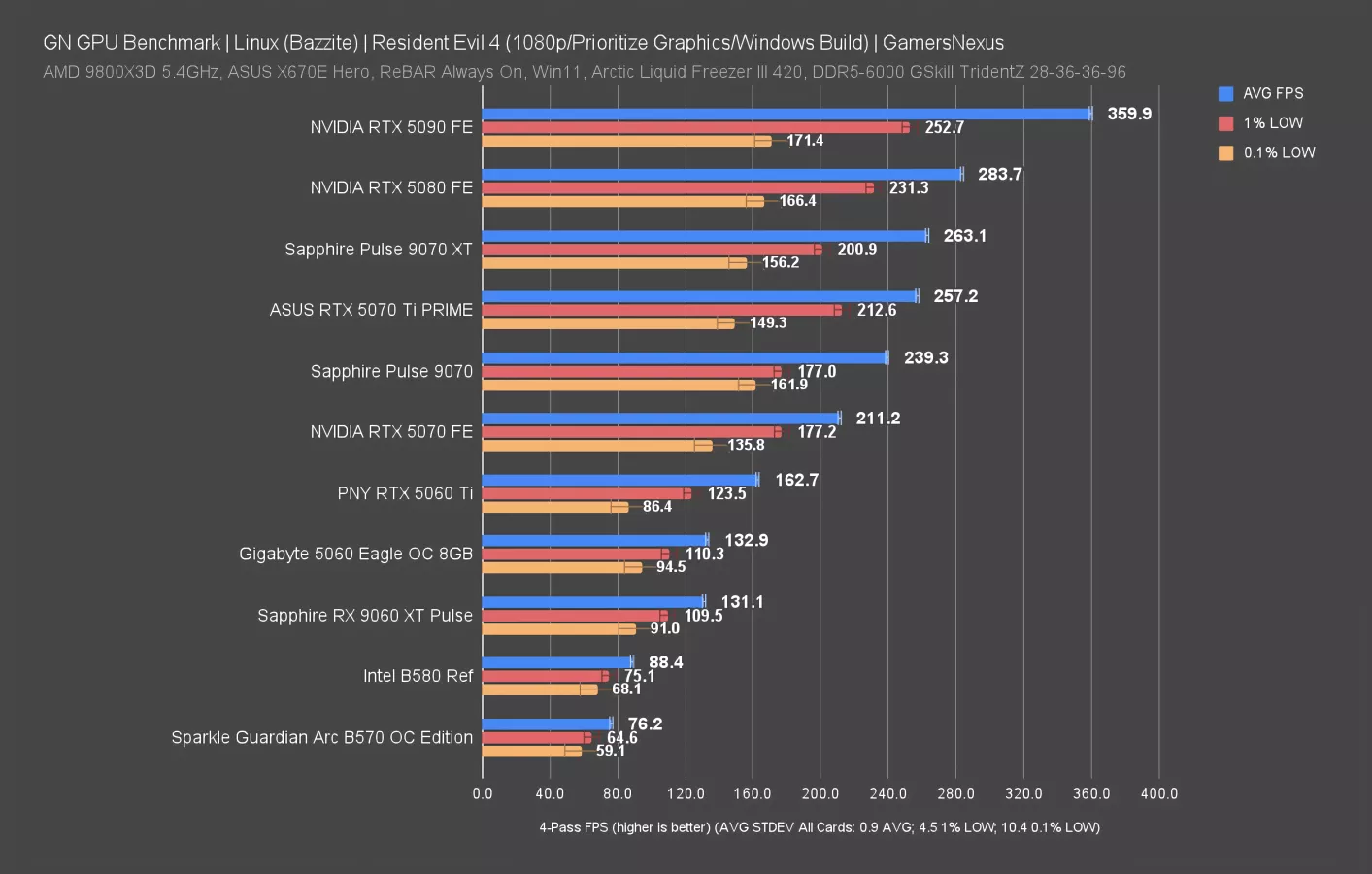
At 1080p, the 5090 leads at 360 FPS AVG, about 27% over the 5080. We need to see higher resolutions for scaling away from CPU limitations.
The 5080 and 9070 XT are clearly unconstrained, though. The 5090 makes that obvious. The 9070 XT is just behind the 5080 in all 3 metrics, giving the 5080 a 7.8% advantage in average framerate. Broadly speaking, this isn’t looking as favorable for NVIDIA as in Windows environments. AMD seems disproportionately favored here as compared to typically. To be that close to the 5080 is not good for NVIDIA.
The 9060 XT is about 48% ahead of the B580 as a result.
As an aside, the 0.1% low standard deviation is very high in this test, although the average framerate was overall remarkably consistent.
Resident Evil 4 (2023) - 1440p
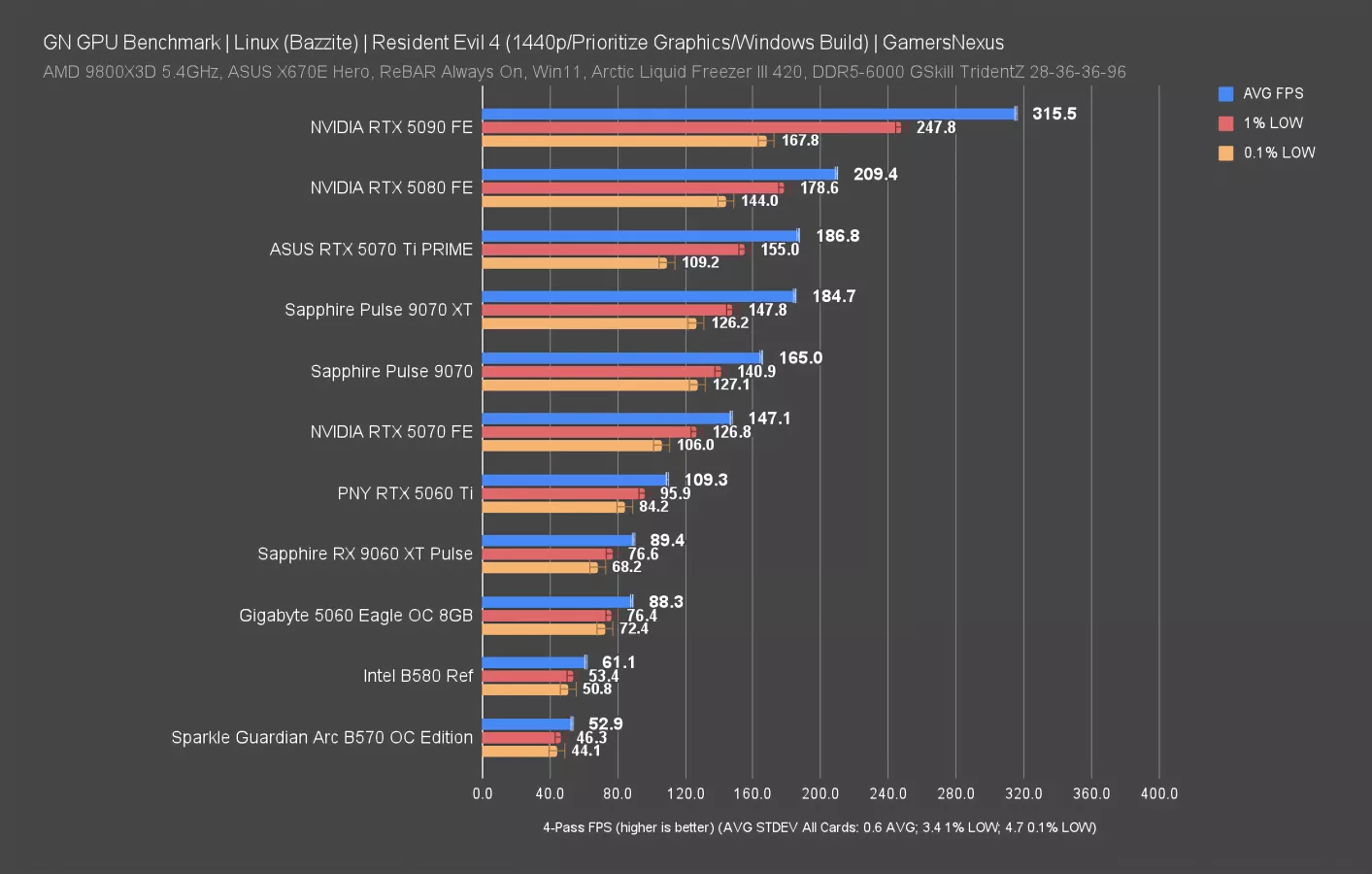
At 1440p, the 5090 drops to 316 FPS AVG and now leads the 5080 by 51%. That’s a huge gain over the 27% previously and is mostly thanks to imposing more of a GPU bind.
The 5070 Ti and 9070 XT are about tied with each other, but the 5070 Ti has lower 0.1% low marks due to a lower performance pass. This is real data though and is representative of the experience, so we’ve included it.
The B580 and B570 (read our review) don’t perform well (again), falling below the RTX 5060 and landing at the bottom of the chart. The cards are cheaper than everything here, assuming MSRP, so that’s somewhat expected. In the very least, Intel’s frametime pacing performance is good here, with some of the most consistent frame-to-frame intervals on the chart.
Resident Evil 4 (2023) - 4K
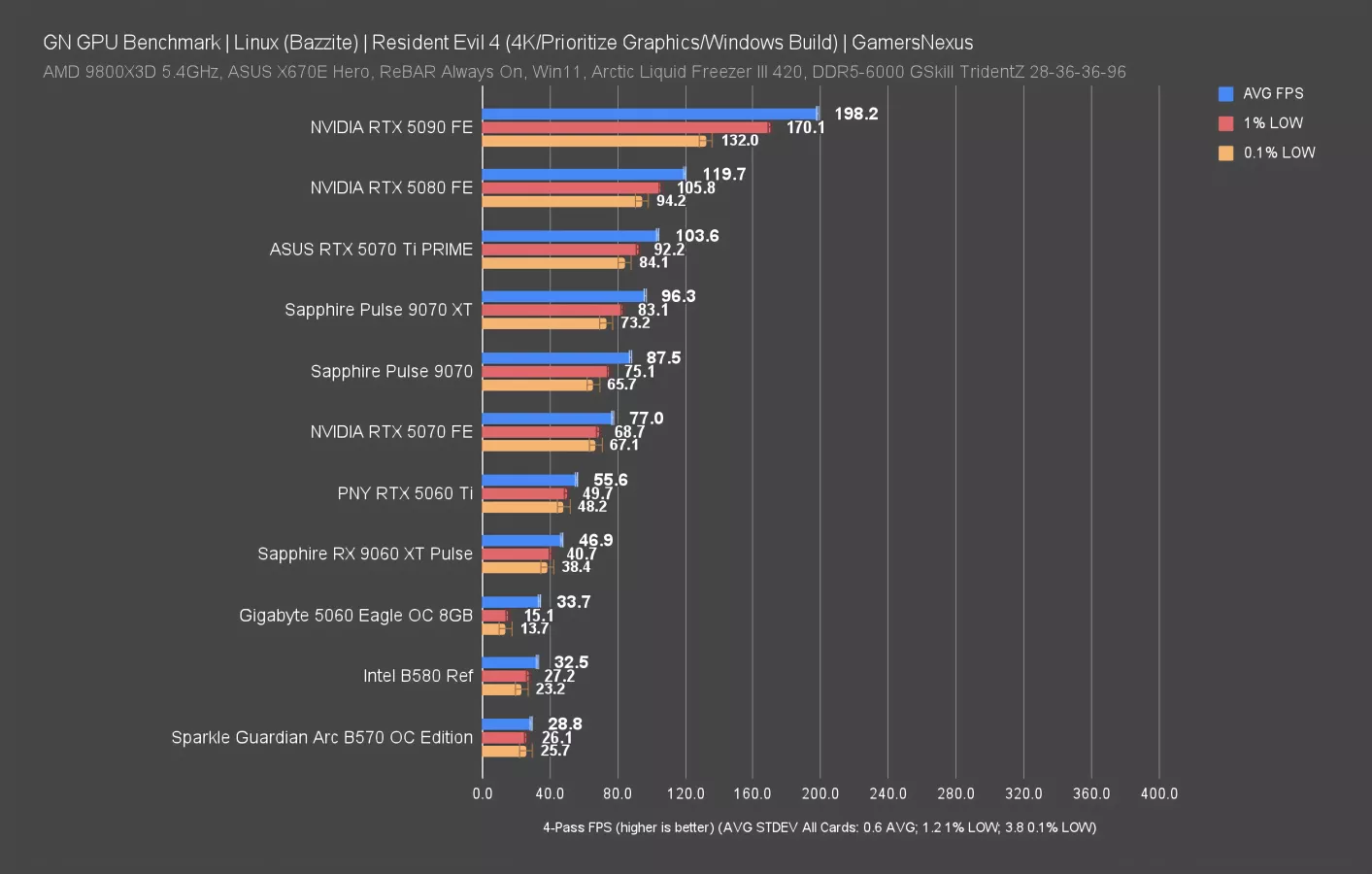
At 4K, the RTX 5090 now clears a ridiculous 66% lead over the RTX 5080, seemingly continuing to gain as load increases. It’s able to brute force its way to the top of the charts.
Standouts include the RTX 5060, which actually did OK for average framerate at 4K if not for the awful 1% and 0.1% low metrics, which call our attention to bad frame-to-frame interval pacing.
The B580 and B570 are at the bottom again, but to their credit, are both better than the NVIDIA RTX 5060 result.
The middle of the chart sees the 5070 and 9070 about 10 FPS apart in averages.
Starfield - 1080p
Starfield is up next. No one plays this game, so we figured we’d multiply 0 by 0 and test it in Linux.
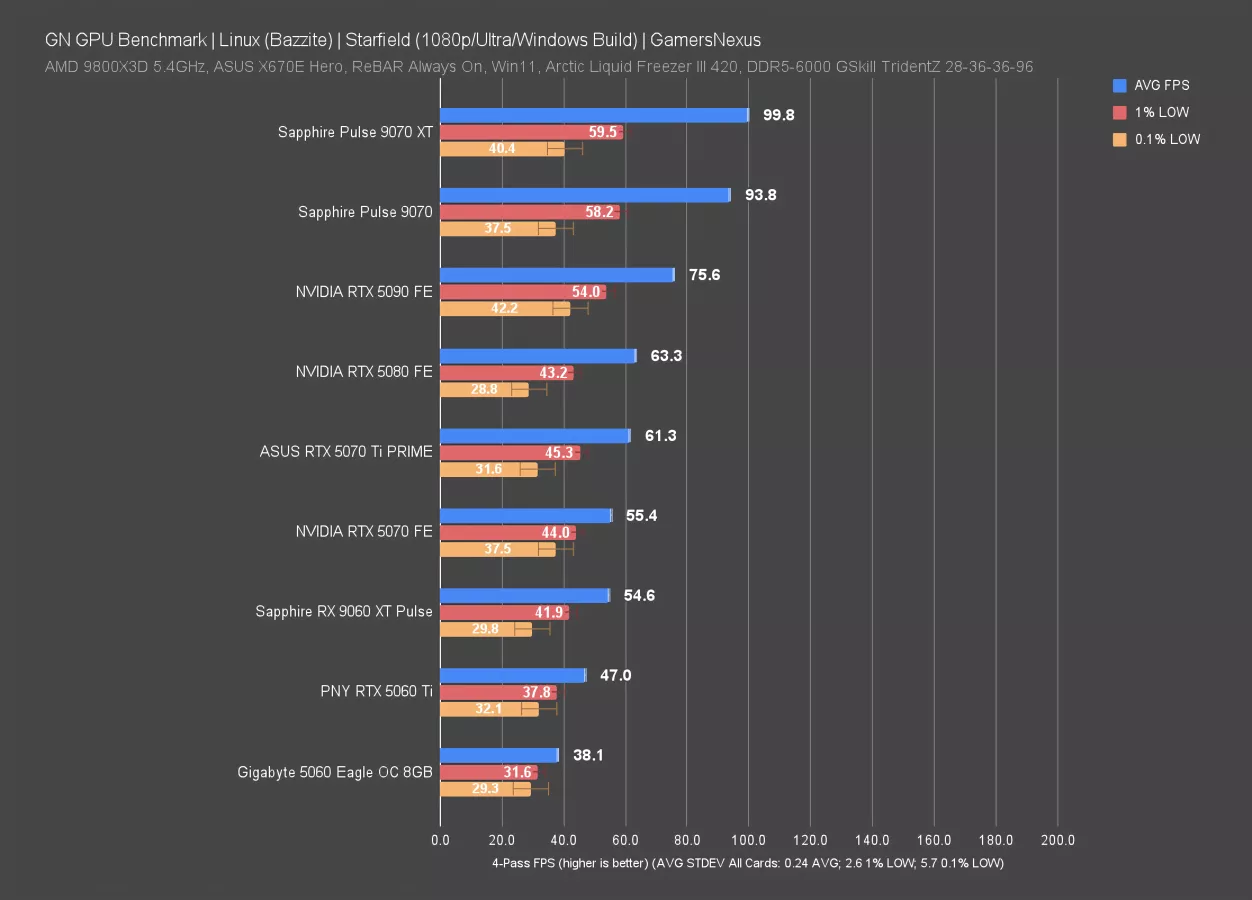
The 9070 XT did phenomenally here by comparison to the 5090. Actually, NVIDIA is just straight-up screwed in this game, with bad performance as a result of the drivers and game interaction. Obviously, a 5090 is just better than a 9070 XT in basically every objective metric; however, in actual use in this test, its performance is worse than an RX 9070 and 9070 XT alike.
The 5090 is just 19% ahead of the 5080 here, with the 5070 Ti about the same as the 5080 and 5070 not far behind. This is a clear indication that something is just broken in this chain of drivers and software.
The game was overall extremely consistent in its average and 1% lows.
AMD comes away looking good here and overall, has thus far held more of an advantage in Linux benchmarking as compared to its relative positioning in Windows.
Starfield - 1440p
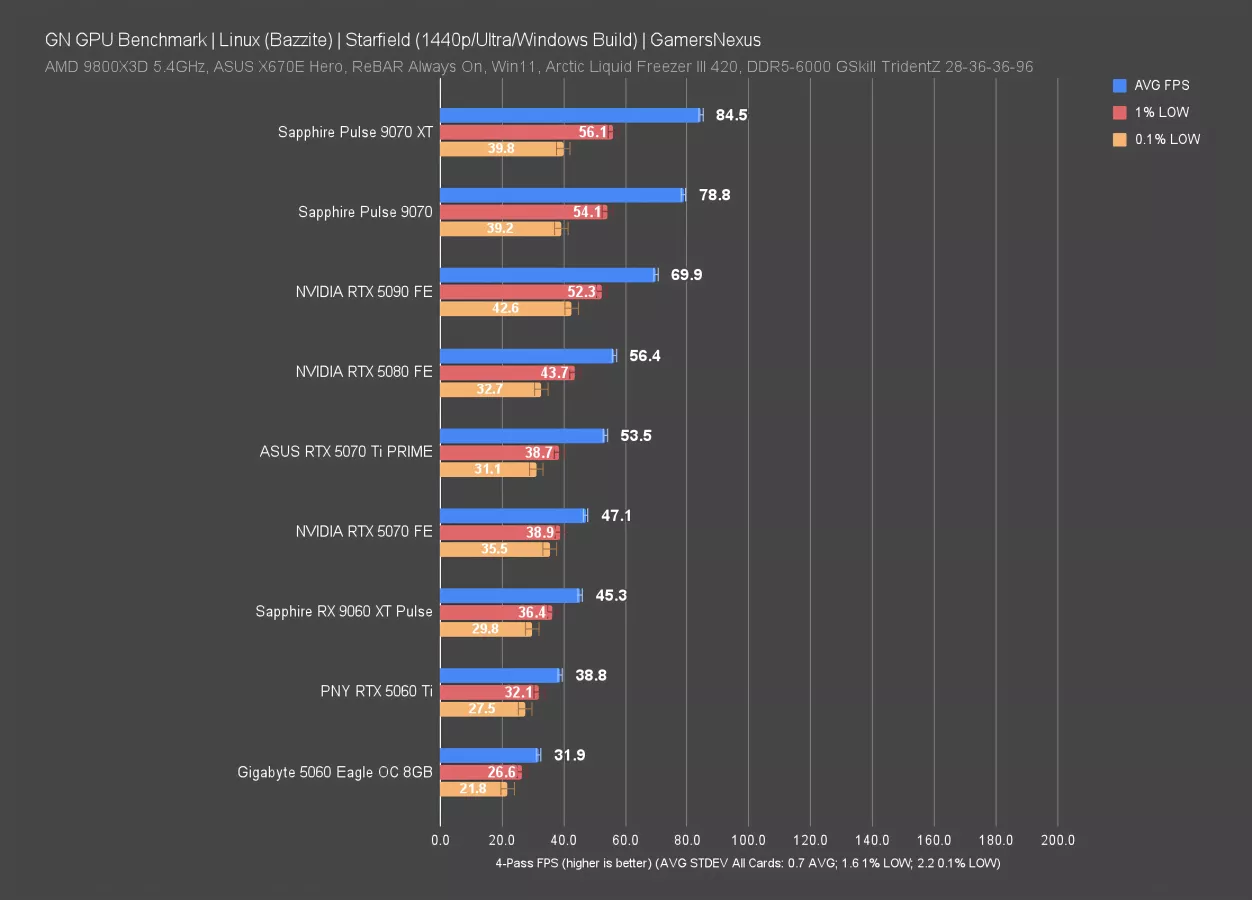
In Starfield at 1440p, the same situation unfolds: The 9070 XT leads the charts, followed closely by the 9070 non-XT. These two cards remain as close as ever to each other. The 5090 is next, then the 5080. This time, the 5090 leads the 5080 by 24%. That’s still not normal, but better.
Broadly speaking, NVIDIA is getting wrecked here. It’s not even close. The NVIDIA GPUs still hierarchically line-up against each other by name, but do not land where expected by actual performance differences.
Starfield - 4K
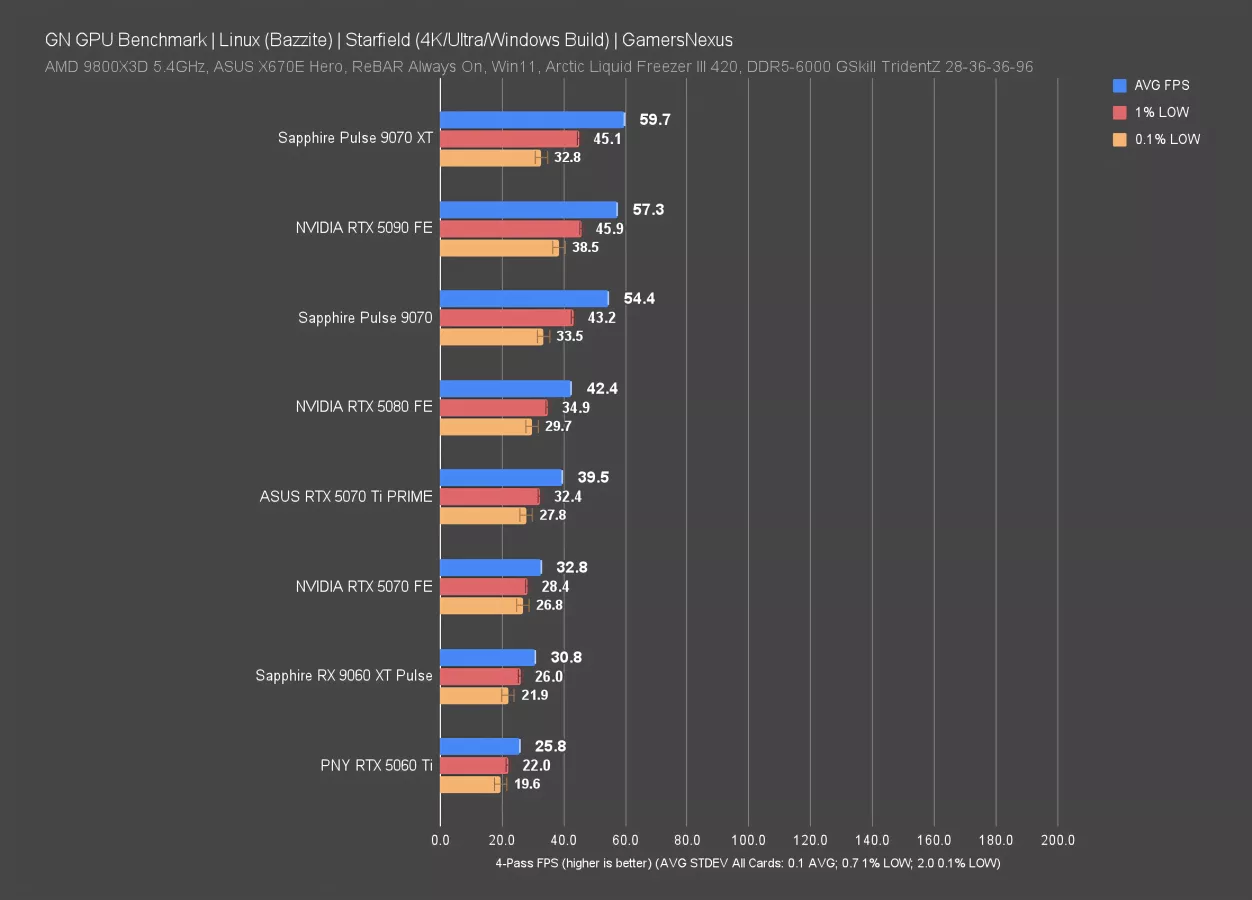
At 4K, the situation improves slightly for the 5090, but not in a way that matters much: The 9070 XT is still in front, now at 60 FPS AVG and still with lows that scale as expected. The 5090 trails, basically tying the 9070 XT. The lows difference is within variance of the XT. The 9070 flanks the 5090 on the other side, so overall, the higher resolution has created a scenario where it’s clawing itself ahead, but still not by an amount you’d come to expect from its hardware.
This looks like how Intel GPUs sometimes feel on Windows: The hardware is clearly capable of more, but it can’t break out of some external box.
Speaking of Intel, it’s not present here because it’s just broken in this title. We’ll look at that more in a bit.
Dying Light 2 - 1080p
Dying Light 2 is next, first at 1080p.
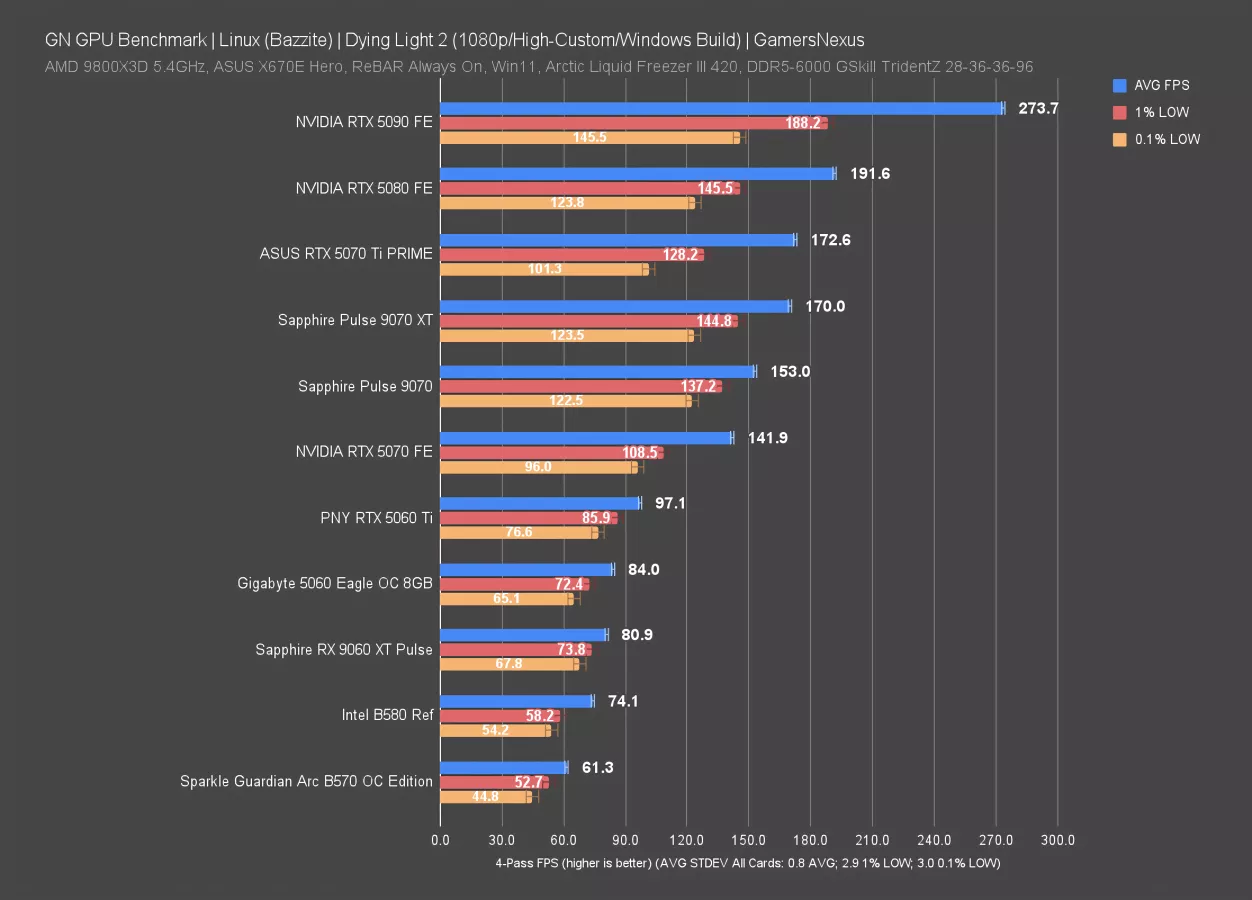
The RTX 5090 leads everything here for average framerate, including about 43% lead over the RTX 5080. The lows for the 5090 and 5080 illustrate a limit to how close they can get to the average of NVIDIA’s higher-end devices, where we’re bouncing off of some kind of driver or software ceiling. The 9070 XT and 9070 both carry lows closer to the average, once again, with average results for the 9070 XT about tied with the 5070 Ti but better 1% and 0.1% low averages.
The B580 appears at 74 FPS AVG, showing that it’s playable and competitive with at least the 9060 XT.
Dying Light 2 - 1080p (5070 Ti) Frame Pacing
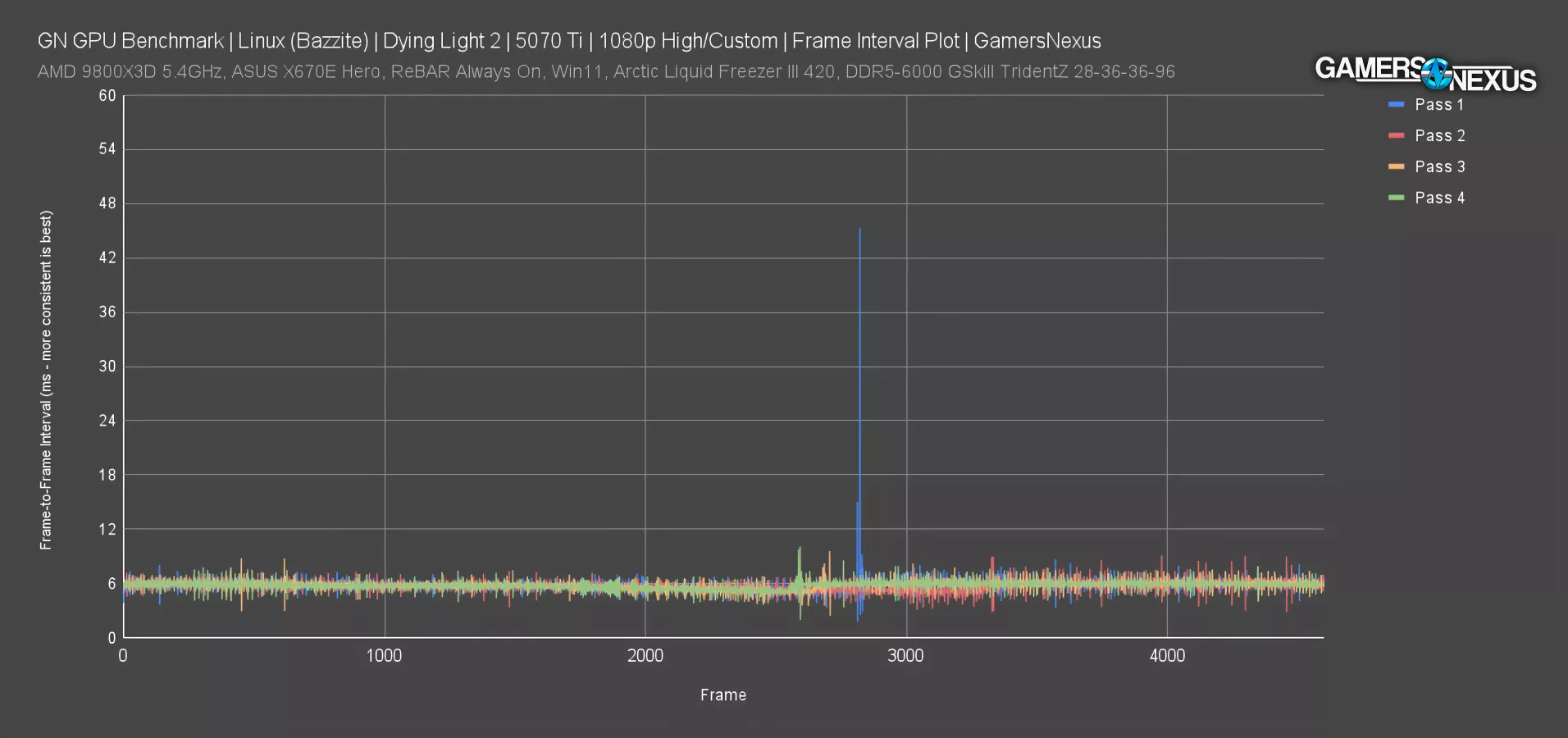
One thing here: The RTX 5070 Ti had extremely high run-to-run variance that appears to be just a part of the performance characteristics for this configuration, not some test outlier.
This plot shows that, overall, the frame-to-frame pacing of 4 passes is generally inconsistent. The spikes you’re seeing above each cluster of data are undesirable, but the worst one clearly happened just before frame 3000, where we had a spike to about 46 ms. This is long enough that you’d notice, even though it’s a single spike.
Dying Light 2 - 1440p
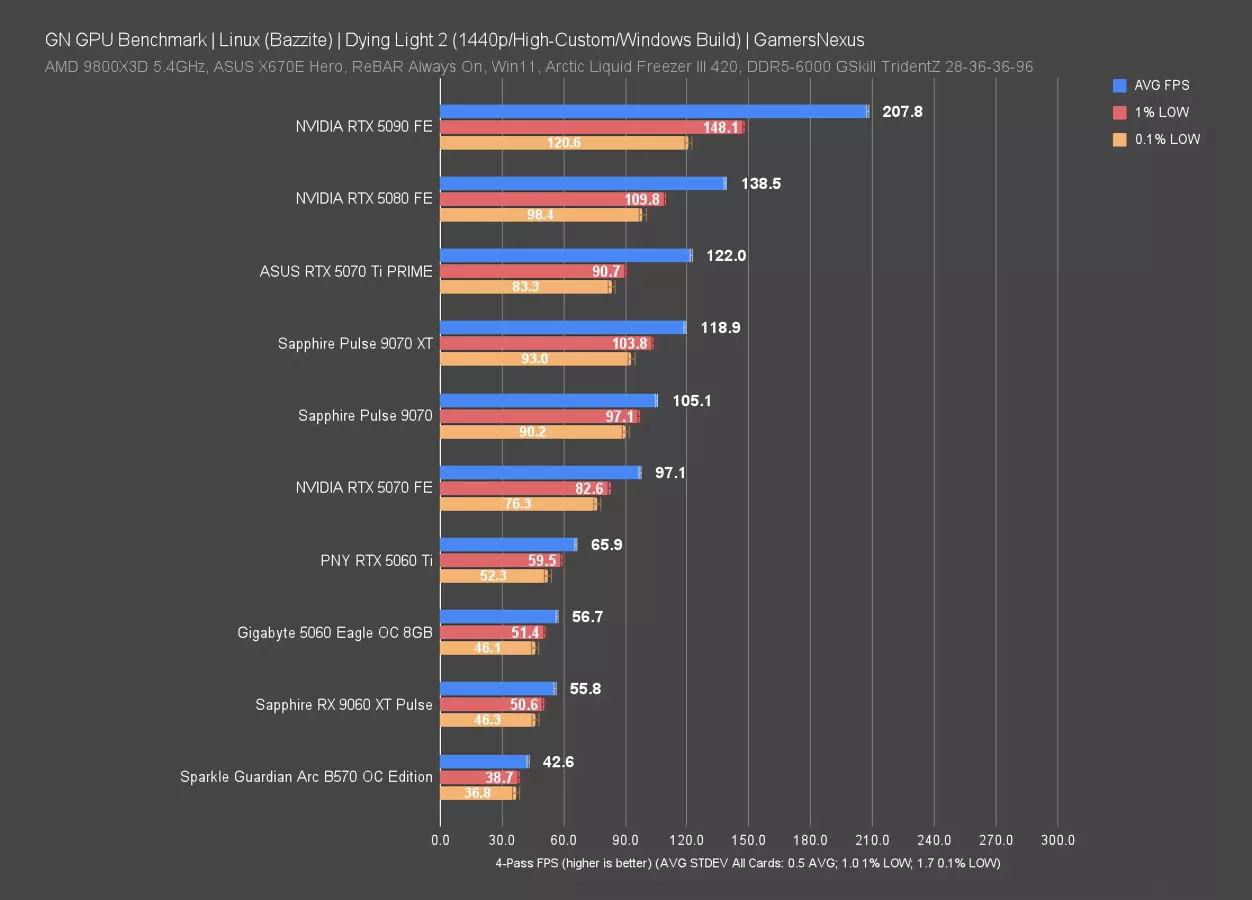
The 1440p results have the RTX 5090 50% ahead of the RTX 5080 in average framerate, with the 5080 leading a nearly-tied pairing of RX 9070 XT and RTX 5070 Ti. The 9070 XT maintains better frame interval pacing, although not by as much as some previous results.
The RX 9070 is likewise consistent. The B570 ran at 43 FPS AVG.
Dying Light 2 - 4K
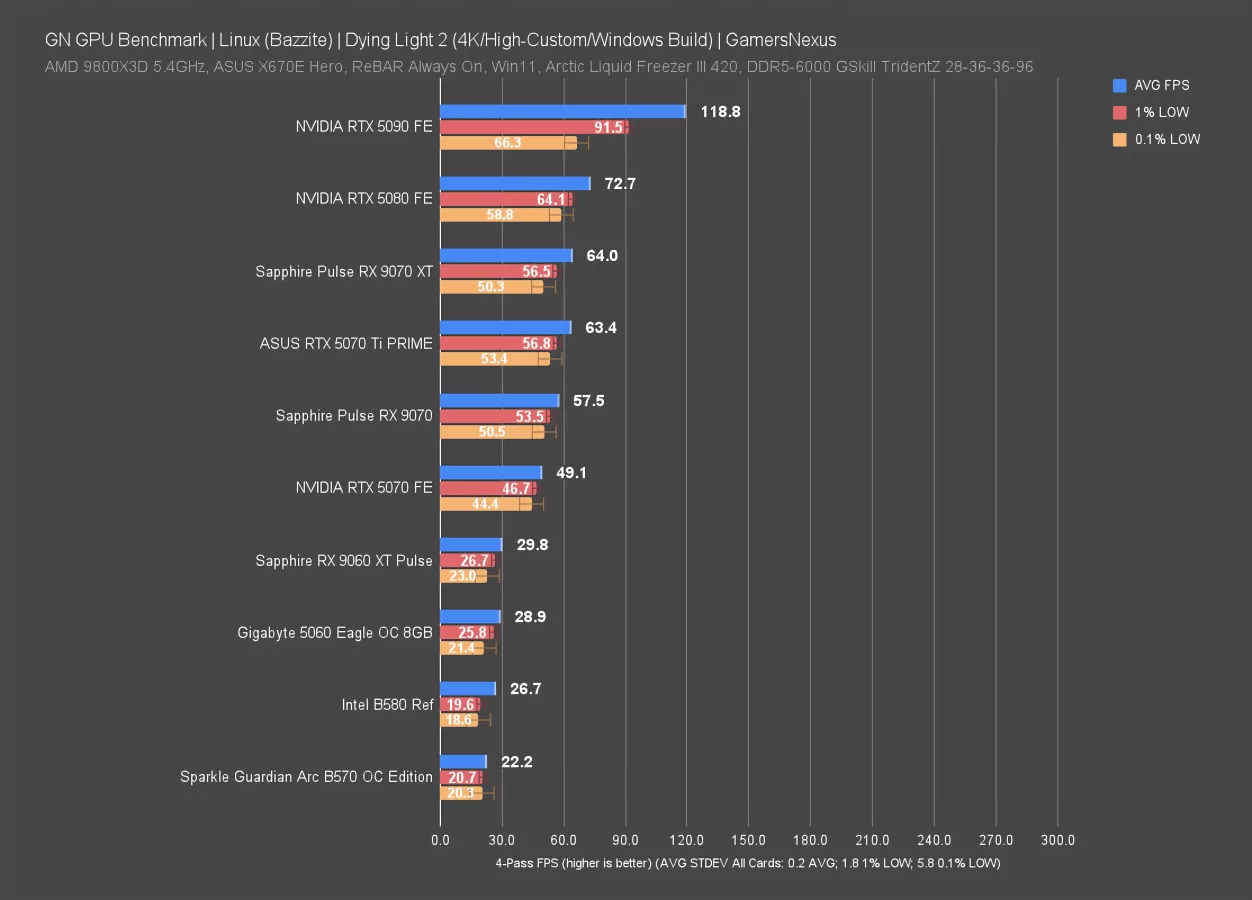
At 4K, the RTX 5090 held a 119 FPS AVG and lows that were still disproportionately low as compared to those of the 5080. To us, this indicates again that there is a ceiling the higher performance NVIDIA card is bouncing off of for pacing.
The 9070 XT ran at 64 FPS AVG, roughly tying the 5070 Ti and landing within error of its 0.1% lows. Predictably, the RX 9060 XT, RTX 5060, B580, and B570 can’t really run this test.
Cyberpunk 2077 - 1080p
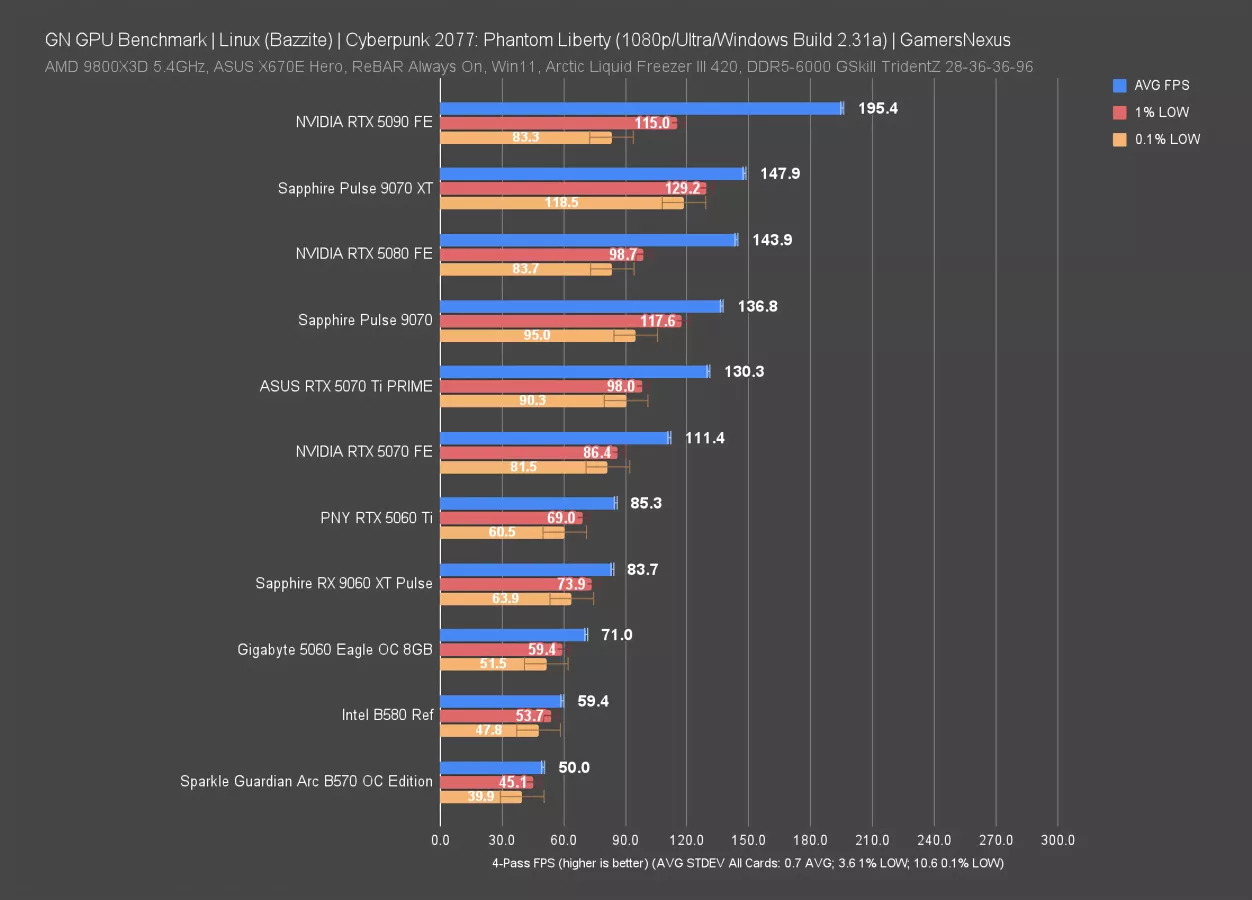
Cyberpunk 2077: Phantom Liberty is up now, tested first rasterized and without RT.
Immediately, the first thing we observed was a higher standard deviation in this test. The 0.1% low standard deviation was about 10-11 FPS, which is the highest of these charts so far. At least 3 cards were in this range. The game is just more variable than in our Windows environment.
The RTX 5090 ran at 195 FPS AVG, leading the 9070 XT by 32% in average framerate; however, the 9070 XT again has superior lows to the NVIDIA RTX 5090, and in a big way. Fortunately for NVIDIA, the card is still overall playable and large spikes aren’t easily noticeable. Because its lows are high enough overall, it may be the case that the 5090 maintains a better experience -- but only by brute force.
The 5080 trails the 9070 XT for average framerate and significantly in low averages. The 9070 is close in average FPS to the 5080 and advantaged in lows.
Intel’s B580 ran at about 60 FPS average, which isn’t bad for the Arc card. That has it behind the 5060, which leads by 20% in average framerate, but is roughly tied in 1% and 0.1% lows.
Cyberpunk 2077 - 1440p
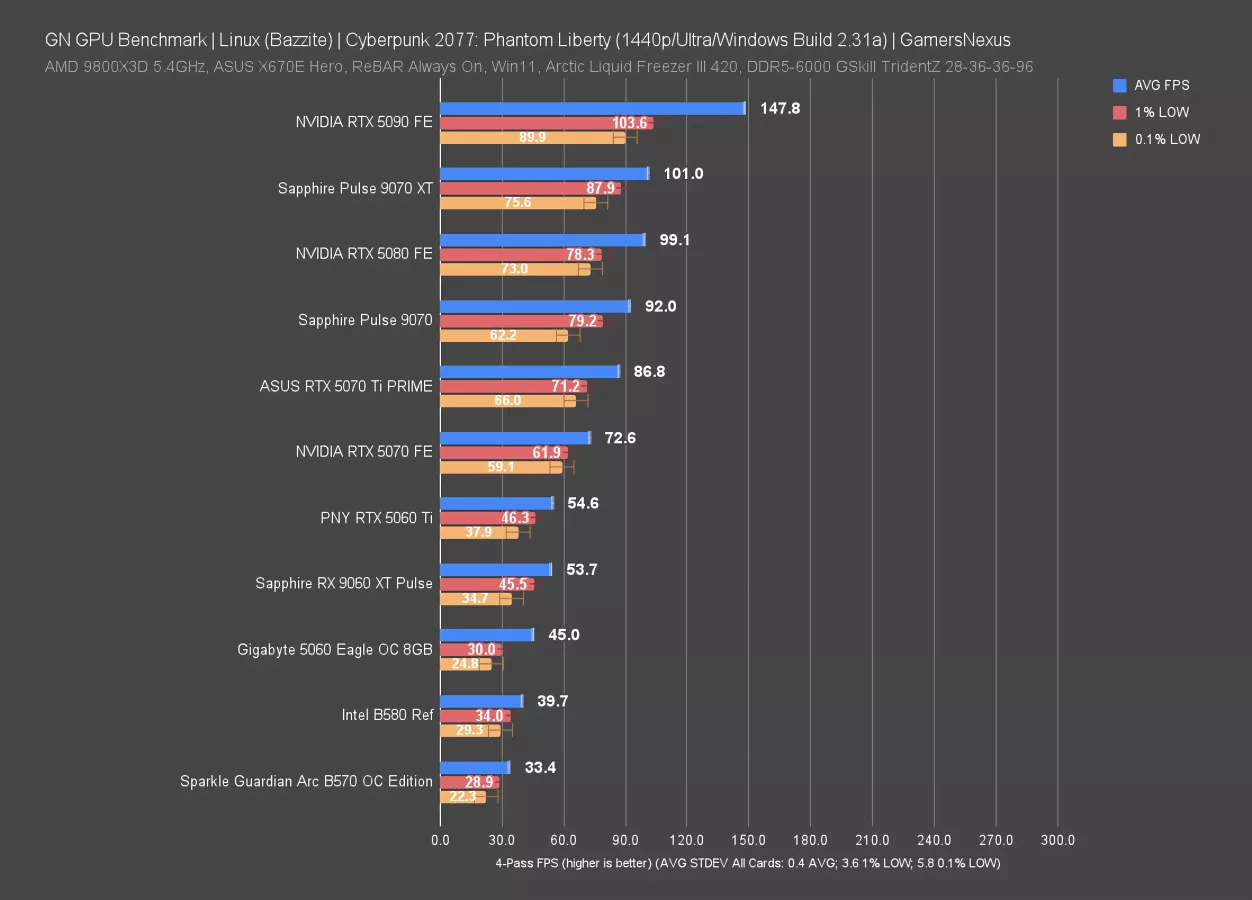
At 1440p, the 5090 held a 148 FPS AVG with lows at 104 and 90 FPS. This is a 46-50% lead over the RX 9070 XT and RTX 5080, which have about the same average framerate. Lows are also better numerically, though less proportionally spaced.
The Intel B580 drops to 40 FPS due to the heavy load of 1440p, following the RTX 5060. The 5060 struggles with the combination of VRAM limitations and NVIDIA’s software-specific issues in this test, on this OS.
Cyberpunk 2077 - 4K
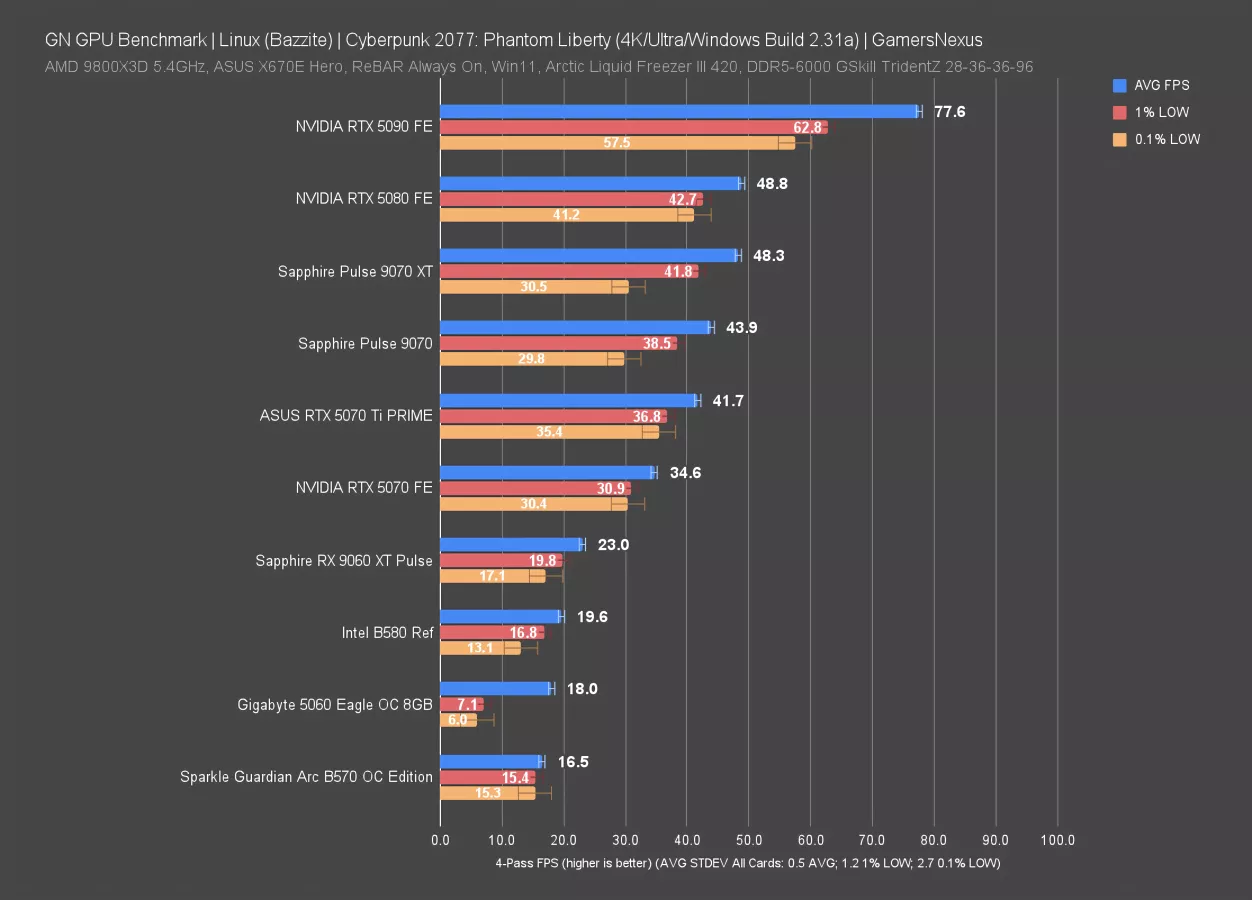
We don’t expect the RTX 5060 to be able to play this game at 4K, to be clear, but other than this result, the rest is similar to what we’ve seen previously. NVIDIA’s results are improving at the low end, but are still disproportionate in the 5090 as compared to other devices. The 9070 XT struggled at 4K, landing at 48 FPS AVG and trailing the 5080 in all 3 metrics.
The B580 and B570 both massively outperform the RTX 5060, as does the 9060 XT, particularly in low metrics.
Baldur’s Gate - 1080p, Linux Native (Vulkan)
We’re getting into Baldur’s Gate 3 benchmarking now. This game is different from many of the others: It has a Linux native build and a Windows build, and its test matrix gets more complex by the presence of Vulkan and Dx11 support. The Linux native build had some serious issues that we’ll talk about below, but we still tested it.
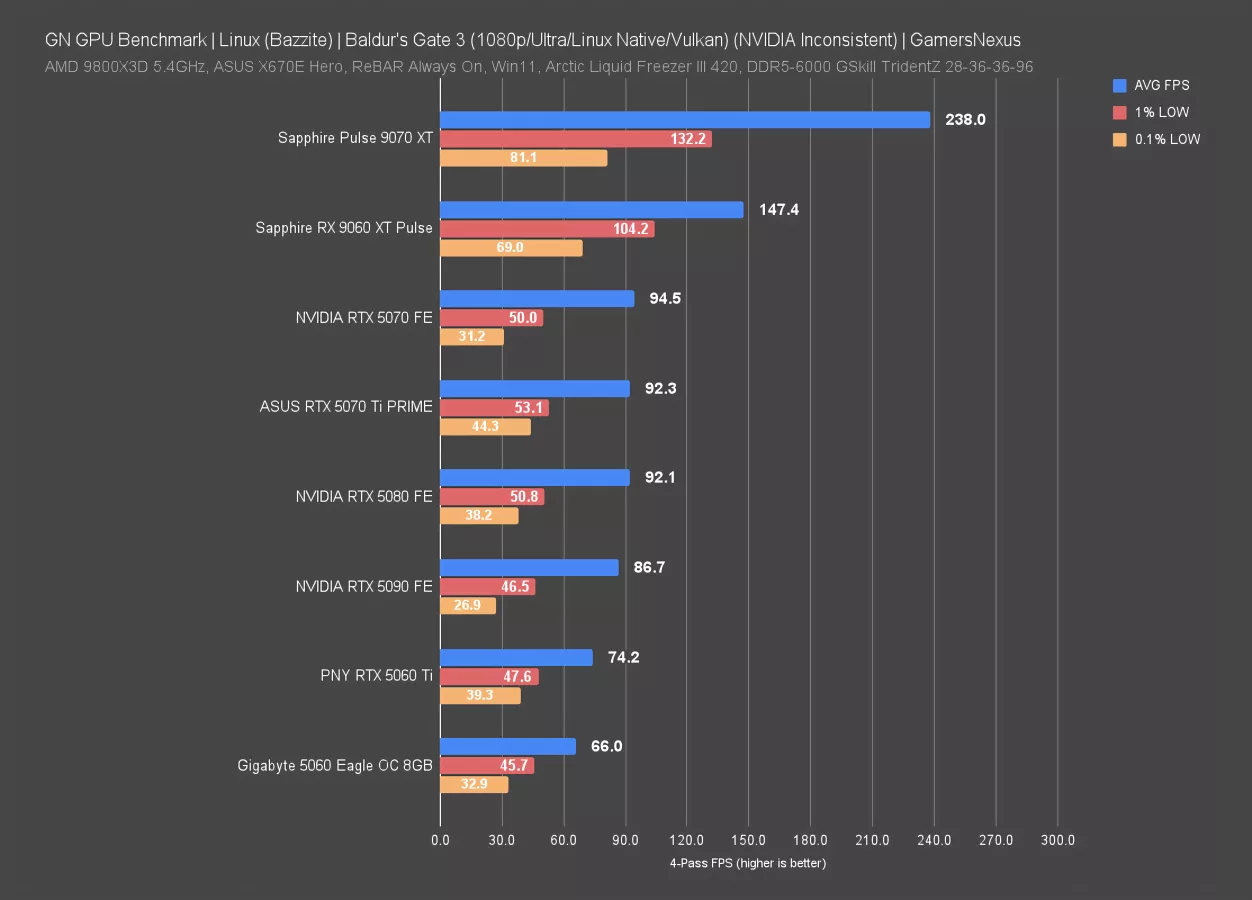
At 1080p and with the Linux native build running the Vulkan API, NVIDIA runs completely sporadically and unreliably. We’re well aware that the 5090 is below the 5070, and that obviously this is not how these cards actually behave. After re-tests and evaluations though, the only thing consistent is inconsistency when it comes to NVIDIA with the Linux native build of Baldur’s Gate 3 with Vulkan.
The 9070 XT ran at 238 FPS AVG here. Its lows weren’t proportional to that average and are overall less consistent than we’d like. The 9060 XT lands predictably below that, followed by a host of unreliable NVIDIA results.
Broadly speaking, this build is buggy. Due to issues with reliability, we’re not listing error bars on this one.
Baldur’s Gate - 1440p, Linux Native (Vulkan)
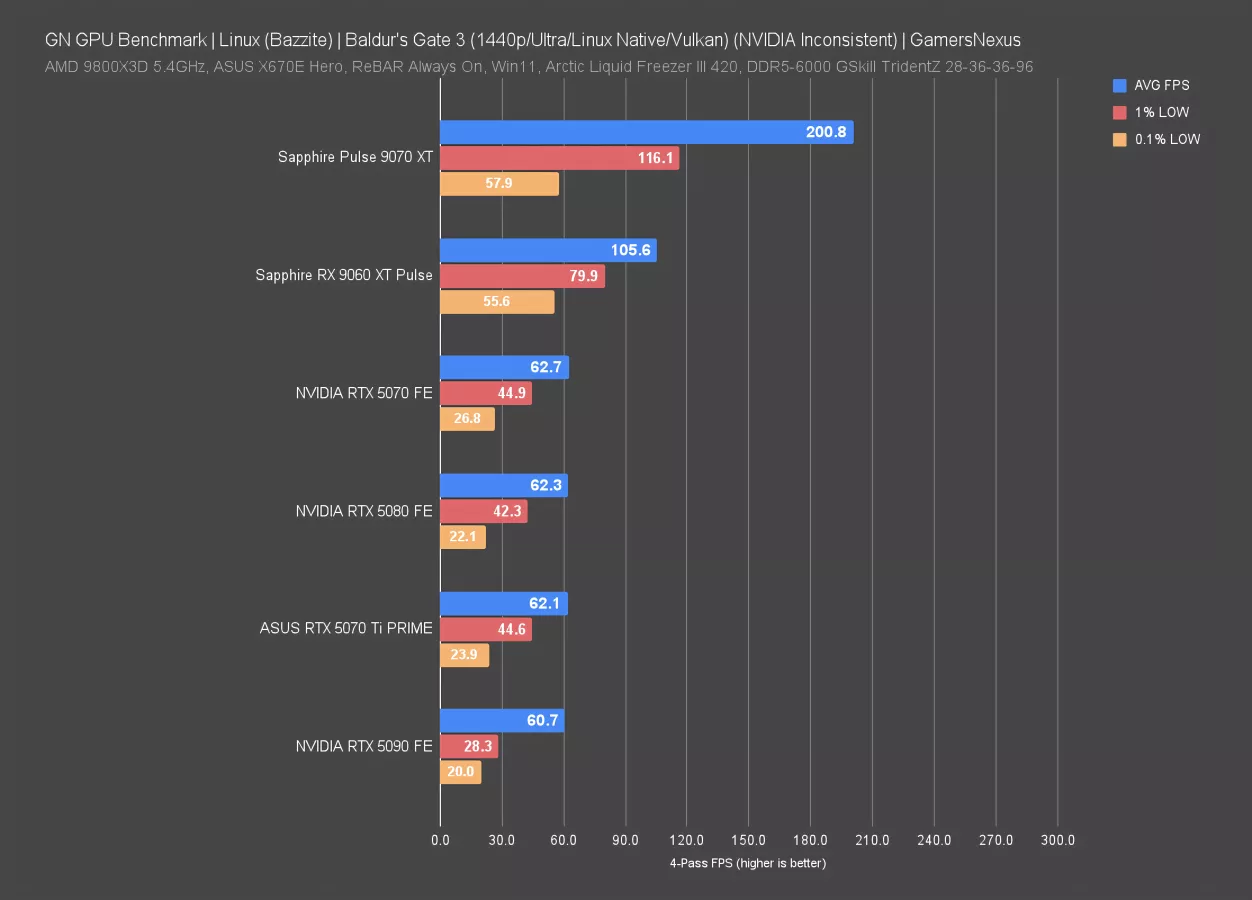
1440p is also messed up, as you’d expect. The results for NVIDIA are, again, unreliable and it is clearly just straight-up broken. The 9070 XT isn’t as consistent as it should be, though at least runs an average framerate that’s OK.
Let’s move on to a different build.
Baldur’s Gate 3 - 1080p, Windows (Dx11)
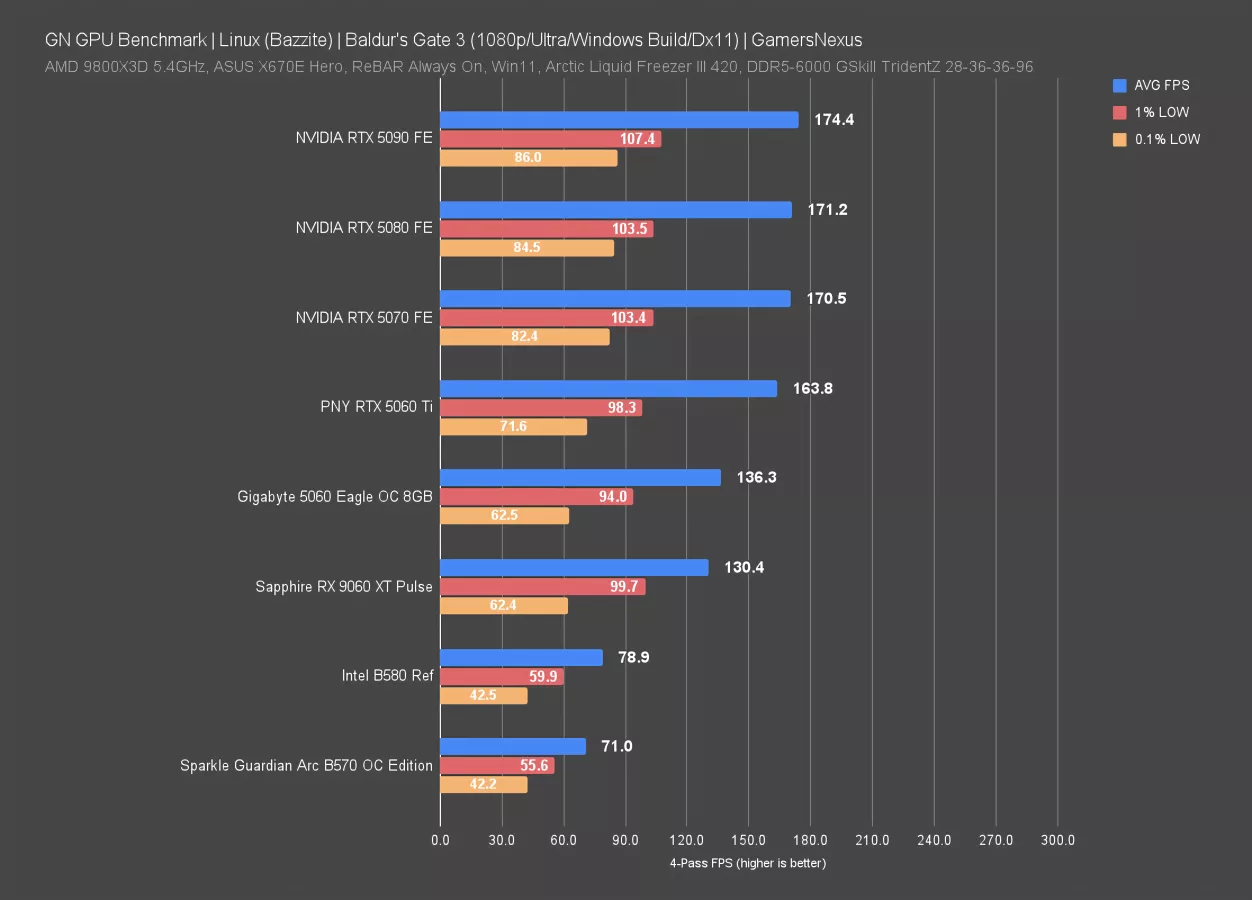
With the Windows build in Bazzite running Dx11, things look more normal: The RTX 5090, RTX 5080, and RTX 5070 are bottlenecked on CPU performance, with the 5060 Ti also bottlenecking but not as hard.
The 8GB RX 9060 XT ran at 130 FPS AVG and had lows similar to the RTX 5060 8GB card, both significantly ahead of the Intel B580. Even still, Intel manages 79 FPS average and overall OK lows when considering its generally disadvantaged position. The B570 isn’t far behind and matches the scaling we’d expect from prior Windows scaling comparisons of the two Intel models.
Baldur’s Gate 3 - 1440p, Windows (Dx11)
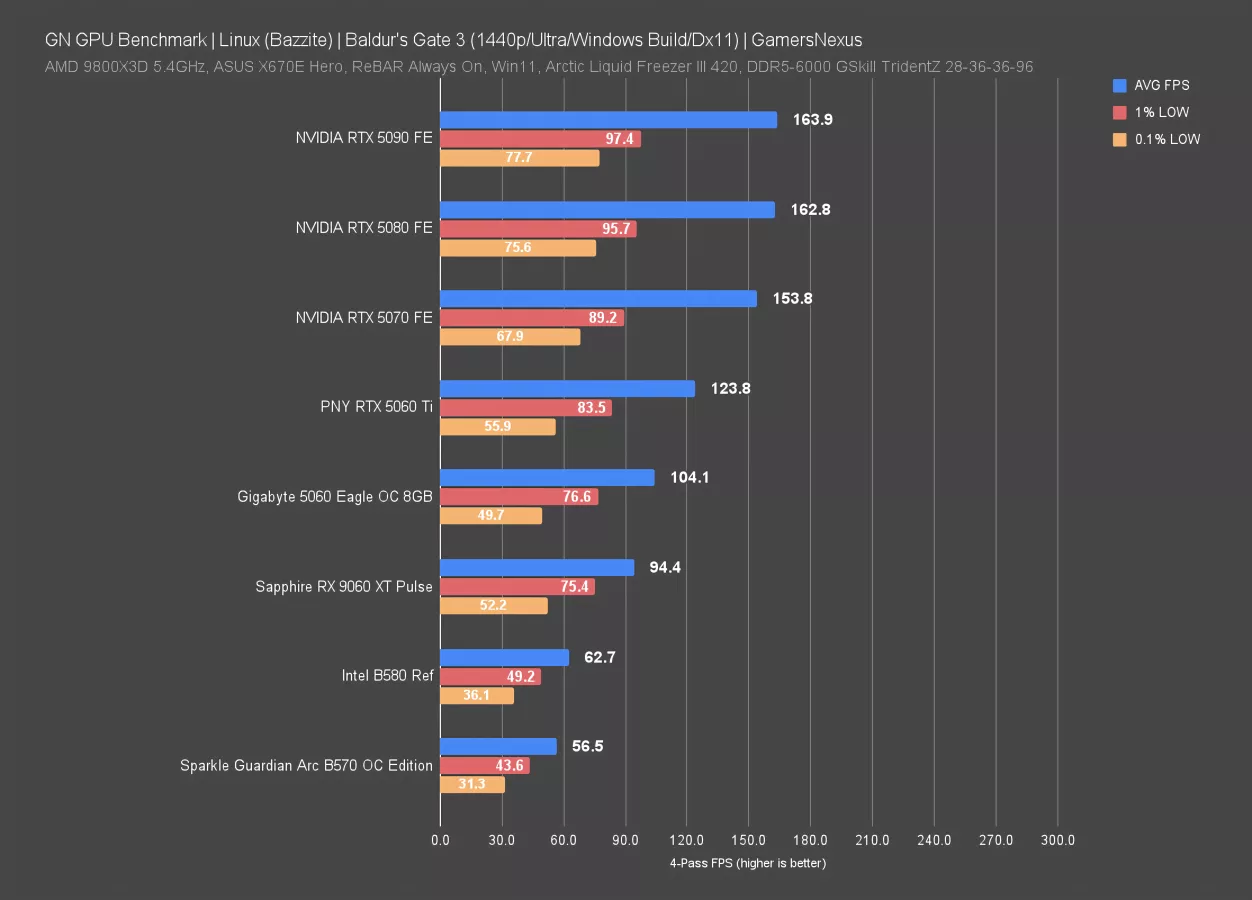
At 1440p, things are the same, just scaled down: The top 3 cards are hitting a CPU or other bottleneck, with the 5060 Ti occasionally bouncing off of it but still somewhat struggling on its own.
Baldur’s Gate 3 - 4K, Windows (Dx11)
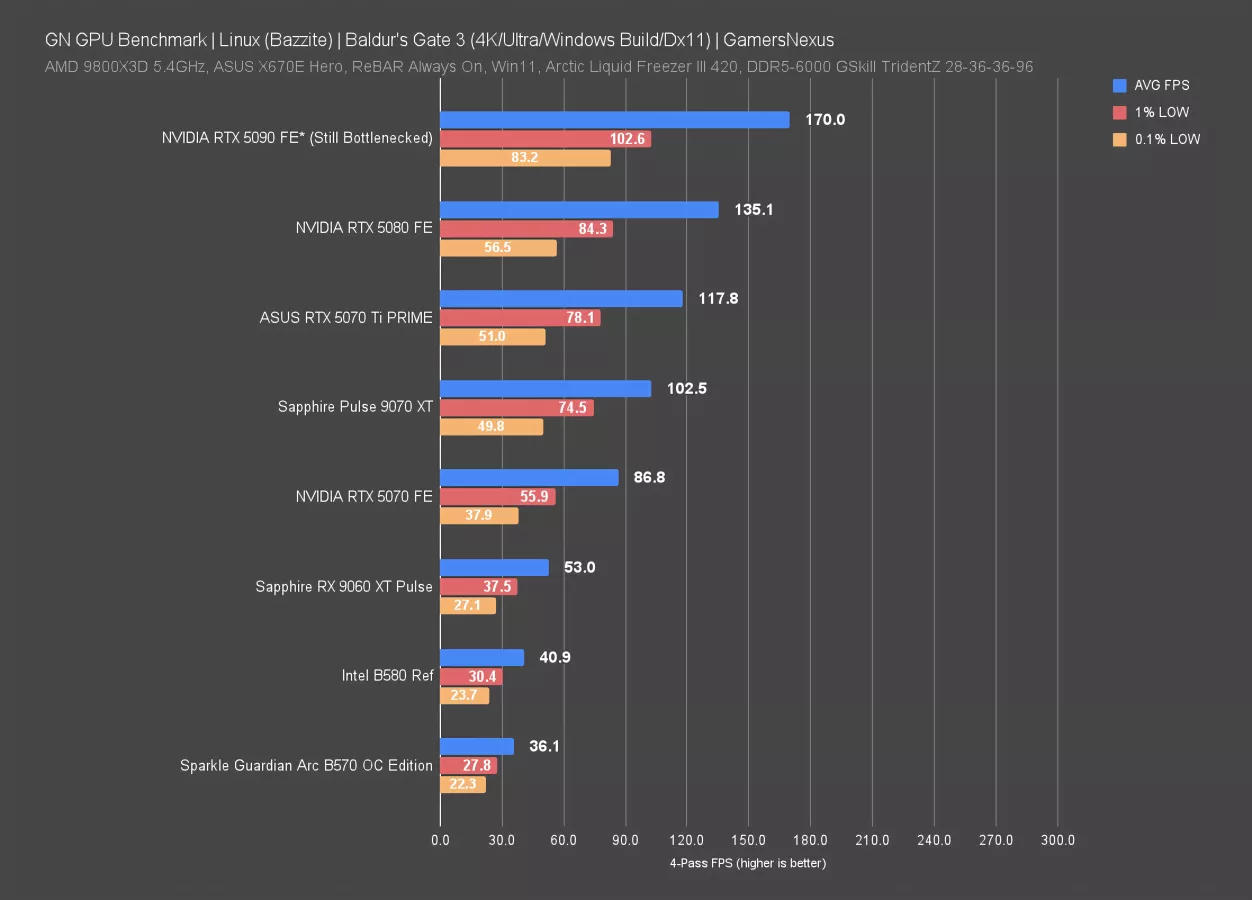
At 4K, the RTX 5090 hit 170 FPS AVG, which is technically ahead of its 1440p result. That’d make no sense in a GPU-bound scenario when going from 1440p to 4K, but in this case, the results at 1080p, 1440p, and 4K are all bottlenecked on non-GPU components for the RTX 5090, possibly also including software. The end result is that the results will be slightly more variable due to different constraints. Effectively, all 3 resolutions are identical for the 5090 because of external limits.
We were able to get the 9070 XT to run in this one. Its result was 103 FPS AVG, whereas we saw 115 FPS AVG with the Linux build and Vulkan, although not directly comparable.
Ray Tracing Benchmarks
Next, we’re moving on to ray tracing benchmarks.
Cyberpunk 2077 - 1080p, Ray Tracing
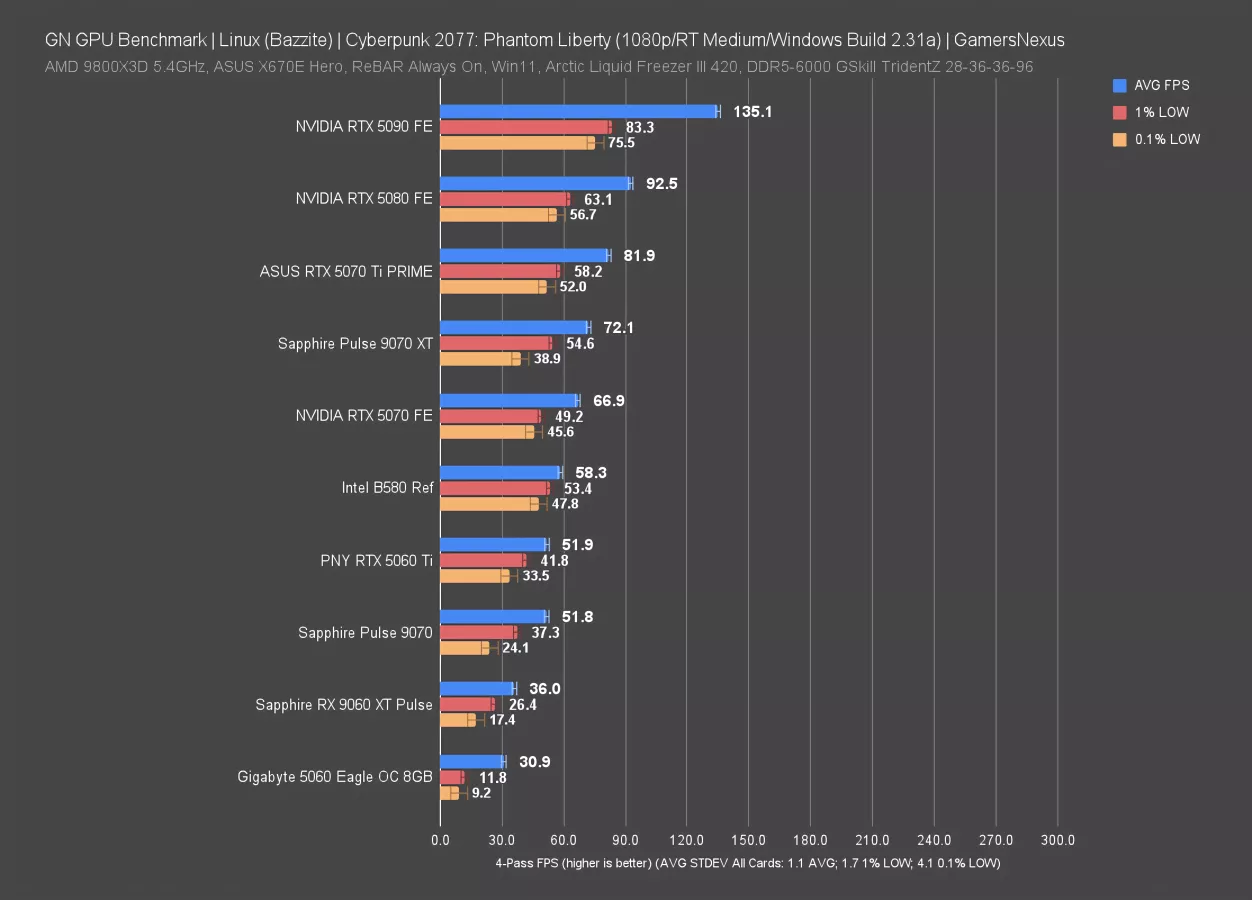
NVIDIA has always had an advantage in Cyberpunk on Windows, and that sustains here -- a lot of that is just from the actual hardware itself.
The 5090 held a 135 FPS AVG, leading the 5080 by 46%. The 5070 Ti follows, with the 9070 XT showing up at 72 FPS AVG and landing between the 5070 and 5070 Ti. Intel’s B580 actually did well here with its 58 FPS AVG, planting it just ahead of the 5060 Ti. That’s a compelling argument for Intel.
The RTX 5060 fails completely and cannot run this test.
Cyberpunk 2077 - 1440p, Ray Tracing
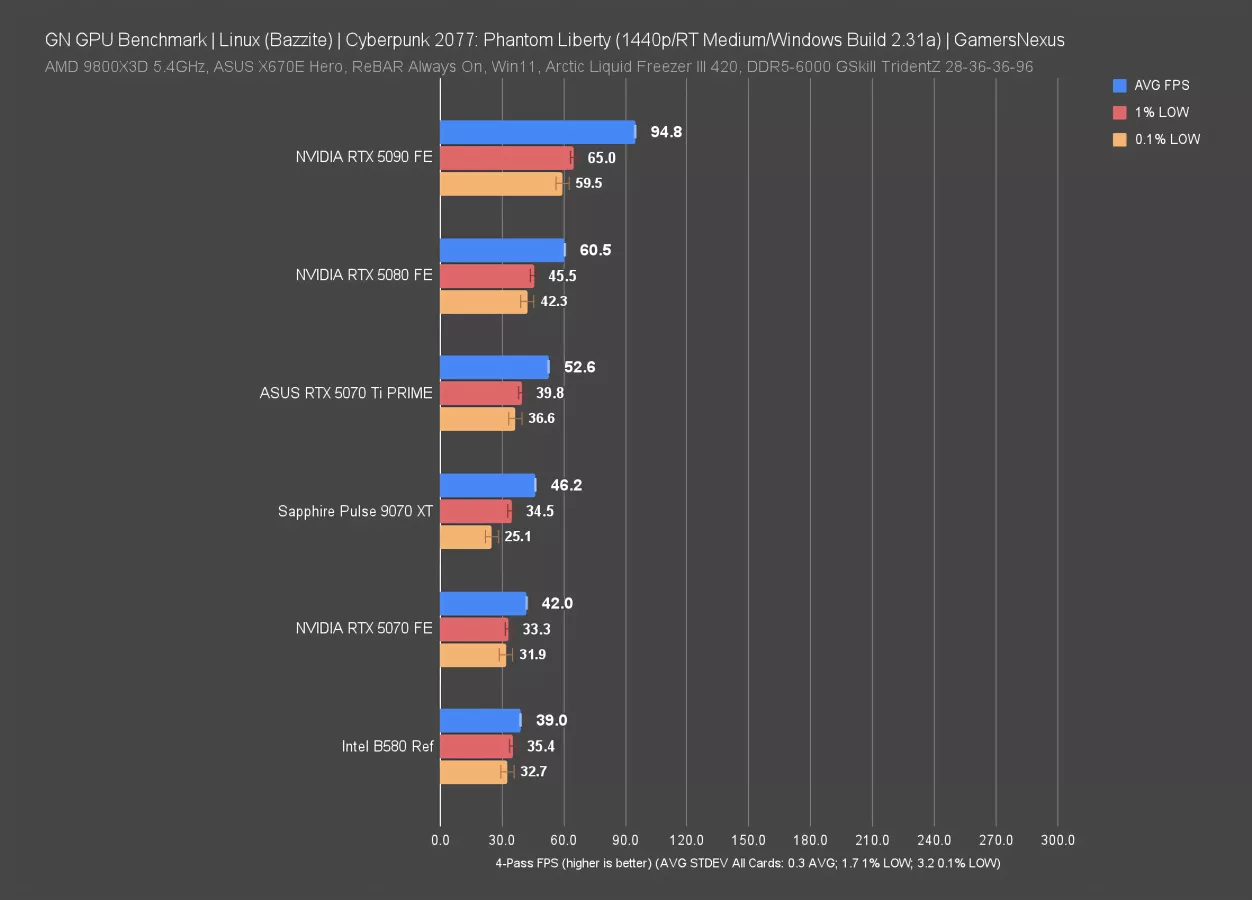
1440p is predictably heavy for these cards. The 5080 is the last card to technically perform above 60 FPS AVG, with the 9070 XT approaching the 5070 Ti but not meeting it. In this situation, AMD does not have an advantage in low performance and is not more consistent in frame pacing than NVIDIA.
Intel, however, is disproportionately good for the value of its hardware and approaches the RTX 5070 while maintaining roughly equal or slightly better lows.
Cyberpunk 2077 - 4K, Ray Tracing
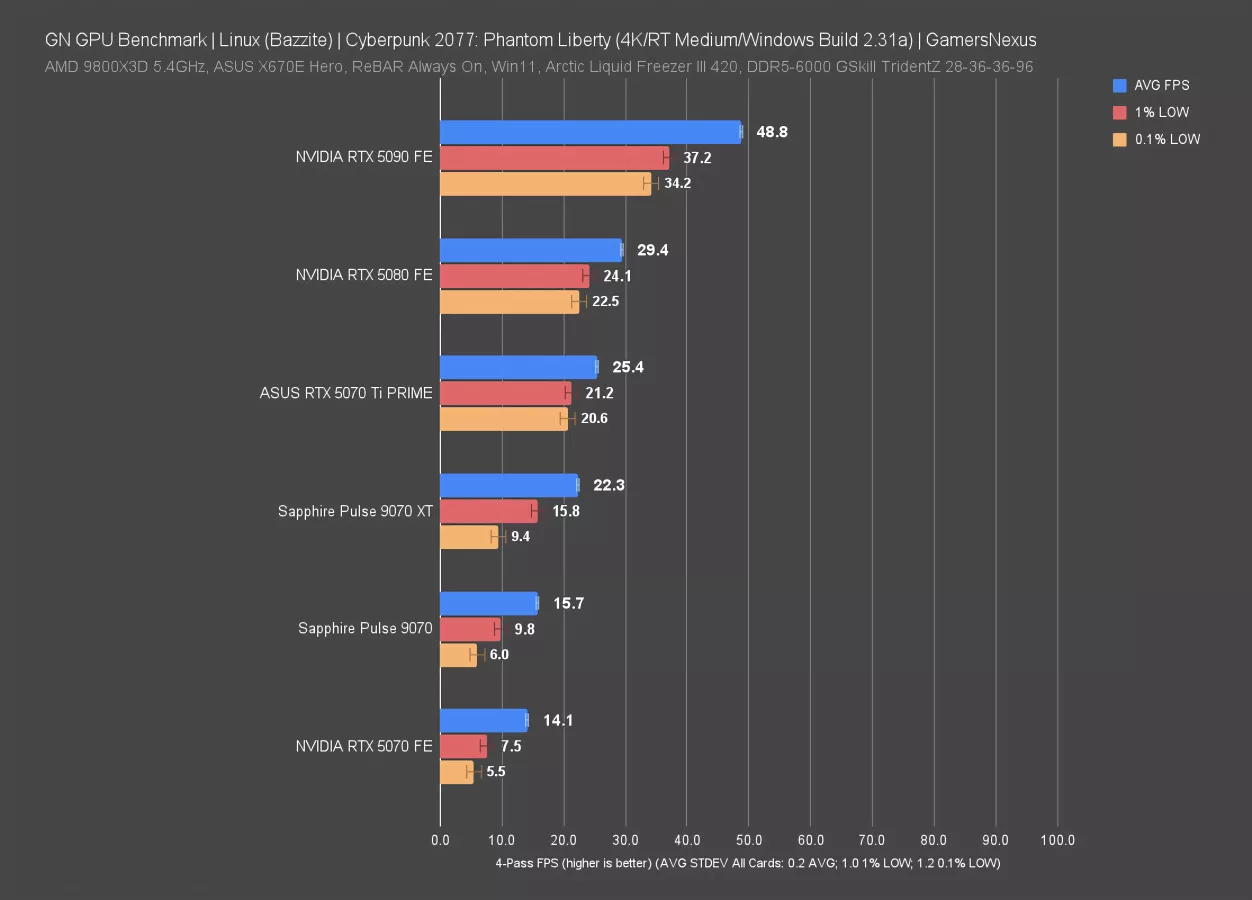
4K is too heavy for this configuration and these cards, but we still ran it. The 5090 maintains actually good frame interval pacing here, with its lows relatively close to its average. Still, it’s at 49 FPS AVG.
The next closest card is the 5080, and that’s only at 30 FPS.
Black Myth: Wukong - 1080p, Ray Tracing
We’ll just do these last few RT charts.
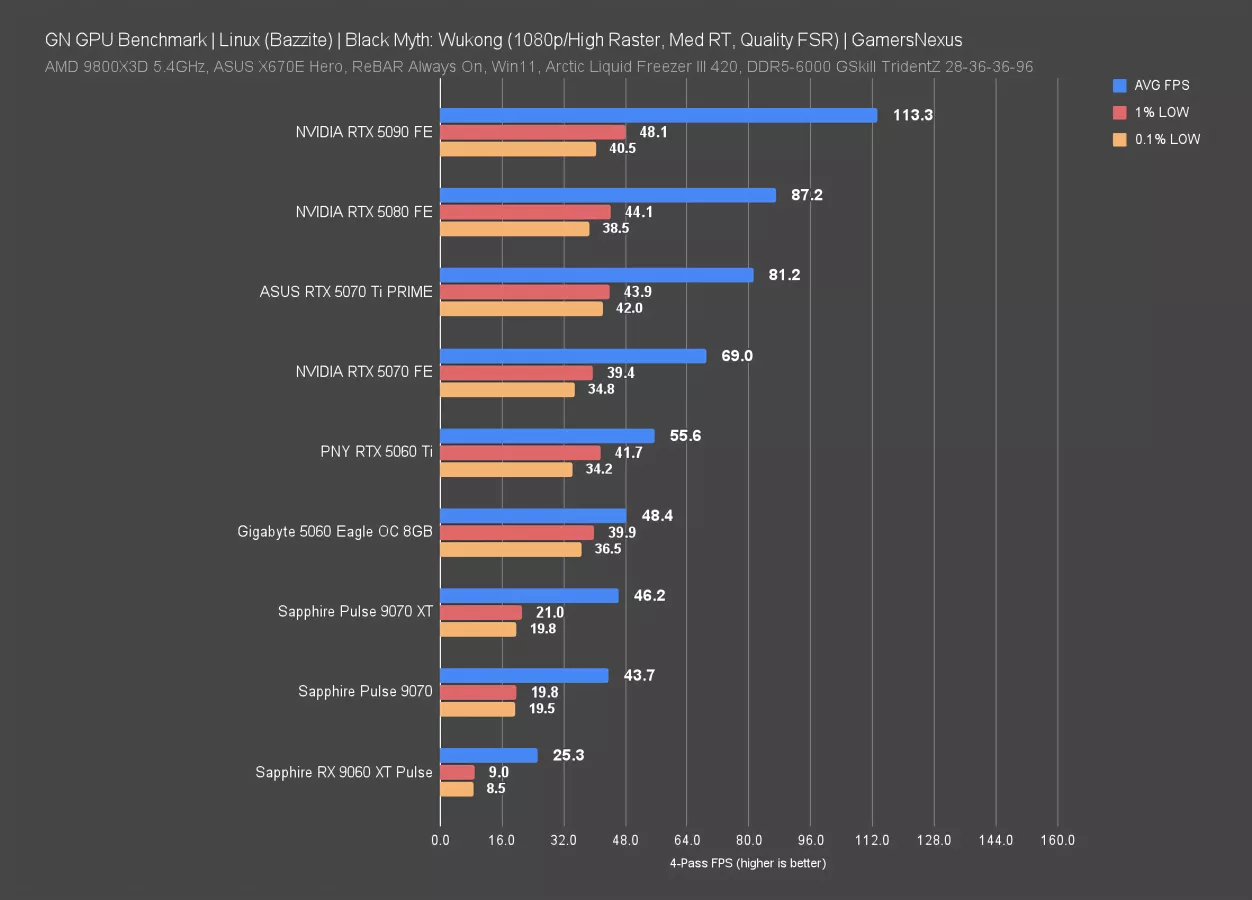
In Black Myth with RT Medium and FSR Quality, the RTX 5090 ran at 113 FPS AVG, leading the 5080 by just 30% and roughly tying in lows. AMD’s first appearance isn’t until below the RTX 5060 and, even then, its low performance is disproportionately bad. In this situation, AMD is getting comparatively crushed.
Overall, this is something of a reversal from prior charts. AMD has disproportionately bad lows and overall performance, while NVIDIA outdoes it. The RTX 5060 struggles in average framerate, but did OK in its lows. It seems to float closer to whatever barrier exists in these scenarios.
Dying Light 2 - 1080p, RT
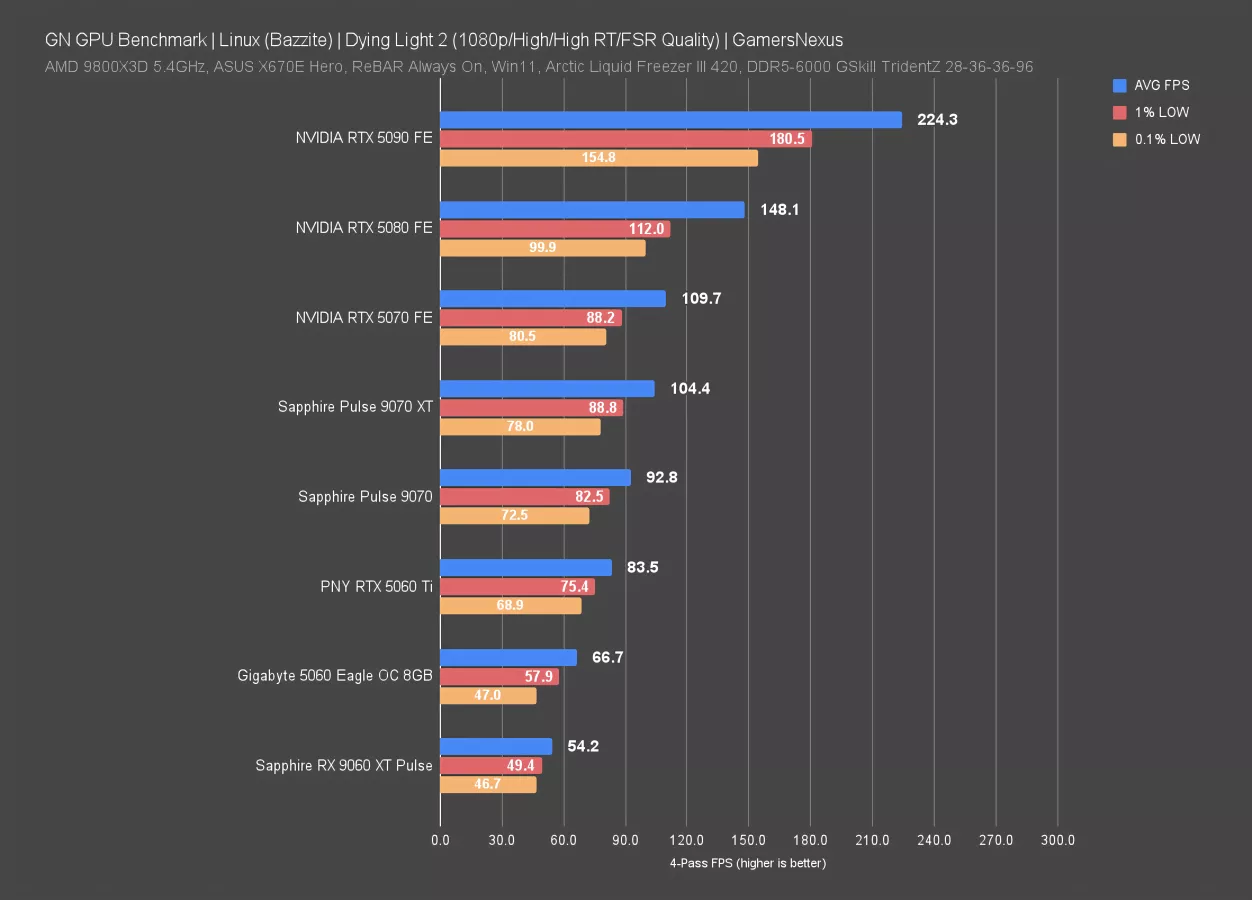
Dying Light 2 is the last one. In this one with ray tracing, the 5070 Ti could not complete the test due to constant freezing and crashing that we were unable to work around.
In this test, NVIDIA again outperforms AMD significantly. The RTX 5070 outdoes the RX 9070 XT here, with only the 5060 Ti and 5060 behind the 9070.
Bazzite Summary

Overall, most of the games we tested ran without major issues on high-end mainstream hardware, and the Linux gaming environment is changing so rapidly day to day that any individual bug we experienced could be gone tomorrow. Intel cards and cards with less VRAM (like the RTX 5060) tended to have more problems.
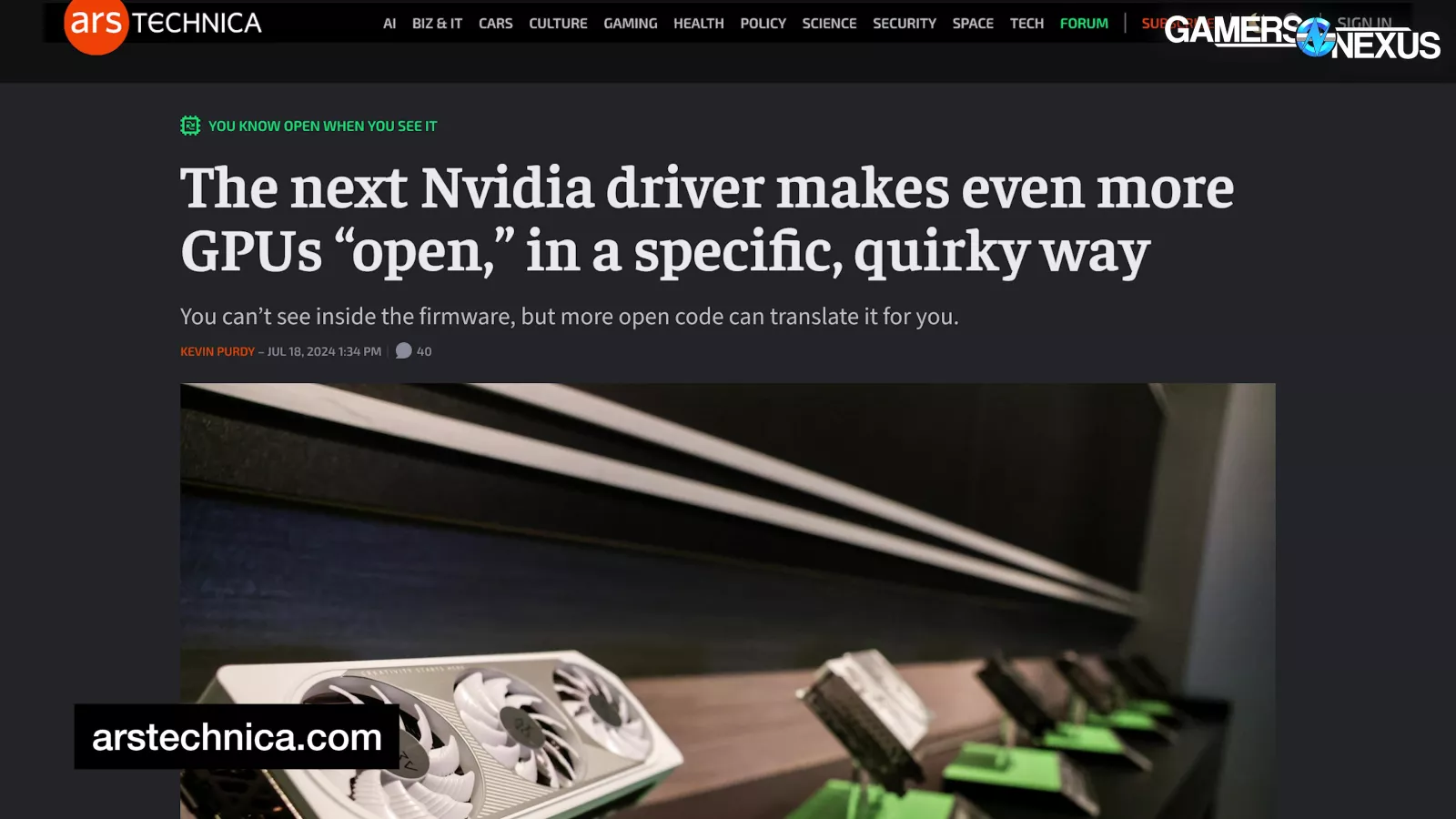
Before running these tests, we were having a hard time determining whether people consider NVIDIA's Linux support bad in the sense that cards don't work, or bad in the sense that NVIDIA's approach doesn't align with the spirit of Linux.
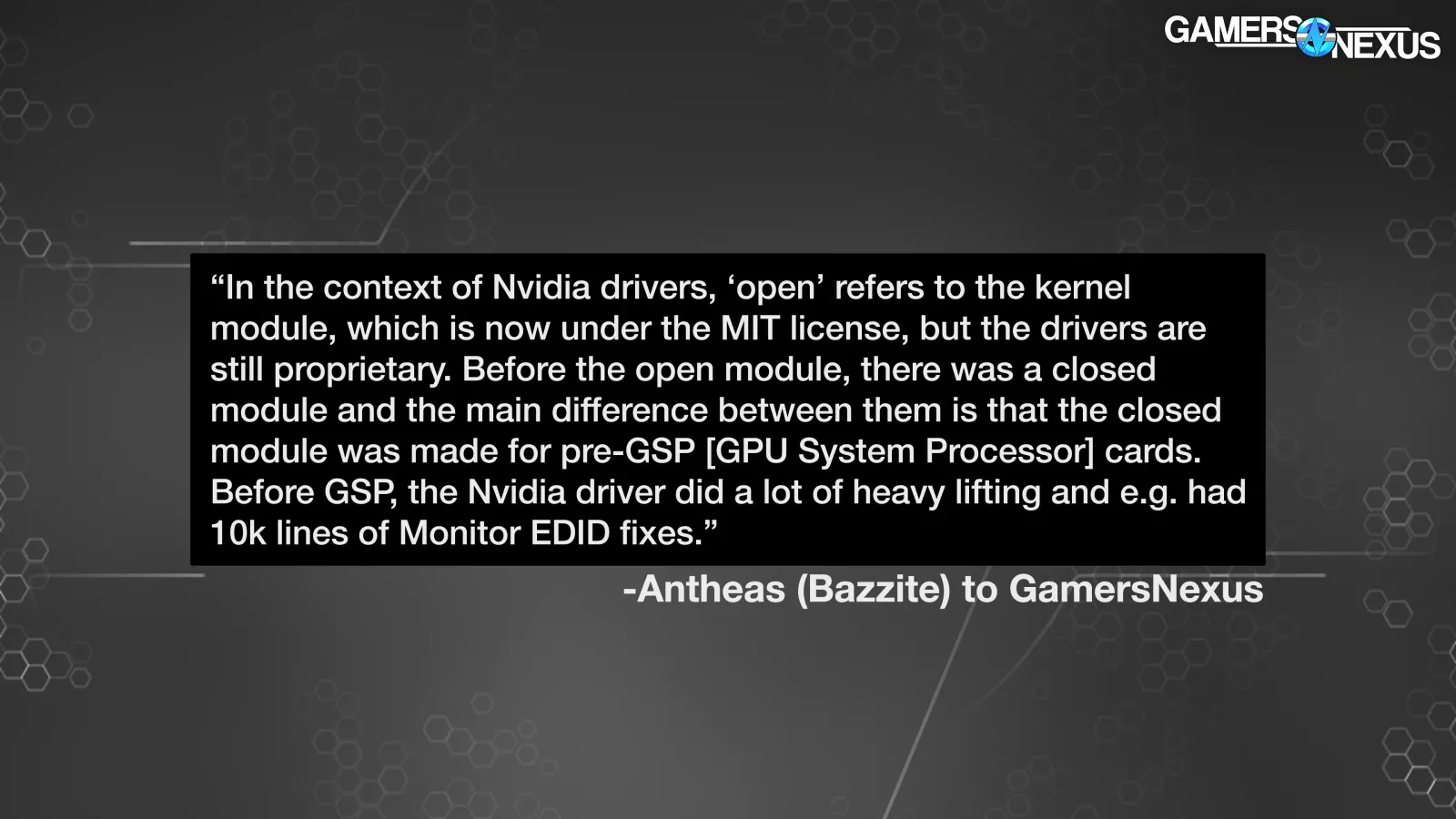
From Antheas again: "In the context of NVIDIA drivers, ‘open’ refers to the kernel module, which is now under the MIT license, but the drivers are still proprietary. Before the open module, there was a closed module and the main difference between them is that the closed module was made for pre-GSP [GPU System Processor] cards. Before GSP, the NVIDIA driver did a lot of heavy lifting and e.g. had 10k lines of Monitor EDID fixes.”
The Bazzite developer added, “Stuff like this is important proprietary information for them, so the driver was closed source, which made a lot of Linux users upset and was a legal gray area with the kernel code. Now, with GSP, which is a co-processor on the card, they can shove all those fixes in the firmware of that co-processor, which is closed source, and distribute an 'open' driver that communicates with that. It's just fancy software-engineer lawyering."
For gaming, the NVIDIA Bazzite build worked as well for us as the non-NVIDIA build, at least with the relatively new GPUs that we tested.
It was also just an awesome change to be contacted directly by the developers of Bazzite, MangoHud, and pretty much any open-source tool we mentioned publicly in the course of working on this. On Windows, the OS and the driver are out of our hands and Microsoft employees only ever contact us under strict anonymity requirements, but on Linux, we can directly ask for information and request features.
This alone is a great sign.
Keeping it real with everyone, it’s not perfect and you’ll need to set your expectations.
Testing Problems
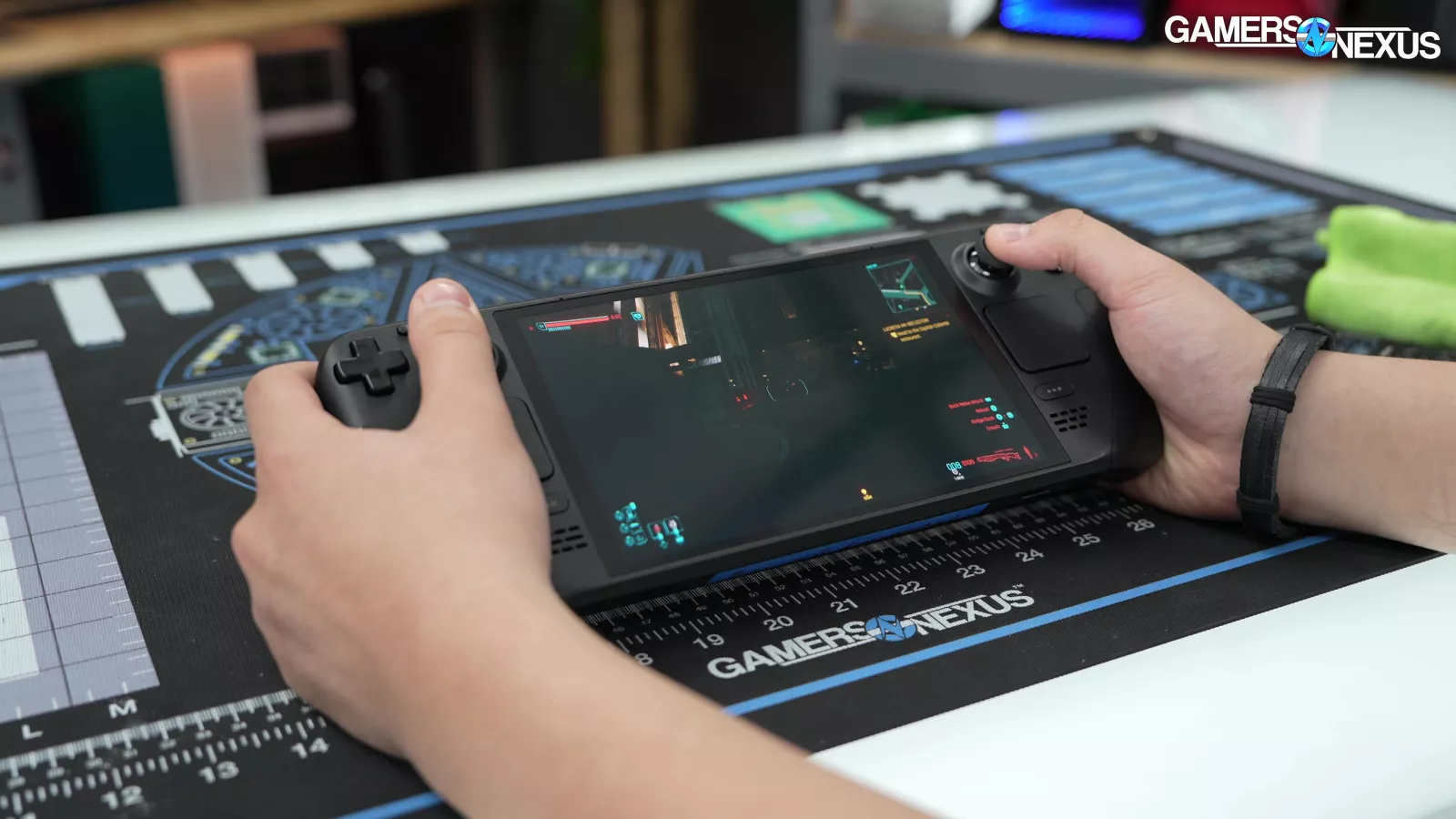
We can thank the Steam Deck (read our review) for normalizing how well so many games run through Proton. Although we had issues in some instances, this is still largely true.
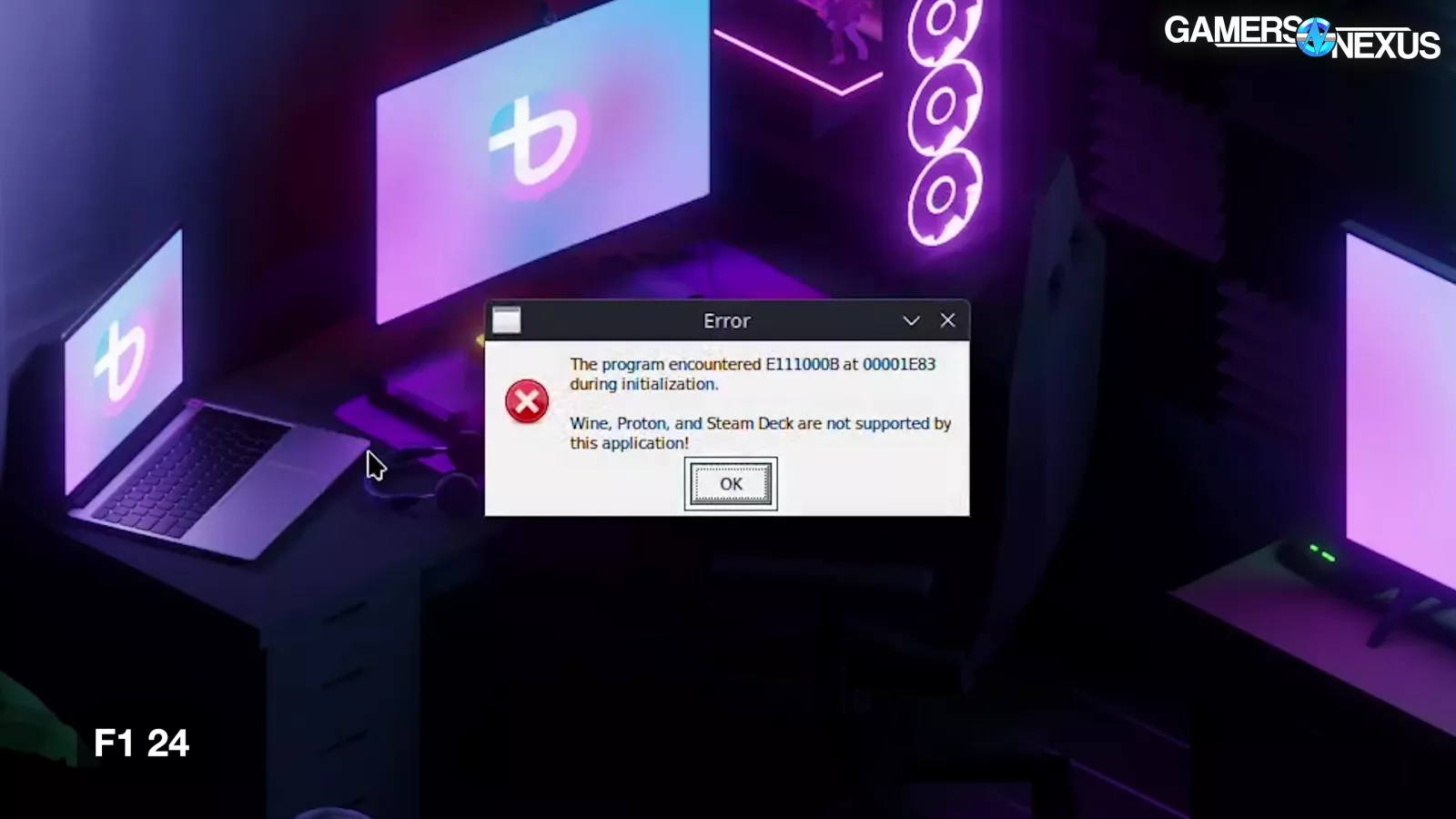
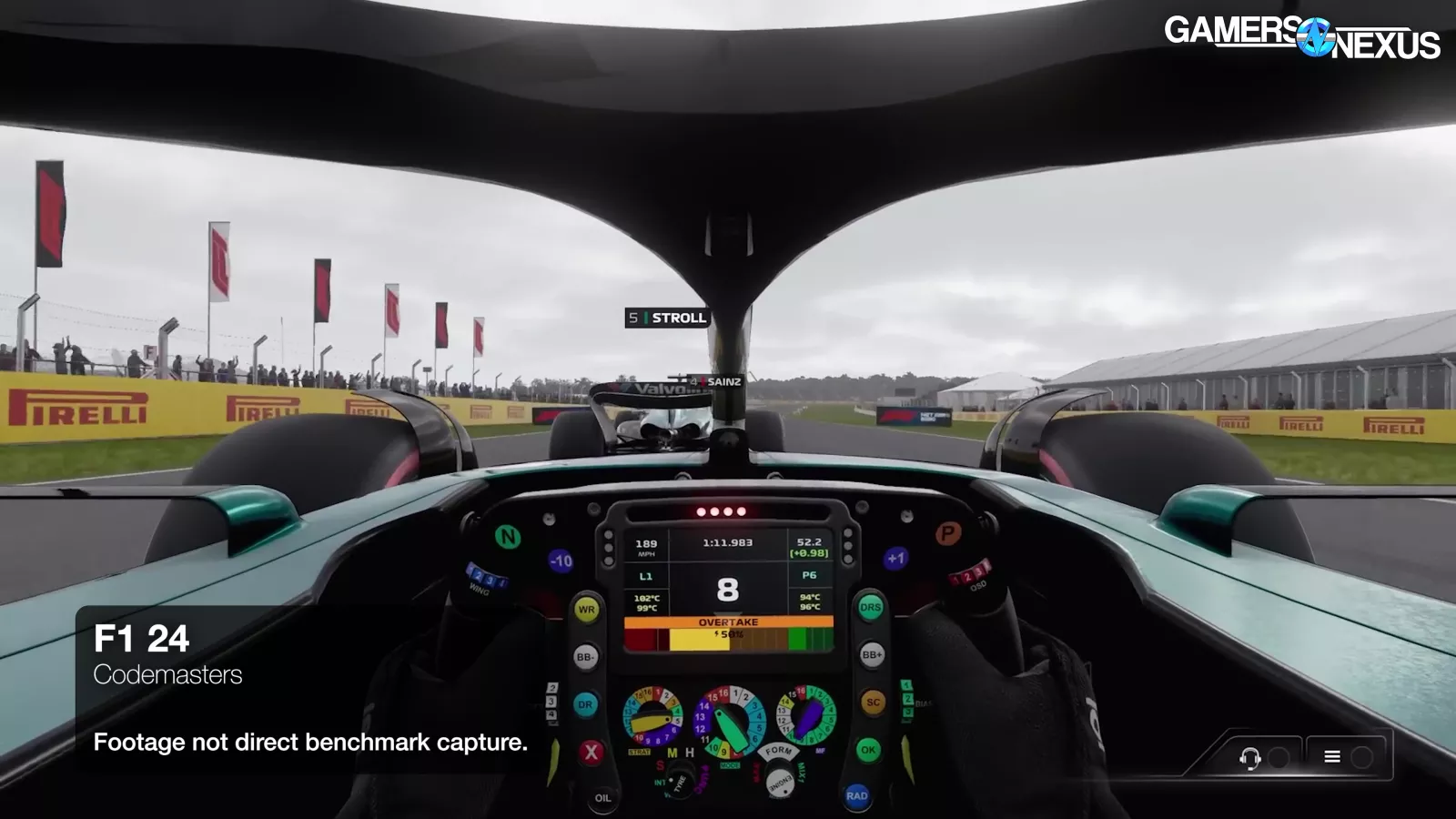
As Steam Deck users are aware, some anticheat software flat out refuses to run, which means games can refuse to run. We dropped F1 24 immediately for this reason. This is the only game from our suite that was affected, but since anti-cheat is usually associated with popular mainstream games, this remains one of the most significant obstacles to Linux gaming.
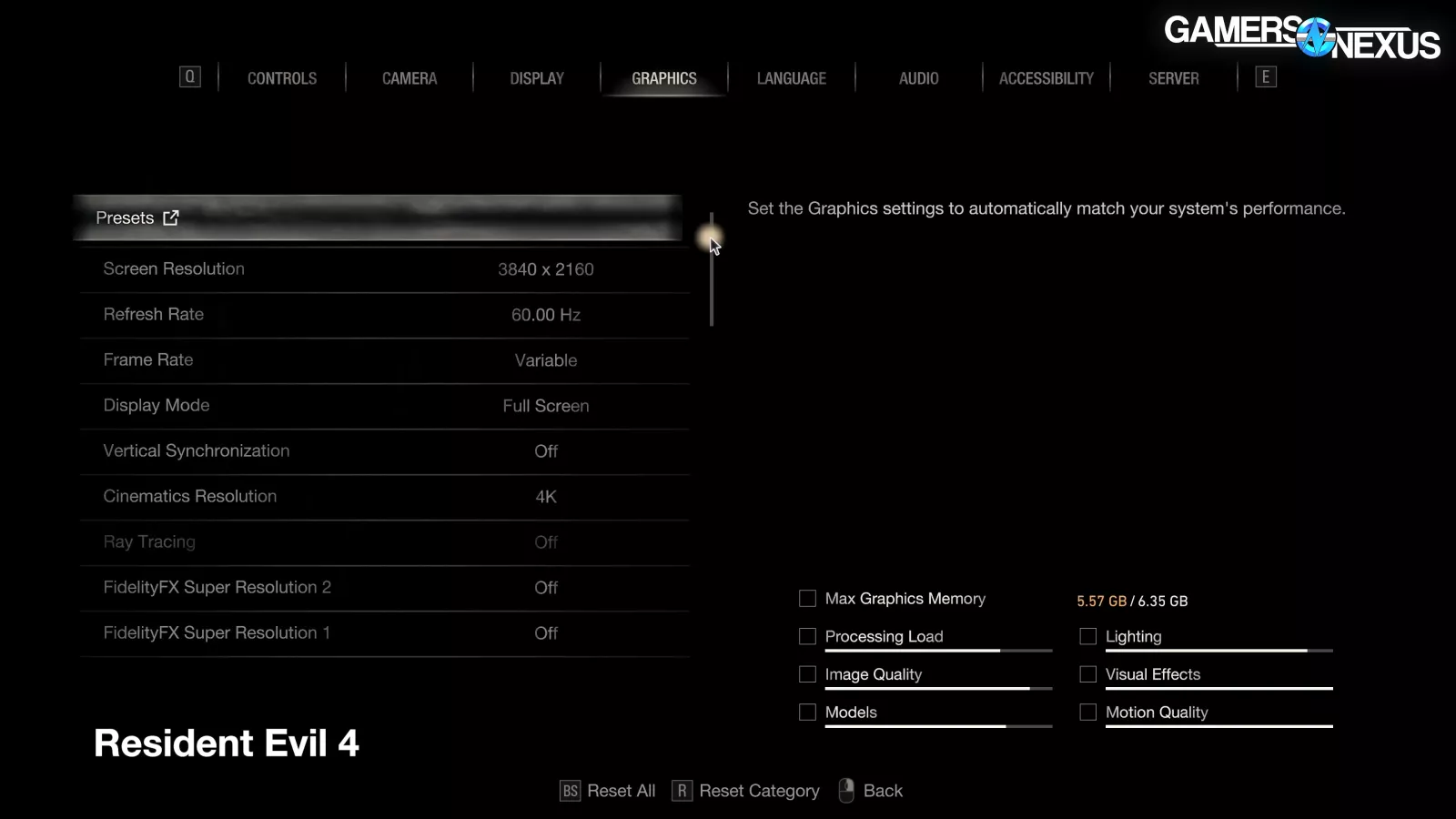
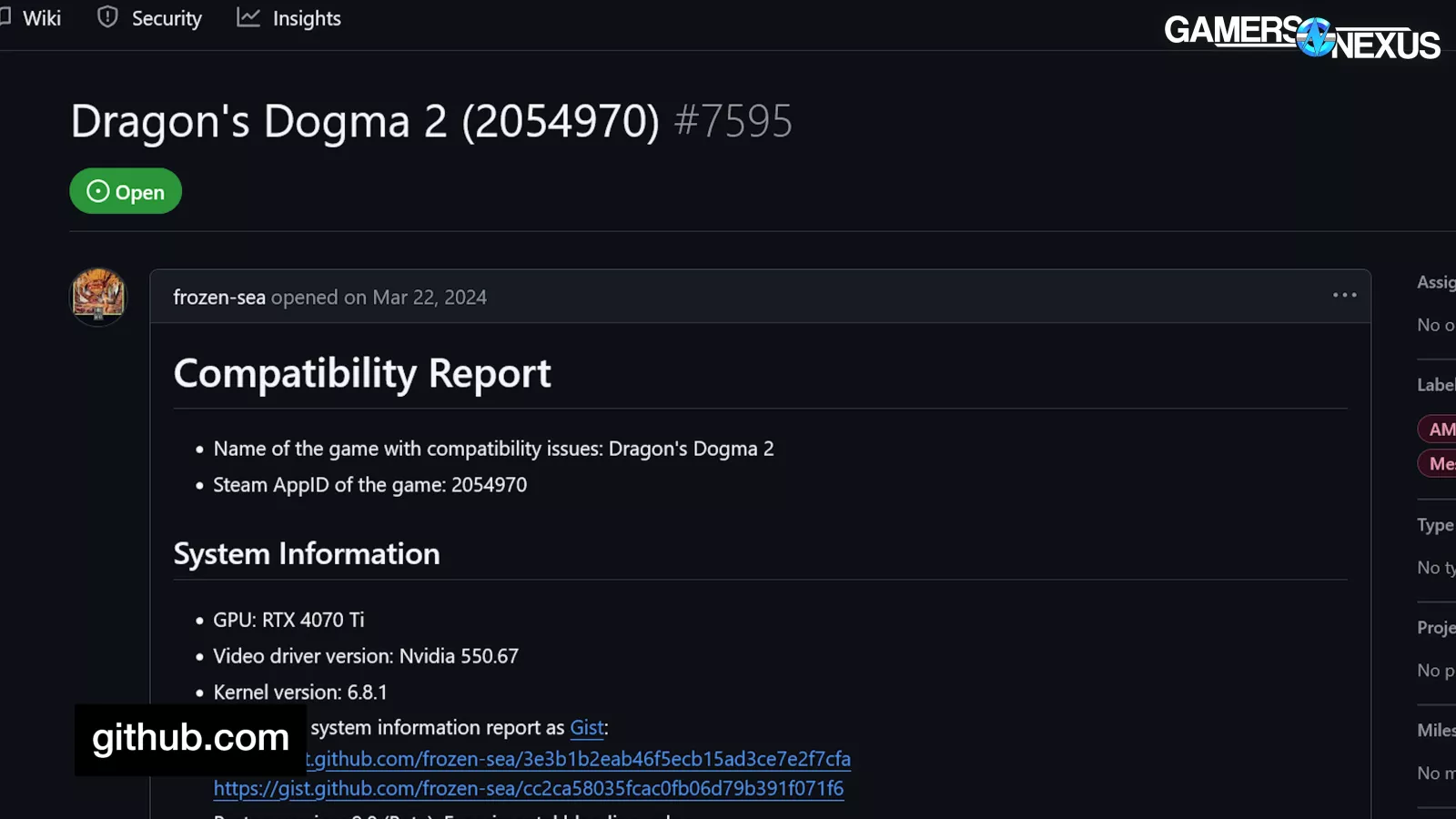
Our two RE Engine games, Resident Evil 4 and Dragon's Dogma 2, didn't show options for ray tracing. It's a known issue and may be possible to work around, but not without a level of tweaking that we want to avoid. We're skipping RT tests for these two games on Linux until Capcom figures it out.

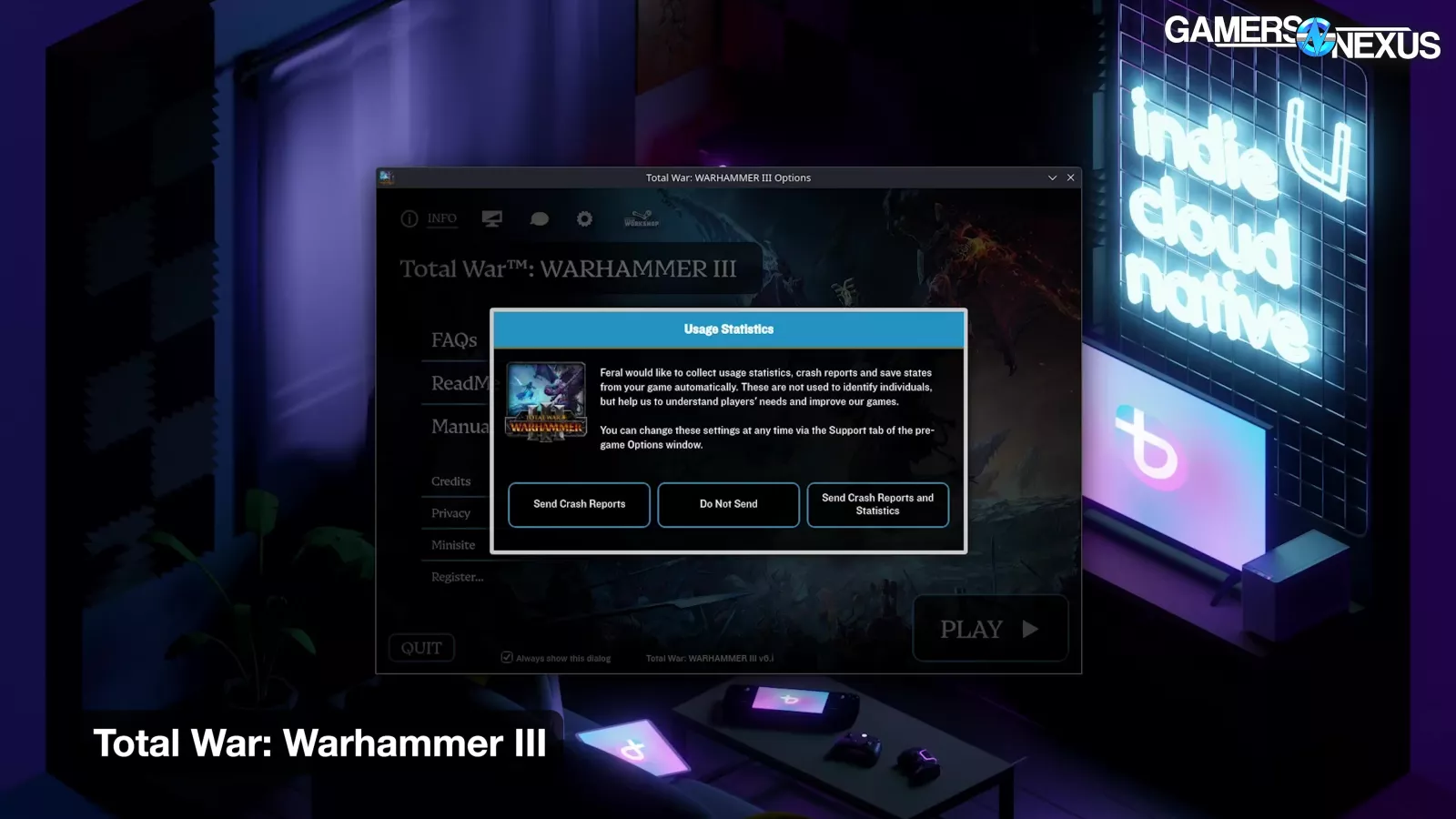
A few Steam games have native Linux branches, which Steam always prioritizes for download on Linux. Unfortunately, sometimes the native Linux versions suck. In the case of Total War: Warhammer III, the Linux build lags significantly behind the Windows version. It looks like most users opt to run the Windows build through Proton instead, so that's what we tested.
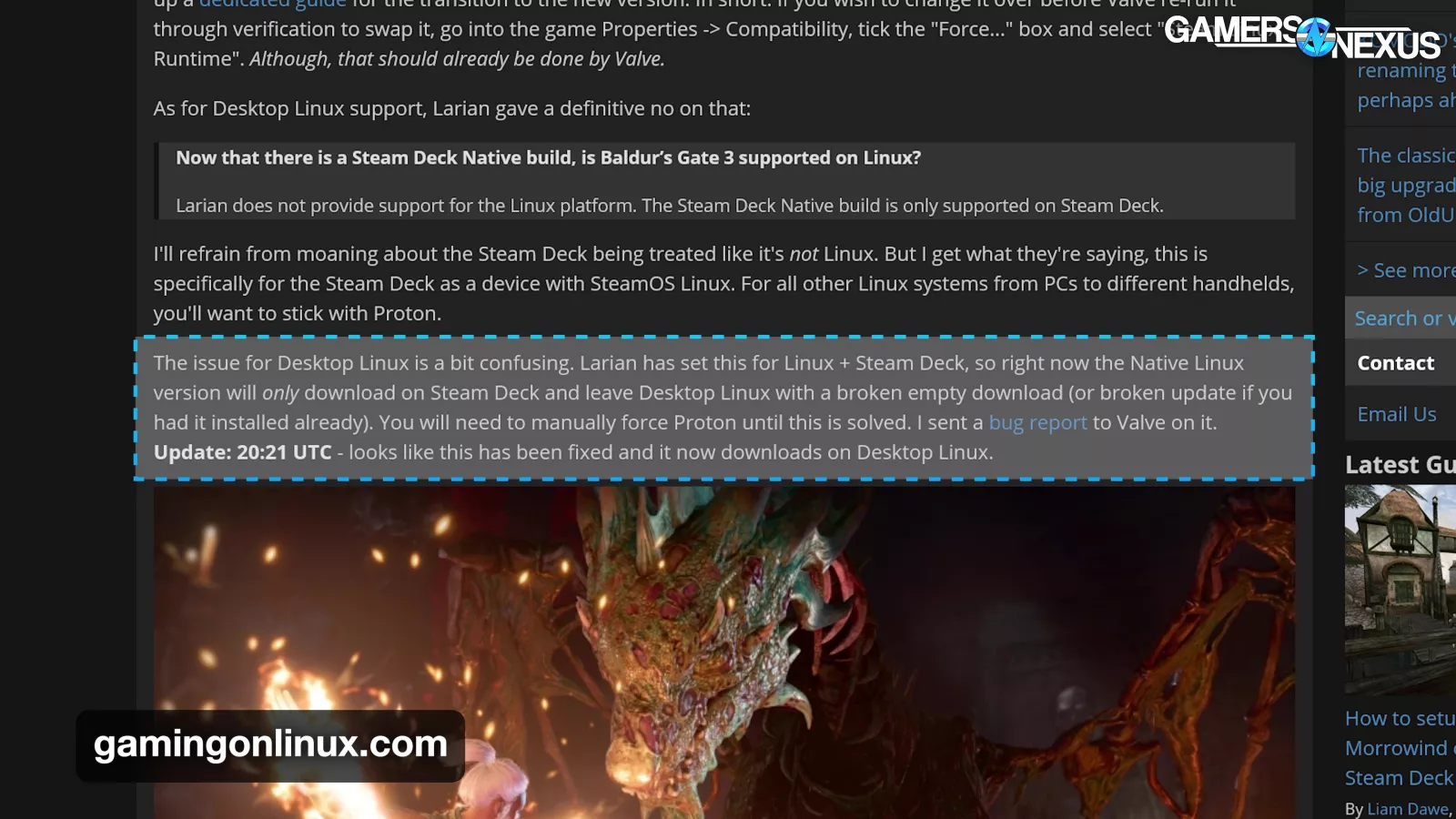
Baldur's Gate 3 is another game in our suite with a native Linux version, although it only came out after we had already started testing, and promptly broke desktop Linux installs because Larian forgot about non-Steam-Deck Linux users.
This distributor-side messiness will become more common as the Steam ecosystem expands.
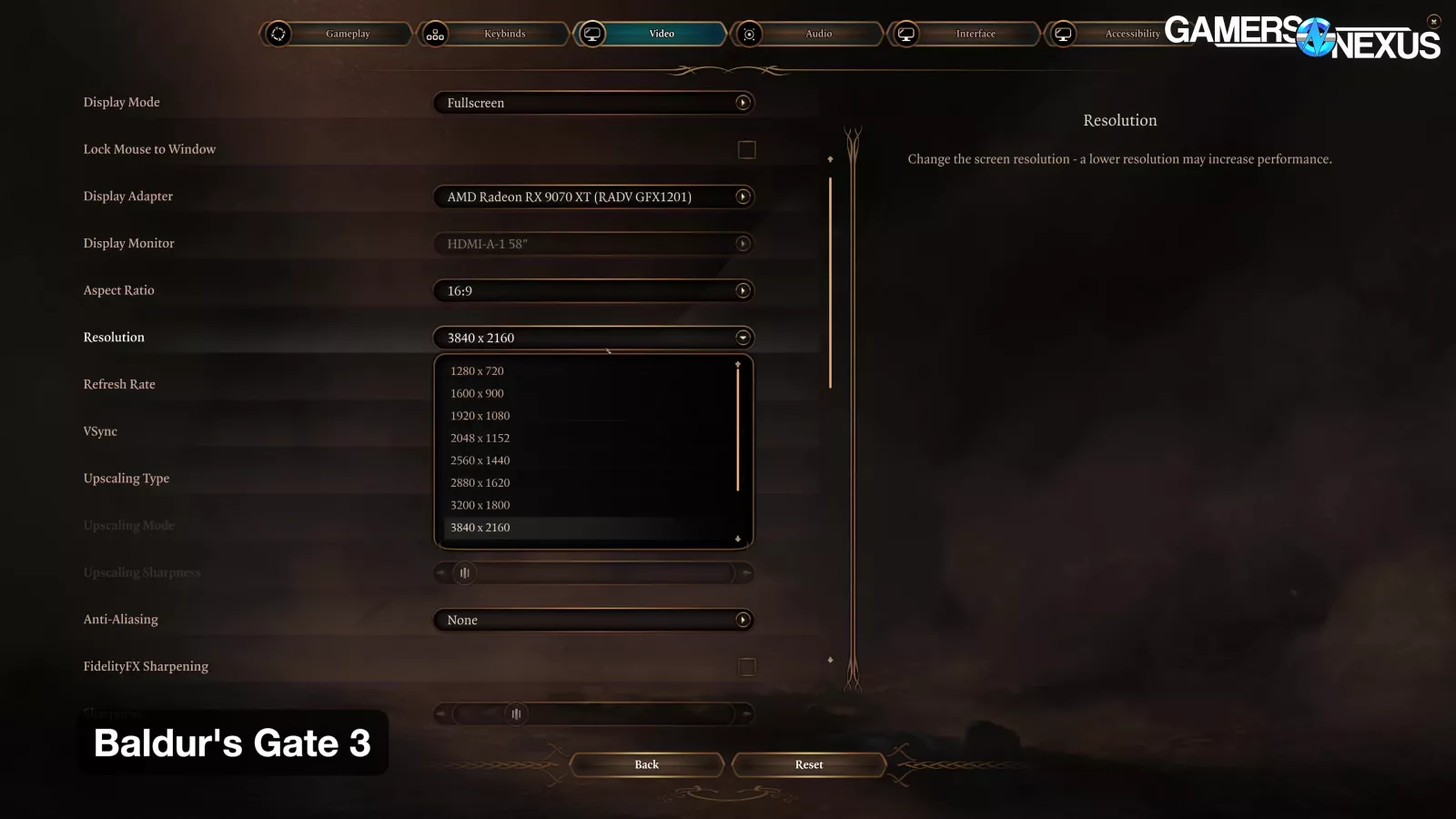
We also found that full-screen mode in Baldur's Gate 3 would always run at the native display resolution regardless of in-game settings (specifically with the Linux build).
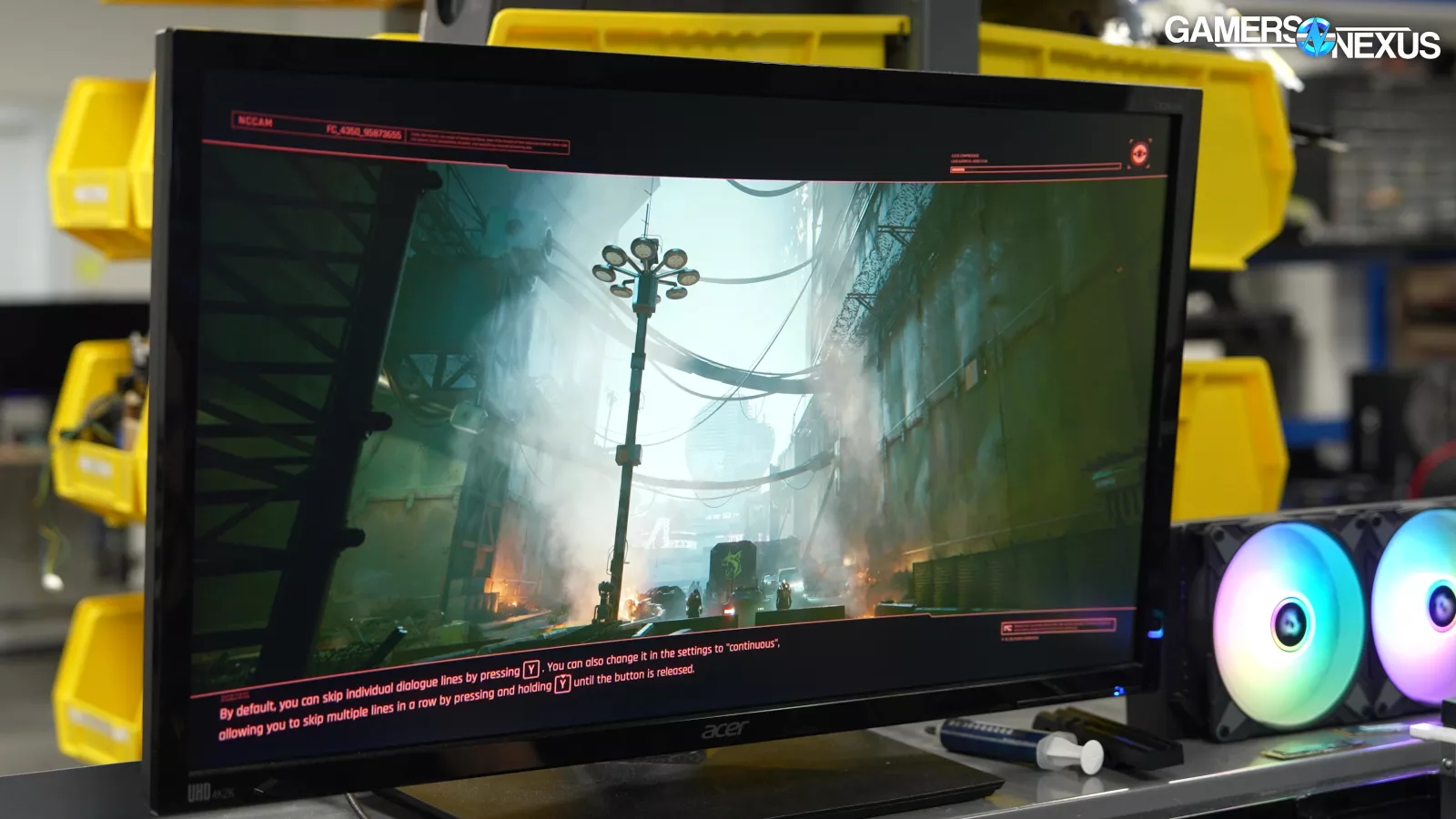
With Cyberpunk 2077, with our RT Medium settings profile applied, we'd consistently get crashes on the second loading screen. We could load a save once, but trying to reload or exit to the menu would crash the game. With our non-RT settings profile applied, this didn't happen.

We had issues across multiple games that may have been caused by low VRAM. For example, the RTX 5060 was able to struggle through Total War: Warhammer III testing at 1080p, but completely failed to get past the benchmark loading screen at any higher resolution.
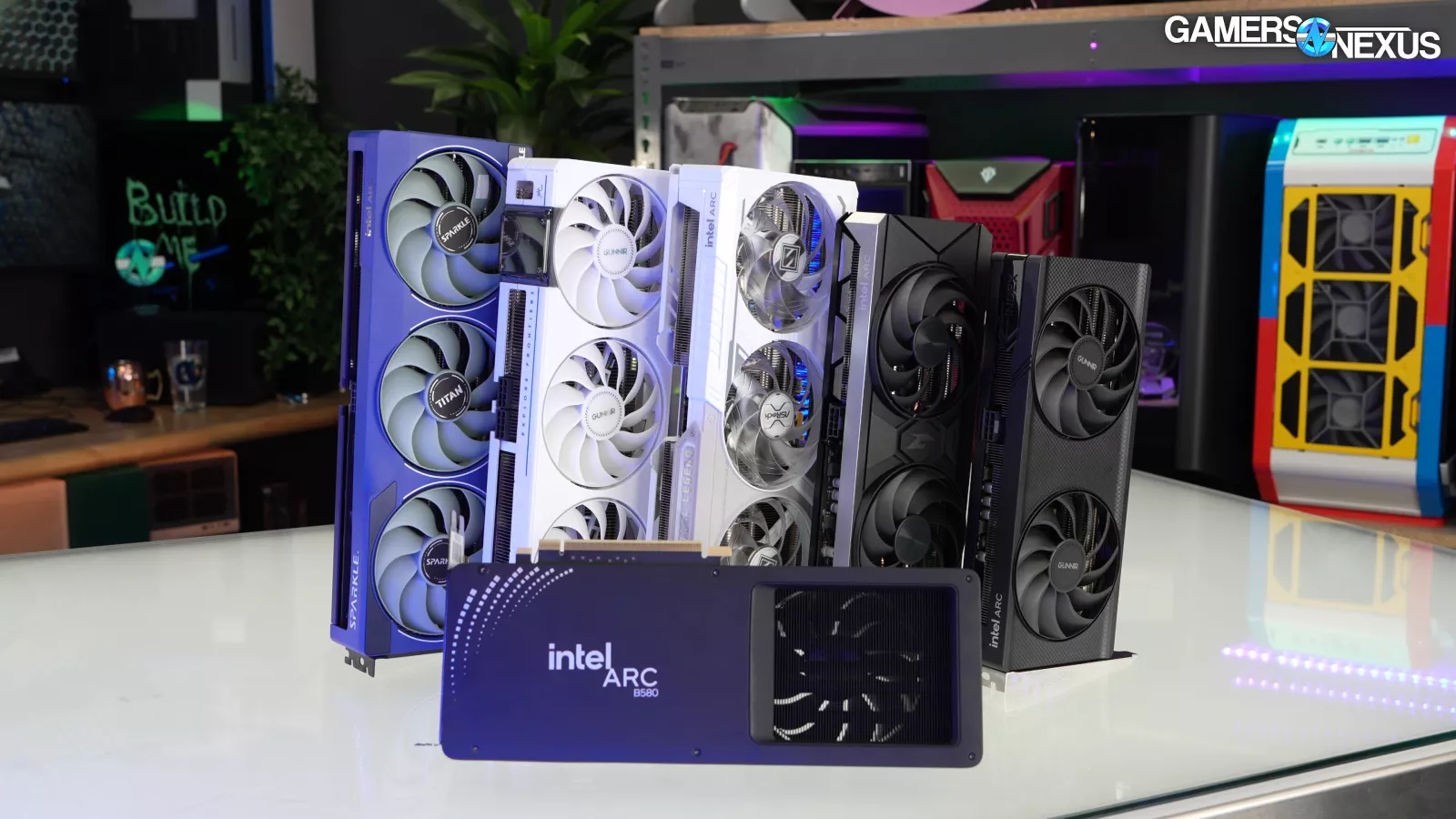
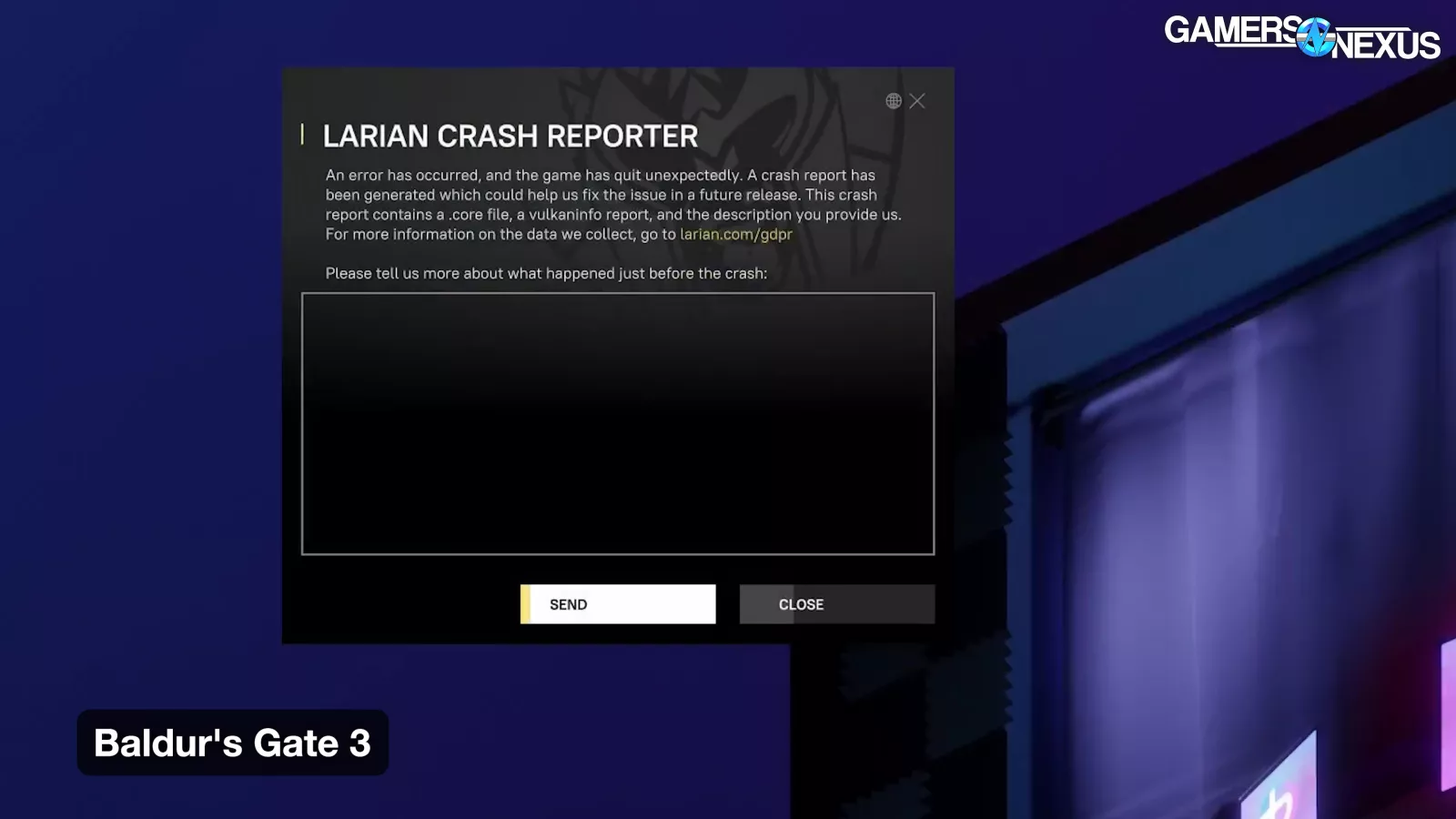
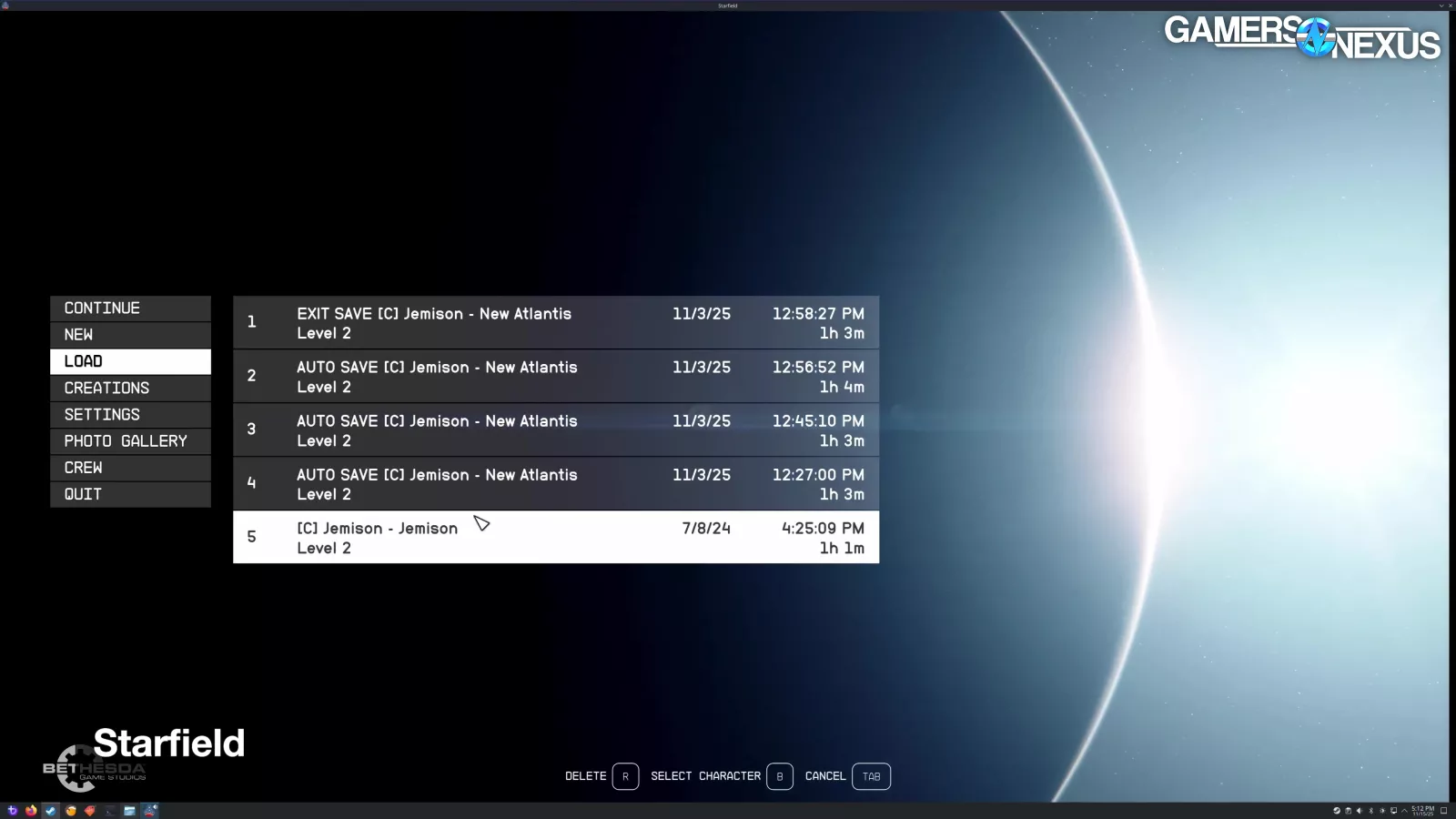
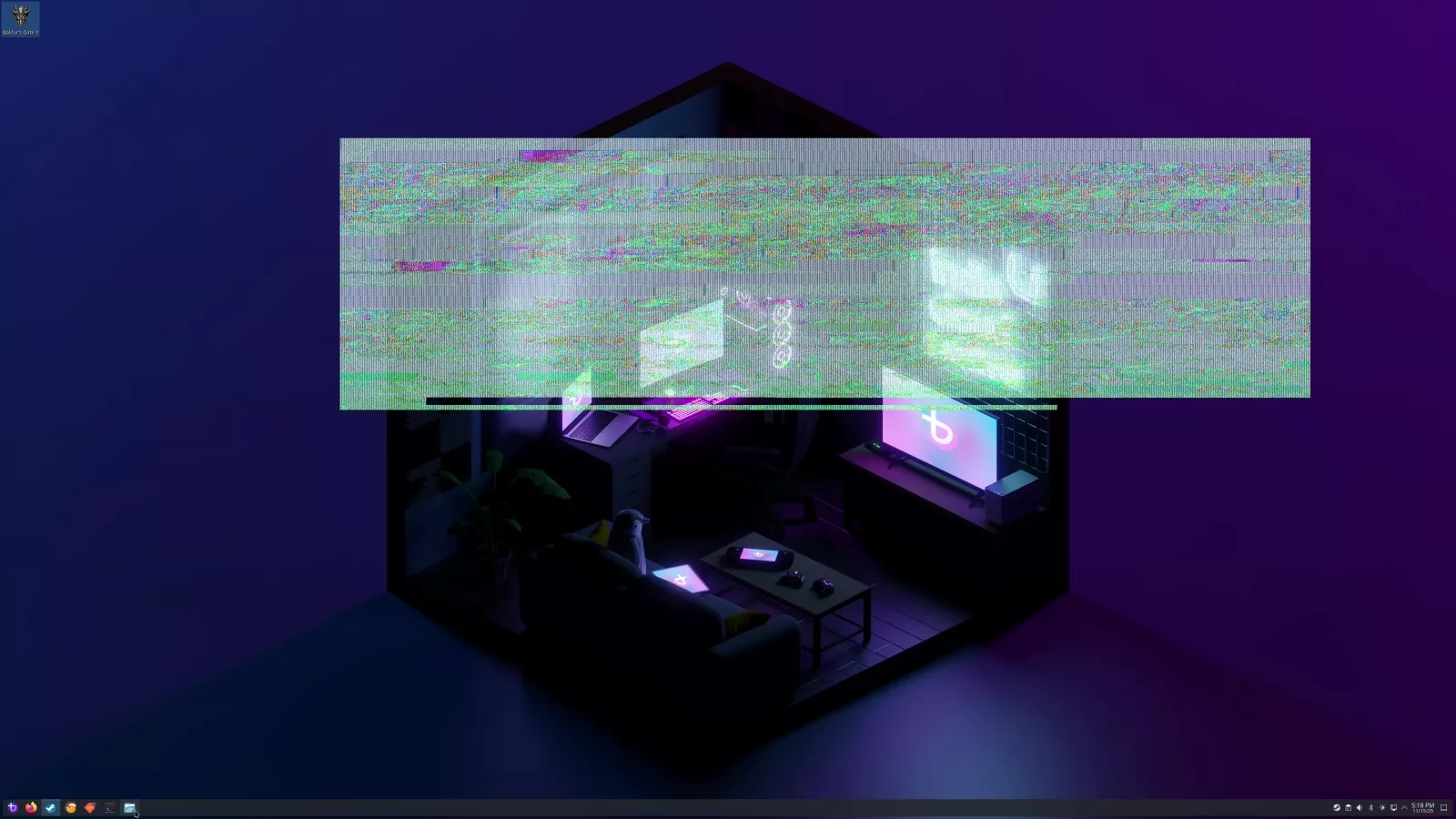
Intel's cards had the most problems, although we were told by Bazzite's developers that Intel GPUs would be the most affected by updates, so pausing updates may have prevented some fixes, but that’s the tradeoff we had to make. Using the B580, the native Linux version of Baldur's Gate 3 wouldn't launch, Dragon's Dogma 2 couldn't run long enough to test, and Starfield couldn't load saves. We also saw flickering and artifacts at desktop. None of the games in our test suite showed RT as an option with Intel except Cyberpunk 2077, and when we moved down to the B570, it couldn't even run Cyberpunk with RT without crashing. To be fair, Cyberpunk with RT crashed consistently on the RX 9060 XT as well.
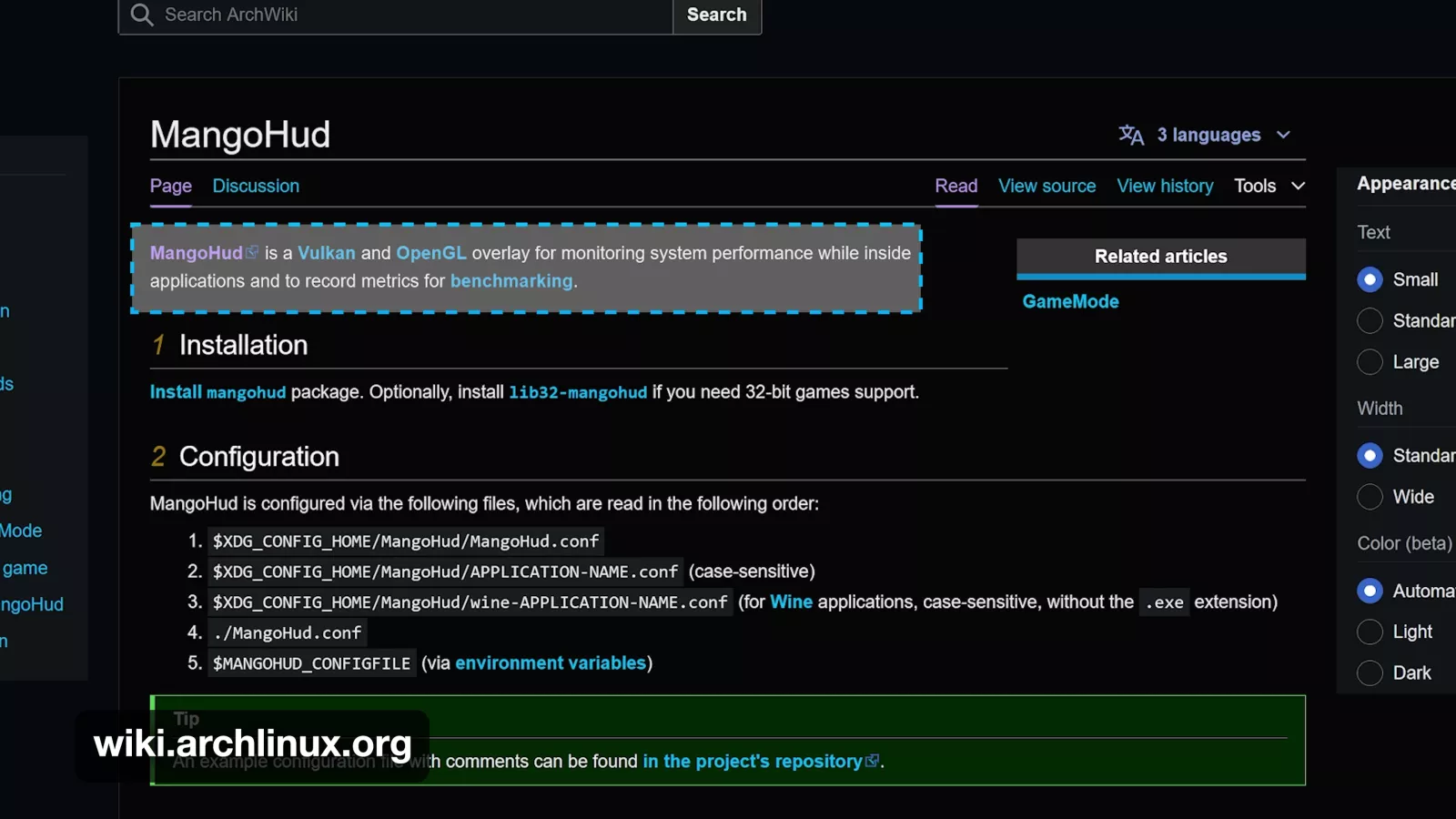
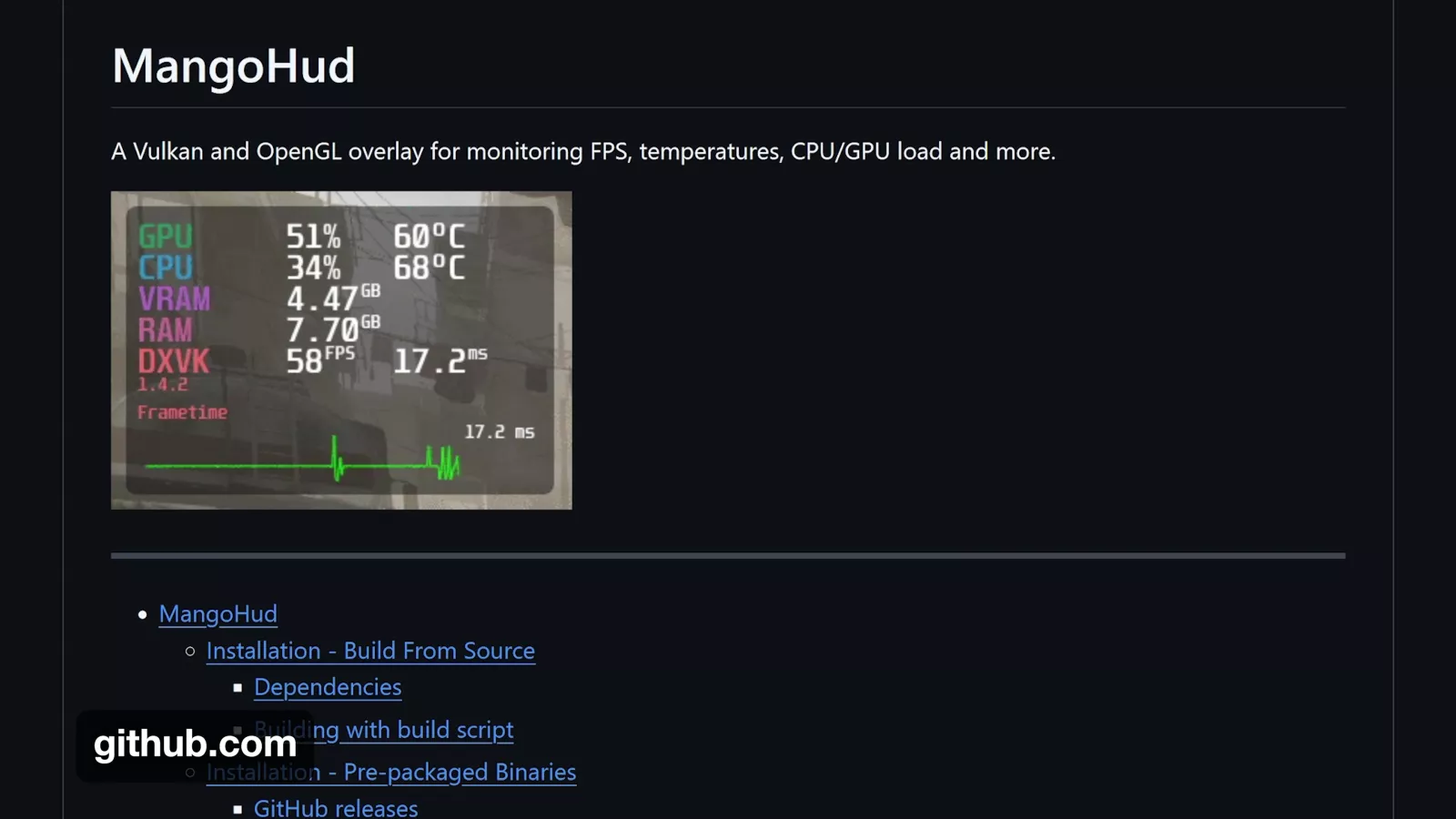
We also had multiple issues that may have been related to MangoHud. The most obvious was that games would frequently crash to desktop when MangoHud finished logging. We've been in contact with MangoHud's developer and have some ideas, but for now we're just dealing with it. We also had games freeze for up to a minute at a time, which could be worked around by tabbing out and back in.
We intentionally hid the MangoHud overlay during all testing because of an earlier issue on the Steam Deck where any overlays would cause stuttering and other issues.
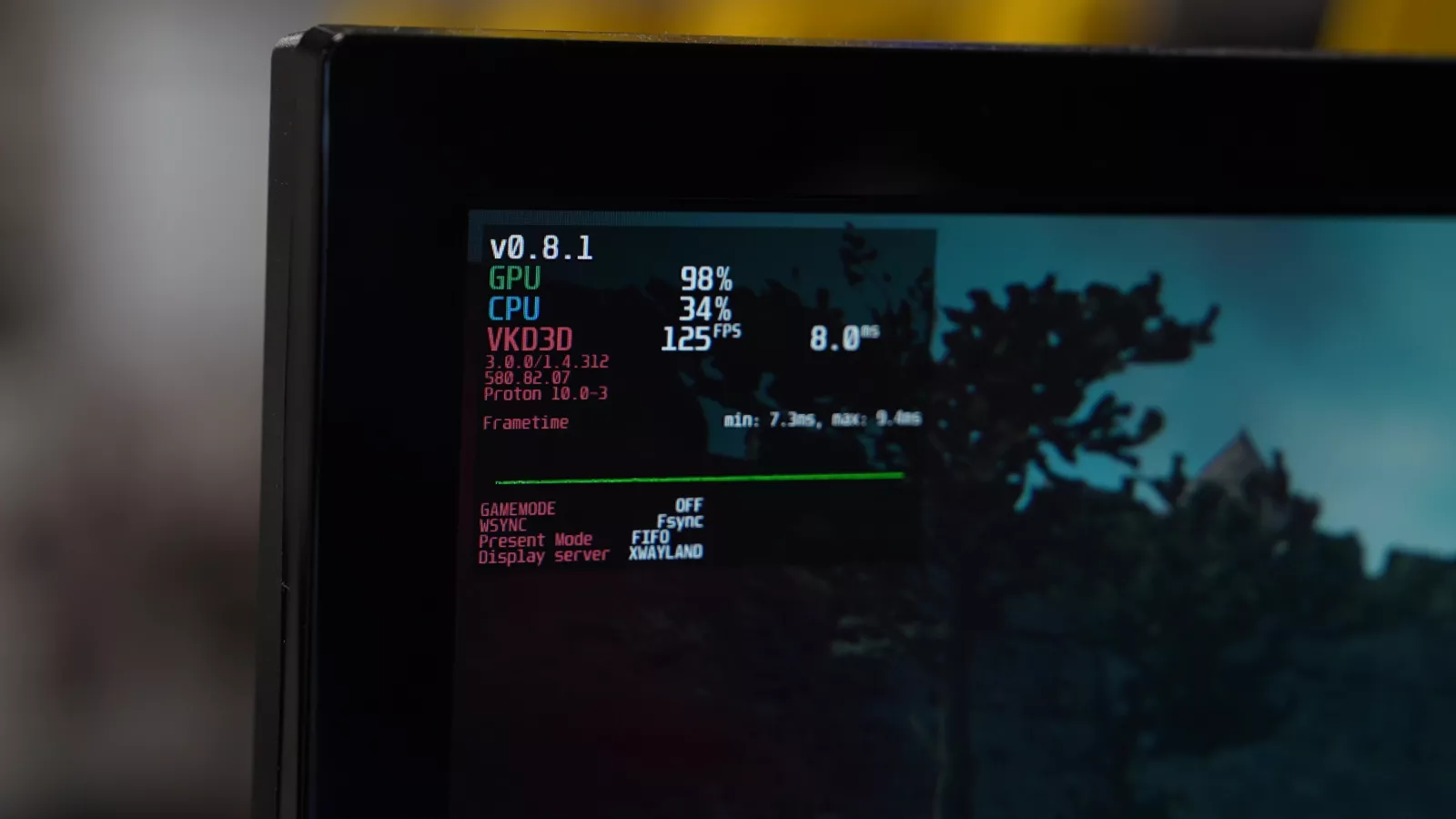
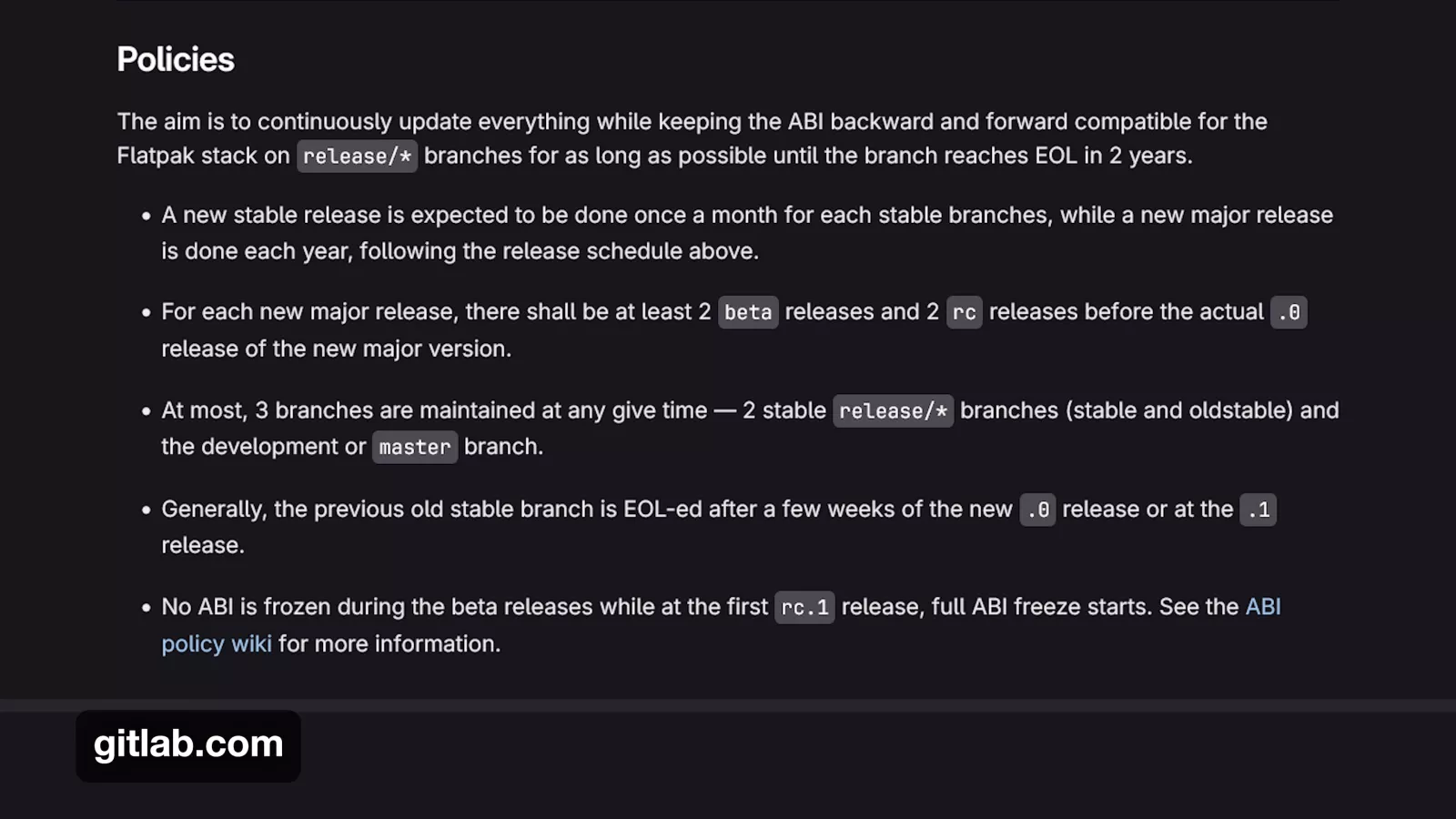
After a certain point, MangoHud stopped working with the Heroic Games Launcher (which we were using to run Cyberpunk 2077). This was alarming mainly because it implied that something was updating outside of our control, although it may have been due to freedesktop's policy of marking releases EOL after two years. Someone on Reddit had a related problem that pointed us to a fix, and then they deleted the post, so good luck.
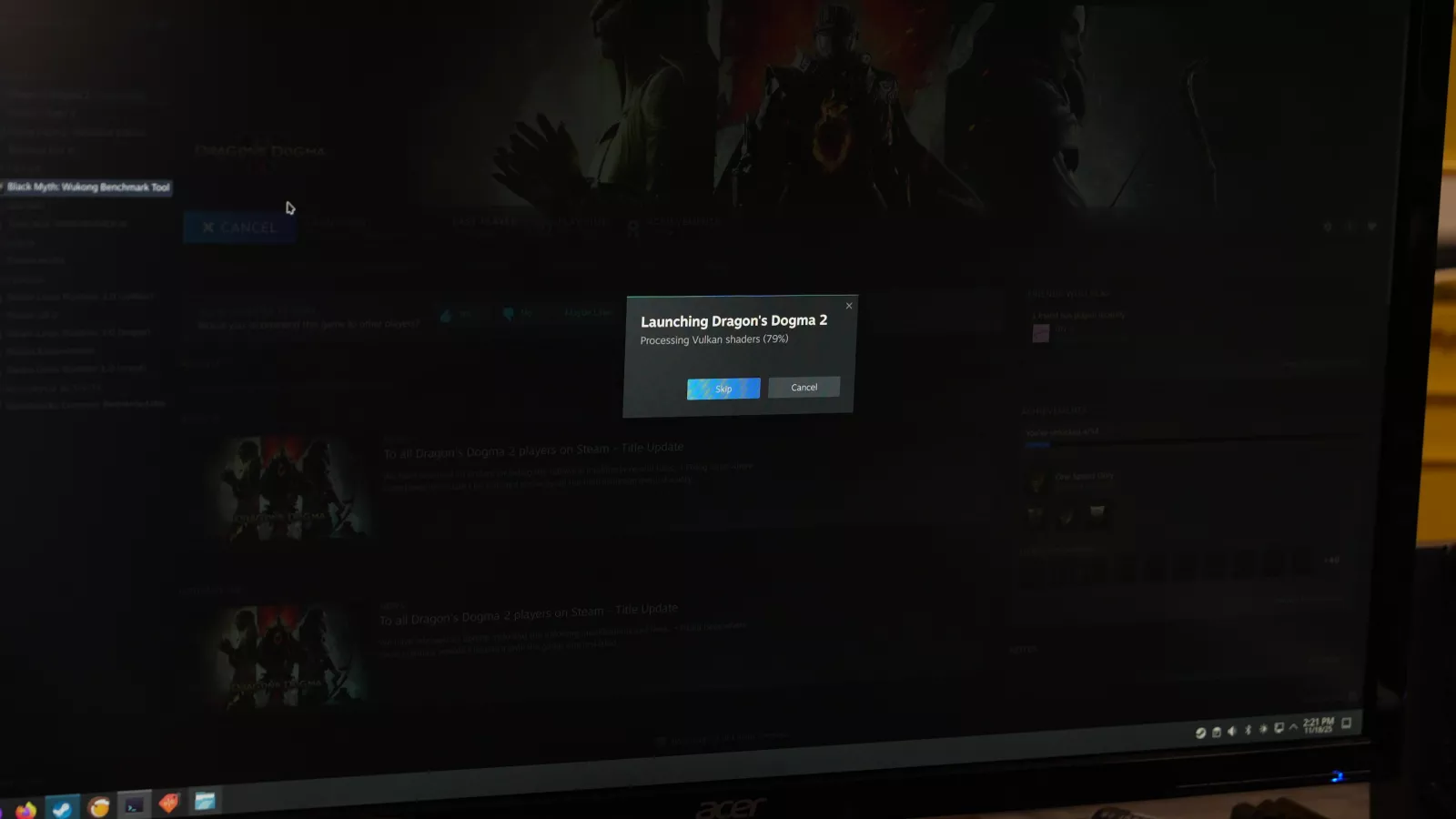
Steam's first-time shader compilation step took an extremely long time, especially with NVIDIA cards, up to 25 minutes for Starfield on one of the NVIDIA cards we tested. Many of the Steam games we tested forced tiny shader cache updates every day, which is behavior we've seen on the Steam Deck as well.