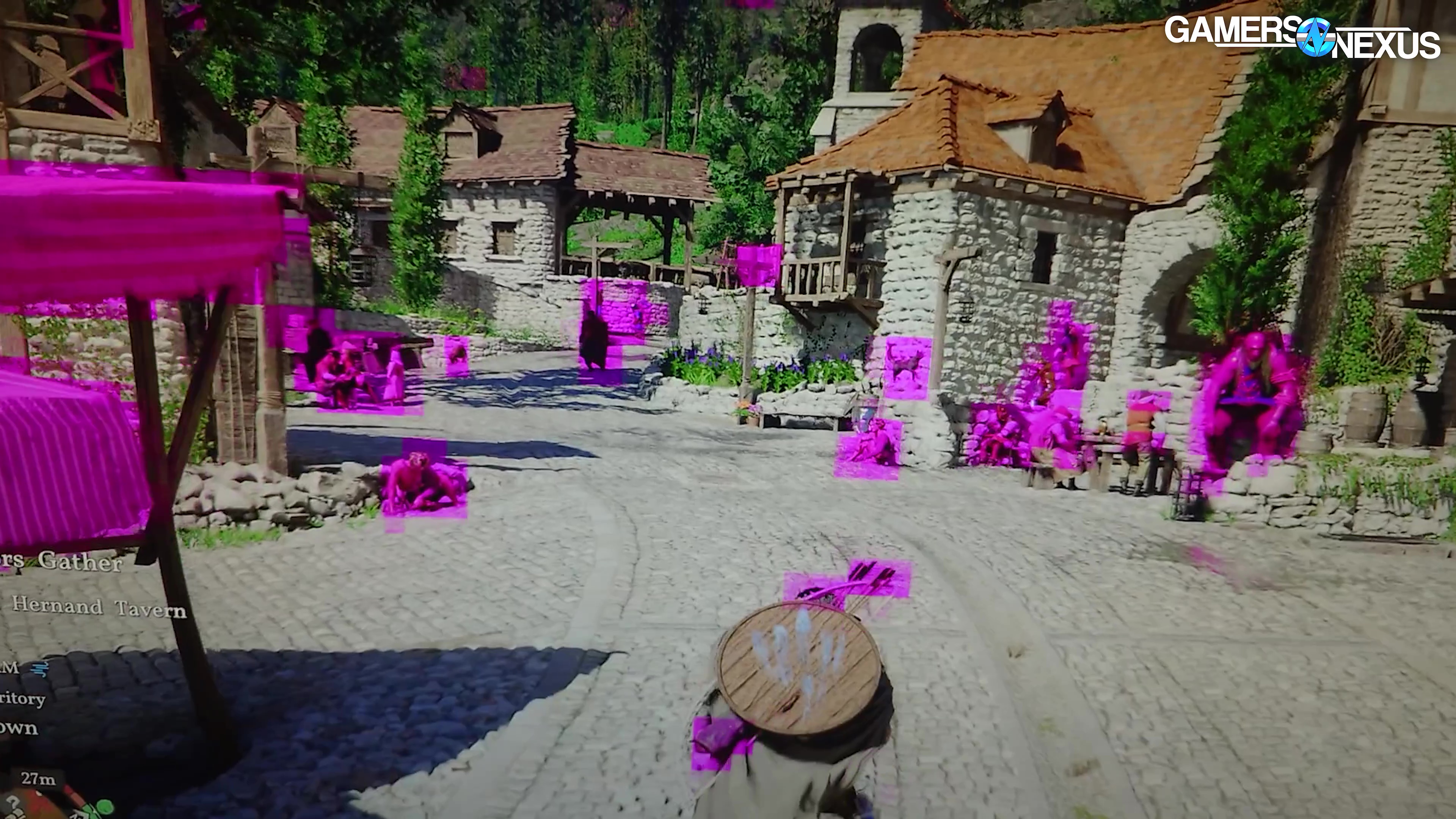
We tested the day 1 patch and launch version of Crimson Desert across 25 GPUs, 3 resolutions, all graphics presets, and also tested for simulation time error (alongside frametime spike issues and framerate).
The Highlights
- In these benchmarks, we look at the best GPUs for Crimson Desert and some of the preset settings optimizations and performance of the game
- In these benchmarks, we look at the best GPUs for Crimson Desert and some of the preset settings optimizations and performance of the game
- During the testing, we encountered numerous bugs across 3 test computers and 2 GPU vendors
- Release Date: March 19, 2026
Table of Contents
- AutoTOC
Intro
Turns out, we got access to the buggy mess that is Crimson Desert at the same time as Intel’s Arc GPU team.
Editor's note: This was originally published on March 21, 2026 as a video. This content has been adapted to written format for this article and is unchanged from the original publication.
Credits
Test Lead, Host, Writing
Steve Burke
Testing, Writing
Patrick Lathan
Testing
Mike Gaglione
Tannen Williams
Video Editing
Vitalii Makhnovets
Tim Phetdara
Writing, Web Editing
Jimmy Thang
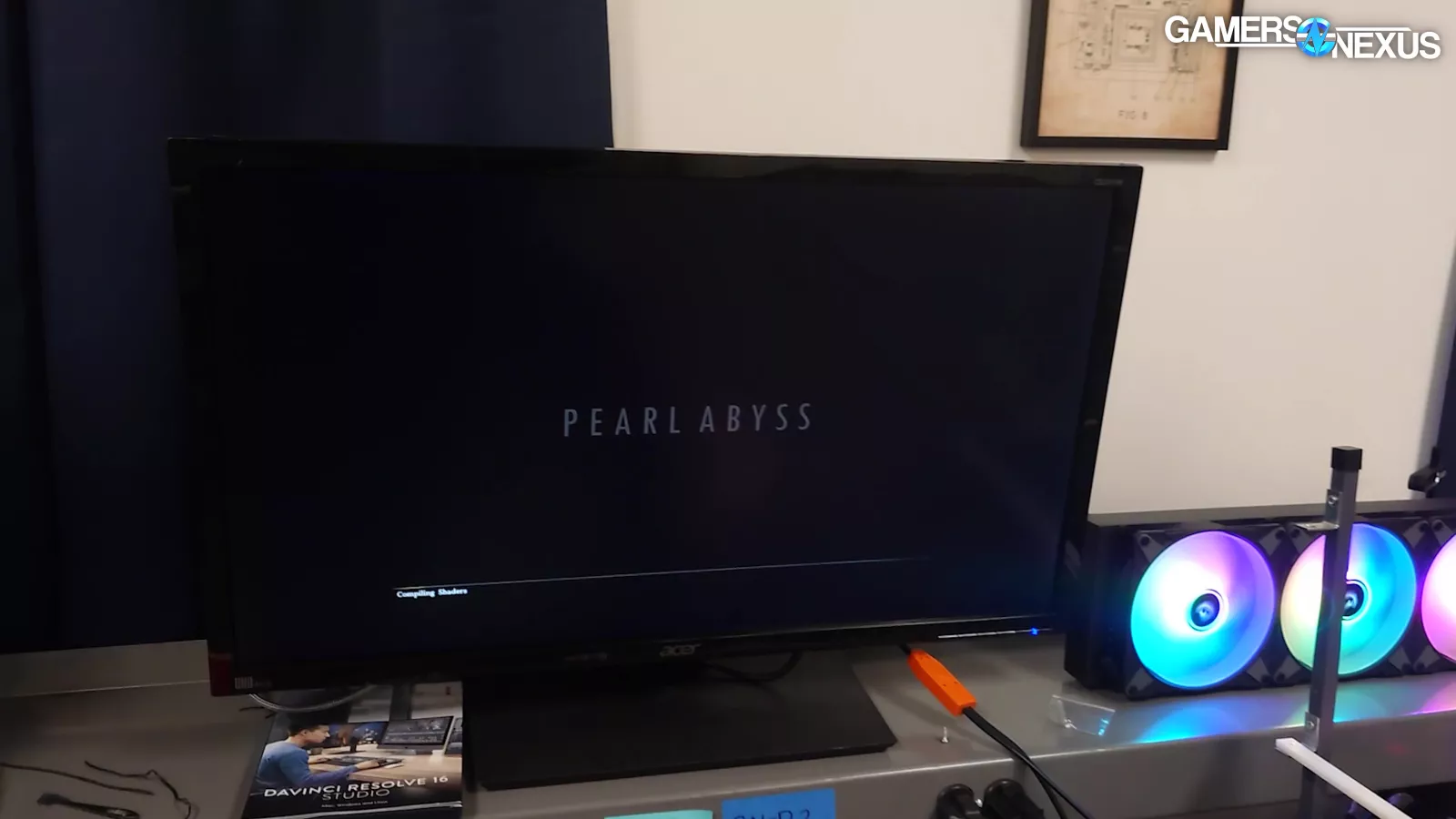
Crimson Desert was a nightmare to test on launch day. We started right when the game came out, which included a day 0 patch that had some launch optimizations included in our tests, and we immediately ran into problems: Across both NVIDIA and AMD, and across 3 test systems, we experienced various game freezes, full system shutdowns, crashes to desktop…
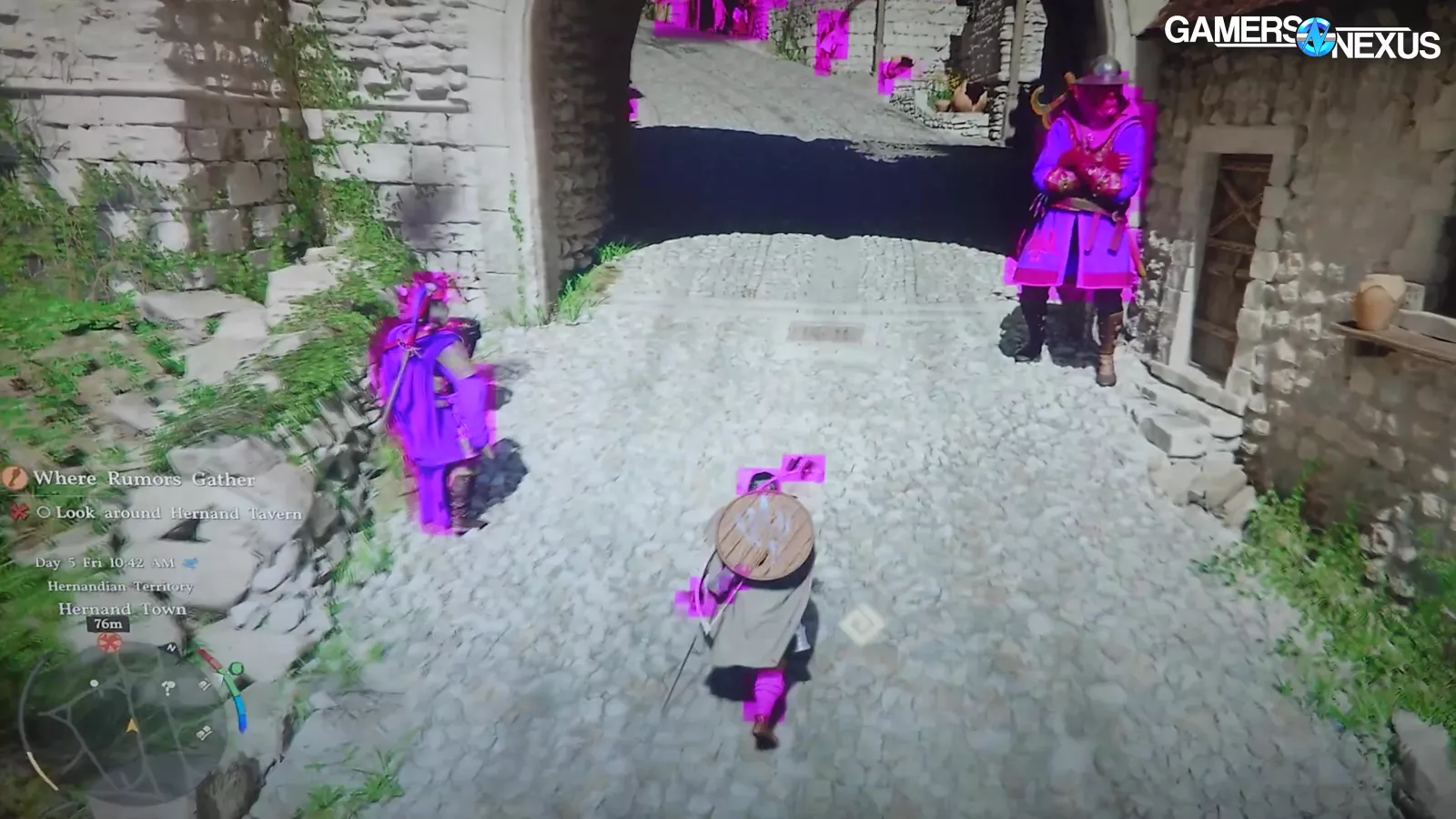
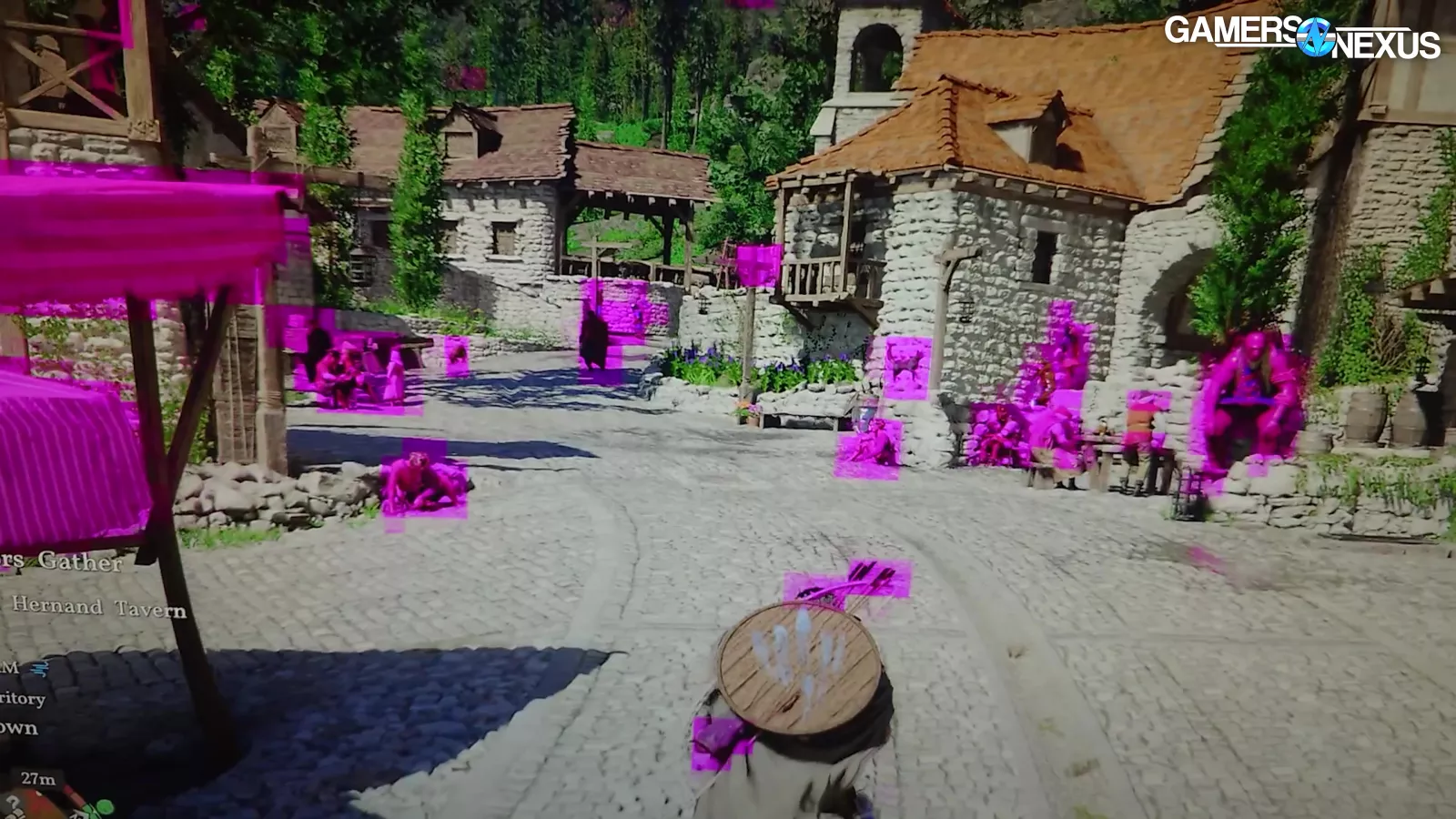
…and whatever the fuck this is, which was available in both pink and yellow.
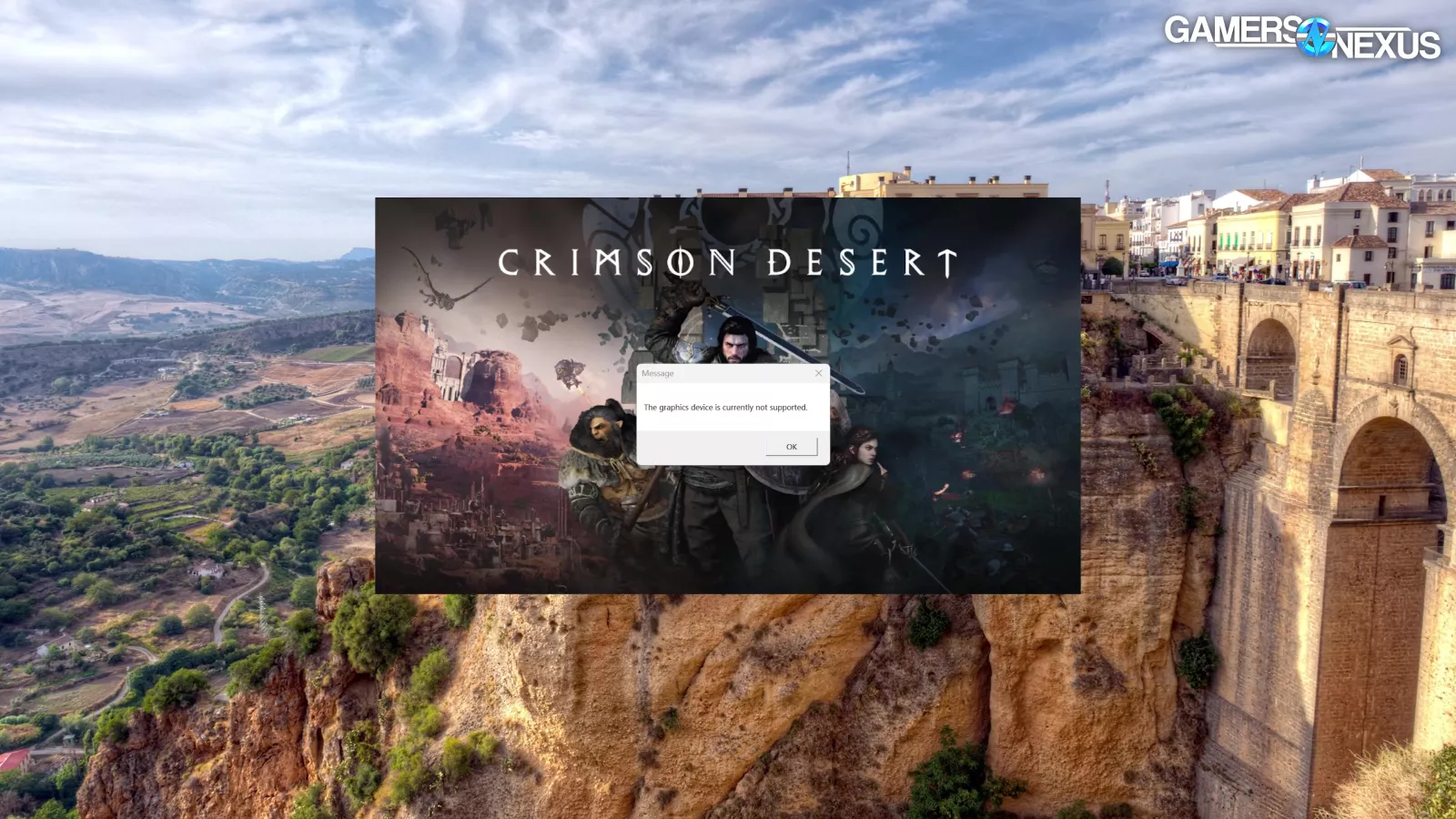
Fortunately, Intel didn’t have any of these problems with its Arc GPUs. That’s because Pearl Abyss refused to work with Intel throughout its development process, so the Arc GPUs just can’t play the game at all. We’ll get into that, too.
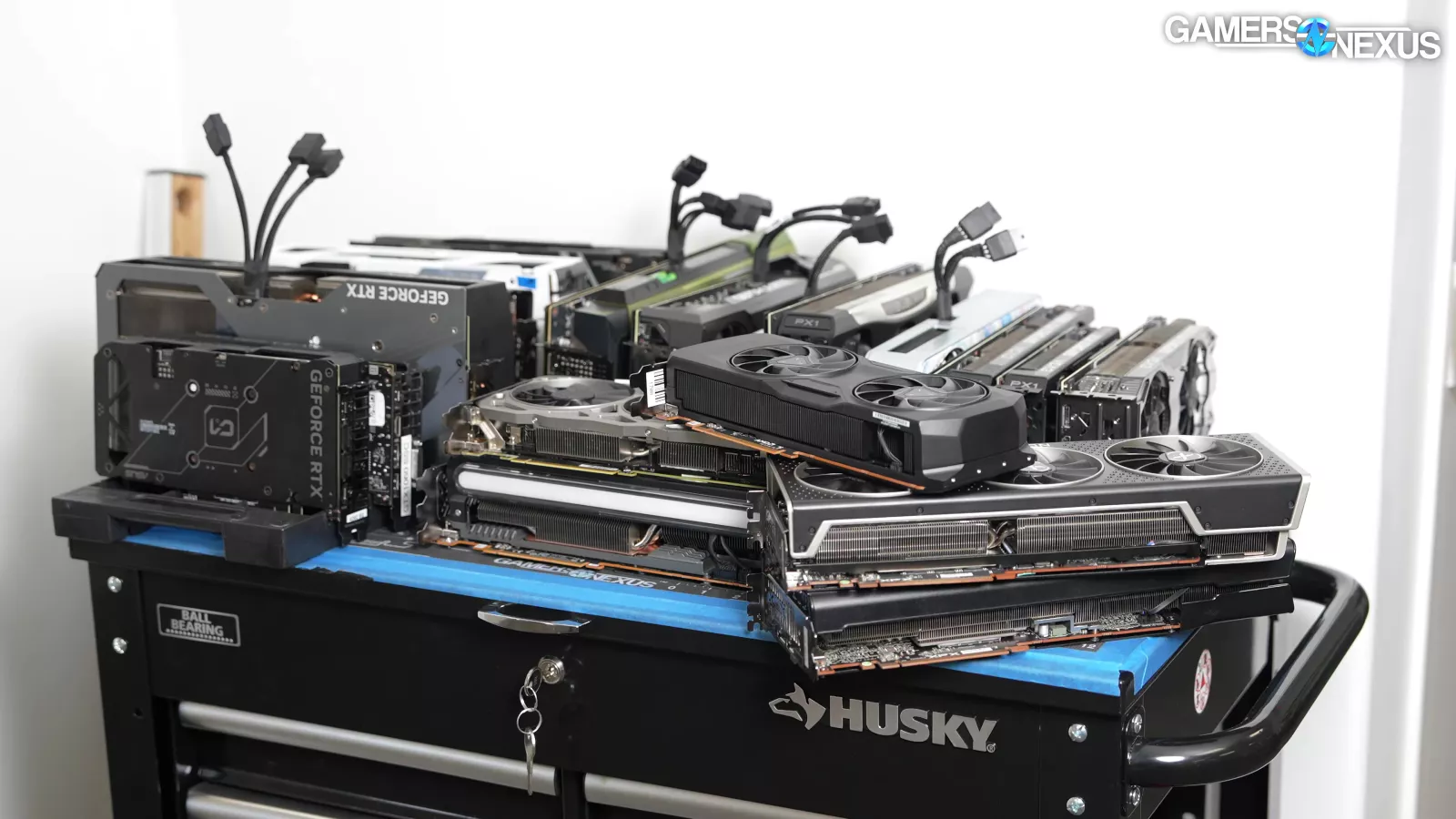
Beyond the bugs, draw distance issues and pop-in problems, and general noisiness in the game’s graphics, we did actually manage to run 25 GPUs through testing in a span of just 10 hours. It’s also our first gaming benchmark debut of our recently detailed simulation time error testing methodology. We’re using Crimson Desert to test for issues in game object motion separately from framerate and time in charts like this.
We had to balance turning this around fast to help as many people as possible with testing as many different graphics settings, areas of the game, and cards as possible, while also trying to balance with our new game tests.
We didn’t have early access, so we tested the launch version of the game and its first patch. We ended up going with 25 GPUs, including the GTX 1080 Ti, 1070, and 1060. We ran 3 resolutions, every settings option on a couple of GPUs, and tested across several hours of gameplay, including some distant towns and environments to make sure we understood if the game’s performance changed later. This is in addition to our new simulation time error charts, which we’re excited to debut in the first real-world use case.
For testing, we're using our GPU reviews test bench, which has a 9800X3D (read our review) that’s slightly overclocked just to maintain a level clock without any fluctuations. And then we started testing the game as soon as it came out. And saw stuff like this:
A Buggy Mess -- Sometimes
As we got into Crimson Desert testing, we ran into a ton of bugs that seemed to be from the game rather than from drivers. These issues occurred on both AMD and NVIDIA.
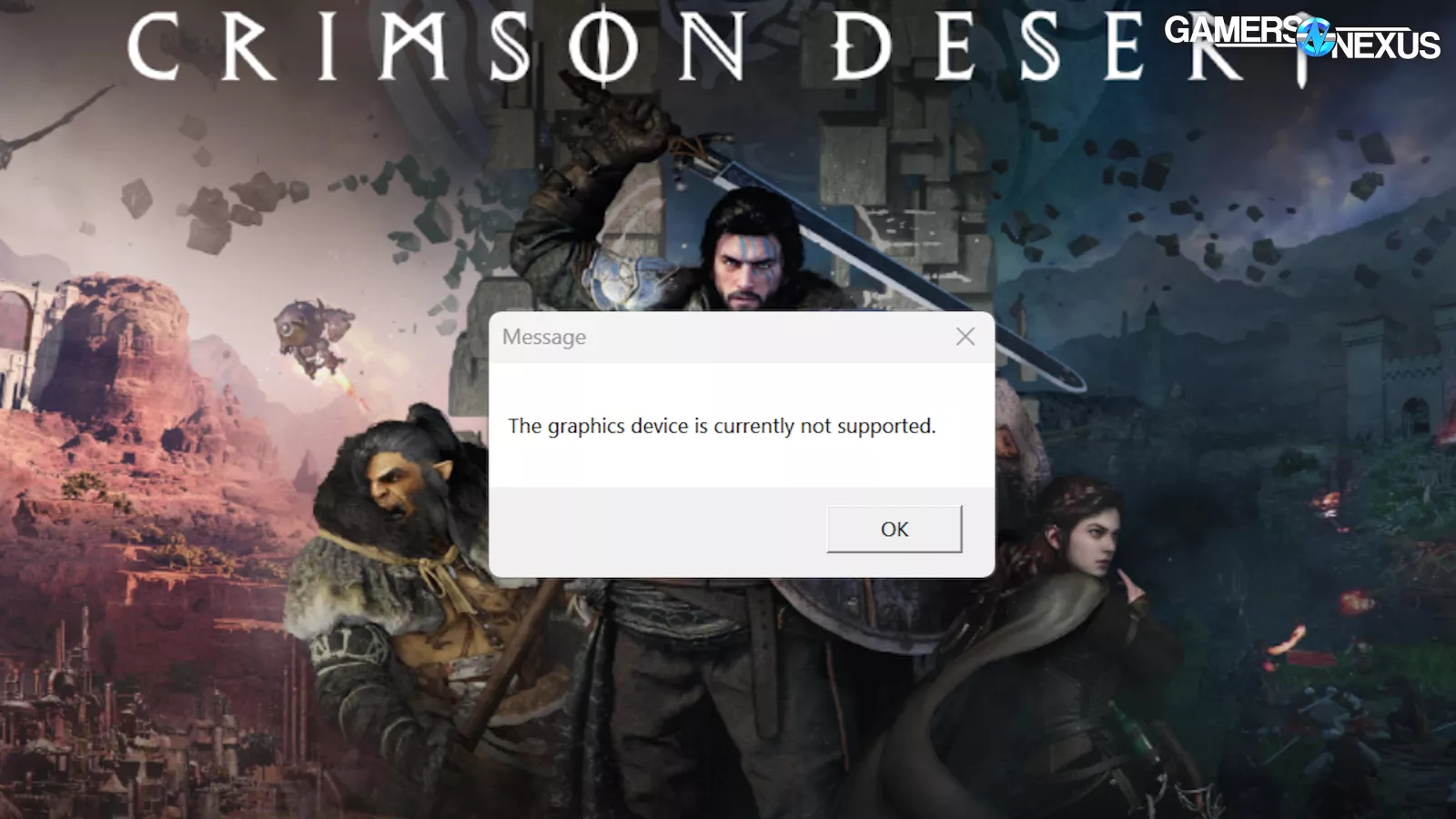
There was one driver issue, though: Intel’s GPUs just don’t work. Crimson Desert rejected the B580 (read our review) when detected and told us that it can’t be used to play the game.
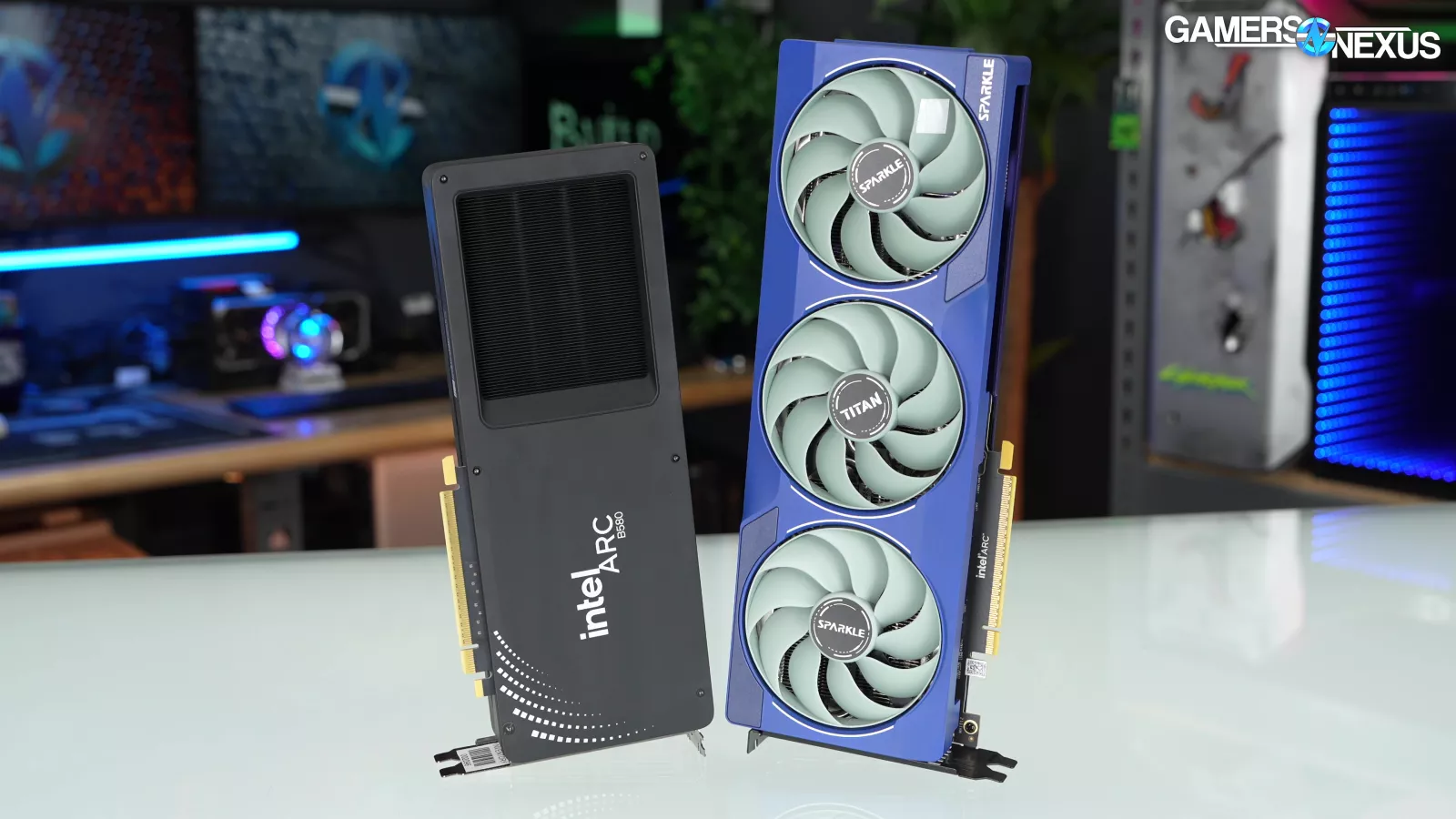
We asked Intel for its driver support plans. The company informed GamersNexus that Pearl Abyss did not work with or enable Intel to work on drivers in advance of the game’s launch, meaning that they got access at the same time as the public did.
Intel stated:
“We’re aware that Crimson Desert currently doesn’t launch on systems with Intel GPUs and we’re hugely disappointed that players using Intel graphics hardware can’t jump in to the world of Pywel at launch.
Getting games running smoothly is always a partnership between developers and hardware makers. Over the past several years, we’ve reached out to Pearl Abyss many times to help test, validate, and optimize support for Intel graphics, providing early hardware, drivers, and engineering resources across multiple generations, including Alchemist, Battlemage, Meteor Lake, and Lunar Lake.
Our teams are deeply committed to helping all studios deliver the best experience possible, providing open tools, documentation, and direct engineering support to make sure their games run well for everyone, including the tens of millions of players using Intel GPUs. We remain ready to assist Pearl Abyss however we can.
For details on the choice not to enable Intel support at launch, please reach out directly to Pearl Abyss.”
This is about as direct as you can get from Intel. We asked Intel if its between-the-lines comment here is that Pearl Abyss didn’t grant Intel access before launch. Intel’s representative stated: “Correct, Pearl Abyss did not provide early access to game code[s].”
Intel is really getting screwed and boxed out here, especially if they're providing hardware and drivers to Pearl Abyss. The fact that, based on what Intel has written here, several media publications had access to this game before Intel did is bizarre. Either way, Intel is probably working on this now, but it sounds like they basically got started the same time we did, which was launch day. Anyways, that's the news on the Intel stuff.
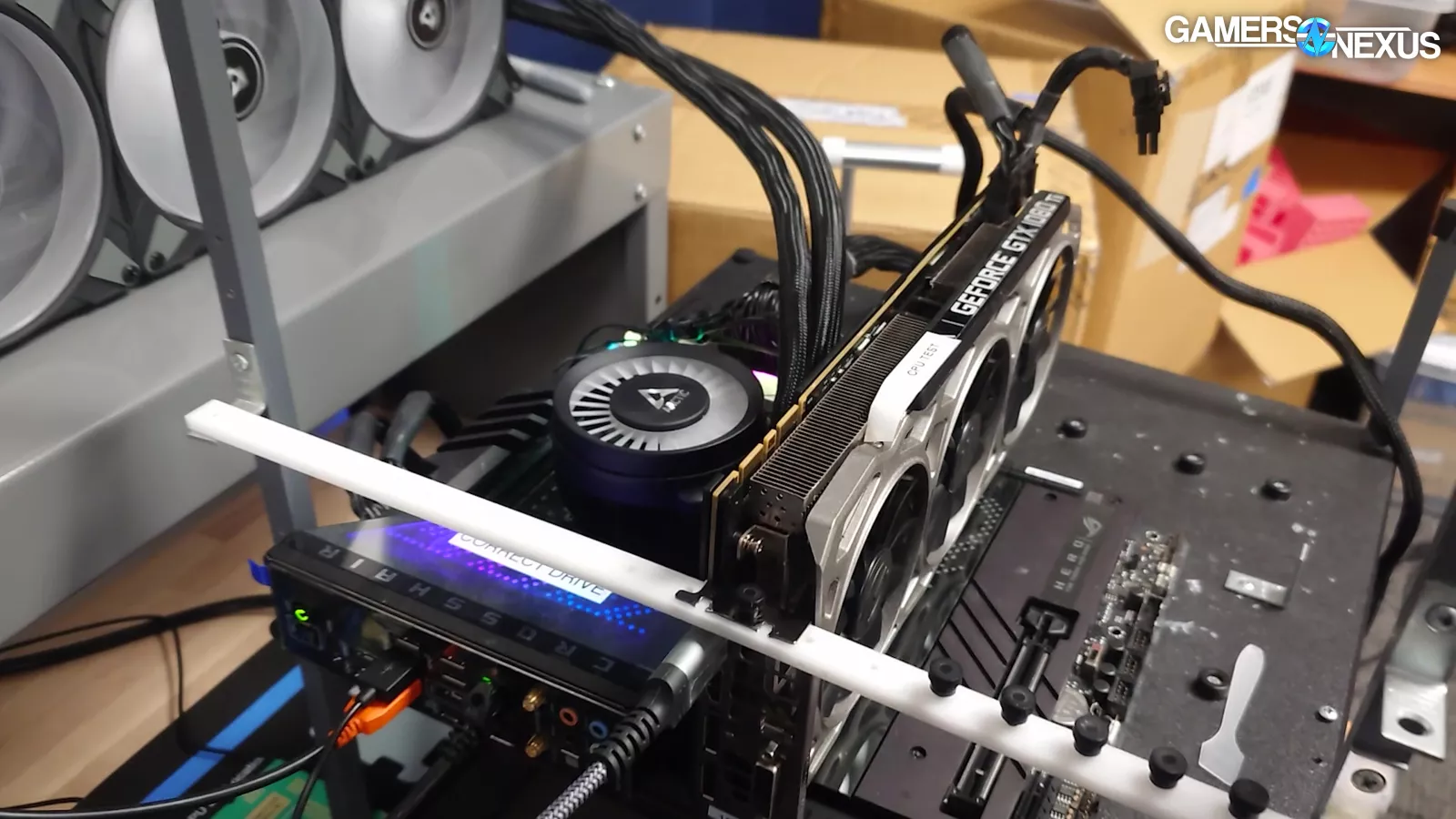
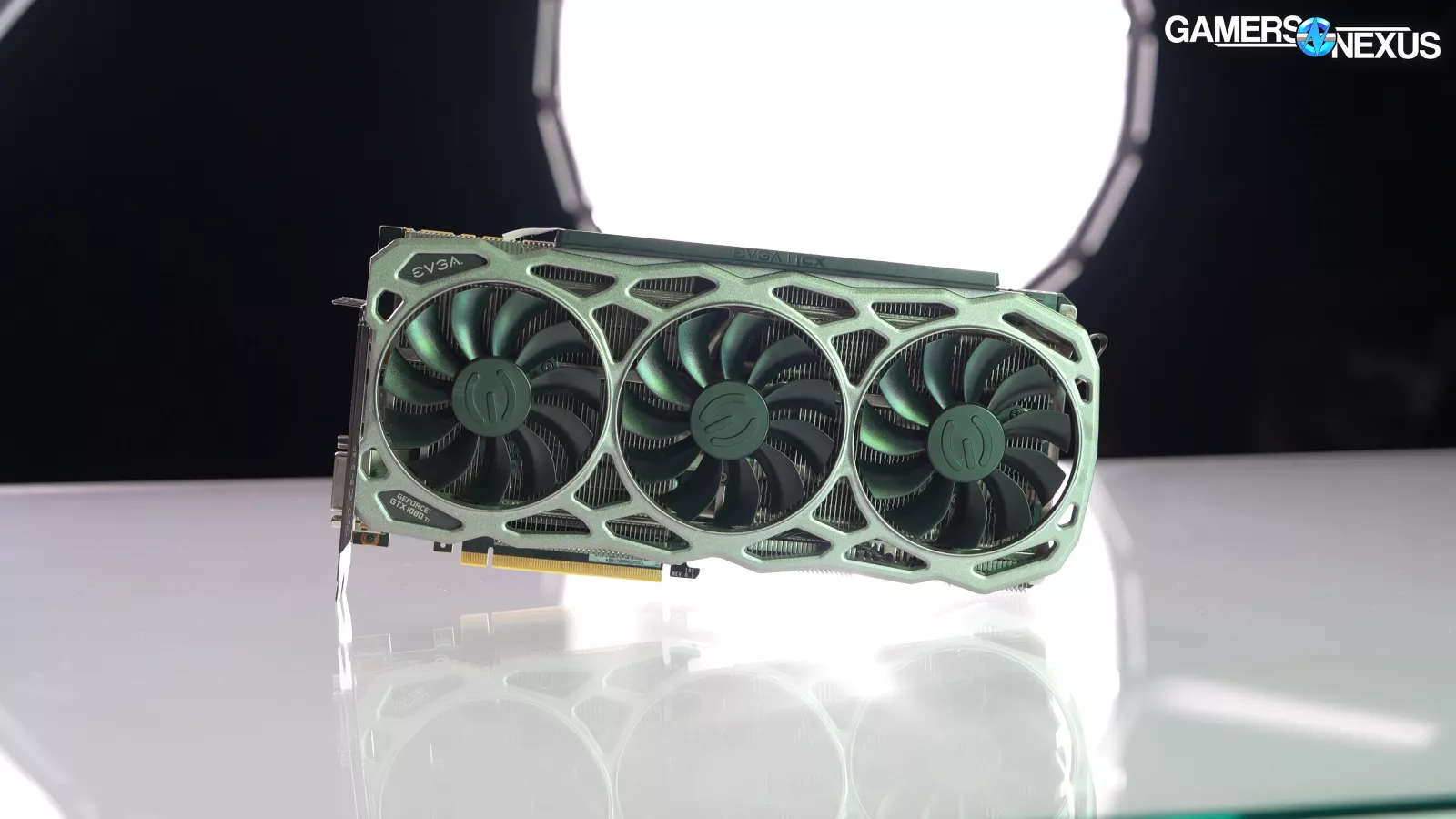
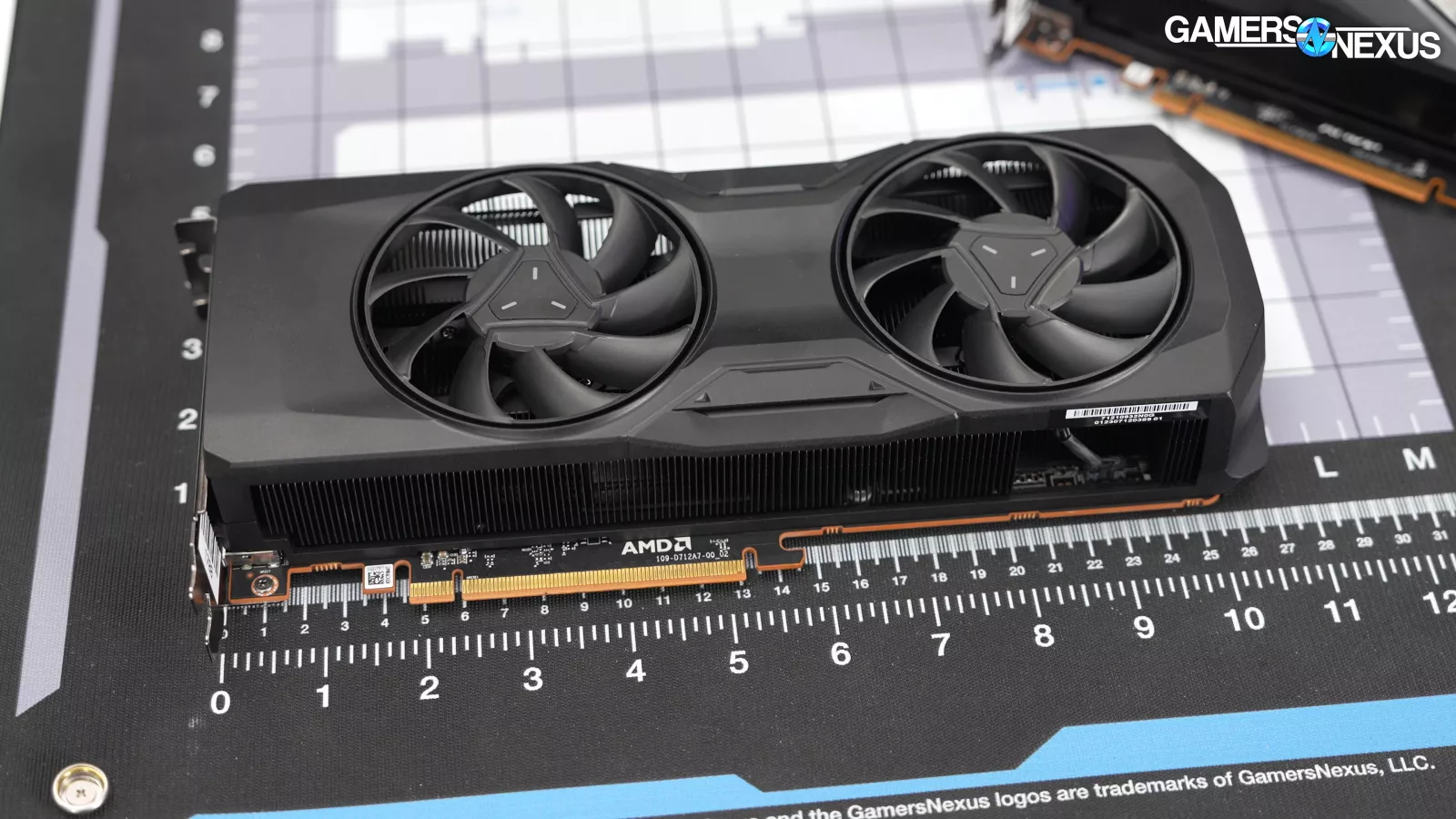
We also had issues with hard crashes, and not just to the desktop. We had two machines that experienced a complete shutdown of the system from Crimson Desert. One was on a 1080 Ti and the other was on an RX 7800 XT. It’s possible that there was some other issue on the 1080 Ti system, and so we assumed it was unrelated; however, it then happened again on the 7800 XT (read our review) card and in a completely different computer that hasn’t ever had problems of this sort before.
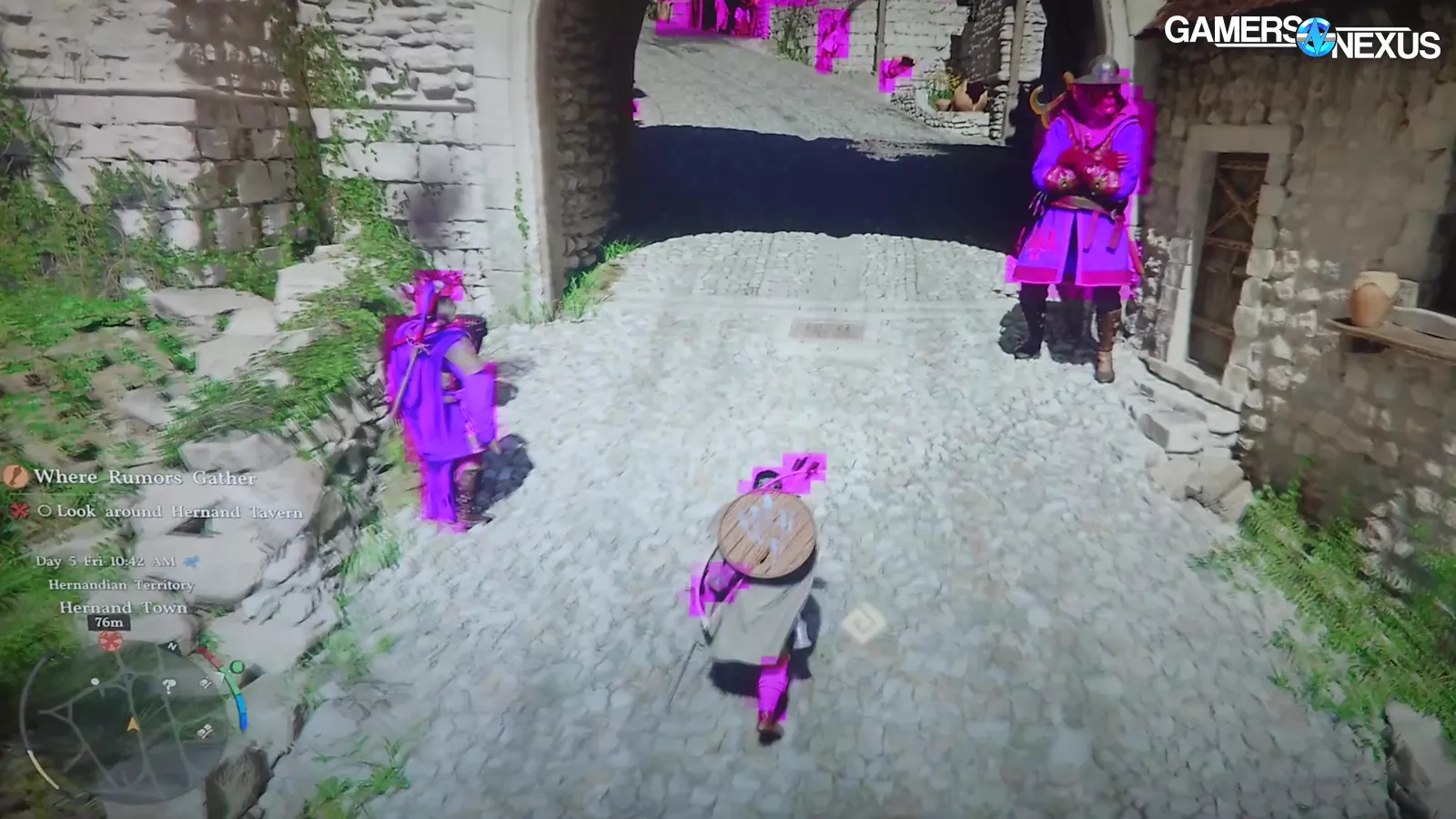
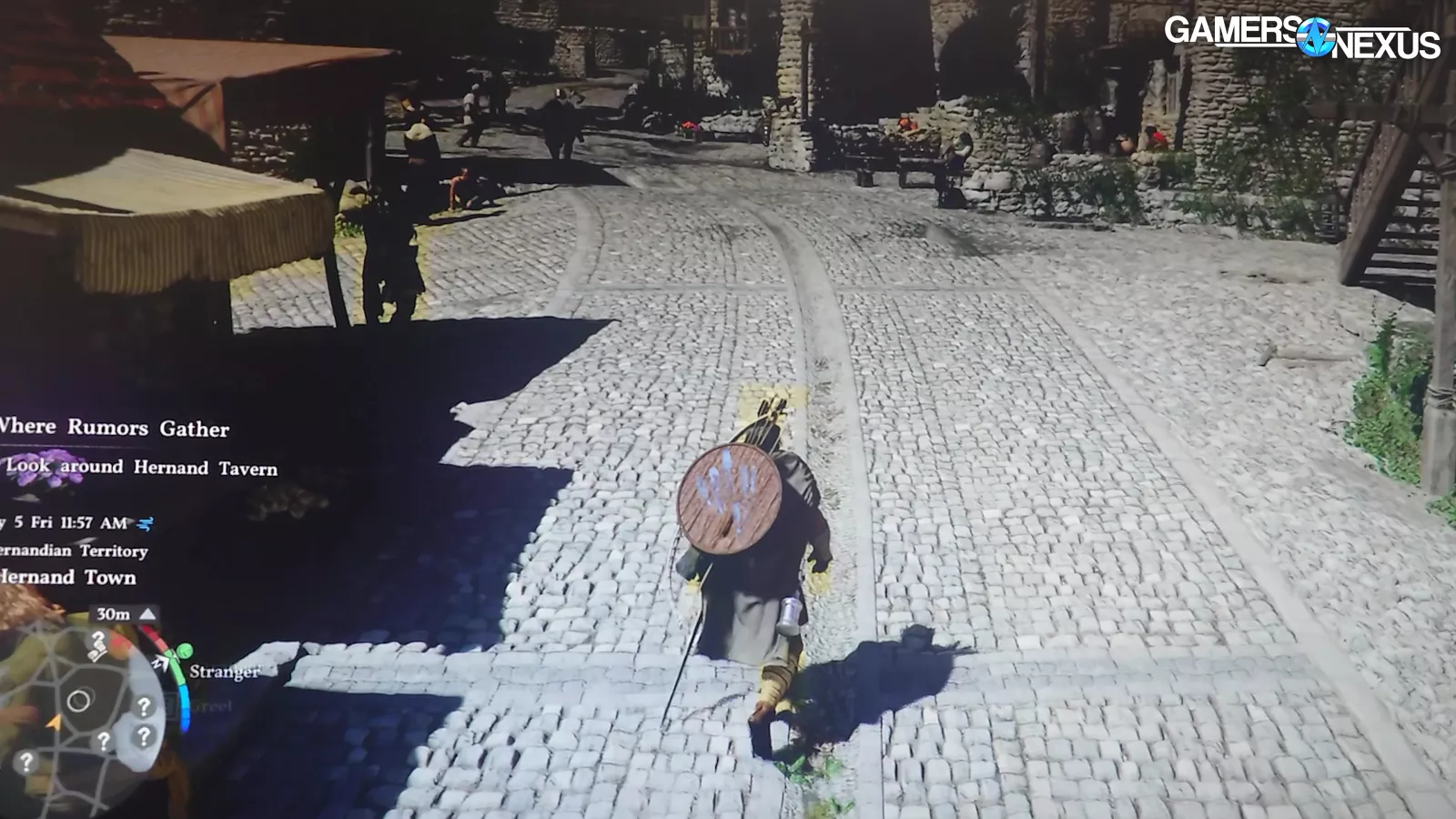
We also had regular issues with all moving objects being rendered with pink boxes around them, resembling hitboxes or something similar. We occasionally saw these with yellow boxes as well. They’d randomly appear and disappear, and we saw these on both AMD and NVIDIA.
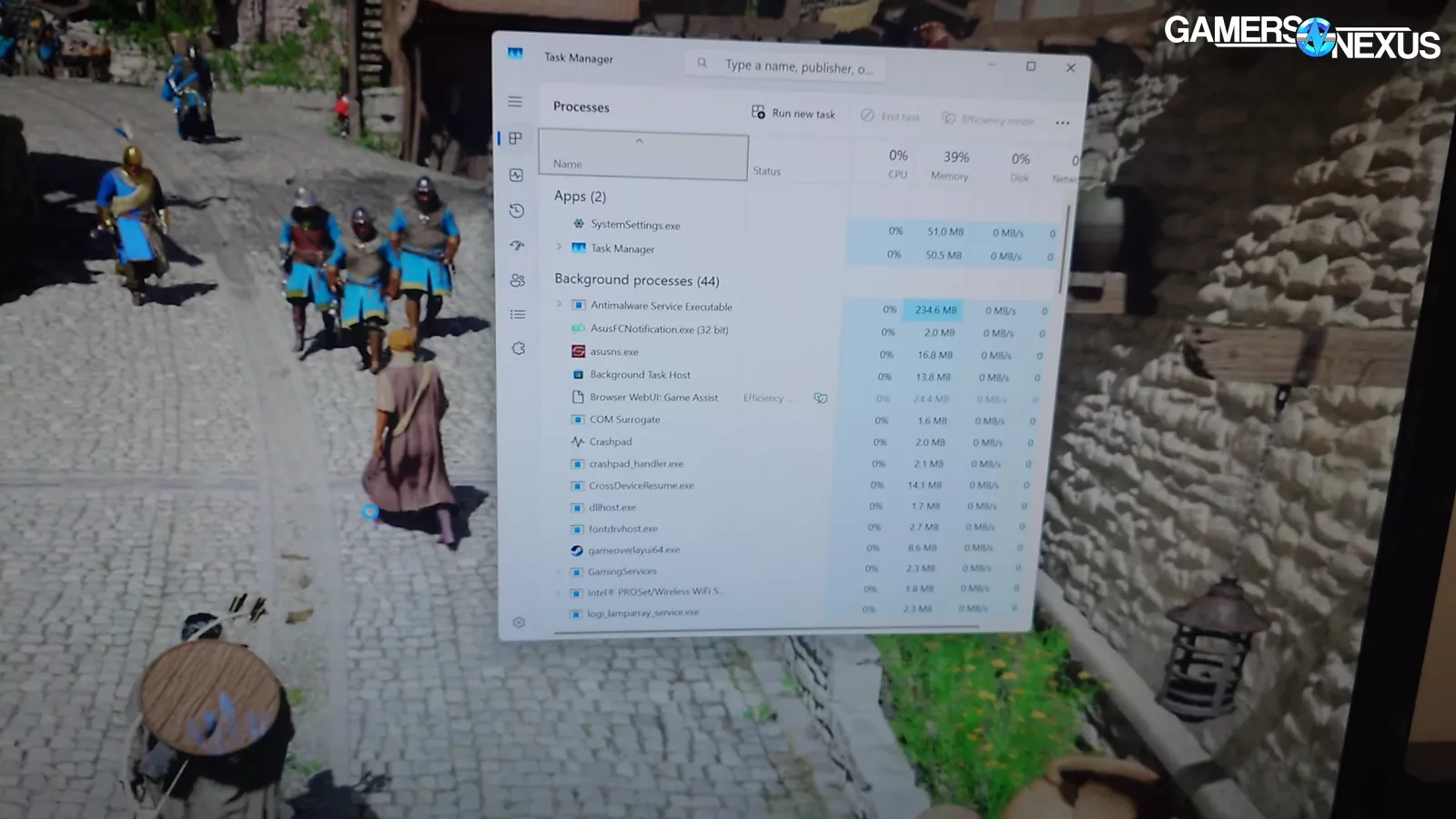
On a few instances, we had the game lock-up and freeze, though we could kill it with task manager.
And that’s just what we found in the test session. The game seems half-baked and not ready for launch, as there should never be any hard shutdowns or game freezing issues.
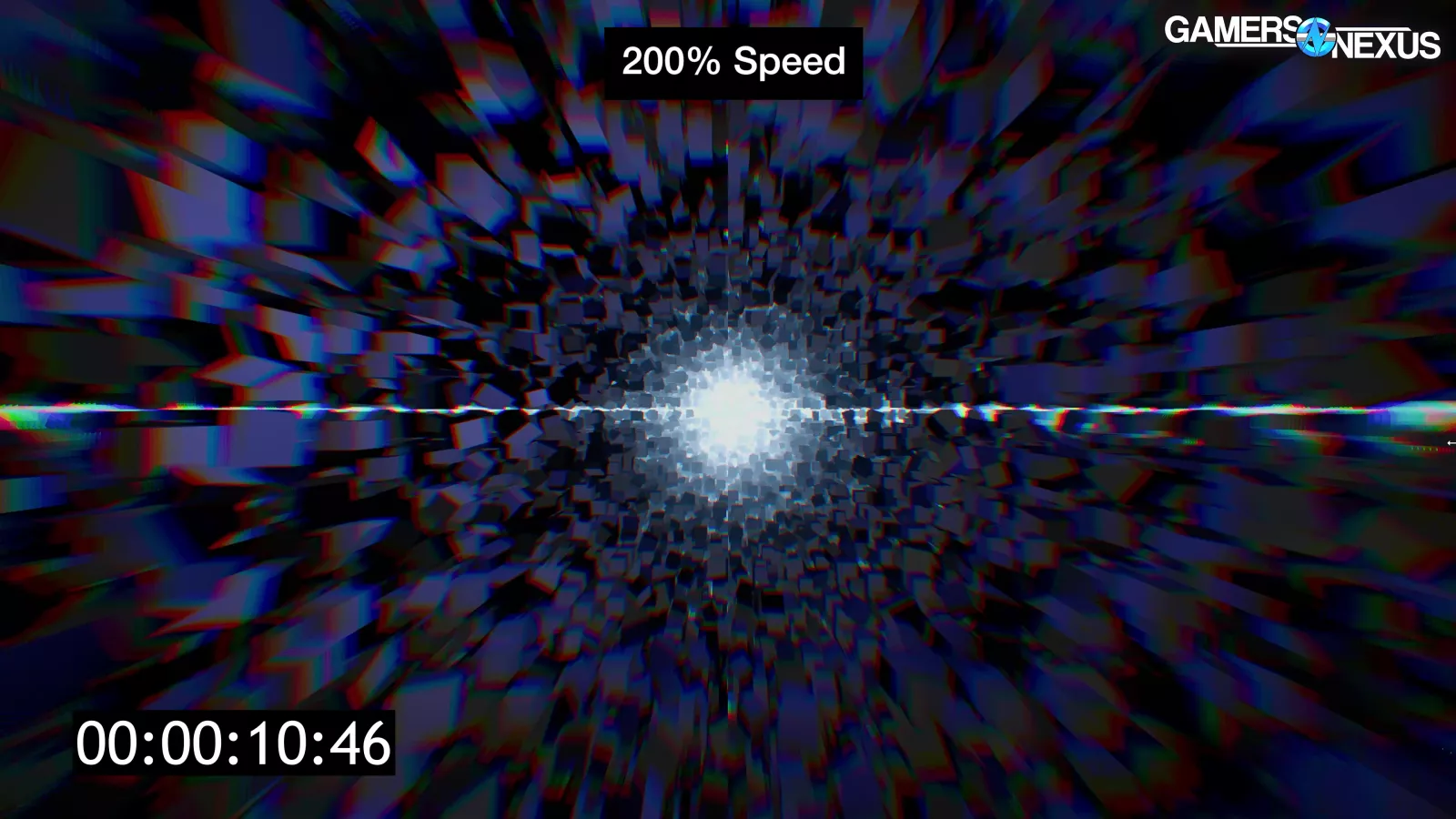
One thing we noticed immediately (and which is just a game issue) was that loading in the game is painfully slow in some situations. We regularly had to sit through a minute to a minute-and-a-half of loading animation and this is on machines with reasonably fast SSDs as well.
Pop-In
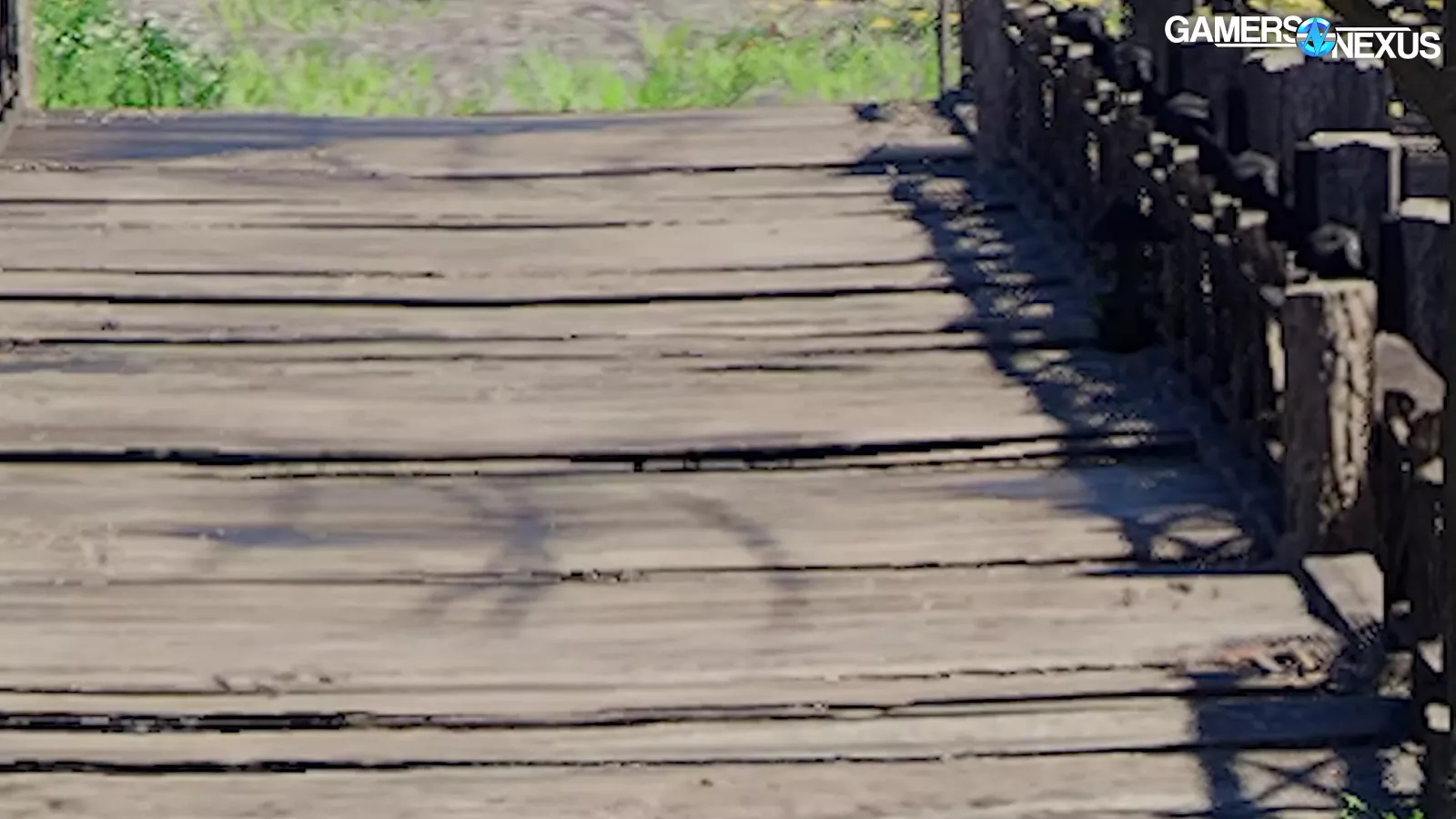
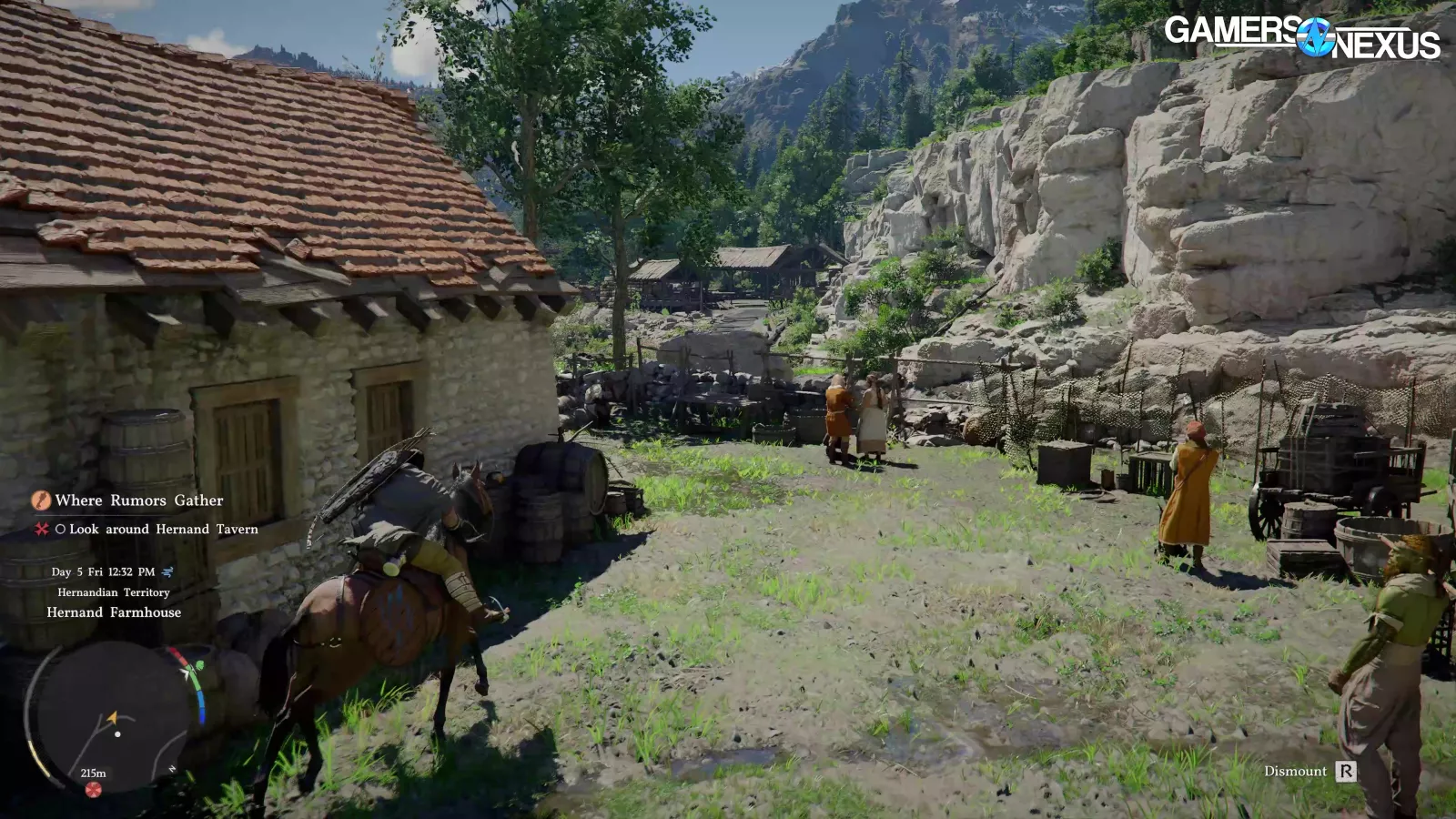
We won’t get too into this, but we also noticed that pop-in is extremely bad in the game. You can see small elements, like grass and plants, popping in just 5 feet in front of the character. At that point, it’s more distracting to have the objects than not. The same is true for objects in the background and mid-ground, where even the highest-end of systems at hundreds of frames per second aren’t given the ability to extend draw distance. We weren’t able to find a way to do this in a configuration file from a quick look, but this seems like a likely mod in the future.
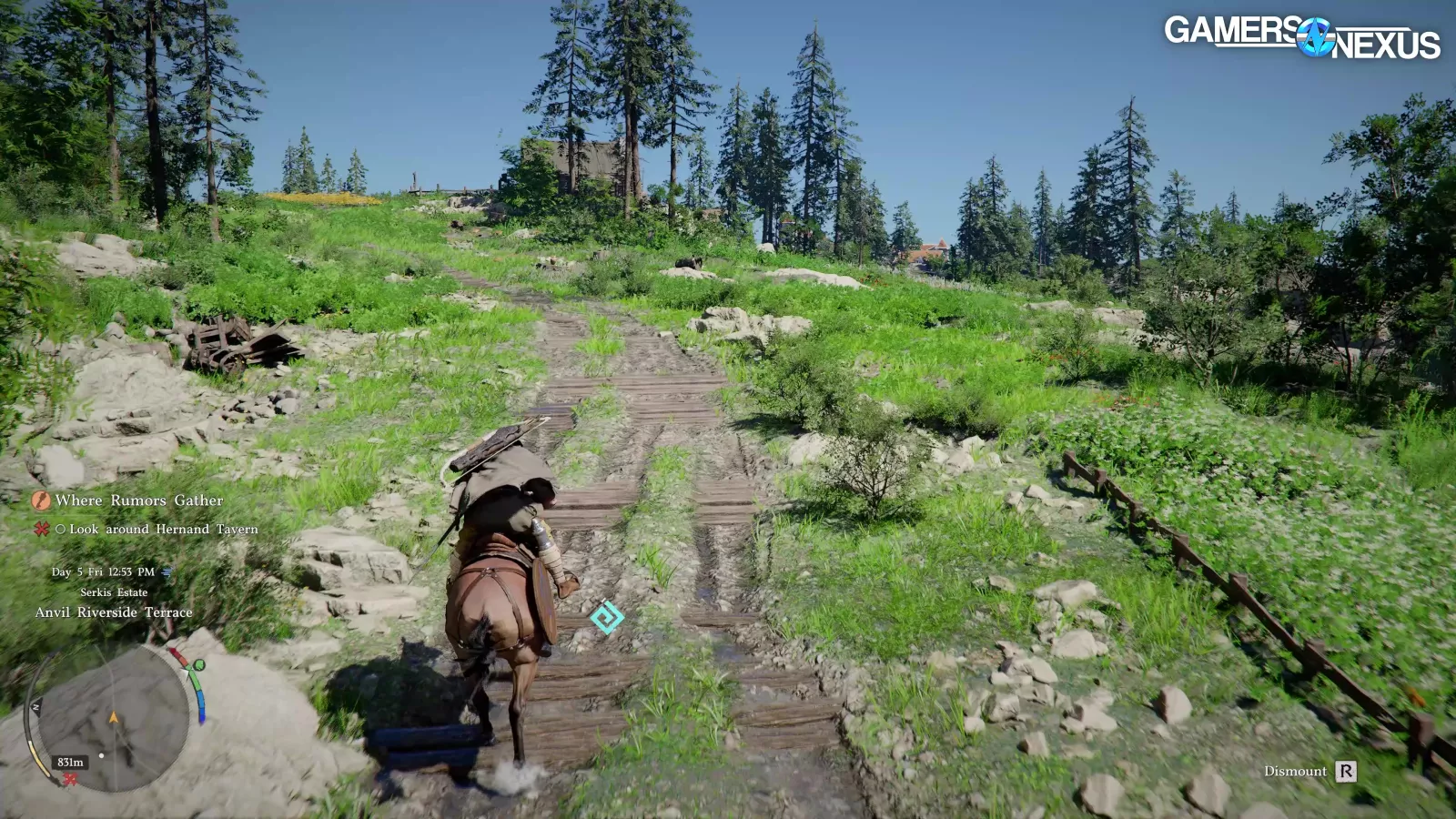
The game also just has a lot of shimmery noise in general.
Scaling in Game Areas (5060 Ti)
This next section goes over our research for designating a test area candidate. The point of this is to find something that’s representative of play without being difficult to replicate, like combat.
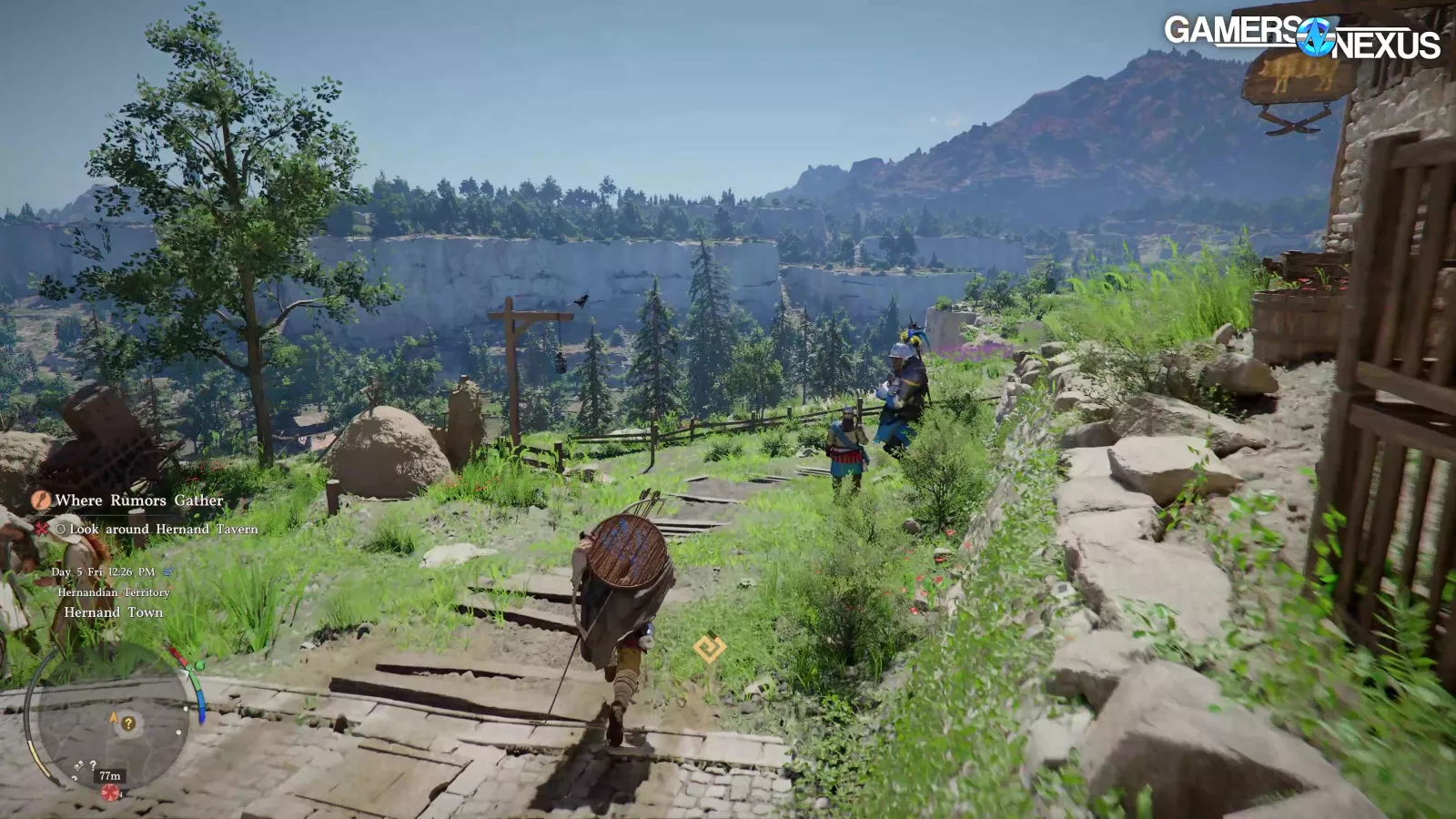
For this process, we played the game for a couple hours each and wandered around, including to some outer areas near Demeniss, the Serkis Estate, and near the first town of Hernand. We manually capture these and assign names to each, with the point being that we want to learn and understand how the game performs in different situations before committing to a test scenario.
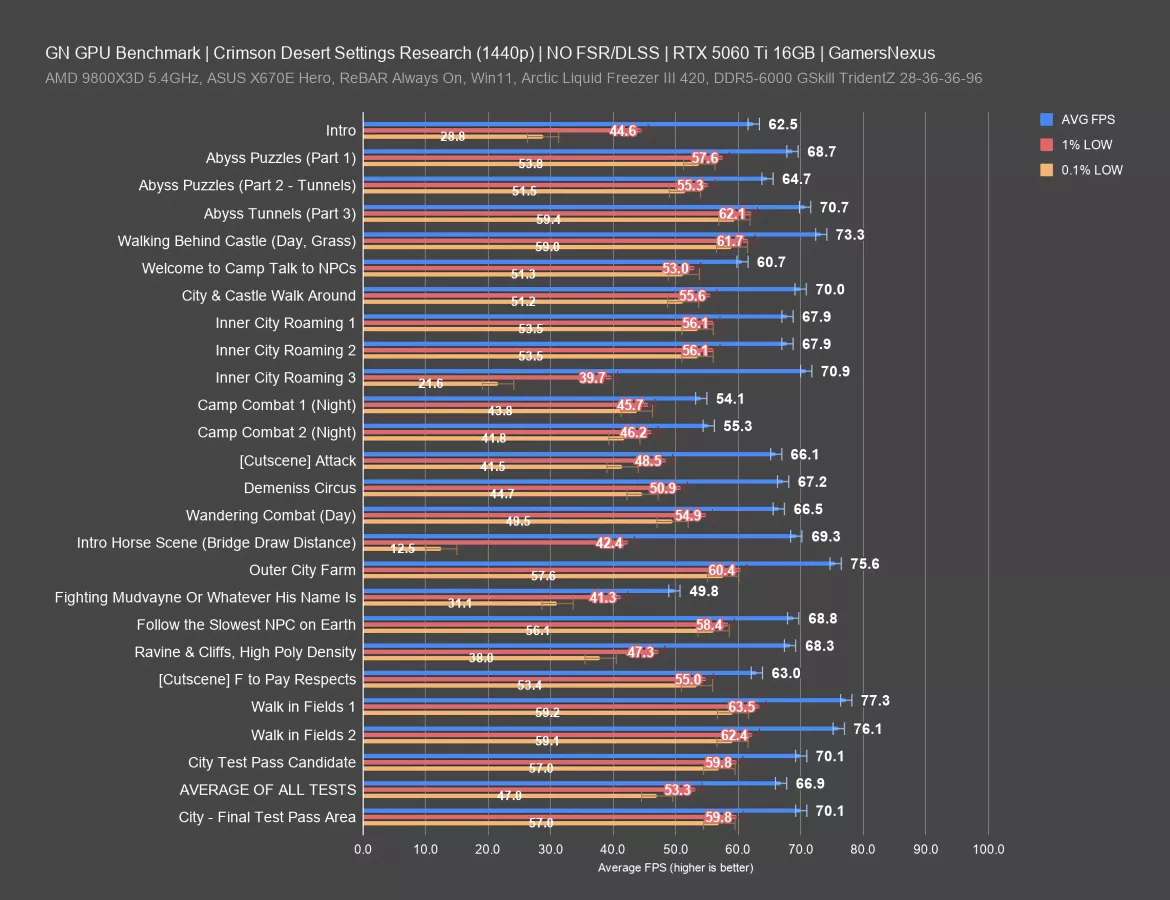
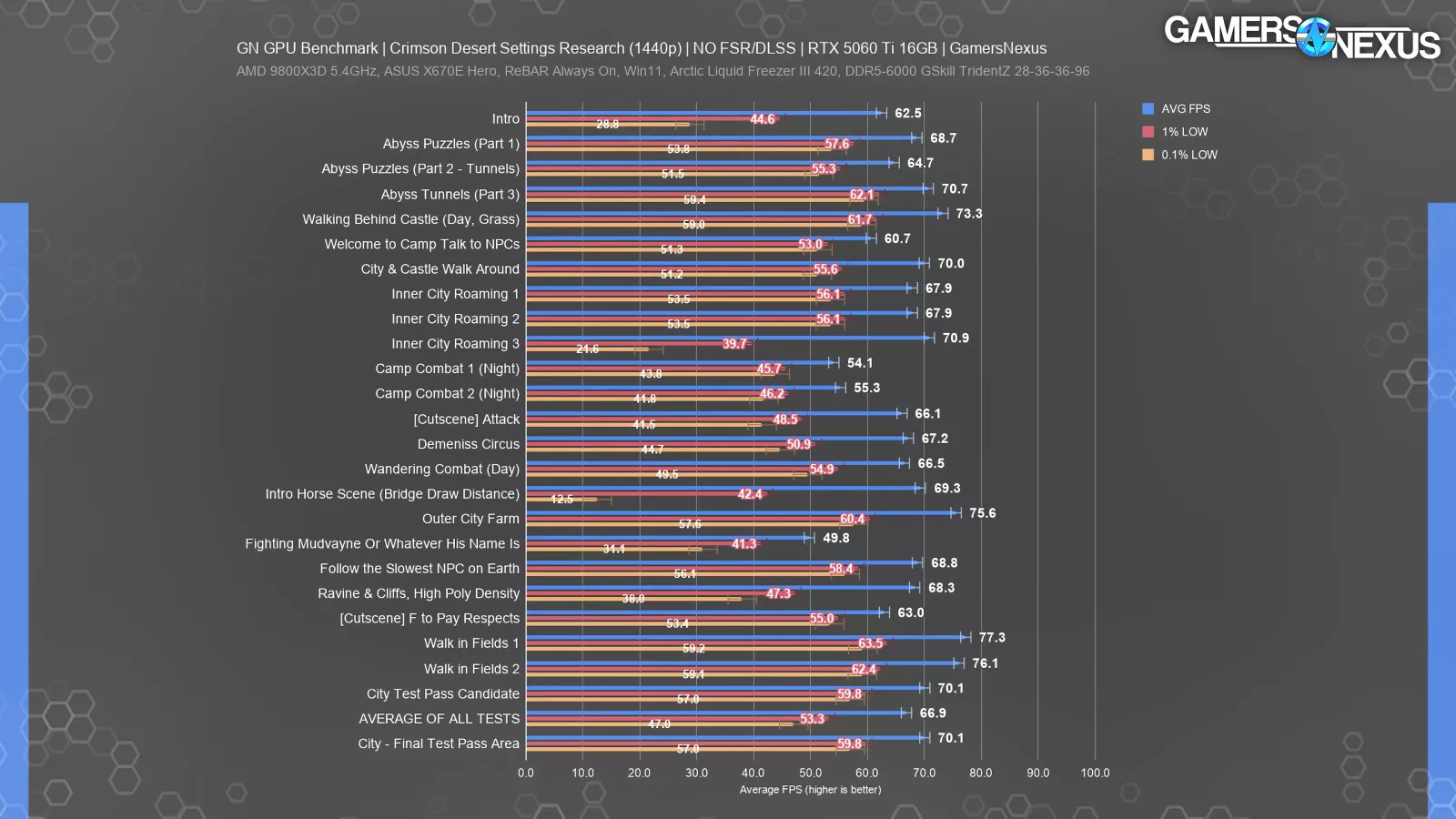
Here’s the result with the 5060 Ti 16GB (read our review), which we used specifically because it’s a moderate performer. This is at 1440p. Like most of our testing, we do not use upscaling of any kind unless noted.
The range is huge for the lows, where some situations resulted in heavy hitching and stuttering; primarily, we noticed these during what seemed like invisible loading sequences when changing from one outdoor cell to another, such as crossing the bridge on the horse. Lows dropped to 12.5 FPS during this brief sequence, leading to temporary, brief stuttering when at 1440p Ultra without RT enabled. This is in spite of a good average at nearly 70 FPS.
We also observed this in our “Inner City Roaming 3” test sequence, where we walked from the lowest part of the Hernand castle outer town to the castle gates. We saw a drop to 21.6 FPS for the lows, despite a great average framerate. The 1% lows also suffer here, at 40 FPS. The real problem is the disparity between the average and lows, with the gap being noticeable.
Most of the rest of the results are relatively consistent. The 1% lows are still more distant from the average than we see in some other games, but the 0.1% and 1% lows are mostly near each other, which is good.
The range for average FPS here was nearly 28 FPS AVG, from 77 FPS in the fields to 49.8 FPS in one of the fights. That’s a large range.
The average of all scenes measured, which spans a few hours of gameplay, was 67 FPS. Our final test candidate was in a city, which averaged 70 FPS. This is higher than the overall average, but it’s the most consistent run-to-run test we could find. Areas that are lower than this in any meaningful way often involved combat, which is not repeatable run-to-run.
Frametimes - Bridge Draw Distance (5060 Ti)
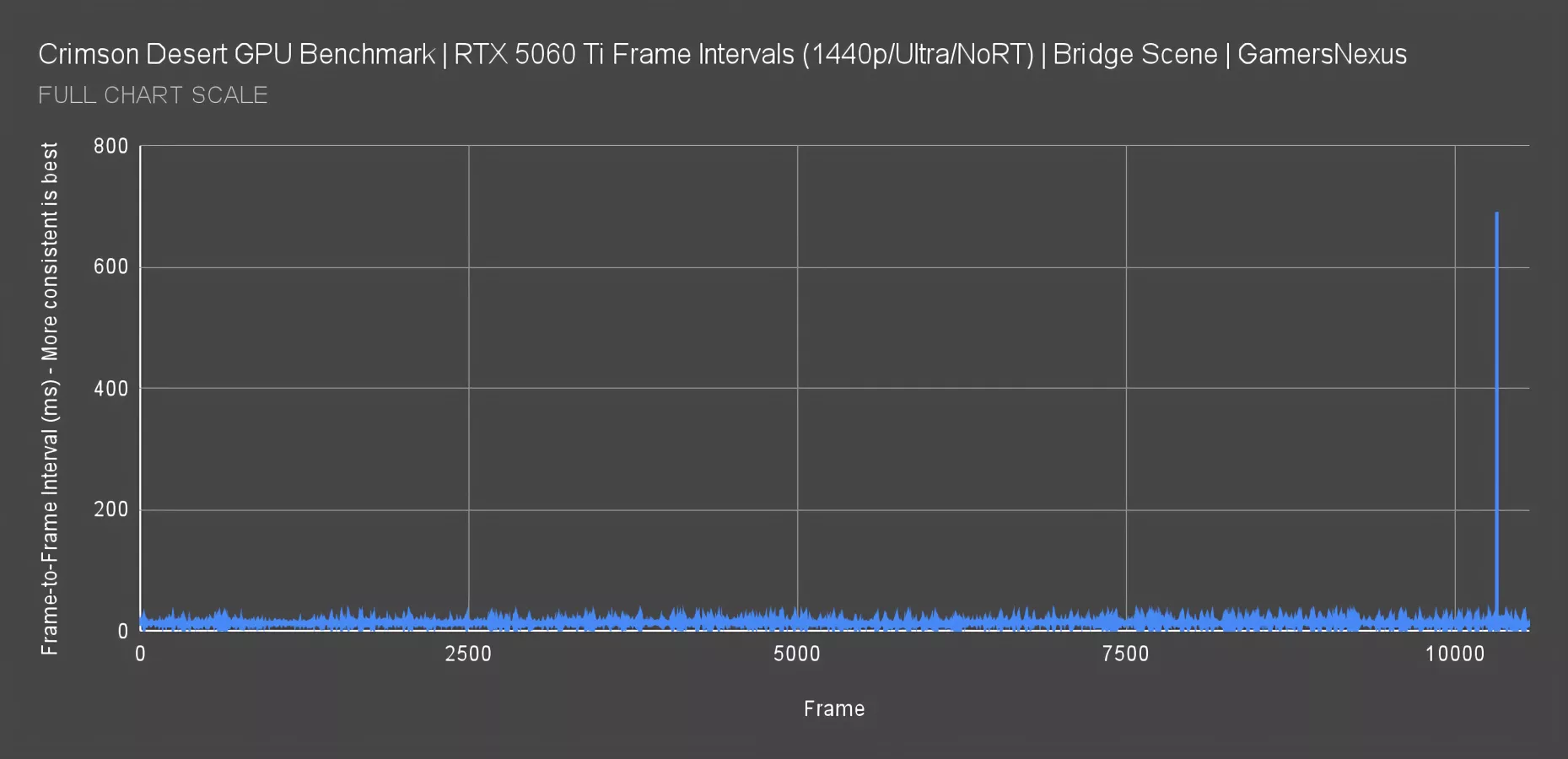
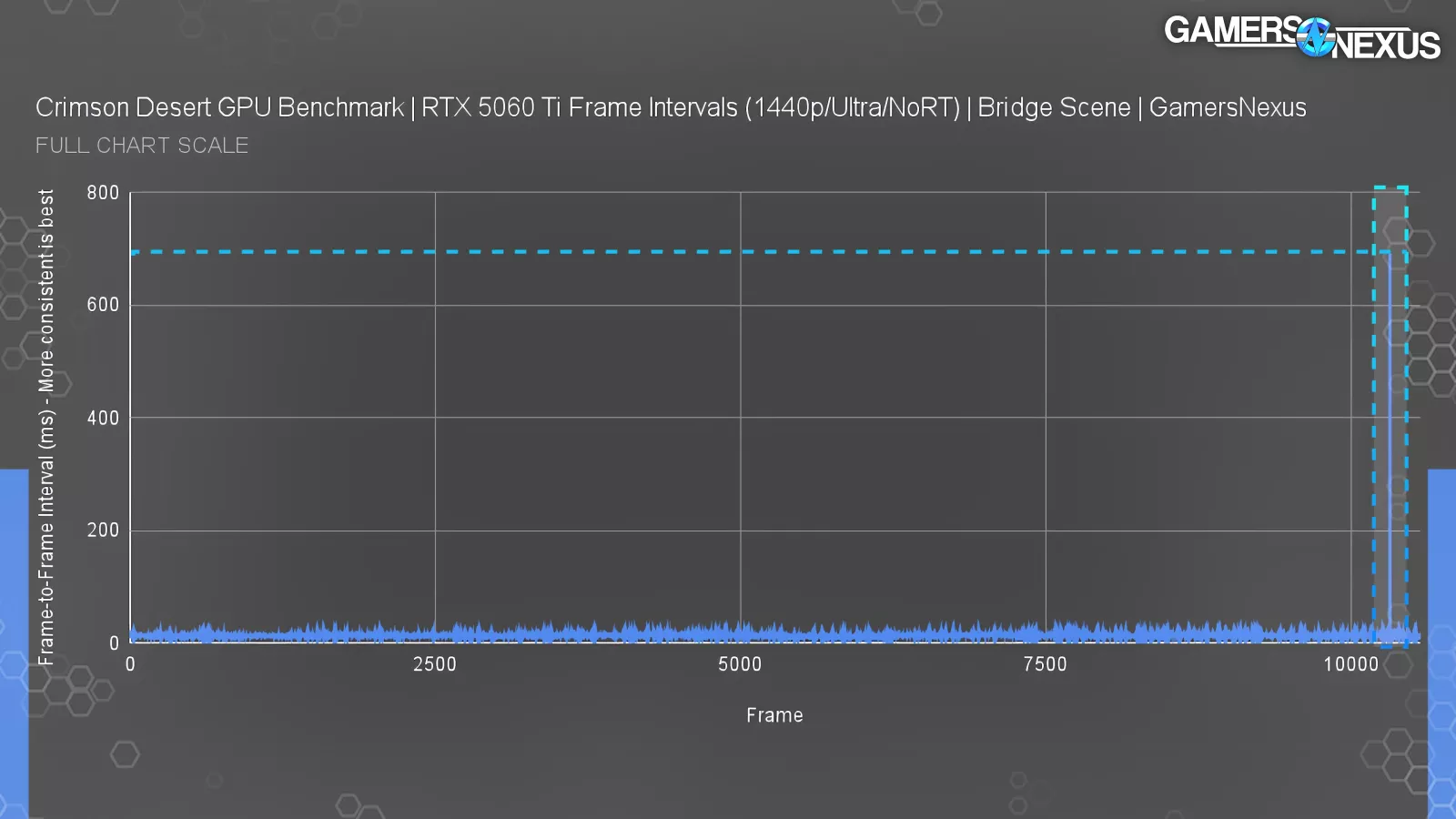
Here’s a frametime plot for the bridge scene, where we have long-range visibility. Everything looks fine if you truncate the scale to 50ms, with frame-to-frame consistency overall good. That framerate itself is OK, but it’s really the consistency of the pacing that we care about. The problem emerges at the end, where we encountered a massive spike.
The chart now shows the worst frametime spike we’ve plotted in years, jumping up to 691 ms. That means we were staring at the same frame for nearly an entire second without any kind of movement -- enough for you to think the game’s going to crash. It recovered, but it was a hard stutter. This doesn’t repeat in the same spot every time, but it does happen just in general during play on some GPUs. The 5060 Ti was holding a 13ms-15ms frametime on average here, which is greater than the 60 FPS that’d plot at 16.667ms. It’s not like the framerate was bad, but this spike definitely was, and this wasn’t a one-off.
Scaling in Game Areas (9070 XT)
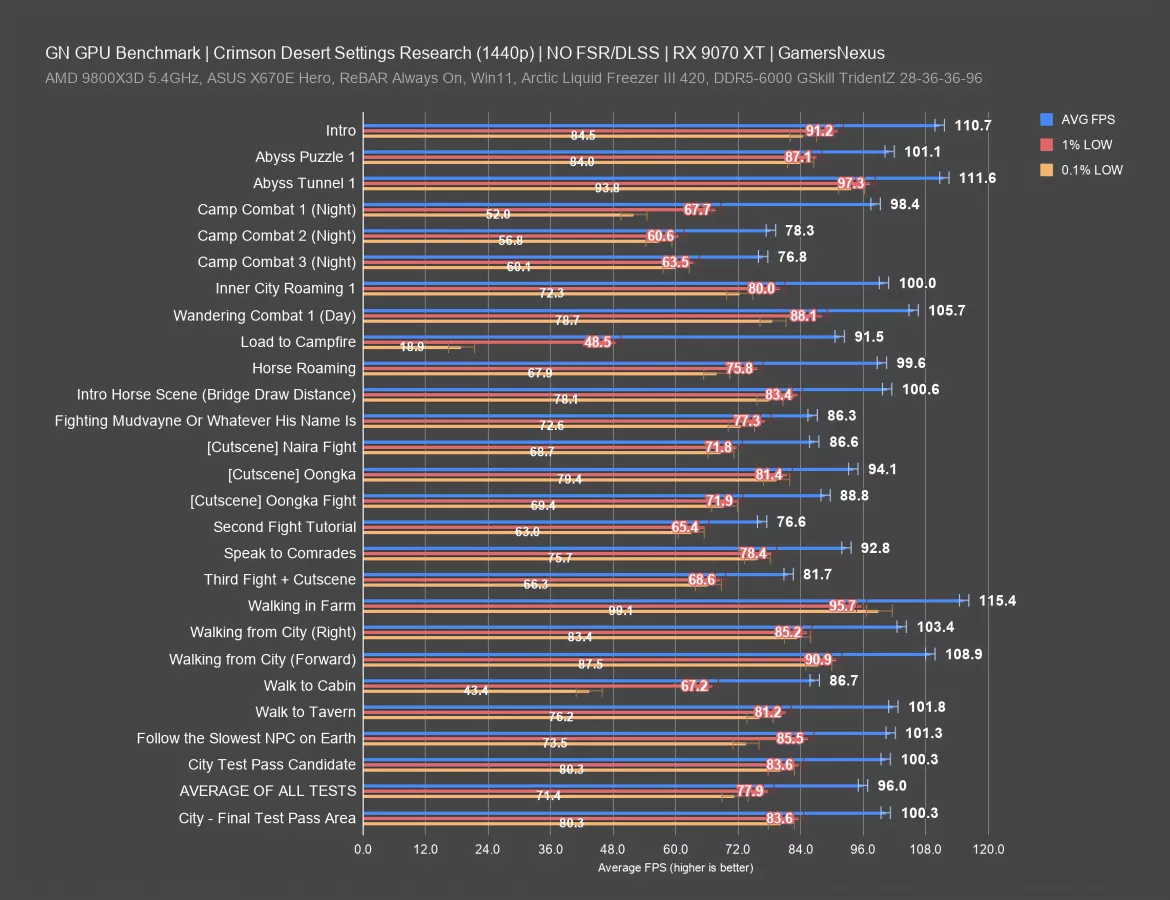
Here’s the same in-game scaling chart for the 9070 XT (read our review) now.
The range for average FPS is about 39 FPS AVG, from 115 FPS to about 77 FPS. The 0.1% lows range from 99 FPS to 19 FPS, or about 80 FPS 0.1% low range.
The 9070 XT experienced the worst performance during a loading screen to the campfire, but fortunately, that’s not an area where you need responsive controls. In terms of actual play, we had some hitches when walking to the cabin, but otherwise, this card was much more stable for its frame interval pacing at 1440p than the weaker 5060 Ti.
The average for all test areas was 96 FPS. The test candidate that we approved for its reliability and consistency averaged 100 FPS, so it’s about 4 FPS higher than the global average, which we think is a representative match while still being repeatable (unlike combat, which is not repeatable run-to-run).
Settings Scaling (5060 Ti)
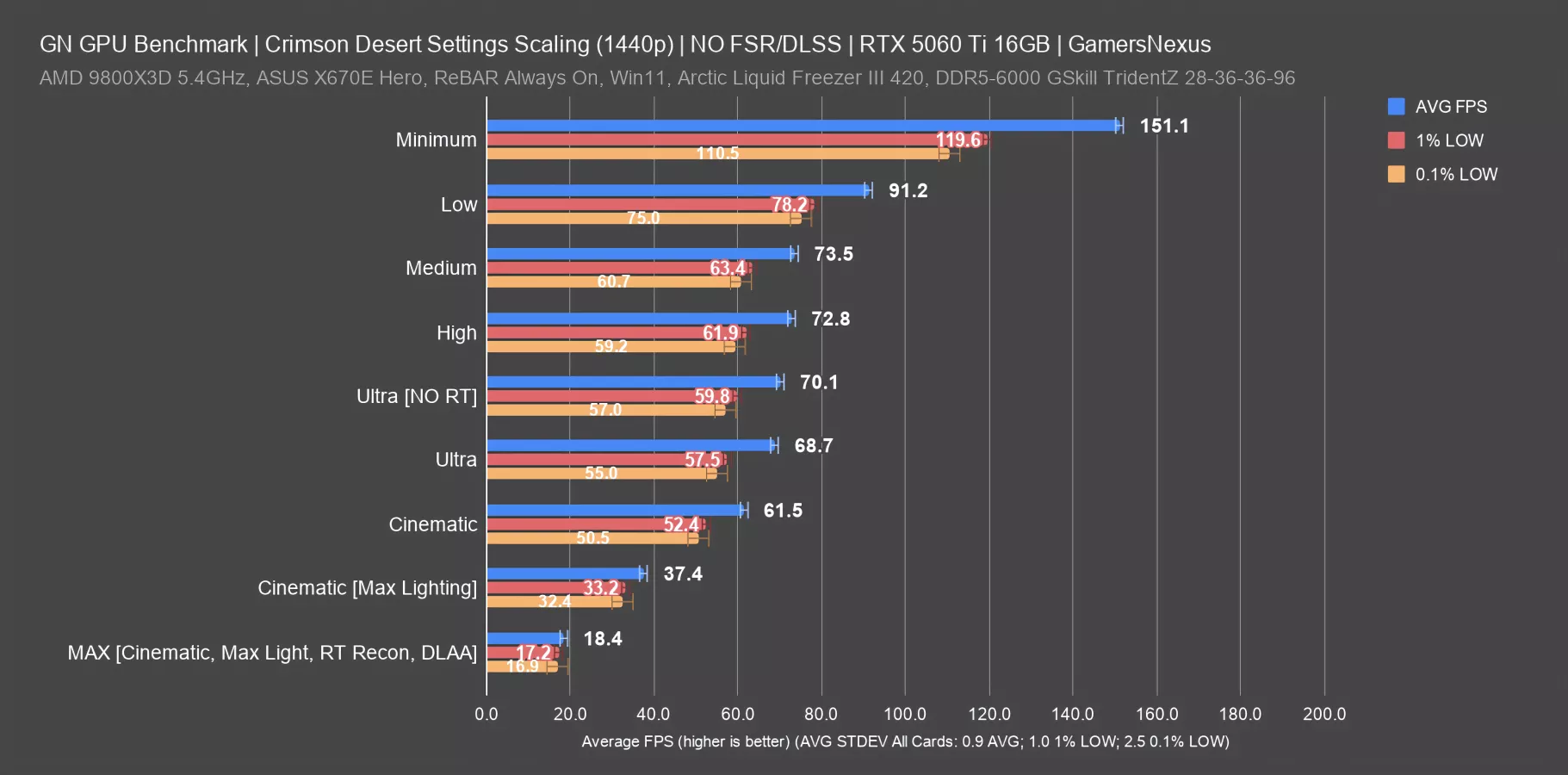
Our next section was also part of our early research. For this, we went through and tested various presets in a fixed test path. Unless otherwise noted, we did most of this without modifying any graphics presets and while keeping upscalers.
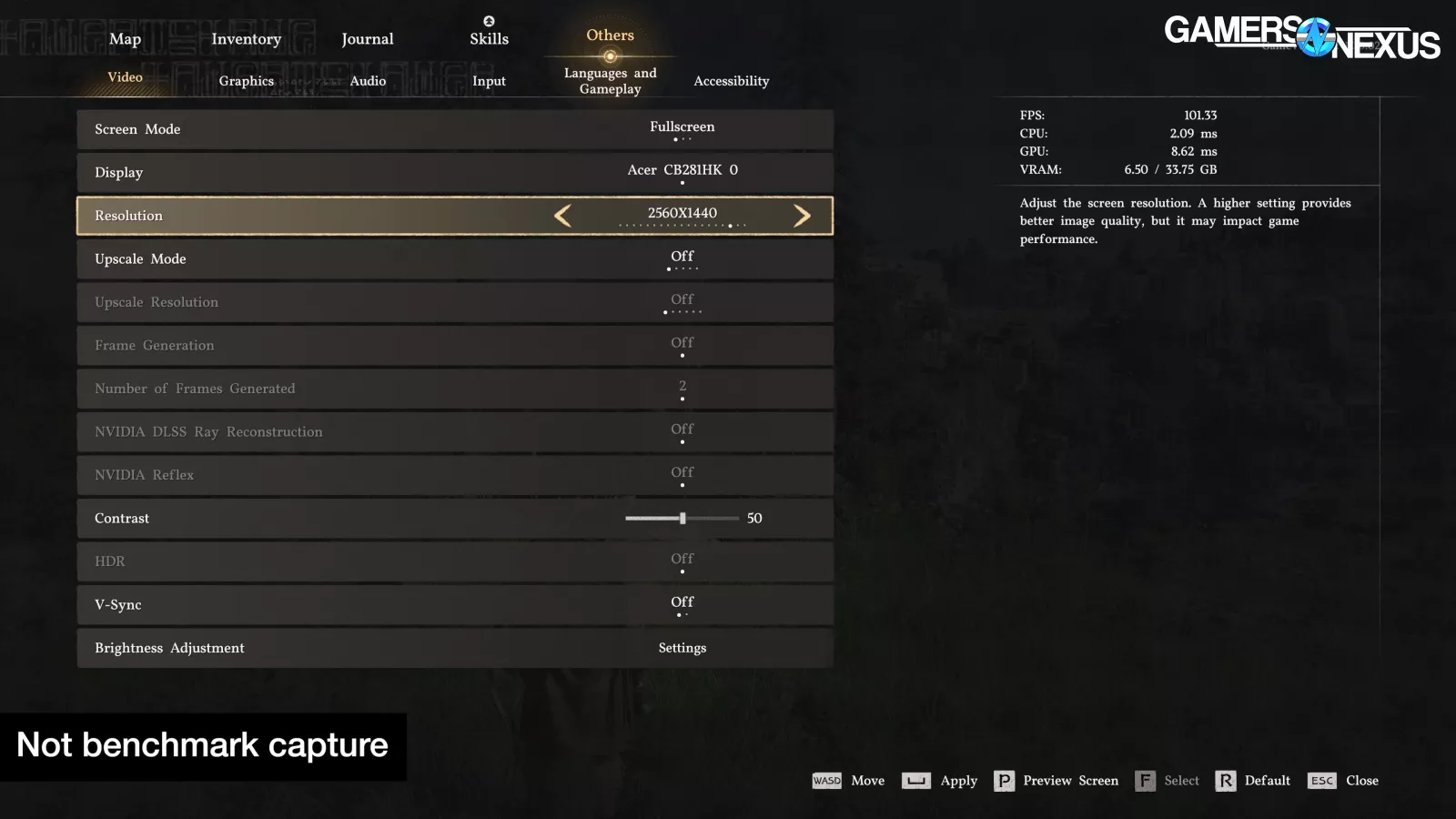
The purpose of these quick tests is to understand what our scaling is and help quickly choose a preset for baseline testing.
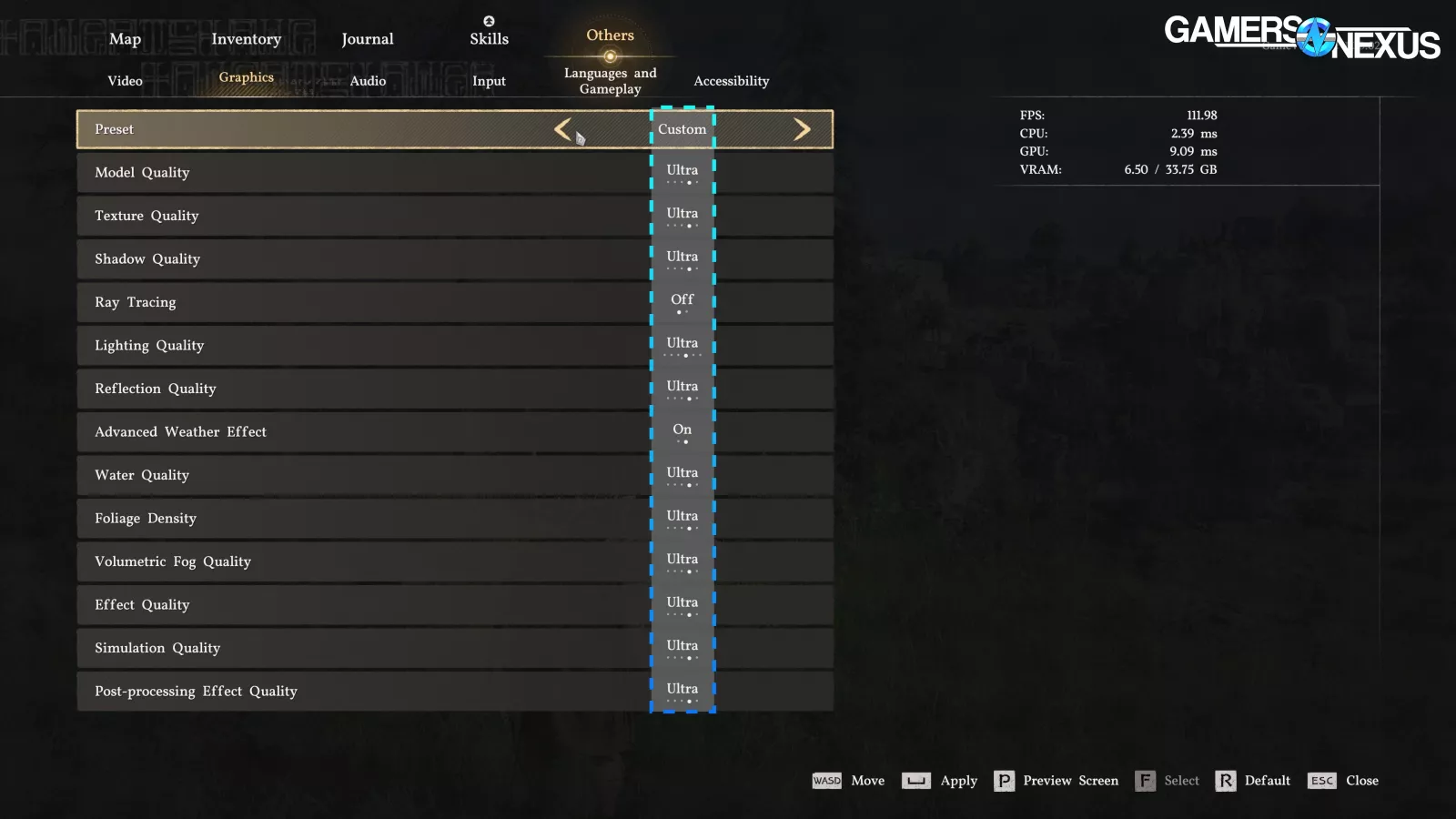
We tested from Minimum to Max presets, plus RT toggled on and off, with Max including Cinematic mode, Maximum lighting, ray reconstruction, and DLAA. DLAA was not used for any other settings.
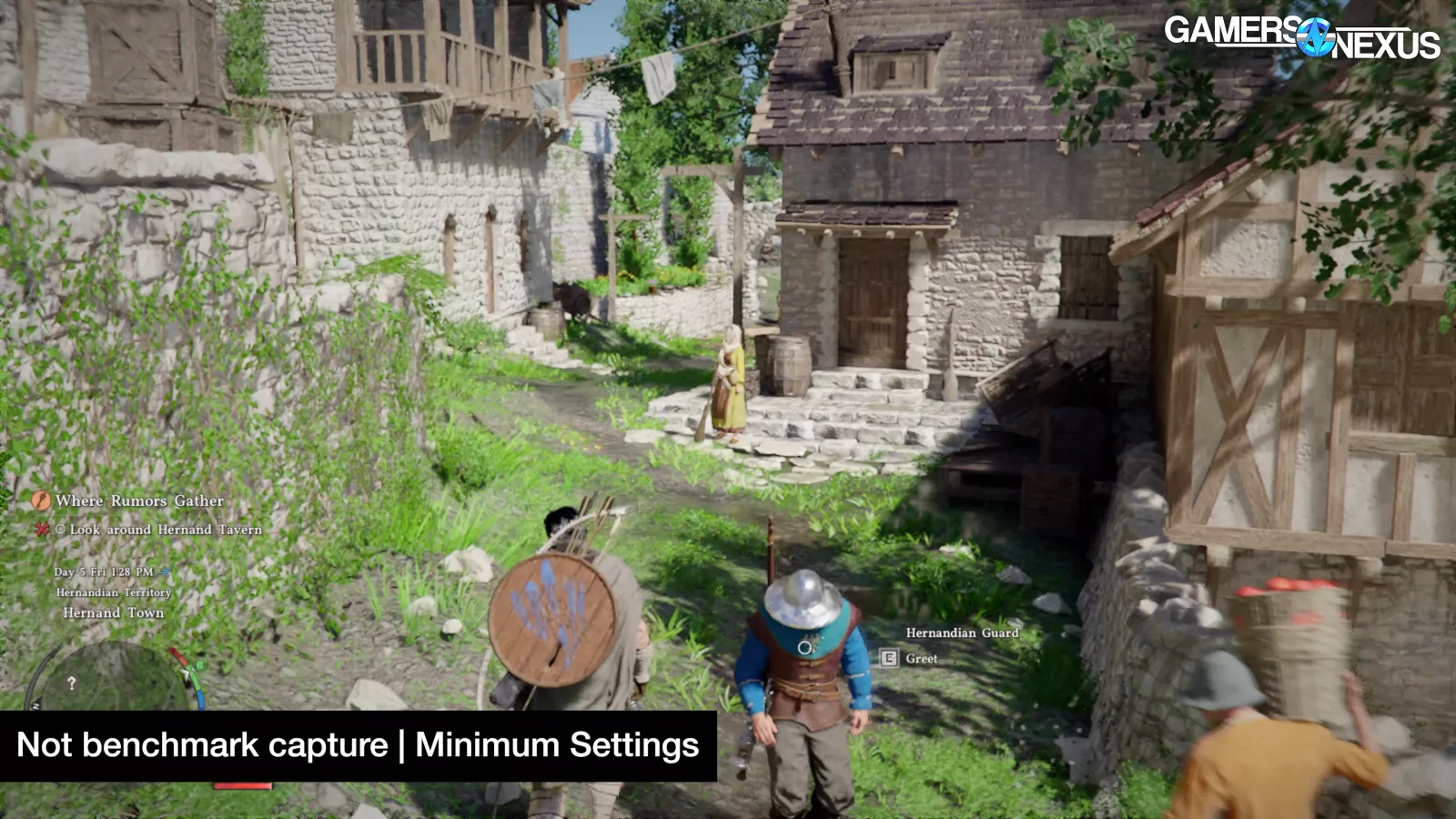
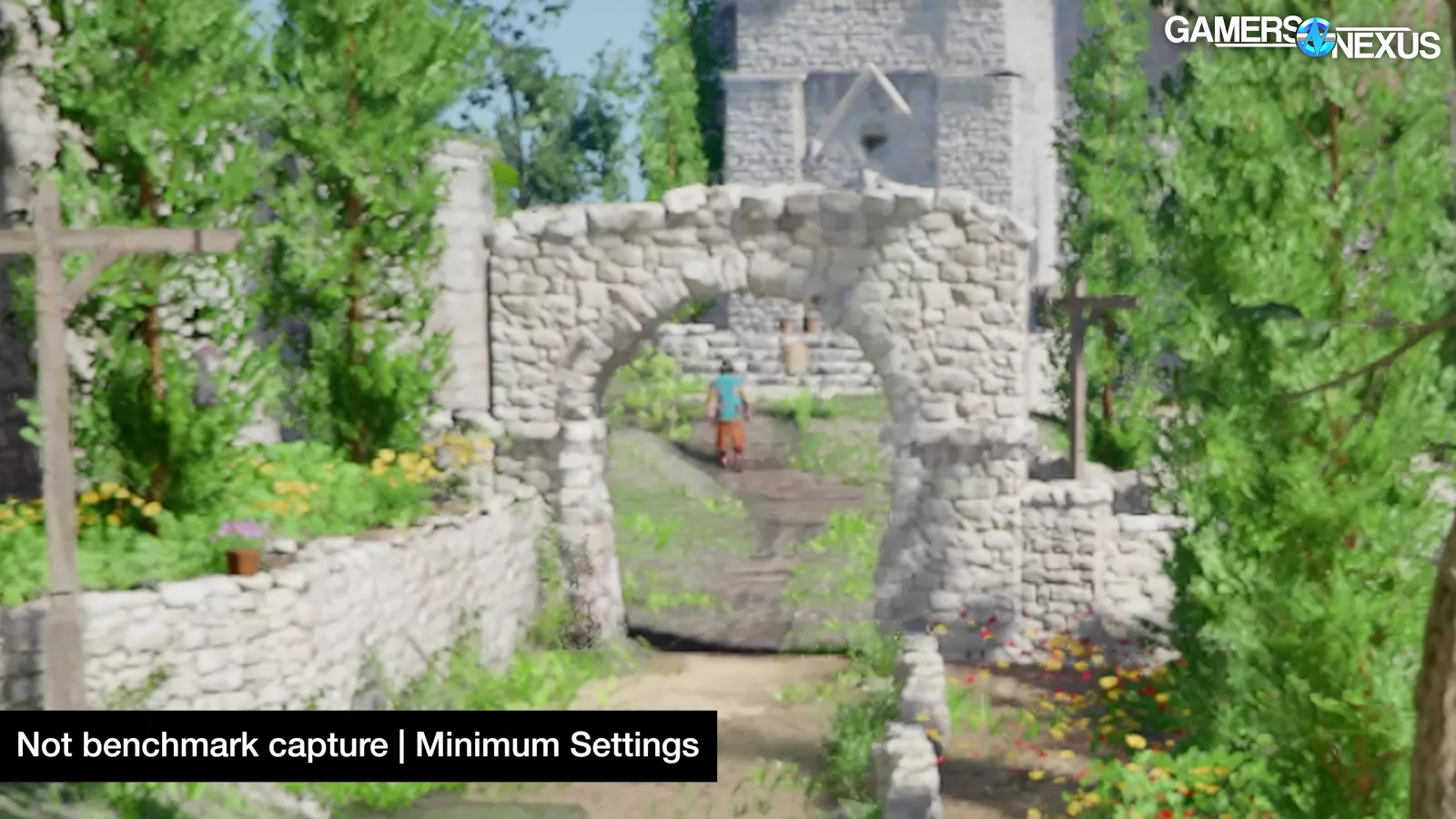
Minimum looks like a fuzzy, blurry, muddy mess and is hardly playable, but we still tested it. Cards that are otherwise insufficient can technically run this, but it’s not a good experience. This is how they can technically accommodate the 1060 and similar cards.
Here’s the chart with the 5060 Ti with FPS values.
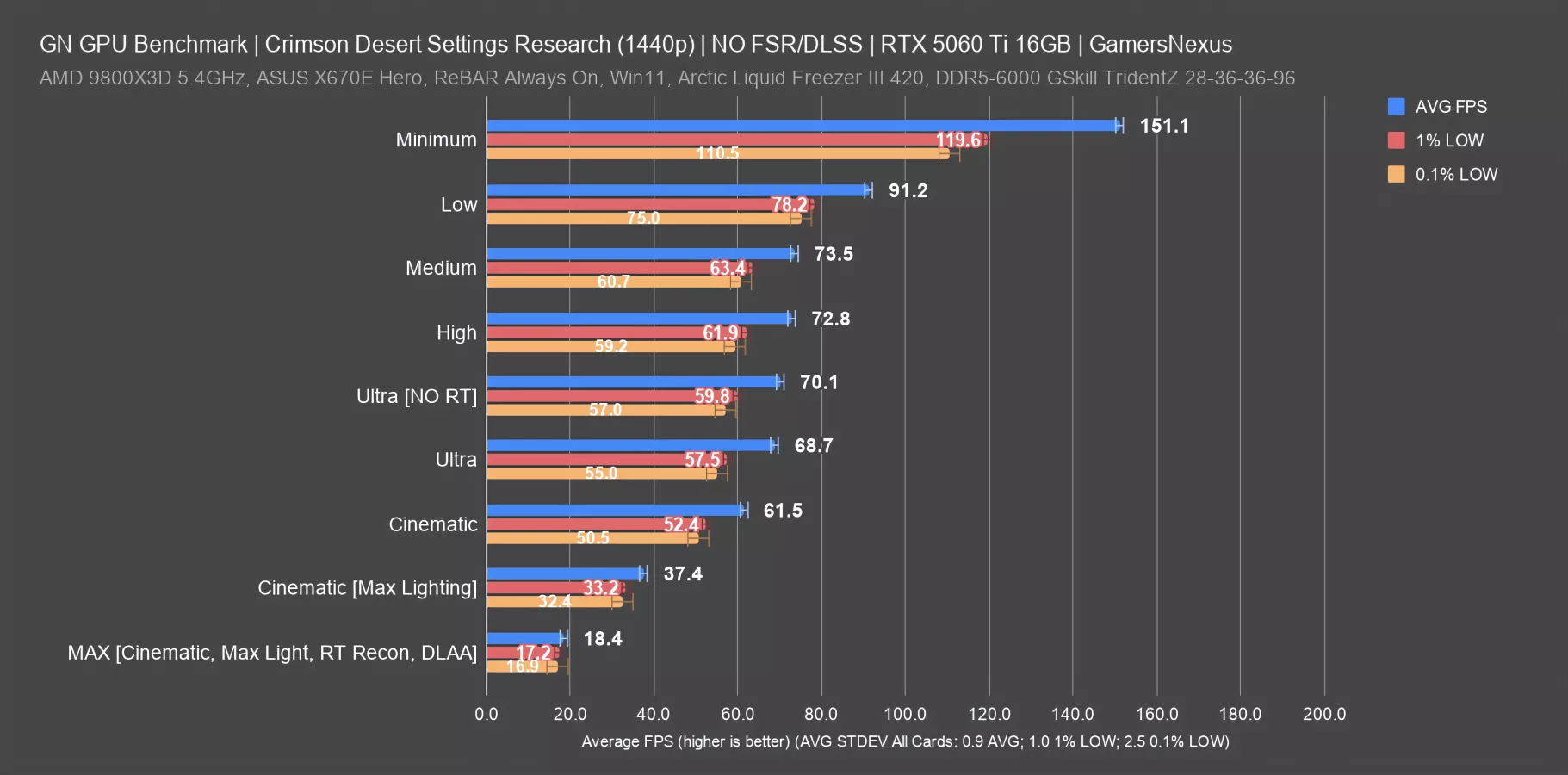
The 5060 Ti ran at 151 FPS AVG with 1440p/Minimum, which looks awful. That’s an improvement on the low setting’s 91 FPS AVG of 65.7%. This is where you would gain the most performance, but again, it’s up to you if you want to deal with these visual drawbacks. Personally, we wouldn’t play this game on its lowest settings. It just looks that bad to us, but if you can deal with it, more power to you.
Medium ran at 74 FPS AVG here, so Low is better by 24%, but obviously looks much worse. High has a performance cost about the same as medium, with the two indistinguishable in performance in this test.
Ultra without RT consistently ran within a few frames per second average faster than Ultra with RT. That’s why we chose to disable RT for most of our tests: It has almost no impact on the framerate performance and we wanted to maintain maximum compatibility for older cards, like the GTX 1080 Ti, by disabling RT. Since RT on vs. off performed about the same on both AMD and NVIDIA, we toggled it off to better accommodate cards that don’t support hardware RT.
Cinematic is the next large drop in performance, down to 62 FPS AVG. Ultra performs about 12% better with RT on. Enabling “max” lighting, which is not part of any preset, drops Cinematic massively: It falls from 62 FPS to 37 FPS average.
Finally, Max lighting, cinematic presets, and RT reconstruction with DLAA ran at 18.4 FPS. This is on a 5060 Ti, remember. We also ran this on a 5090 (read our review) and it was playable.
Settings Scaling (9070 XT)
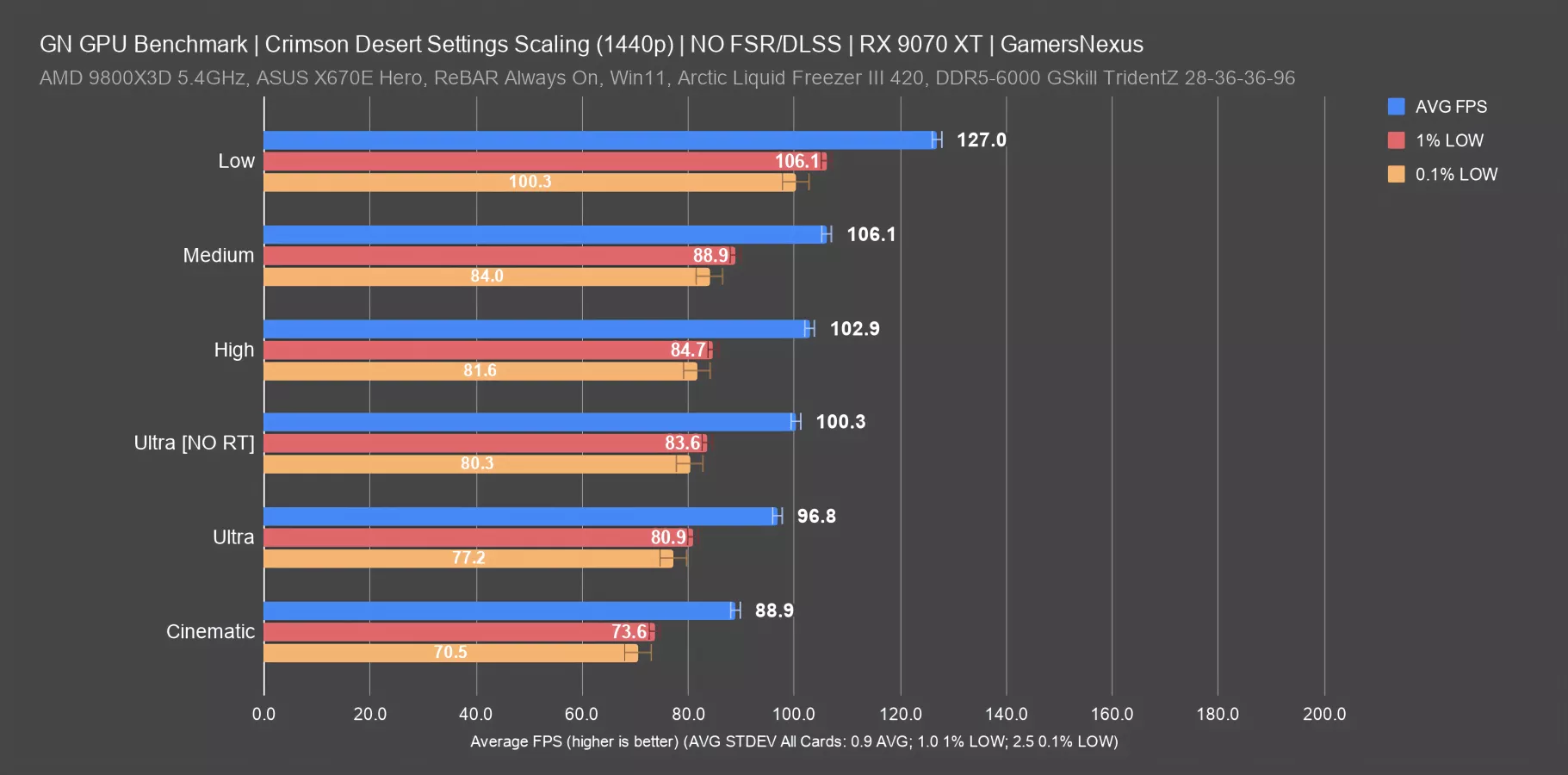
Here’s the same for the 9070 XT, although we didn’t run minimum for this one.
Top-to-bottom, there’s a total range of 38 FPS AVG in these results in a like-for-like test. That’s about the same range as we saw game-wide. Medium and high don’t differ much from each other, and High and Ultra are also close together. Toggling RT with Ultra showed about a 3.6% uplift with it off, so not enough to warrant leaving it on for this benchmark process as it’d eliminate the 1080 Ti for a like-for-like comparison that we wanted to include.
Explainer: Animation Error
Up next is simulation time error, AKA animation error, which is a mismatch between the pace at which frames are shown and the events shown in the frames. It's our attempt to quantify a feeling. You could have a smooth framerate on paper, but if the images you're seeing don't line up with that rate, the game may feel stuttery or laggy anyway.
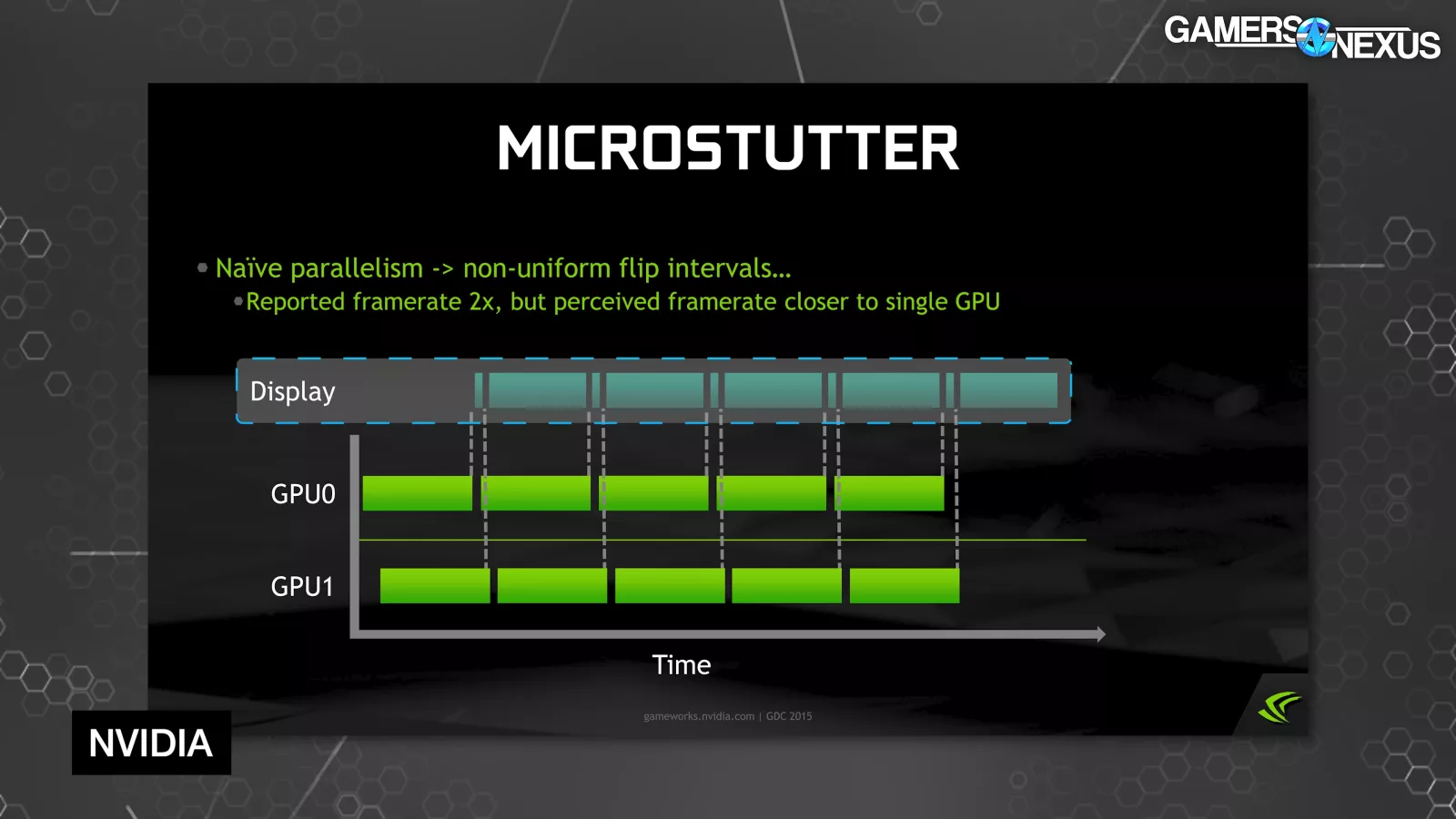
The opposite is also true, where you could stagger frames chronologically to make movement look "correct," but end up with a bad framerate number.
Those are the theoretical extremes: in practice, higher framerate equals “better” the majority of the time (subjectively). We're adding these animation error charts for a little more nuance.
Simulation Time Error (Abyss Puzzles with 5060 Ti)
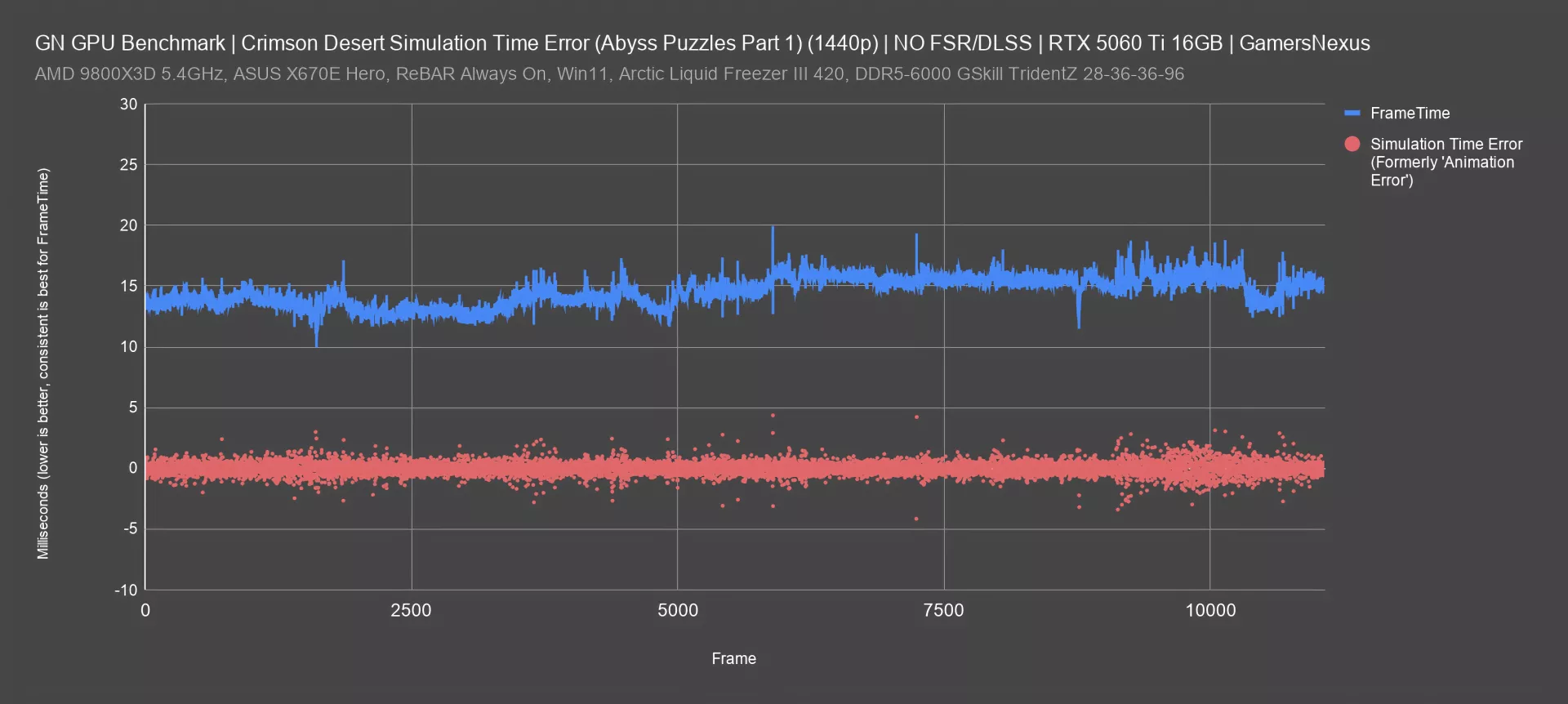
First, here’s an example of what we'd consider healthy frametimes and simulation time error, which we previously called “animation error.” We’ve renamed it to reduce confusion and from popular demand for this better name.
This is a plot of the test pass that we called "Abyss Puzzles (Part 1)" on the 5060 Ti, which logged for nearly three minutes straight at an average of 69 frames per second, derived from an average frametime of 14.5ms. This is during actual gameplay.
As you can see on the plot, frametimes never deviated significantly from that 14.5 average, which is good. Simulation time error wasn't zero, which is technically ideal, but it was rarely greater than 4ms in either a positive or negative direction. In our experience thus far, this is not a bad result.
We see a few greater excursions that align with the frametime spikes, such as around the 5700-second mark (where frametimes spike to about 19 ms and simulation error jumps to +/-4 ms. The frametime dip around frame 8000 (to about 12 ms) aligns with an increase in framerate; however, because it’s inconsistent with its neighbors, it would actually have been better to hold a worse framerate for a higher frametime, which would give a smoother experience. We can also see this in the simulation time error data. Simulation time error gets more scattered toward the back quarter of this chart, but so do frametimes.
Simulation Time Error: Inner City Roaming
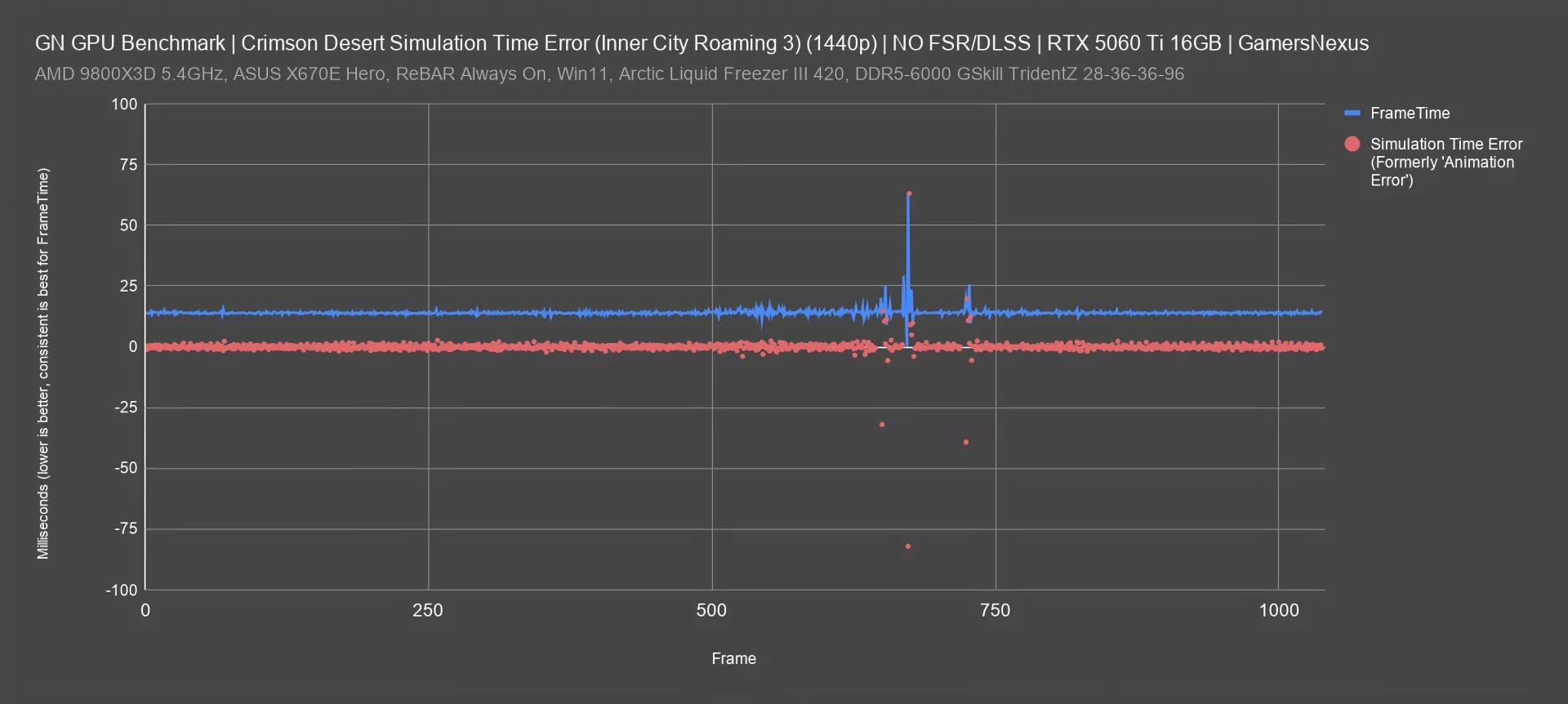
We've adjusted the vertical scale for this plot of the "Inner City Roaming 3" test pass on the same card. There's a clear individual frametime spike up above 60ms, which is reflected in our usual 1% and 0.1% low calculations, alongside a predictable up-and-down simulation time error deviation of -82ms and +63ms at the same time. More interestingly, there are some big simulation time error deviations that appear alongside smaller frametime spikes: for example, the final frametime spike is to 26ms, but simulation time error bounces down to -39ms and up to 19ms, followed by a couple of smaller deviations.
These are situations where the 1% and 0.1% numbers might not look that bad, but the subjective feel of the game is significantly worse than the numbers would indicate.
It’s situations like these why we added simulation time error testing, defined in our animation error methodology whitepaper. It’s pretty cool to see it at work in one of our first public use cases outside of the whitepaper.
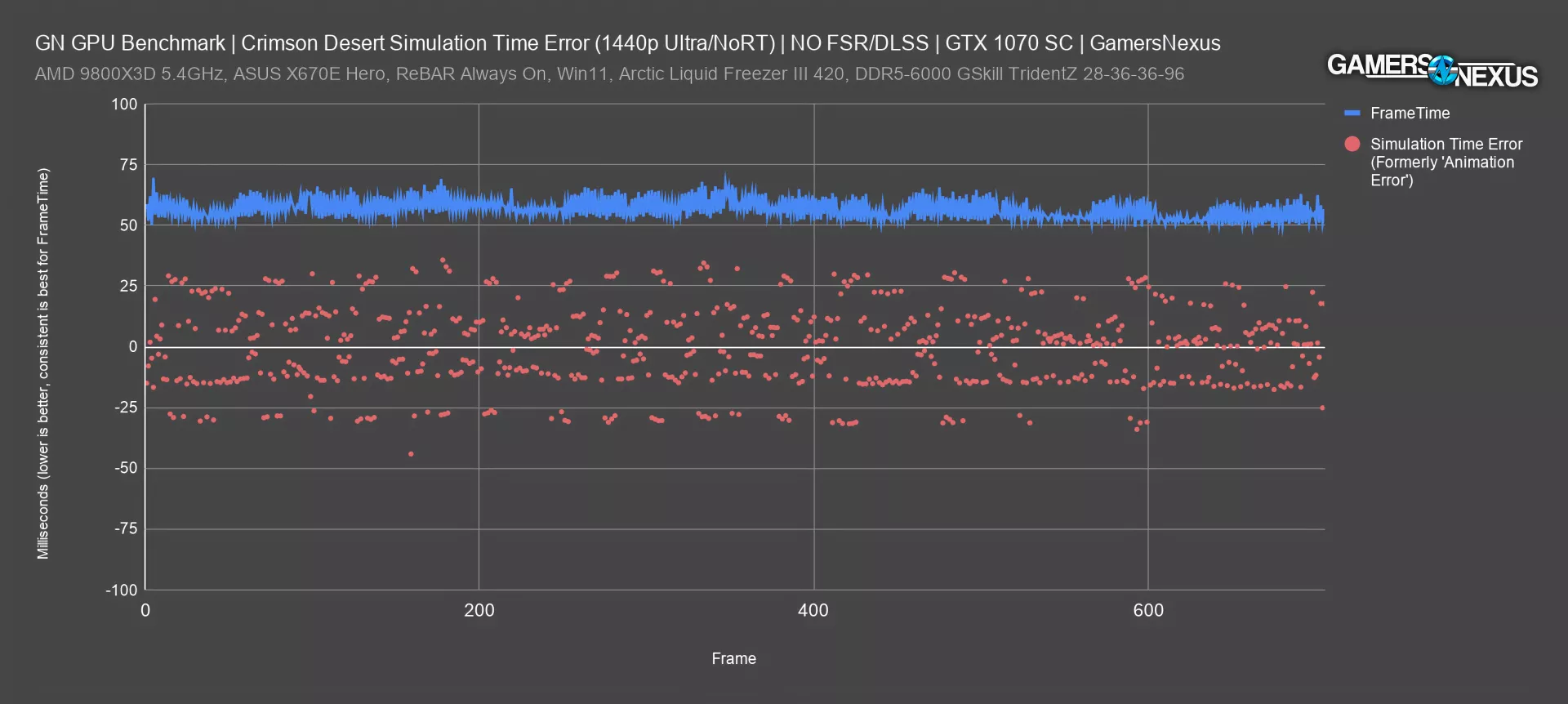
Finally, here's an example of an actual test pass on the GTX 1070, a venerable card. The frametimes are high, but they're consistent, which means we won't see a wide gap between the average and the lows on our usual FPS bar chart. Simulation time error reflects what we actually felt, though, rather than what we’re told about frame pacing. What we felt was laggy and sluggish responsiveness to inputs. Almost every frame has a significant simulation time error value, and there are consistently frames that deviate 30ms or more from zero.
The scattered nature of the simulation error dots and the wide variability in the values makes it easy to spot that this is just a bad experience, despite a technically “smooth” frametime pacing. This is another great example for when our simulation time error testing methodology can highlight something hidden by both framerate and even by frametimes.
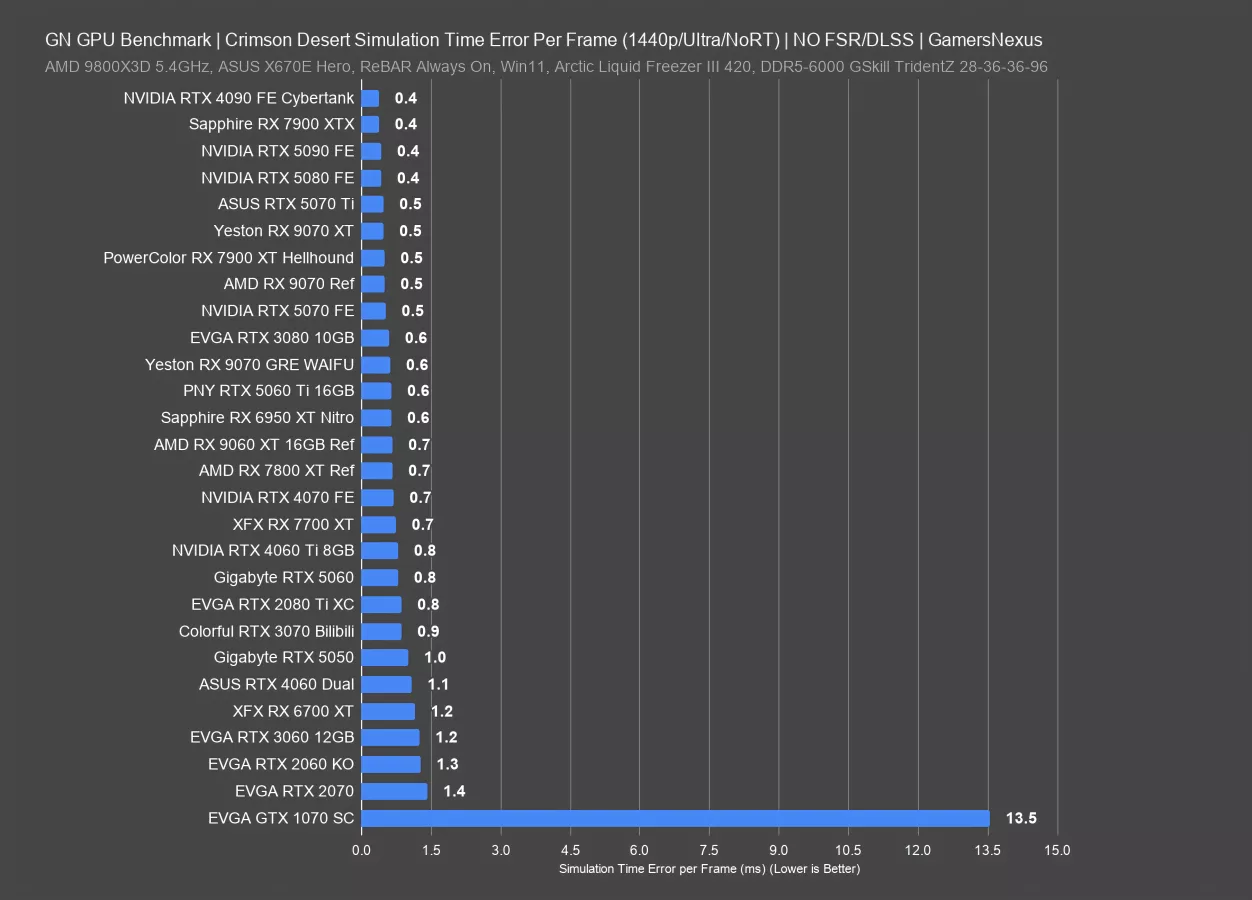
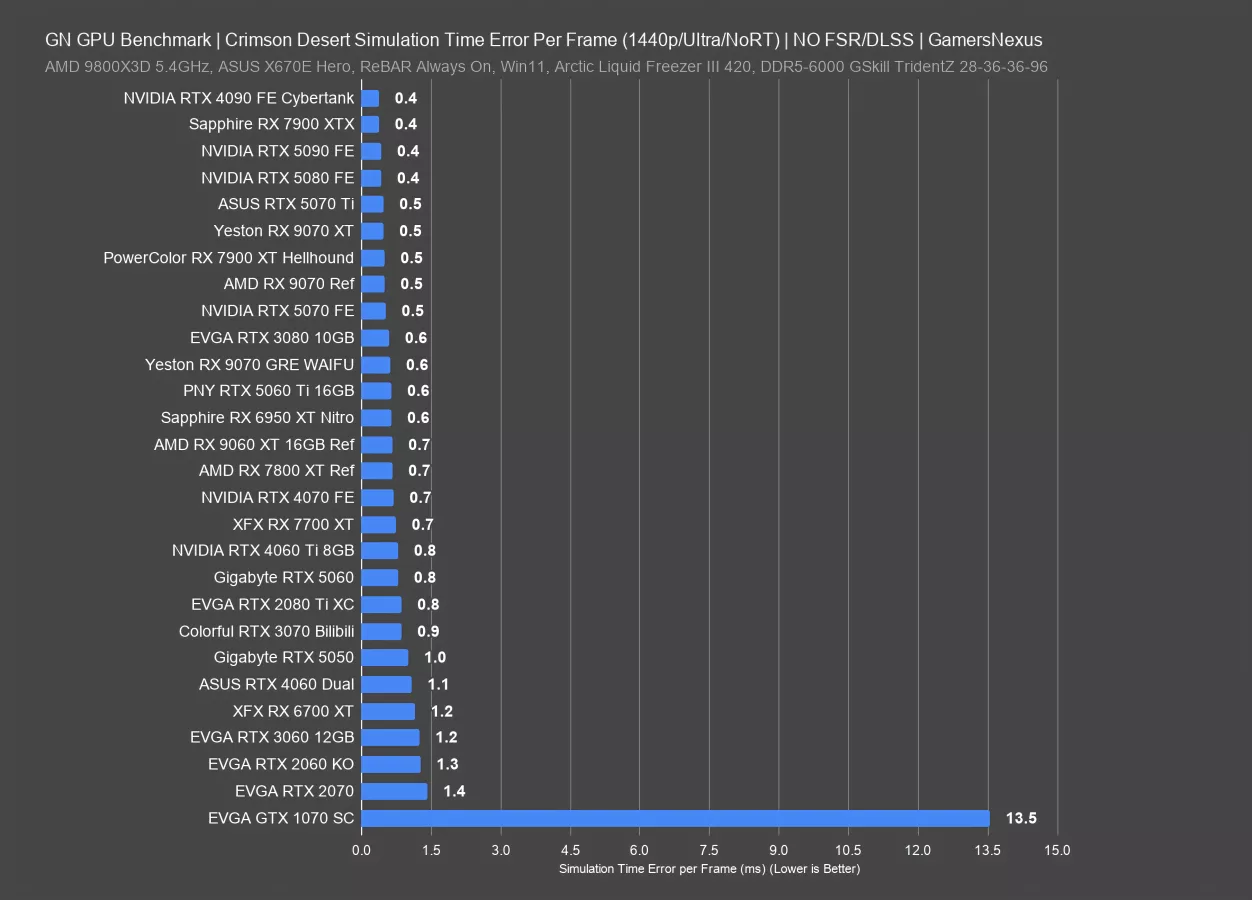
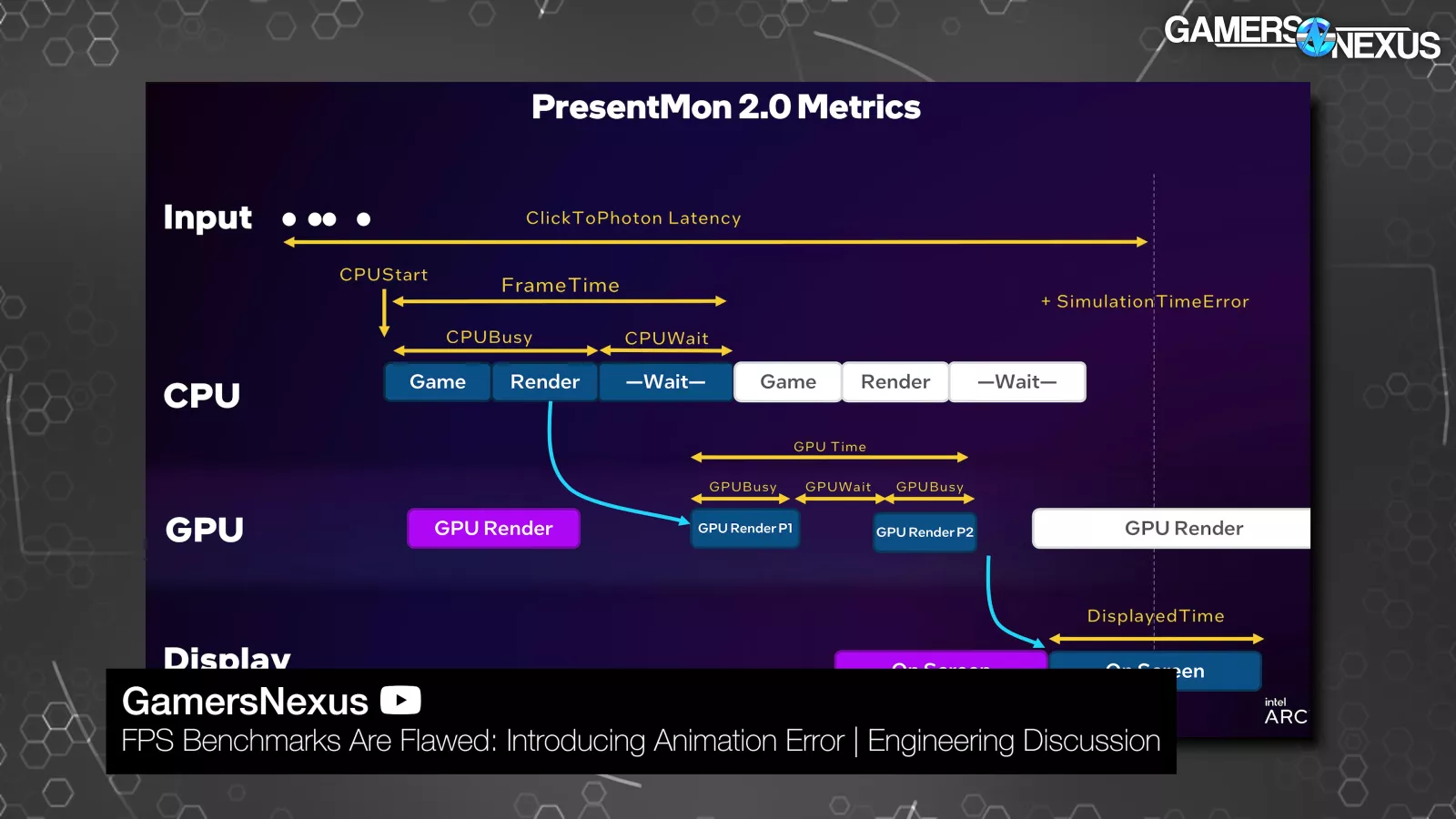
For comparing simulation time error across GPUs, we have a couple of choices. The most straightforward is to take the total of all the sim time errors for each frame (specifically their absolute values), and then divide that by the total of all frametimes, which should always be almost exactly 40 seconds for these tests. That gives us a number for the average error per frame.
This chart doesn't exactly follow the framerate performance stack, but it's in the ballpark. Cards like the 5090 and 7900 XTX (watch our review) have relatively low error per frame, while the 2070 and 2060 KO are on the other end of the chart, and the 1070 is massively worse. In the most simplistic way, this chart orders simulation time error from best to worst. Many of the devices are functionally tied, which is why you see the 9070 XT, 4090 (watch our review), 5090, and 5070 (read our review) all the same. Unlike framerate, this metric is typically either bad or not, as opposed to framerate, where there’s more of a sliding scale.
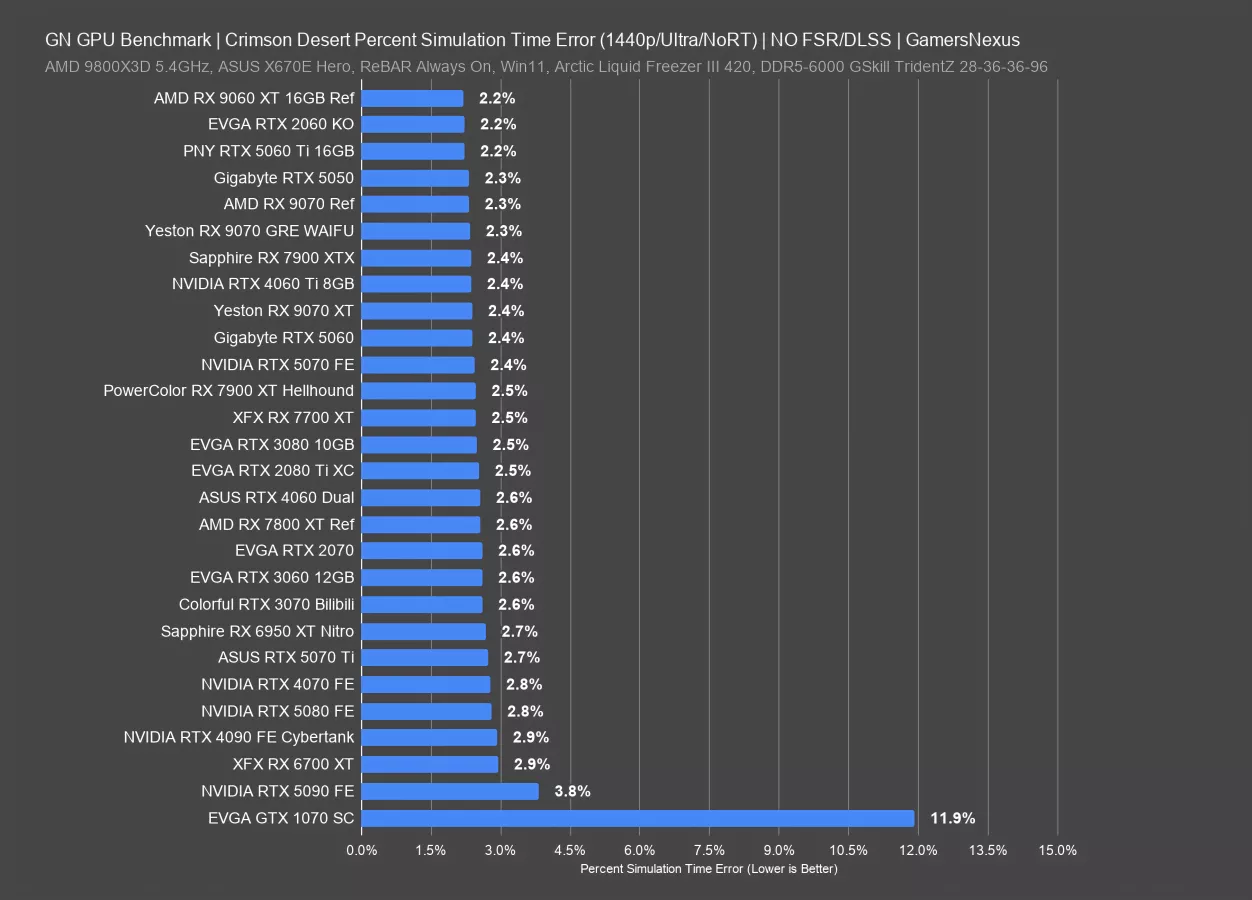
However, during our discussions with Tom Petersen, we brainstormed a way to represent simulation time error per frame relative to frametimes.
The reasoning is that, for example, 1ms of error is arguably more significant relative to a 6ms average frametime than it is to a 12ms average. This doesn't make for a very exciting chart at the top end, since on nearly every GPU we tested the percent sim time error was between 2% and 3%. The 1070 was again a huge outlier at 11.9%.
Interestingly, the 5090's simulation time errors were higher in proportion to its frametimes than with the other cards, landing at 3.8%. This could lead to some perceived stuttering or lag, but it's worth keeping in mind that the 5090 averaged 186FPS in this test, which is high enough to help offset issues.
1080p Ultra, No RT
For our GPU comparison charts with standard FPS, 1%, and 0.1% lows, we’ll start with 1080p/Ultra with RT disabled. Remember that Ultra in this game is more like “high” in most games, as Cinematic takes the place of Ultra, and the proximity of High results to Ultra is relatively close. In the 10 hours that we tested this before going into production, we managed to test 25 GPUs across 3 resolutions with 2 additional tests, plus the simulation time error testing.
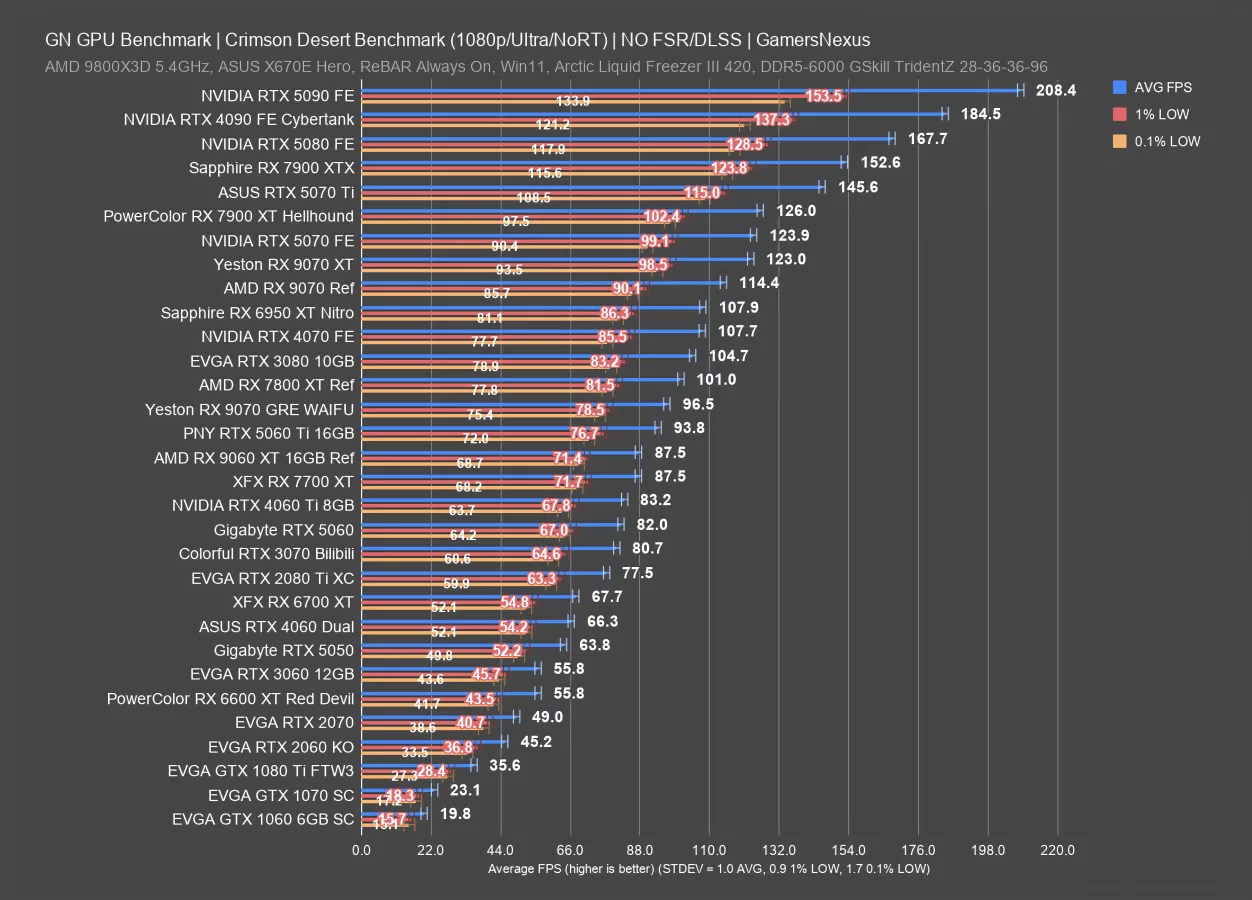
Without early access, we filled this chart in as best we could. We’ll start with the interesting numbers: The GTX 1060 6GB is technically supported by the game. For these settings, it’s not playable, but nearly 20 FPS AVG isn’t as bad as it sounds for the old 1060. You could play on lower settings, it’s just not a good experience. The more interesting way to look at this and the 1070 would be with relative scaling numbers.
The GTX 1070 leads the GTX 1060 by 17%. Even more interesting is that owners of the GTX 1080 Ti can still play this game, though you’d need to drop settings. 36 FPS for Ultra really isn’t bad for Ultra. You could drop to low and do some settings tuning and make this workable. It’s also interesting since users who sprung for the 1080 Ti could still reasonably get some life out of it yet.
The 2060 KO outdoes it though, benefitting from its more modern hardware and running at 45.2 FPS AVG.
To go through the 60-class cards: The 2060 to 3060 is showing a 23% improvement, then the 3060 to 4060 posts a 19% uplift, with the 4060 to 5060’s 82 FPS AVG at 24%.
Other popular cards of the past include the RTX 3070, posting an 81 FPS AVG in this configuration and sitting between the 2080 Ti and 5060 (read our review). The 3080 also remains popular and held 105 FPS AVG with good lows. Actually, overall, the low scaling is relatively consistent across the stack.
Looking to AMD, the RX 9070 XT ran at 123 FPS AVG, with the 9070 (read our review) immediately below it and at 114 FPS AVG. The 7900 XTX outdoes the 9070 XT in this title by 24%, sitting between the 5070 Ti (read our review) and 5080 (read our review). The 9070 GRE that we found in China and recently reviewed in a separate video ran at 96.5 FPS AVG, about the same as the 5060 Ti. As for the 9060 XT, predictably, that was just below the 9070 GRE at 88 FPS average.
Let’s move to the next chart.
1440p Ultra
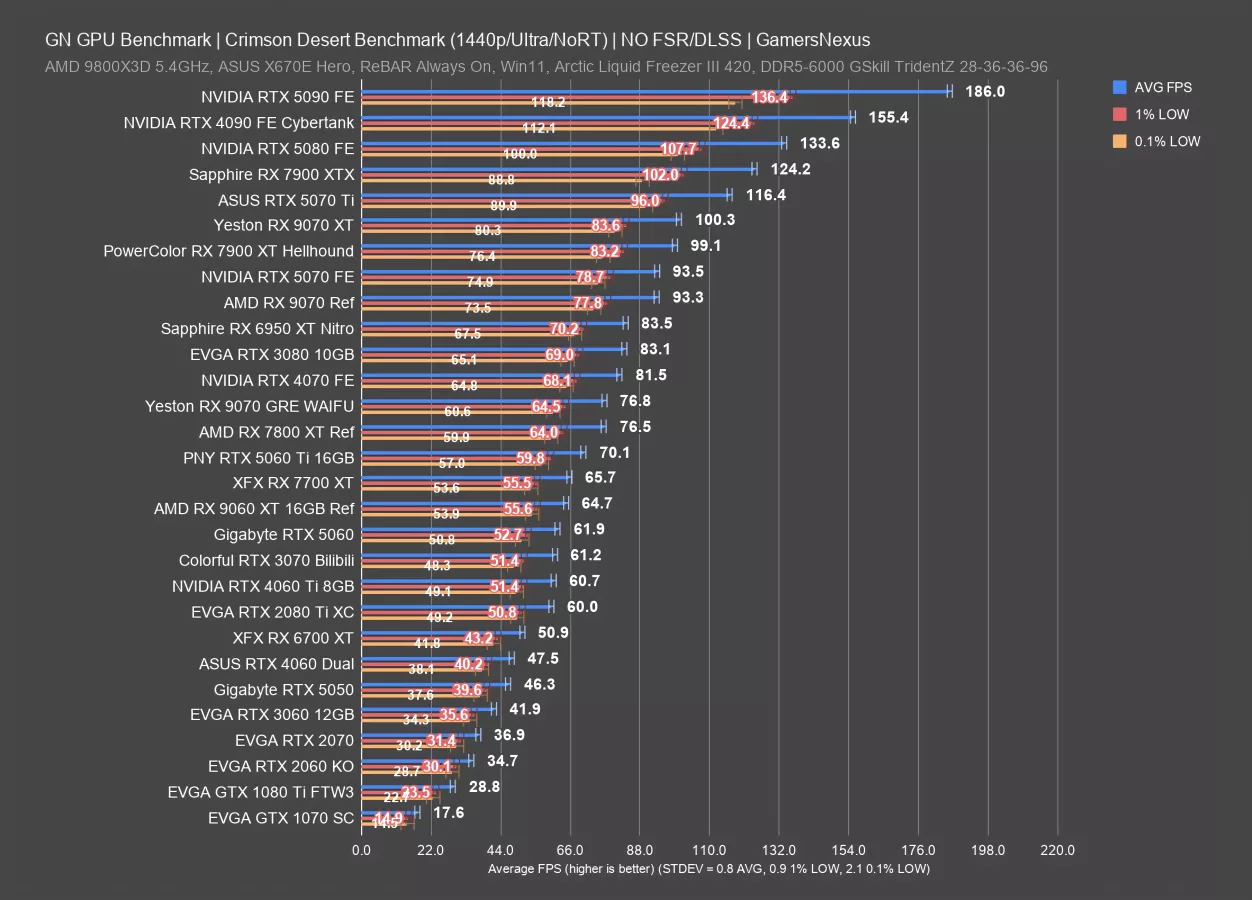
At 1440p, the 5090 has some of its performance shaved off from the 208 FPS AVG 1080p result to 186 FPS AVG here, showing that we are GPU bound.
Some cards fall off the chart due to poor performance from their age. The 1070 remains, now at 18 FPS AVG and only useful as an academic point, with the 1080 Ti not quite hitting 30 FPS AVG. You could always play at lower settings, but 1080p helps the most for these cards.
Up at the top, the 7900 XTX is the closest competition from AMD to NVIDIA’s 5070 Ti and 5080, followed by the 9070 XT at 100 FPS AVG. The 9070 XT is led by the 5070 Ti by about 16% and it leads the 9070 by about 7.5%. Lows for all of these cards are comparable, in that neither brand has a particular advantage in frametime consistency over the other.
Older cards that may be interesting include the 3070 at 61 FPS AVG, about the same as the 4060 Ti, 2080 Ti, and 5060. The 9060 XT (read our review) is just ahead of that and alongside the 7700 XT (read our review).
4K Ultra
4K/Ultra is next.
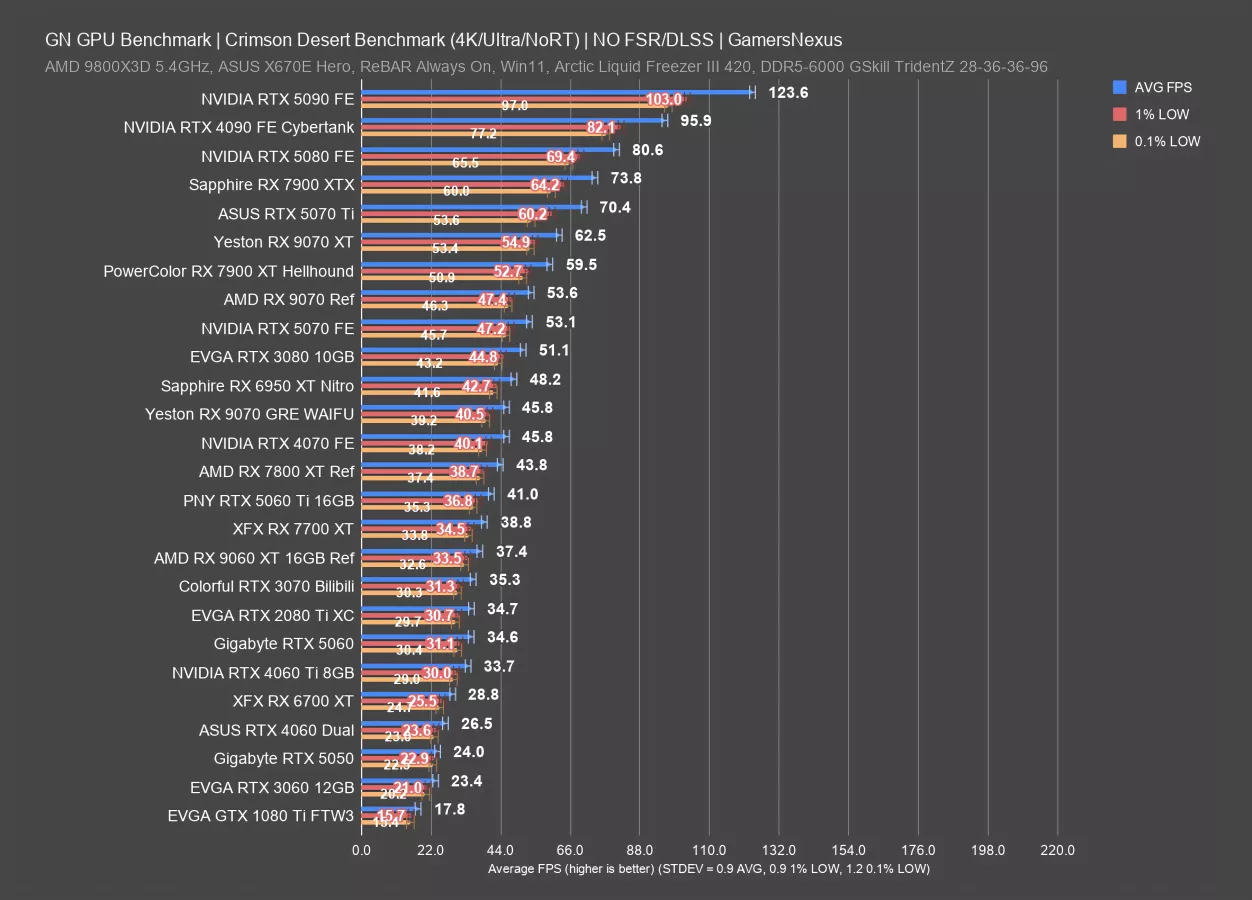
The top of the chart comes down to 124 FPS AVG with the RTX 5090 FE now and everything else gets trimmed below it. The 7900 XTX remains competitive from AMD.
The 9070 XT is now almost tied with the 5070 Ti, but still behind it, and the 9070 is about the same as the RTX 5070 here. Owners of the RTX 3080 will see performance similar to the 5070, with the new 9070 GRE not far behind.
Things get worse from there without any tuning. The 3060 runs at about the level of the modern 5050 (watch our review), except it was actually a respectable card, and the 1080 Ti manages to hang in there at 18 FPS AVG. Not playable, but better than we’d expect of the Pascal flagship.
4K Cinematic RT
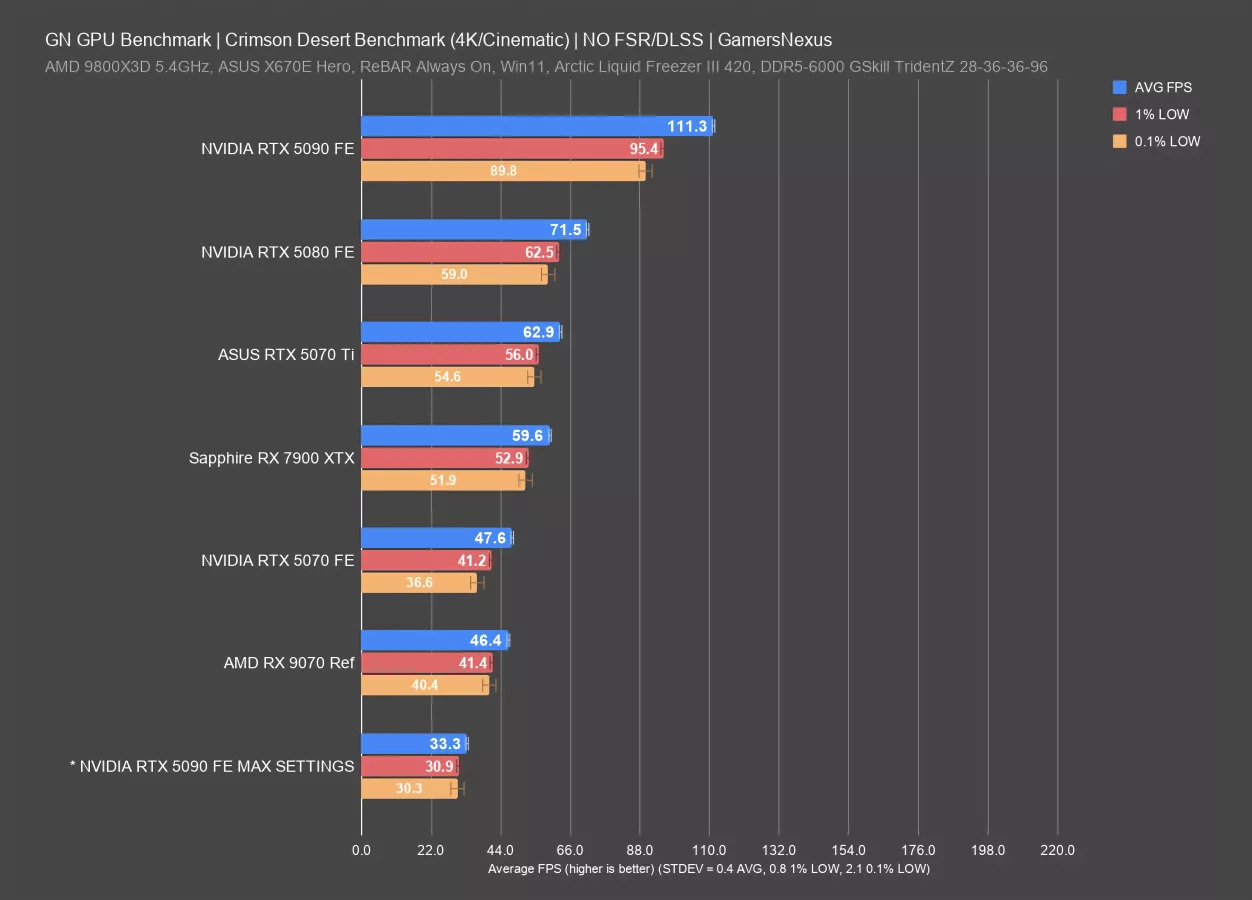
This chart is with ray tracing enabled, the Cinematic graphics preset rather than Ultra, and tested with the few cards that can kind of do it. We also threw our maxed graphics settings test with the 5090 on here for comparison. That involved enabling DLAA and ray reconstruction alongside max lighting, so it is not comparable to any of these other than the other 5090 entry, and that comparison is only that maxing the graphics out at the next step cost about 70+% of the performance.
As for the comparable items: The 5090 ran Cinematic with RT at 111 FPS AVG, followed by the 5080 at 72 FPS AVG. That means the 5090 has a lead of 56%. The RX 7900 XTX ran at 60 FPS AVG, the 9070 at 46 FPS AVG, and the 5070 about the same as that.
1440p Cinematic RT
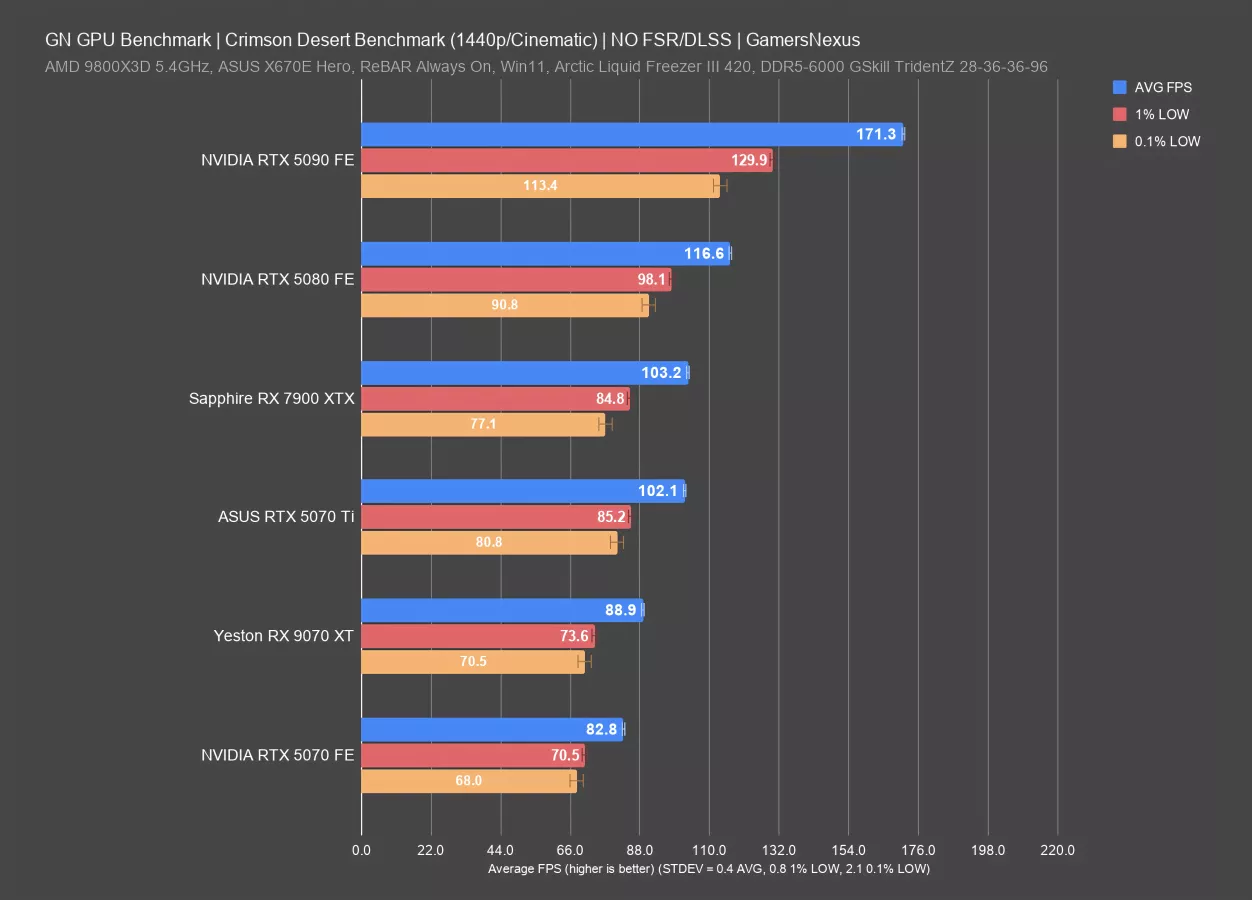
We also did this at 1440p. In this test, the 5090 ran at 171 FPS AVG, leading the 5080 by 47%. The 7900 XTX was below the 5080 and led the 9070 XT by about 16% here. The 5070 Ti sits between.
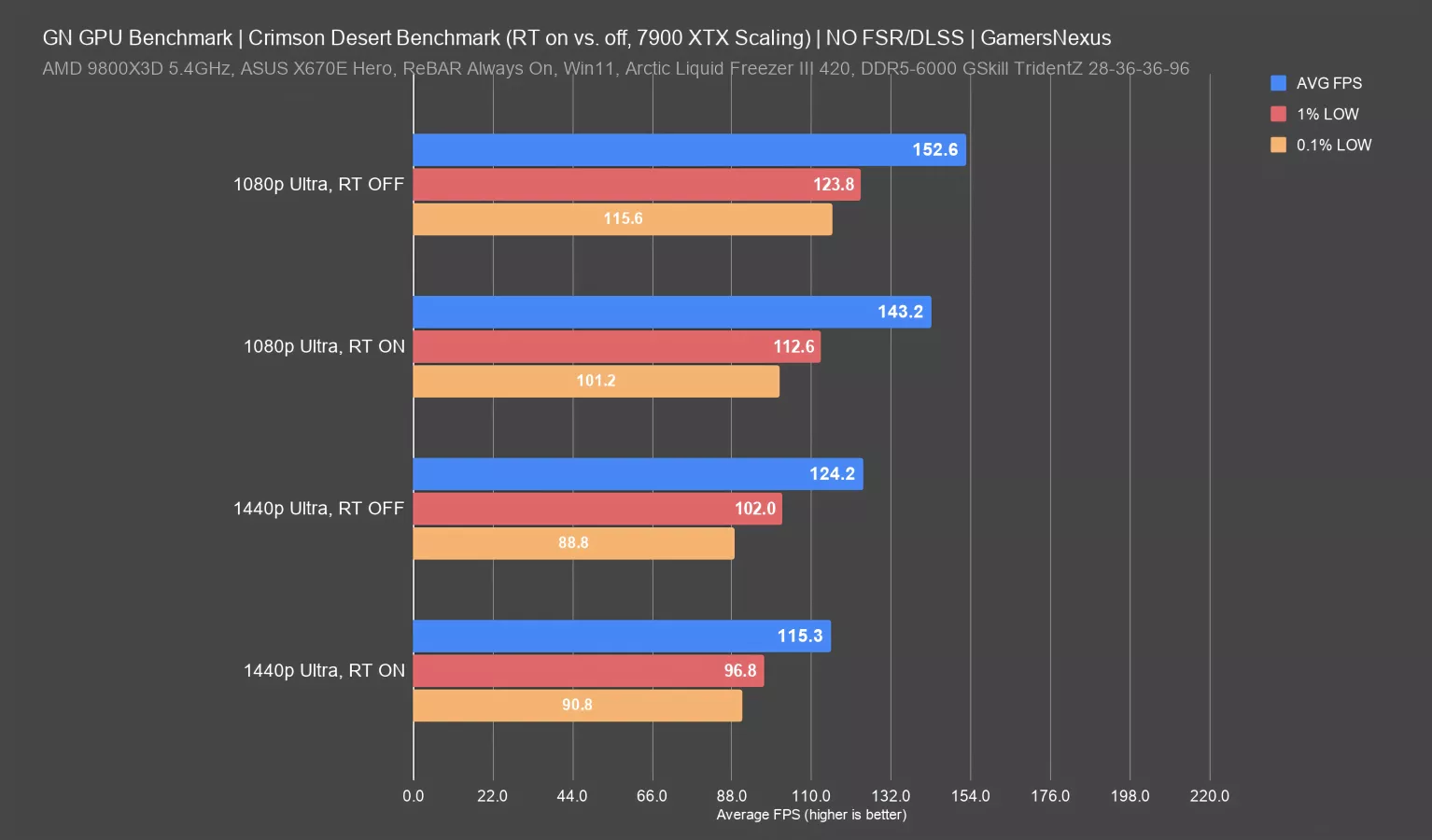
One last note for RT on versus off differences. As we noted earlier, for most of the cards, we were not seeing a difference beyond a couple FPS. With the 90 series, 50 series, and 40 series, there was no real difference between RT on versus off. It was a couple of frames worse with it on. One exception to that was when we did a quick test on the 7900 XTX with RT on versus off. And in that instance, we saw almost up to 8% improvement by turning RT off. So in that situation, you wouldn't really be able to compare results of testing with RT on versus RT off for some of these GPU generations. You shouldn't anyway, but in this case, the scaling is greater.
Conclusion

That's as much as we could get done inside Crimson Desert’s launch window. Sometimes we get early access to games. Sometimes we don't. We kind of prefer not to because it seems like companies often ship day one patches and we're a little concerned that may impact performance.
As far as Intel is concerned, as soon as their Arc GPUs work with the game, we’ll test them. This is the most direct we’ve seen Intel be in relation to another business, like a partner, where they just straight up said Pearl Abyss didn't allow them to do anything. They said they didn't get access to the game despite offering the developer all kinds of engineering resources, which would normally be programmers from their team and hardware drivers, but it sounds like, for whatever reason, Pearl Abyss just did not work with them. Crimson Desert is an AMD-sponsored title, but the game obviously works with NVIDIA hardware, but NVIDIA does control roughly 95% of the market, but NVIDIA also owns part of Intel…Anyways, Arc GPUs are still getting the short straw.
We were reading some of the Steam reviews to try and see how widespread Crimson Desert’s issues are. There were a lot of complaints about pop-ins. So that seems to be consistent with how we felt. We saw some people also trying to tune the game, and saying that the settings file either didn't have the option or the option was not obvious to them. We also saw a number of people complaining about crashes as well. And so that seems like that wasn't exclusive just to us. And, just to be clear once again, that was with three different computers across two different GPU vendors. So it's not a computer problem. It was consistent. And it was on different GPUs as well. We think the game was not ready for launch, but that seems to be the default state for video games these days.
In testing Crimson Desert, we found that medium, high, and ultra settings don't differentiate too much. Ray tracing on versus off was a very slight performance cost. With it on, we saw at most a 4% performance cost. We did test with it off so that we could accommodate the 10-series cards without any issues.
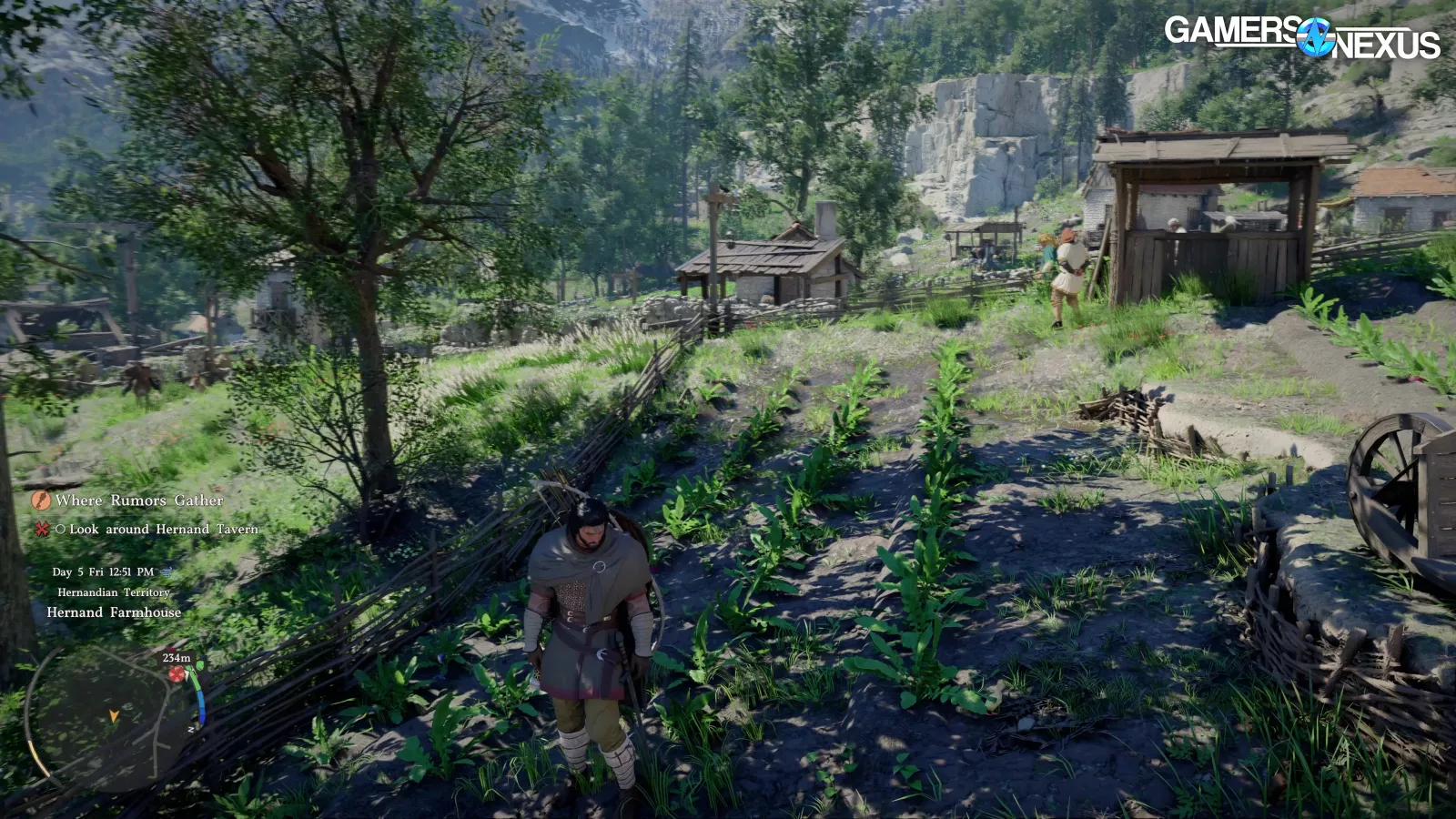
Maxing out the lighting setting costs a ton in performance. So, if you're the type of person who wants to just basically max all the settings and you’re finding it's too heavy for performance, the first thing to change down would be lighting as that can sometimes give you a 30 to 40% performance uplift in some cases, which is a pretty big impact.