
The A70 doesn't innovate in any particular category, which could be fine if the price is low enough, but it's priced like cases that did innovate
The Highlights
- The first Thermalright case we're reviewing isn't bad, but it's not good either
- We had one manufacturing defect, air bubbles underneath adhesives for the corner pyramid, and noticed design oversights with drive cages and the motherboard tray
- The case falls short of impressing with Thermalright's usual aggressive pricing and high performance
- Original MSRP: $130-$136
- Release Date: April 2026
Table of Contents
- AutoTOC
Intro
Today we’re reviewing the Thermalright TR-A70.
Thermalright’s first case to arrive in our office is a disappointing departure from the company’s strongest contenders that we’ve tested over the years. The new Thermalright TR-A70 is similar to the Lian Li O11 Vision, right down to the triangular support on the glass corner, but lacks Thermalright’s number one appeal of a low price.
Editor's note: This was originally published on July 19, 2026 as a video. This content has been adapted to written format for this article and is unchanged from the original publication.
Credits
Test Lead, Host, Writing
Steve Burke
Testing, Writing
Patrick Lathan
Camera, Video Editing
Vitalii Makhnovets
Camera
Tim Phetdara
Writing, Web Editing
Jimmy Thang


Thermalright’s number one appeal of a low price.
With oversights to motherboard tray design, a manufacturing defect with one of our USB ports, bubbling issues from the factory, drive cages that seem like no one has ever even tried to use them, and a lot of wasted space all around the case, we just can’t recommend it. Mostly because of the price.
The base Thermalright A70 was $130 on Amazon, the ARGB (the variant we're reviewing) is $130-$136 with some active sales as of this writing, and the A70 Vision is $150 - $160.


More recently, the base model A70 has dropped to $102, which is definitely a big improvement but it’s still not as refined as other $100 competitors. The A70 ARGB is still $130.

In Thermalright's lineup, "Vision" references a built-in LCD which isn't present in the other models.

At $130 for the ARGB model case and without any fans, Thermalright is up against serious competition from case makers who know what they’re doing. It’s also out of its comfort zone, which is making the most cost-competitive products on the market.
If you can find a full-size O11 Vision in stock, it's in the $130-$160 range. Specifically, though, the A70 is clearly imitating the even-cheaper $120-$125 O11 Vision Compact, with features like the tube pass-through and floating drive cage copied without a real understanding of Lian Li's design. Lian Li even advertises "mounting space for an IPS monitor" in exactly the same spot as the A70 mimics it.
Just a year ago, we showed Thermalright's debut case, the TL-M10 MATX, which was planned to be $45 without an LCD screen and $65 with.
Our point is that $130 for the A70 is higher than we'd expect from Thermalright, slightly higher than the O11 Vision Compact, and the case has to meet a high bar because of that.
Thermalright TR-A70 ARGB Specs
| MB Support | ATX | Micro-ATX | Mini-ITX | (BTF Support ASUS or MSI motherboard) |
| Front I/O | Power Button | Audio | USB Type-A*2 | USB Type-C |
| Color | Black | White |
| Dimensions (L*W*H) | 450.8*289.5*477mm(Case) |
| PCIe Slots | 7 |
| Materials | SPCC/Tempered Glass |
| Compatibility/Maximum | Cooler Height CPU: 168.4mmGPU Length: 420mmPower Supply: 200mm ATX |
| Drive Tray Support | 3.5" Drive: 22.5" Drive: 2 |
| Fan Support | Below: 120mm*3Back: 120mm*2Side: 120mm*3 |
| Radiator Support | Side: 120 | 240 | 360mmBack: 120mm |
The Build
There’s not a lot of them so we'll start with positives.


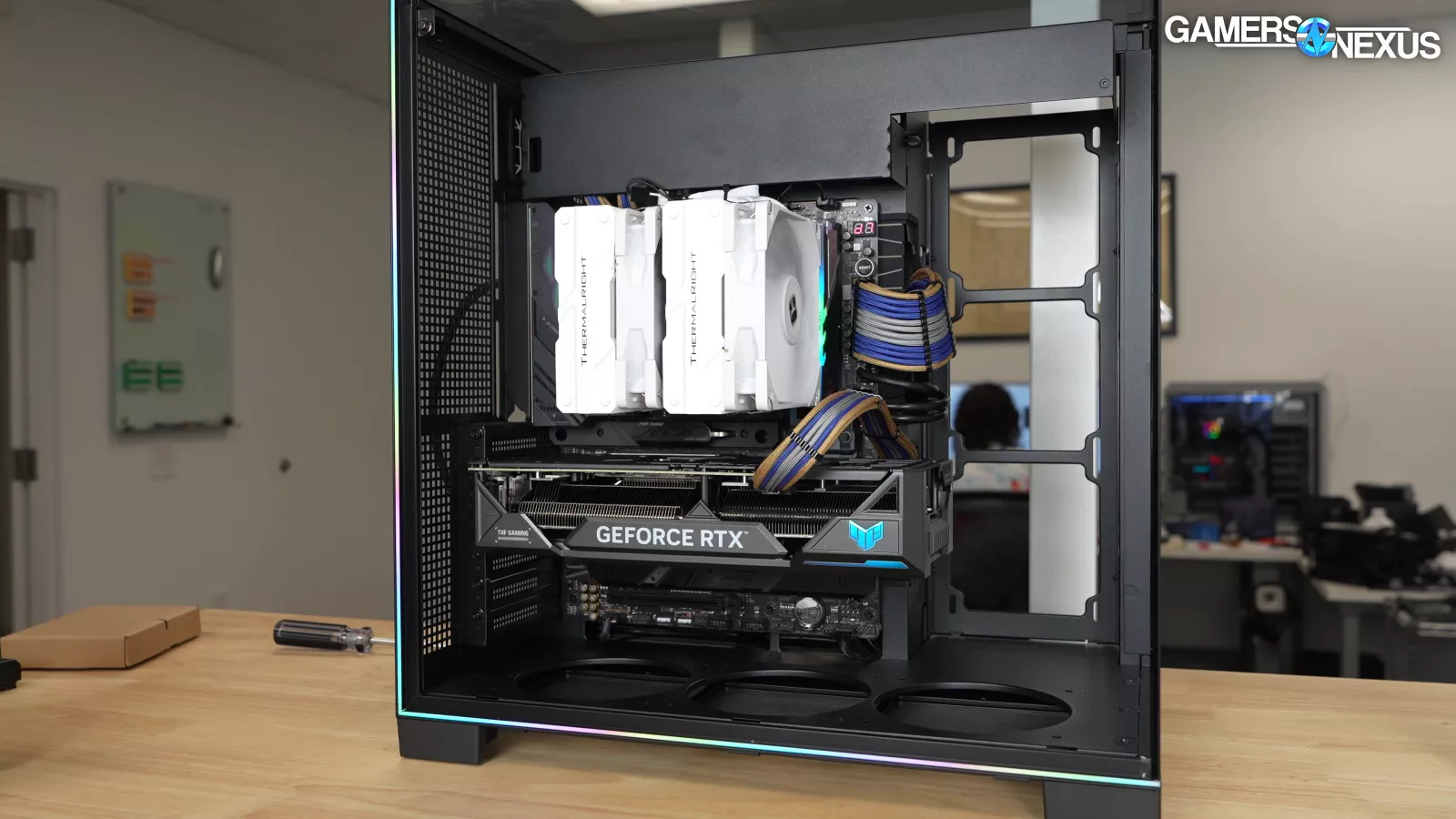
The ARGB trim looks good: there's a thin, continuous line of LEDs that surrounds the glass panels.


On the white version, there's a blue corner of the case matched with a blue ribbon. On the black version, there's a gold Thermalright logo matched with a yellow ribbon.


There are two fan mounts at the rear of the case, both 120mm, which we almost never see (and which is another feature shared with the O11 Vision Compact). In combination with a grommeted cutout on the rear of the case, this could open-up some interesting externally-mounted liquid cooling possibilities. Finally, the side radiator mount is removable and vibration damped.
That’s all of the positives.
This isn't the worst case we've seen, but there's very little worth calling out as positive, and there are some bad design oversights.

For example, once the motherboard is installed, the expansion slot covers are stuck.


The big glass side panel has no way to be screwed down, while the other two glass panels are held in with screws (and should remain that way for structural integrity). That's the worst of both worlds. Because of the pyramid support where the panels meet, they have to come off in a specific order: first the side panel, then the top, then the front, and they all need to be re-assembled in order as well.


One of the Type-A ports on one of our samples was so mangled we couldn't use it. This was the most serious manufacturing problem and is clearly a defect at the factory, especially without any shipping damage evident to the box. It’s not the only manufacturing defect, though: we also found bubbling under the adhesive for the transparent corner support in both of our samples that just looks bad.


Design-wise, it makes no sense to push everything down and leave so much space at the top in a case that can't actually mount anything in that area.
This space is clearly intended for the LCD screen of the more expensive A70 Vision, but it's just wasted in the cheaper SKUs.
Lian Li's Vision Compact comes with an optional mesh panel and radiator mount for the top of the case to solve this particular issue.


In Thermalright’s case, the space isn't used effectively behind the motherboard, either. The PSU and drive mount are pushed down and jammed together, again leaving wasted space at the top of the case.


The SSD mounts are oriented so that cables go up or down, but there's not much clearance in either direction. The drive mount can fit 2x 3.5" drives, or 1x 3.5" drive plus 2x 2.5" drives. Installing a 3.5" drive inside the cage blocks access to the other mounts, restricting screwdriver access to the SSDs, and the cage itself blocks access to cutouts at the bottom edge of the motherboard. It seems like nobody ever used these after designing them.


There's a shroud above the motherboard, accompanied by a comb for organizing tubing. Most coolers would require a tight bend to get tubes under the shroud, and putting tubes in that location would require mounting the radiator tube-side-up anyway, which isn't ideal for CLCs. The tube organizer blocks off most of the opening into the shroud for no reason, and the clips are only sized to fit ~13mm OD tubing without bending, which is another unnecessary restriction.
At the time of our review, none of the A70 SKUs come with fans, and there's only support for 120mm fans, period: 3 on the bottom, 3 on the side, and 2 at the rear. If you want to show off RGB fans with the blades facing the inside of the case, you may need to use reverse-blade models.


The hub included with the ARGB case splits one ARGB and one fan PWM input across ten outputs (more than the total number of fan slots in the case). Power is provided via SATA. The only way to control the LEDs is through the header, and the hub doesn't contain any baked-in lighting profiles. The LED strips inside the case don't have daisy-chain connectors either.


It's extremely rare these days to not support 140mm at all, but we’re OK with that if the design is right. It's also yet another feature shared with the O11 Vision Compact (in Vision mode). Thermalright doesn't claim any bottom radiator compatibility at all due to conflicts with the motherboard and expansion slots, and only up to 120mm at the rear of the case due to lack of vertical clearance. That just leaves the side mount, which can fit up to 360mm rads on a removable tray.

For a final nitpick, there's no easy way to get the bottom filter out without tipping the case. In the Vision Compact, the filter ejects cleanly to the side.
Thermalright TR-A70 ARGB Thermals & Noise



Stock thermal testing is usually our priority, but the A70 doesn't come with fans. As we mentioned, it also doesn't fit our standardized fans since it only mounts 120s, so we had to drop that test completely. We ran all tests with three 120mm side intake fans borrowed from the Antec Flux, and then a further test with two reverse-blade 120mm bottom intake fans borrowed from the Flux Pro (read our review). That at least gives us some cheapish fans that might realistically end up in this case and allows it to be slightly comparable to two other cases on the charts.
The Fractal Pop 2 Vision that we just reviewed is one of Thermalright's biggest competitors, and it's available for $90-$100 with fans included. The Montech HS02 PRO (also including fans) can be a little cheaper than the A70, depending on sales, and we'll throw in the Lian Li 217 as an example of a high-performance case at the same price point.
The $125 Lian Li O11 Vision Compact is clearly the inspiration for the A70's design, but we haven't tested that one. We've had mostly good experiences with Lian Li's O11 line in the past, though, and customer reviews are overwhelmingly positive.
Let’s get into the thermals.
CPU Full Load Thermals - Noise-Normalized

We’ll start with CPU full load thermals with noise normalization.
Thermalright ends up, at best, in the middle to lower part of the chart.
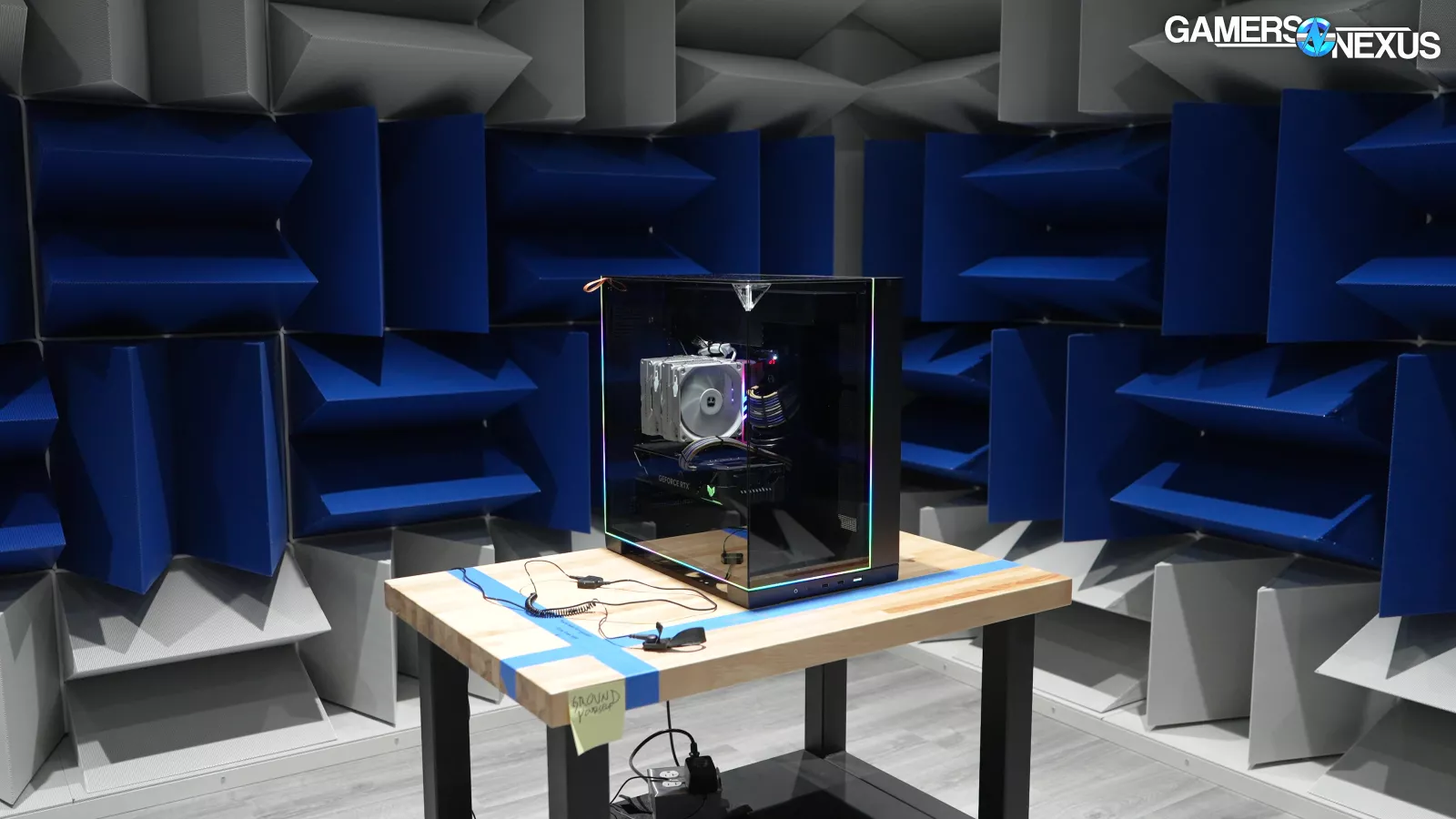
Using Antec's fans tuned to hit our noise-normalized threshold of 27 dBA in our hemi-anechoic chamber with this case, the A70 achieved a middle-of-the-road average of 48 degrees Celsius above ambient on the P-cores and 45 across all cores. That's better than both the Pop 2 Vision (at 50C) on the P-cores and the HS02 PRO (read our review) at 52, but again, the A70 had to borrow fans from another case to get those numbers, which likewise increases its effective price.

Side intake is usually the best compromise to allow adequate CPU cooling in fishtank cases like the A70. For comparison, the airflow-focused 217 (read our review) in "CPU Mode" averaged 45 on the P-cores.
The Lancool 207, which is price competitive (but not a fishtank) at $83, tops the chart at 44 degrees for P-cores.

Part of Thermalright’s challenge is the large gap between the two glass panels at the front edge. In a positive pressure setup, air from side intake will escape here before ever hitting a component to cool it. It’s leaking air out of the front due to the large front gap.
GPU Full Load Thermals - Noise-Normalized

Noise-normalized GPU thermals aren’t much better, comparatively.
Side intake without bottom intake plus a leaky front panel gap means not as much air for the GPU. The GPU in the A70 averaged 46 degrees Celsius above ambient and 51 on the VRAM. The Pop 2 Vision fared better at 44 on the GPU, as did the 217 and the HS02 PRO with its overkill stock fan count, which did even better at 43. The Antec Flux is around $100 now and outperforms the A70 slightly, with the A70 using some of the Flux’s own fans. It’s not a fishtank design, but it’s a better build-quality case.
So far, thermals aren't “bad,” but they definitely aren’t impressive or competitive. Our noise-normalized testing can actually somewhat favor sealed front panels since we measure noise from the front of the case, so this should be a strong point for Thermalright.
CPU Full Load Thermals - Full Speed

Moving to thermals with all of the case fans at full speed, the A70 averaged 46 degrees above ambient on the P-cores. Running two bottom intake fans in addition made no difference, even with the bottom filter removed as well, but we'd expect bottom intake to make more of a difference with GPU thermals than CPU.
The A70's noise level of 35 dBA with just the three fans is comparable to the HS02 PRO's 35.8 dBA, but the CPU in the HS02 was warmer in this test (at 49 on the P-cores), and the Pop 2 Vision didn't do too well either at 47. For context, the 217 in CPU mode hit 44 dBA and averaged 41 on the P-cores in this test. The various O11 cases had our standardized 2x 140 and 1x 120 Noctua fans and generally did better. The Antec Flux also substantially improves on the Thermalright A70 while being $100 with more fans included than tested here, but is technically louder at 41.9 dBA due to the mesh front. That said, you’d just drop the fan speed and are still better off noise-normalized.
The 207 (read our review) pulls way ahead at its price, too.
GPU Full Load Thermals - Full Speed

Baseline GPU temperature in the A70 with the three side intake fans was 46 degrees above ambient, which surprisingly didn't improve more than our one-degree margin of error by adding two bottom intake fans, although the VRAM temperature dropped. Adding bottom intake in addition to removing the bottom filter had a much bigger impact, bringing the GPU down to 42.
The no-filter result isn't fair to use in comparison against other cases, which means that the HS02 Pro and Pop 2 Vision (tied at 42 degrees above ambient on the GPU) both outperformed the A70, as did the 217 at 43 degrees.
Thermalright TR-A70 ARGB Conclusion

Being the "budget" version of an existing case while costing roughly the same price at best isn't a good look. It's possible the TR-A70 is cheaper in other markets, but in the USA there's no reason to buy it over the Lian Li O11 Vision Compact, and we can tell that without having run the Vision Compact through our tests.

As for the other fishtank cases on the market, Fractal is doing a much better job with the Pop 2 Vision of hitting the target that we would have expected Thermalright to aim for: cheap, stripped down, but with enough fans included to get decent performance out of the box. As we said in the Pop 2 Vision review, if you shift your search to performance-focused cases, there are many more options that cost the same or less but give better performance: the Lian Li 217 still kills in the thermals, Antec's Flux cases (both Pro and the cheaper non-Pro), even some budget Montech cases. Although we need to refresh our lineup with some new Montech models.
With so many competitive $80 to $130 cases on the market, there just isn’t a lot of reason to buy one with so many design oversights. Thermalright has a lot to learn and is new to cases, and that’s OK -- but it also shows, and you don’t have to be the one to teach them.