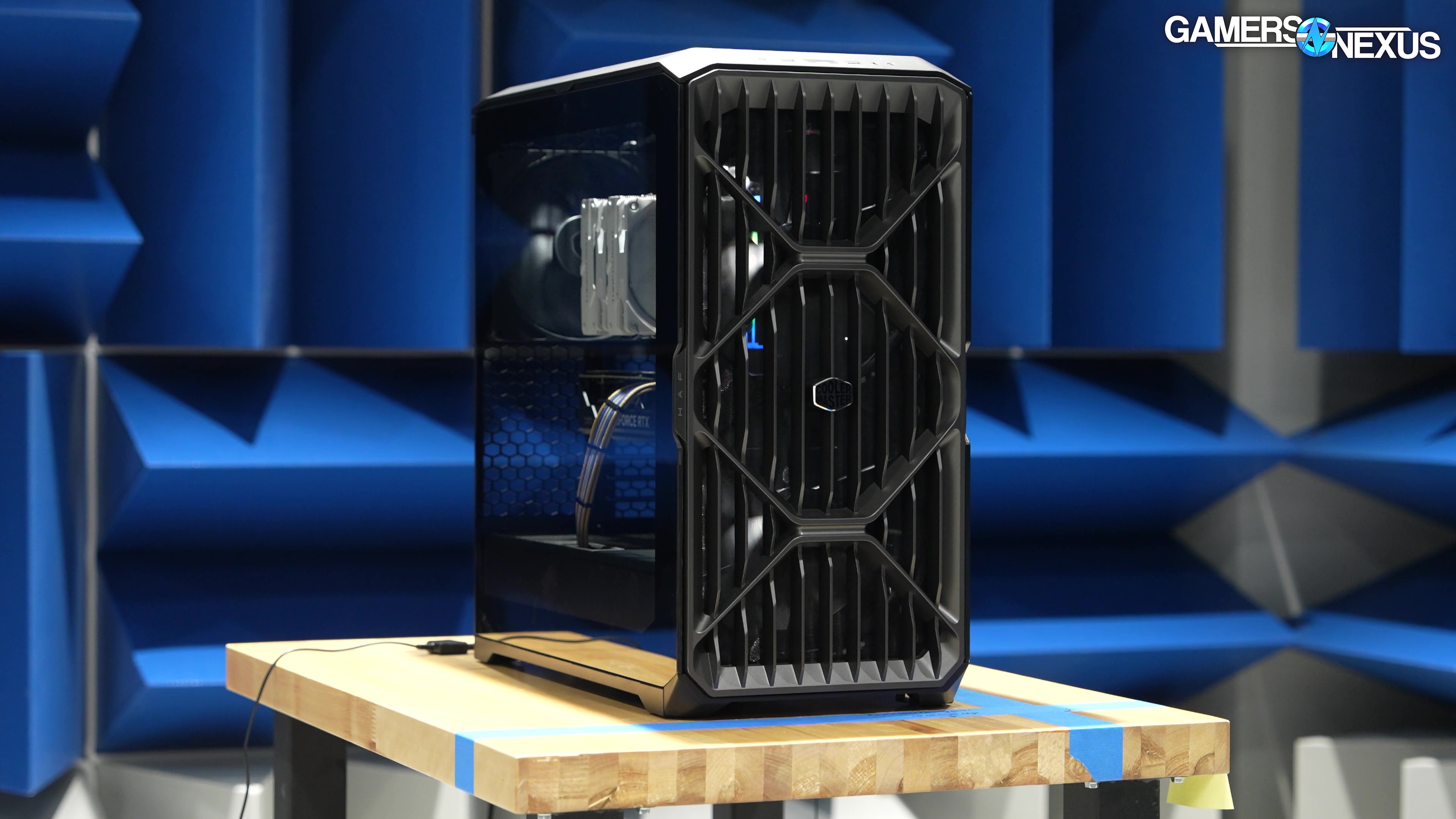
Our review of the Cooler Master HAF II 500 has it landing as the best-performing case on our noise-normalized charts
The Highlights
- Cooler Master's HAF (High Airflow) series has a long history, with the HAF X and HAF 912 being the most famous
- The case’s hooks for its velcro straps are way too flimsy
- Cooler Master’s new HAF II 500 is a series call back to the roots of DIY enthusiast, high-performance cooling
- Original MSRP: $200
- Release Date: July 13, 2026
Table of Contents
- AutoTOC
Intro
Cooler Master’s new HAF II 500 is the new best-performer in our thermal benchmarks. The case tops the charts for noise-normalized CPU results, for GPU VRAM, and for the VRM and DDR5 thermals. Overall, despite some shortcomings -- like some small, thin pieces of metal that bend easily -- the case is a well-built, high-performing throwback to a “true enthusiast’s” style of computer case. This is also Cooler Master’s first time in years it has competitively performed on our charts, marking a major return to form for them.
Editor's note: This was originally published on July 26, 2026 as a video. This content has been adapted to written format for this article and is unchanged from the original publication.
Credits
Test Lead, Host, Writing
Steve Burke
Testing, Writing
Patrick Lathan
Camera, Video Editing
Vitalii Makhnovets
Video Editing
Tim Phetdara
Writing, Web Editing
Jimmy Thang
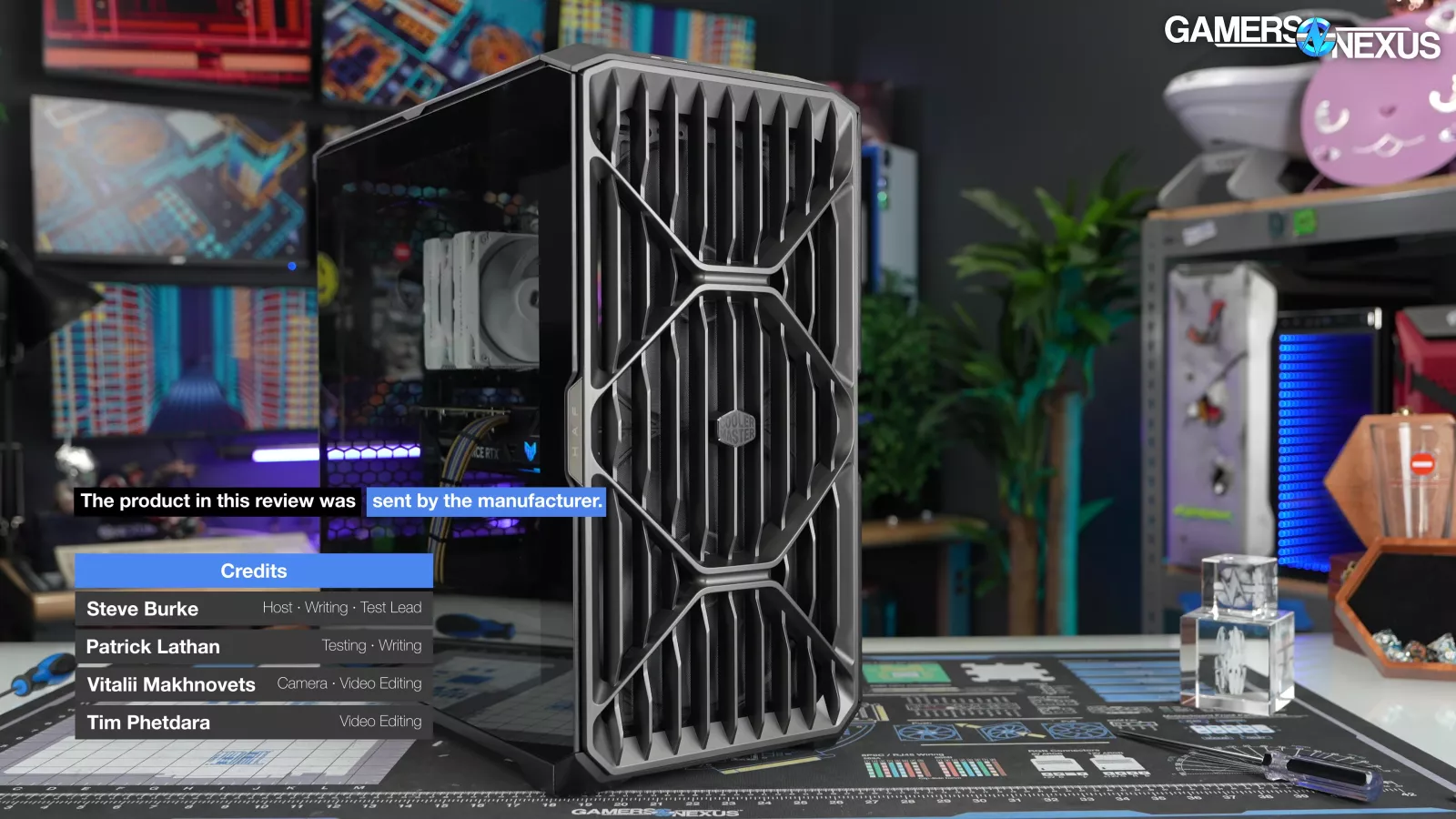
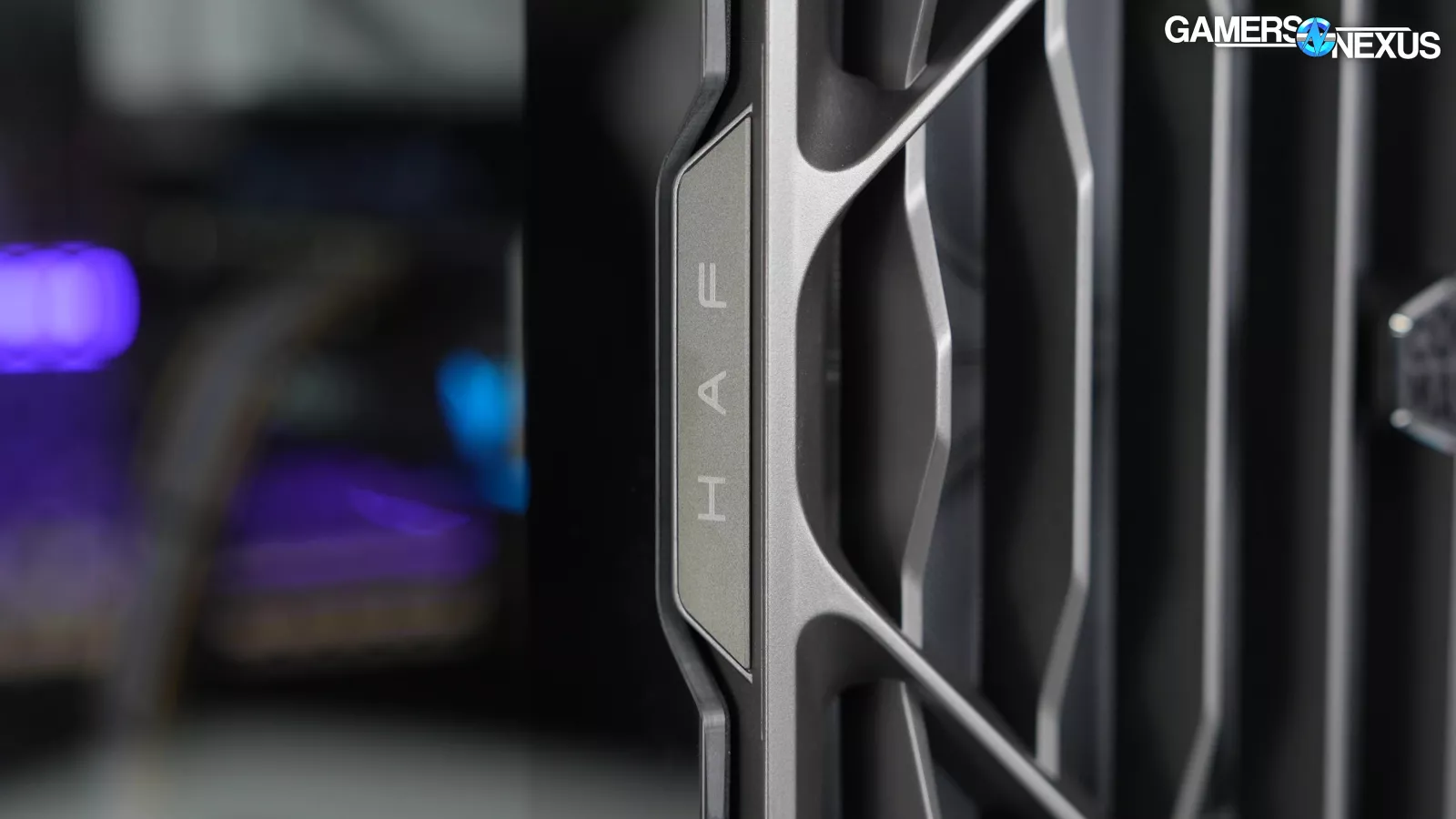
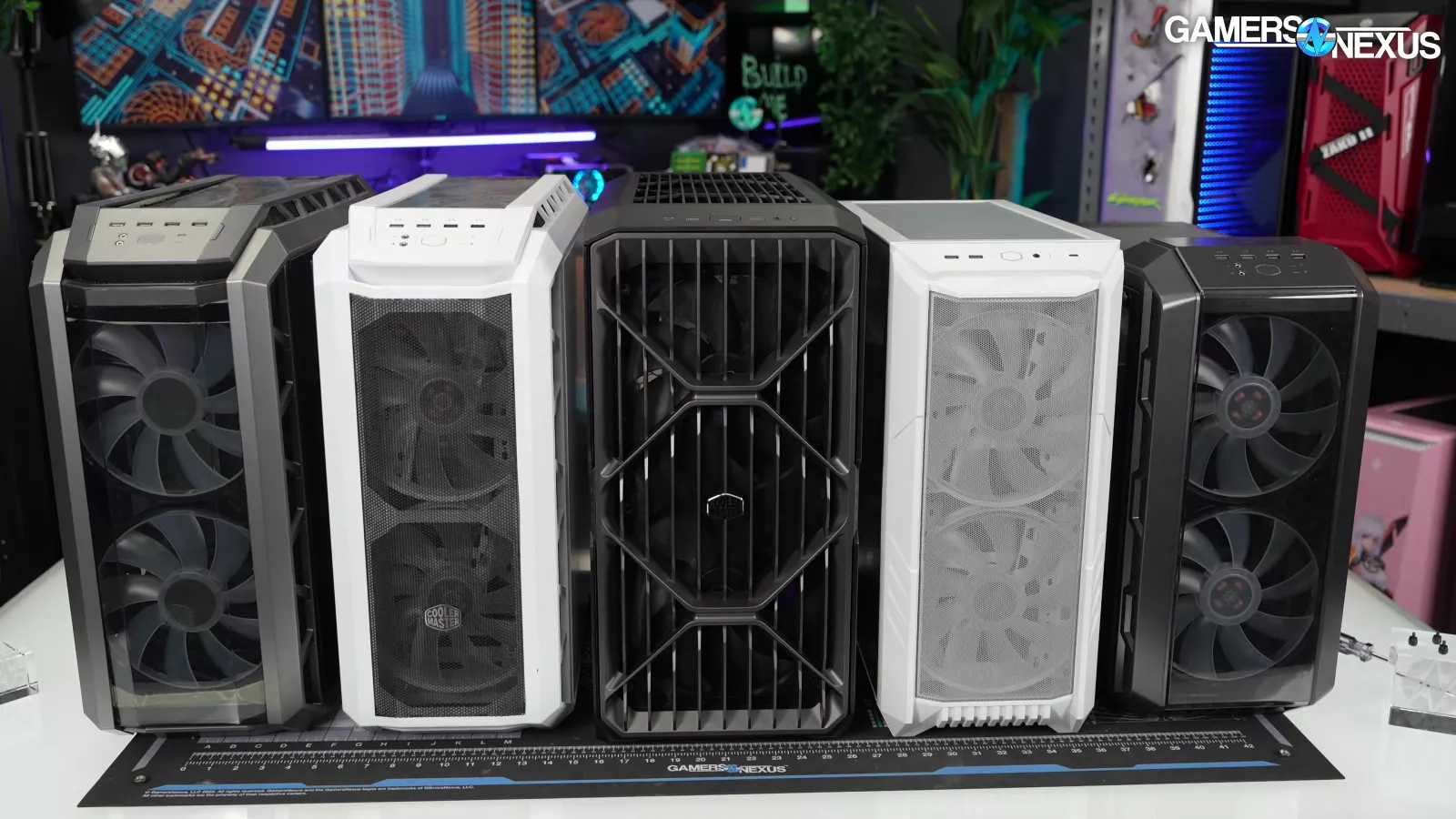
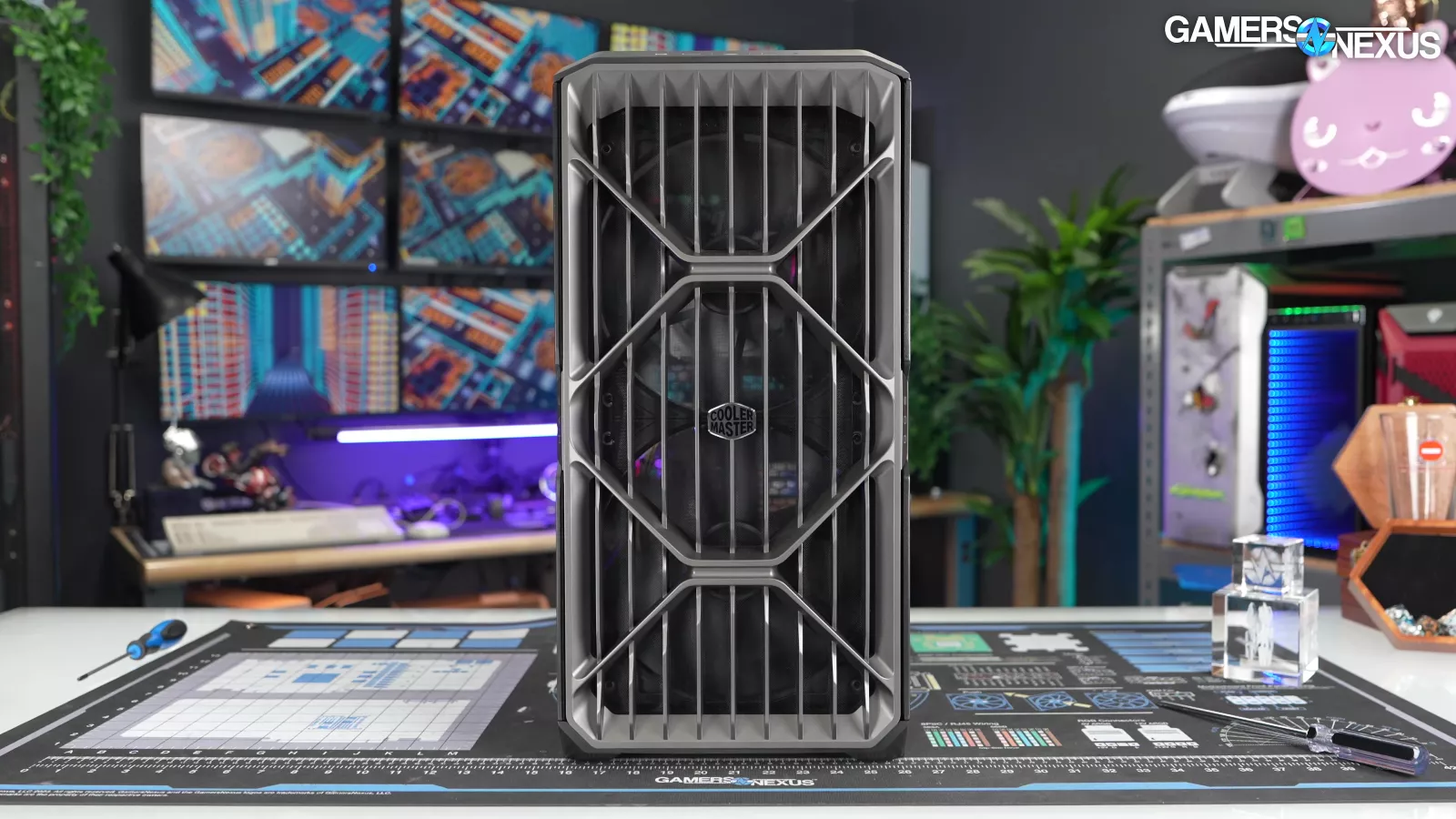
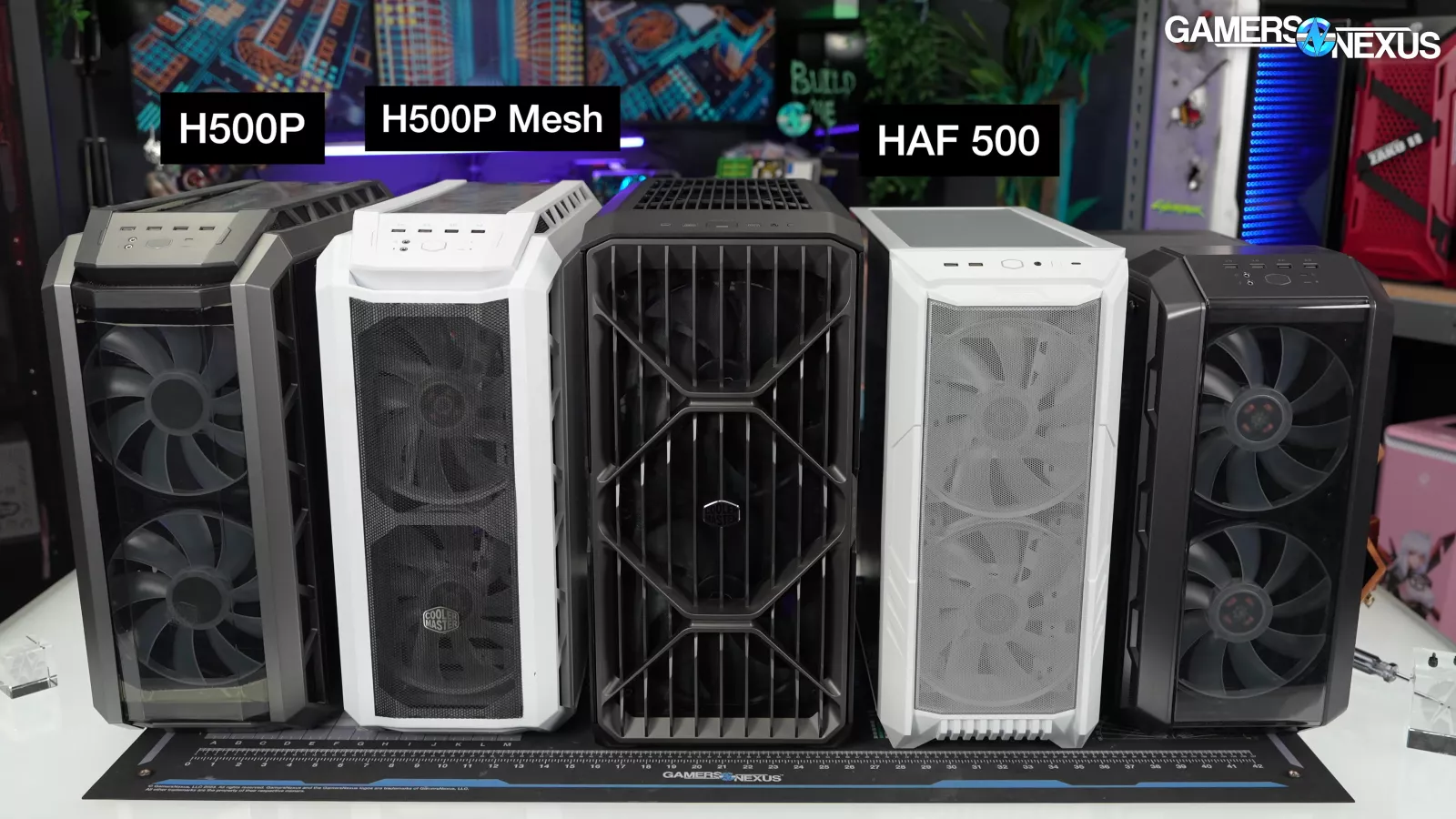
The new HAF II 500 is a successor to the… HAF 500, probably, but possibly also the H500P Mesh, the H500M, or the H500P, all of which are a successor to the HAF X.
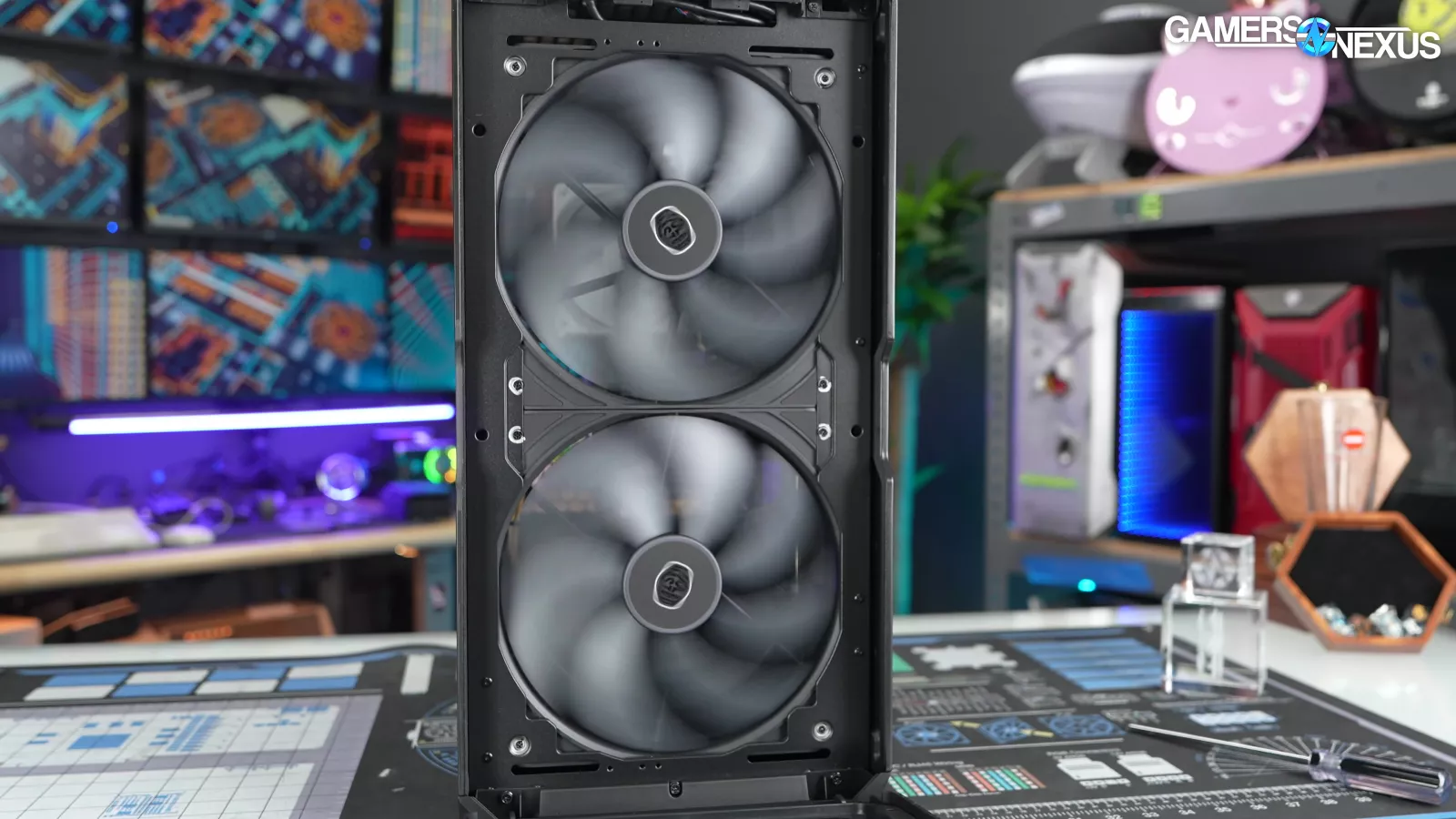
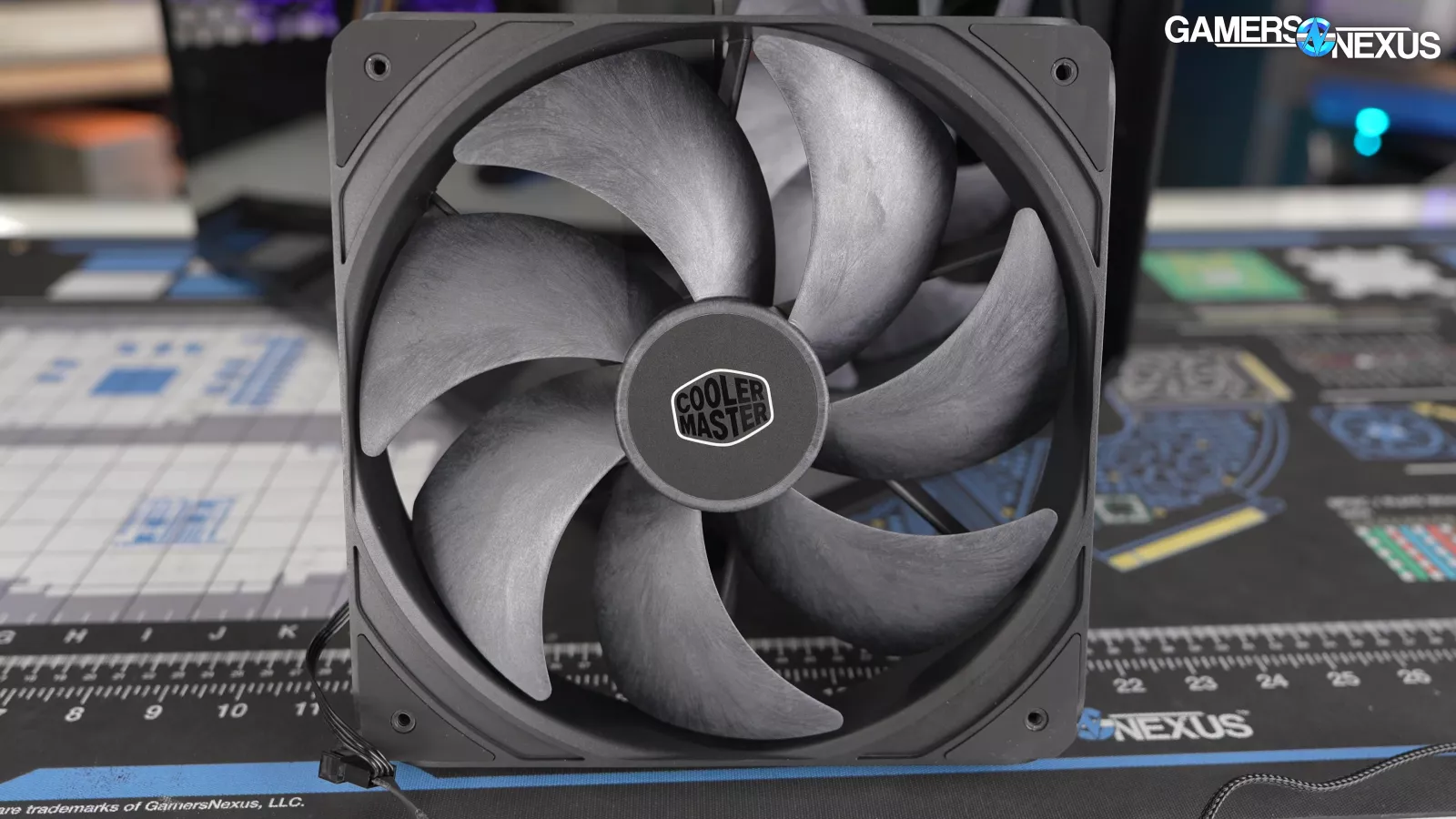
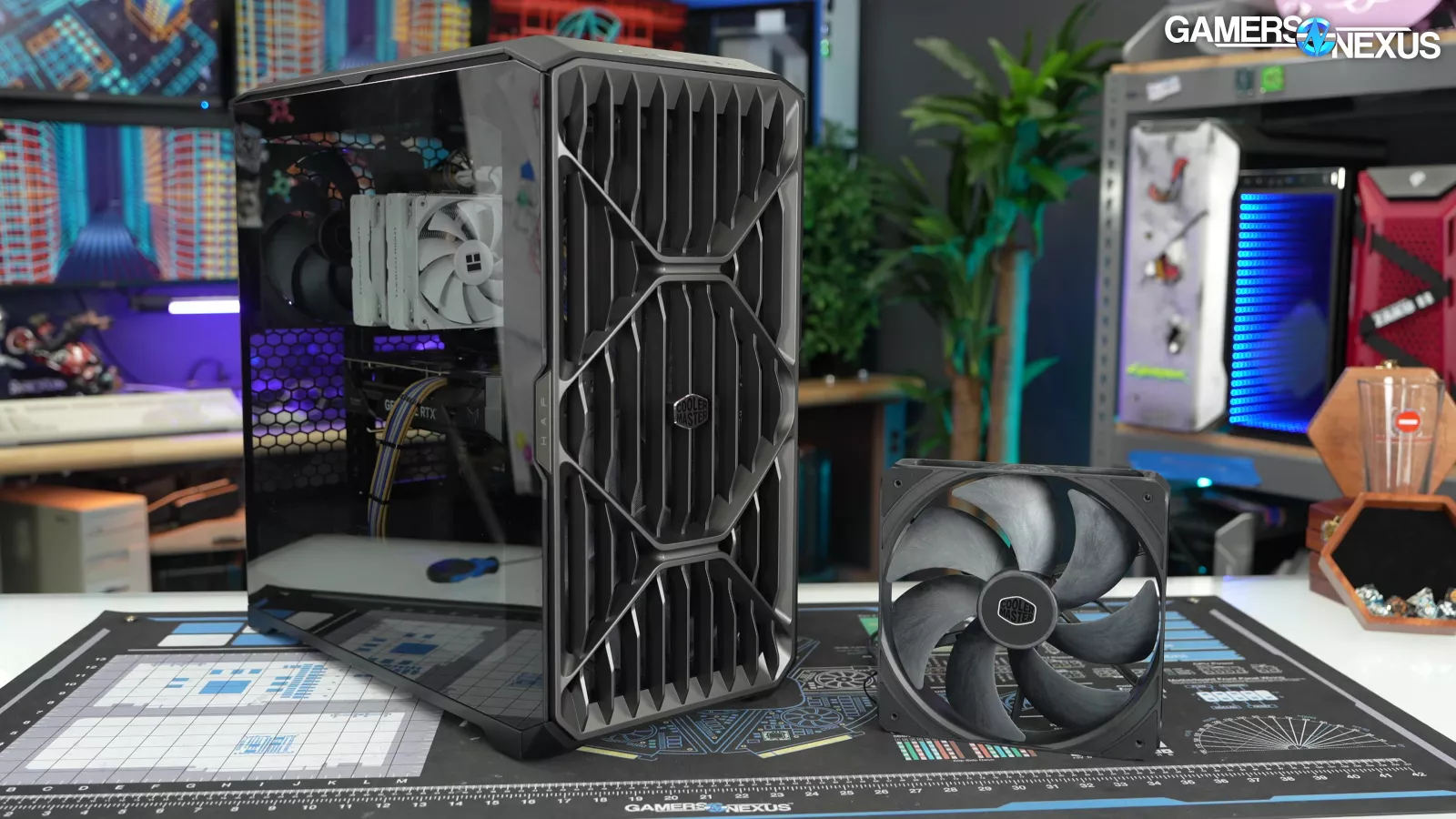
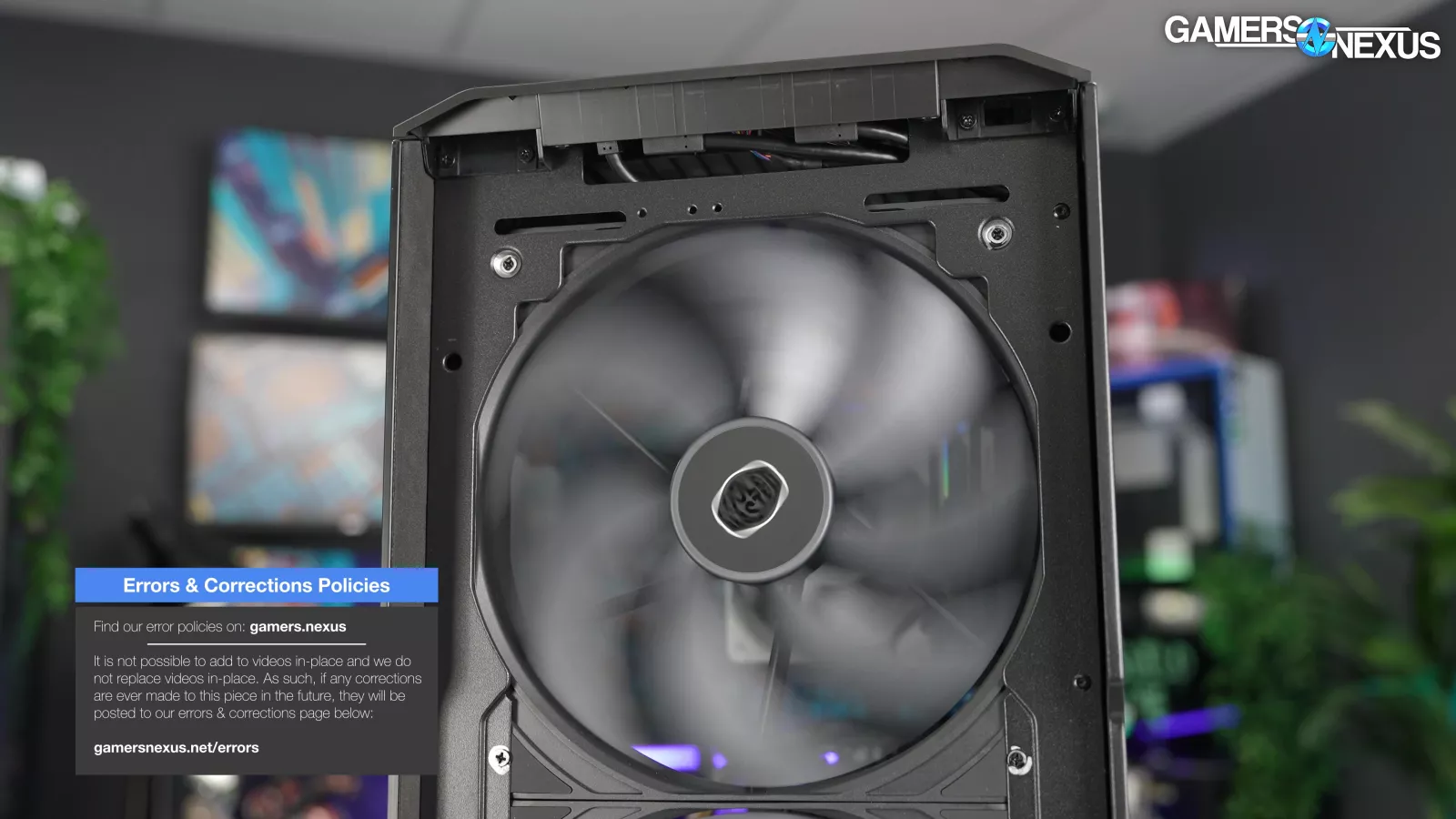
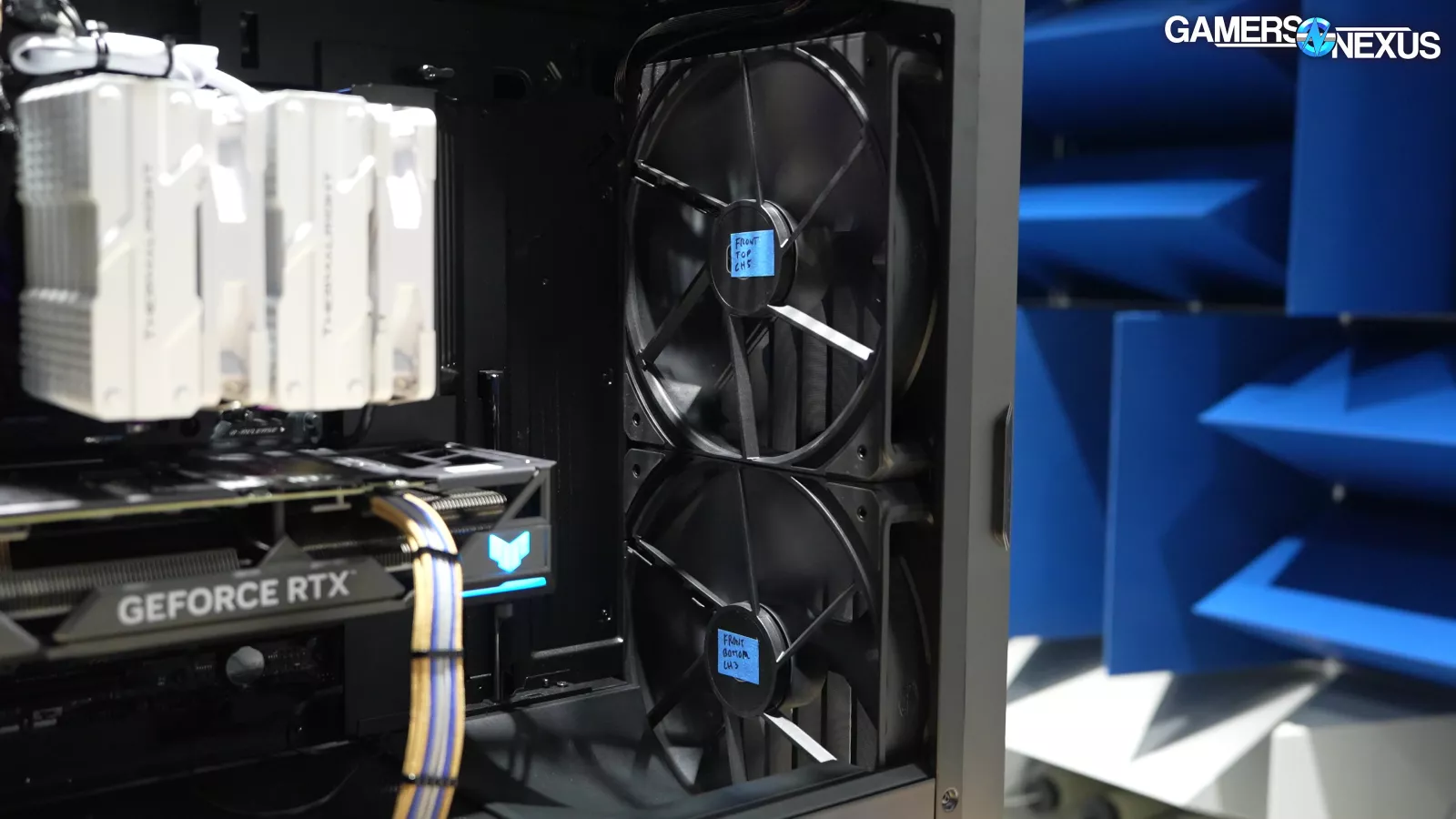
This is a case built around two "Mighty 40" 220mm LCP fans, which we’re testing on the fan machine today and in this review. Fortunately, we had our machine custom-sized to support this kind of fan.
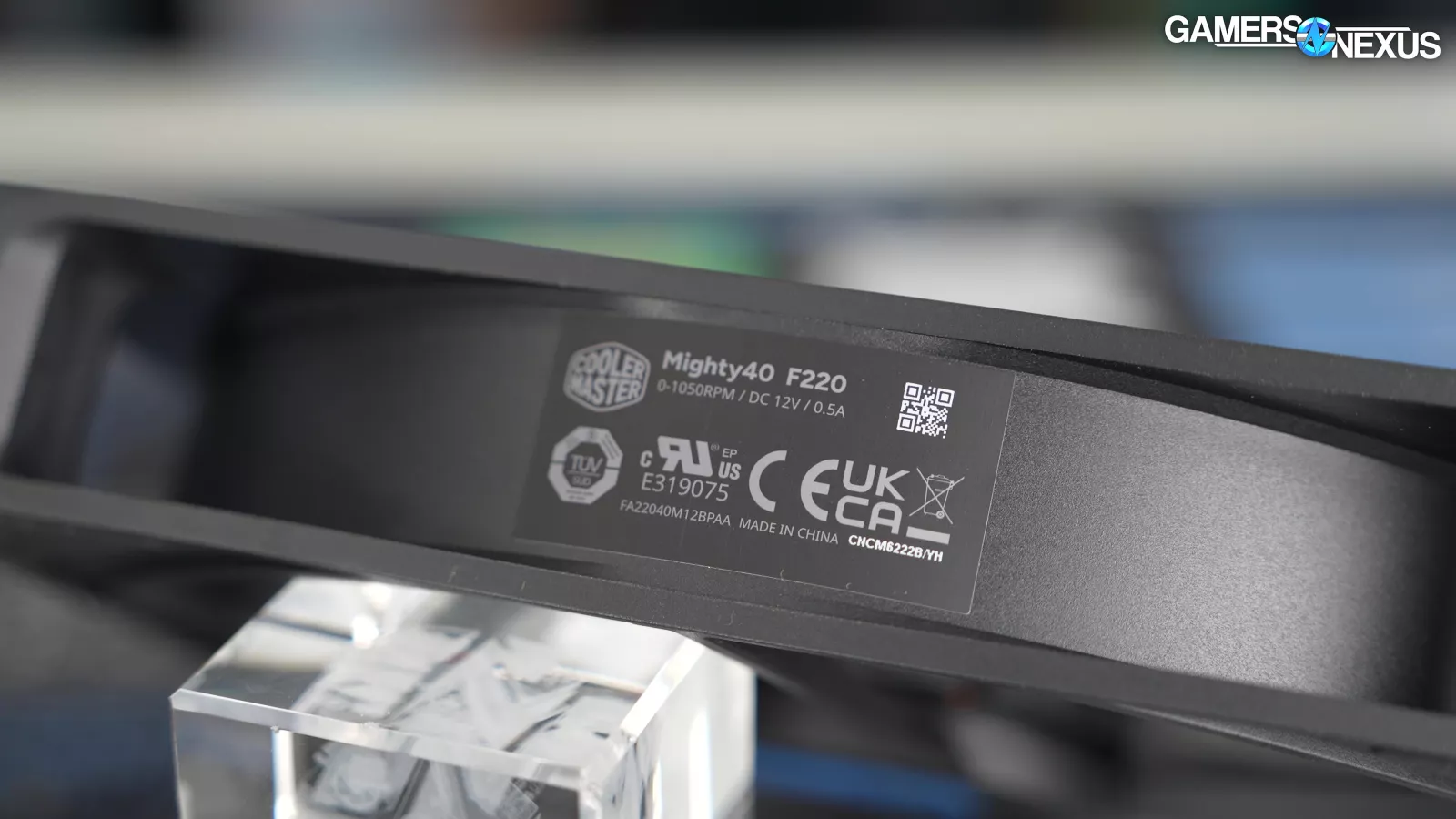
The Mighty 40s are named for their 40mm thickness, and in addition to two of those, the case also has a comically oversized 180mm exhaust fan. There's no frills, no RGB at all, just straight front-to-back airflow.
Enthusiasts who’ve been in the space awhile probably appreciate that.

Cooler Master's High Airflow "HAF" line is old: our revisit of the HAF X is now as old as the HAF X itself was at the time we wrote the revisit. We did that revisit in the context of Cooler Master reviving the brand with the H500P (where the H is for HAF), a case that we didn't like at all in our video titled “illegitimate heir” with a thumbnail that says “low airflow.”
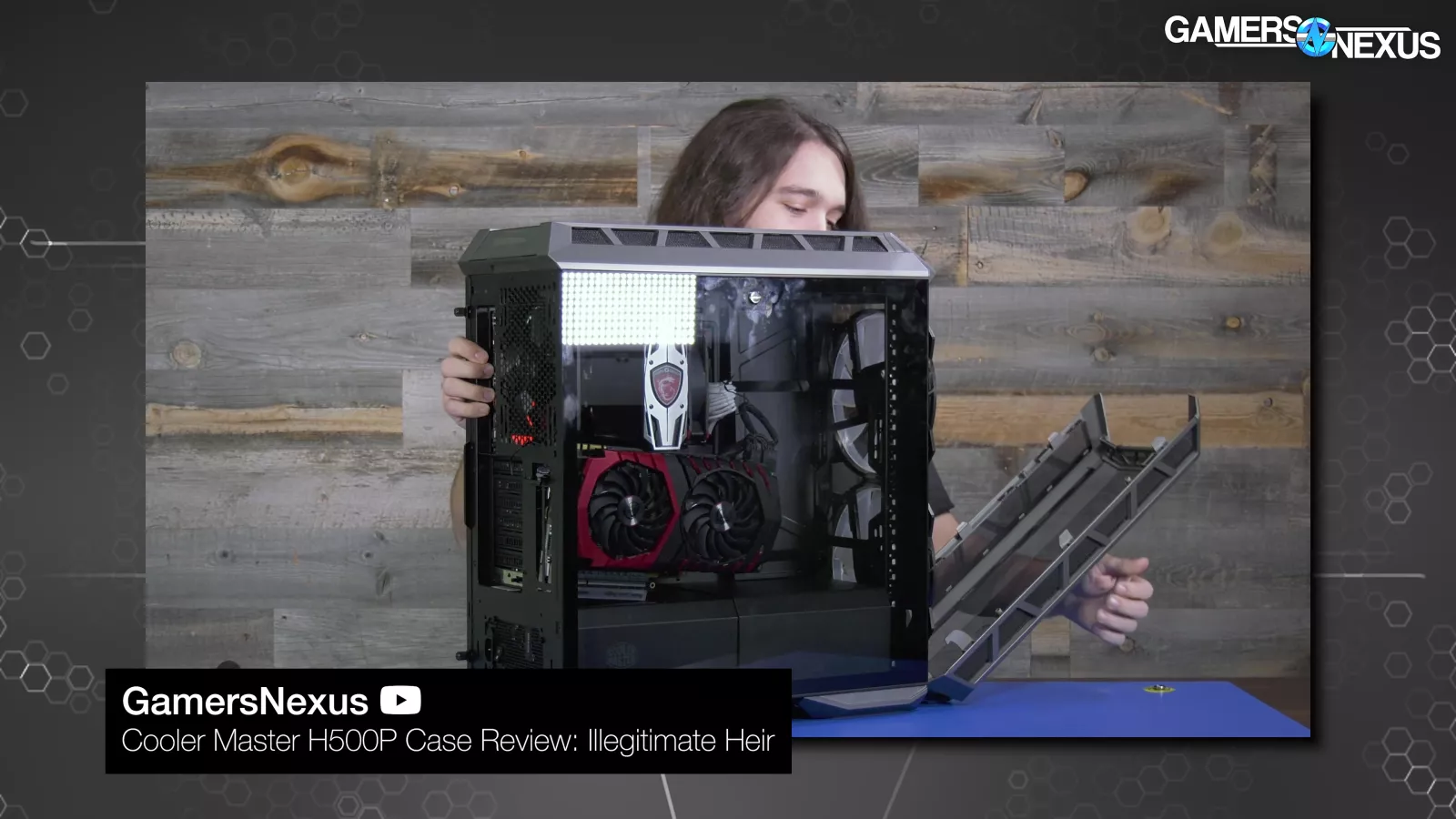
The H500P had a sealed-off front panel that prevented the 200mm intake fans from doing anything.
That review did really well for us, but not for Cooler Master. We heard back then that Cooler Master had 700 canceled pre-orders following our review and it was one of our first break-out reviews.
The company spent the next few years following up with cases that were mostly improvements, like the H500P Mesh, H500, and H500M. The names got pretty confusing, especially with NZXT releasing its own cases ALSO named H500.
Our last check-in was with the HAF 500 back in 2022, a case that was much more expensive without major benefit (to be fair, many companies have been struggling with this).
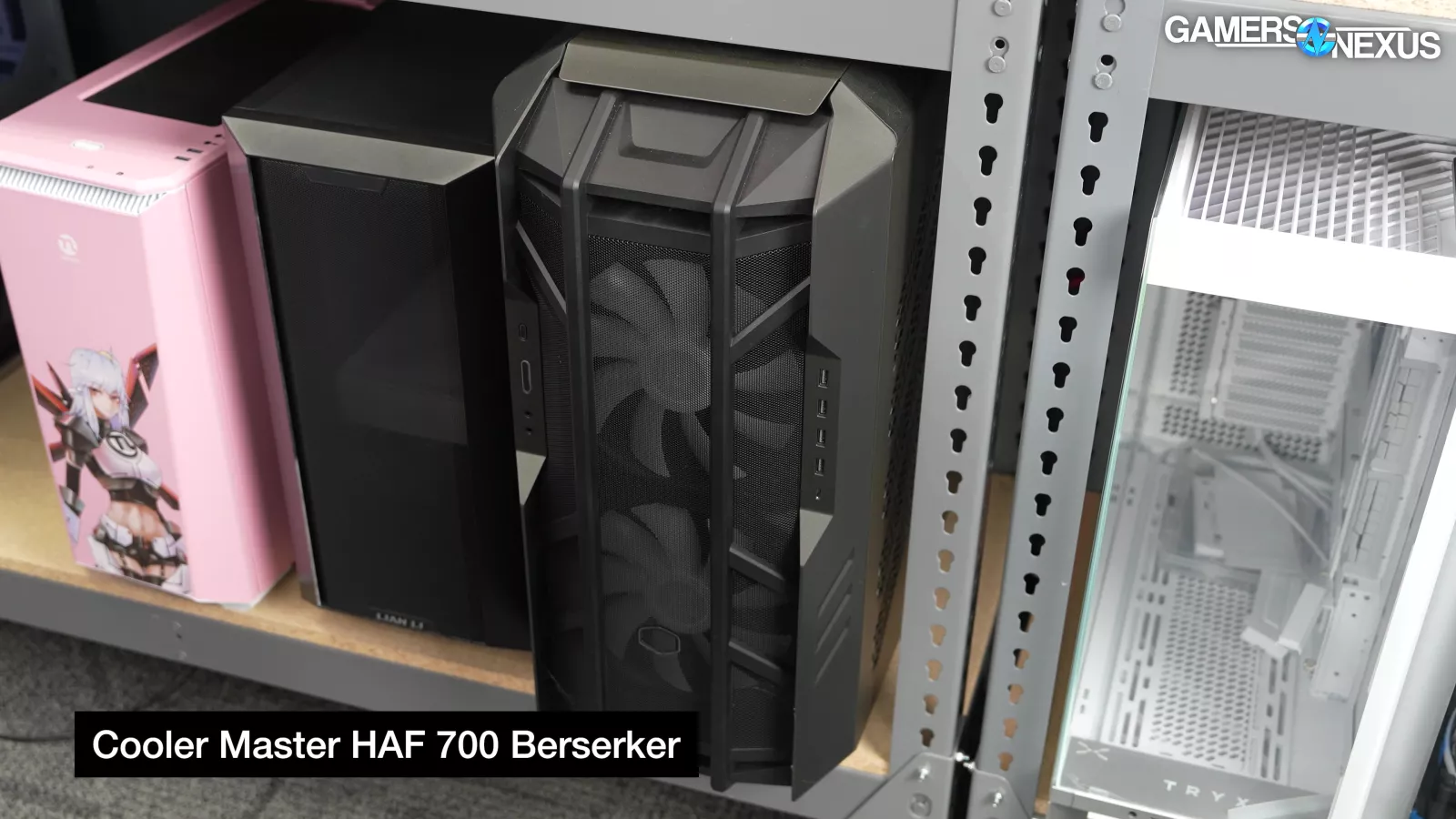
You also may have spotted the HAF 700 "Berserker" in some wide shots of our set background, and that's where it's staying, because nobody can afford that thing.
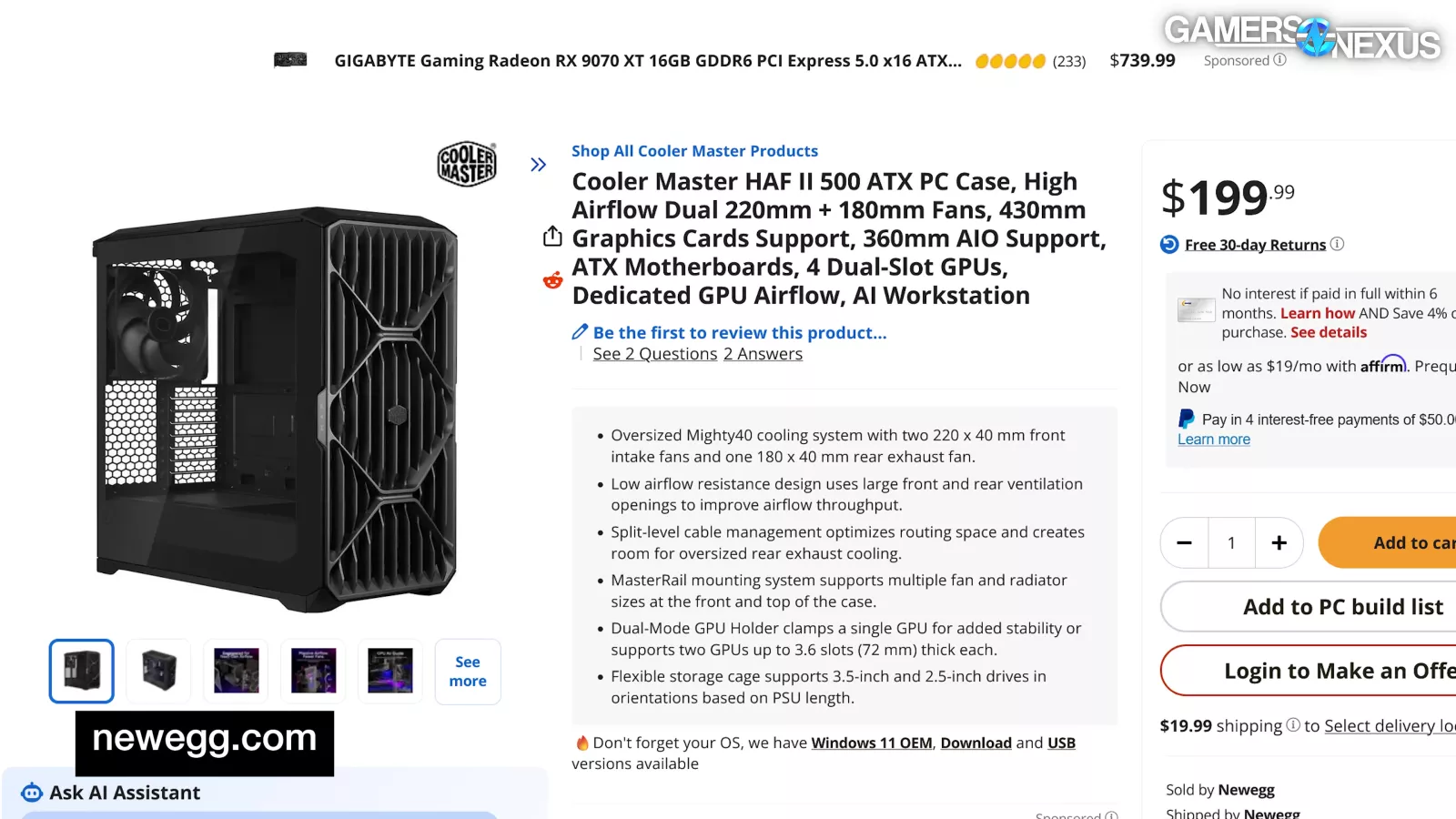
The HAF II 500 is $200 right now, which is $30 more than the HAF 500 was when we said it was too expensive. Times have changed, and the HAF II has some admittedly impressive fans, so it has a fair shot at being worth it.
Air Flow Design
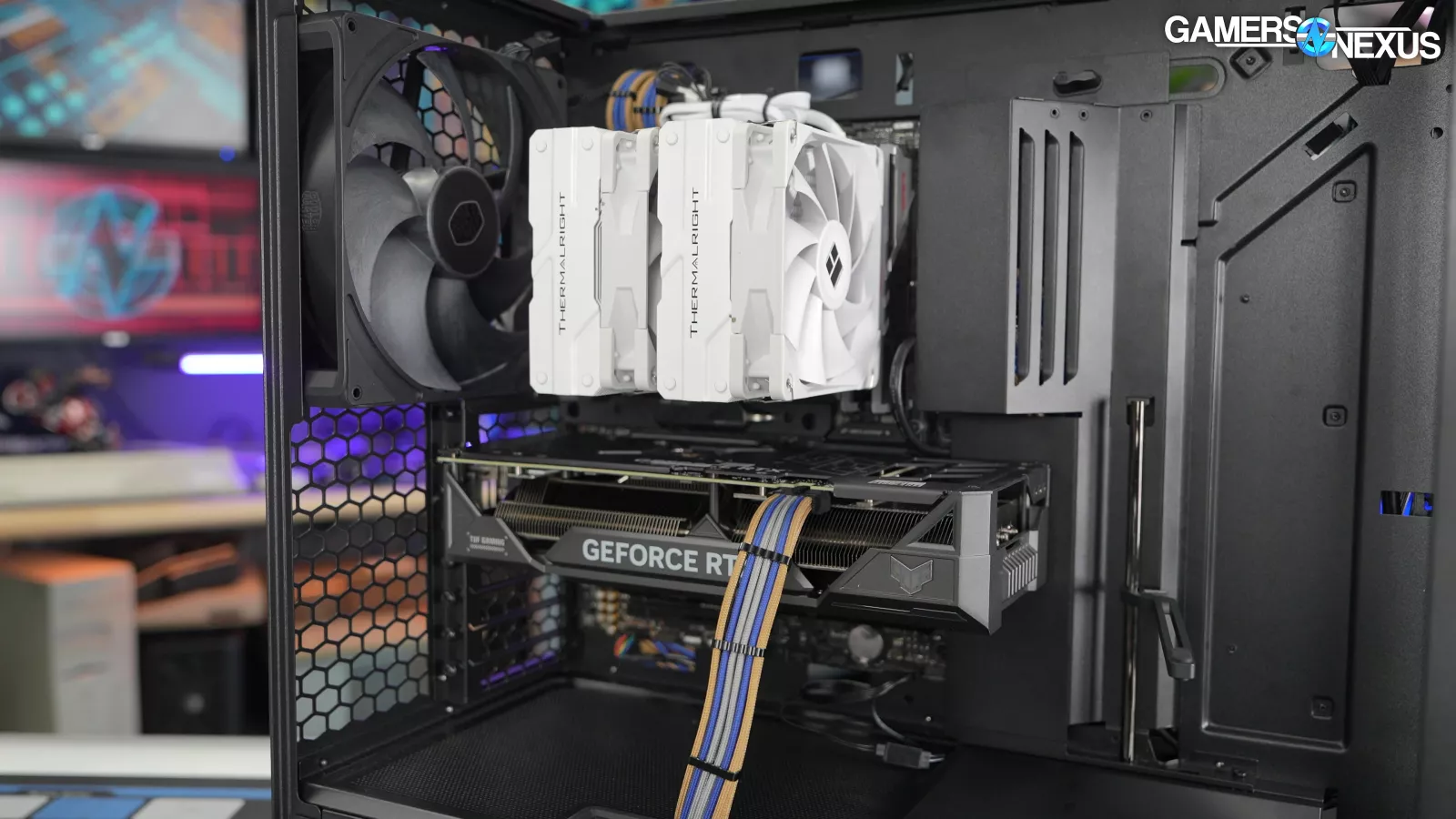
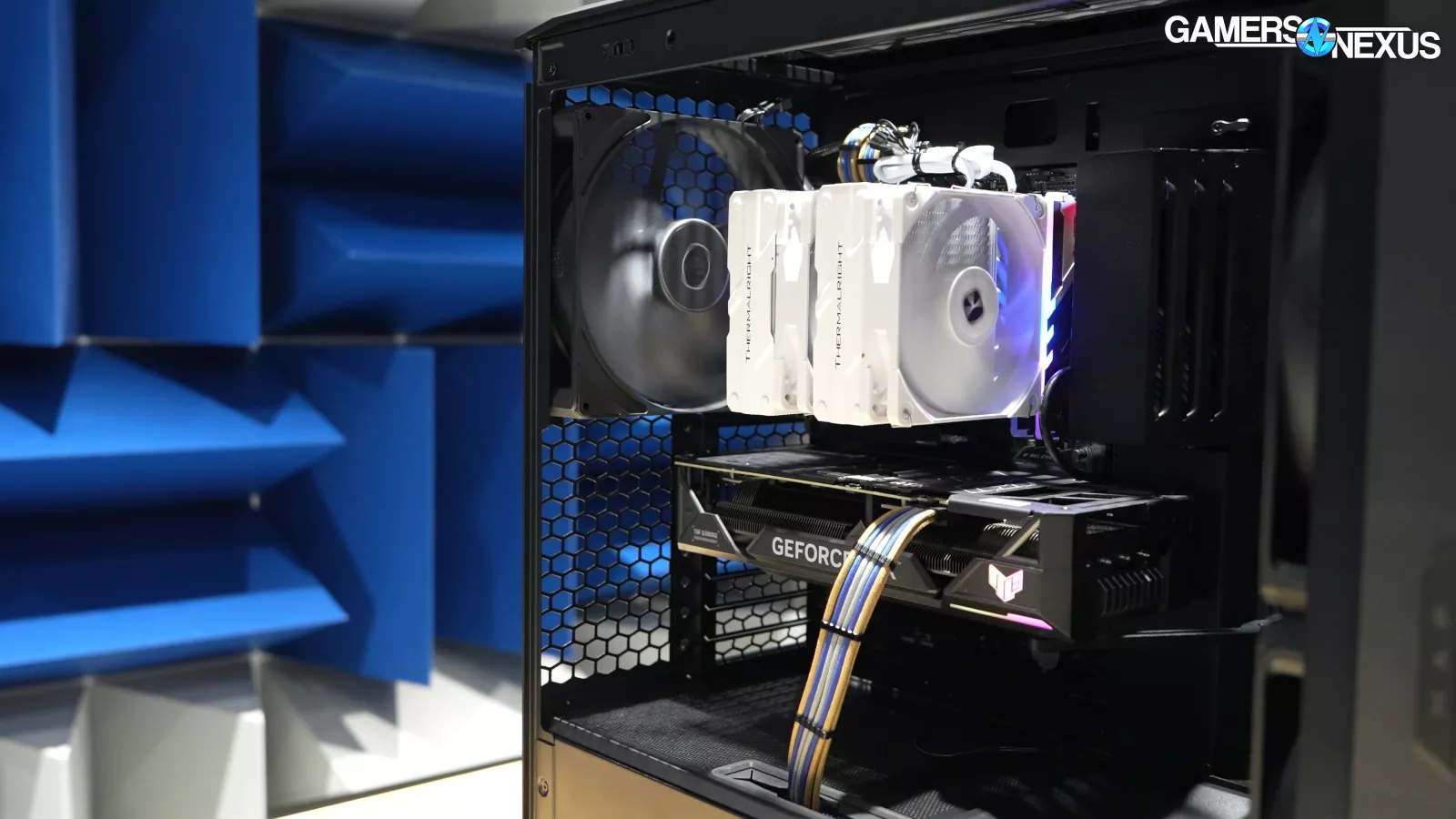
This case is pretty interesting. On the build quality standpoint, it's made of fairly sturdy materials. It's a big boxy case. It's wide, but it's not dual-chamber wide. It's wide because it has a 180 mm fan in the back. The case is set up as positive pressure. That means that the pressure from air going into the case exceeds the pressure from force of air going out of the case.
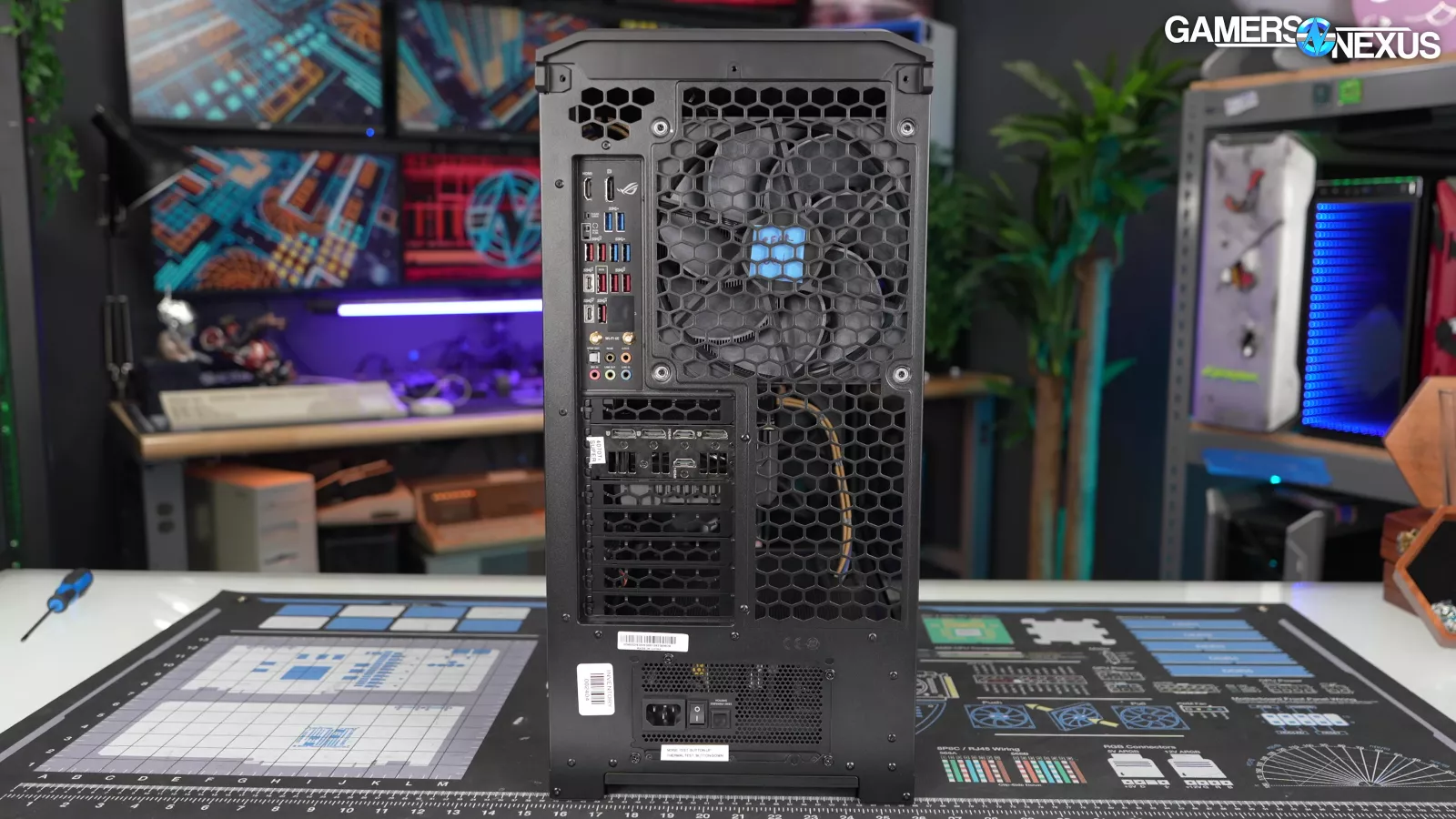
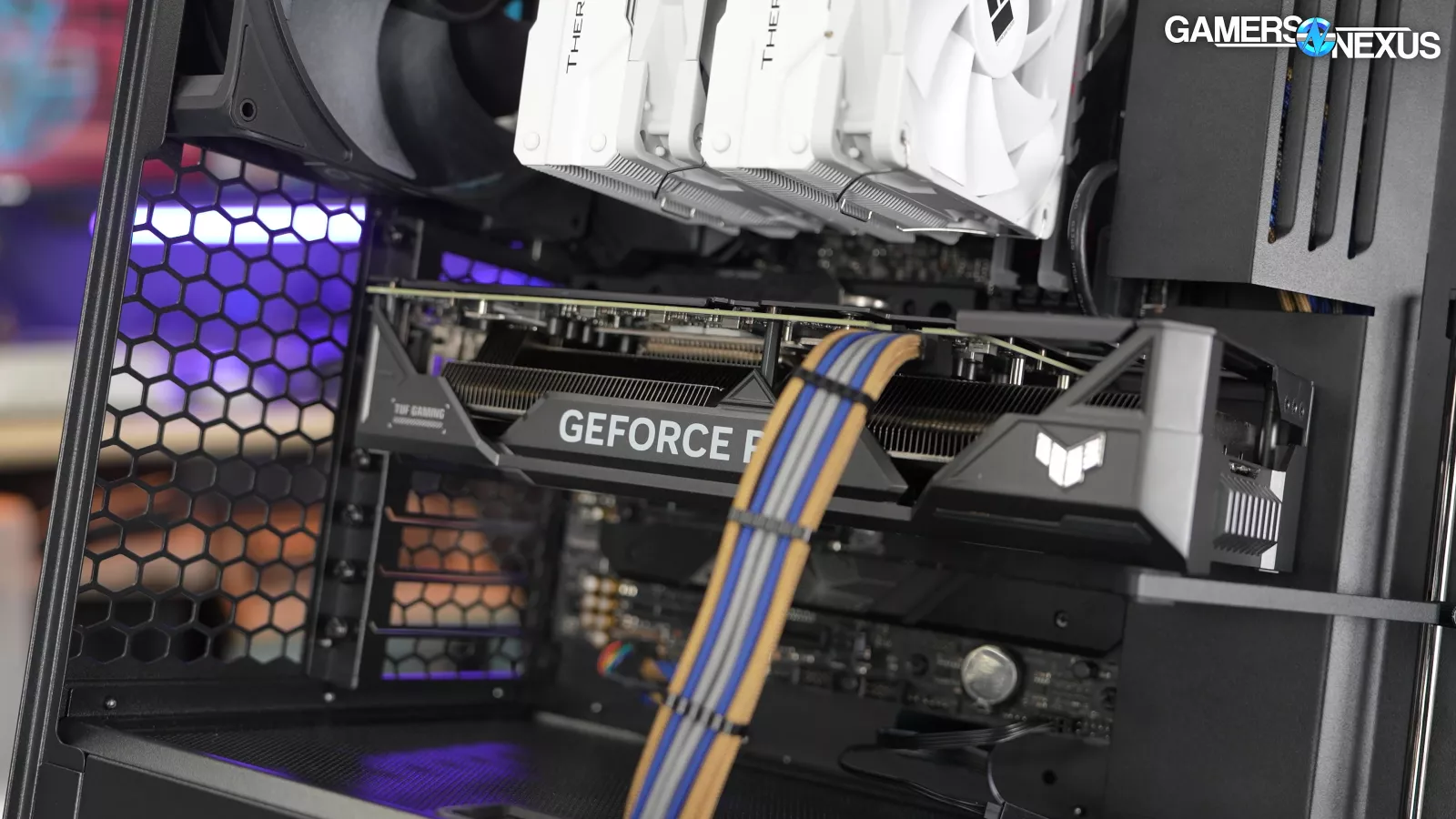
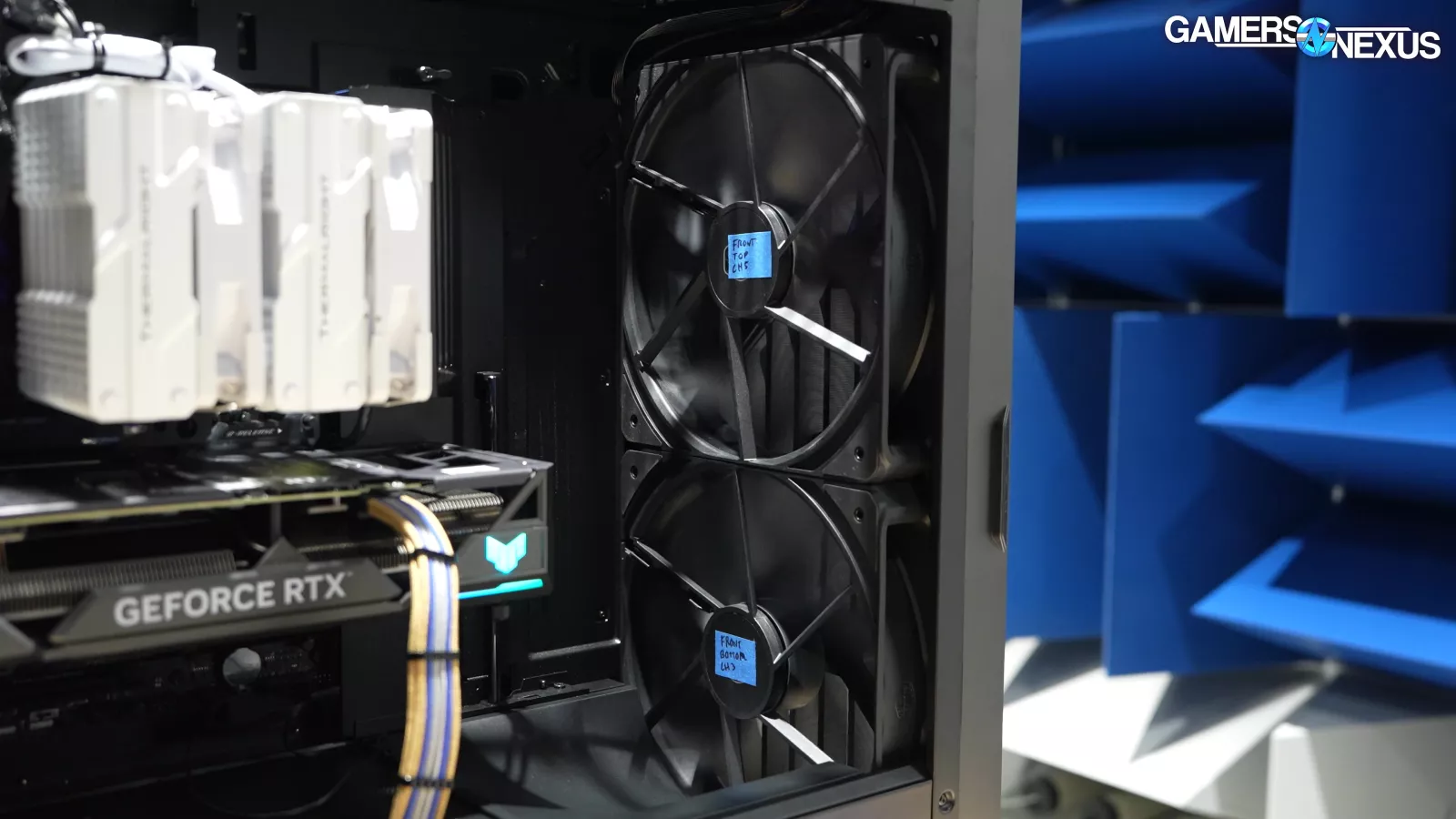
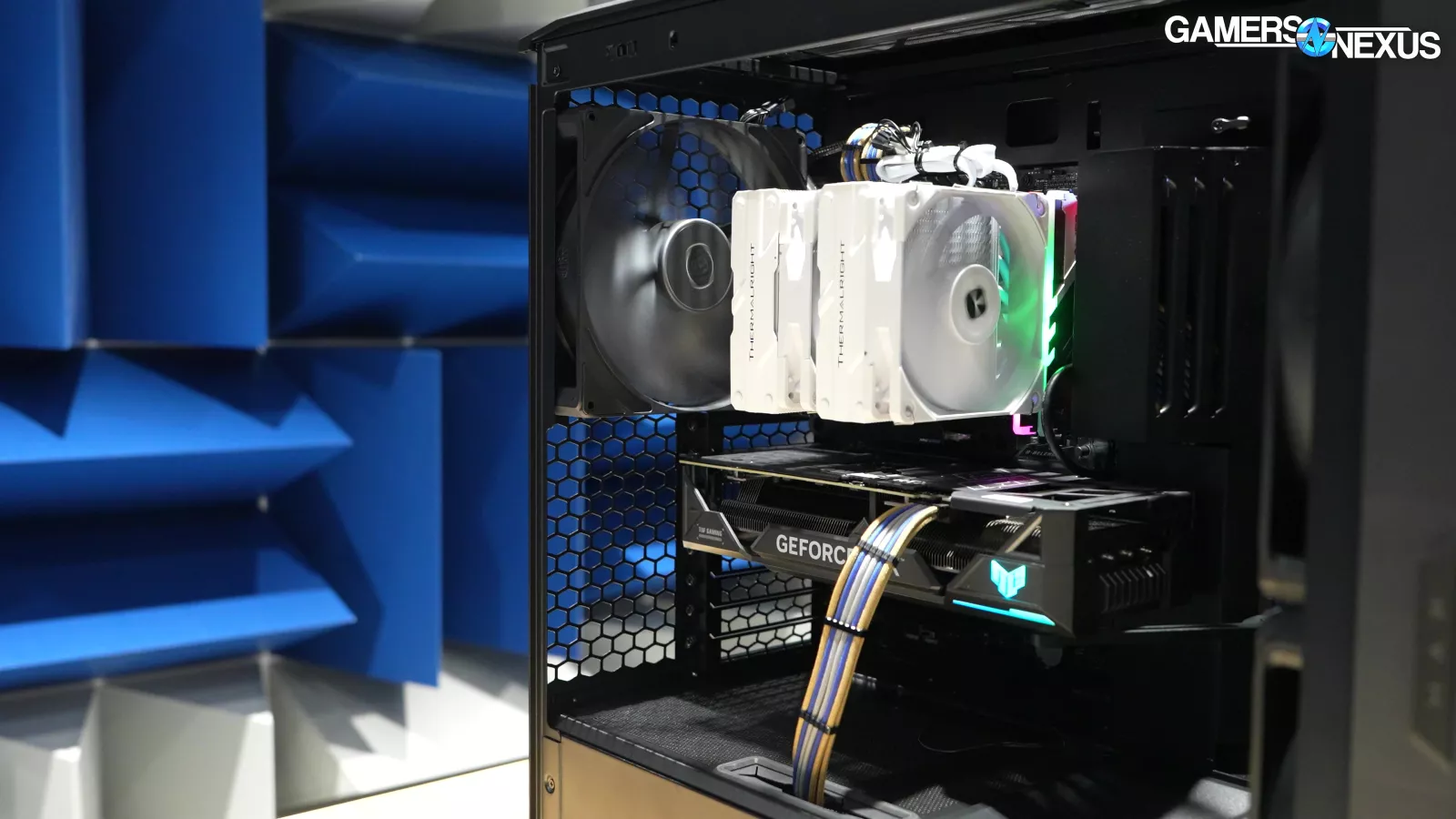
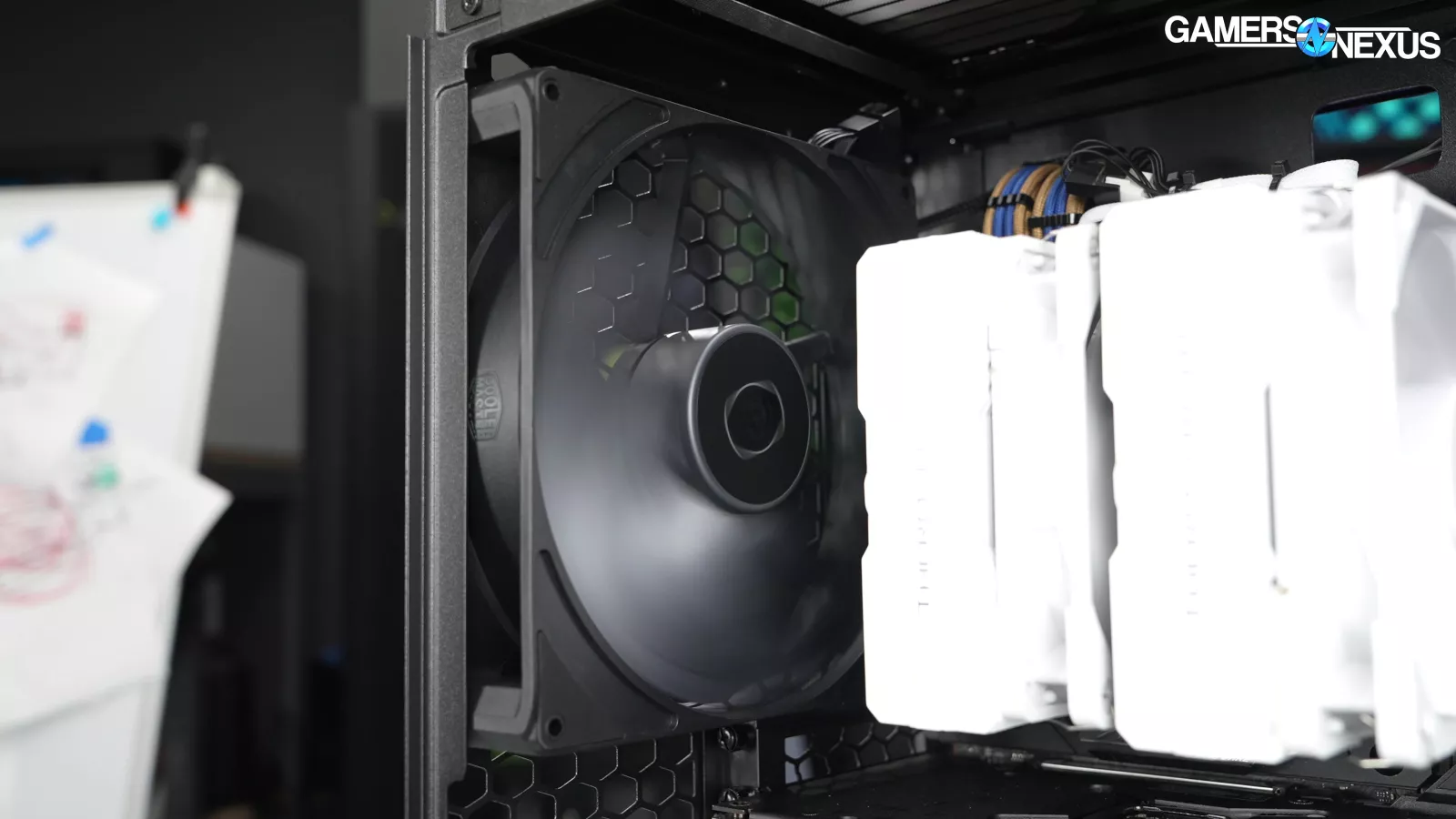
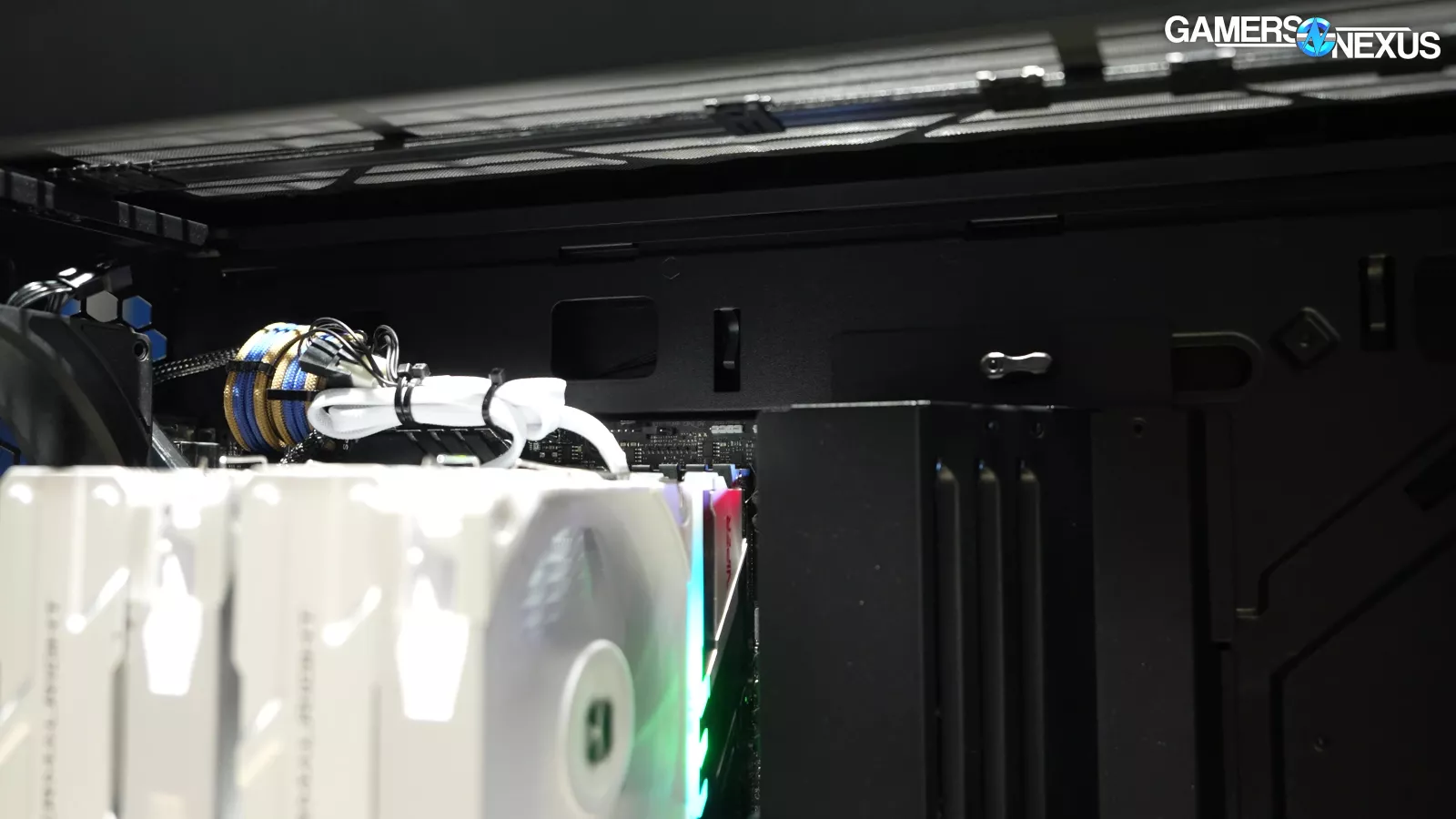
The gigantic holes Cooler Master has punched into the back of the case near the GPU will end up mostly as exhaust. So you got a really clean front-to-back air flow path. The giant fan in the back helps to ensure that the air coming in from the top front fan is mostly going straight through the tower cooler rather than exiting before it ever hits it. That's a problem you see sometimes with cases that have an open top, which this also has. In this chassis, its large rear fan helps the air in a cone towards the back.
Cooler Master HAF II 500 Specs
| Product Name | HAF II 500 |
| Dimension (L x W x H) | Incl. Protrusions: 557 x 262 x 548 mmVolume (Incl. Protrusions): 79.98 L |
| Motherboard Support | Mini-ITX, Mini-DTX, Micro-ATX, ATX, CEB (ATX-Compatible STandoff Pattern), E-ATX (ATX-Compatible Standoff Pattern; Up to 310 mm Wide) |
| Material | Chassis: SGCC (0.7-0.8 mm Thickness)Panel: ABSSide Panel: Tempered Glass (Left Panel); SGCC (Right Panel) |
| Cable Routing Clearance | 15 - 40 mm |
| CPU Cooler Clearance | 221 mm (Intel); 220 mm (AMD) |
| Power Supply Clearance | 150 mm (North-South Drive Orientation); 210mm (East-West Drive Orientation) |
| Graphics Card Clearance | Length: 420 mm (With Mighty40 F220 Fans Installed)Thickness: 72 mm / Card When Installing 2 Graphics Cards; 40 mm / Card When Installing 4 Graphics Cards |
| Dust Filters | Top / Front / Bottom (PSU) |
| Expansion Slots | 8 |
| Drive Bay Support 3.5" / 2.5" | 3 / 6 (PSU Length <= 150mm); 2 / 4 (150 mm < PSU Length <= 210 mm) |
| Preinstalled Drive Bay 3.5" 2.5" | 3 / 6 |
| Fans Support | Top: 3 x 120 / 140 mm, or 2 x 160 / 180 mmFront: Default: 2 x 220 mm; With MasterRails: 3 x 120 / 140 mm, or 2 x 160 / 180 mmRear: 1 x 180 mm |
| Pre-installed Fans | Front: 2 x Mighty40 F220Rear: 1 x Mighty40 V180 |
| Fan Hub | Ports: 6 x PWM; 6 x ARGBTotal Power Capacity: 54W |
| Radiator Support | Top: 240 / 280 / 360-120 / 360-180 mm (Conditional Support*)Front: With MasterRails: 240 / 280 / 360-120 / 360-180 mm (Conditional Support**)Rear: 180 mm |
| I/O Panel | Power LED: 1USB Ports: 1 x USB 3.2 Gen 2x2 Type-C; 2 x USB 3.2 Gen 1 Type-AAudio in / out: 1 x 3.5mm Headset Jack (Audio + Mic)Reset Switch: 1 |
| Warranty | Case: 2 YearsFan: 5 Years |
| * Maximum combined fan and radiator thickness: 58 mm** Maximum combined fan and radiator thickness: 72 mm. Thermally Prioritized Airflow divider must be removed |
The Build
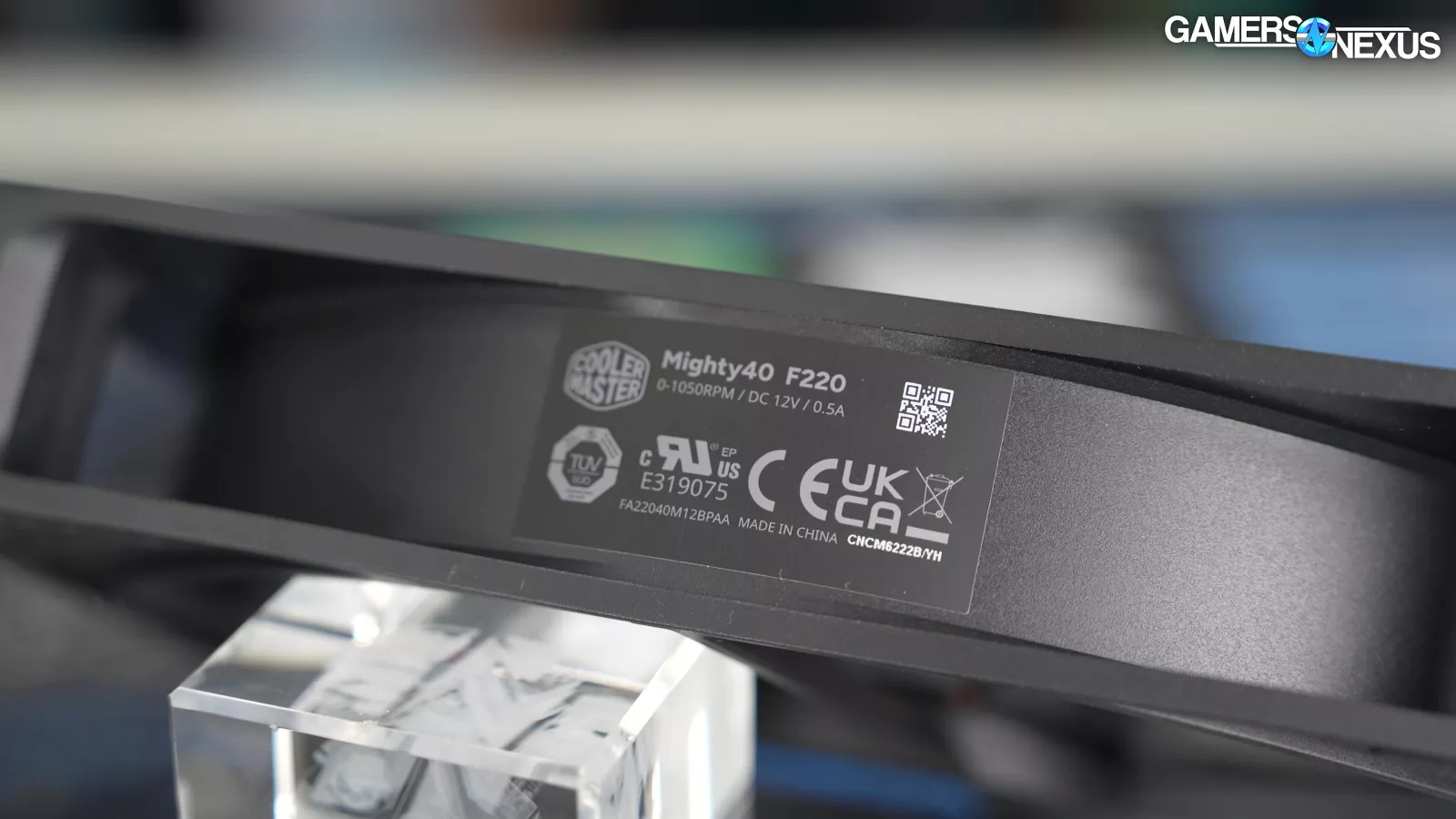
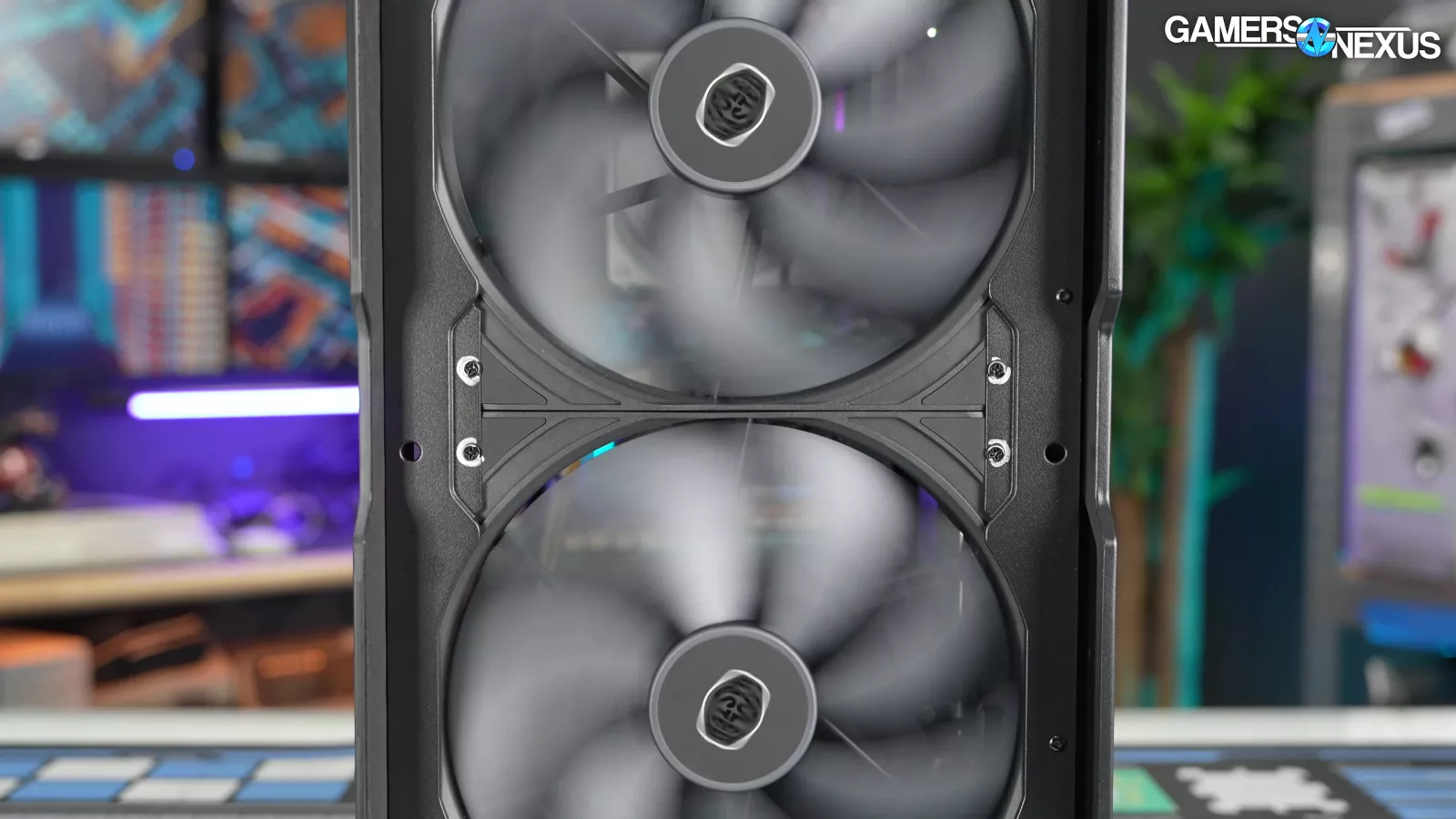
The Mighty 40 fans are ridiculously large. 200mm has generally been the cap for case fans outside of novelties like the Aerocool Aeroracer and old Cooler Master cases that went up to 230mm. The large fans out there still usually stick to the usual 25mm case fan thickness, which is limiting for their pressure performance. The major exception in recent years was the Fractal Torrent (watch our review), which includes two 180 x 38mm intake fans (among others) and has stayed at or near the top of our charts since. The HAVN BF 360 is another, which likewise uses 40mm thick, 180mm fans. Oversized fans can benefit noise levels by moving more air at lower RPM through larger holes.
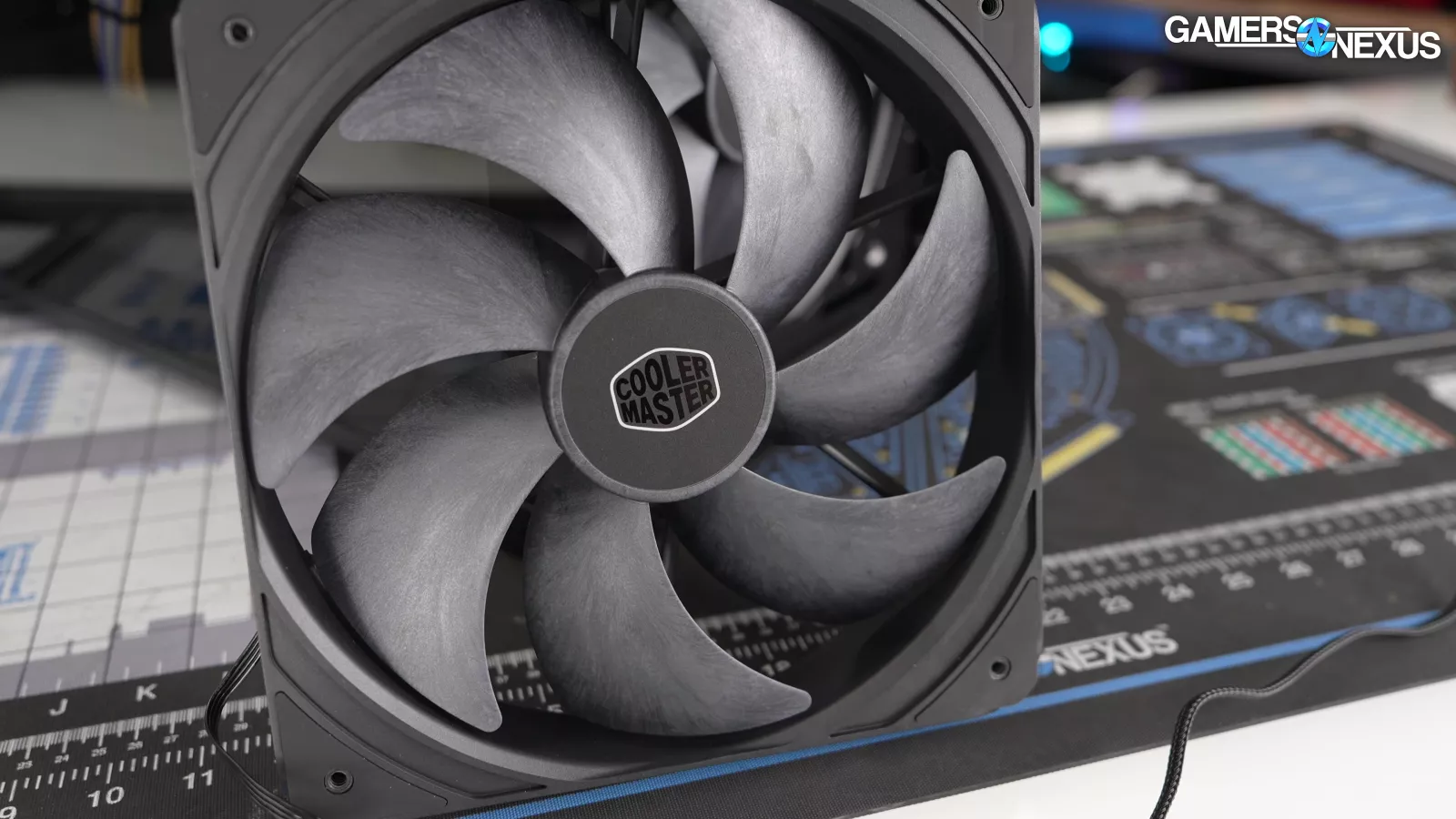
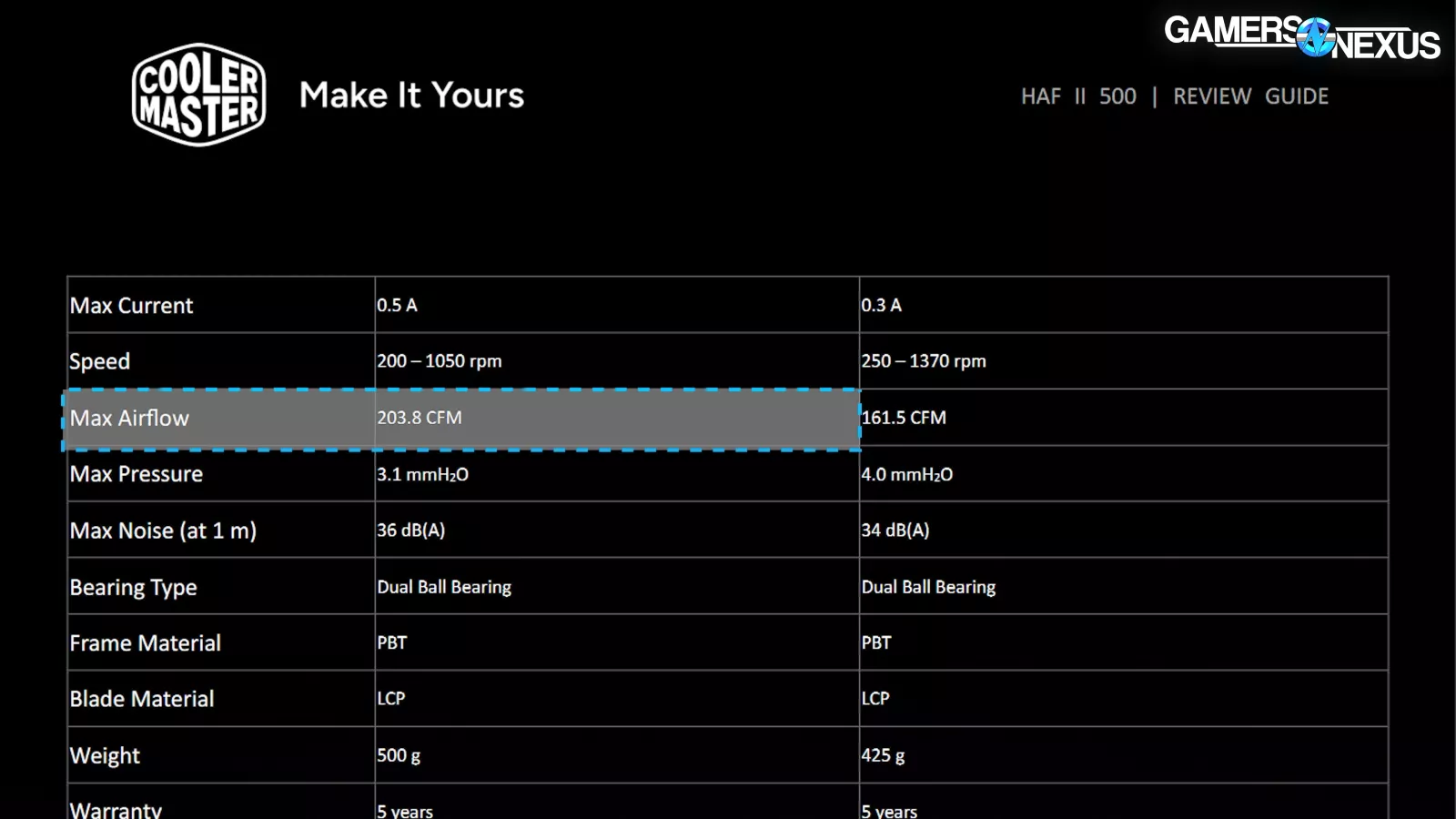
Cooler Master’s new fans are liquid crystal polymer ("LCP") fans, which use a polymer that resists the stretch seen with weaker, cheaper materials, and allows Cooler Master to get its blade tip closer to the frame. That allows them to close the tip-to-frame gap, improving performance, and also reduces the long-since resolved risk of the blades fracturing on larger fans. Cooler Master’s new fans are dual-ball bearing, max speed at 1050RPM, and have a claimed 203.8CFM in open air.
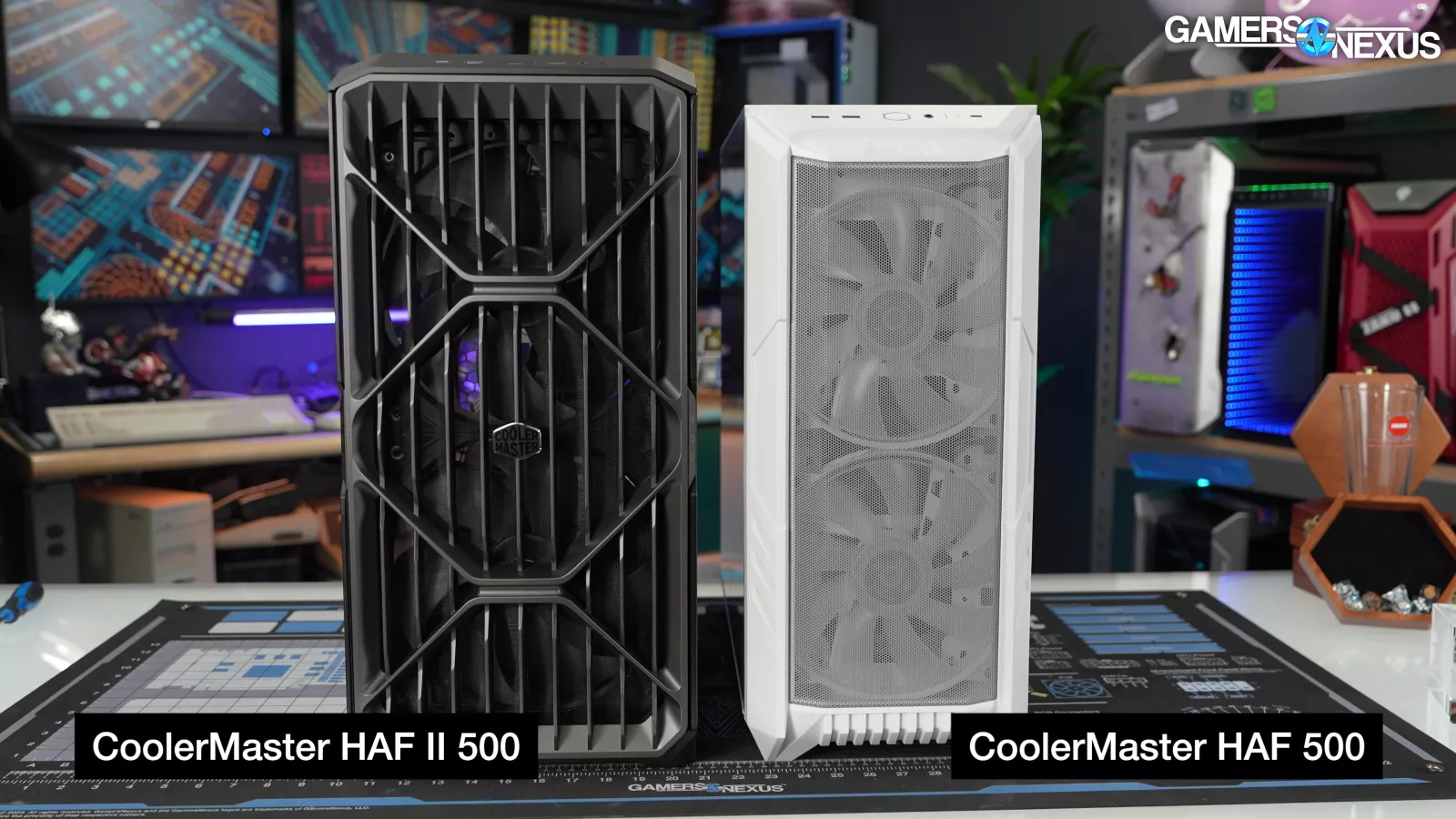
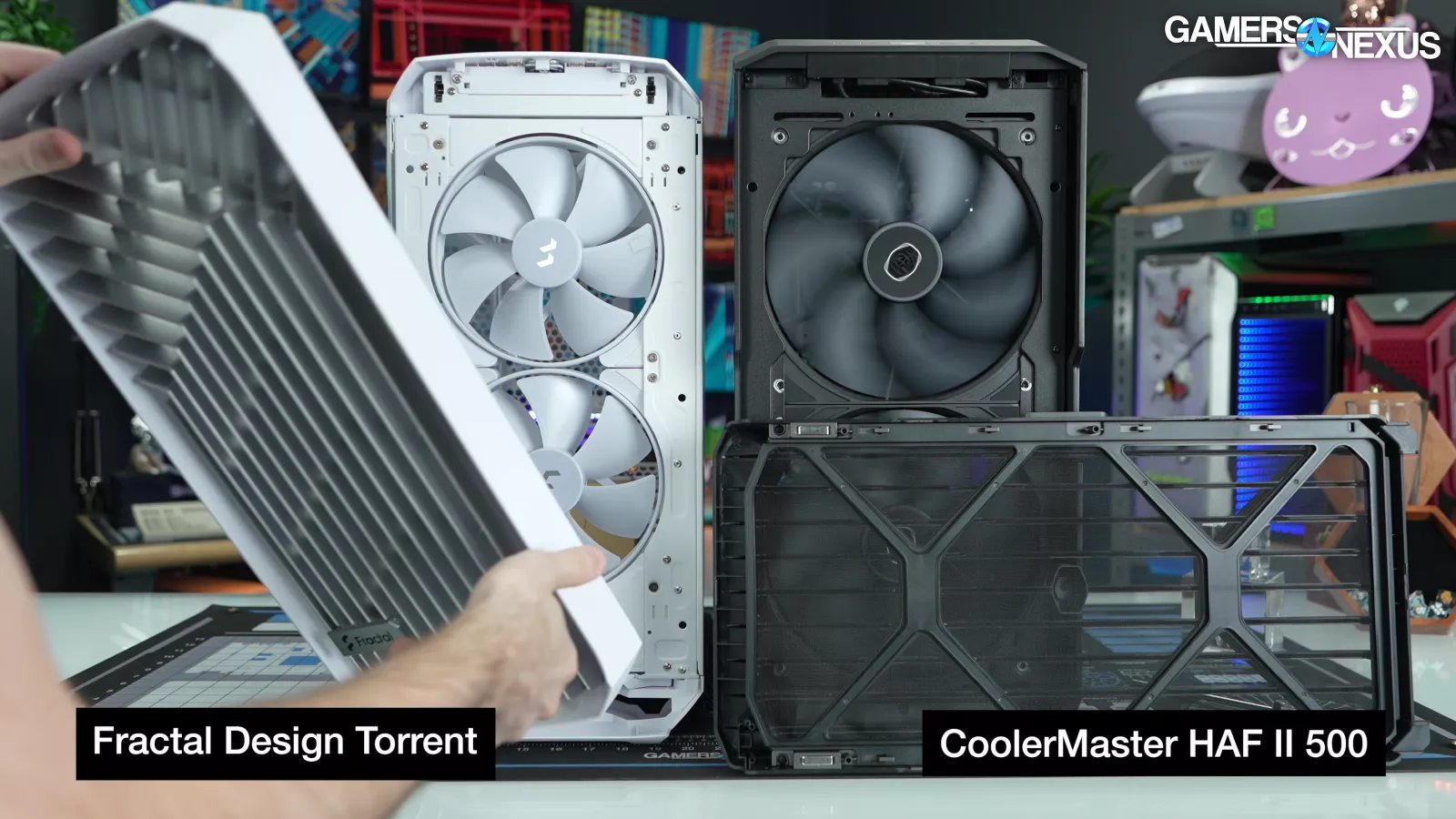
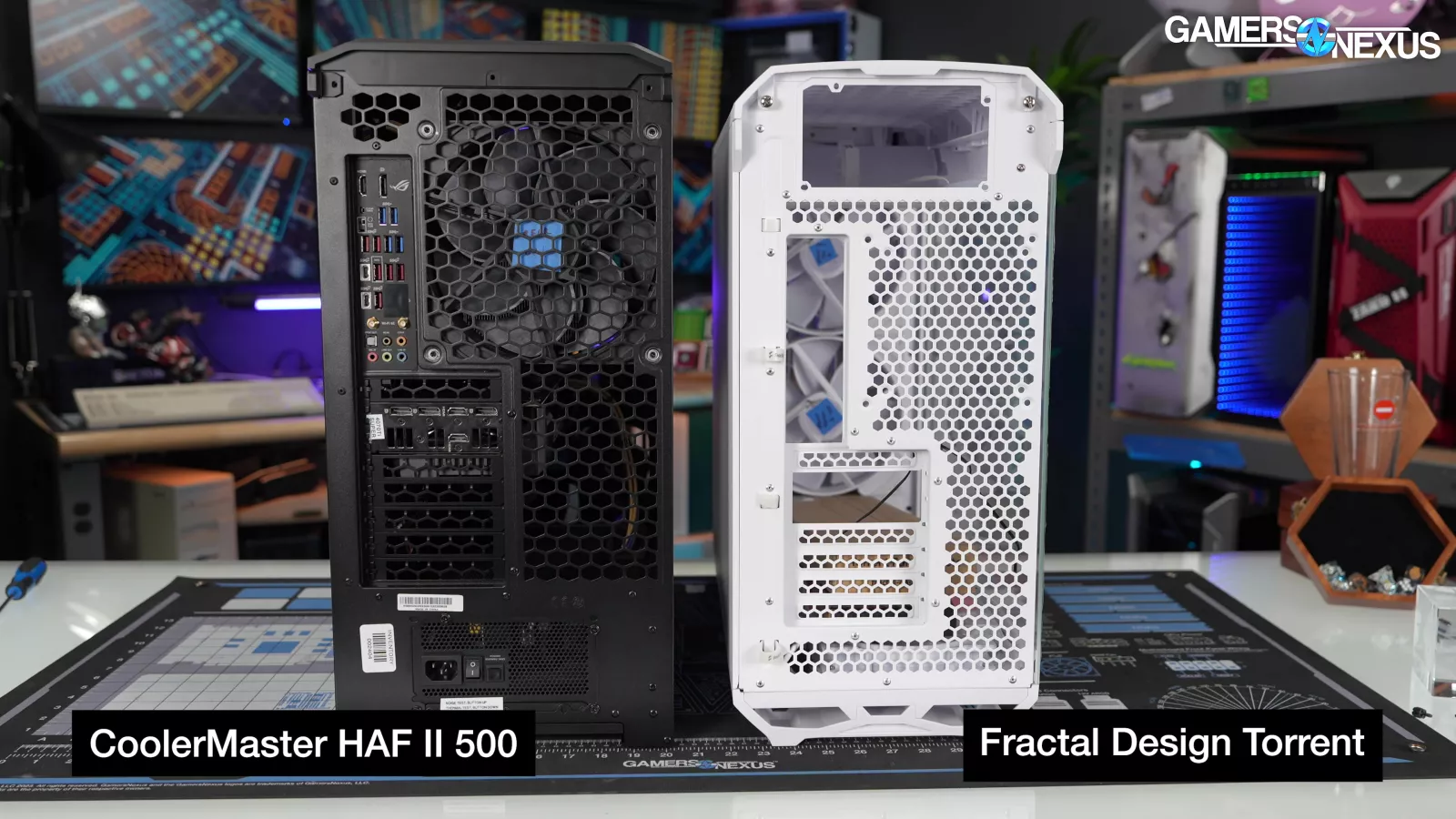
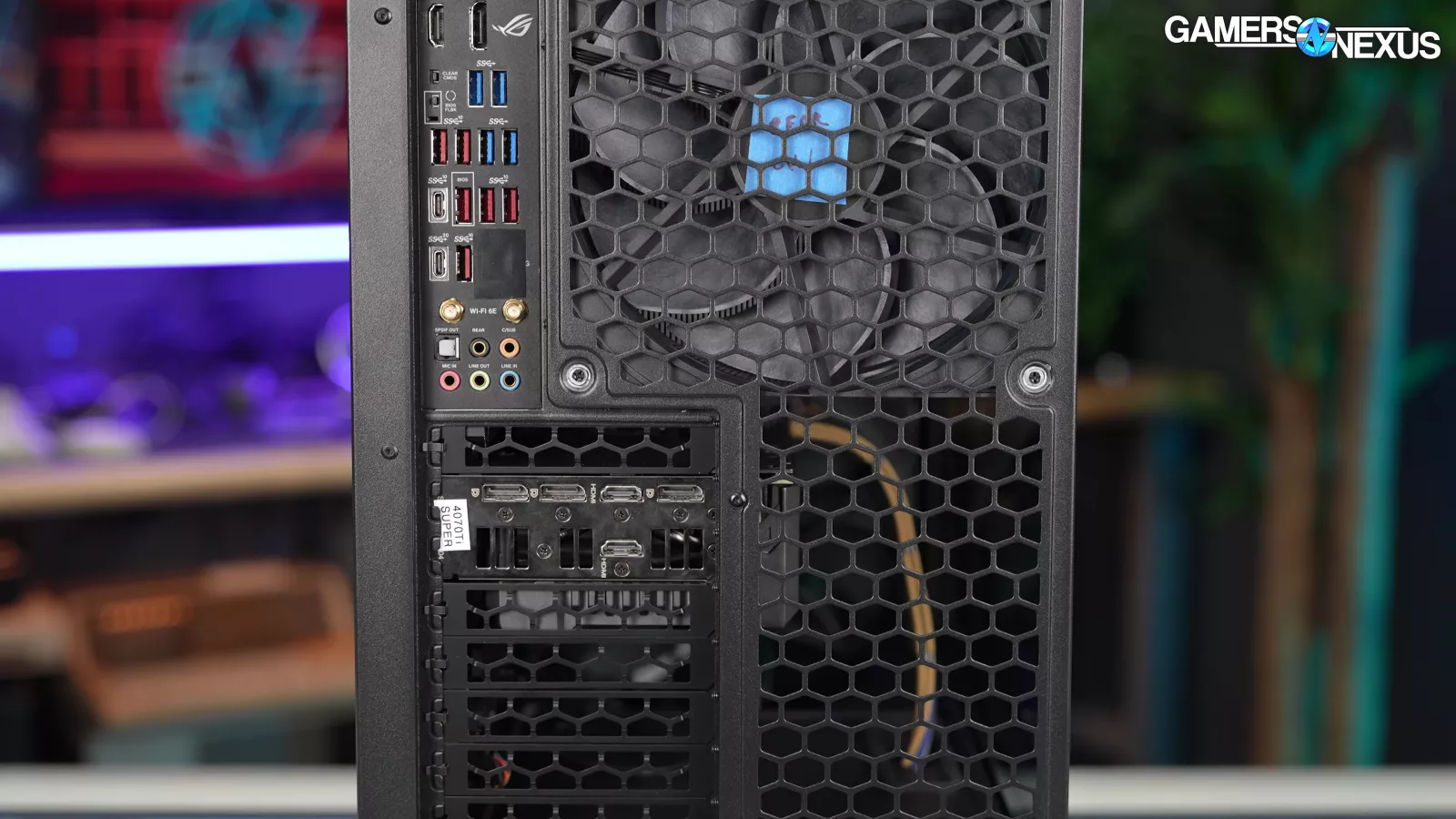
We see some clear Torrent influence, but the HAF II 500 visually fits in with the rest of the post-H500P Cooler Master family. The front filter and air guides clip together in a similar manner to the Torrent and are magnetically attached to the case in the same way. The rear of the cases also look similar, although Cooler Master's open mesh is in the shape of Cooler Master hexagons, including across the expansion slot covers.
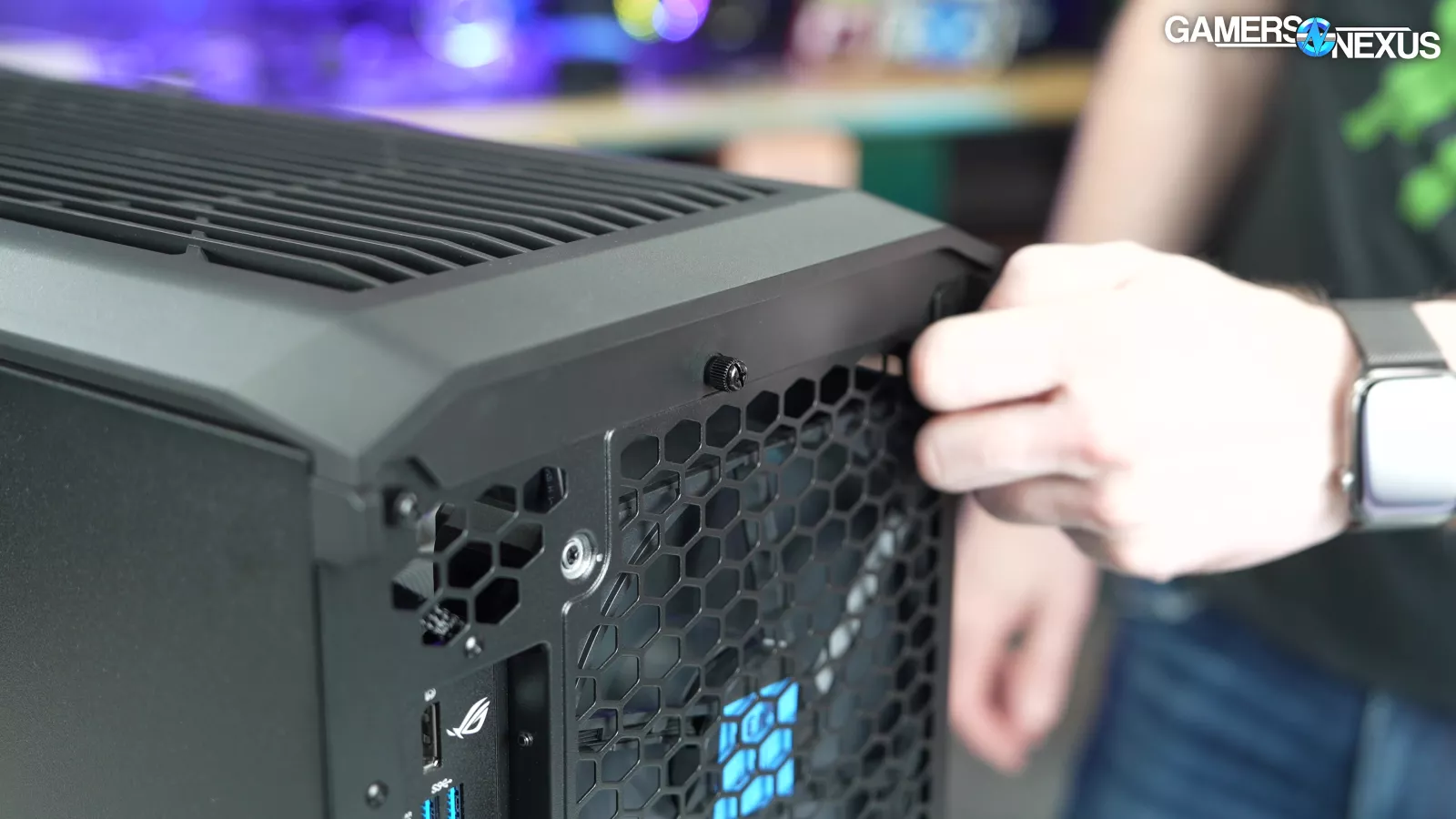
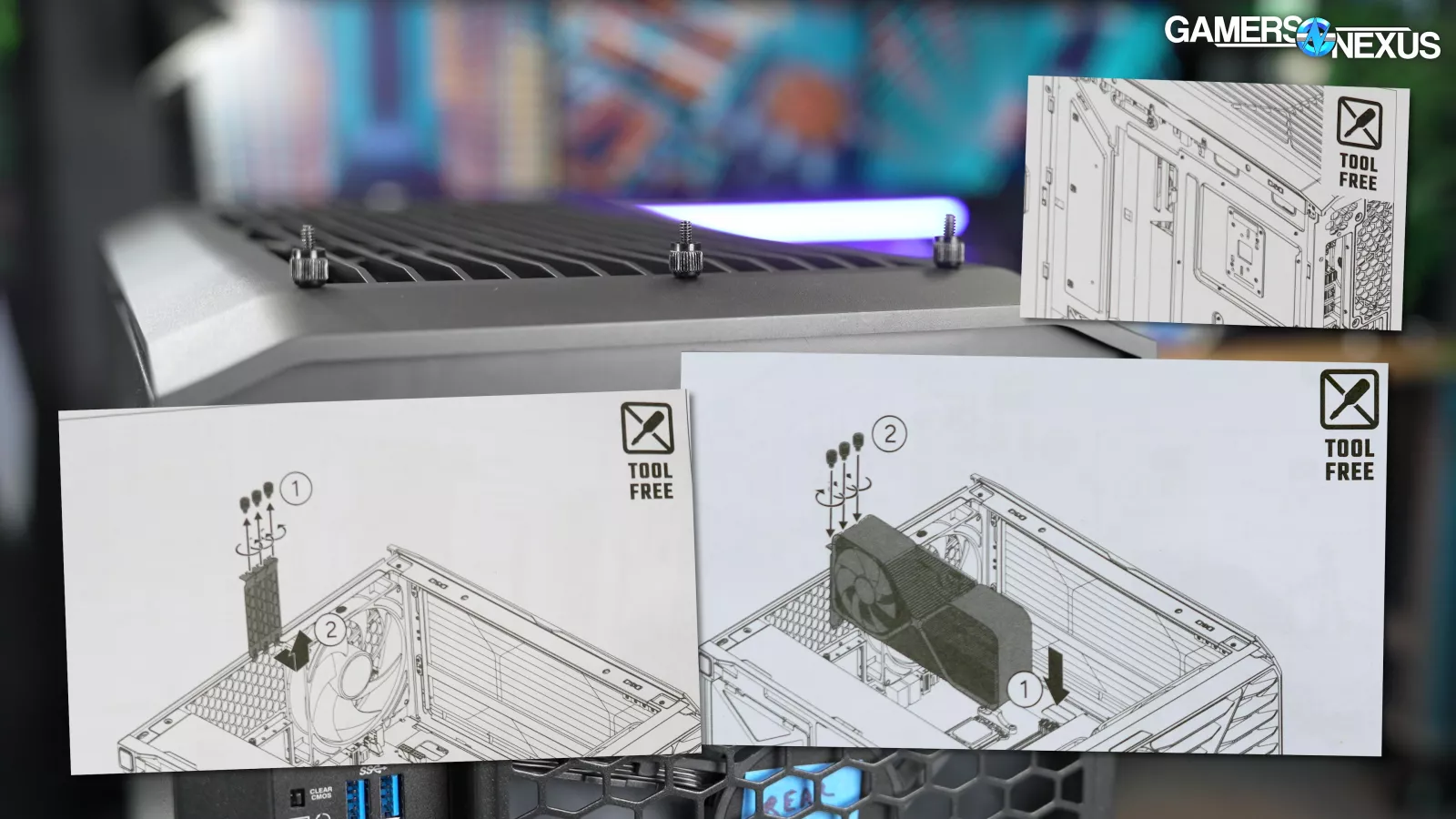
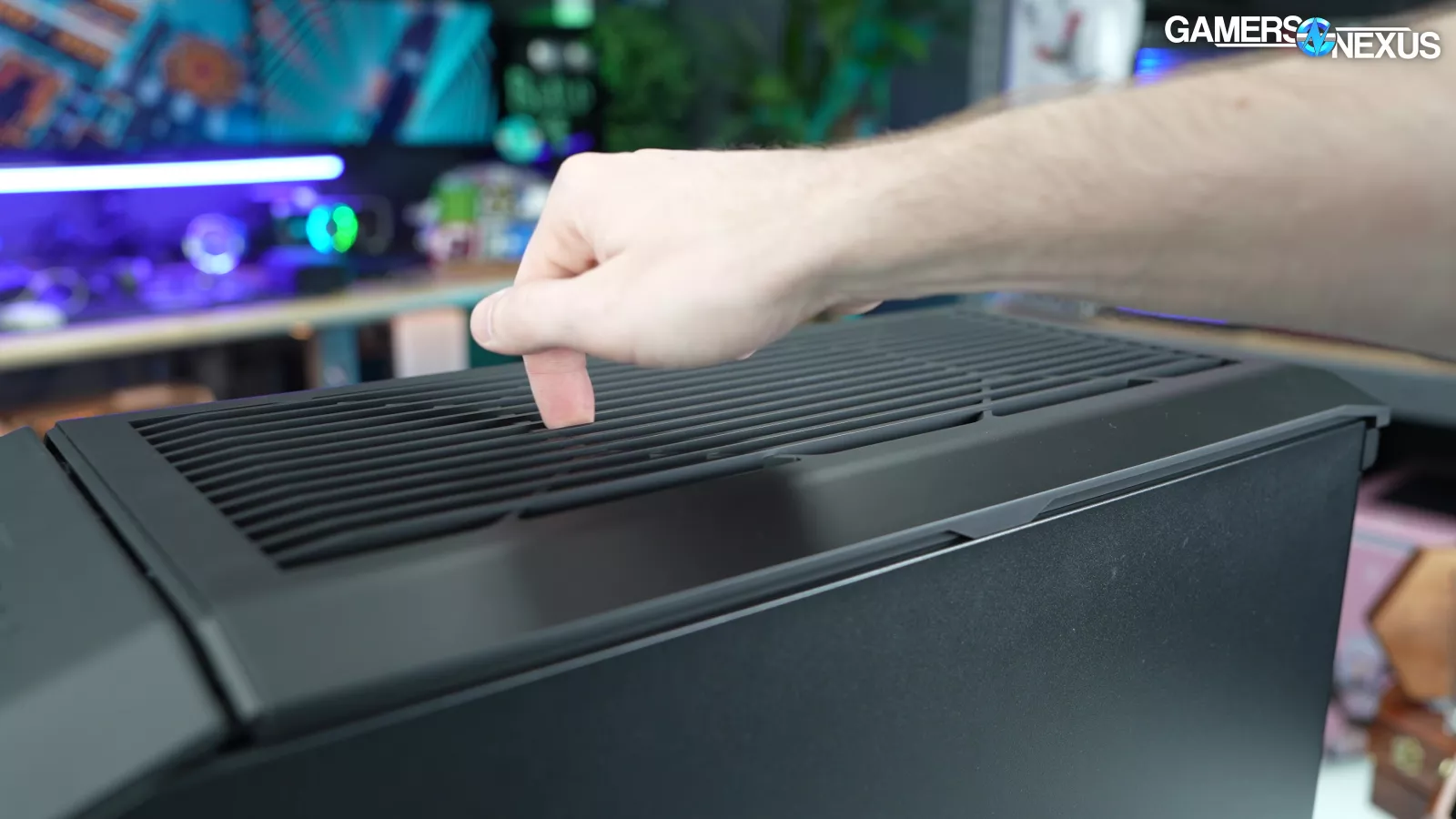
Several pieces of the case, including the top and side panels, are held on with non-captive thumbscrews that Cooler Master has marked to be used for transportation only. Having the screws is good, but Cooler Master is so obsessed with its "TOOL FREE" branding everywhere that it intentionally used non-captive screws. This is mostly a matter of preference, but there are some areas where we disagree about the screws being optional, like the loose top panel.
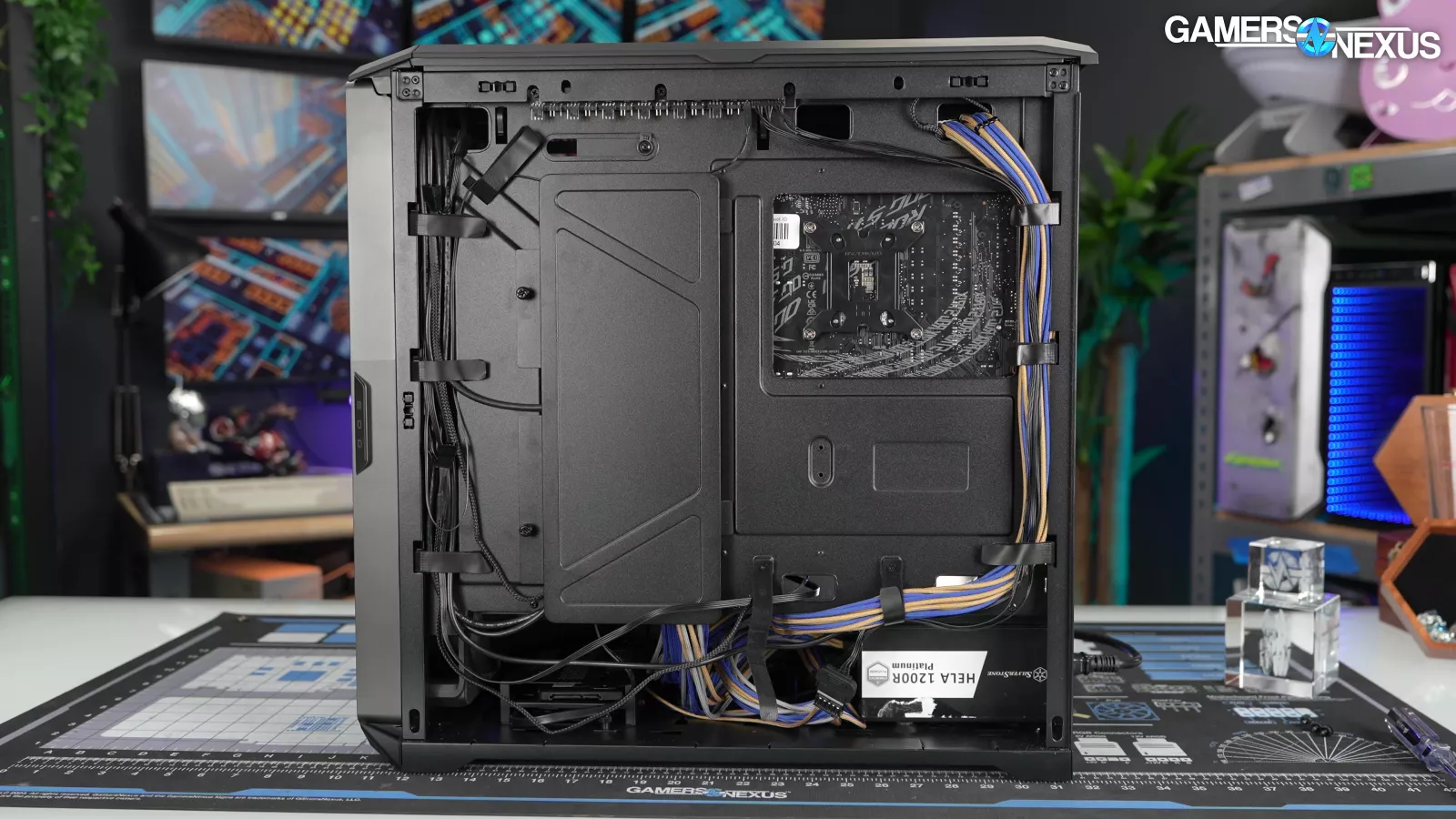
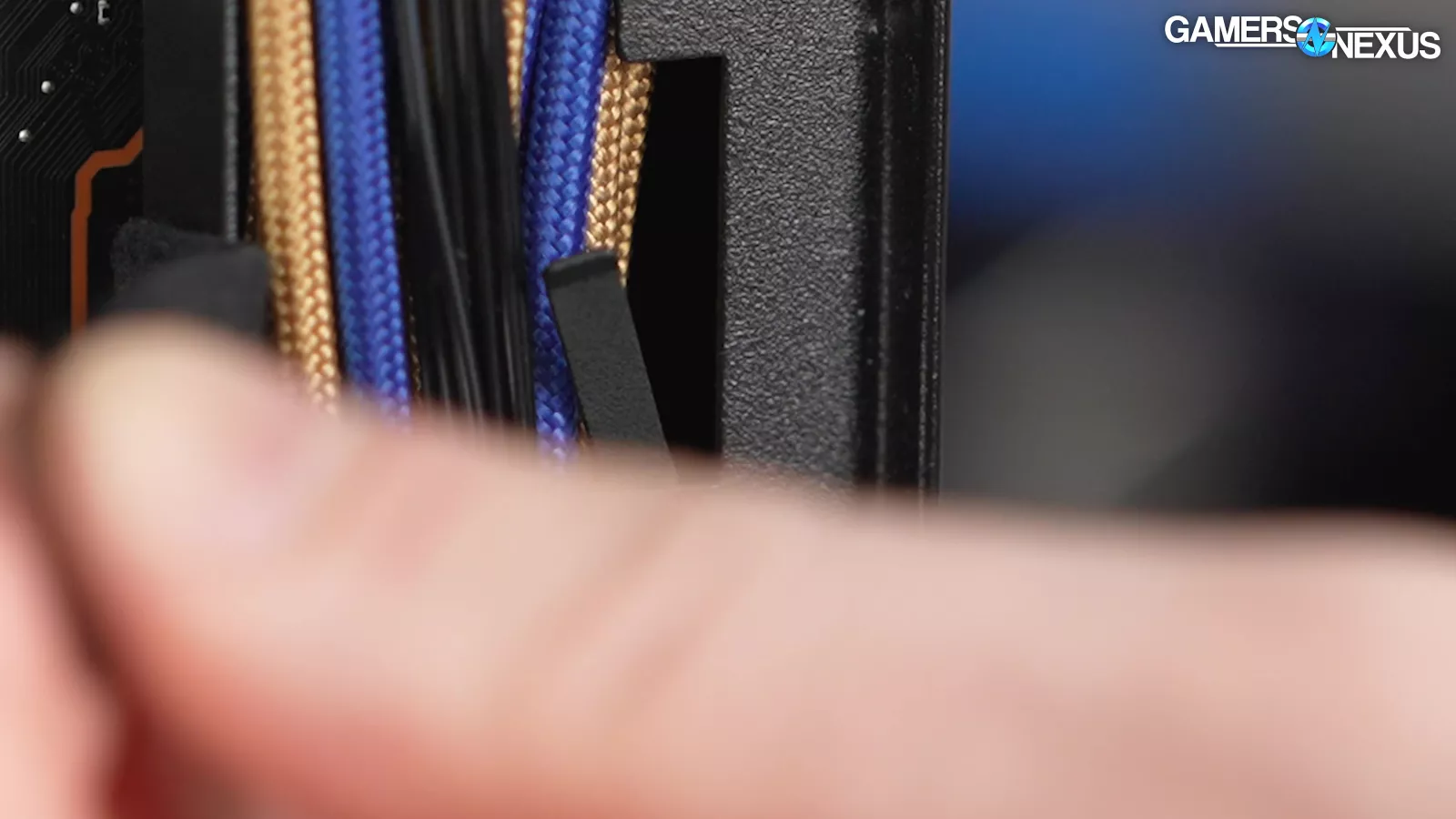
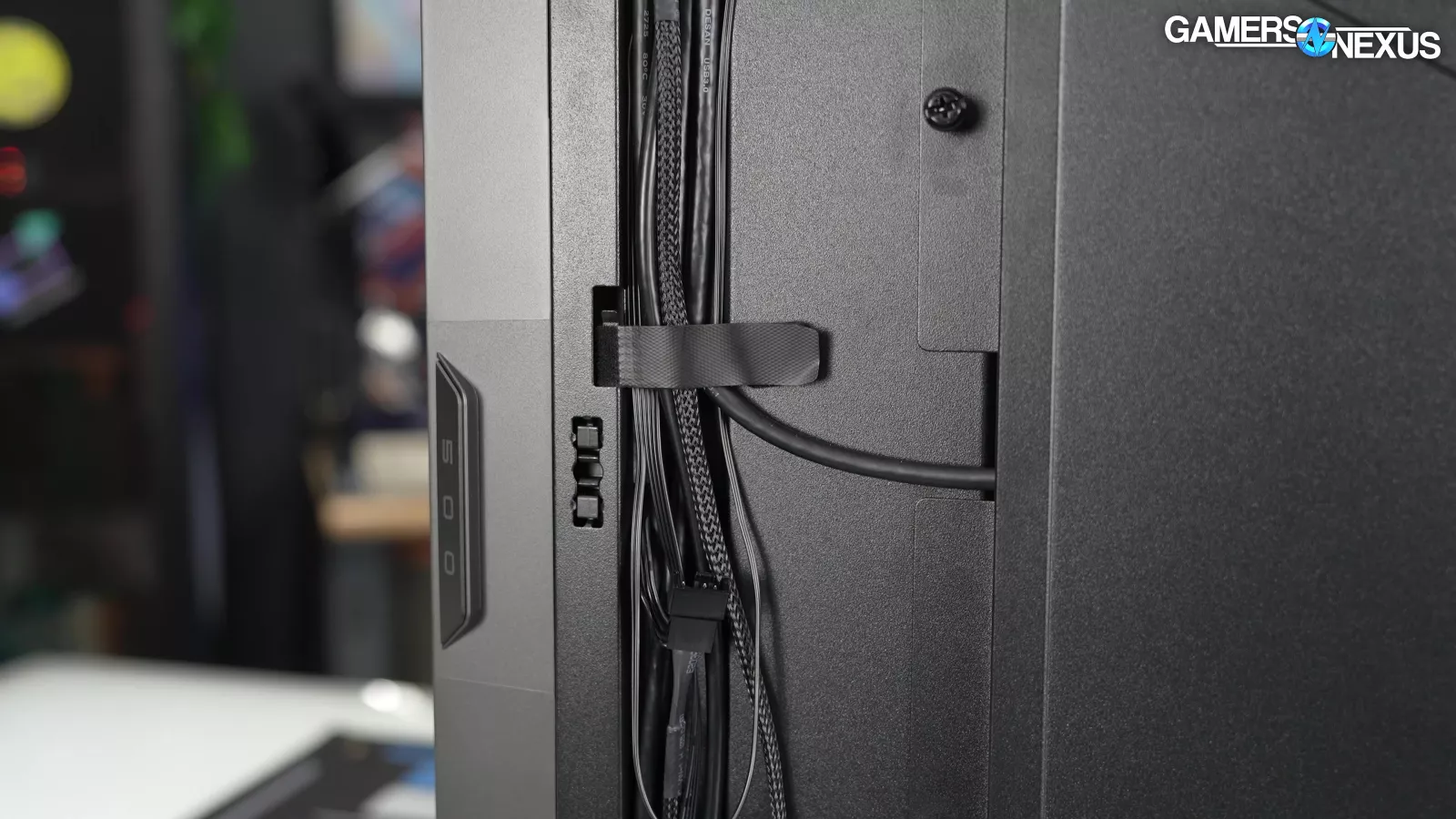
We like the number of straps for cable routing, but the metal hooks that hold each of them onto the chassis are easily bent and don't stand up to being pulled on.
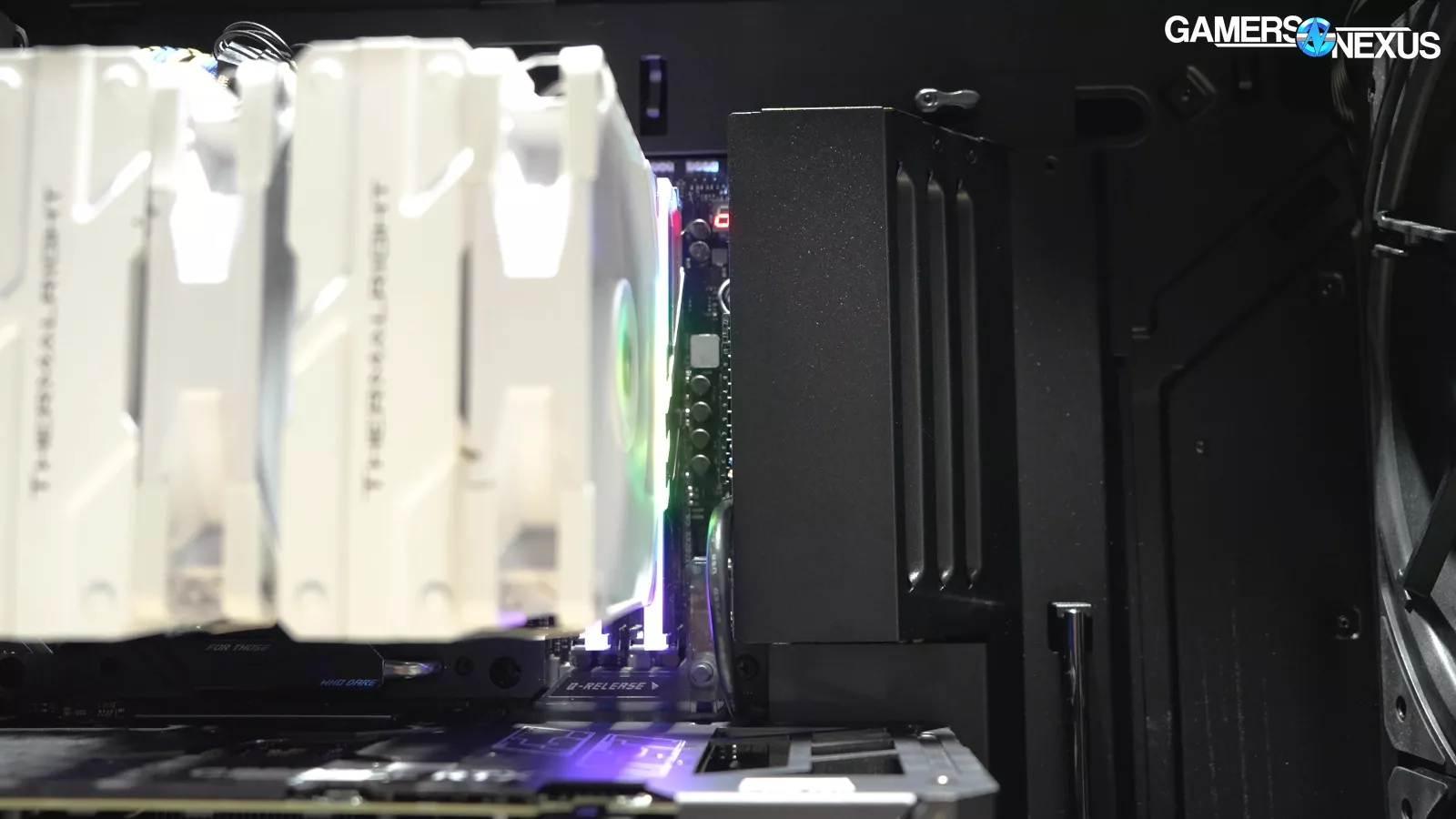
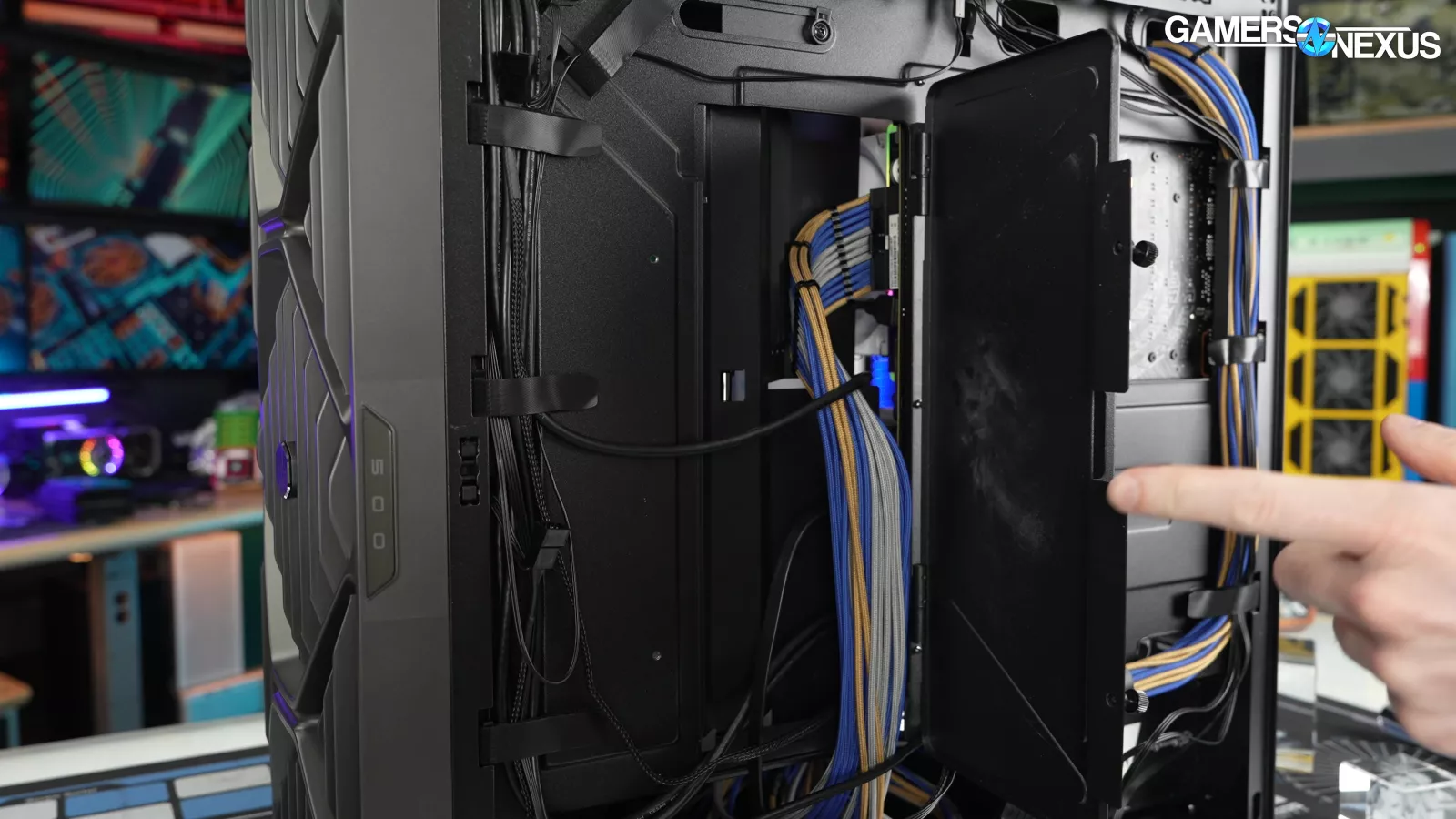
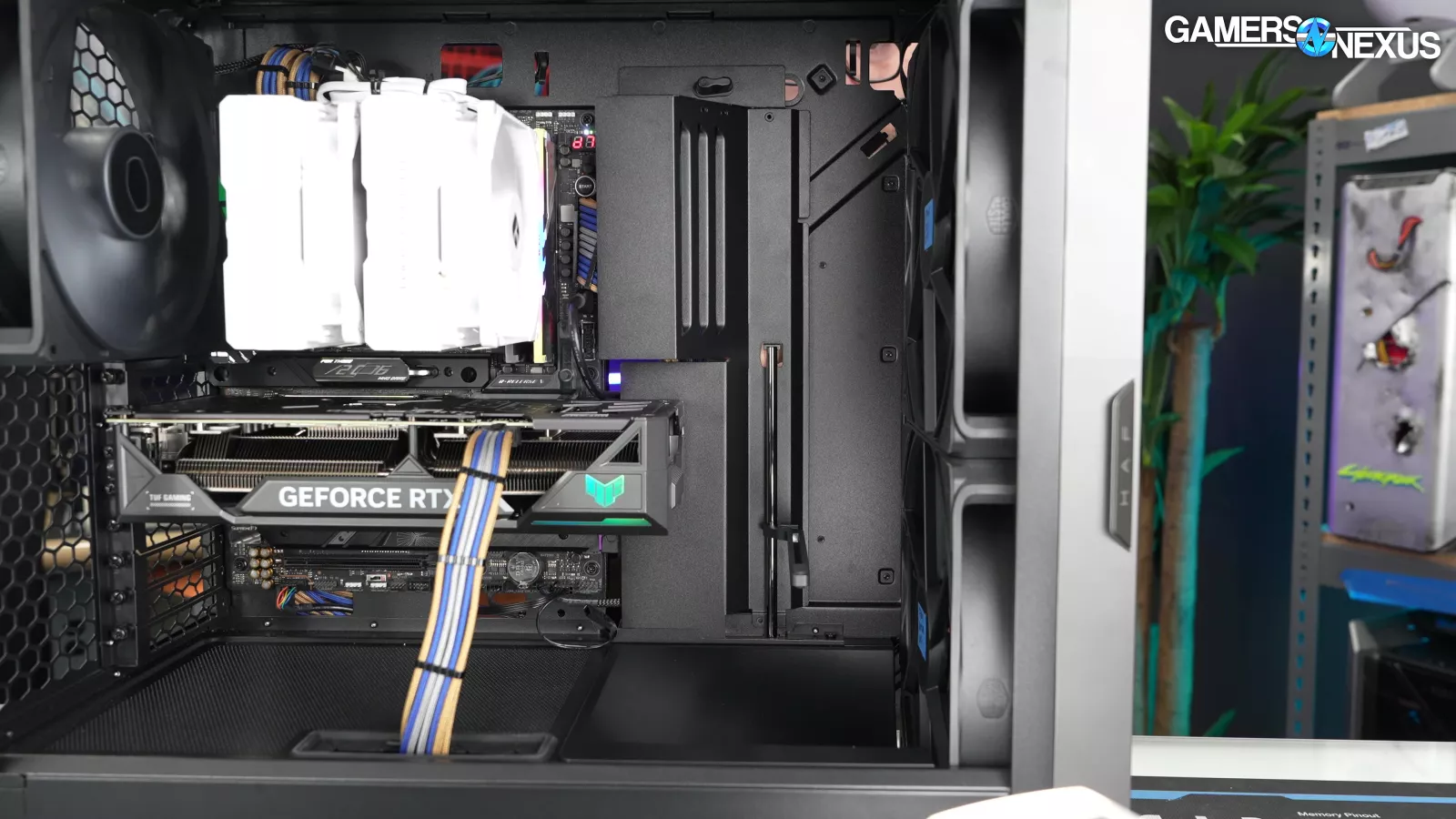
The most crowded area for cables is between the cable bar and the hinged cable cover, both of which are removable. The cable bar leaves room for edge connectors on the motherboard, so on most models it should be possible to push the bar flush against the edge of the motherboard.
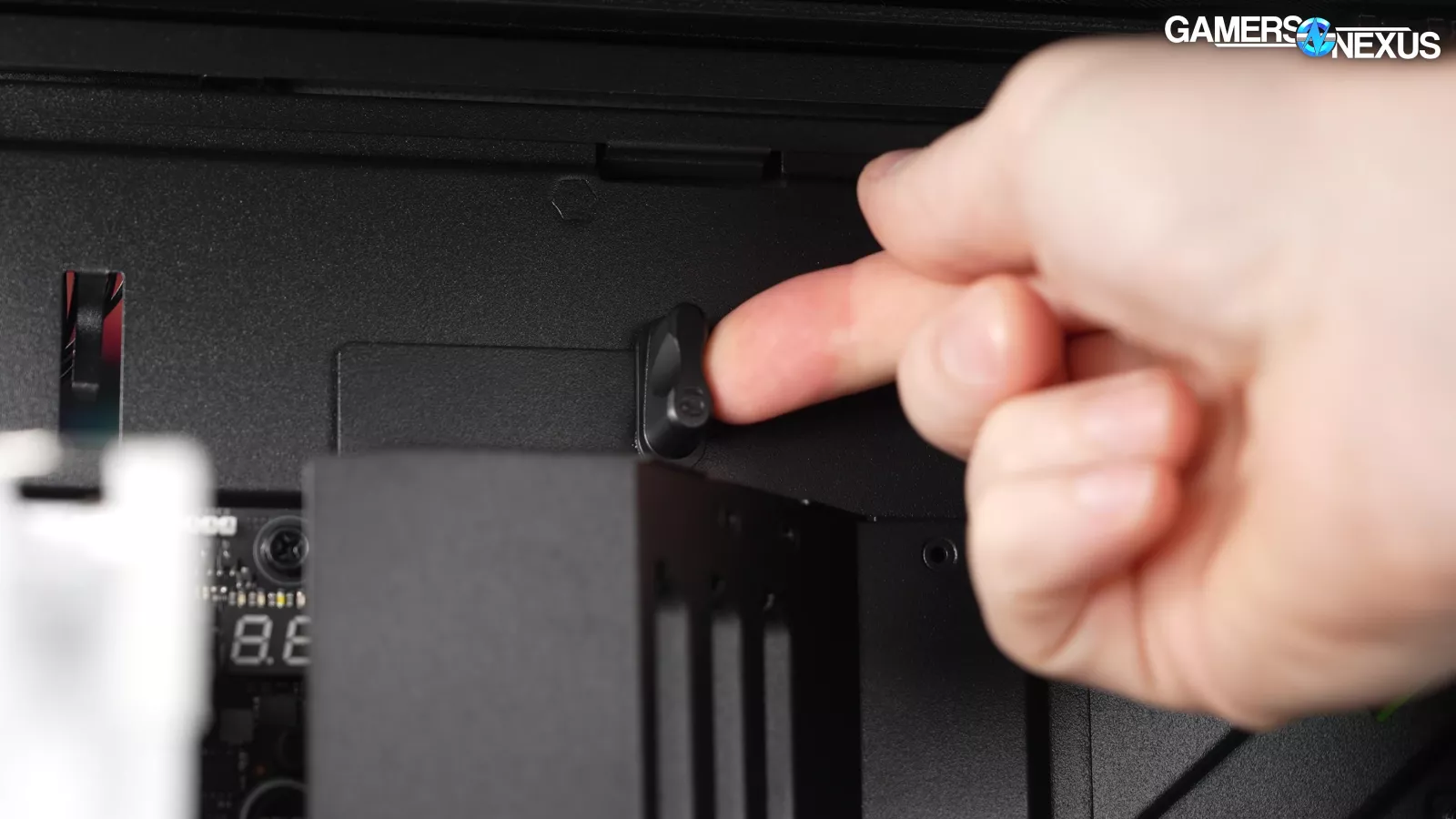
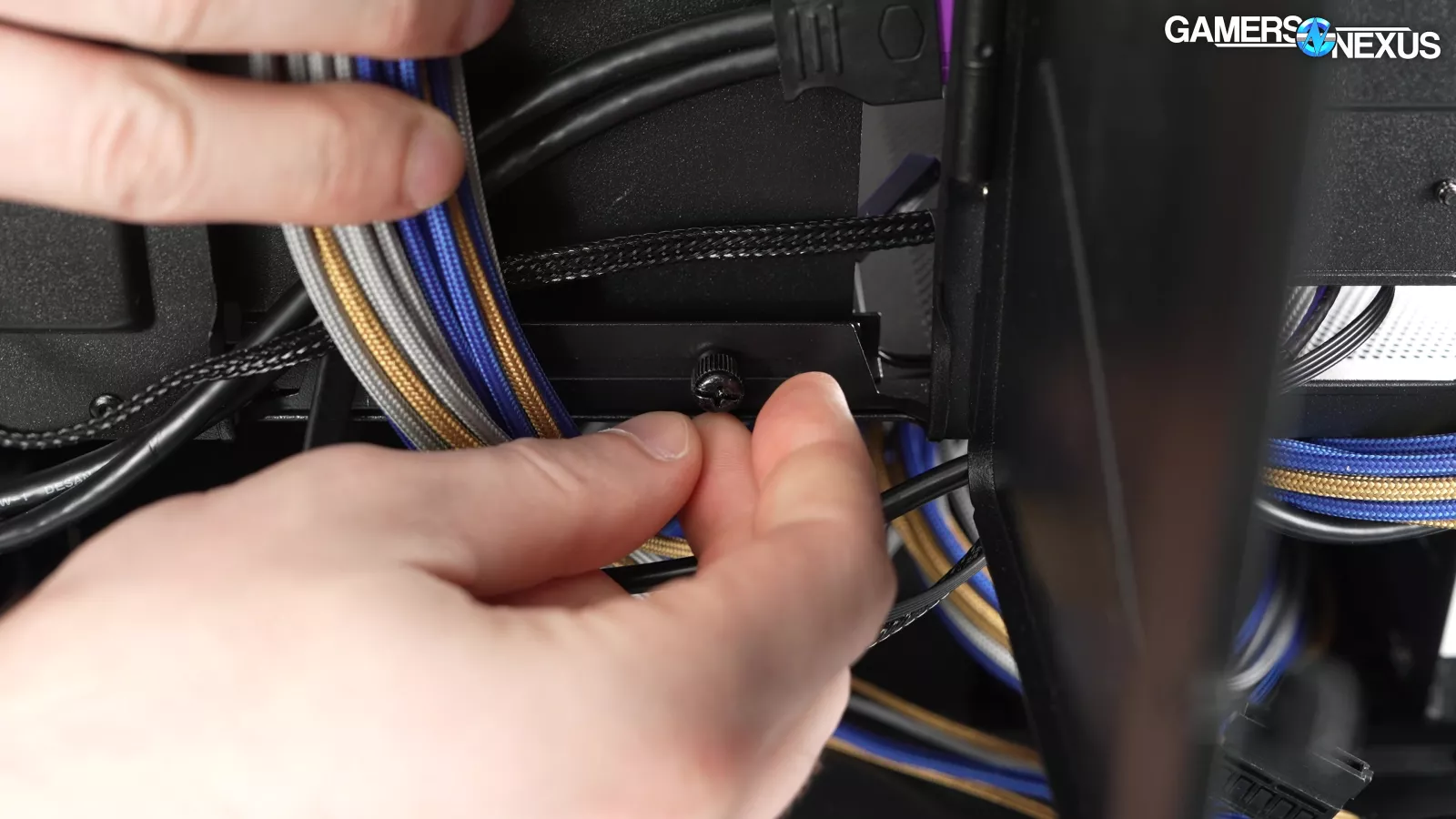
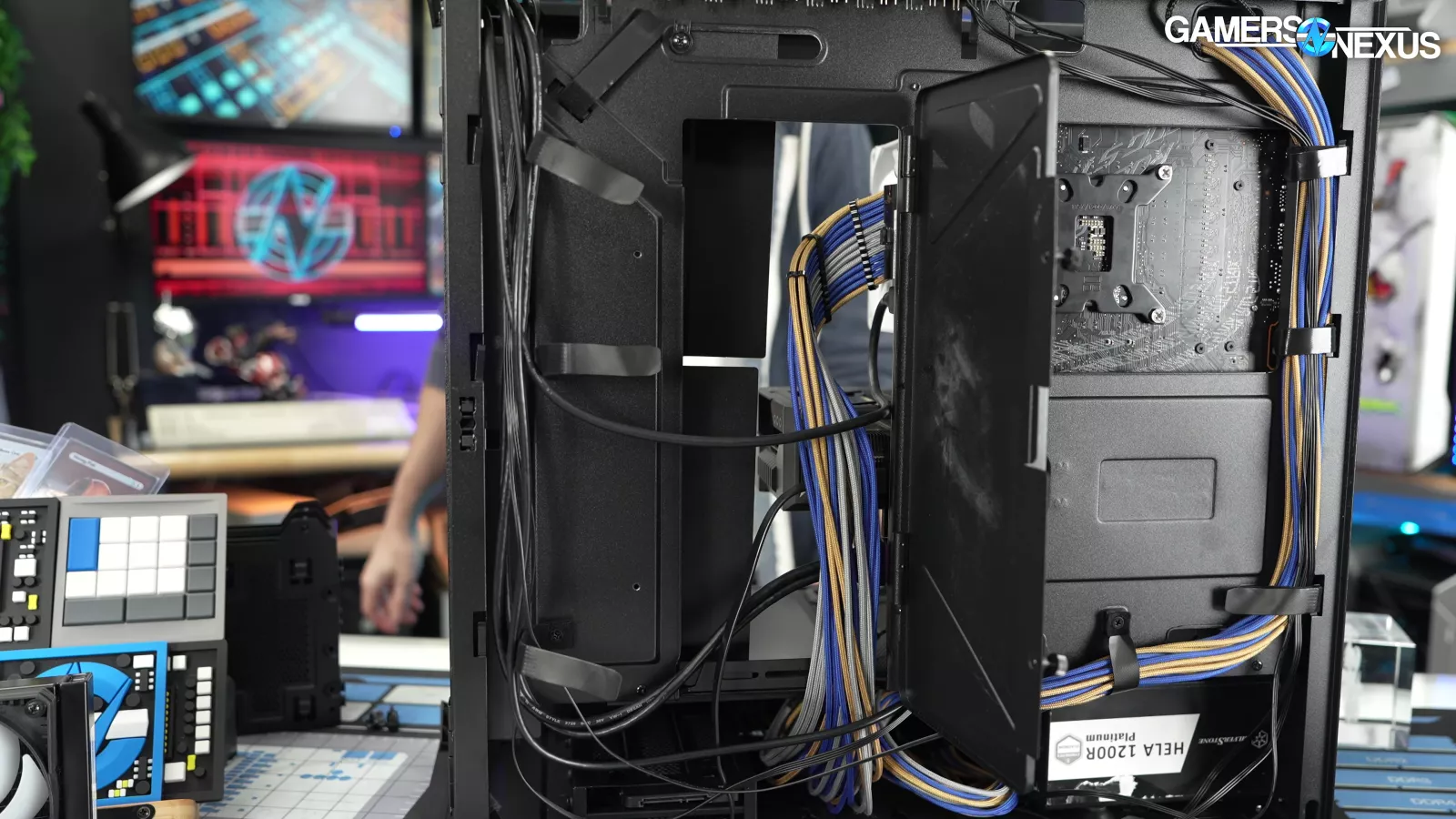
The bar is held in place by a latch at the top as well as another "optional" thumbscrew at the bottom, but the bar is free to swing around if the bottom screw isn't installed. This is one of the better bars we've seen for this type of case, with a ton of space inside and some vents cut into the surface.
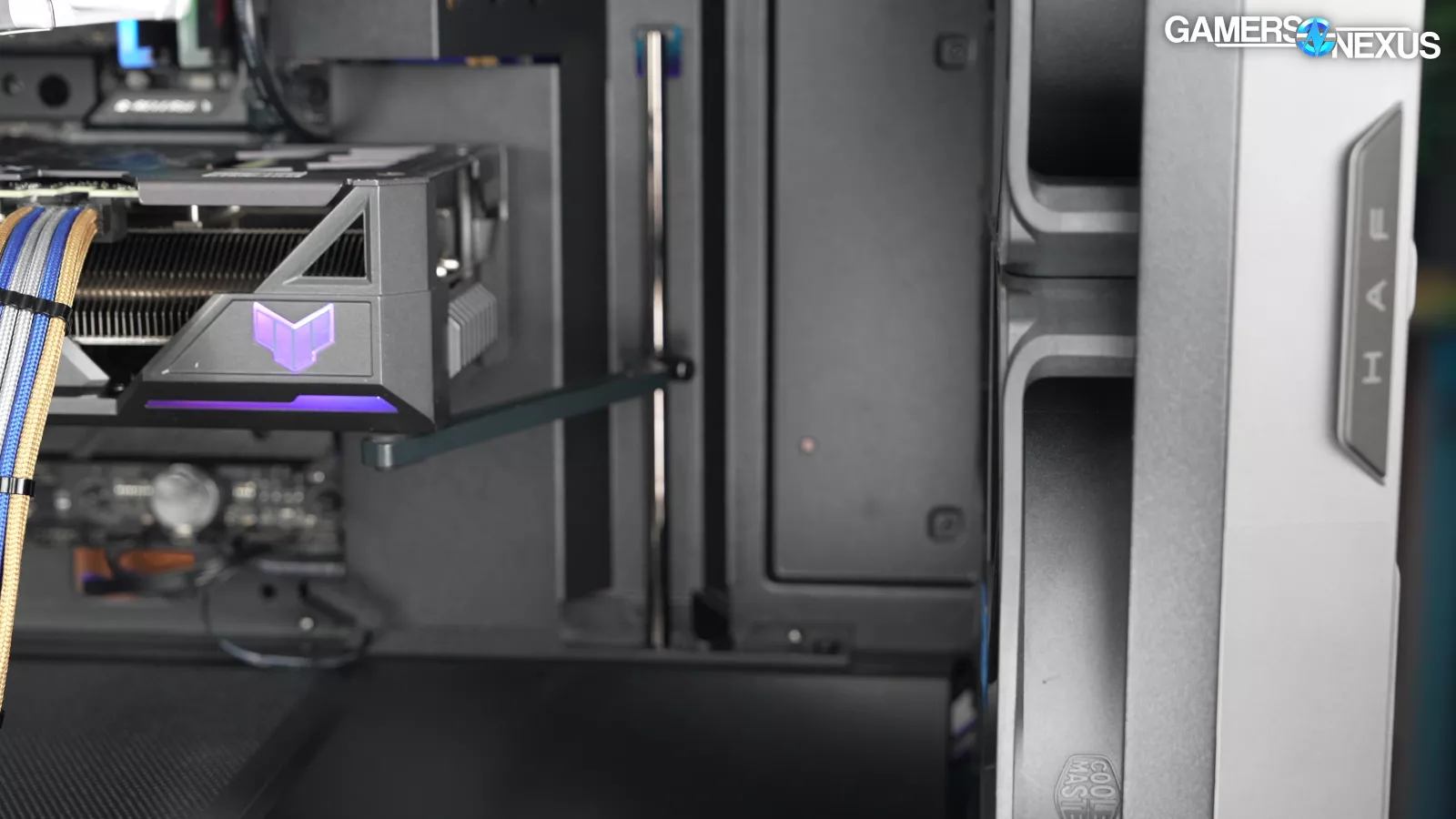
Building the GPU support into the adjustable bar isn't ideal, but the support works well and extends out about 11cm, supporting today’s large video cards.

Cooler Master includes two supports for two cards, because, uh, AI, unfortunately.
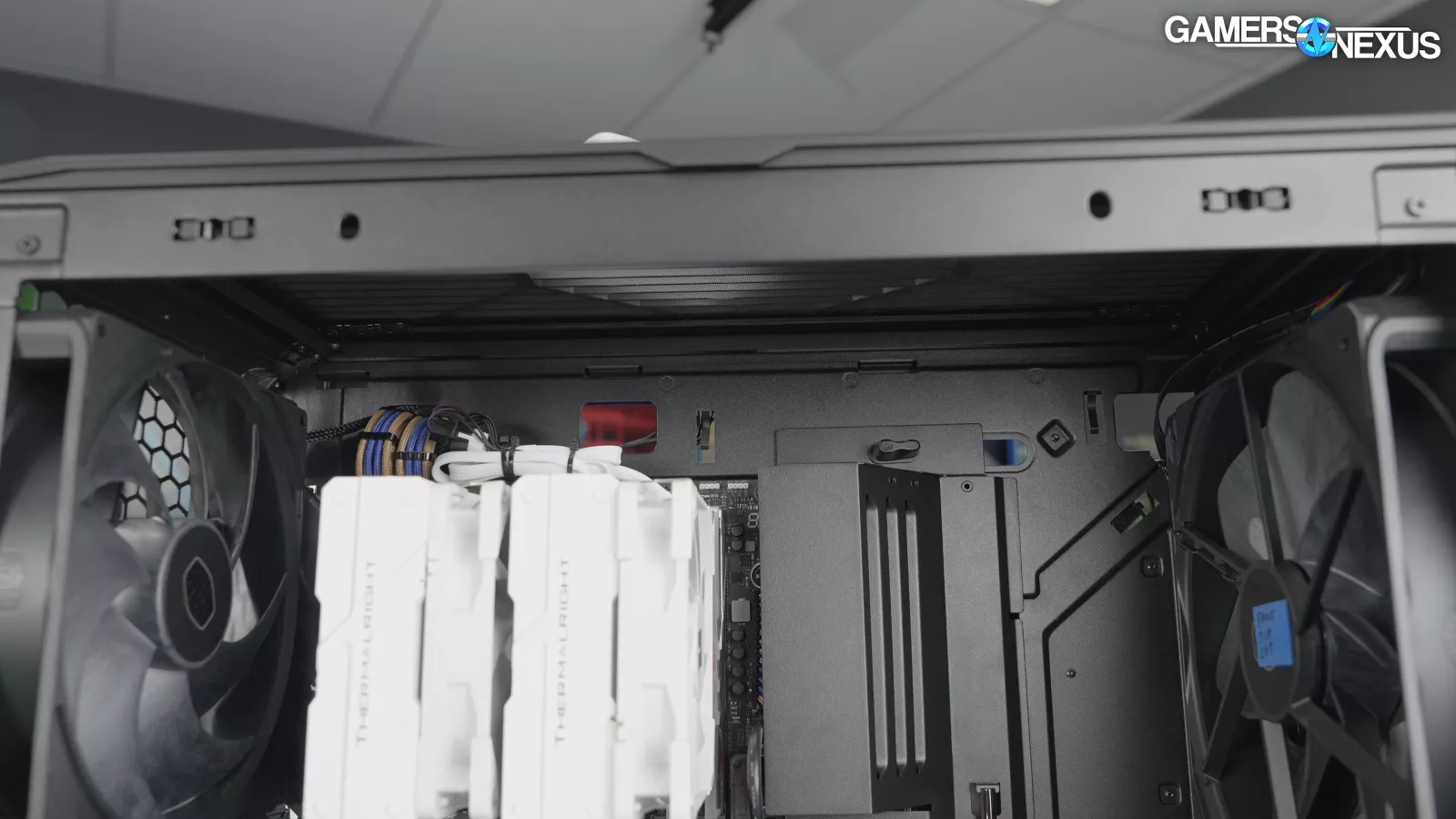
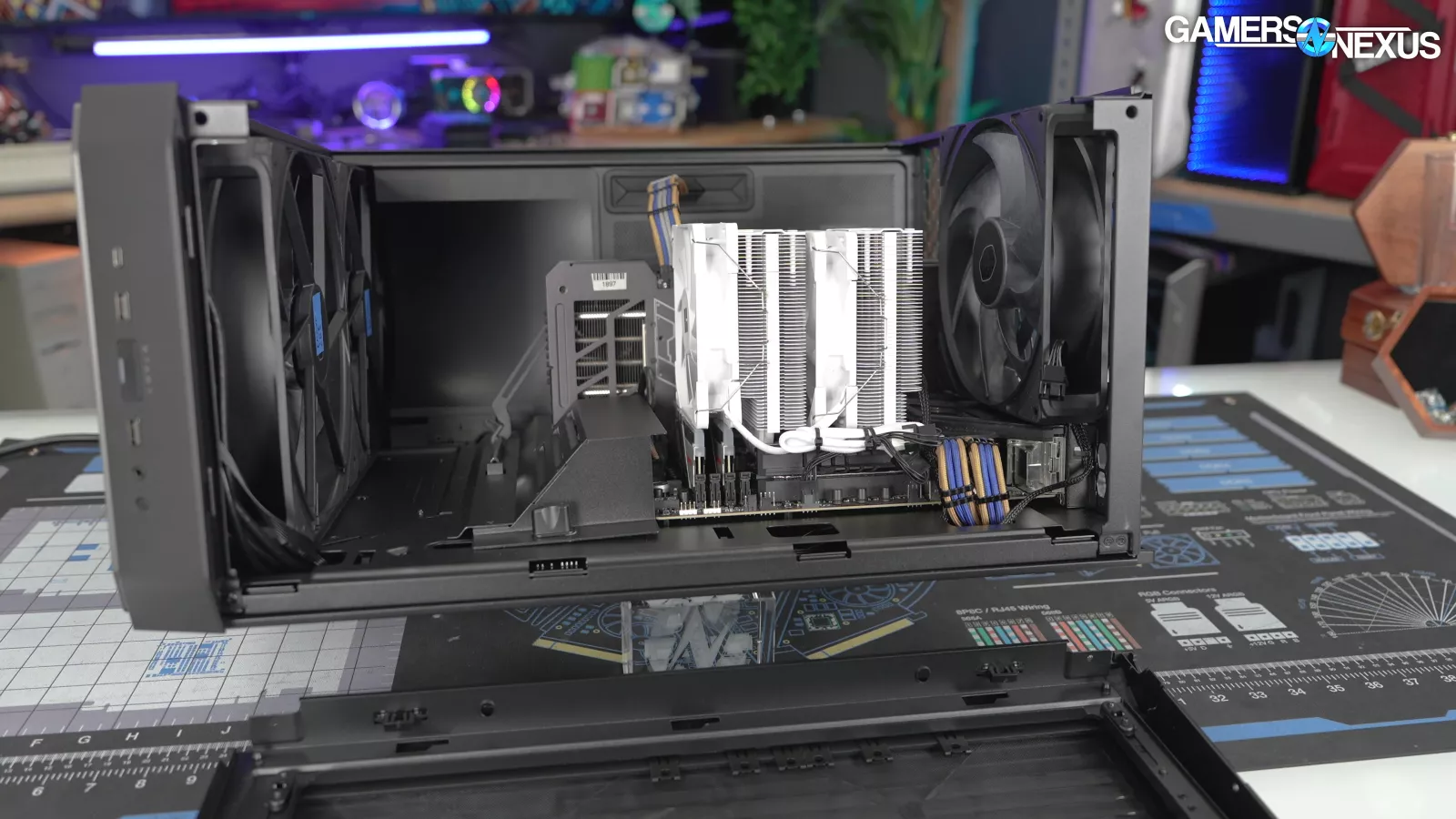
The top is fully removable, although it may not even be necessary with the huge amount of headroom, but this is always a feature we like.
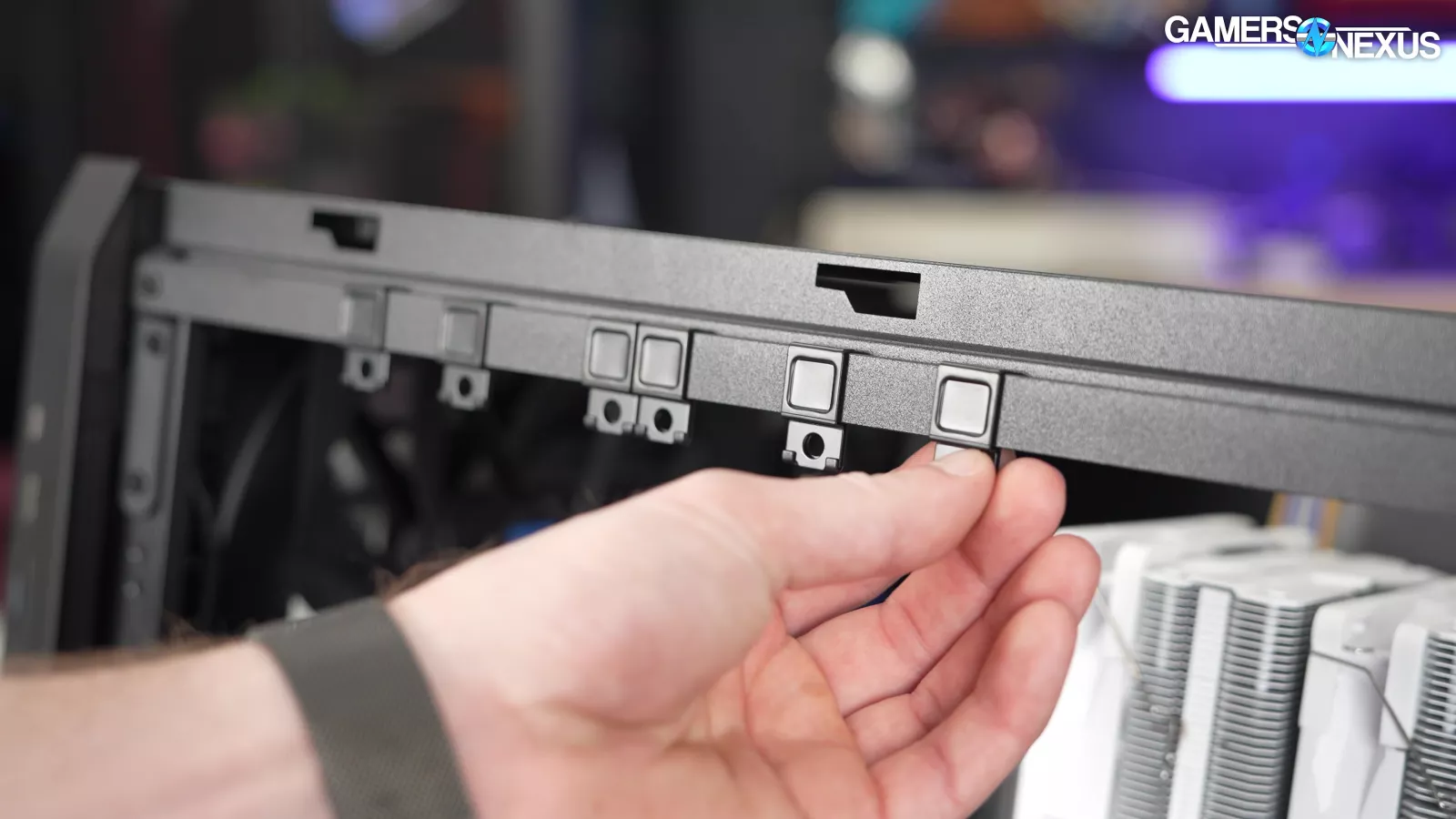
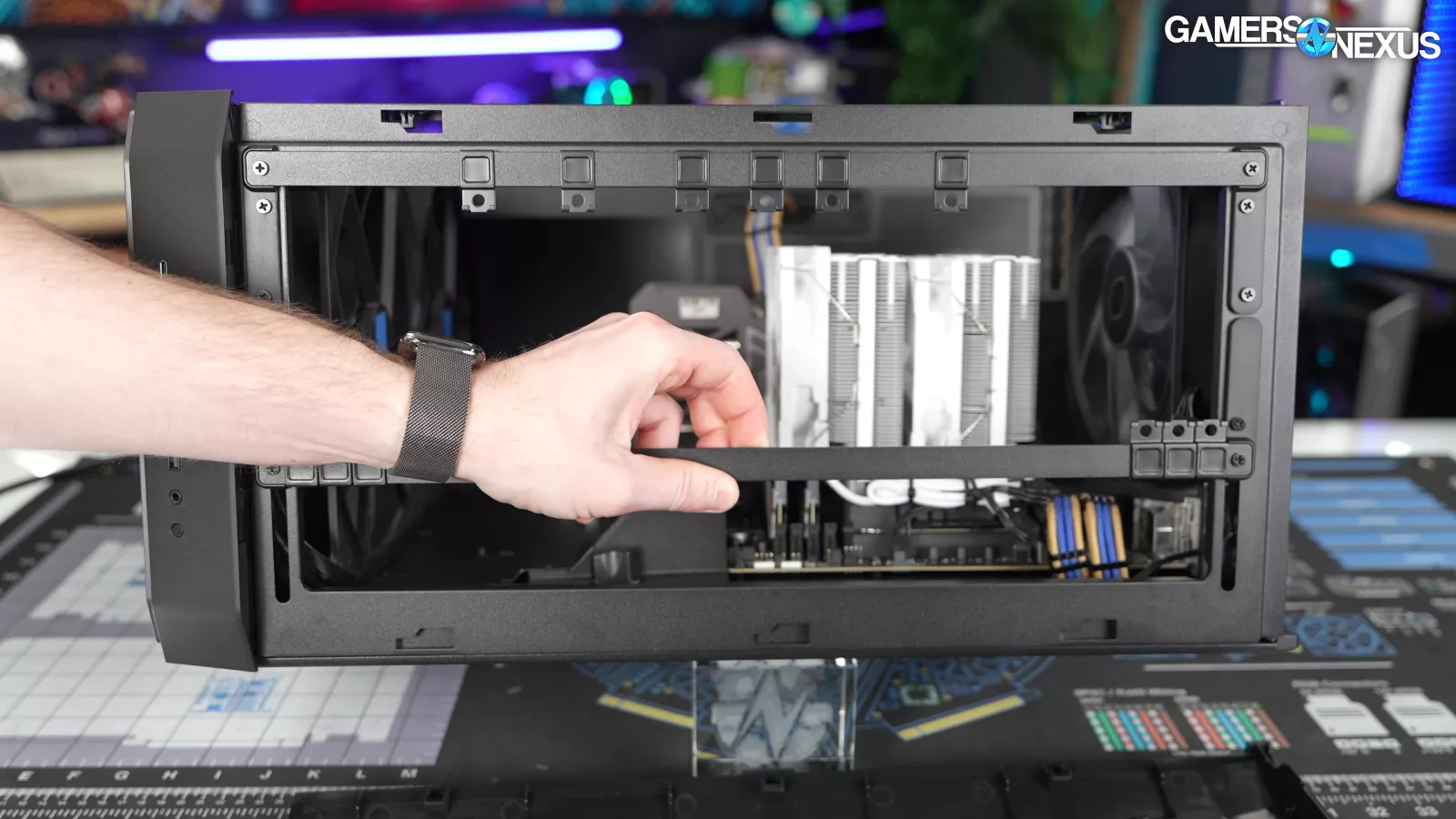
Cooler Master's "MasterRails" at the top of the case are adjustable up to 180mm apart, although fan/radiator combos should be limited to multiples of 120 or 140mm for motherboard clearance.
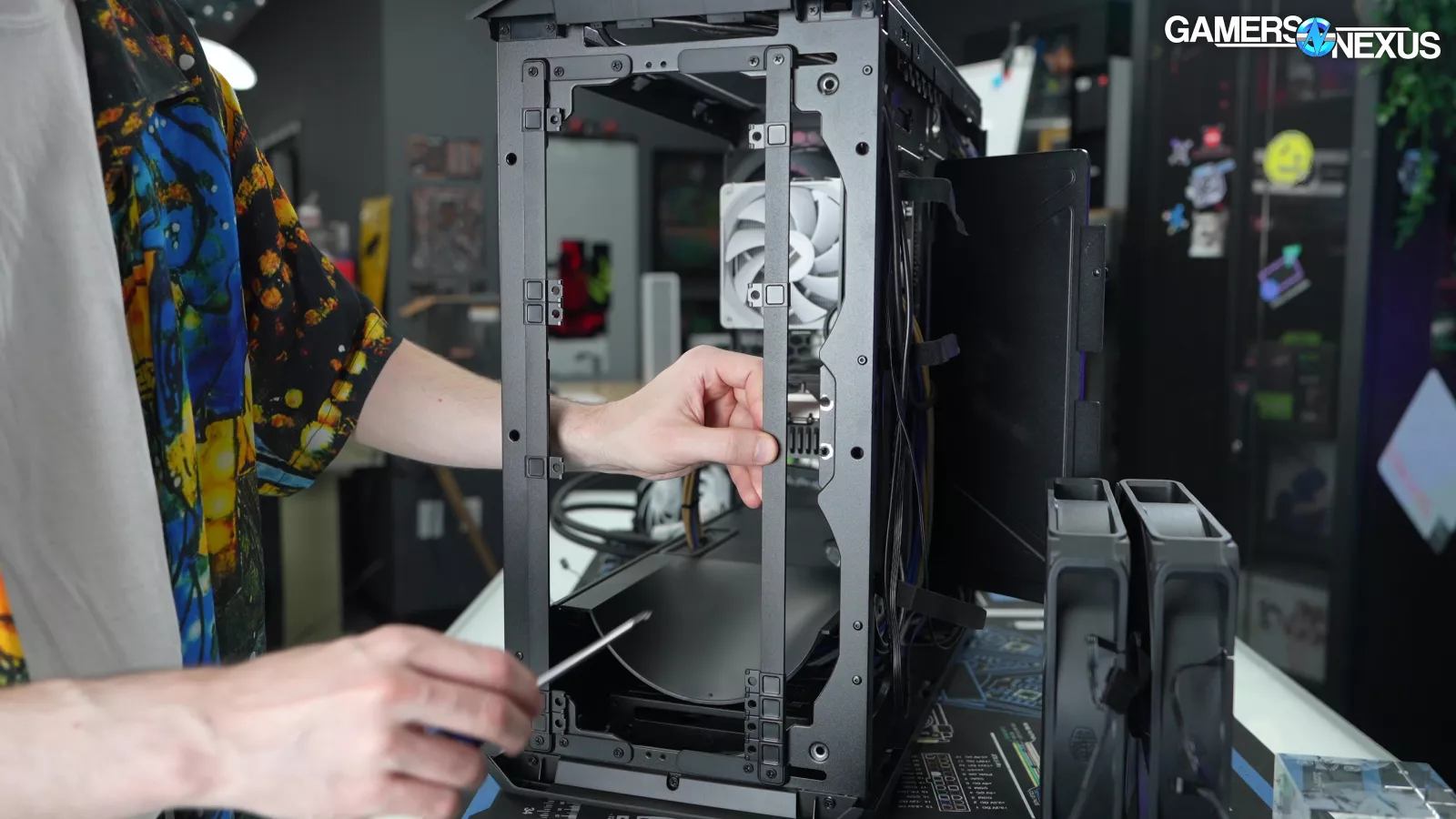
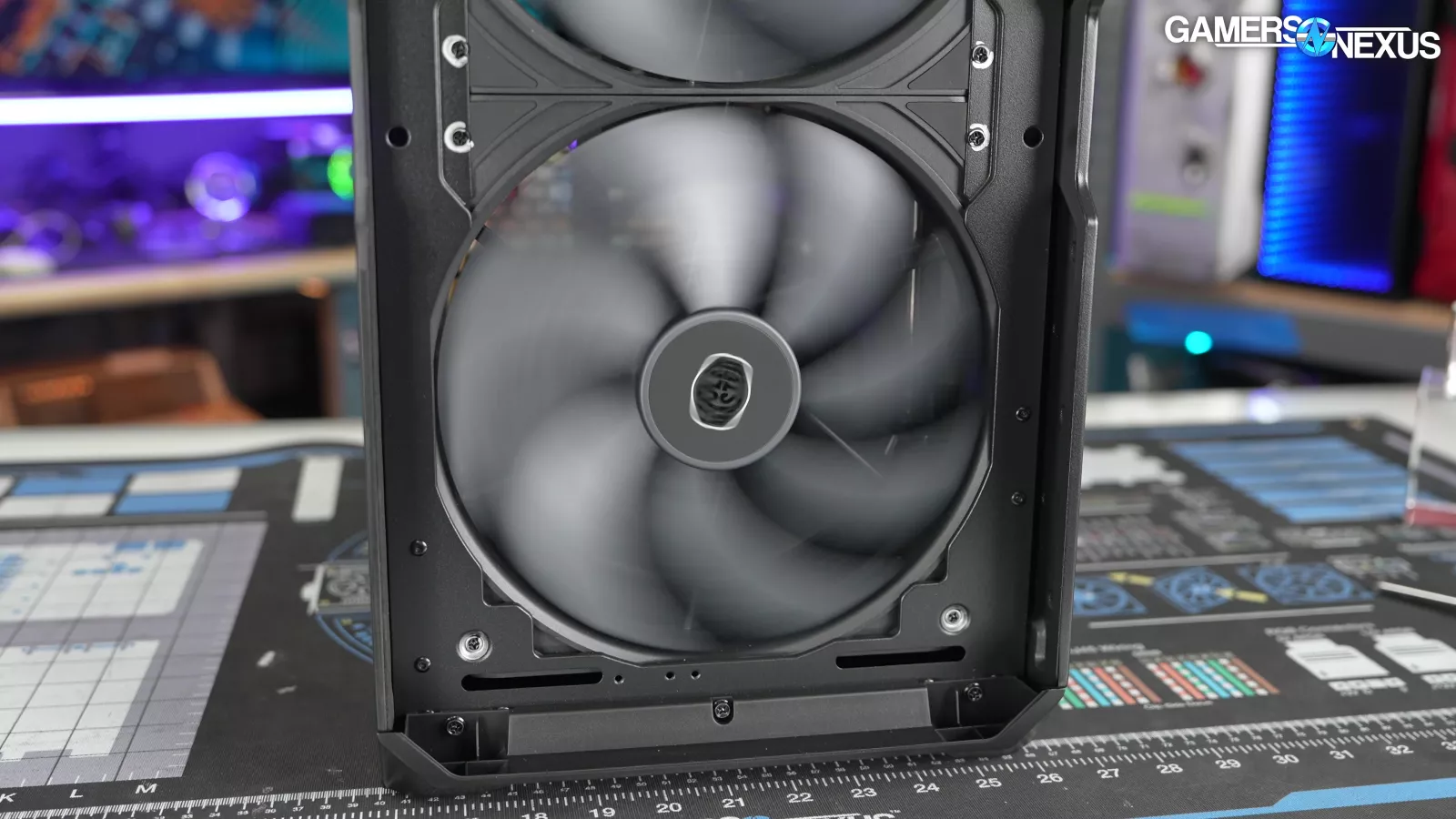
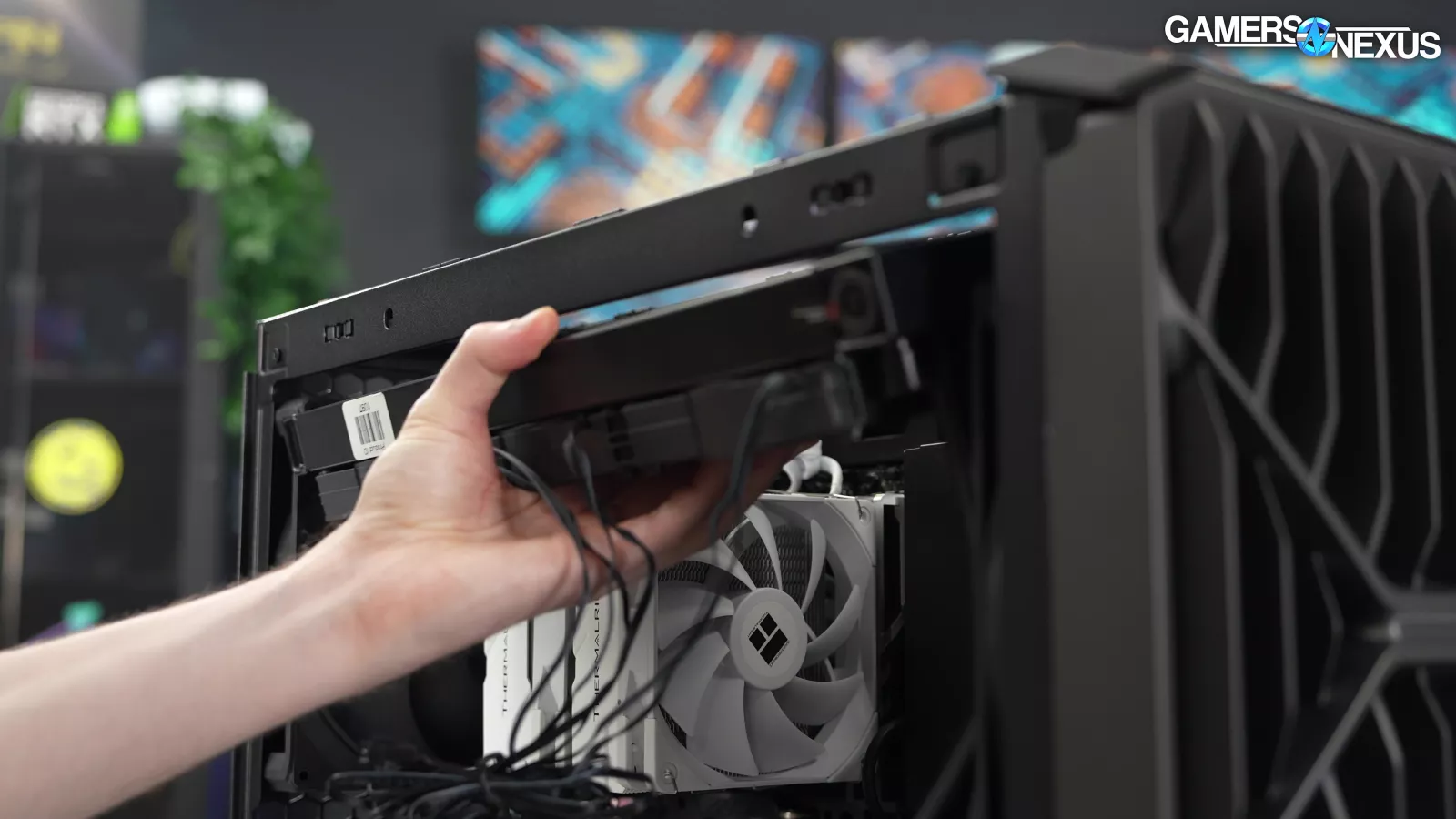
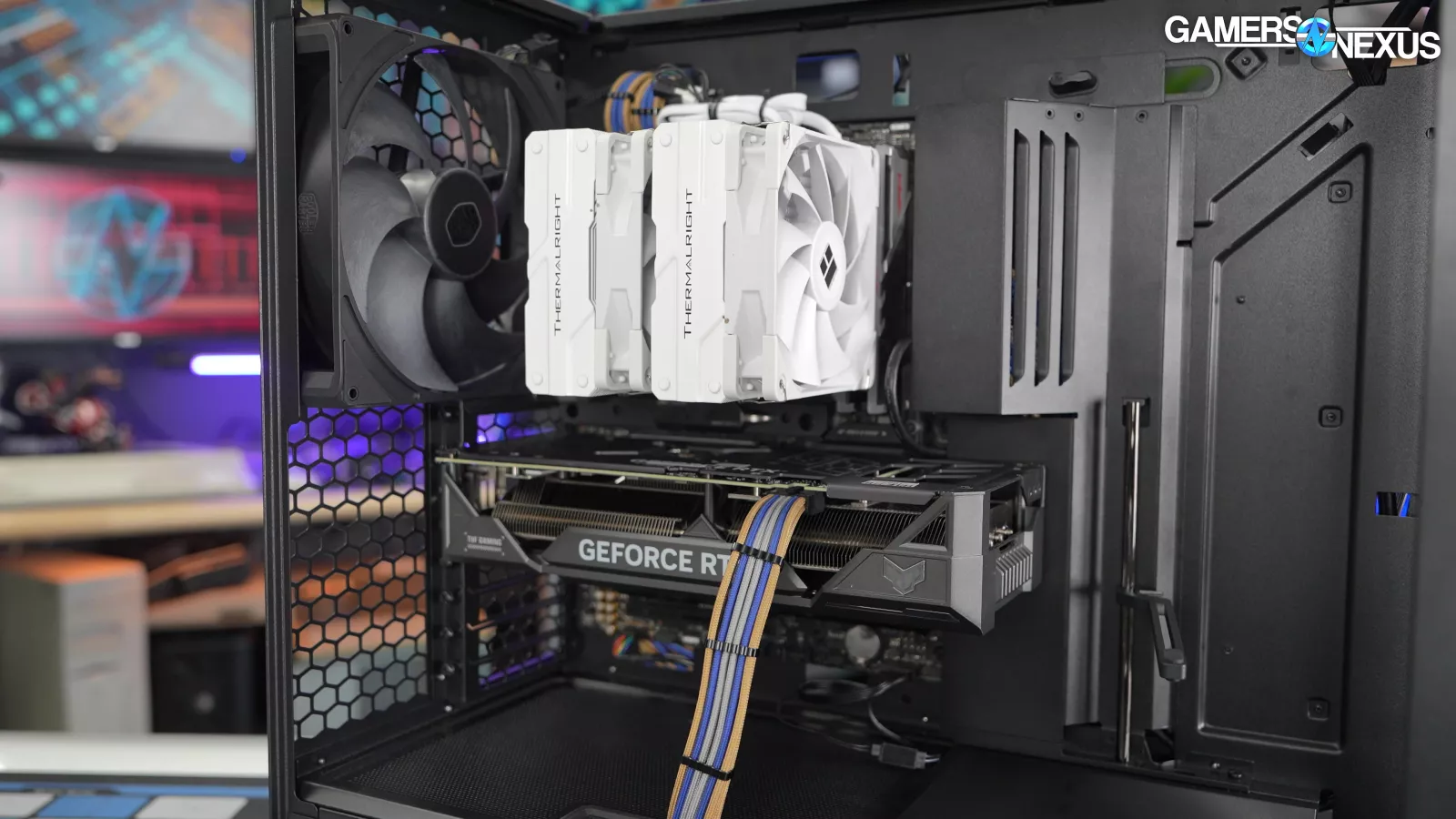
The MasterRails can technically also be moved to the front of the case, but that would require removing the 220mm fans and possibly the airflow scoop as well. Radiators should be limited to the top mount, and the HAF II 500 is a case for air cooling first and foremost. Removing these gigantic fans to optimize for smaller liquid cooling radiators doesn’t make any sense.
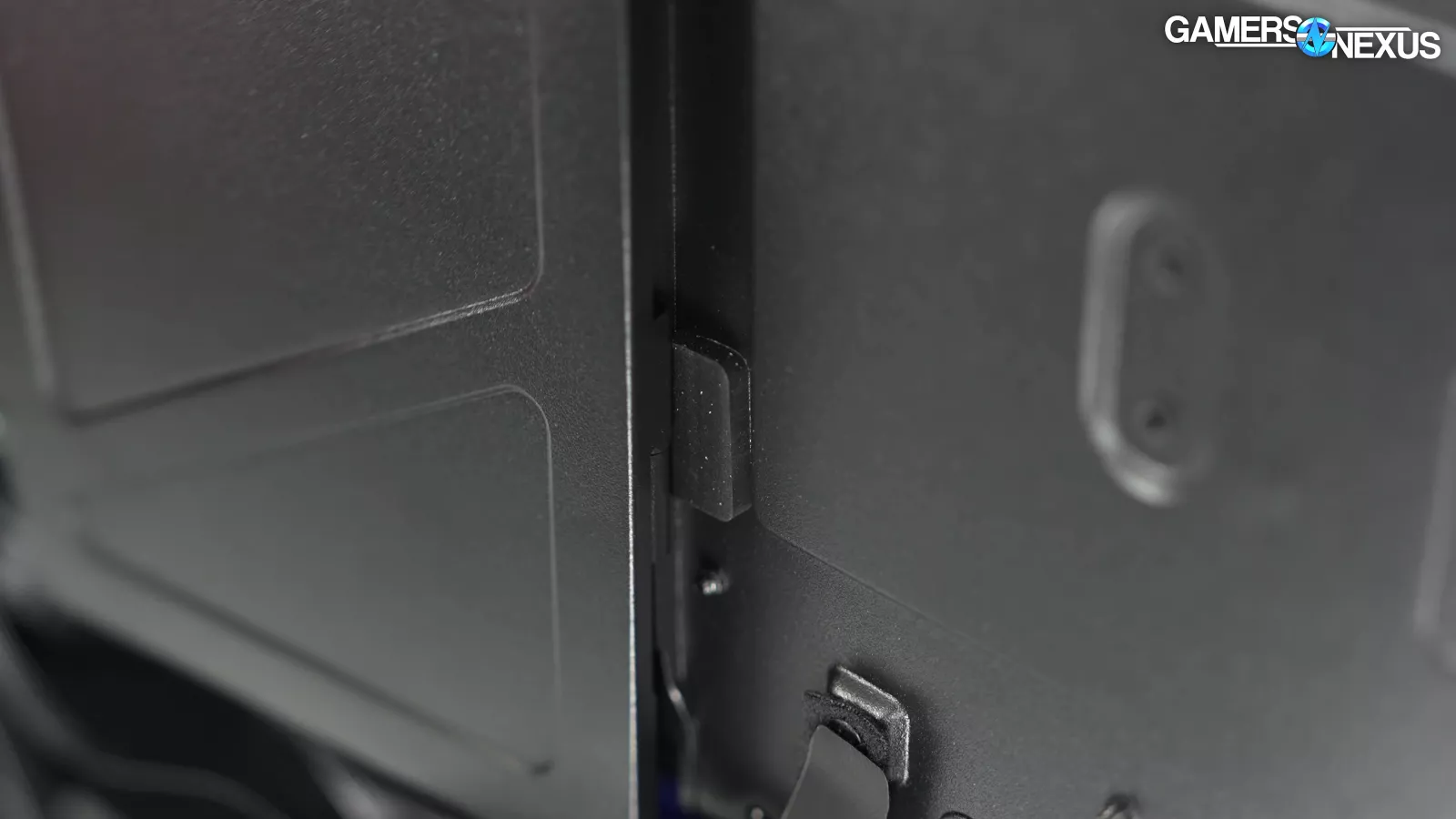
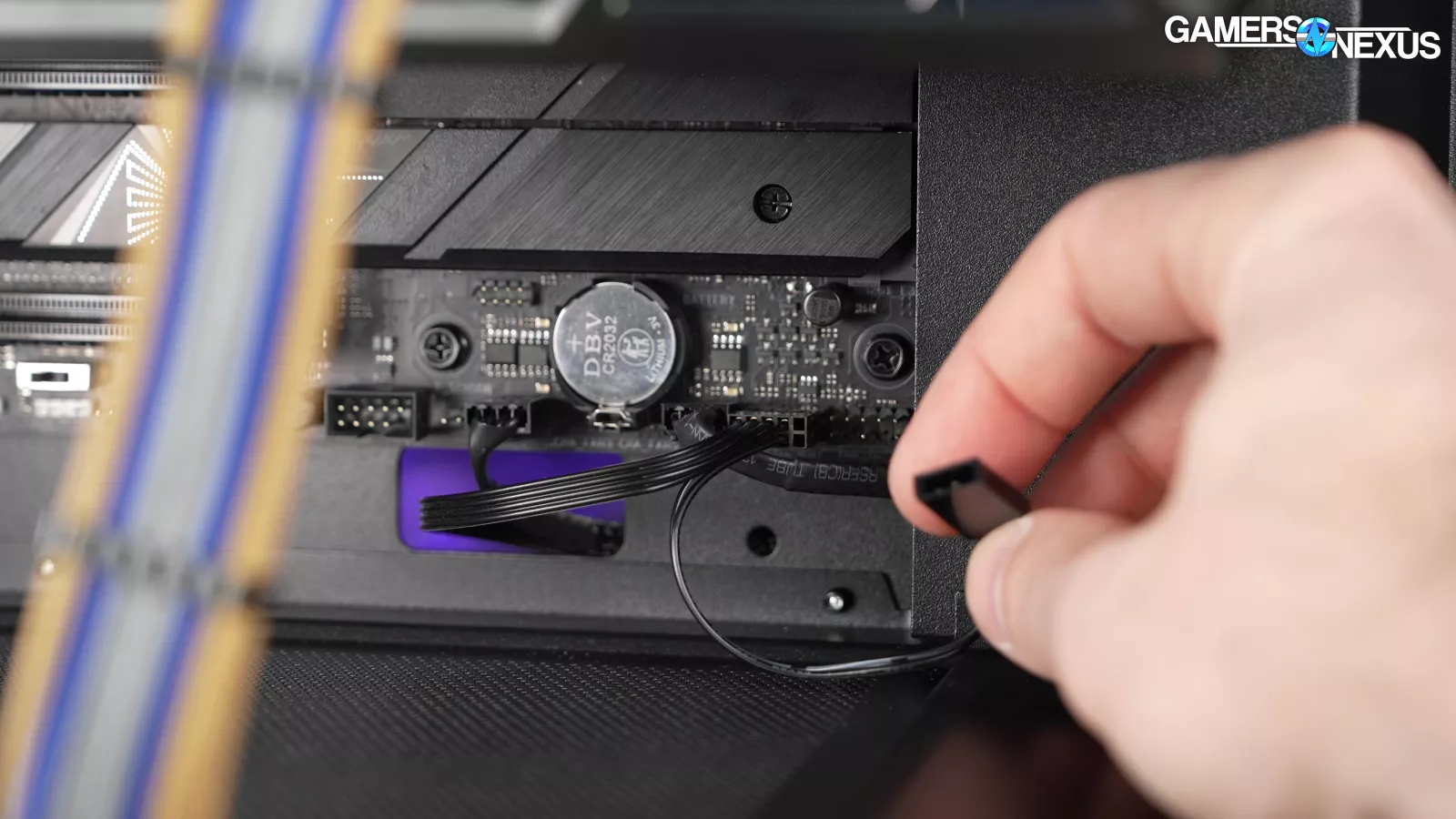
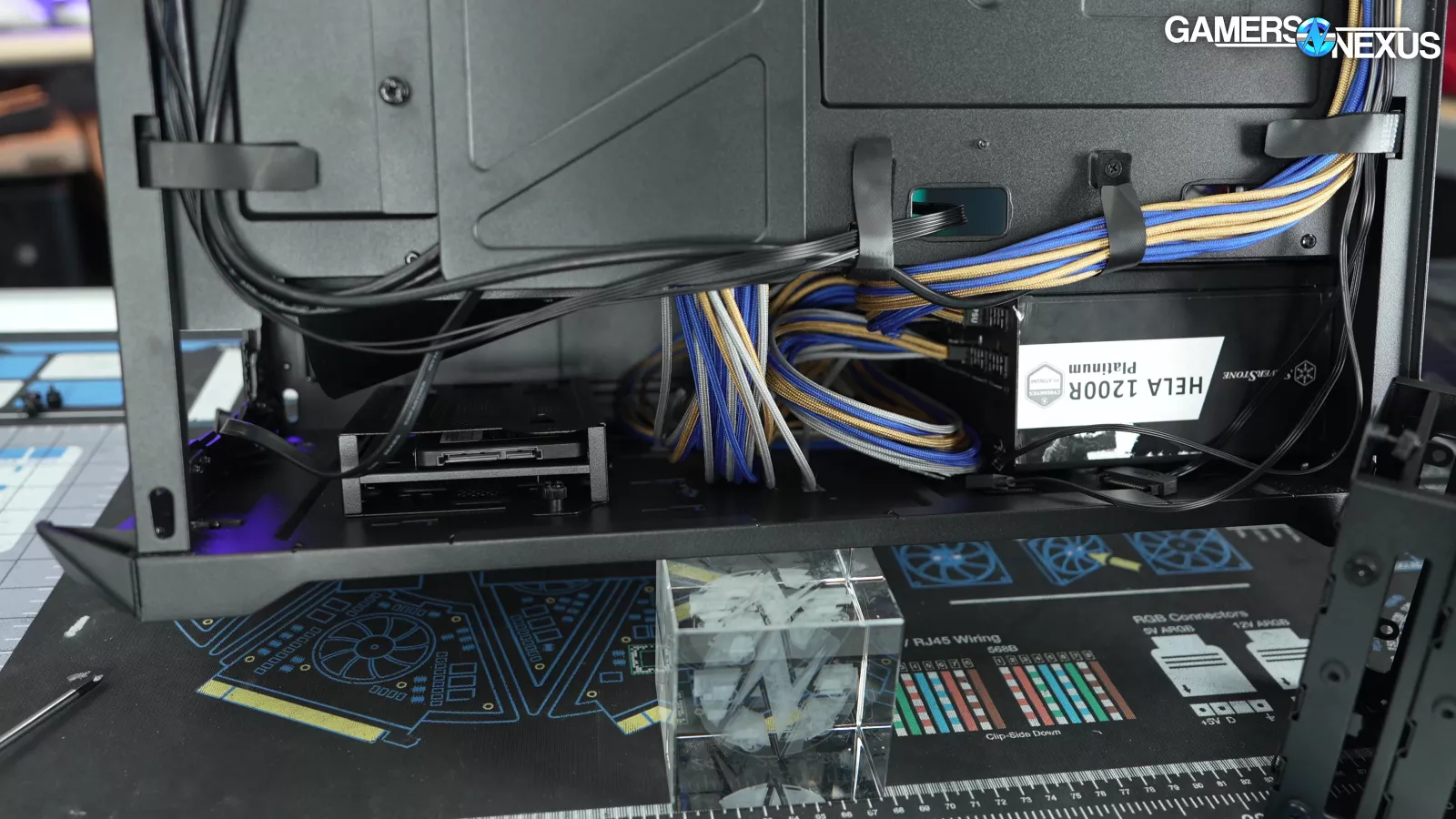
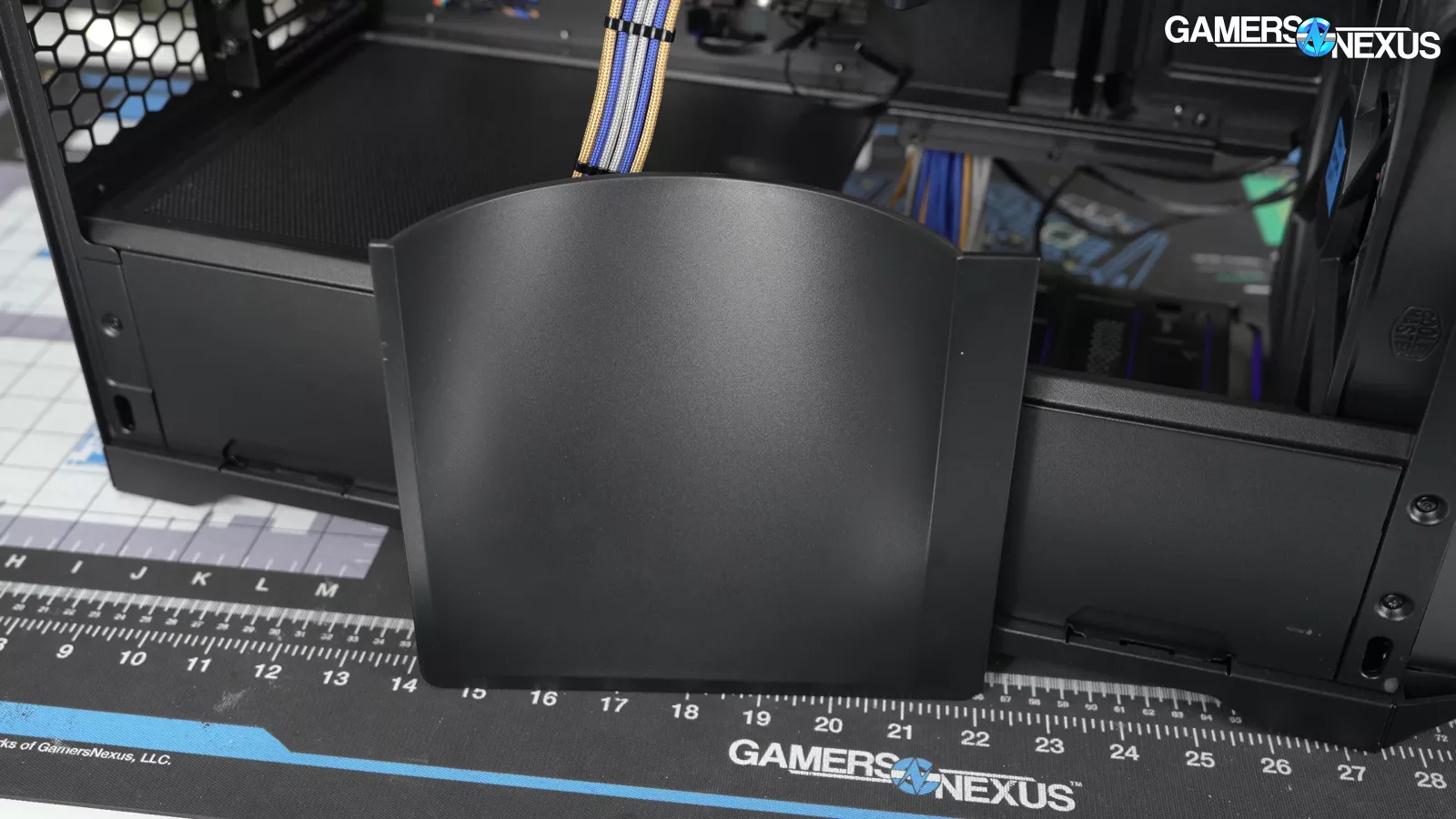
There are a lot of small attention-to-detail elements that we appreciate. The hinged cable cover has rubber pads to protect it when it opens, the reset button can be split off from the rest of the I/O so it can be used to control the RGB hub, and the PSU shroud has a removable side for easy access.
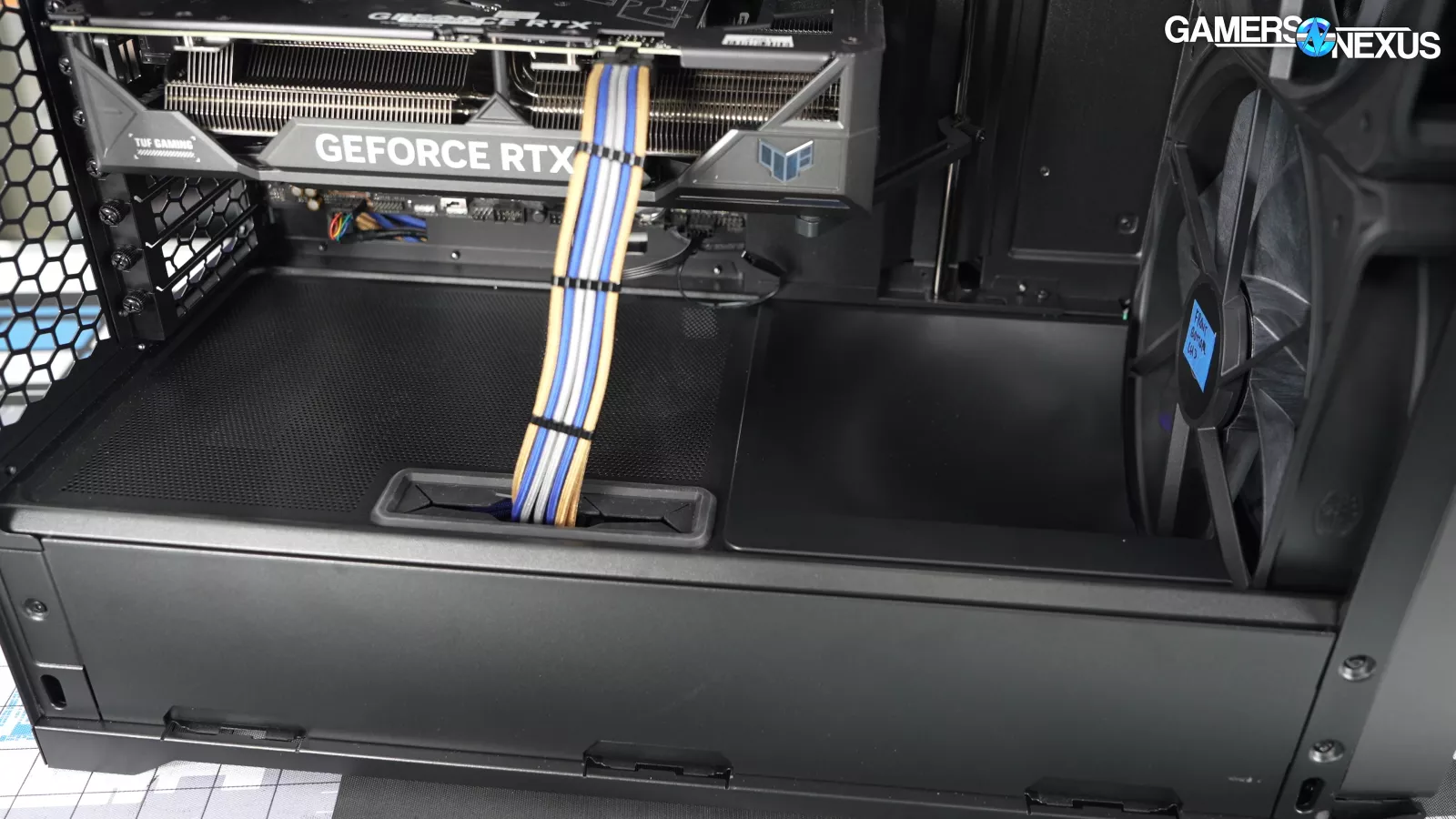
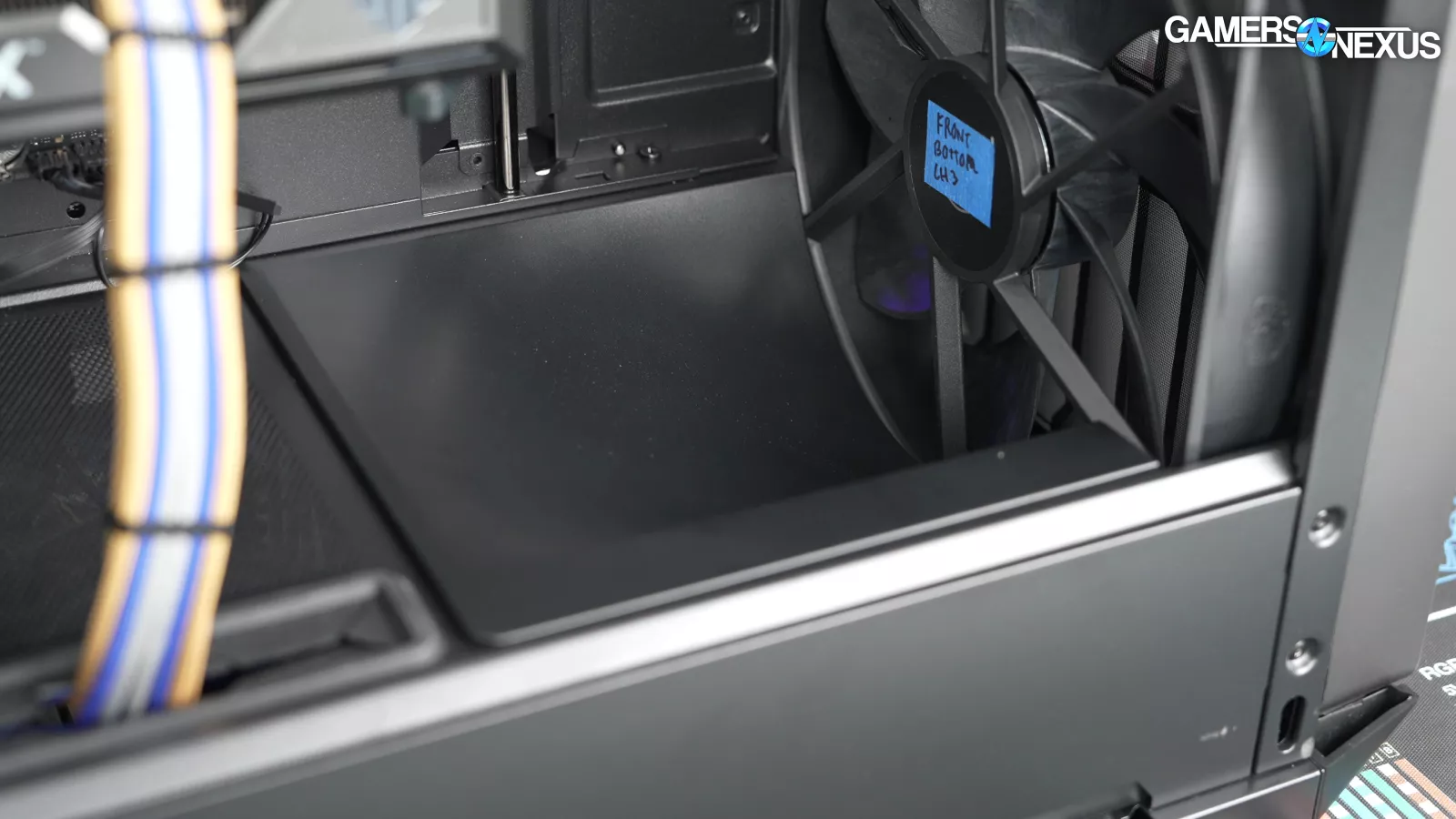
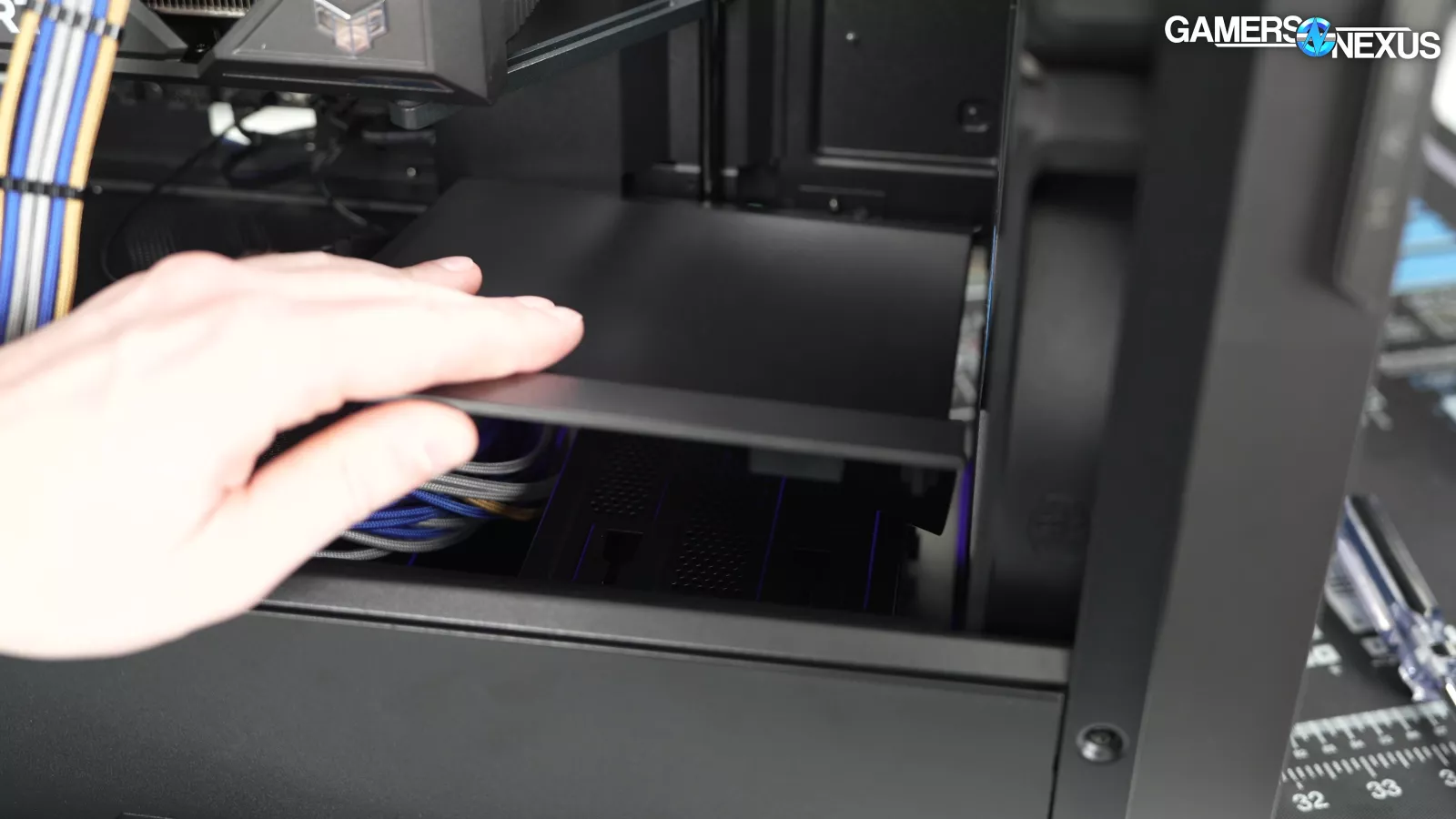
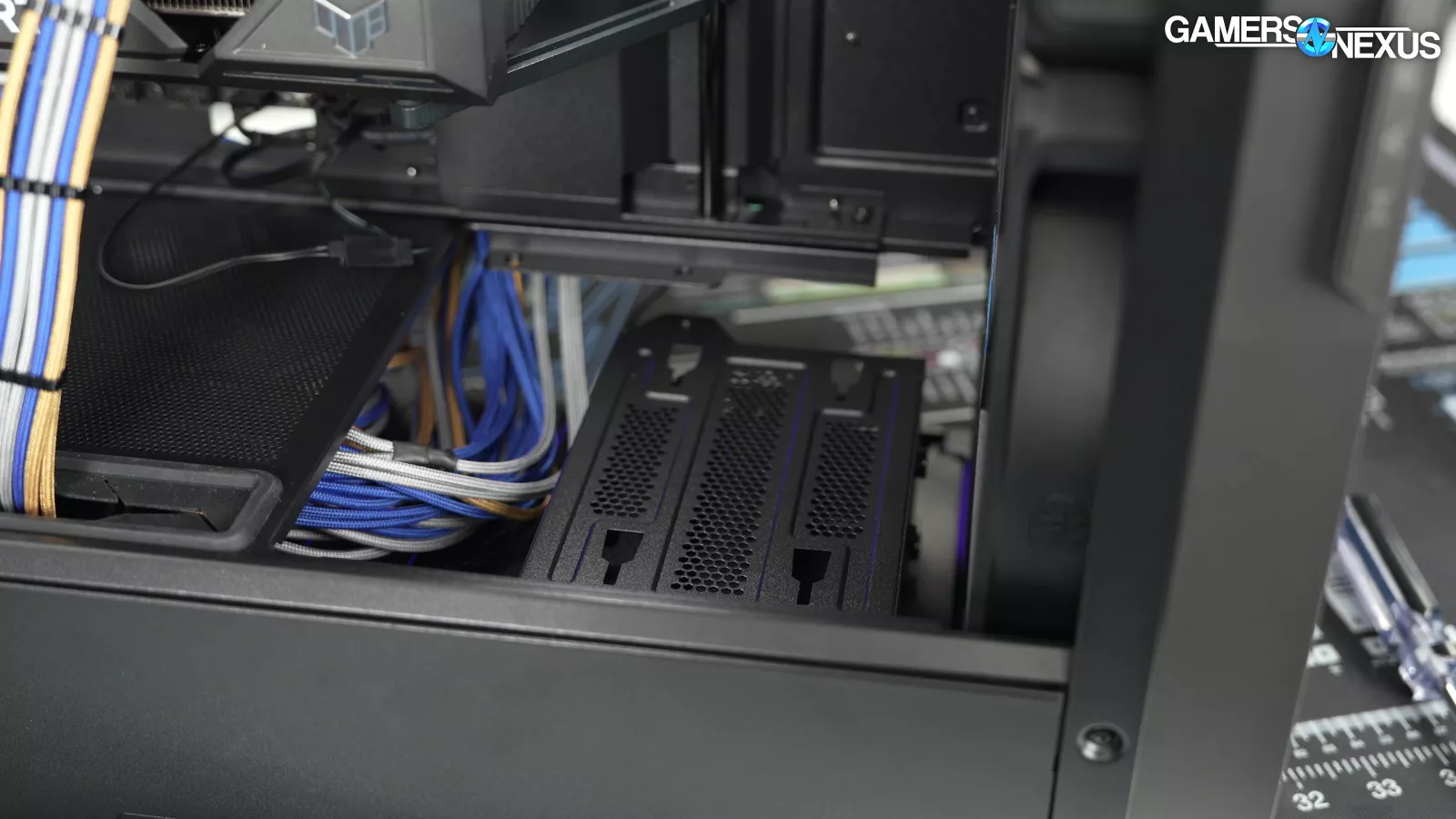
There's a plastic "airflow divider" scoop at the front of the PSU shroud to direct air up and into the GPU cooler. We've done A:B testing on some other cases with similar scoops and they can genuinely help with GPU thermals. The airflow divider is attached magnetically and can be lifted out to access drives without needing to cram your hands under the shroud from the back of the case, so that’s also a nice ease-of-access feature.
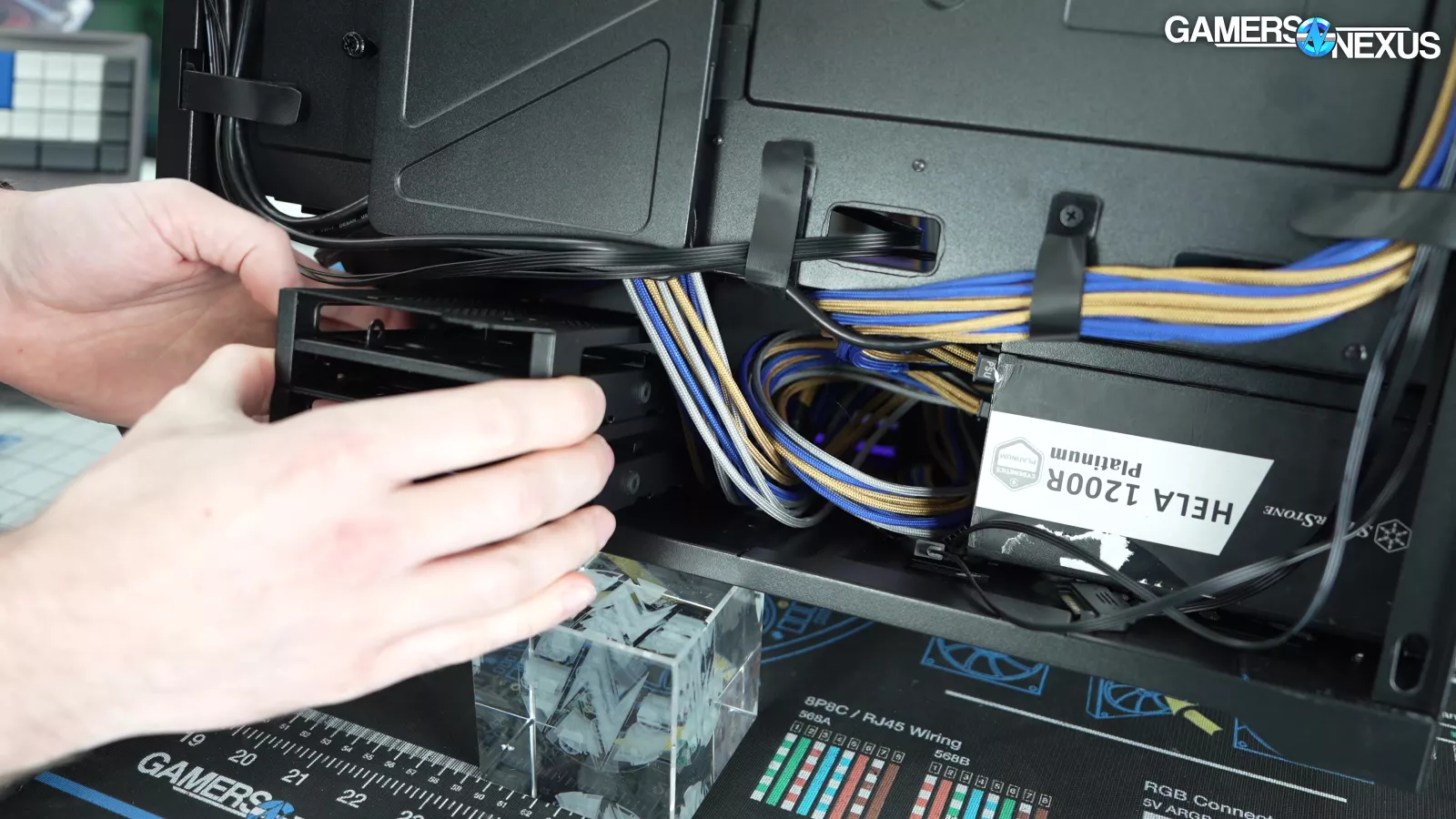
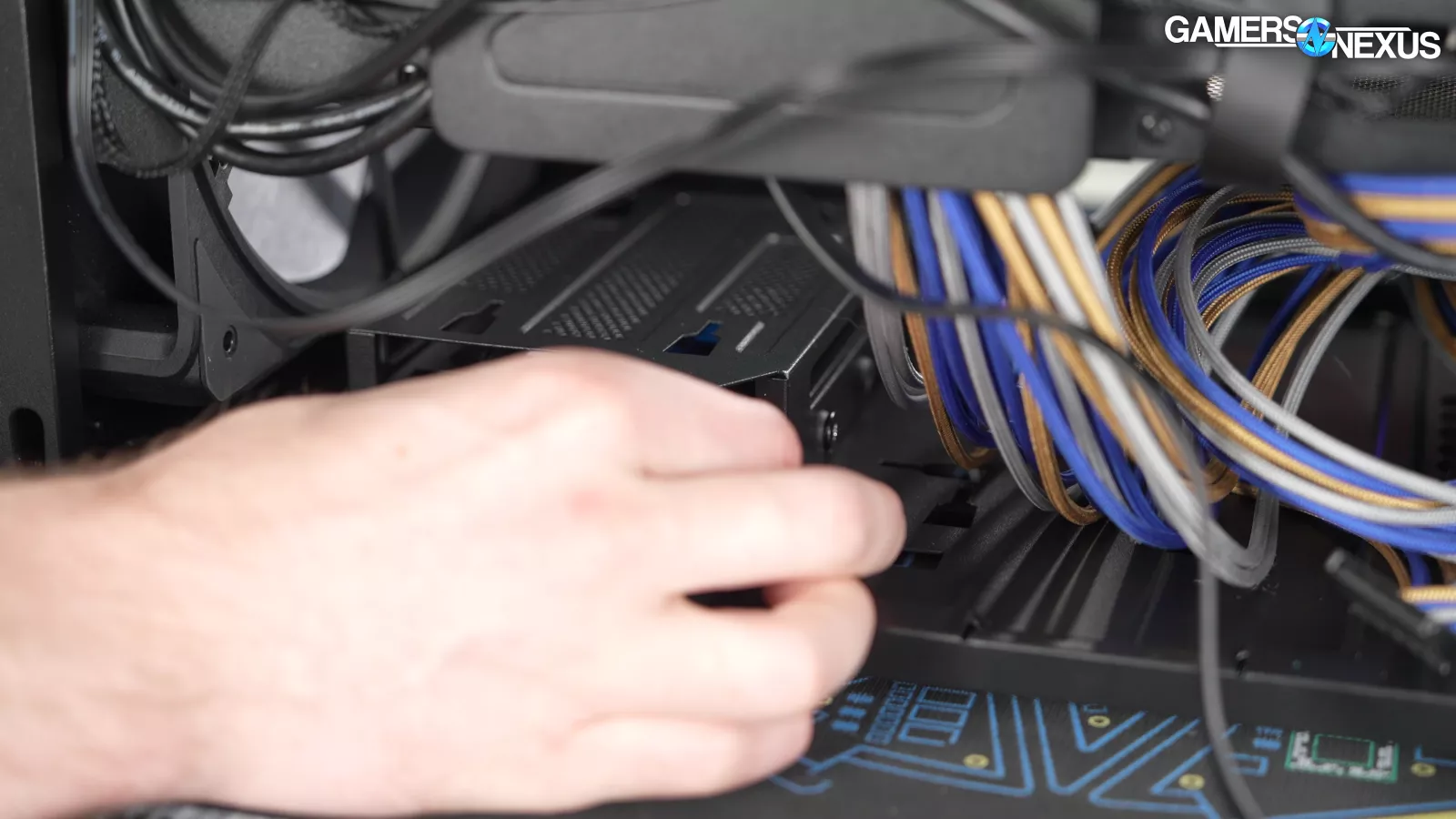
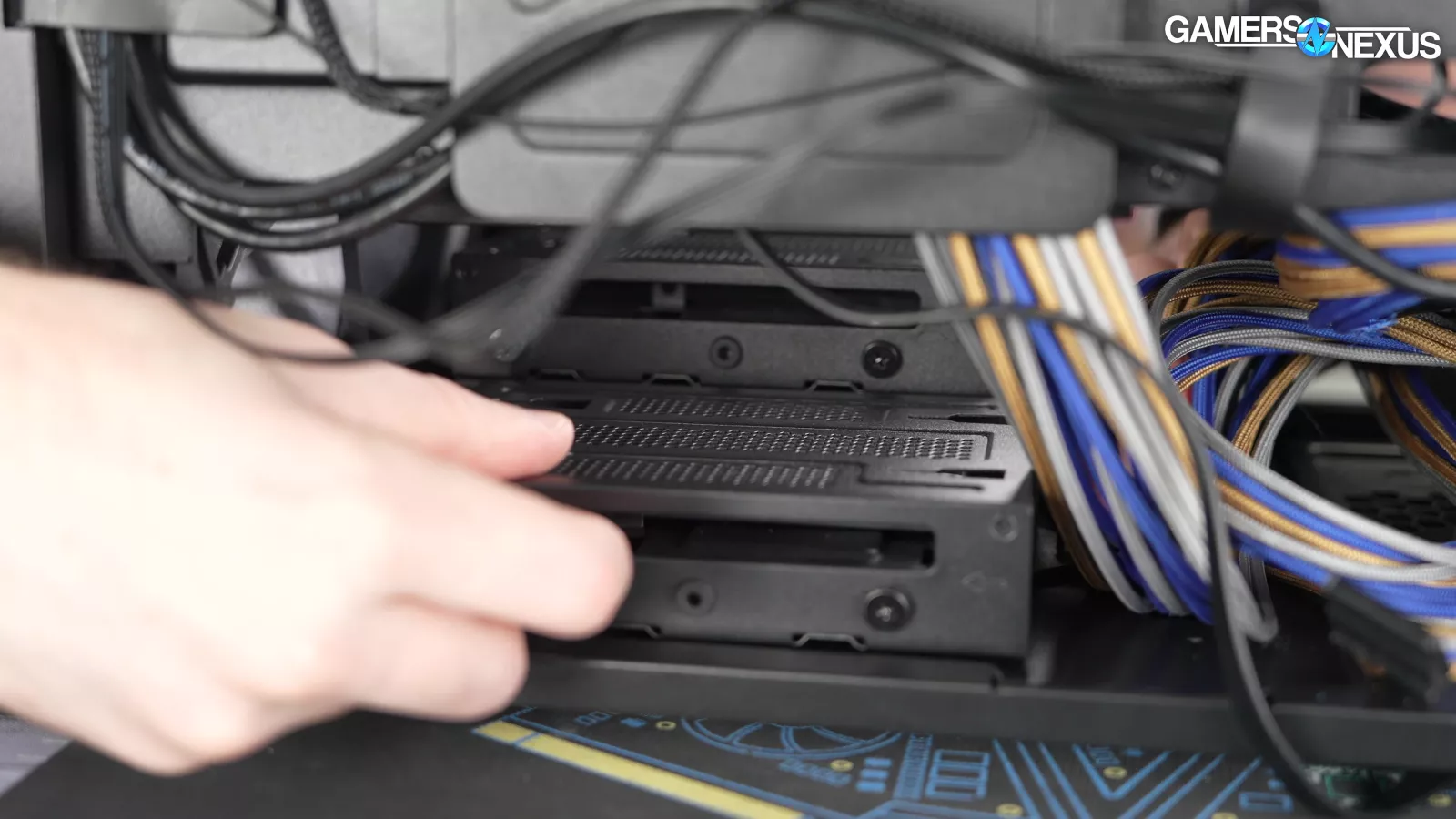
There are three modular mounting points for drives, each of which holds either one 3.5" drive or two 2.5" drives. It's a tight fit under the shroud even with a normal ATX PSU, and the mount nearest the PSU is the only one that can be double-stacked. For our testing, we were only comfortable installing one of the three. As a compromise, two enclosures can be rotated 90 degrees, but this fully eliminates the ability to mount the third.
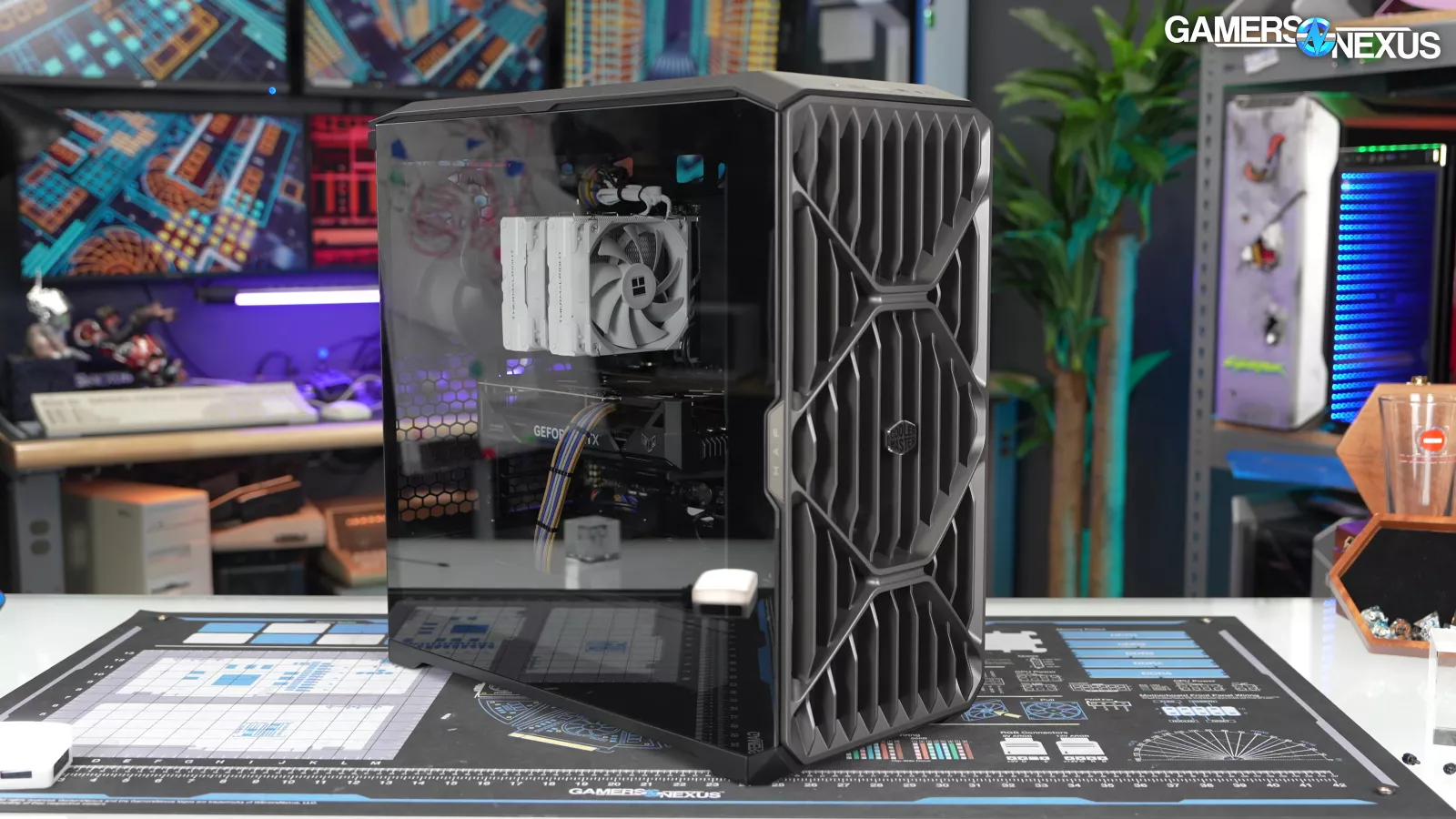
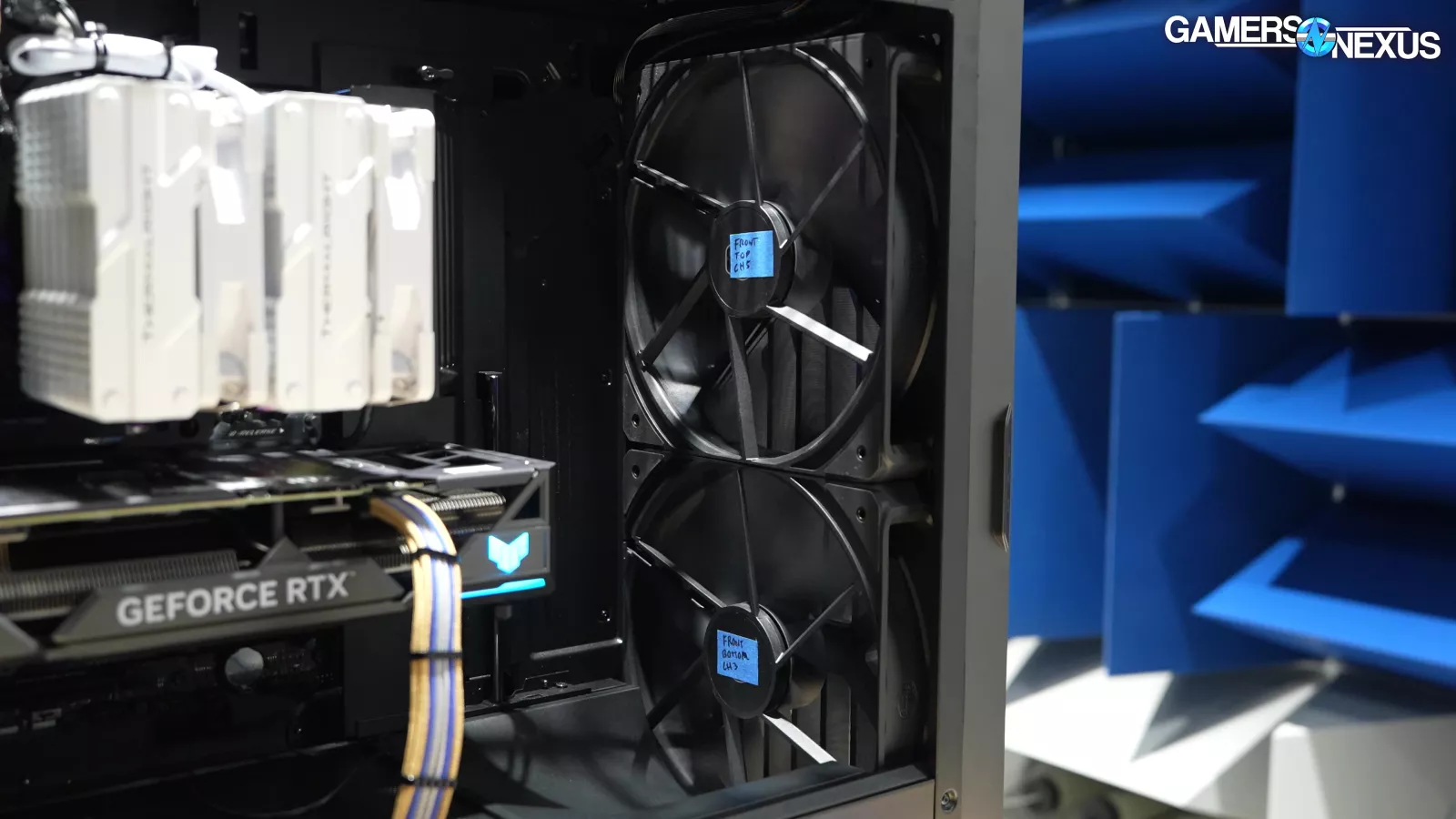
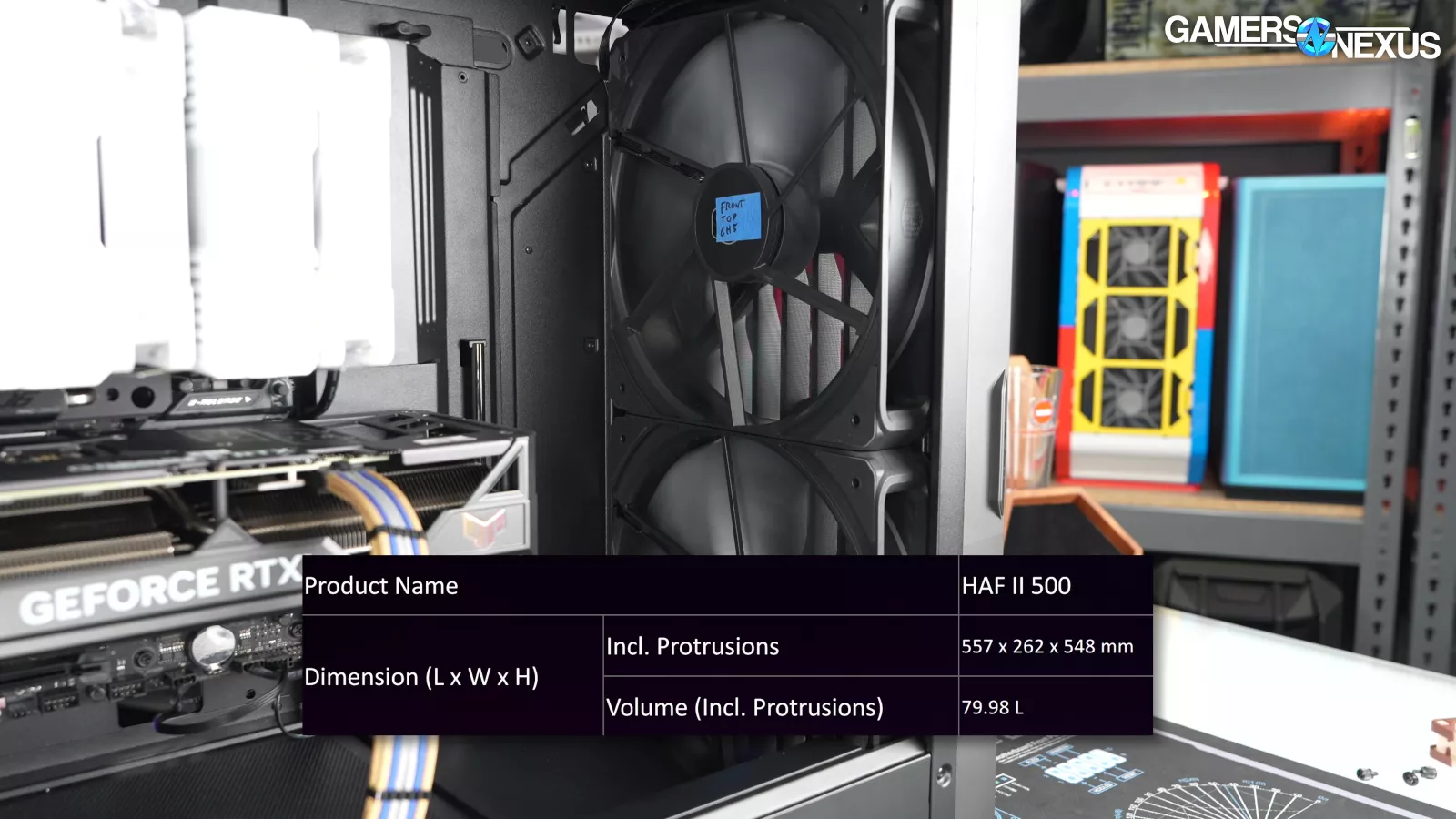
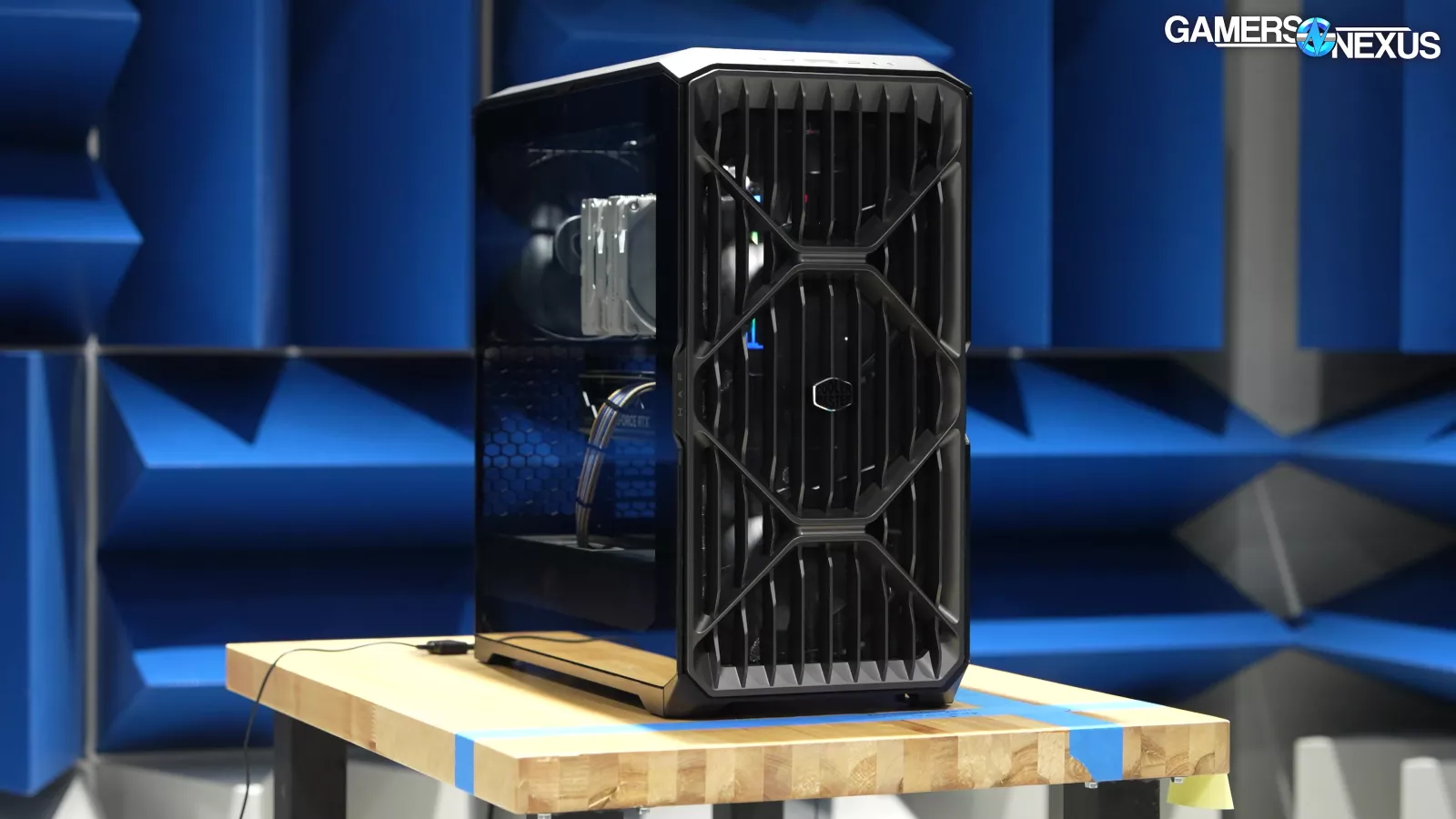
This is a really, really big case. The oversized fans make it look smaller than it is, so if you're considering buying it, you really need to measure your space. As the spec sheet says, it's nearly 56cm front-to-back, which is big enough that it may cause problems on a common 24" deep tabletop if it's backed right up against a wall.
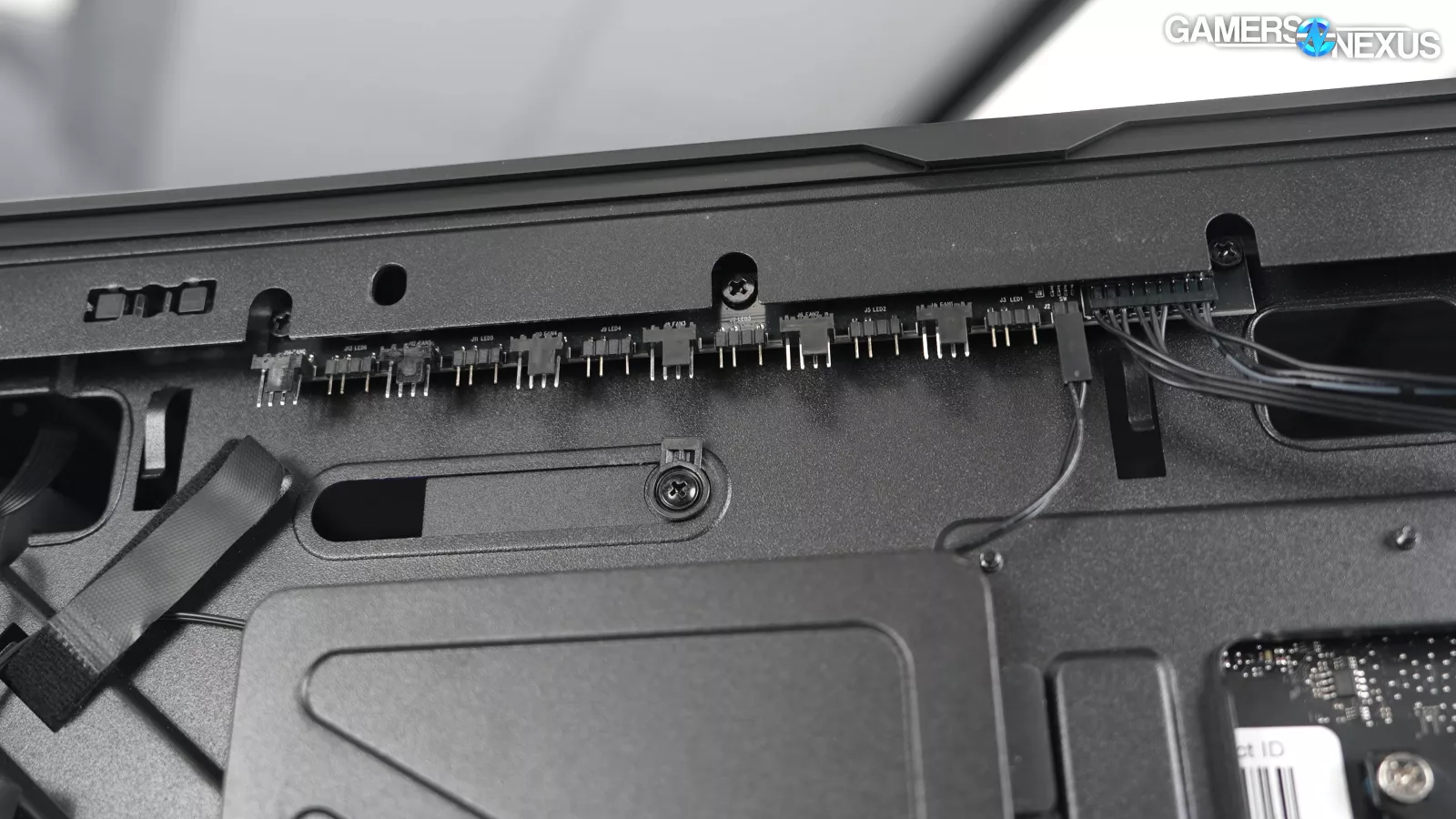

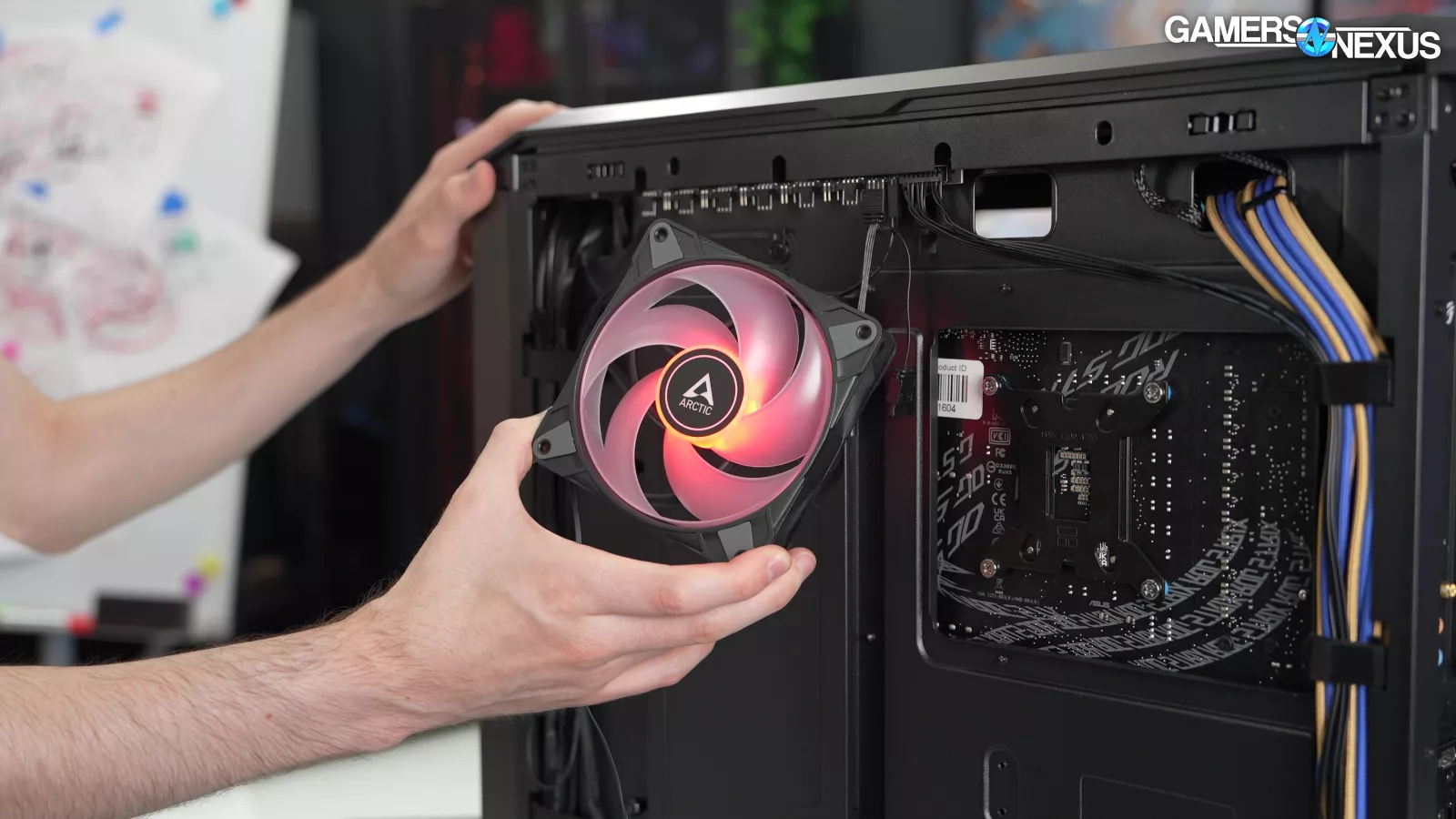
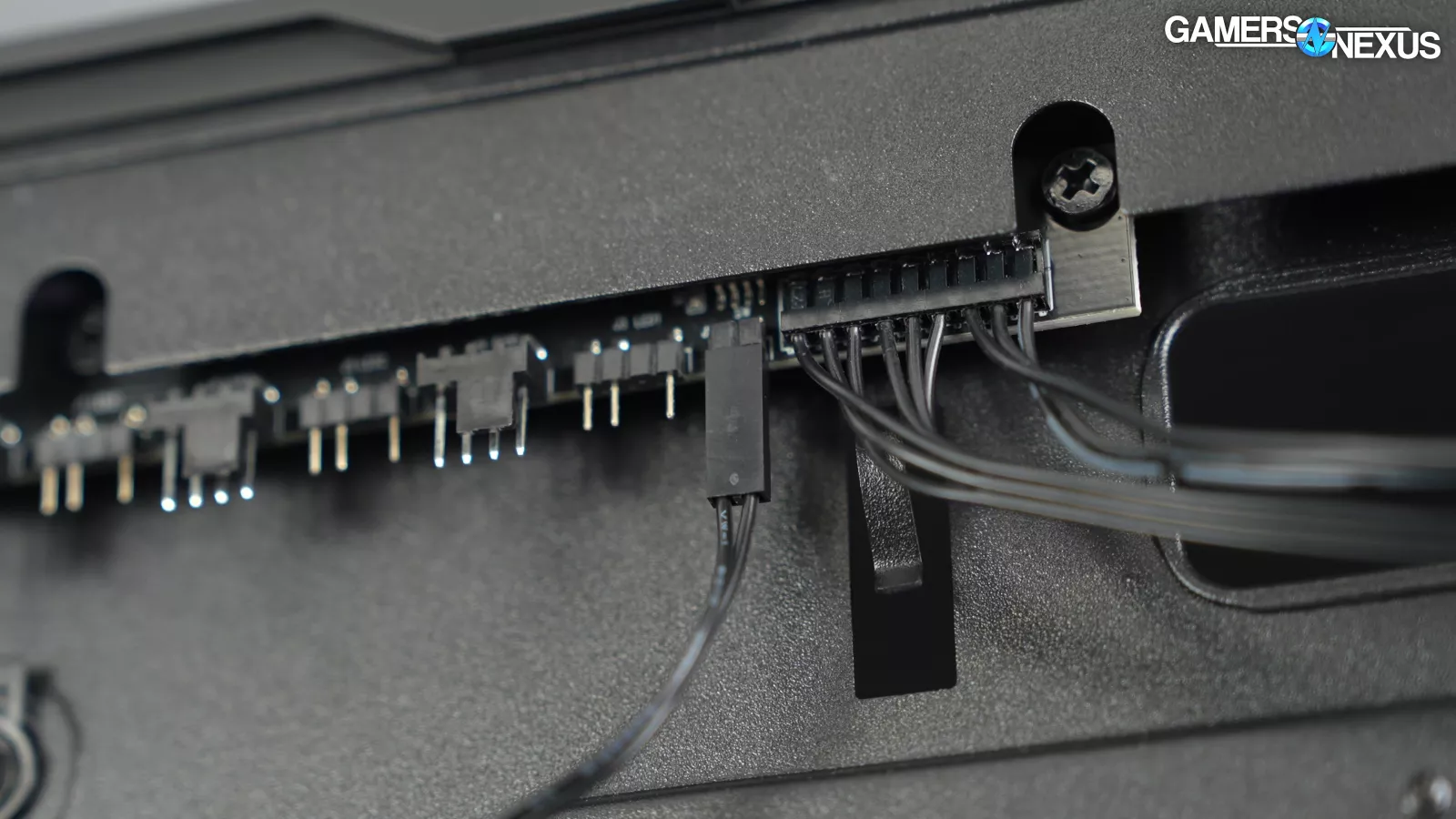
The fan and ARGB hub built into the case is overkill, but it isn't hurting anything. There's not much reason to add more than the three stock fans, and all three are equipped with daisy-chain connectors, but the fan hub has six total slots. There are also six ARGB headers even though it's an advertising point for the case that it has no RGB lighting. The hub contains baked-in lighting patterns that can optionally be controlled by connecting a button to two pins.
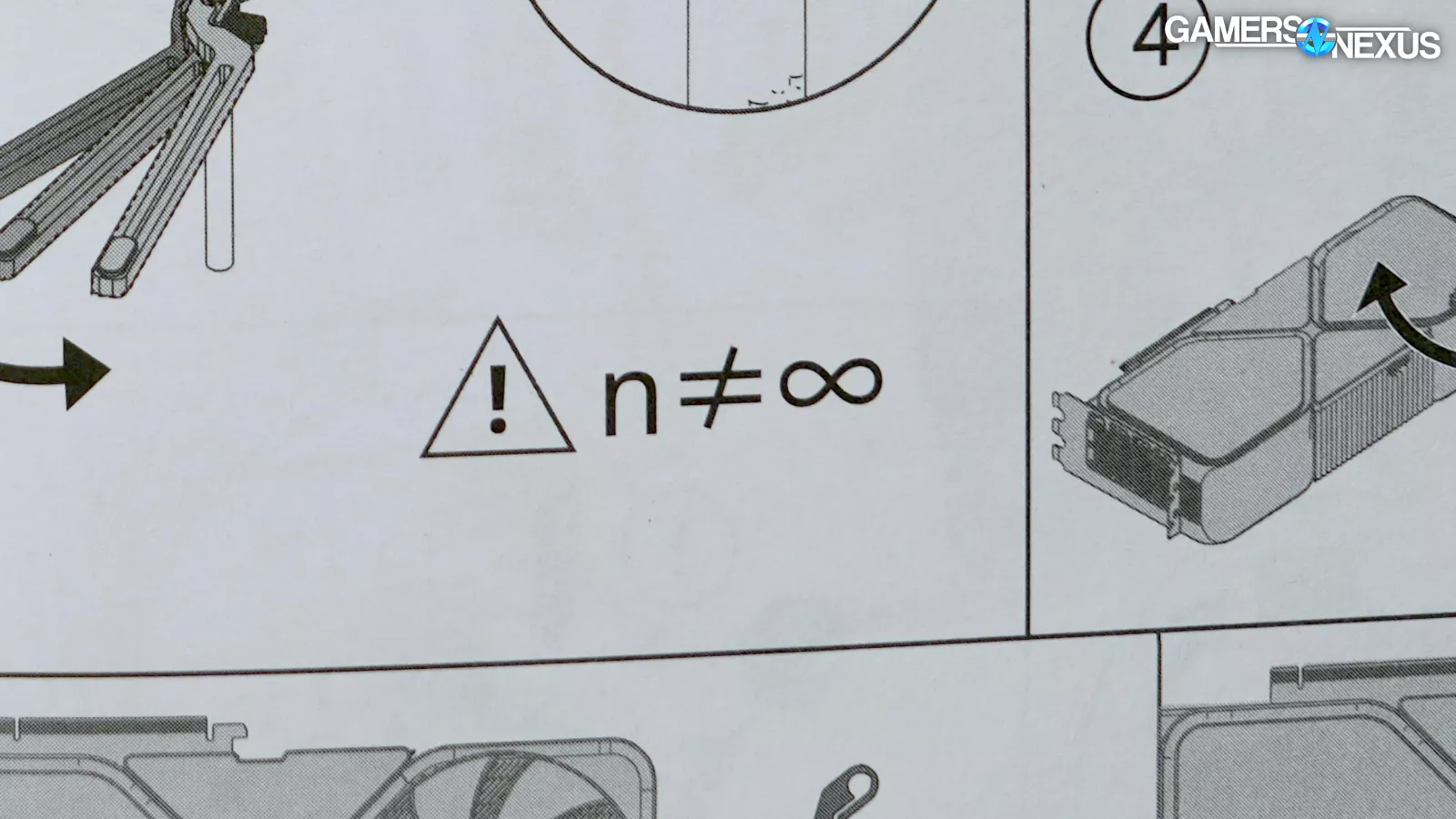
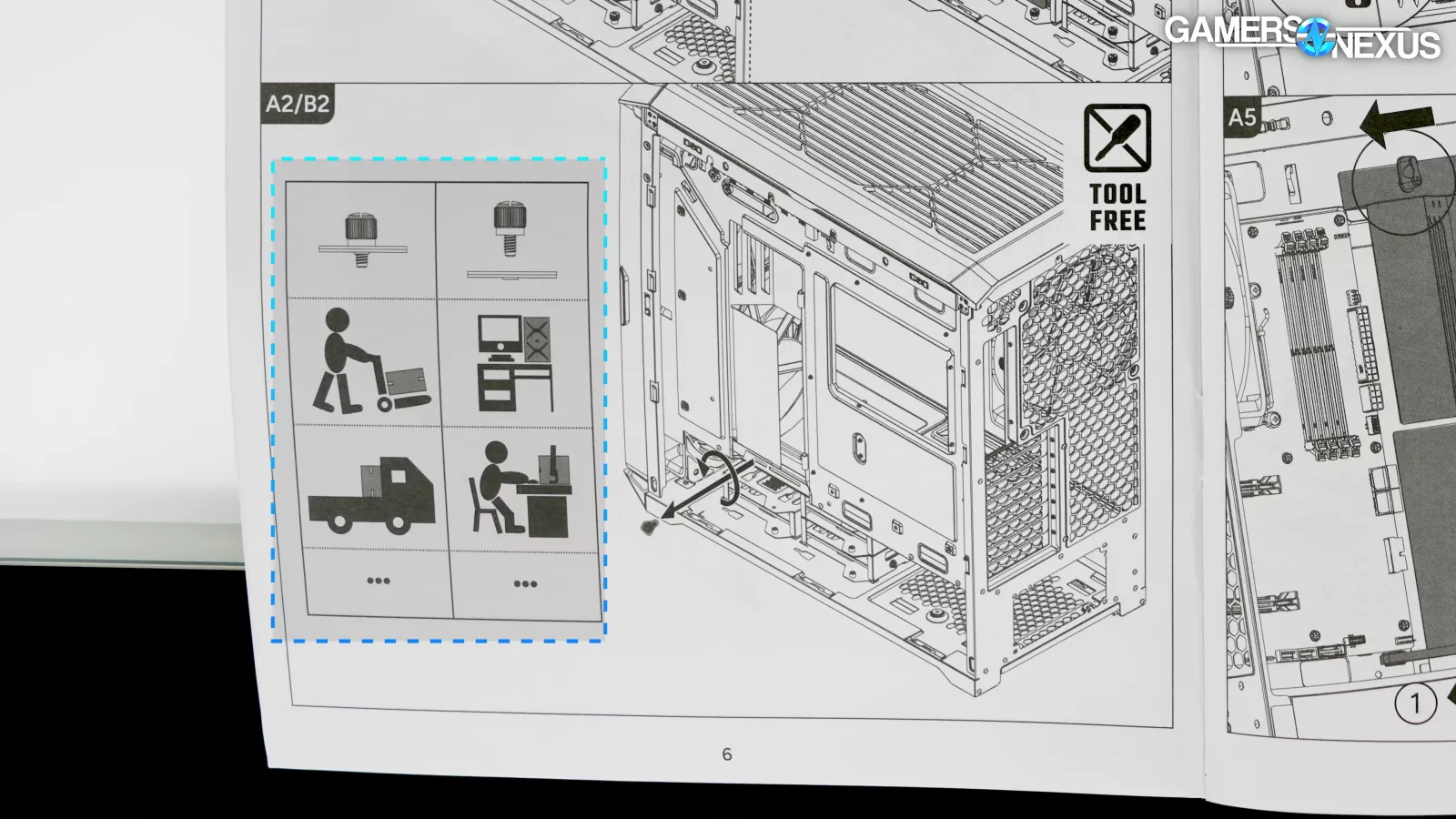
The manual isn't the best we've seen. The illustrations are busy and sometimes go too far in attempting to avoid words, leading to panels like this -- where n isn’t equal to infinity.
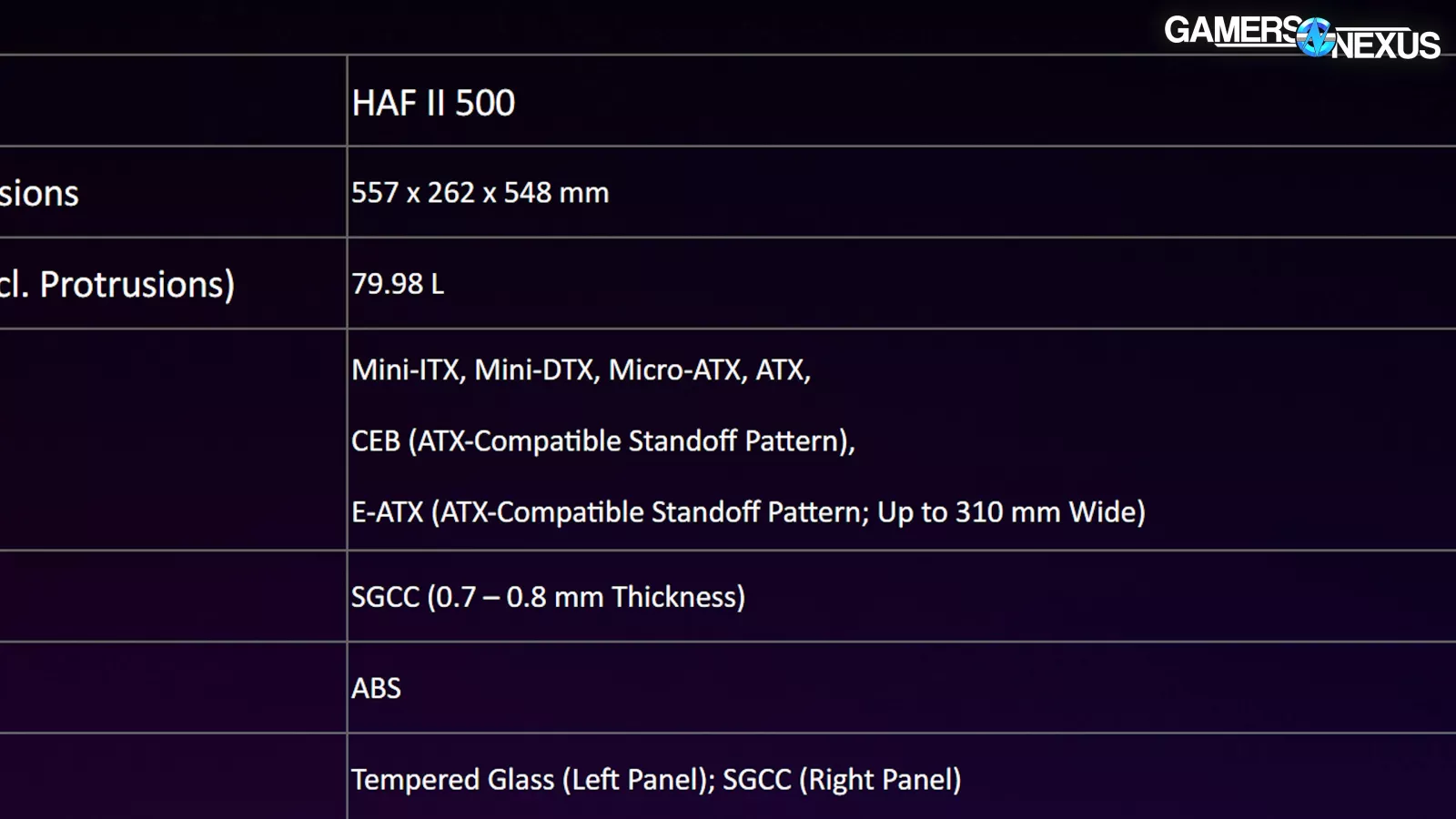
There aren’t any motherboard supports beyond standard ATX, but there's room for wider boards to overhang. We don't recommend going up to the maximum 310mm that Cooler Master lists since that would leave a large part of the board unsupported.
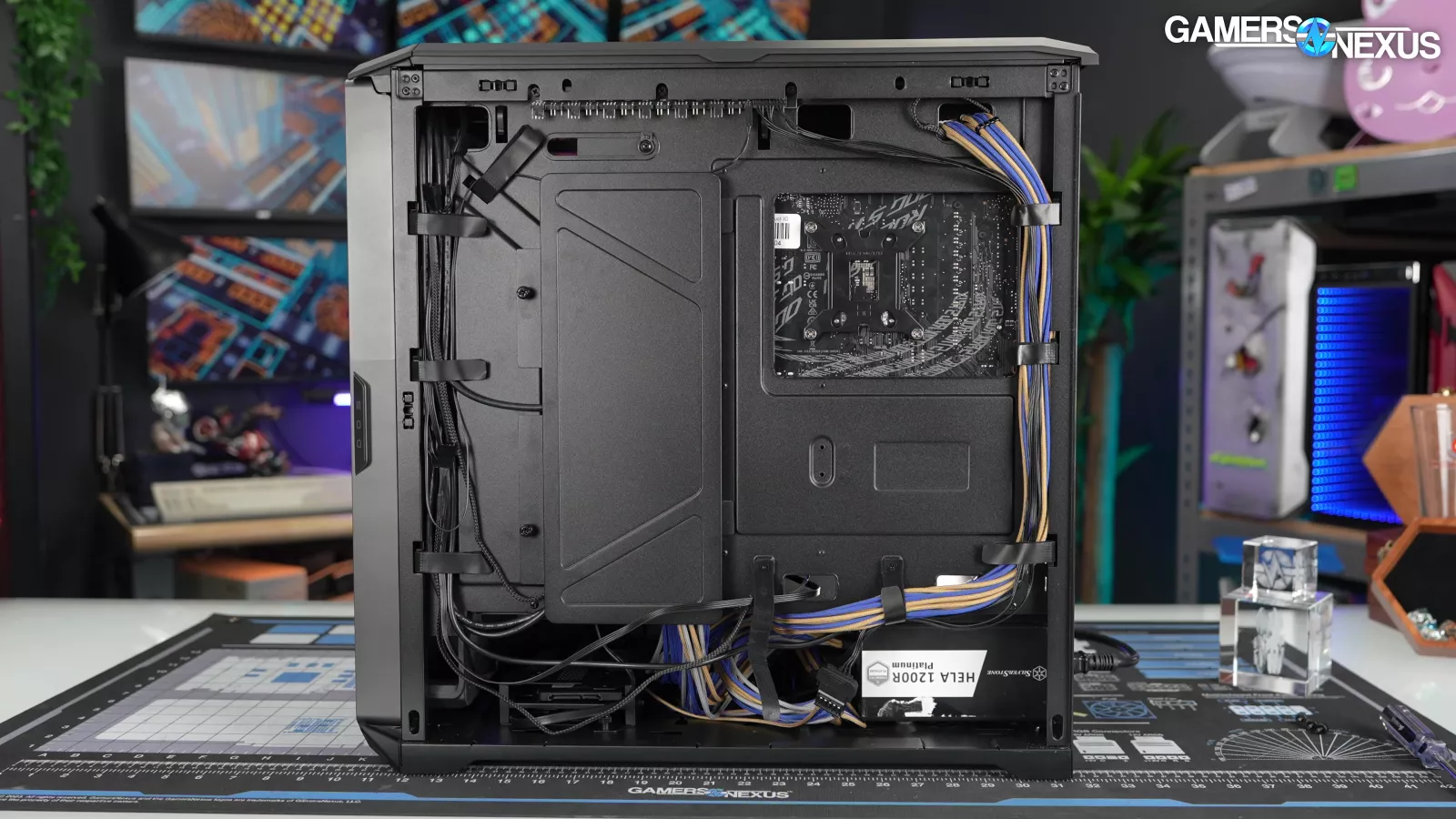
The case does not support back-connect boards, but choosing what it wants to be rather than trying to be everything is something we always support for cases.
Cooler Master HAF II 500 Thermals & Noise

We've used it in a lot of comparisons, but there's no getting around the fact that at $205, the Fractal Torrent is the exact head-to-head competitor for the HAF II 500. The HAVN BF 360 Flow is another close match with its three extra-large stock fans, but it's also a little more expensive at $230. We can throw some other cases on the pile, like the cheaper $120 Lian Li 217 INF, but it's really those first two cases that Cooler Master is gunning for.
We kept these tests brief because there's only one fan configuration that makes sense to test, and that's stock.
CPU Full Load Thermals - Noise-Normalized
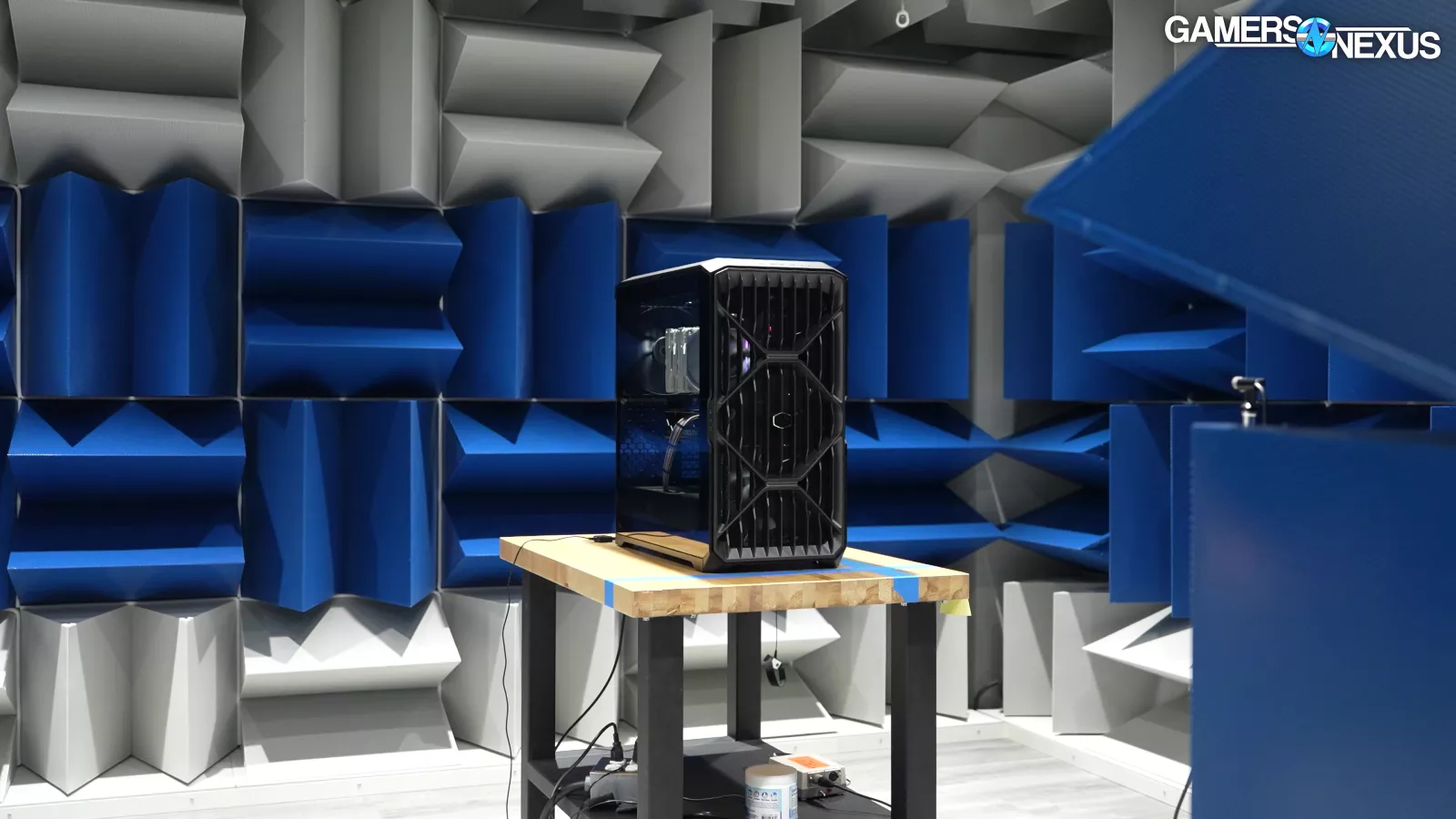
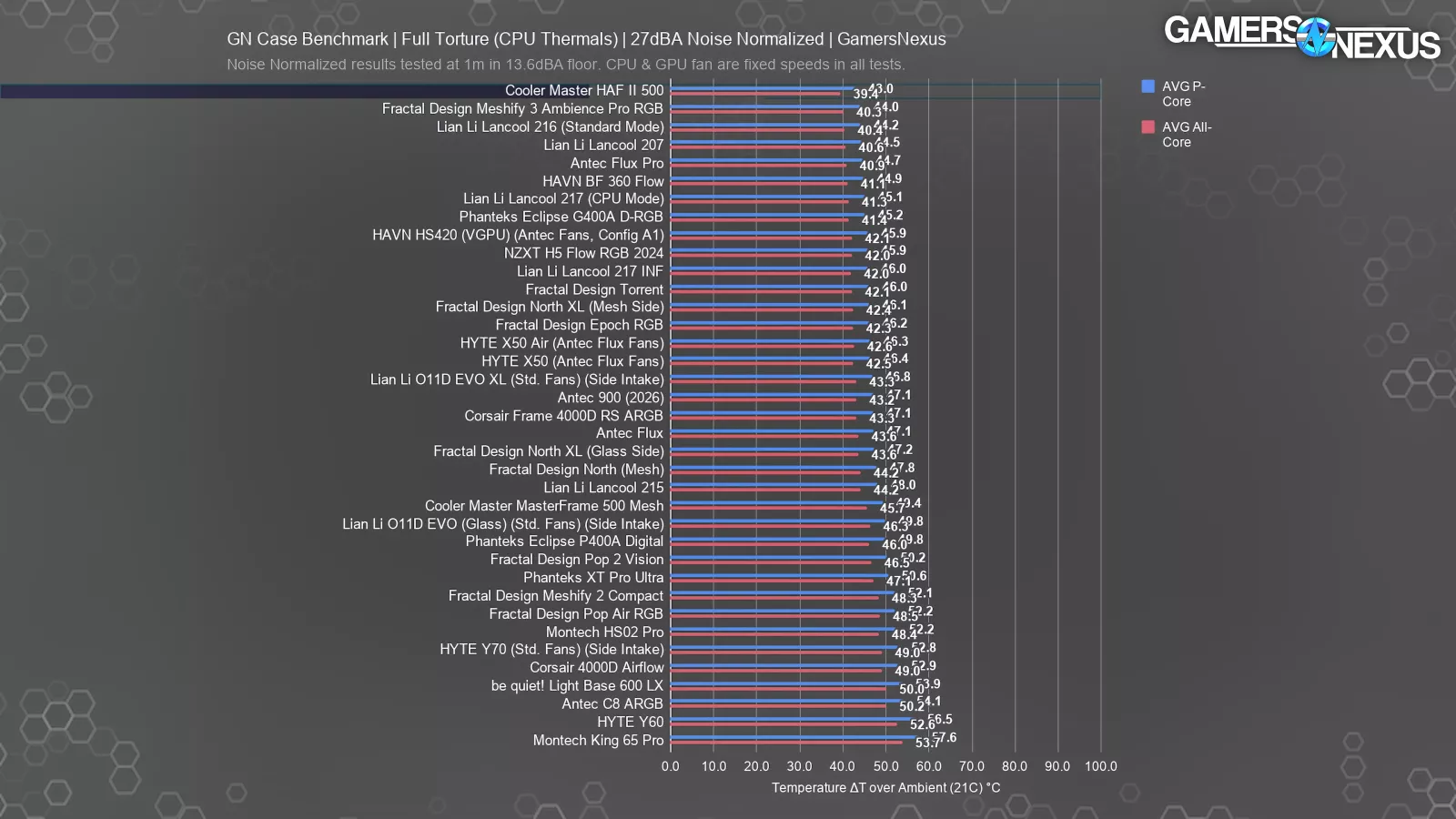
We used our hemi-anechoic chamber to lower fan speeds until the system hit our 27dBA SPL threshold as measured from one meter in front of the case. That required reducing fan speeds in the HAF II 500 to 50%. CPU cooler and GPU fan speeds are always left fixed for this process.
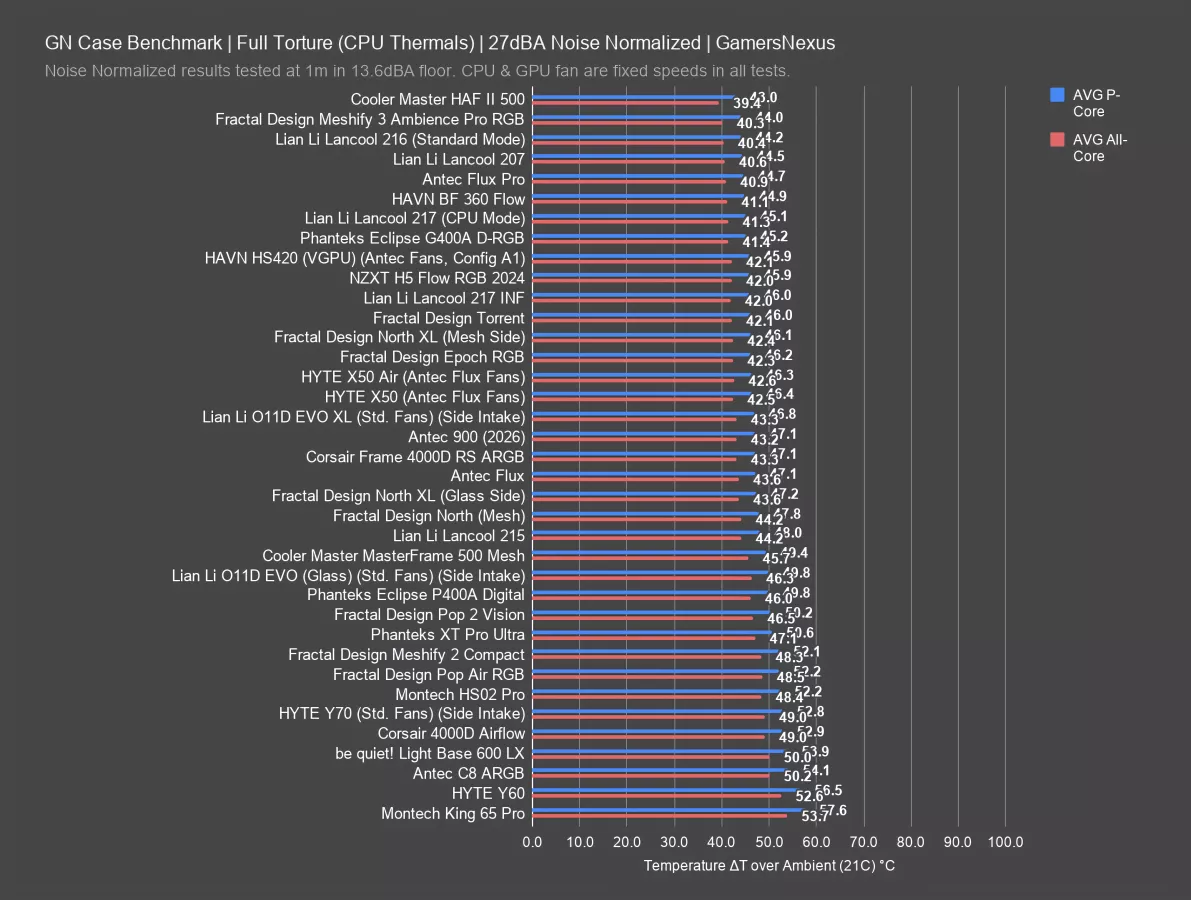
The HAF II is the new best performer on the charts, landing at 43 degrees Celsius above ambient on the P-cores. The next closest best is the Meshify 3 Ambience Pro RGB at 44 degrees, giving Cooler Master a full 1-degree advantage -- a relatively large lead considering it’s already at the top of the chart. That’s impressive for Cooler Master and shows that the HAF series has finally returned and is making full use of its “High Air Flow” namesake.
The HAF II 500 also beats the BF 360 Flow (read our review) by 2 degrees, with it at 44.9 C over ambient, and the once-king Fractal Torrent by 3 degrees. As a representative of the more affordable segment, the Lian Li 217 INF's average was a respectable 46 degrees on the P-cores, but it’s not in the same class as the HAF II 500 for price.
We consider noise normalized testing to be the most important of the thermal tests we do, since otherwise we could stick a bunch of fans to an open bench and instantly make the best-performing "case" on our chart. Cooler Master has definitely min-maxed its case design to do well here, and it worked. Job well done to Cooler Master for finally achieving a new best-performer on our charts, for the first time for them in many years now.
GPU Full Load Thermals - Noise-Normalized
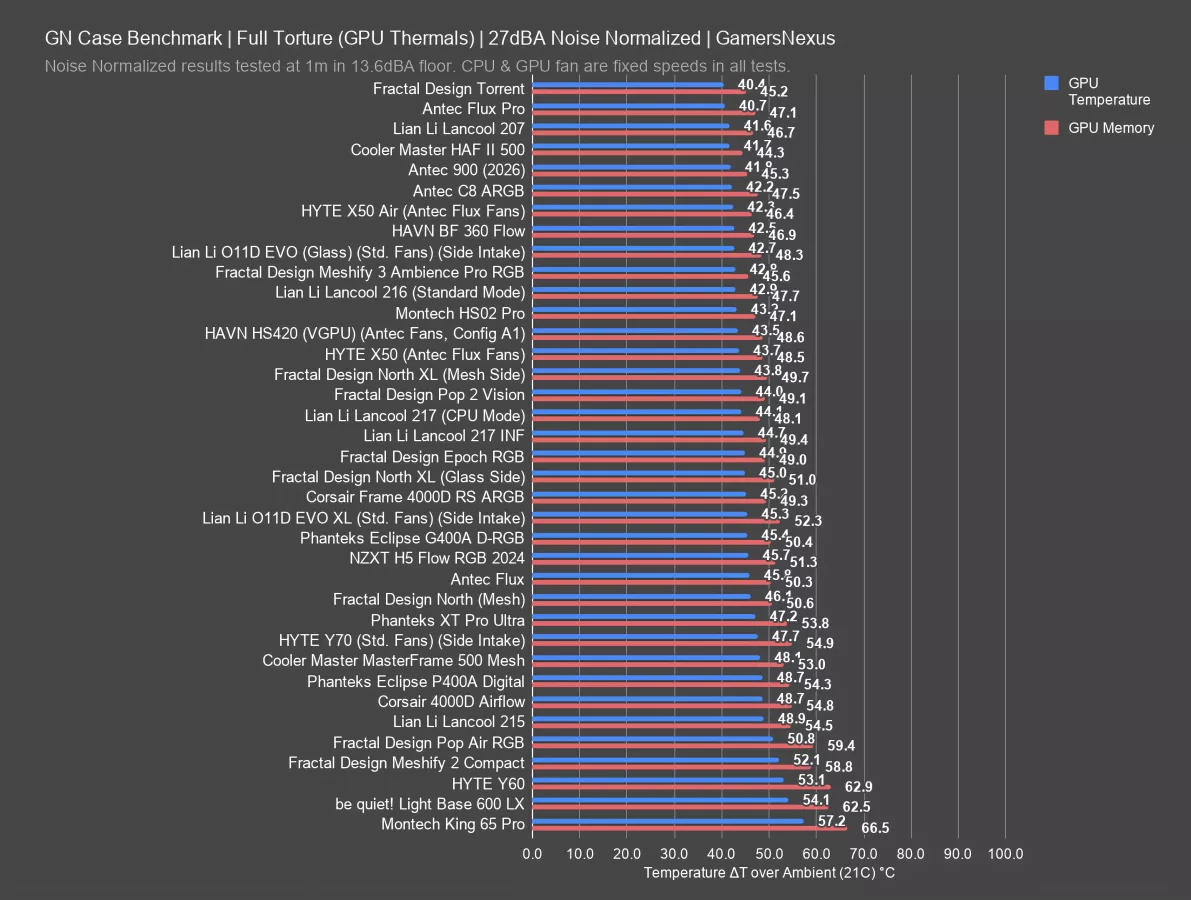
The HAF II 500 technically isn't in the lead for GPU thermals in this test, averaging 41.7 degrees above ambient while the Torrent managed 40.4, but they’re only 1.3 degrees apart. That's an extremely good showing for the HAF II, which did in fact top the chart for VRAM thermals at 44 degrees to the Torrent's 45. That’s just due to where the air is directed by the large fans, as the air across the backplate of the GPU also impacts thermals. Meanwhile, the BF 360 Flow averaged 43 for the GPU core and 47 for the VRAM, and the 217 INF was the warmest of our selection at 45 on the core and 49 on VRAM. The Flux Pro remains at the top here as well and is a competitive case.
The Cooler Master HAF II 500 is one of the best cases we've tested for noise-normalized thermals, and arguably the best when taking a cross-section of all results. It's a design that seems almost built for our air-cooled system (similar to ours), and traditional front-to-back air-cooled setups will do well in this case.
CPU Full Load Thermals - Full Speed
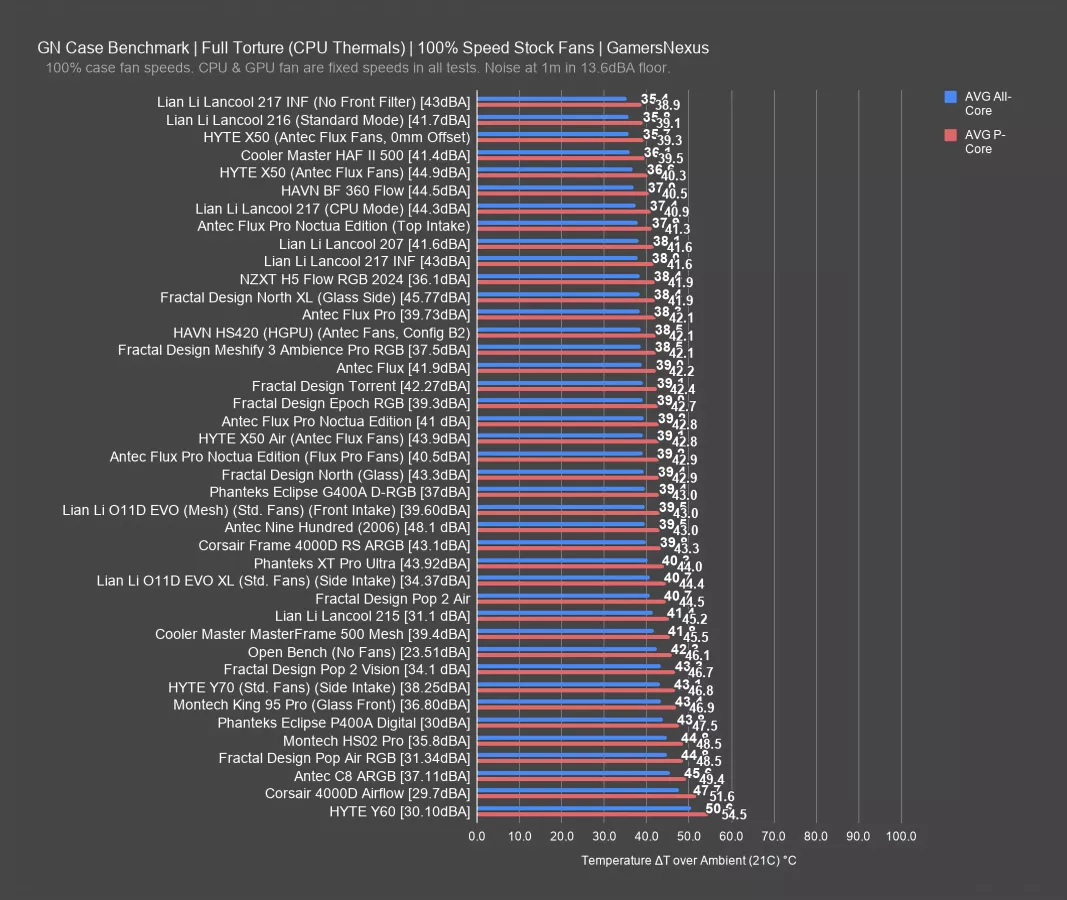
Moving to full speed testing, 41.4 dBA SPL is fairly loud, but it's still quieter than the 44.5 dBA BF 360 Flow, the 42.3 dBA Torrent, and the 42 dBA 217 INF. Those are all cases with big intake fans: subjectively, the noise from the HAF II 500's 220mm fans is less annoying to us than the noise created by smaller high-RPM fans, even if the SPL is equivalent. Cooler Master’s performance is relatively “noise-efficient,” so to speak, which makes sense given its noise-normalized results earlier.
As for CPU thermals, the HAF II 500 is still essentially at the top of the chart at 39.5 degrees on the P-cores, with the only stock case above it being the Lancool 216 (watch our review) with less than one degree of difference. That means it’s within error, so they’re effectively tied for first-place. The X50 uses fans we installed aftermarket.
The BF 360 Flow is close behind, at 41 on the P-cores, and the 217 INF and Torrent are tied at 42.
GPU Full Load Thermals - Full Speed
GPU full speed results are good, but not as comparatively impressive.
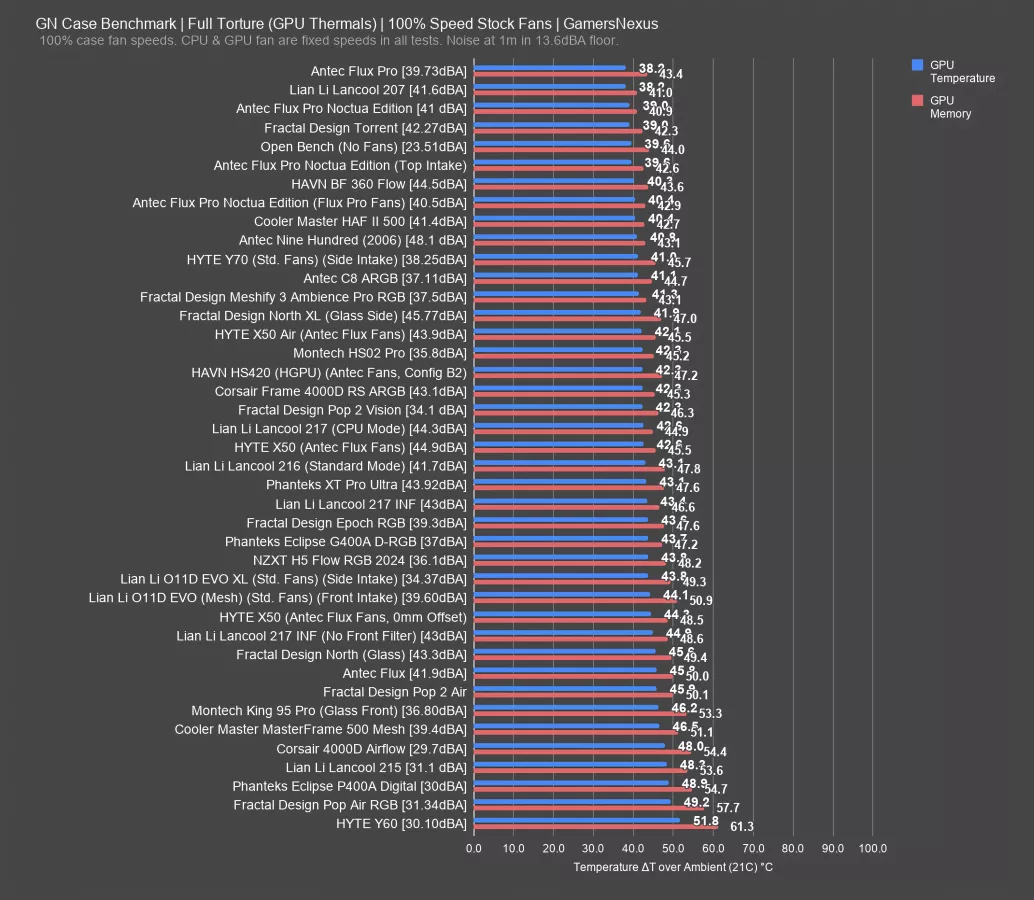
More cases were able to compete in the GPU thermal category, with the BF 360 Flow tying at 40 degrees on the core and 43 for VRAM, and the Torrent outperforming both at 39 on the core and 42 on VRAM. The Lancool 207 (read our review) remains best overall when taking both temperatures into account, benefitted by the sunken fan design and moved power supply. The smaller nature of the 207 is also a benefit, as it gets fans closer to the components under load. The 217 INF wasn't bad here, but it was significantly worse than the others at 43 on the core and 47 VRAM.
The HAF II 500 combines strong CPU and GPU performance with intake fans that span the full height of the case and an airflow divider that successfully directs air up and through the GPU.
VR VCC & SPD Hub - Noise Normalized
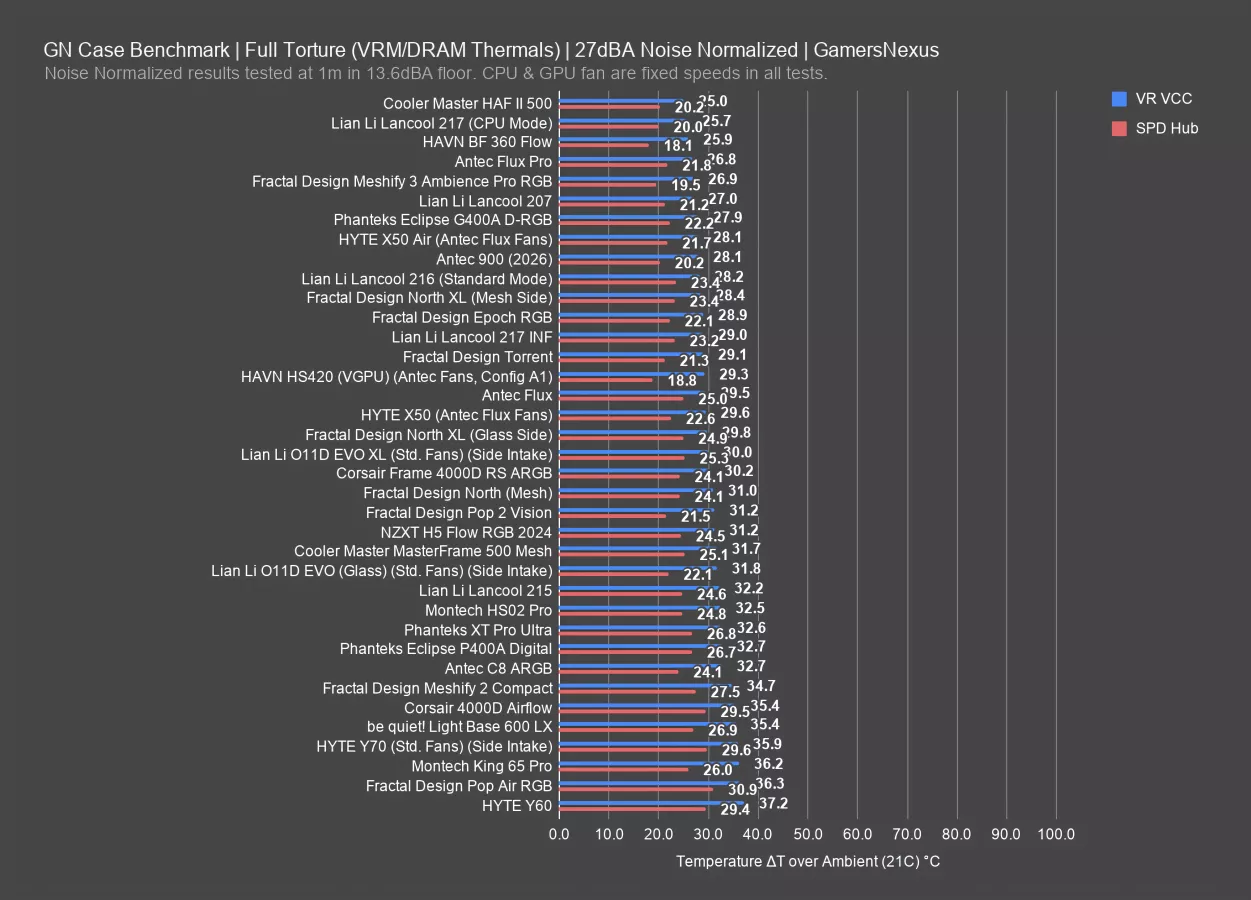
Back to the noise-normalized test briefly, the HAF II 500 also scored the best average for the motherboard VR VCC sensor at 20 degrees above ambient, slightly cooler than the BF 360 Flow's 26 and much better than the Torrent's 29.
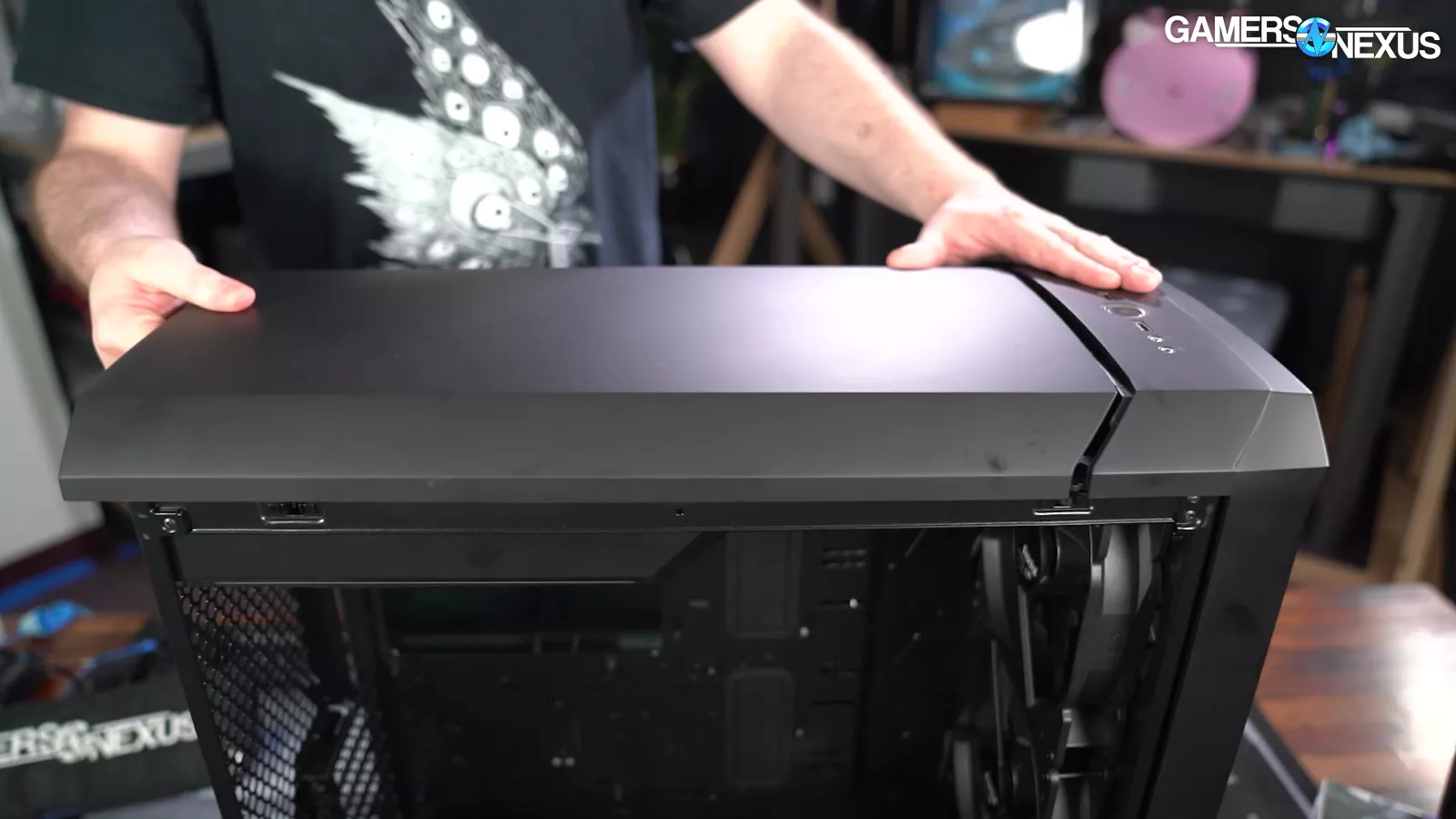
Again, it's easy to feel air pushing out of the open top of the HAF II, whereas the Torrent has a closed roof. The closed roof helps force air into the CPU, but can impact VRM thermals negatively if there’s not enough room for air to move around.
The BF 360's 18 degree average for SPD HUB remains the best so far, but the HAF II isn't far behind at 20 degrees above ambient, beating out the Torrent at 21.
Fan Testing
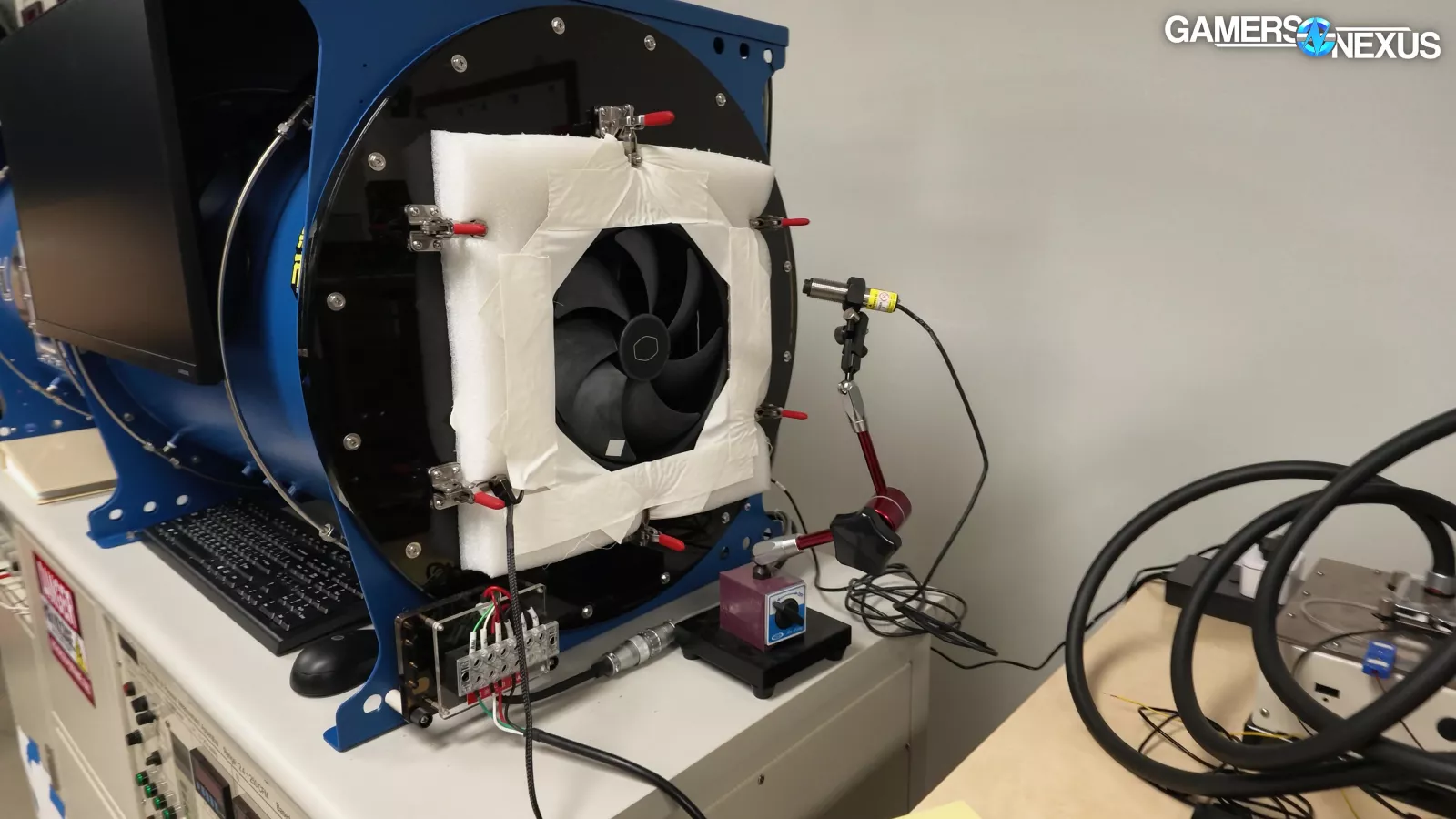
The fan results are really interesting for this one.
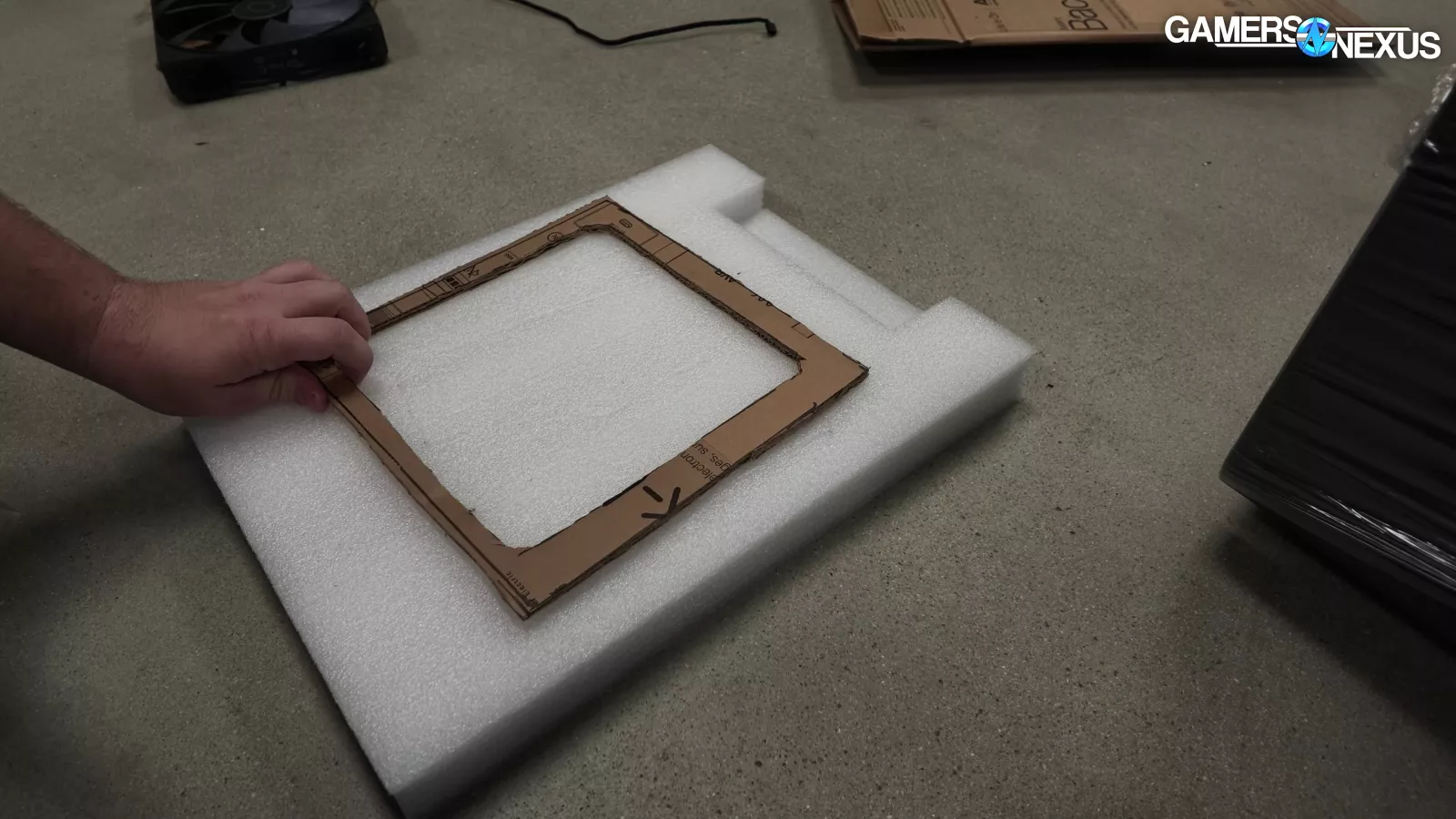
The 180mm rear fan is easy to test and we have a test fixture for that already, but the 220mm Mighty 40 fan was a challenge. We don’t have a 220mm fixture and our 3D printers are busy printing Steam Machine face plates that we list on our store, so we resorted to the old fashioned method: A sharpie, a knife, and cardboard. That came out great, and then we realized we cut the cardboard too small to be suspended, so we upgraded to a 40mm thick block of foam, which we matched to the fan for its thickness. We then drove the mounting pegs on the fan testing machine through the foam block, which resulted in a perfectly secure test fixture for the ginormous fan.
These fan machines need to be tested and certified to certain sizes. Fortunately for us, back when we ordered it, we had the manufacturer configure it to support fans up to 230mm.
We’re still learning fan testing, but we have been slowly expanding our findings. Thus far, we’ve used it for the HAVN BF 360 Flow review, the Tryx Flova review, the Steam Machine review, and several other case fans, alongside our 3D printed Noctua fan that we created by hand. We feel good about the direction of our results, but like to regularly caution that these results are where we have the least methodological certainty as compared to our thermal results.
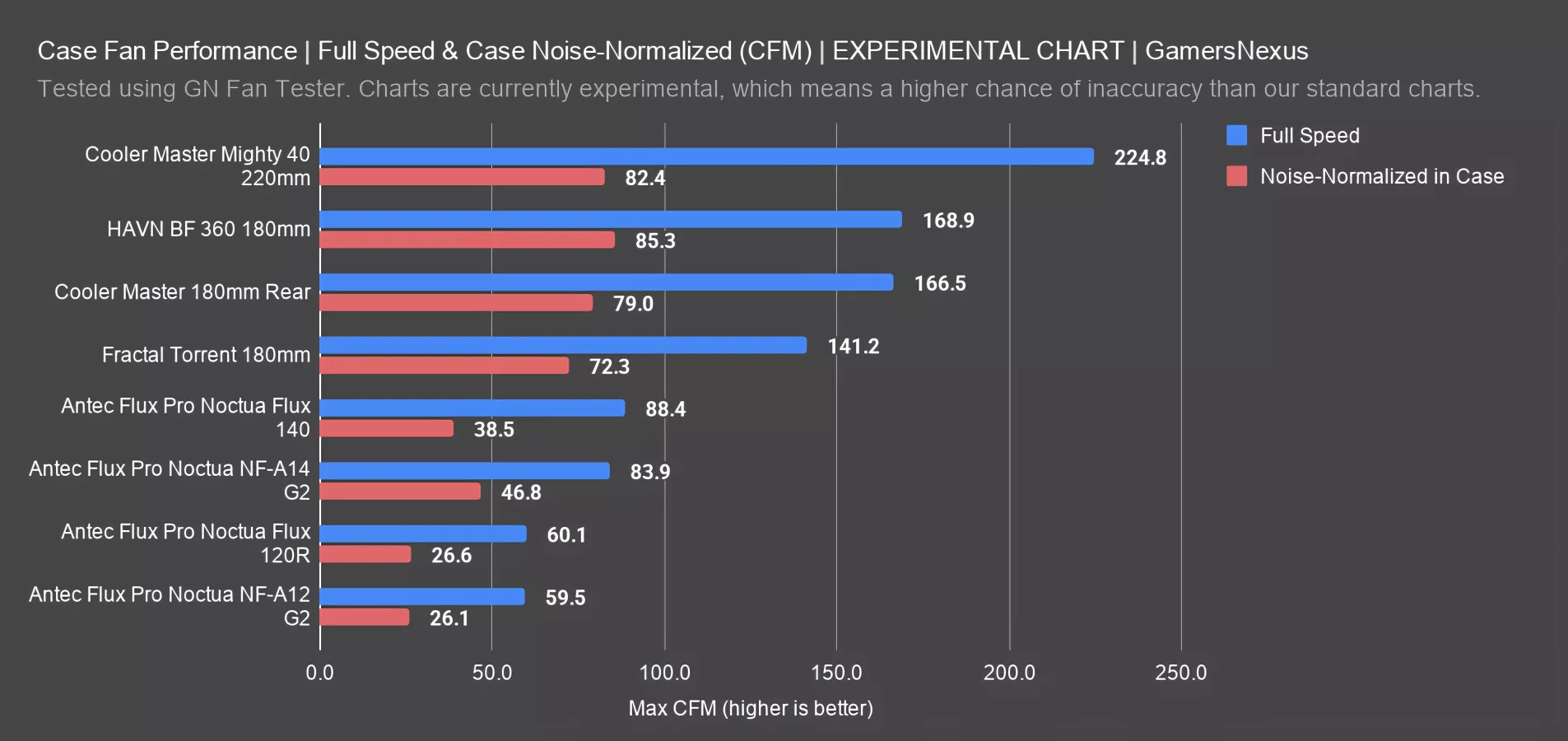
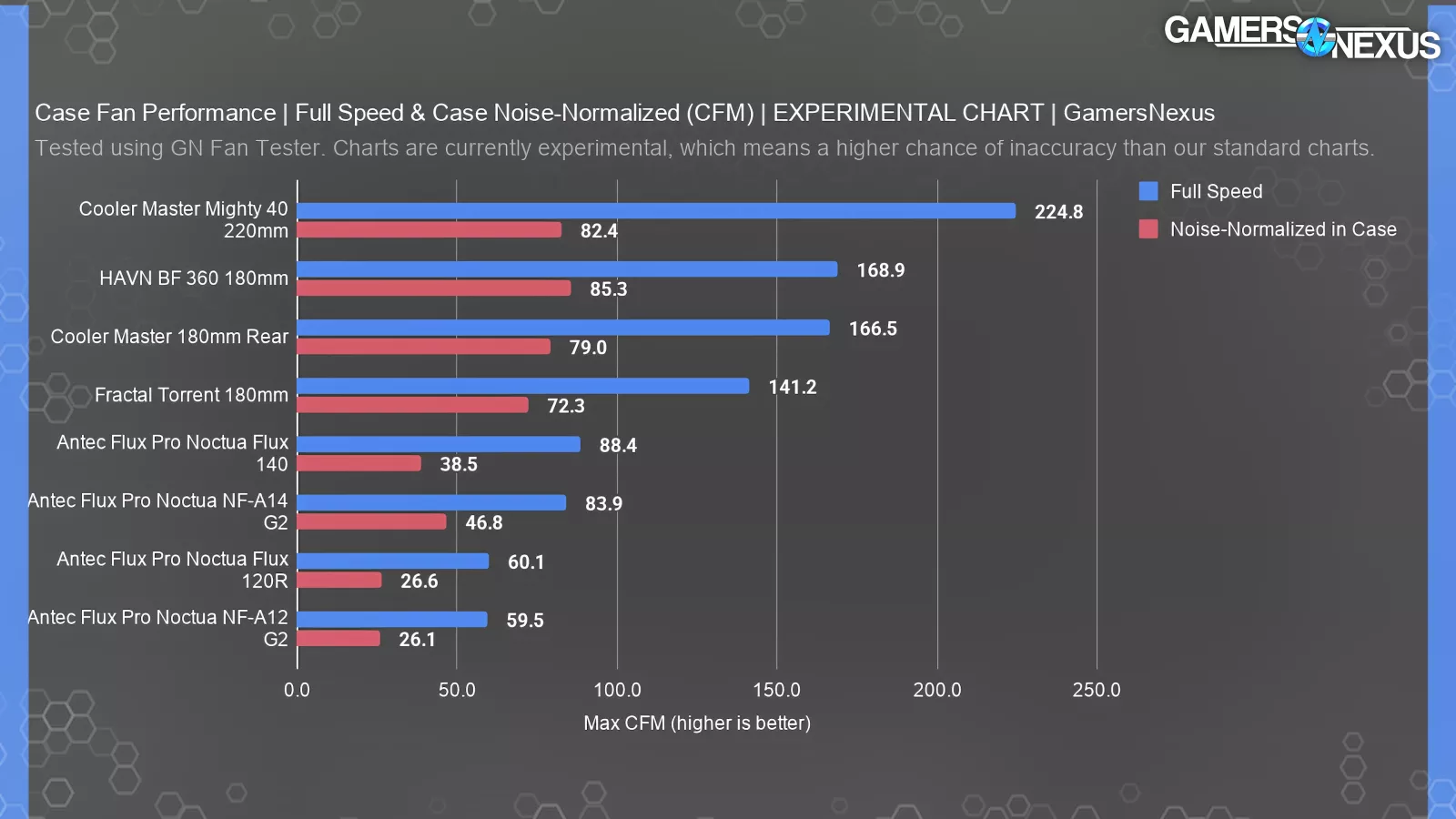
Here’s a chart with full speed and case noise-normalized speed max flow in open air. This is an imperfect figure, as it’s not used in open air, but it gives us a comparable metric. The noise-normalized result is also from the thermal test we run the cases through, which means it’s the speed the fan ran at during total system noise normalization, not a fan-to-fan noise normalization. It is designed to match our case thermal charts.
All that stated: The Mighty 40 is impressive here, and shows why Cooler Master ends up at the top of our case charts. At full speed, the fan manages the best max flow performance we’ve seen yet. That makes sense, given the gigantic hole it’s pushing air through. The 225 CFM result outdoes the HAVN BF360’s 169 CFM on its 180mm fan and the CM 180’s 167 CFM. Fractal’s old Torrent 180mm is showing its age here as well.
The case noise normalization result has the Mighty 40 fan similar to the BF 360 fan, with the 180mm rear fan also nearby the BF 360. This coordination is why Cooler Master does so well.
Max Pressure Performance
Here’s a chart with the max pressure performance.
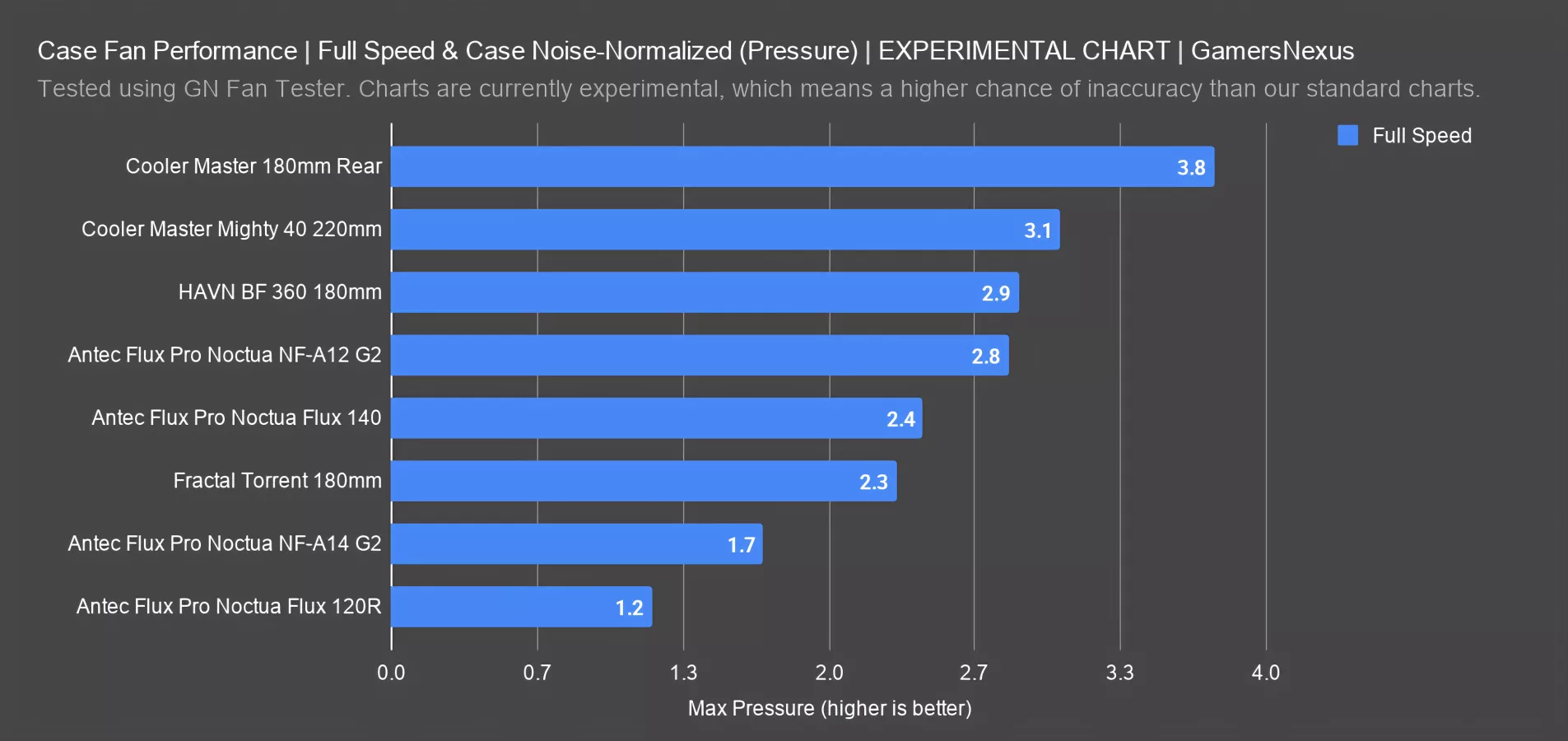
The larger Mighty 40 220mm fan does well, at 3.06 mmH2O for pressure at full speed. It’s not as high as the pressure from the 180mm fan though, which benefits from its slightly smaller size and hits the highest result we’ve yet recorded in our small sample size. The BF 360’s fan also does well, at 2.87 mmH2O. Pressure is a weakness for the Torrent, although it’s still not bad.
Cooler Master HAF II 500 Conclusion

Standing anywhere near this case, it's easy to feel the breeze blasting through every open vent in its positive pressure setup, even when the fans are tuned to a reasonable noise level. We've given Cooler Master a lot of shit in the past for stretching the original meaning of the acronym "HAF," but this genuinely is a high airflow case.
Cooler Master says the target audience for the HAF II 500 is "Ultra-settings Gamers / PC Enthusiasts & Custom Builders / AI, Rendering Professionals." We're trying not to feel too bittersweet about the “AI” part. Because the HAF II 500 is the kind of case that would have blown everyone away and upended the market a few years ago, but we don't know how excited anyone is going to be to spend $200 on a new case for their old hardware. It's a fair price in the current market for a high-performance case, and it compares very well with its peers (the BF 360 and Torrent).
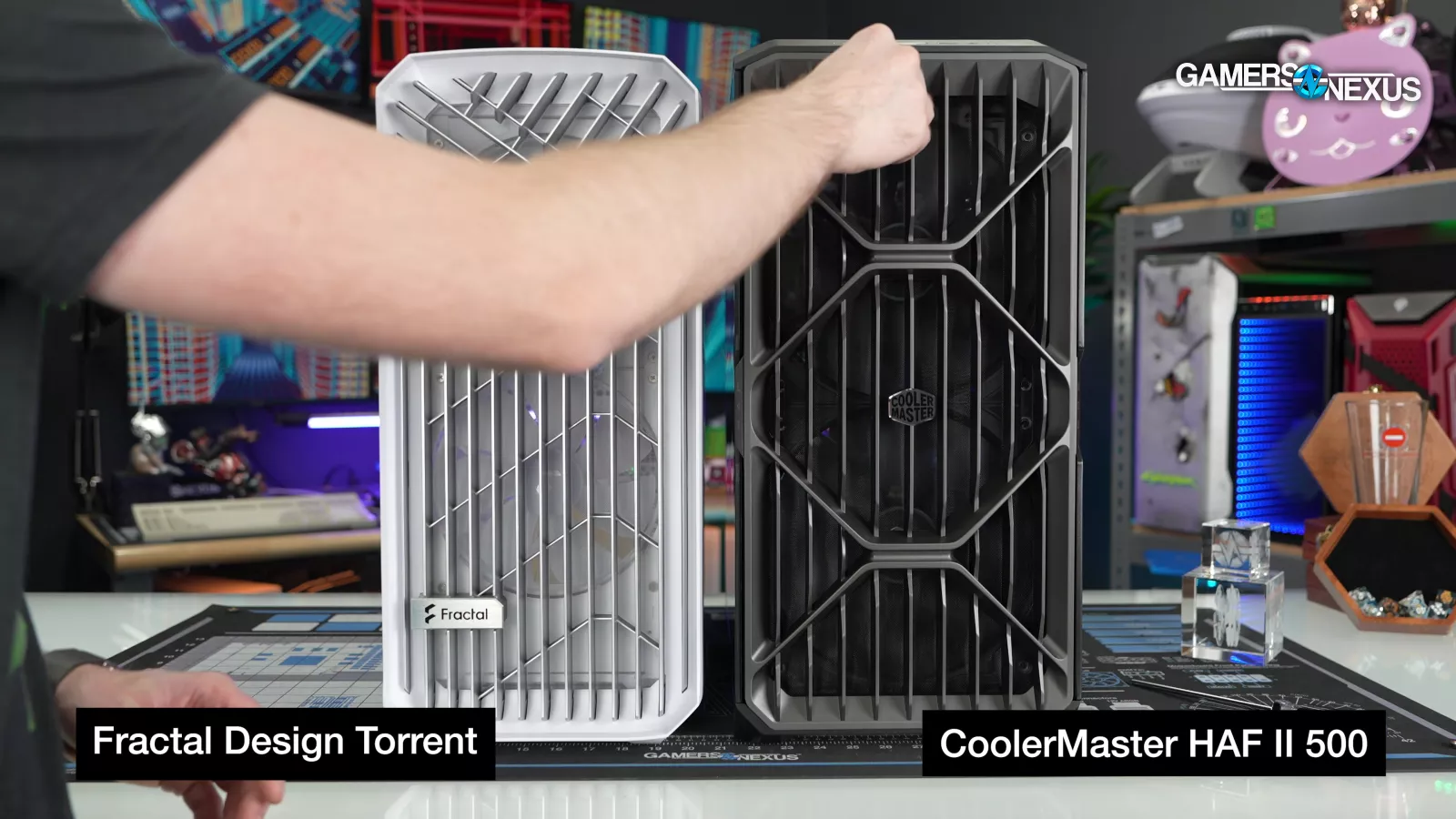
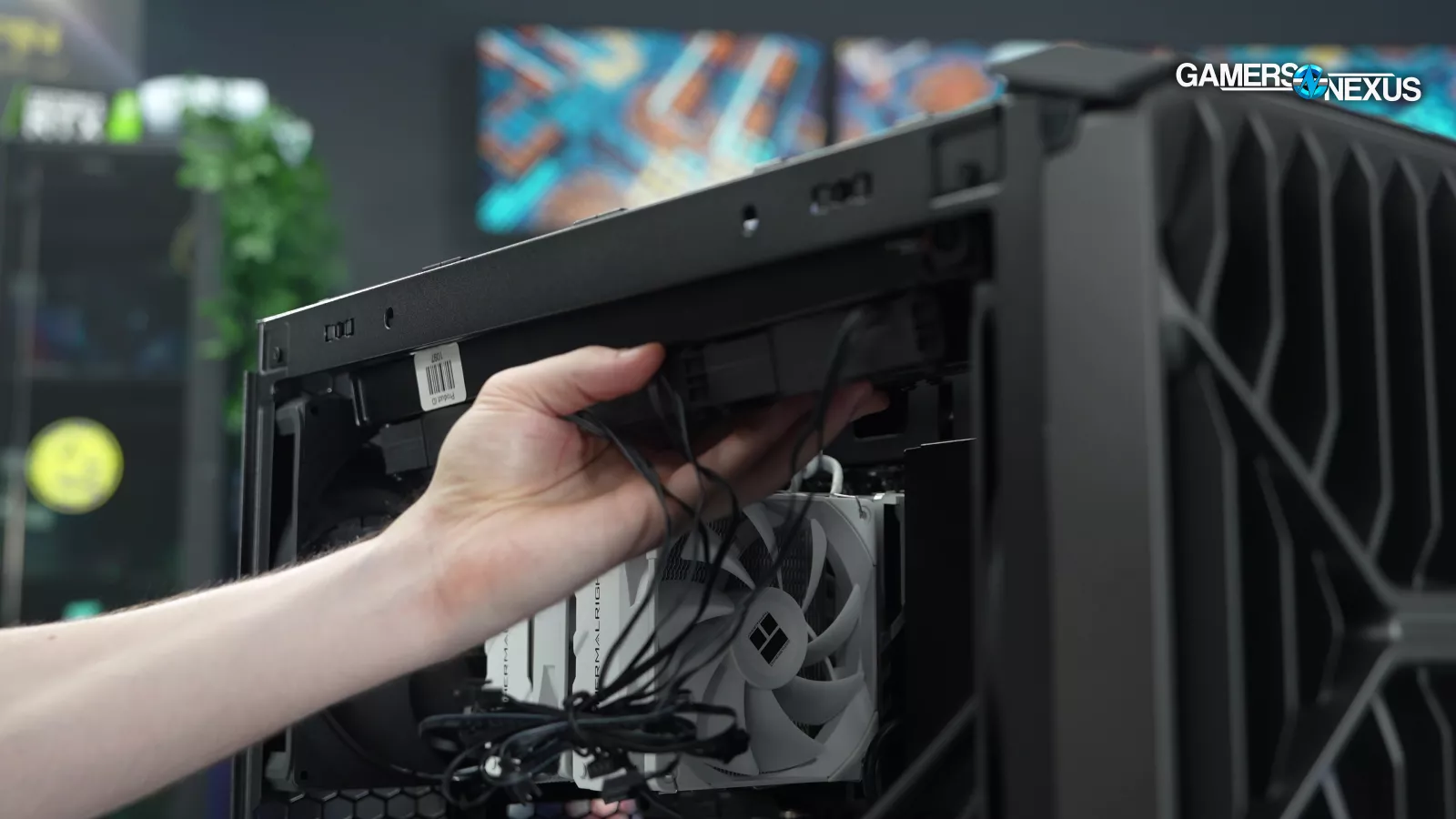
Like the Torrent, we need to be clear that this case puts air cooling first. The top mount is the only location where a radiator really makes sense, and we'd prefer leaving that open for exhaust. This also isn't the best platform for RGB, since it makes no sense to swap out the stock fans and the case itself contains no RGB LEDs.
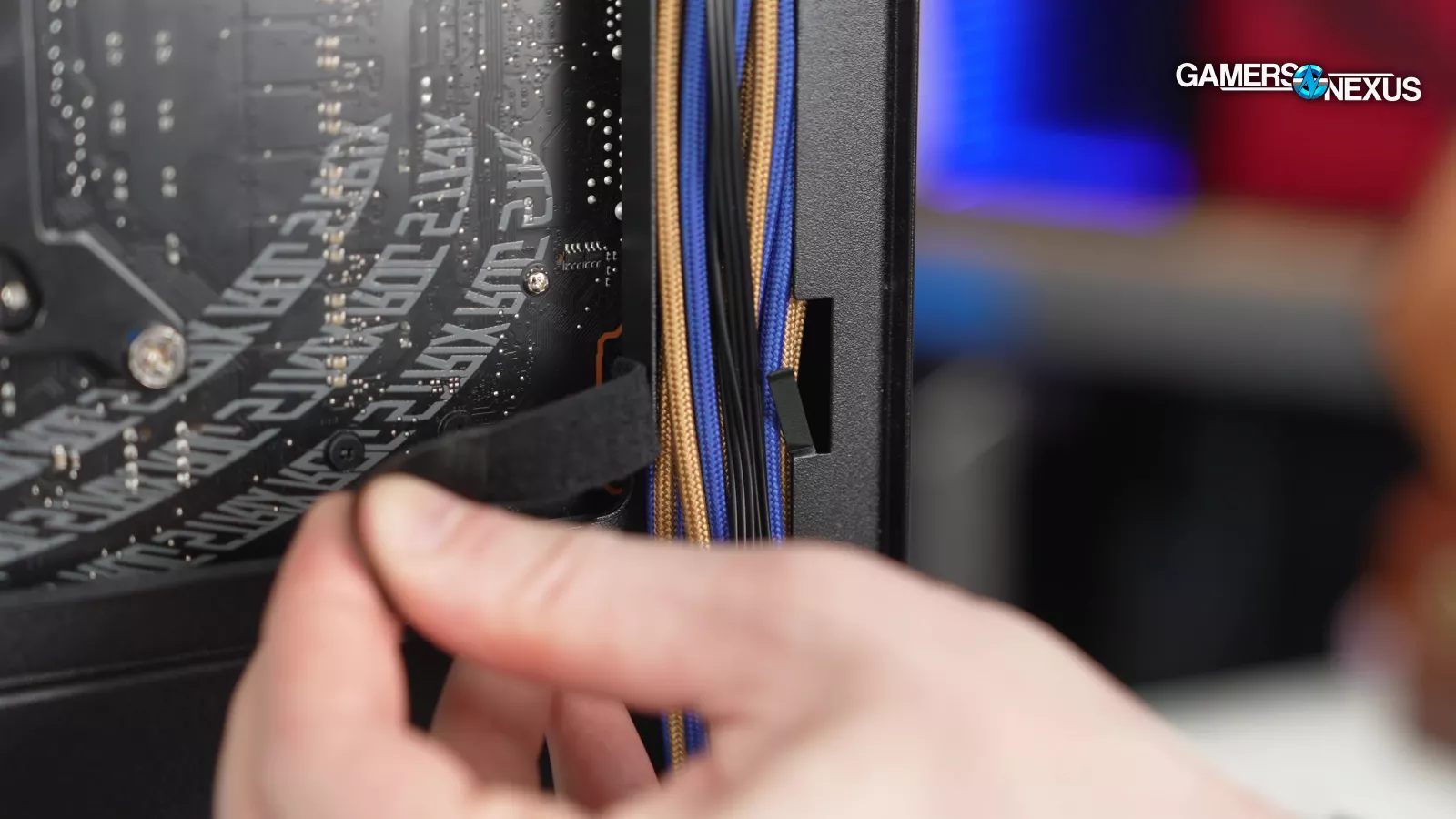
Our most serious complaint is very specific: those hooks for the velcro straps really, really suck. They're way too flimsy.
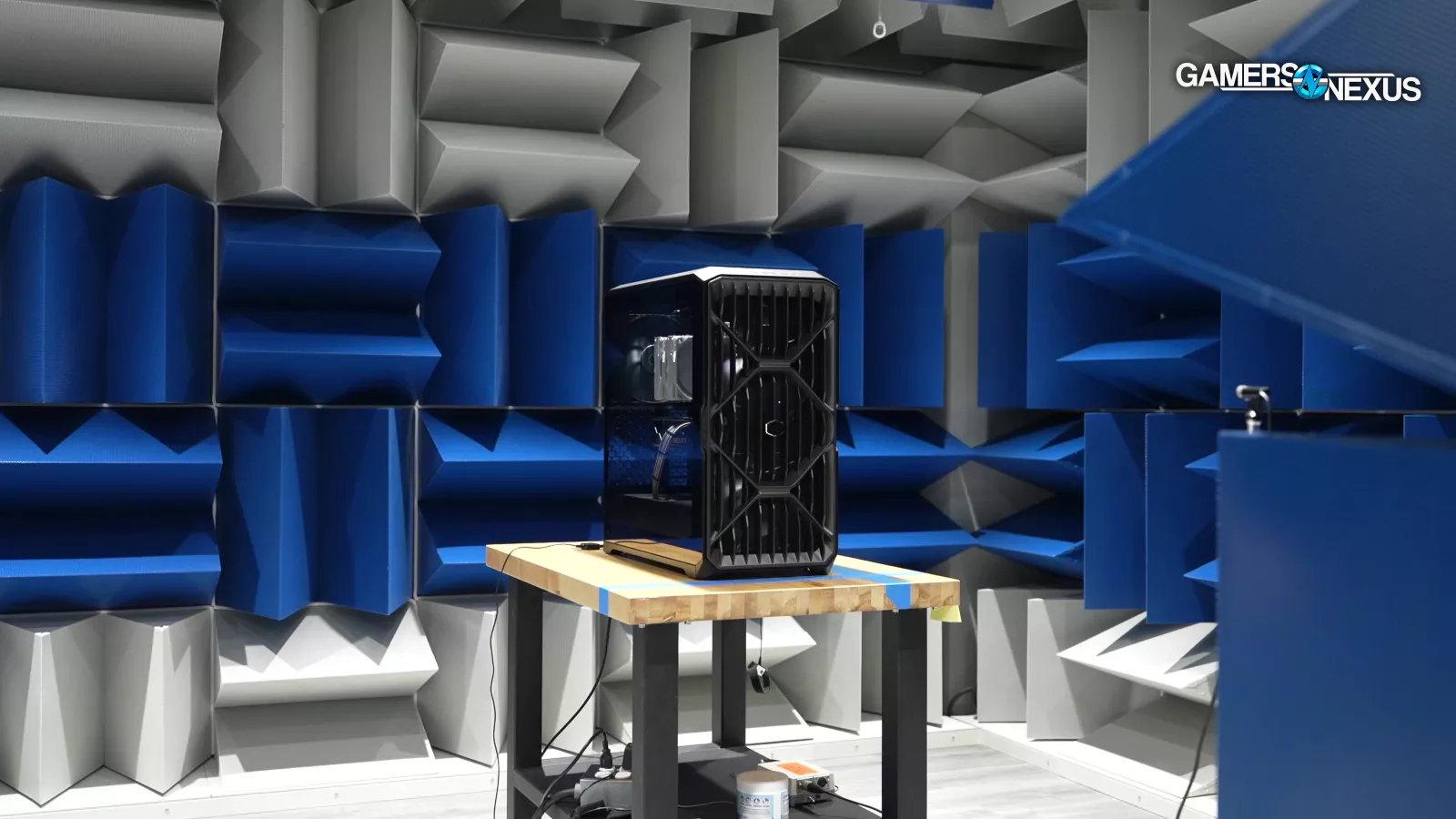
Otherwise, the HAF II 500 is an excellent case at a high but not-too-crazy price, born into a world where people are bunkering down and not wanting to spend money on enthusiast hardware. If you really want performance and $200 is too much, Lian Li has a nearly unbroken streak with high performance-to-price ratio Lancool cases like the 207, 217, or even the flashy infinity mirrored 217 INF that we compared today.